
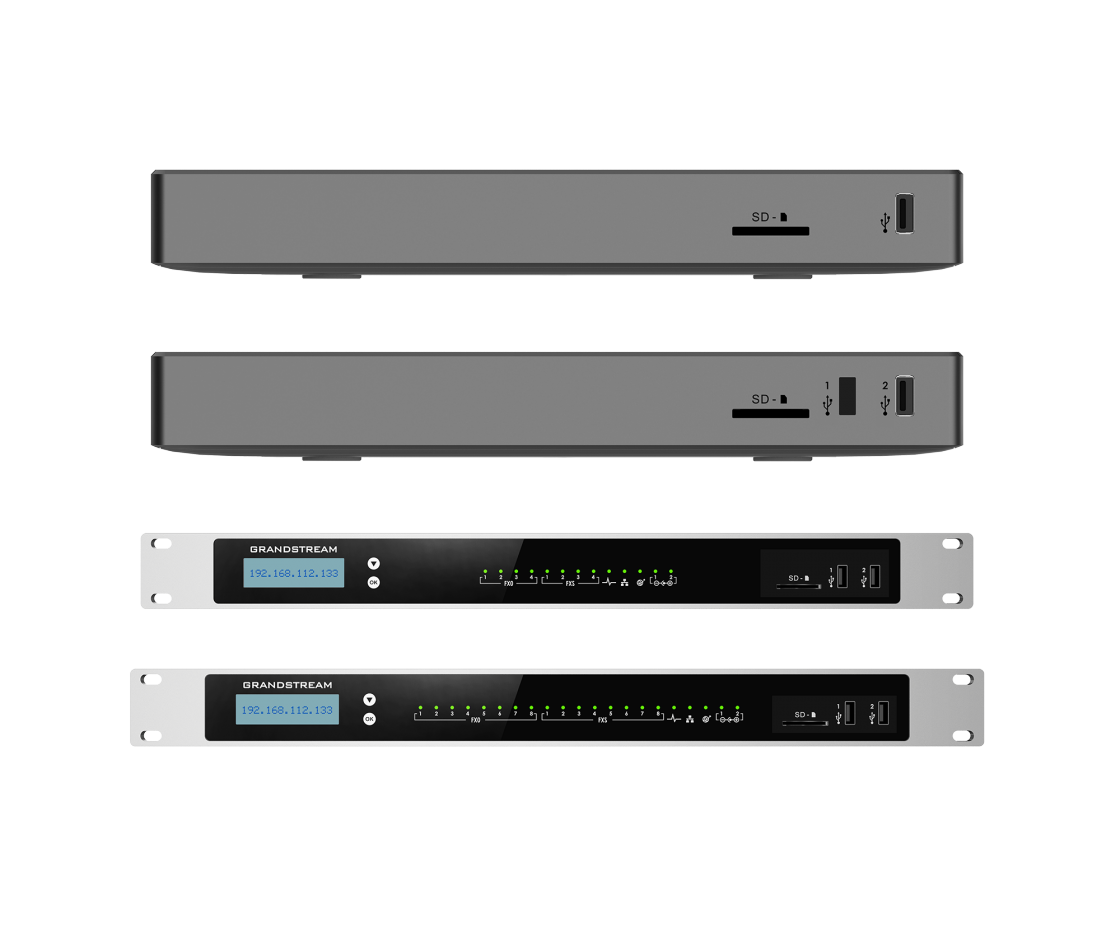
A Call Recording Platform Built Around the Business Phone System
The Grandstream UCM Call Recording Solution UAE is best understood as a complete IP PBX recording design rather than a separate recorder attached after the phone system is installed. Supported Grandstream UCM platforms include a built-in call recording server, web-based access to recordings and Call Detail Records that help administrators relate calls to extensions, lines, dates and other call information. For a business buyer, that means the same platform controlling extensions, SIP trunks, queues and routing can also become the central point for recording selected conversations.
This approach solves a common operational problem: recordings have little value if nobody can find them, if storage fills unexpectedly, if the wrong departments are captured, or if staff members have more access than they should. A proper deployment starts by defining why calls need to be retained. A sales manager may want coaching samples. A customer service team may need evidence of agreed actions. A clinic may need a controlled record of appointment or service conversations according to its internal policy. A logistics company may want to review dispatch instructions and customer escalations. The technical configuration should follow those business reasons.
Grandstream provides recording controls within the UCM environment, including automatic recording options on supported extension configurations and recording functions used with call handling workflows. Recording files can be accessed through the administrative web interface. For organizations that need integration with external reporting, archiving or business applications, supported UCM systems also provide CDR and recording API capabilities over HTTPS. The API should be planned carefully because it requires explicit enablement and controlled access rather than being treated as an open data feed.
The appliance choice remains important. The wider UCM6300 family spans multiple models, and capacities differ significantly across the range. Grandstream publishes family-level capacities reaching up to 3,000 users and 450 concurrent calls for the UCM6300 Series, while the UCM6300 Audio family reaches up to 1,500 users and 200 concurrent calls. Those maximums do not describe every appliance. Buyers should size the PBX to simultaneous calls, expected recording volume, analog-port requirements, remote-user needs and future growth rather than selecting only by the highest published family number.
FourTeck supports UAE organizations by turning those variables into a defined purchase scope. The team can help compare suitable UCM models, review SIP trunk and IP phone requirements, map which extensions or queues need recording, estimate a sensible retention approach and identify integration or remote-access considerations. This makes the buying process easier for both procurement and IT because the quotation can reflect the actual communication workflow instead of a generic appliance.
Why Recording Becomes More Useful When It Is Planned with the PBX
The strongest benefit is not simply that a call can be saved. The value comes from controlling what is recorded, who can retrieve it, how it relates to call activity and how the deployment will cope with future call volume.
Recording Rules Match Real Workflows
A business does not necessarily need every extension treated the same way. Reception, sales, support, collections or selected queues may have different operational requirements. A UCM deployment can be designed around those differences so the recording policy follows the call flow. This reduces unnecessary recording, helps storage planning and gives administrators a clearer structure for finding the conversations that matter.
Recordings Sit Beside Call Records
Call Detail Records give context around who called, which route was used and when activity occurred. When recordings are managed within the same PBX environment, supervisors and administrators can investigate a customer interaction with better context than a stand-alone audio file provides.
Useful for Coaching and Process Review
Selected recordings can help managers review call handling, identify repeated customer questions, improve scripts and train new team members. The benefit is strongest when the organization has a defined sampling and access process instead of leaving recordings unused after they are captured.
API Access for Advanced Workflows
For technical projects, Grandstream documents CDR and recording API interfaces that can retrieve call records and recording files over HTTPS after the API is enabled and access is permitted. This can support controlled integration with reporting, archiving or line-of-business systems where a project requires it.
Model Choice Can Follow Call Volume and Growth
The UCM6300 range includes different appliance sizes rather than one fixed capacity. That gives buyers a way to match the recording deployment to extension count, simultaneous calls, analog connectivity and growth plans. A smaller office can avoid buying unnecessary capacity, while a busy multi-department environment can plan for heavier traffic and a longer operational life.
Controlled Administrative Access
Recordings can contain commercially sensitive or personal information. UCM deployments should therefore use role-appropriate administration, strong credentials, secure management access and limited API permissions. Grandstream platforms support security mechanisms such as HTTPS, TLS and SRTP, but the final security posture depends on configuration and operating practice.
Core Capabilities That Shape the Recording Design
Grandstream UCM platforms bring call control and recording into the same communications environment. Supported models include a built-in call recording server with recordings available through the web interface. The PBX also maintains Call Detail Records, which can be used to trace phone usage and provide context around recorded interactions.
Automatic recording can be enabled for supported extension configurations, allowing businesses to apply recording rules where continuous capture is required. In queue-based customer service environments, recording can also be planned as part of the call-handling workflow. This is useful when supervisors need a consistent record of interactions rather than depending on individual users to remember a manual recording action.
For advanced projects, the UCM CDR and REC interfaces provide a path for external systems to request call records or recording files over HTTPS. Grandstream documents dedicated API configuration, authentication and permitted-IP controls, which means integration should be treated as an administrator-managed feature. This can be valuable for businesses building a longer-term archive or linking recordings with another business application, but the integration scope should be confirmed before purchase.
Grandstream UCM Recording Solution Specification Guide
This is a solution-level specification. Final appliance capacity and hardware interfaces depend on the UCM model selected after reviewing user count, concurrent calls, analog requirements, recording volume and retention goals.
| Specification Area | Solution Detail | Buyer Note |
|---|---|---|
| Brand | Grandstream | UCM IP PBX family |
| Solution Type | IP PBX-based call recording, CDR and call-management solution | Not a stand-alone recorder |
| Recording Server | Built into supported UCM models | Confirm model and firmware |
| Recording Access | Web user interface; REC API for supported integration workflows | Administrator permissions should be restricted |
| Call Detail Records | Built-in CDR capability for call activity tracking | Useful for locating and reviewing call history |
| Automatic Recording | Supported on configured extensions and applicable call workflows | Define which users or queues require it |
| API Security | HTTPS interface with explicit enablement, authentication options and permitted-IP controls | Integration should be limited to trusted systems |
| User Capacity | Configuration dependent; UCM6300 family spans models up to 3,000 users | Do not size only by extension count |
| Concurrent Calls | Configuration dependent; UCM6300 family spans models up to 450 concurrent calls | Recording load follows real call traffic |
| Audio-Series Scale | UCM6300 Audio family spans models up to 1,500 users and 200 concurrent calls | Useful when voice-focused deployment is preferred |
| Storage & Retention | Configuration dependent | Estimate from call volume, recording scope and required retention period |
| SIP & Endpoints | Designed for SIP-based business communication; Grandstream endpoint provisioning supported | Confirm third-party endpoint and trunk compatibility where applicable |
| Security | Platform support includes secure management and encrypted communications options such as HTTPS, TLS and SRTP | Security depends on correct deployment |
| Availability & Warranty | Contact FourTeck for current model options | Warranty and supply terms depend on selected product and order source |
Choosing the correct configuration requires more than checking the largest published capacity. Start with peak simultaneous calls, not only the number of employees. A company with 200 extensions may have light traffic, while a customer service operation with 70 agents may sustain much heavier concurrent call activity. Recording can increase storage and administrative requirements because each captured interaction must be retained, retrieved and protected.
Next, identify the recording population. If only a service queue is recorded, the storage model can be very different from a policy that captures every inbound and outbound call across the business. Buyers should also confirm whether recordings remain primarily inside the PBX environment, whether an external system needs access through the REC API, and how long files must be retained under internal company policy. These details allow FourTeck to recommend a more appropriate UCM model and supporting infrastructure.
What Configuration Do You Need for Business Call Recording?
The correct configuration is the one that matches call traffic, recording scope, retention, access policy and the existing telephone environment. Treat those five items as purchase requirements before selecting the appliance.
How Many Calls Happen at the Same Time?
Peak call concurrency has a stronger effect on PBX sizing than total employee count. Include inbound calls, outbound calls, queue traffic, branch calls and remote users. If the business has seasonal peaks or campaign traffic, size for the busy period rather than an ordinary afternoon.
Which Calls Must Be Recorded?
Decide whether the policy applies to selected extensions, a call queue, sales teams, support users, inbound customer calls or a wider group. Avoid assuming that every call should be recorded. A focused scope can reduce storage, simplify review and improve privacy control.
How Long Do Recordings Need to Stay Available?
Retention drives storage planning. Estimate daily recorded call minutes, number of working days and the period recordings must remain accessible. If the organization wants a long-term archive outside the PBX, define the export or integration path at the project stage rather than after storage becomes full.
Will It Use Existing Phones and SIP Trunks?
Confirm the SIP provider, current IP phones, analog lines, gateways, PoE switches, VLAN design and firewall environment. A new UCM can often become the center of an existing voice network, but compatibility and migration steps should be checked before purchase.
Who Is Allowed to Listen or Export?
Recordings can include sensitive customer and employee information. Decide which administrators, supervisors or compliance staff require access. The technical setup should follow that access model with controlled accounts, secure management paths and an approval process for export where appropriate.
Do You Need API or External Archive Access?
If another application needs recordings or call records, identify the requirement early. Grandstream documents CDR and REC APIs, but integration work still requires application logic, security decisions and testing. FourTeck can help define the PBX side and coordinate the requirements for a third-party integration project.
For a useful quotation, send FourTeck the approximate number of users, expected simultaneous calls, number of recorded departments or queues, desired retention period, current PBX or SIP trunk details, required IP phone quantity, remote-user count, delivery location and whether installation or integration support is needed. This information allows the solution to be sized around real operating conditions rather than a generic product bundle.
Where UCM Call Recording Fits in Daily Operations
This solution is most useful when recorded calls have a clear operational purpose. The examples below focus on business workflows where recording, CDR visibility and structured retrieval can improve supervision, continuity or dispute handling.
Customer Service and Support Queues
Support teams often need to understand why an issue escalated, whether an instruction was provided and how agents are handling repeated questions. Recording selected queue calls creates a review source for supervisors while CDR data helps locate the interaction by time, extension or call activity. A structured policy can also support training because supervisors can choose representative examples rather than relying on memory. The UCM call-queue environment makes this a natural use case when the recording scope is defined before deployment.
Sales and Account Management
Sales calls may contain pricing discussions, delivery commitments, project requirements or next-step agreements. Selected recordings can help managers coach teams and review disputed details. Buyers should decide whether all sales calls, only queue calls or specific extensions require capture.
Clinics and Appointment Desks
Appointment and service desks handle schedules, directions, insurance questions and changes that can lead to misunderstandings. A controlled recording policy can provide an operational reference, subject to the organization’s notice, consent, privacy, retention and access requirements.
Hotels and Hospitality Teams
Front desk, reservation and service teams can benefit from a searchable call history when guest requests are distributed across departments. The overall UCM design may also include analog connectivity, IP phones, queues and integrations, so the recording requirement should be considered with the wider hospitality communication workflow.
Logistics, Dispatch and Warehouses
Dispatch calls can include collection instructions, delivery changes, access details and urgent customer requests. Recording selected lines gives operations managers a reference when there is confusion about timing or instructions. Network resilience and power backup may be as important as PBX capacity in warehouse environments.
Real Estate and Property Teams
Property teams often manage high call volumes across agents, reception, listings and client service. Recording can support coaching and the review of customer instructions. Mobile and remote-user design should be confirmed because not every call path is identical to a desk-phone call.
Service Centers and Help Desks
Repair centers, maintenance providers and technical help desks can use recordings to confirm symptoms, promised actions and escalation details. Queue design, agent permissions, after-hours routing and integration needs should be mapped together so the recording is part of the service workflow rather than an isolated feature.
Grandstream UCM Recording Control and Retrieval
The practical strength of UCM recording is that administrators can manage recording inside the same phone-system environment that controls extensions and call flow. Supported UCM products provide a built-in recording server and allow recording files to be accessed through the web interface. Automatic recording can be enabled for supported extension configurations, which helps a business create a repeatable rule for departments that require consistent capture.
For managers, the important question is how a recording will be found later. This is where Call Detail Records matter. A recording project should define naming, date ranges, extension ownership, queue responsibility and who is allowed to search. If a customer calls three times in one day, the reviewer should be able to identify the correct interaction without listening to unrelated files.
The business should also define what happens after a recording is reviewed. Some organizations keep the file only for a defined retention period. Others may export selected calls for an investigation, training library or external archive. Those procedures are operational choices rather than automatic PBX behavior, so FourTeck recommends documenting them alongside the technical setup.
Grandstream UCM CDR and Recording API Integration
For businesses that need recordings outside the standard UCM management workflow, Grandstream documents CDR and REC APIs. The CDR interface can provide call-detail data, while the REC interface can request recording files or lists of available recordings. The connection uses HTTPS, and the API must be explicitly enabled in the UCM configuration before an external application can use it.
This is important because an API connection should not be treated as a simple checkbox. The receiving application needs a clear purpose, trusted network access and a secure authentication design. Grandstream’s API configuration supports permitted-IP controls, allowing administrators to restrict which systems are allowed to connect. A successful project therefore requires cooperation between the PBX administrator and the application team.
A buyer asking “Can the recordings go into our CRM or archive?” should therefore provide the target application, desired lookup fields, expected daily recording volume and who will maintain the integration. FourTeck can help validate the PBX-side requirement and identify where application development or third-party vendor work is also needed.
Grandstream UCM Storage, Retention and Access Planning
Recording storage is the part of a project most likely to be underestimated. A small pilot may look simple because only a few recordings are created each day. Once automatic recording is enabled for an active sales or support team, daily volume can grow quickly. The buyer should therefore estimate retention before selecting the final appliance and operating process.
A useful estimate begins with the number of recorded users, their average recorded minutes per working day and the number of days recordings must remain available. Peak periods should be considered, especially for call centers, booking desks and seasonal businesses. The resulting number is not only a storage question; it also affects how supervisors search, how long administrators keep backups and whether an external archive is required.
Access planning is equally important. A business may want support supervisors to review their own queue but prevent unrelated departments from listening to those calls. Finance or compliance staff may need access to selected records while ordinary users should not. These controls should be agreed before go-live so the recording system supports the organization’s internal privacy and information-handling policy.
Storage and retention decision checklist
- Estimate recorded minutes per department, not only total calls.
- Define the retention period and who approves deletion or export.
- Confirm whether recordings must stay inside the UCM or be copied to another system.
- Assign named administrators or supervisors with a business reason for access.
- Plan backup, firmware and system-maintenance windows so recording availability is understood.
- Review the policy periodically as the number of users, queues and branches grows.
What Buyers Should Check Before Purchase
The biggest purchase risk is choosing a UCM model before defining the recording workload. User count alone does not tell you how many calls happen at once, how much storage is needed, whether API access is required or how the recording policy fits the existing phones and SIP trunks.
Configuration Fit
Confirm users, simultaneous calls, recorded extensions, queue activity and retention period. Decide whether you need the general UCM6300 family, an audio-focused UCM6300A option or another supported UCM platform. The correct choice may be smaller than the largest available appliance, but it should still provide room for realistic growth.
Compatibility Check
List the SIP trunk provider, existing Grandstream or third-party phones, analog lines, gateways, PoE switches, VLANs, firewall and remote-user requirements. If the existing PBX is being replaced, include extension numbering and call-flow details so the migration can preserve the parts of the current system that users depend on.
Availability and Warranty
Availability can vary by UCM model, supplier status, order quantity and project timing. Ask for the exact appliance SKU, included accessories and warranty terms on the quotation. Do not assume that every UCM model has the same ports, call capacity or mounting format simply because they share the same family name.
Quote Preparation
Send the user count, expected peak calls, departments to record, retention period, current telephone system, SIP trunk details, remote-user count, number of IP phones, delivery location and target date. Include whether you need installation, call-flow configuration, API integration, migration or user handover support so the quotation reflects the complete scope.
Buyers should also confirm their organization’s own notice, consent, privacy, retention and access obligations before enabling call recording. FourTeck can help configure the technical controls, but the business remains responsible for determining the legal and policy requirements that apply to its industry, employees and callers.
Planning, Supply and Deployment Support Across the UAE
FourTeck supports Grandstream UCM recording inquiries from businesses that need help moving from a general “we need call recording” request to a defined technical scope. That process can include reviewing the current PBX, user count, SIP trunks, IP phones, analog lines, call queues, recording groups, retention expectations and remote-user requirements before a model is recommended.
Availability should be confirmed against the exact UCM model and project quantity because different appliances have different capacities and hardware interfaces. FourTeck can assist with quotation support, model alternatives when a preferred unit is unsuitable or unavailable, delivery coordination and warranty guidance based on the products included in the final supply.
For installation-focused projects, the scope may also include extension creation, SIP trunk configuration, inbound and outbound routing, IVR, queue setup, recording rules, administrator access, endpoint provisioning and basic handover. Integration projects may require additional application work, especially when an external archive or business system needs to request CDR or recording data through the UCM API.
Dubai, Abu Dhabi, Sharjah and Ajman Coverage
Businesses in Dubai, Abu Dhabi, Sharjah and Ajman can contact FourTeck for UCM product availability, recording configuration guidance and quotation assistance. The buying process is the same whether the requirement is a small office with selected extension recording or a larger customer-service environment with multiple queues: the solution should be sized around actual call activity and retention requirements.
For multi-site UAE projects, provide the number of users and trunks at each location, whether calls must be recorded centrally or per site, and how branches connect to one another. FourTeck can review suitable UCM options, endpoint requirements and deployment sequencing so the PBX and recording policy are consistent across the organization where appropriate.
GCC and Africa Business Technology Requirements
FourTeck also supports business technology inquiries for selected GCC and Africa markets through regional channels. Companies with operations in Saudi Arabia, Qatar, Oman, Kuwait or Bahrain may need a common PBX and recording approach across branches, while organizations coordinating projects for Kenya, Uganda or other African markets may need hardware sourcing, model guidance and deployment planning from a regional procurement point.
Regional projects should be evaluated site by site. SIP providers, internet quality, power resilience, local technical resources, import procedures, warranty handling and delivery options can differ by country. A recording policy that works at a head office may also require changes for branch call flows, local trunks or remote users. For that reason, availability, shipping, warranty handling and implementation scope should be confirmed for each destination rather than assumed from a UAE quotation.
Regional buyers can review FourTeck Kenya, FourTeck Uganda, FourTeck Africa and FourTeck Kuwait for the appropriate inquiry channel. Share the required UCM model or project scope, user count, recording requirement, quantity and delivery country so the team can respond with relevant options.
Other Grandstream UCM Options Buyers May Consider
The right alternative depends on call capacity, analog ports, form factor and whether the organization needs a voice-focused or broader unified-communications appliance. These FourTeck pages are useful starting points for comparing the family before a final recording solution is quoted.
Grandstream UCM6302A IP PBX
A practical audio-series appliance reference for organizations that need business call handling, SIP trunking, queues, voicemail and recording in an on-premise UCM platform. Suitability depends on the required user and call capacity.
Grandstream UCM6300 Series
Useful when the buyer wants to compare multiple UCM6300 models before deciding on call capacity, analog connectivity, rack or desktop format and collaboration requirements.
UCM6301
Consider for compact UCM deployments where the published capacity and interface mix match the office requirement.
UCM6302
A step within the UCM6300 family for buyers who need a different capacity and analog-port profile than smaller models.
UCM6304
Relevant for larger multi-department environments that need more scale than entry UCM models.
UCM6308
A higher-capacity UCM6300 family option for demanding environments where call scale and interface requirements justify a larger appliance.
Buyers comparing UCM recording with other business phone platforms can also review FourTeck’s PBX system planning guide for UAE businesses. This is useful when the organization is still deciding between an appliance-based PBX and another deployment model.
Practical Help Before the PBX Is Ordered
A recording project can fail even when the selected PBX supports recording. The usual causes are incomplete scope, underestimated call traffic, unclear retention, incompatible trunks or phones, poorly defined user permissions and a quotation that covers hardware but not the deployment work. FourTeck focuses on these buyer decisions before the order is finalized.
The result is a cleaner handover between management, procurement and IT. Management can state why calls are being recorded. IT can provide network, trunk and security details. Procurement can compare the exact appliance and service scope. FourTeck can then match those requirements to a suitable UCM configuration and quote instead of forcing every business into one standard package.
Help identifying suitable Grandstream UCM hardware and related endpoint requirements.
Review of users, simultaneous calls, trunks, queues, recording rules, storage and access.
A quotation can reflect hardware, required accessories and agreed deployment services.
Delivery planning based on confirmed model availability, quantity and destination.
Clarification of warranty expectations for the hardware listed in the final quotation.
Assistance selecting Grandstream phones, gateways or network components that fit the project.
Questions UAE Buyers Ask About UCM Call Recording
These answers focus on practical product selection and deployment. Exact capacity, storage, warranty and availability depend on the chosen UCM model and project scope.
What is a Grandstream UCM call recording solution used for?
It is used to capture selected business calls within a supported Grandstream UCM IP PBX environment and make those recordings available for controlled review. Typical purposes include customer-service quality checks, sales coaching, dispute investigation, service verification and internal process review. The value comes from defining which calls are recorded, how long they are retained and who is allowed to access them.
Does the UCM have built-in call recording?
Supported Grandstream UCM platforms include a built-in call recording server, and recordings can be accessed through the web interface. Automatic recording is also available in supported extension configurations. The exact behavior, available storage and capacity depend on the UCM model, firmware and call-flow design, so these points should be checked for the model included in your quotation.
Can FourTeck help me choose the correct UCM model?
Yes. Provide the number of users, expected simultaneous calls, SIP trunk details, current phones, analog-line requirements, departments or queues to be recorded and desired retention period. FourTeck can use those details to compare suitable UCM models and identify whether you also need endpoints, gateways, network changes, deployment support or an external integration.
Can recordings be accessed by another application?
Grandstream documents CDR and REC API interfaces on supported UCM systems. These can provide call-detail data and recording-file access over HTTPS after the API is enabled and permitted systems are configured. A complete integration still requires planning on the external application side, including authentication, lookup logic, retention and security. Share the target application with FourTeck before purchase.
How much recording storage do I need?
Storage is configuration dependent and should be estimated from recorded call minutes, number of recorded users or queues, working days and required retention period. A company that records only a support queue may need far less storage than one recording all inbound and outbound calls. If long retention is required, discuss archive or export requirements during the design stage.
Can I use existing SIP trunks and IP phones?
Often yes, but compatibility should be confirmed. Provide the SIP provider, phone models, gateways, analog lines, PoE switching and firewall details. Grandstream UCM systems are designed around SIP communication and support Grandstream endpoint provisioning, while third-party endpoints and trunks should be reviewed for the exact deployment. A migration plan can reduce disruption when replacing an existing PBX.
Is the recording solution suitable for a small office?
It can be. A small office may need only selected recording for reception, sales or customer support. In that case, a compact UCM model may be more appropriate than a larger appliance. The purchase should still consider simultaneous calls, future growth, analog ports, storage and who needs access. FourTeck can help avoid oversizing while leaving reasonable expansion room.
What should we check before enabling automatic recording?
Confirm the business purpose, which users or queues are in scope, storage and retention, who can listen or export, and your organization’s applicable notice, consent, privacy and information-handling requirements. Then configure access with the minimum permissions needed. Technical capability alone should not determine the recording policy; the organization should approve how recordings are captured and used.
How do I request a quotation in the UAE?
Contact FourTeck with your user count, peak simultaneous calls, current PBX or SIP trunk information, recording scope, retention requirement, IP phone quantity, remote-user needs, delivery location and target date. Mention whether you need installation, call-flow setup, migration or API integration. The team can then prepare a more useful quotation and confirm current model availability and warranty terms.
Need Help Designing the Recording Requirement?
FourTeck can review the intended use, simultaneous calls, recording groups, retention period, current trunks and phones, delivery location and deployment expectations before preparing a quotation for the Grandstream UCM Call Recording Solution UAE.
Share your user count, peak call volume, departments to record, retention requirement, current telephone setup, quantity and target location.