Avaya Device Adapter in Dubai, UAE
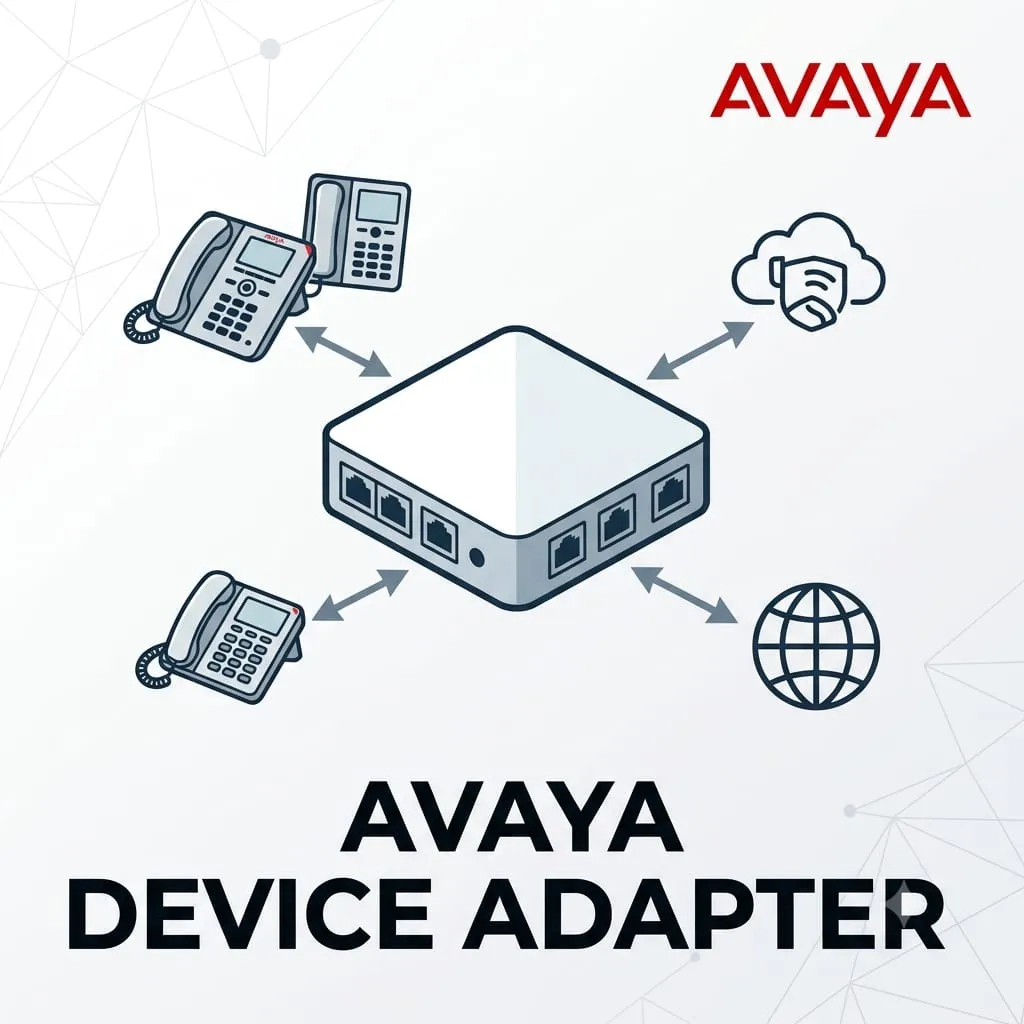
Avaya Device Adapter requirements can vary depending on whether the business is connecting IP phones, reusing legacy communication devices, extending an Avaya Aura environment, replacing an accessory, or preparing a migration plan. FourTeck helps businesses review the right adapter option, compatibility conditions, platform requirement, endpoint model, power needs, and deployment environment before purchase. This makes the buying process safer for offices, contact centers, hospitality sites, retail branches, and enterprise IT teams that cannot afford communication downtime caused by mismatched accessories or unsupported system choices.
Avaya Environment Guidance
Quote Assistance
UAE Delivery Coordination
Check UAE Availability
Quick Product Information
Avaya
Device Adapter / adapter requirement dependent
Communication adapter or Avaya system accessory
Avaya phone, UC, branch, and enterprise communication environments
Device connectivity, compatibility support, migration planning, or endpoint integration
Subject to model, configuration, supplier status, and order quantity
Dubai and UAE coordination available through FourTeck inquiry channels
Selection guidance, compatibility review, quote assistance, and warranty guidance
Final suitability depends on Avaya platform, endpoint model, licenses, cabling, and power design
Product Overview
Avaya communication systems are often used for office telephony, contact center operations, hospitality communication, reception desks, branch connectivity, and internal business collaboration. Over time, many organizations need adapters or related integration components to connect endpoints, replace existing accessories, support older devices, or make selected devices work with a newer communication architecture. The correct option is rarely chosen by name alone. A buyer may need a physical phone adapter, a power accessory, a network connectivity adapter, or a software-side device adapter capability depending on the installed environment.
For this reason, Avaya Device Adapter Dubai inquiries should be handled with care. Businesses should confirm the Avaya phone family, the communication platform version, the type of device being connected, the existing cabling, power delivery method, and whether the adapter is for a new installation, replacement, migration, or support requirement. A wrong adapter can delay deployment, prevent endpoints from registering, create audio or power issues, or lead to unexpected compatibility limitations.
FourTeck supports buyers by helping them turn a general adapter request into a clearer purchase requirement. Instead of selecting only by a broad product name, the team can review the application area, current phone model, integration target, network setup, and business priority. This is useful for companies that manage multiple Avaya endpoints across desks, meeting rooms, call center seats, back-office teams, service counters, warehouses, and branch offices.
UAE buyers also need practical guidance on availability, delivery coordination, warranty handling, and suitable alternatives when an exact part is limited, replaced, discontinued, or tied to a specific Avaya software release. FourTeck helps simplify this process by collecting the right information before quoting and by advising whether the customer should proceed with a direct adapter option, a compatible accessory, a platform review, or a related Avaya endpoint solution. The goal is to reduce selection risk and help the business buy the option that fits its communication environment.
Key Business Benefits
A communication adapter may look like a small purchase, but in a business phone environment it can affect user access, device registration, audio performance, network connectivity, and migration success. The value is not only in the adapter itself. The bigger value comes from choosing the correct option for the installed Avaya environment and avoiding a mismatch that stops users from working.
◈ Better Compatibility Control
A correct adapter choice helps align phones, platforms, cabling, and power design. This reduces the risk of unsupported device combinations and makes deployment smoother for IT teams.
◈ Legacy Device Reuse
Many organizations still depend on existing phones or analog devices. The right adapter strategy can help reuse selected equipment where technically suitable instead of replacing every endpoint immediately.
◈ Lower Deployment Risk
Checking the model, platform, license, and power requirement before purchase helps reduce installation surprises, call quality problems, and project delays caused by missing details.
◈ Support for Migration Planning
Businesses moving between Avaya environments often need a practical bridge between old and new systems. Adapter guidance can support phased migration and controlled change management.
◈ Improved User Continuity
Reception desks, agents, managers, and service teams depend on phone uptime. Correct adapter selection helps maintain communication workflows during upgrades or replacement projects.
◈ Cleaner Procurement Decisions
A clear requirement allows buyers to compare the right item, confirm accessories, and avoid ordering a part that appears similar but does not fit the installed system.
Product Highlights
The main highlight of an Avaya adapter requirement is controlled integration. Buyers may need to connect specific Avaya endpoints, support legacy telephony devices, add network capability to a compatible phone, provide correct power to selected devices, or prepare a path for using older devices with a newer communication solution. Because the Avaya portfolio includes multiple phone series, platform generations, software releases, and accessories, every purchase should begin with identification of the exact business need.
Review the platform version, phone model, and deployment purpose before choosing the adapter.
Useful for phone desks, call center seats, reception counters, and branch communication points.
Confirm whether cabling, power supply, PoE, mounting, or phone stand accessories are required.
Helpful when the business is moving from older communication equipment to a newer Avaya solution.
FourTeck does not treat adapter inquiries as generic accessory orders. The team encourages customers to provide the installed Avaya system details, endpoint quantity, use case, and expected delivery location. This allows the quote to be aligned with the real business environment rather than only the product name.
Technical Specifications
Buyers should not assume that every Avaya adapter works with every Avaya phone or system. The correct configuration depends on the endpoint family, the installed communication platform, the intended use, the power design, and whether the item is being purchased for replacement, expansion, or migration. When requesting a quote, include photographs of the current part label if available, the phone model number, the quantity required, and any known software or system version. This helps FourTeck review the requirement more accurately and reduces the chance of ordering an unsuitable item.
Configuration and Buyer Guidance
Before buying an adapter for an Avaya environment, the most important question is not simply “Is this item available?” The better question is “Will this exact option work with my installed system and business use case?” Communication environments often include a mix of old and new phones, different network switches, PoE and non-PoE locations, analog endpoints, software licenses, and platform versions. A small mismatch can affect registration, call handling, power delivery, or user productivity.
Share the exact phone, analog device, gateway, or endpoint family that needs support.
Confirm whether the environment uses Avaya Aura, IP Office, or another Avaya communication architecture.
Check whether PoE is present, whether a local power supply is needed, and whether power accessories are included.
Replacement orders should match the existing part carefully, while upgrades may need a wider compatibility review.
FourTeck can help buyers structure these details before quote preparation. The more information the customer provides, the faster the team can identify whether the requirement is a direct adapter order, a related Avaya accessory, a software-side device compatibility review, or a suitable alternative. This guidance is especially important for projects involving multiple desk phones, call center agents, hospitality rooms, front desk users, warehouses, retail counters, or multi-branch rollouts.
Ideal Business Use Cases
Avaya adapters and related communication components are typically requested when a business needs a practical link between an existing communication device and a required system function. The use case may involve a small office, a large enterprise, a call center, a hotel, a clinic, a school, a warehouse, or a retail chain. Each environment has different priorities, so the adapter choice should reflect the role of the phone or device in daily operations.
Office Desk Communication
Useful where desk users need existing Avaya phones, accessories, or related adapters to continue operating reliably in the office communication setup.
Contact Center Seats
Agents may depend on stable phone connectivity, correct headset or phone accessories, and system compatibility for customer-facing communication.
Hospitality and Reception Areas
Hotels, front desks, service counters, and administrative areas often need dependable communication devices that fit existing cabling and platform design.
Migration and Modernization
During communication upgrades, adapter planning can help businesses reuse selected devices or move users in phases instead of changing everything at once.
Branch and Remote Site Support
Branches may need a consistent approach to endpoint connectivity so staff across locations can keep using familiar communication workflows.
Replacement and Spare Parts Planning
IT teams may keep selected adapters or accessories available to reduce downtime when a desk phone or communication device requires replacement support.
Avaya Device Adapter Compatibility Planning
Compatibility planning is the most important feature area for any Avaya adapter request. A business may own a phone that looks physically similar to another model, but internal hardware, firmware, software release, or power requirements may be different. A part that works for one endpoint family may not work with another. This becomes especially important when the organization has mixed devices across departments, or when a replacement adapter is ordered years after the original deployment.
FourTeck encourages buyers to provide the existing part number, phone model, system version, and deployment purpose before purchase. These details help identify whether the requirement is linked to physical connectivity, power, legacy device reuse, gigabit network support, or platform-level device adaptation. The correct selection can reduce delays, avoid incorrect orders, and support a cleaner communication project.
For business buyers, compatibility is not only a technical detail. It protects user productivity. Reception teams, agents, executives, and back-office staff may rely on these devices for daily calls. When the adapter decision is reviewed properly, the IT team can plan installation, cabling, power, and endpoint provisioning with more confidence.
Avaya Device Adapter Deployment Simplicity
A good adapter choice should make deployment easier, not introduce extra uncertainty. In a business communication environment, installation teams may need to handle phone placement, Ethernet cabling, switch ports, VLANs, voice quality settings, power delivery, endpoint registration, and user testing. When the adapter is selected with those conditions in mind, the project becomes easier to coordinate.
Deployment simplicity starts with clear documentation from the customer side. The buyer should share how many devices are required, whether the devices are for new users or replacement, whether the site has PoE switches, whether existing desk phones require local power, and whether the communication system is already live. FourTeck can use this information to guide the buyer toward the correct item and related accessories.
This is especially useful for organizations that are not replacing their full Avaya environment but need to keep selected users active. A controlled adapter purchase can help support a specific desk, department, or branch without unnecessary disruption. It also helps procurement teams avoid vague orders that create confusion between IT, finance, and installation teams.
Avaya Device Adapter Lifecycle and Upgrade Support
Communication environments often remain in service for many years. During that time, phone models, accessories, licenses, software releases, and support policies may change. A business that originally deployed Avaya equipment years ago may now need an adapter because a part failed, a new user location was added, a platform was upgraded, or a legacy device needs to remain available for operational reasons.
Lifecycle awareness matters because not every older component continues to be suitable for a current deployment. Some items may have replacement models, limited availability, or platform-specific restrictions. Buyers should check whether the adapter is being used with a supported release and whether future upgrades may affect device operation. This is particularly important for IT managers who are planning a staged migration rather than an immediate full replacement.
FourTeck can help customers consider suitable alternatives when the requested adapter is not the best fit or when availability is limited. The team can also advise whether a related Avaya phone, power accessory, network adapter, gateway, or communication endpoint may be more suitable for the requirement. This guidance helps companies make a practical purchase decision that supports both current use and future planning.
What Buyers Should Check Before Purchase
Before requesting a quote, buyers should confirm the exact reason for the adapter requirement. Is the item needed for an IP phone, an analog device, a digital endpoint, a power requirement, a network speed upgrade, or a platform migration? A clear answer helps avoid ordering a part that has the correct brand name but the wrong function. Businesses should also confirm whether the current Avaya system is still supported, whether the adapter is compatible with the installed release, and whether any related licenses, firmware, or configuration changes are needed.
The buyer should also check site conditions. Some locations use PoE switches, while others need local power adapters. Some phones require specific stands, brackets, cables, or headset accessories. Some environments may have voice VLANs, QoS settings, and provisioning rules that must be considered before deployment. For replacement orders, a photo of the old adapter label and phone base can be very helpful. For new projects, the buyer should share the number of users, location, preferred timeline, and whether installation support is required.
Configuration Fit
Confirm the device model, platform, release, interface type, power method, and quantity before requesting a quote.
Compatibility Check
Review whether the selected adapter works with existing phones, communication systems, network switches, licenses, and cabling.
Availability and Warranty
Ask FourTeck to confirm current availability, source condition, supplier policy, and warranty guidance for the selected item.
Quote Preparation
Share model numbers, existing part photos, site location, user count, and deployment purpose for a more accurate quotation.
UAE Availability and Service Support
FourTeck supports Avaya adapter and communication accessory inquiries across Dubai and the UAE with assistance for product selection, configuration review, quote requests, delivery coordination, and warranty guidance. Availability may vary based on the adapter type, selected model, supplier status, lifecycle stage, and order quantity. Customers are encouraged to provide complete requirement details so the team can review the most suitable option before preparing a quote.
For business buyers, the support process can include checking whether the requested item is a physical adapter, a phone accessory, a power-related component, a network connectivity option, or a platform-related device adapter requirement. FourTeck can also help identify related products when an exact adapter is no longer the most practical option for the installed environment.
Dubai, Abu Dhabi, Sharjah, and Ajman Coverage
Businesses in Dubai, Abu Dhabi, Sharjah, Ajman, and other UAE locations can contact FourTeck for Avaya adapter availability, configuration guidance, and quote assistance. The team can help buyers review suitable models, related accessories, replacement options, and purchase requirements based on the installed communication system. This combined coverage is useful for companies with a head office in one emirate and branch users in another, because the same technical requirement may need to be checked across multiple locations before ordering.
GCC and Africa Availability
FourTeck also supports business technology inquiries across selected GCC and Africa markets through its regional inquiry channels. Customers from the UAE, Saudi Arabia, Qatar, Oman, Kuwait, Bahrain, Kenya, Uganda, and other Africa region locations can request guidance for Avaya communication requirements, subject to product availability, country-specific logistics, warranty handling, and supplier status. Regional buyers can also explore FourTeck platforms such as FourTeck UAE, FourTeck Kenya, FourTeck Uganda, FourTeck Africa, and FourTeck Kuwait for relevant inquiry support.
Other Options Buyers May Consider
Some customers request an adapter when the actual requirement may be a compatible phone, power supply, gateway, headset accessory, or communication platform support item. FourTeck can help buyers compare related options and decide which product path fits their business environment. The following internal links are useful starting points for similar communication needs.
Business VoIP Solutions
For office communication upgrades and call handling projects.
PoE Switching Products
For phones and network devices that require power over Ethernet.
Headsets and Accessories
For call center users, reception desks, and desk phone productivity.
Communication Support Inquiry
For buyers who need help identifying the correct item.
Why Buyers Choose FourTeck
FourTeck works with business technology buyers who need more than a simple part name. Many communication products require compatibility review, practical configuration advice, and clear quote preparation. This is especially true for Avaya environments where phone models, accessories, power options, platform versions, and support status can affect the final decision. FourTeck helps customers organize their requirement before purchase so the selected product supports the intended business use.
Guidance for professional procurement teams and technical buyers.
Help reviewing model, system, cabling, power, and deployment requirements.
Structured inquiry support for individual, replacement, and project requirements.
Support for delivery planning based on customer location and order conditions.
Assistance in confirming supplier warranty terms and product condition where applicable.
Help finding alternatives when a requested item is limited or not the right fit.
Frequently Asked Questions
What is Avaya Device Adapter used for?
It is requested when a business needs an adapter or related integration option for an Avaya communication environment. The exact use depends on the installed phones, platform, accessory requirement, power design, and whether the customer is replacing, expanding, or migrating devices.
Is it available in Dubai or the UAE?
FourTeck can help check current availability for Dubai and UAE customers. Availability depends on the exact adapter type, supplier status, part lifecycle, quantity, and product condition. Customers should contact FourTeck with model and requirement details for a proper quote.
Can FourTeck help identify the correct Avaya adapter?
Yes. FourTeck can review the phone model, existing part number, communication platform, power method, and deployment purpose. This helps the buyer avoid choosing a similar-looking adapter that may not work with the installed Avaya system.
What information should I provide before requesting a quote?
Share the Avaya phone model, platform name, software release if known, existing adapter part number, quantity, site location, and whether the order is for replacement or a new project. Photos of old labels can also help confirm the requirement.
Does compatibility depend on the Avaya system version?
Yes. Compatibility may depend on the Avaya platform, endpoint family, software release, license design, and device type. Buyers should not assume that every adapter is universal. FourTeck can help review these factors before quote preparation.
Can this be used for legacy Avaya devices?
Some adapter requirements involve legacy device reuse, but suitability must be checked carefully. The installed platform, device family, release support, and migration plan should be reviewed before ordering. FourTeck can help assess whether an adapter or alternative option is more suitable.
Is installation support required?
Some adapters are simple accessories, while others depend on phone configuration, system provisioning, network settings, or power design. Businesses should confirm whether their internal IT team can deploy the item or whether technical support is needed.
Are related Avaya products available?
FourTeck can assist with related Avaya phones, communication accessories, power options, and suitable alternatives where available. The recommendation depends on the customer requirement, compatibility conditions, lifecycle status, and supplier availability.
Can businesses request bulk supply?
Yes. Businesses can share quantity, delivery location, user environment, and required timeline for bulk or project inquiries. FourTeck can review availability and prepare a quote based on the selected adapter, supplier status, and order conditions.
Need Help Choosing the Right Avaya Option?
FourTeck can help you review product availability, adapter compatibility, platform requirements, warranty guidance, and delivery needs for your business location. Share your current Avaya phone model, adapter label, system details, and quantity requirement for a clearer quote.