Avaya IX Workplace in Dubai, UAE
Avaya IX Workplace is a business communication client for organisations that want office calling, mobility, conferencing, presence, messaging, directory access, and a consistent user experience across supported desktop and mobile platforms. It helps companies extend Avaya communication services to employees who work from desks, laptops, smartphones, branch offices, customer service areas, and hybrid work locations.
UAE Quote Support
Compatibility Review
Deployment Planning
Quick Product Information
Product Overview
Modern business communication is no longer limited to a fixed desk phone. Many companies now operate across office floors, customer service teams, remote users, mobile executives, reception desks, and multiple locations. Avaya IX Workplace helps bring those users into a single communication experience by extending enterprise calling and collaboration features to supported desktops, laptops, smartphones, tablets, and selected Avaya devices. Instead of treating voice calls, conferencing, directory lookup, presence, and messaging as separate tasks, the client gives users a practical interface for daily business communication.
For UAE businesses, this is useful when the existing telephony environment is already built around Avaya Aura or Avaya IP Office and the organisation wants to improve user mobility without replacing the full communication platform. A sales manager can answer office calls from a mobile device, a support user can access corporate contacts more easily, and an office employee can continue business conversations from a laptop when working away from the desk. Feature availability depends on the Avaya platform, licensing, system configuration, network design, and enabled services, so buyers should review the required use case before choosing licenses or planning deployment.
FourTeck supports buyers by helping them define user count, required platforms, calling requirements, conferencing expectations, existing PBX details, renewal needs, and compatibility questions. This practical review is important because communication software purchases often depend on the current Avaya environment rather than only the application name. The right option can reduce deployment confusion, support smoother adoption, and help IT teams plan a more reliable workplace communication experience.
Key Business Benefits
Office Calling Mobility
Users can access business calling features from supported devices, helping teams stay reachable when away from a desk phone. This supports hybrid work, branch movement, travelling staff, and users who need the office number experience on mobile or desktop.
Unified Experience
Voice, video, messaging, presence, contacts, conferencing, and voicemail functions can be brought closer together. This reduces the need for users to jump between disconnected tools during normal business communication.
Better Remote Readiness
Companies with distributed employees can give selected users access to enterprise communication functions from compatible remote locations, subject to security policies, network quality, and platform configuration.
Existing Avaya Value
For organisations already using Avaya infrastructure, the client can extend the value of the current communication environment instead of forcing every user to depend only on traditional handsets.
User Productivity
Directory search, presence information, call history, and visual voicemail can save time for employees who handle many calls or need fast access to colleagues and business contacts.
Flexible Deployment Planning
Licensing and deployment can be aligned with actual user roles, such as executives, mobile staff, call handlers, front desk users, and technical teams, instead of applying the same communication setup to every employee.
Product Highlights
Avaya Workplace Client is designed to provide softphone and unified communication access through a single business-focused interface. It is commonly used to connect users with voice and video calling, conference participation, contact management, presence awareness, instant messaging, call logs, and voicemail features, depending on the Avaya services enabled in the customer environment. This makes it especially useful for organisations that want to support people who are not always beside a physical desk phone.
Enable business voice calling from supported desktop and mobile devices when the platform, license, and network are properly configured.
Help users see availability and communicate faster through enabled UC features.
Support quicker contact lookup and easier tracking of recent business calls.
Use supported Windows, Mac, Chrome, Android, and iOS devices based on the customer environment.
Technical Specifications
Because Avaya communication software depends heavily on the active telephony environment, buyers should not select only by product name. The correct option may depend on the PBX platform, release version, user profile, device operating system, calling method, conferencing requirement, voicemail setup, and remote access design. FourTeck can help review these points so the quotation reflects the actual business requirement and avoids missing license or compatibility details.
Configuration and Buyer Guidance
Before ordering Avaya IX Workplace Dubai, the buyer should identify how the software will be used inside the business. Some users may only need a desktop softphone, while others may require mobile calling, video access, conferencing, directory integration, presence, voicemail visibility, or office-number calling from outside the office. These details affect the license requirement, endpoint readiness, network preparation, and support scope.
User Count
Confirm how many users need desktop access, mobile access, or both, and whether all users need the same features.
Current Platform
Share the Avaya Aura or IP Office version, existing licenses, and communication server details for compatibility review.
Network Design
Voice quality depends on network stability, VPN policy, firewall settings, Wi-Fi performance, and endpoint connectivity.
Support Scope
Clarify whether the requirement is license supply only, renewal support, configuration guidance, or deployment assistance.
Ideal Business Use Cases
Hybrid Office Teams
Employees working between office and remote locations can maintain access to business communication functions from approved devices, supporting smoother continuity during flexible work schedules.
Mobile Executives
Managers and decision-makers can handle business calls and communication tasks while moving between meetings, offices, customer sites, and travel locations.
Reception and Front Office
Front office users can benefit from contact access, call handling, and communication continuity when supported by the configured Avaya environment.
Customer Service Users
Teams that handle frequent calls can use calling, call history, directory, and presence functions to improve internal coordination and faster response handling.
Branch Communication
Organisations with multiple locations can create a more consistent communication experience for users who need access to central business calling services.
Desk Phone Reduction Projects
Some businesses can evaluate softphone options for selected users where a physical desk phone is not always required, while still preserving enterprise communication control.
Avaya IX Workplace Mobility and Softphone Access
Mobility is one of the strongest reasons organisations consider this solution. A business softphone allows selected users to make and receive office communications through supported desktop or mobile devices when the system is configured correctly. This is valuable for employees who move between meeting rooms, work from home, travel, or use laptops as their primary work device. It also helps companies support users who need office-number visibility without depending only on a physical handset.
The real value comes when mobility is planned carefully. Voice quality depends on endpoint capability, headset selection, Wi-Fi quality, VPN policy, firewall settings, internet stability, and Avaya platform configuration. FourTeck encourages buyers to share the expected usage environment before requesting a quote, especially when mobile users, remote users, or multiple branches are involved. This helps avoid under-planning and supports a more realistic deployment discussion.
Avaya Workplace Client Collaboration Features
Business communication is not only about making calls. Many teams need presence awareness, contact lookup, messaging, conferencing, and voicemail information to work efficiently. Avaya Workplace Client can support these functions depending on the enabled Avaya services, license entitlement, and configuration. For users, this means daily communication can become easier because the client brings multiple communication tasks into one interface.
For IT managers, the important point is to match features with roles. A mobile executive, receptionist, contact-handling user, and standard office worker may not need the same functions. By mapping user roles before purchasing, the business can request a more accurate quote and avoid unnecessary confusion. FourTeck can help review which functions are required, which users need them, and what information is needed before selecting the right license or renewal option.
Avaya IX Workplace Compatibility and Deployment Planning
Compatibility should be checked before purchase because communication clients depend on the wider telephony environment. Platform version, server configuration, user profile, network rules, operating system support, certificates, remote access design, and licensing can all affect the final experience. A company using Avaya Aura may have different requirements from a company using Avaya IP Office, and a desktop-only setup can differ from a mobile-first requirement.
Deployment planning should also consider headsets, user training, firewall policies, Wi-Fi coverage, endpoint operating systems, and support ownership. Some organisations only require license supply, while others need help reviewing the environment before a wider rollout. FourTeck helps buyers prepare the right information for quotation, reducing the risk of selecting a product that does not match the existing communication platform or user workflow.
What Buyers Should Check Before Purchase
Before requesting a quote, business buyers should confirm the current Avaya platform, required user count, device operating systems, calling features, remote access needs, and license status. Communication software can look simple from the outside, but the correct choice often depends on the existing PBX, enabled services, and how employees will use the client. A clear requirement helps the supplier recommend the right option and avoids delays caused by missing information.
Configuration Fit
Confirm whether users need softphone calling, video, voicemail, conferencing, presence, messaging, or only basic mobility.
Compatibility Check
Check the Avaya platform version, active licenses, endpoint devices, network access method, and operating systems before selection.
Availability and Warranty
Availability, renewals, support terms, and license options may vary, so buyers should request current confirmation before purchase.
Quote Preparation
Share user quantity, current system details, required features, deployment location, renewal status, and expected rollout timeline.
UAE Availability and Service Support
FourTeck supports Avaya software and communication solution inquiries across Dubai and the UAE with product selection support, license review, quote assistance, delivery coordination where applicable, and warranty guidance. Availability may vary based on license type, version, user quantity, supplier status, renewal requirement, and current project scope. Buyers are encouraged to contact FourTeck with their existing Avaya environment details so the team can review the requirement more accurately.
For software and communication projects, the quotation stage is important because the final product requirement may include user licenses, subscription terms, support coverage, upgrade needs, endpoint planning, or related Avaya products. FourTeck can assist SMB, enterprise, branch, and project buyers with practical guidance before purchase.
Dubai, Abu Dhabi, Sharjah, and Ajman Coverage
Businesses in Dubai, Abu Dhabi, Sharjah, Ajman, and other UAE locations can contact FourTeck for Avaya product availability, license guidance, communication platform review, and quote assistance. The team can help buyers review suitable options, related communication products, and purchase requirements based on the existing business environment. Delivery coordination, support expectations, and final availability depend on the selected product, required quantity, and supplier confirmation.
GCC and Africa Availability
FourTeck also supports business technology inquiries across selected GCC and Africa markets through regional inquiry channels. Customers from Saudi Arabia, Qatar, Oman, Kuwait, Bahrain, Kenya, Uganda, and other Africa region locations may contact FourTeck for communication software, Avaya-related products, license assistance, and project supply support. Availability, delivery options, warranty handling, and support process may vary by country and product type.
Regional buyers can start from FourTeck UAE, FourTeck Kenya, FourTeck Uganda, FourTeck Africa, or FourTeck Kuwait depending on the location and inquiry requirement.
Related Models for Business Requirements
Business communication projects often need more than one software license. Buyers may also require IP phones, communication servers, conference devices, headsets, network switches, or security products to support a stable voice environment. FourTeck can help match related options based on user count, call volume, site count, and deployment plan.
Avaya IP Office Solutions
For SMB and branch communication environments using Avaya telephony.
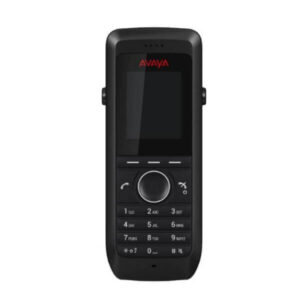
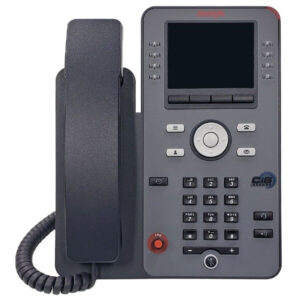
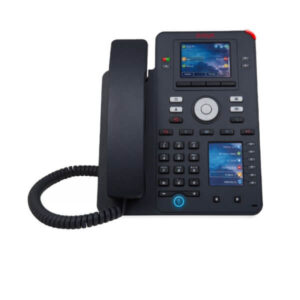
Avaya IP Phones
Suitable for users who still need desk phones with enterprise calling features.
Business Headsets
Recommended for users who rely on softphone calling throughout the day.
Network Switches
Useful for voice-ready business networks, endpoint connectivity, and office expansion.
Business Firewall Solutions
Helps protect remote access, VPN traffic, and business communication networks.
FourTeck Contact Support
Get help reviewing licenses, related products, and deployment needs.
Why Buyers Choose FourTeck
FourTeck helps business buyers approach IT and communication procurement with practical guidance rather than only a product list. For Avaya-related requirements, buyers may need to confirm platform compatibility, license type, support coverage, renewal status, deployment readiness, and related hardware. FourTeck can help review these requirements before quotation so the buyer has a clearer path toward the correct option.
Assistance for software, communication, networking, security, and infrastructure needs.
Support for matching product options with real business requirements.
Help preparing a current quotation based on selected model, quantity, and licensing needs.
Review of available support and warranty information based on product and supplier terms.
Frequently Asked Questions
It is used as a business softphone and unified communications client. Depending on the Avaya environment, users can access voice calling, video, conferencing, messaging, presence, directory lookup, call history, and voicemail features from supported desktop and mobile devices.
FourTeck can support inquiries for businesses in Dubai and across the UAE. Availability depends on the required license, quantity, Avaya platform version, renewal requirement, and supplier status. Contact FourTeck for current confirmation before purchase.
Yes. FourTeck can help buyers review user count, current Avaya system, required features, endpoint platforms, and deployment needs. This helps prepare a more accurate quotation and reduces the chance of choosing an unsuitable option.
Yes. Features such as video, presence, messaging, conferencing, and voicemail depend on the enabled Avaya services, system version, license entitlement, and administrator configuration. Buyers should confirm requirements before ordering.
The client supports common desktop and mobile platforms such as Windows, Mac, Chrome, Android, and iOS in supported environments. Final compatibility should be checked against the current Avaya platform and software version.
Avaya Workplace is normally used with Avaya communication platforms such as Avaya Aura or Avaya IP Office. The exact requirement depends on the deployment model, enabled services, and licensing. FourTeck can help review your environment.
Share the number of users, current Avaya system, required features, platform version if known, and your deployment location. FourTeck can review the details and help provide a quote based on current availability and license options.
It can support remote and mobile communication use cases when the Avaya system, network, security, VPN or remote access method, and endpoint devices are configured correctly. Voice quality and access depend on the customer environment.
FourTeck can assist with Avaya-related communication products, IP phones, headsets, networking products, firewalls, and other IT equipment required to support a business communication environment.
Need Help Choosing the Right Avaya Option?
FourTeck can help you review product availability, license options, compatibility requirements, warranty guidance, and deployment details for your business communication environment.