

Grandstream GWN7630 in Dubai, UAE
A dual-band 802.11ac Wave-2 access point designed for business Wi-Fi environments that need strong capacity, managed deployment and dependable support for many simultaneous client devices.
The GWN7630 combines 4×4:4 MU-MIMO radios, dual Gigabit Ethernet, PoE/PoE+ operation, advanced traffic handling and controller options in one indoor access point. FourTeck can help buyers review coverage, user density, PoE switching, cabling and management requirements before a quotation is prepared.
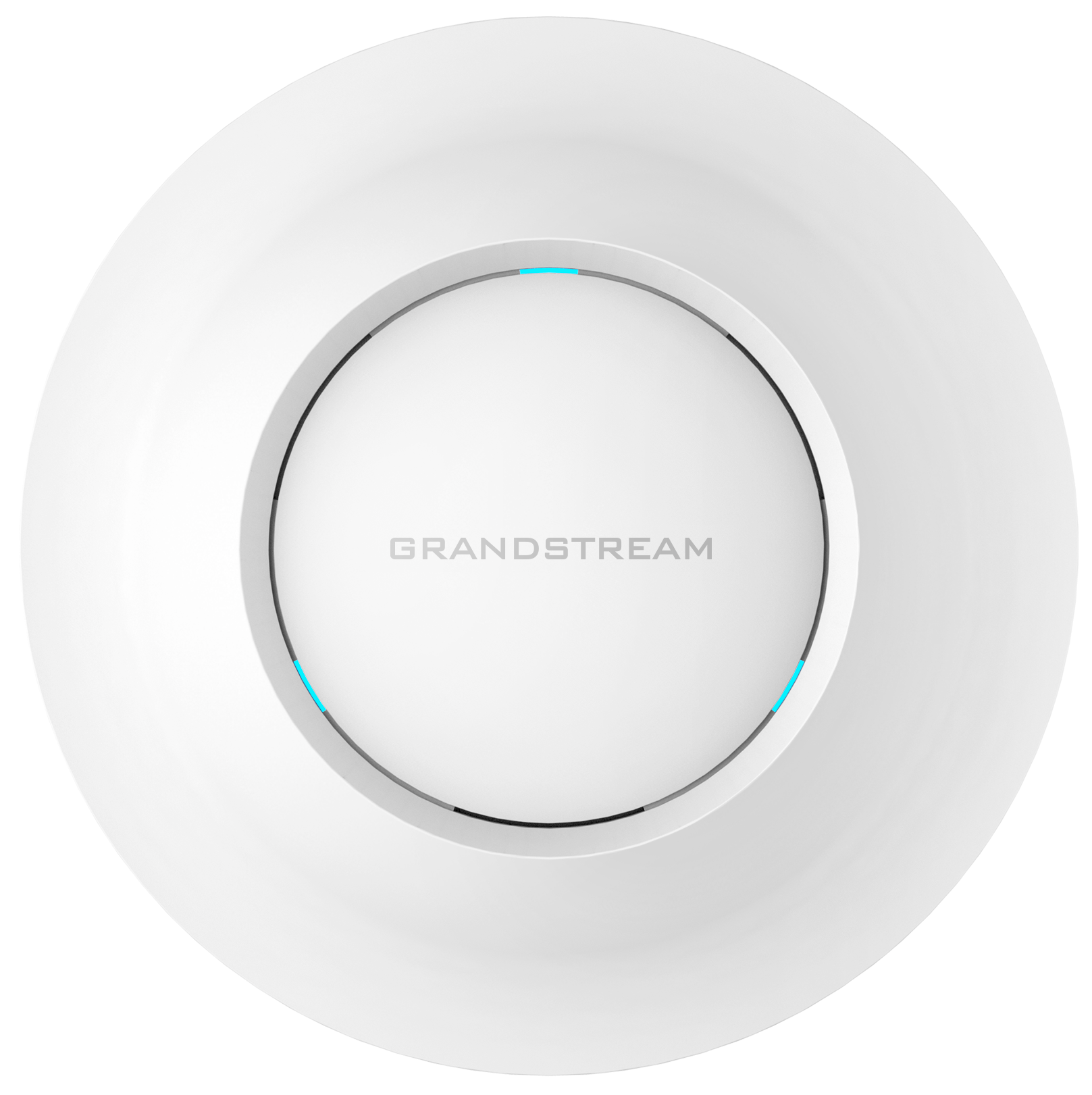
Business Wi-Fi capacity without a separate hardware controller
The GWN7630 is built for indoor business networks where a consumer wireless router is no longer enough. It is an access point rather than an all-in-one internet router, so it is normally connected to an existing business LAN, firewall or router and powered through a compatible PoE switch or injector. Its role is to deliver managed wireless coverage while the wider network handles internet access, routing, security policy, DHCP and other infrastructure functions.
Grandstream specifies dual-band 4×4:4 MU-MIMO operation, up to 2.33 Gbps aggregate wireless throughput, two Gigabit Ethernet interfaces and support for more than 200 concurrent Wi-Fi clients. Those figures make the platform relevant for offices, training centers, clinics, showrooms, retail environments, hospitality areas and branch locations where many laptops, phones, tablets, scanners, voice handsets and guest devices may connect during the same working period. Real throughput and usable coverage still depend on walls, interference, channel planning, client capabilities and how many access points share the area.
A practical strength is management flexibility. The embedded controller can manage up to 50 local GWN series access points, so a smaller multi-AP installation can avoid a separate controller appliance. Grandstream also provides centralized management platforms for larger or distributed environments. This is useful when a business wants one consistent wireless policy across reception, meeting rooms, work areas and guest zones rather than configuring every access point independently.
For UAE buyers, the important question is not simply whether the access point can turn on and broadcast Wi-Fi. A good design should confirm the number of users, expected device density, internet speed, roaming needs, voice traffic, VLAN design, guest access, ceiling layout, cable routes and available PoE power. FourTeck can review these points before quotation so the selected quantity and supporting network equipment align with the site rather than relying only on a theoretical coverage figure.
Why the GWN7630 fits demanding indoor wireless networks
The main value is not one headline speed number. It is the combination of client capacity, radio design, wired connectivity, controller choices and deployment features that let an IT team build a more structured business wireless environment.
Built for many active devices
Support for 200+ concurrent Wi-Fi clients gives businesses room for laptops, smartphones, tablets, wireless phones and guest devices on one access point. Capacity planning still matters: high client count does not guarantee equal performance for every user, especially when video, cloud applications and large downloads occur simultaneously. The benefit is that the platform is designed for denser business scenarios than a typical consumer access point.
4×4:4 MU-MIMO operation
The dual-band radio design helps the access point communicate efficiently with multiple supported clients. This matters in shared office spaces where many users need access at once, reducing dependence on a simple one-device-at-a-time wireless pattern.
PoE-friendly installation
802.3af and 802.3at PoE support lets installers carry power and network data over Ethernet cabling. Ceiling deployment becomes cleaner because a separate local power adapter is not required when the switch or injector supplies the correct standard and sufficient power.
Flexible management for one site or many
The embedded controller can manage up to 50 local GWN access points. That can simplify an office, school, clinic or branch rollout because administrators can create shared settings, SSIDs and network policies from a central interface. For wider fleets, Grandstream provides centralized management options that reduce the need to visit every device individually.
Traffic treatment for real-time use
Advanced QoS support helps administrators prioritize delay-sensitive traffic. This is useful for voice-over-Wi-Fi and other real-time applications where jitter and congestion can be more noticeable than during ordinary web browsing.
Multiple wireless networks
Grandstream lists up to 32 SSIDs in total, 16 per radio. That gives IT teams room to separate staff, guest, voice, device or departmental wireless access when the underlying switch, VLAN and security design is planned correctly.
A balanced Wi-Fi 5 platform for managed business coverage
The GWN7630 sits in a useful position for organizations that already have Gigabit switching and want a managed indoor access point with stronger radio capacity than entry-level Wi-Fi hardware. Its 2.4 GHz and 5 GHz radios work together as a dual-band platform, while the 4×4 radio architecture gives the access point more spatial capability for supported clients.
Two autosensing Gigabit Ethernet ports provide wired connectivity, and PoE/PoE+ support keeps power delivery practical for ceiling and wall locations. Grandstream specifies a maximum power consumption of 16.5W, so buyers should confirm the PoE budget of the selected switch rather than assuming every PoE port can support every access point under every condition.
Grandstream GWN7630 specification reference
The following values are based on Grandstream’s current product information. Wireless performance is affected by environment, client capabilities, interference, channel width and deployment design, so headline figures should be treated as planning references rather than guaranteed real-world user throughput.
| Specification | GWN7630 | Buyer note |
|---|---|---|
| Wi-Fi standards | IEEE 802.11 a/b/g/n/ac Wave-2 | Wi-Fi 5 generation platform. |
| Aggregate wireless throughput | Up to 2.33 Gbps | Shared radio capacity, not guaranteed per-client speed. |
| 2.4 GHz radio | 600 Mbps, 4×4:4 MIMO | Useful for broader compatibility and coverage. |
| 5 GHz radio | 1733 Mbps, 4×4:4 MU-MIMO | Preferred for higher-capacity modern client access where signal conditions allow. |
| Concurrent clients | 200+ | Actual user experience depends on application load and radio design. |
| Coverage reference | Up to 175 meters | Site survey and wall layout remain important. |
| Network interfaces | 2x autosensing 10/100/1000Base-T Ethernet | Match with Gigabit switching and structured cabling. |
| PoE | 802.3af / 802.3at; max consumption 16.5W | Confirm switch power budget for multi-AP projects. |
| SSIDs | 32 total, 16 per radio | Useful for staff, guest and segmented access designs. |
| Antennas | 4 dual-band internal antennas | Designed for indoor mounting rather than external antenna aiming. |
| Security | WEP, WPA/WPA2-PSK, WPA/WPA2 Enterprise, WPA3; secure boot and certificate protections | Security policy should match the business authentication design. |
| Local management | Embedded controller for up to 50 local GWN APs | Useful for multi-AP sites without a dedicated controller appliance. |
| Dimensions | 205.3 x 205.3 x 45.9 mm | Confirm mounting clearance before installation. |
| Mounting | Indoor ceiling or wall mount | Placement should be selected around coverage and cable routes. |
Choosing the correct quantity starts with the environment, not the maximum range figure. A long open corridor, partitioned office, warehouse, clinic and training center can all produce different radio behavior. Dense walls, metal shelving, neighboring Wi-Fi, high ceiling heights and busy meeting rooms can reduce effective coverage or shift the design toward more access points at lower transmit power. The same principle applies to throughput: a user connected at the edge of a cell will not receive the same data rate as a capable client close to the access point. Buyers should also check the PoE switch budget, available Gigabit ports, VLAN requirements and whether the existing firewall or router can handle the planned number of devices and traffic. FourTeck can use these details to help determine whether the GWN7630 is suitable, whether a newer Wi-Fi 6 model should be considered, and how many units may be appropriate for the site.
Plan the wireless requirement before choosing quantity
A business Wi-Fi project should be sized around capacity and coverage together. One access point may cover a large open space, but that does not mean one unit should serve every device in a busy floor. User density, application mix and roaming behavior can make several strategically placed access points a better design than one device operating at maximum power.
How many active clients?
Count expected simultaneous devices, not only employees. A 60-person office may have 120 or more active endpoints once laptops, phones, tablets, printers and guest devices are included.
What traffic will run?
Cloud applications, video meetings, voice calls, large file transfers and guest browsing place different demands on airtime. Busy real-time traffic may justify more AP capacity than simple email and web use.
Is the wired network ready?
Confirm Gigabit Ethernet, compatible PoE, suitable cabling, available switch ports, VLAN support and sufficient uplink capacity. Strong Wi-Fi cannot compensate for an undersized wired backbone.
Will users roam?
For multi-floor offices, clinics, hospitality areas or warehouses, users may move while connected. AP placement, channel planning and consistent SSID design should support predictable handoff behavior.
How will it be managed?
A single site may use the embedded controller, while a larger distributed environment may prefer centralized management. Decide who will configure firmware, SSIDs, security policies and monitoring.
What should be sent for a quote?
Share site size, floor count, expected users, required quantity, switch model, delivery location, target date, guest access needs and whether installation or configuration support is required.
Where this access point makes practical sense
The GWN7630 is best considered for indoor environments that need controlled wireless coverage, multiple network groups and support for a substantial number of connected clients. It is not an outdoor long-range unit, and it should not be selected only because a theoretical range number appears large.
Primary fit: multi-floor offices and busy SMB workplaces
Offices with meeting rooms, reception areas, open workspaces and several departments can use multiple GWN access points under a shared management design. Separate staff and guest SSIDs, voice traffic prioritization and centralized configuration can help keep daily administration more consistent. The final AP count should be based on floor plans and occupancy rather than assuming one unit per floor.
Clinics and service centers
Reception devices, staff tablets, laptops, voice handsets and guest access may all share the wireless environment. Segmentation and a controlled management interface help IT teams keep these usage groups organized.
Retail and showroom spaces
A showroom may need Wi-Fi for staff devices, mobile POS terminals, guest users and demonstration equipment. Proper AP placement can improve coverage across open customer areas without relying on a consumer router hidden behind a counter.
Training rooms and education areas
High device concentration is common when many learners connect at once. The 200+ client specification provides useful headroom, but high-bandwidth sessions may still require more than one AP depending on room size and expected traffic.
Branch offices
Organizations with several smaller locations can standardize around a managed access point model, then use centralized management where suitable. This simplifies policy consistency across branches compared with unrelated consumer Wi-Fi devices.
Voice-over-Wi-Fi environments
Grandstream positions the platform for low-latency and voice-aware deployments. Buyers should still verify handset compatibility, roaming design, channel planning and QoS configuration before relying on Wi-Fi for business calling.
GWN7630 4×4:4 MU-MIMO and client capacity
The access point’s radio design is intended for environments where many client devices share the same wireless infrastructure. On the 5 GHz radio, Grandstream lists 4×4:4 MU-MIMO operation with a maximum PHY rate of 1733 Mbps, while the 2.4 GHz side is listed at up to 600 Mbps with 4×4:4 MIMO. Together, the current product page presents an aggregate wireless throughput figure of up to 2.33 Gbps.
For buyers, the important point is that these are shared radio capabilities. A single laptop will not necessarily receive the full aggregate rate, and many client devices are 1×1 or 2×2 rather than 4×4. The value of a higher-order AP radio is the ability to manage multiple simultaneous communications more effectively when compatible clients and good RF conditions are present.
A company planning 150 connected devices should therefore not assume that one access point is automatically the correct answer simply because the specification says 200+. Device count is only one variable. If those users are concentrated in a conference hall and streaming video, the airtime demand can be much greater than 150 lightly used phones spread across a floor. FourTeck can help translate the expected number of people, device mix and application load into a more practical quantity discussion before purchase.
GWN7630 management choices for local and distributed networks
Wireless administration becomes increasingly important after the second or third access point is installed. The GWN7630 includes an embedded controller that can manage up to 50 local GWN series access points. This can reduce the need for separate controller hardware in many small and medium installations because configuration tasks can be handled through the built-in management environment.
The correct management method depends on how the organization operates. A single office with five access points may value local control and minimal external dependence. A company with many branches may prefer a centralized platform so administrators can monitor and adjust devices remotely. Before ordering, the buyer should decide who owns the wireless configuration, whether remote administration is required, how firmware changes will be handled and whether the network team needs centralized visibility across locations. This operational question is often more important over the product lifetime than the initial hardware price.
GWN7630 QoS, segmentation and business traffic control
Wireless networks rarely carry one type of traffic. A modern office can have video meetings, voice calls, cloud applications, guest browsing, mobile devices and background synchronization happening simultaneously. Grandstream includes advanced QoS features intended to help real-time applications receive appropriate treatment when the network is configured correctly. The platform also supports VLAN-related networking capabilities and multiple SSIDs, which gives administrators a foundation for separating different user groups.
Decision checklist
- Define which SSID is for employees and which is for guests.
- Decide whether voice handsets or other real-time devices need dedicated policies.
- Confirm the switch and firewall support the same VLAN plan.
- Review whether guest users need captive portal access and internet-only permissions.
- Plan channel use and transmit power across neighboring access points to reduce interference.
- Check authentication requirements for business users before deployment.
The access point cannot create a complete security architecture on its own. Segmentation is strongest when the wireless SSID maps cleanly into VLANs, switch configuration, firewall policy and authentication rules. A guest network that shares the same unrestricted LAN as finance workstations does not become secure merely because it has a different Wi-Fi name. FourTeck can help buyers identify the related switching and firewall questions so the wireless design fits the existing infrastructure rather than operating as an isolated layer.
What Buyers Should Check Before Purchase
The biggest purchasing risk is selecting access points only by maximum range or headline throughput. A suitable business wireless design should match the building, device count, application load, wired network and management model before quantity is finalized.
Configuration Fit
Confirm how many access points are required, which areas need coverage, expected concurrent devices and whether the workloads are light browsing or heavy collaboration. A smaller office may need only a few units, while a dense training or hospitality environment can require closer AP spacing. Also decide whether Wi-Fi 5 is sufficient for the project or whether a newer Wi-Fi 6 model offers a better lifecycle fit.
Compatibility Check
Check the PoE standard and total switch power budget, Gigabit port availability, cable category and length, VLAN design, firewall capability and mounting locations. If the network uses voice-over-Wi-Fi, confirm handset compatibility and roaming expectations. When replacing older access points, review whether existing brackets, cabling or controller practices need to change.
Availability and Warranty
Availability can vary by supplier status, quantity and project date. Warranty expectations should be confirmed before purchase rather than assumed from a marketplace listing in another country. Ask what documentation is supplied, how replacement handling works, and whether the project requires spare units or phased delivery to reduce operational risk.
Quote Preparation
For a useful quotation, provide the model, required quantity, delivery location, floor count or approximate area, expected active users, existing switch model, whether PoE is available, installation requirement and target completion date. If you are comparing the GWN7630 with a Wi-Fi 6 alternative, mention this so FourTeck can review the trade-off instead of quoting one model in isolation.
Accessories and infrastructure can influence the project cost as much as the access point itself. A deployment may require PoE switching, patching, structured cabling, a UPS for the network cabinet, firewall changes, ceiling work or installation labor. Buyers should include these items in the requirement if they are not already in place. Long-term cost also includes administration: a simple central management plan can reduce repeated manual work as the number of access points grows.
Buying and deployment support for UAE wireless projects
FourTeck supports business enquiries in Dubai and across the UAE for Grandstream wireless access points, related switching and network deployment requirements. Availability can change by model, supplier status, order quantity and project timing, so the recommended approach is to request a current quotation rather than assume a particular unit is immediately available.
Review expected users, floor layout, AP count, Wi-Fi generation, management preference and required network features before confirming the model.
Discuss quantity, delivery location, project date and whether products should arrive in one batch or as part of a phased network rollout.
Confirm the applicable warranty terms and replacement process for the quoted supply before purchase. Conditions may depend on source and order arrangement.
FourTeck can also review PoE switch sizing, cabling readiness, network segmentation, installation location and configuration needs. This is especially helpful for projects where the access point is only one part of a wider office upgrade involving firewalls, switches, voice systems or structured cabling. A clear requirement allows the quotation to include the right supporting items and reduces the chance of discovering missing power or network capacity during installation.
Dubai, Abu Dhabi, Sharjah and Ajman project enquiries
Businesses in Dubai, Abu Dhabi, Sharjah and Ajman can contact FourTeck for wireless product availability, model selection, configuration guidance and quotation support. The same access point can be used in very different environments across these locations, from compact professional offices and retail branches to training rooms, clinics, warehouses and larger commercial sites. The correct quantity is therefore determined by the actual building and usage pattern rather than the city name.
For multi-site organizations, it can be useful to standardize on a common AP family while adjusting quantity and placement for each branch. A Dubai head office may have high meeting-room density, while a Sharjah warehouse could have larger open areas and metal shelving. An Abu Dhabi office may require several secure employee networks, while an Ajman retail location may focus on staff Wi-Fi and guest access. FourTeck can review those differences and help prepare a practical product and supporting-network requirement for each site.
GCC and Africa project support
FourTeck also handles business technology enquiries for selected GCC and Africa markets through regional channels. Organizations operating across the UAE, Saudi Arabia, Qatar, Oman, Kuwait and Bahrain may need consistent wireless standards across several branch types, while projects in Kenya, Uganda and other African markets may focus on practical procurement, remote management and repeatable deployment at distributed sites.
Regional supply should be planned around local availability, shipping terms, warranty handling, country-specific power and regulatory considerations, and the support model for each project. A wireless design created for one country should not automatically assume identical commercial conditions or deployment constraints elsewhere. For companies rolling out several branches, it is useful to share the expected device count, site profile, target completion date and whether a common management platform is required across locations.
For regional enquiries, buyers can review FourTeck Kenya technology support or the FourTeck Africa solutions desk. Availability, delivery options and warranty processes can differ by market, so a country-specific quotation is recommended before finalizing a project schedule.
Other options buyers may consider
The correct alternative depends on whether the requirement is newer wireless technology, different client capacity, outdoor coverage or a lower-cost Wi-Fi 5 deployment. Buyers should compare the network objective first instead of treating every GWN access point as interchangeable.
Grandstream GWN7660 Wi-Fi 6 Access Point
Consider a Wi-Fi 6 model when the project lifecycle, newer client mix or device density makes 802.11ax a stronger long-term fit. The final choice should compare actual capacity, port design and management needs rather than generation name alone.
Grandstream GWN7630LR
The long-range outdoor version is a more relevant comparison when weather-resistant coverage or external installation is required. Do not use the indoor GWN7630 as a substitute for an outdoor-rated access point.
Grandstream GWN7625
A Wi-Fi 5 alternative for buyers who want to compare radio design, capacity and deployment fit within the same product family.
Grandstream GWN7615
Another indoor Wi-Fi 5 model that may suit projects with different performance or budget priorities. Confirm current lifecycle and supply before selection.
PoE switching for access points
A compatible switch is essential when powering several APs from the network cabinet. Review total PoE budget, port count and management needs.
Grandstream business communications
If the project also includes wireless voice or IP telephony, review compatible communication endpoints and PBX planning with the network design.
Practical support around the access point, not only the hardware
A wireless access point is only one part of a functioning business network. Buyers often need help deciding how many units are appropriate, whether the current switch can power them, how guest and employee networks should be separated, and whether the chosen model fits the expected lifecycle. FourTeck approaches the enquiry as a network requirement rather than simply a model number.
Help with current model availability, quantity and suitable alternatives when the requested unit is not the best fit.
Review of AP count, PoE, VLAN, SSID, management and deployment requirements before ordering.
A structured quotation can include related switching, cabling or deployment items when those are part of the requirement.
Planning around delivery location, project date, quantity and phased rollout where required.
Clarification of applicable warranty expectations for the quoted supply instead of relying on unrelated marketplace terms.
Linking the wireless requirement with switching, firewall, structured cabling, voice and power protection where relevant.
Buyers can also review FourTeck’s IPBX and telecommunication solutions when the wireless project supports IP voice, or visit the FourTeck UAE technology solutions page for broader infrastructure requirements. The goal is to keep the access point aligned with the rest of the environment so network performance is not limited by missing upstream components.
Grandstream GWN7630 buyer questions
What is the GWN7630 used for?
It is an indoor business Wi-Fi access point for offices, branch locations, commercial spaces and other environments that need managed dual-band wireless coverage. It connects to an existing wired network and can serve employee, guest and device connectivity. It is not a complete internet router by itself, so routing, firewall and WAN services normally come from other network equipment.
How many devices can connect at the same time?
Grandstream lists support for more than 200 concurrent Wi-Fi clients per access point. That number should not be treated as a guarantee of identical performance for 200 heavy users. Application load, signal quality, client radio capability and airtime demand determine the practical result, so dense deployments may need multiple access points even below the stated client limit.
Does the GWN7630 support PoE?
Yes. Grandstream lists support for IEEE 802.3af and 802.3at PoE, with maximum power consumption stated at 16.5W. The PoE switch or injector should be checked for both per-port compatibility and total power budget, especially when several access points, IP phones or cameras share the same switch.
Can it manage other Grandstream access points?
The embedded controller can manage up to 50 local GWN series access points according to Grandstream’s current product information. This can be useful for offices and multi-AP sites that want centralized local configuration without a separate controller appliance. Larger or distributed deployments can also use Grandstream’s broader centralized management options.
Is it suitable for a small office?
Yes, it can suit a small office when the business wants managed Wi-Fi, room for many devices, multiple SSIDs or a platform that can grow into several access points. For a very small site with light usage, another model may be sufficient. FourTeck can help compare required capacity, budget, PoE and lifecycle expectations before selection.
Is 175 meters of coverage guaranteed indoors?
No. Grandstream lists coverage up to 175 meters as a reference, but real usable coverage varies with walls, doors, furniture, ceiling height, interference, transmit power rules and client radios. A site survey or at least a floor-plan review is recommended for business installations, particularly when reliable voice, roaming or dense client access is required.
Should I choose this model or a Wi-Fi 6 access point?
Choose based on the client mix, expected project life, budget and performance requirement. The GWN7630 is a capable Wi-Fi 5 platform, while newer Wi-Fi 6 models can be attractive for environments with more recent devices or longer refresh cycles. If the project is new rather than an expansion of an existing Wi-Fi 5 fleet, it is worth comparing both options before purchase.
What information should I provide for a quote?
Provide the product model, quantity, delivery location, approximate site size, floor count, expected concurrent users, switch or PoE details, installation requirement and target date. If the access points must support guest Wi-Fi, voice handsets, VLANs or branch-wide management, mention those items as well so the quote can include relevant supporting components and services.
Can FourTeck help with installation and network planning?
FourTeck can discuss deployment requirements such as AP placement, PoE switching, cabling, VLAN planning, guest network needs and integration with the existing firewall or router. The exact scope depends on the project. Buyers should share their floor plan, network equipment and intended usage so the required support can be defined before the order is finalized.
Is the GWN7630 available in Dubai and the UAE?
FourTeck can handle product enquiries and quotation requests for Dubai and wider UAE requirements. Current availability can change with supplier status, quantity and timing, so it should be confirmed at the time of purchase. A request can also include delivery coordination, warranty guidance and alternative model discussion if the required quantity or schedule cannot be met.
Need help sizing the wireless deployment?
FourTeck can review the intended use, expected client count, floor layout, required quantity, PoE switching, compatibility, delivery location and warranty expectations before preparing a quote. This helps buyers avoid choosing the access point only by price or maximum range.
Share the model, quantity, site size, active users, switch details, delivery location and whether installation support is required.
For broader voice and networking planning, you can also review FourTeck’s business PBX guidance when Wi-Fi phones or IP telephony form part of the project.



