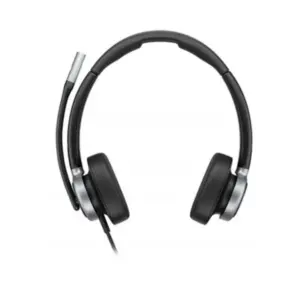
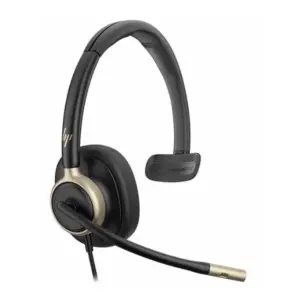
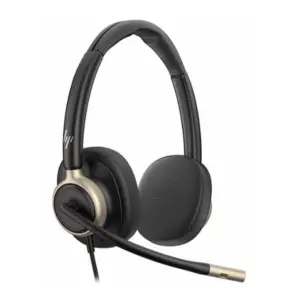
Poly Savi Office Straight Plug Online Indicator 85R52AA in Dubai, UAE
The Poly Savi Office Straight Plug Online Indicator 85R52AA is a compact visual call-status accessory for compatible Poly Savi Office headset environments. It helps teams see when a headset user is busy on a call, making it easier to reduce interruptions in reception desks, customer service teams, sales floors, support counters, and open offices. FourTeck supports UAE buyers with model checking, accessory matching, quote assistance, and practical guidance before purchase.
Poly Accessory Support
UAE Quote Assistance
Delivery Coordination
Request Quote
Check UAE Availability
Quick Product Information
Poly, now part of HP
85R52AA
Savi Office straight plug online indicator
Compatible Poly Savi Office headset users
Visible call-status indication in office environments
Contact FourTeck for current UAE options
Configuration and headset ecosystem dependent
Product selection and quote assistance
Product Overview
Modern workspaces depend on clear communication, but the physical environment around the user often creates interruptions. A receptionist may be speaking to a customer through a headset while another staff member asks a question. A support engineer may be handling an urgent service call while a colleague approaches the desk. A sales team member may be speaking with a prospect while nearby staff cannot easily tell whether the call is active. A small visual indicator can make a noticeable difference in these scenarios because it turns call status into something the surrounding team can quickly understand.
The Poly Savi Office Straight Plug Online Indicator is intended for selected Poly Savi Office headset setups where a visible busy or online signal is required. Instead of relying only on voice cues, hand gestures, or headset position, the online indicator helps communicate that the user is engaged. This can be particularly helpful in teams that handle sensitive client discussions, technical support calls, reception coordination, appointment management, finance conversations, and internal service desk requests.
For UAE businesses, the value is not only in the accessory itself but also in choosing it correctly. Poly headset accessories can depend on the headset series, base station, EHS cable, desk phone connection, and deployment method. FourTeck helps buyers review the use case before ordering so that the accessory selected is suitable for the existing headset environment. This avoids the common issue of purchasing an accessory by part number alone without checking the connected system.
The product is compact, workplace-friendly, and designed for business communication areas where visibility, politeness, and workflow discipline matter. It does not replace proper call management or headset setup, but it supports a smoother office routine by helping nearby colleagues recognise when a user should not be interrupted. For teams that depend heavily on calls, even a simple indicator can support better concentration and a more professional communication environment.
Key Business Benefits
The value of an online indicator is practical rather than complex. It supports better workplace behaviour, reduces avoidable interruptions, and helps headset users focus on the person they are speaking with. For many organisations, the benefit is seen in small daily improvements across many calls.
Clear Call Visibility
A visible call-status cue helps colleagues understand when the headset user is occupied, reducing the need for hand signals or repeated explanations.
Fewer Interruptions
Open offices and service desks often create distraction. The indicator supports a calmer routine by showing when a person is engaged in a conversation.
Better Customer Experience
When calls are not interrupted, the user can listen more carefully, respond professionally, and complete conversations with fewer breaks in attention.
Useful for Shared Desks
Reception areas, call desks, counters, and support rooms benefit from a simple visual signal that is easy for nearby staff to recognise.
Accessory Matching Support
FourTeck can help review the headset and cable environment so buyers select the right accessory rather than ordering only from a model name.
Project-Friendly Ordering
Businesses equipping multiple desks can request quote support for quantities, related accessories, and rollout planning across teams.
Product Highlights
The accessory is built around a simple idea: make headset call status easier to see. It is relevant for Poly Savi Office users who need an external online indication point in the workspace. The official HP product page identifies the product as Poly Savi Office Straight Plug Online Indicator with part number 85R52AA and shows it in the HP accessories area, with compatibility examples across selected Savi headset models. Because Poly headset deployments can vary, buyers should confirm compatibility with their headset base and connected accessories before purchase.
Technical Specifications
When selecting this accessory, buyers should not rely on the product name alone. The correct choice depends on the headset family, base station, connected desk phone or PC workflow, and whether the required OLI or accessory connection path is present. FourTeck can help review these details before quote preparation, especially for businesses replacing legacy Plantronics accessories or standardising Poly headsets across multiple desks.
Configuration and Buyer Guidance
Although this product is an accessory, the purchasing decision still needs careful checking. A buyer should first confirm the exact headset model, base unit, phone connection method, and any EHS cable or handset lifter already installed. In many business environments, headsets remain in service for years and accessories are replaced later. The model printed on the headset, the model printed on the base, and the product used for phone integration may not always be the same. Sharing photos or part numbers with FourTeck can help speed up confirmation.
Check the Headset Series
Confirm whether your deployment uses a Savi Office, Savi UC, or another Poly headset family before ordering the indicator.
Review the Connection Path
Desk phone, PC, EHS cable, and lifter setups can change the accessory requirement. This should be reviewed before purchase.
Plan for Multi-Desk Use
For reception, call centre, or support teams, confirm quantity, spare units, and related cable needs during quote preparation.
Confirm Support Terms
Warranty handling and return conditions may depend on supplier status and accessory category. FourTeck can guide buyers before ordering.
Ideal Business Use Cases
Reception and Front Desk
Reception users often switch between visitors, internal staff, and telephone calls. A visible indicator helps colleagues know when the user is already engaged with a caller.
Customer Support Teams
Support desks handle troubleshooting conversations that require concentration. Reducing unnecessary interruptions can help agents capture details more accurately.
Sales and Account Teams
Sales staff may be discussing proposals, renewals, or client requirements. A call-status signal supports more professional conversations in shared spaces.
Healthcare and Appointment Desks
Appointment teams need privacy and attention when speaking with patients or clients. A simple visual cue can help reduce walk-up interruptions.
Finance and Service Counters
Conversations involving accounts, billing, or service cases benefit from fewer disruptions and clearer internal courtesy signals.
Open-Plan Offices
A busy light is useful where staff sit close together and where visual call awareness can prevent accidental interruptions.
Poly Savi Office Indicator: Visual Call Awareness
The most important function of this accessory is visual awareness. In a busy workplace, the person wearing the headset may appear available even while speaking to a customer. A visible online indicator helps translate the user’s call status into a simple signal for the surrounding team. This supports better etiquette and fewer disruptions without requiring complex training. It is especially useful when the user’s headset or base station is not easily visible to everyone around the desk.
For customer-facing teams, small interruptions can damage call quality. The caller may hear background questions, the employee may lose focus, and important details can be missed. By making call status clear, the accessory helps colleagues wait for the right moment to approach. This is a simple improvement, but in departments with many calls per day, it can support a more disciplined and professional environment.
Poly Savi Office Indicator: Compatibility-Led Buying
Compatibility is the key decision point for this product. Many headset accessories look simple but depend on the correct connection path. A Savi headset can be used with desk phones, computers, EHS cables, lifters, and different base types. The buyer should confirm whether the online indicator can connect to the current setup and whether the required port or compatible accessory path is available. FourTeck can help check the supplied part number against the planned headset environment.
This is particularly important for businesses that have mixed headset deployments. One team may use newer Poly Savi Office models, another may still use older Plantronics systems, and a third may have a desk-phone integration cable from a previous rollout. Before ordering multiple units, it is better to test or confirm the setup. FourTeck can support business buyers with practical pre-sales guidance, helping reduce the chance of ordering an accessory that does not fit the installed environment.
Poly Savi Office Indicator: Workplace Productivity Support
The accessory supports productivity by improving the signals around a headset user. It does not make calls faster by itself, but it helps create a setting where calls can be completed with fewer unnecessary pauses. This matters for teams measured by response time, resolution quality, customer experience, appointment accuracy, or sales follow-up. Better call focus can help employees listen carefully and complete the conversation in a more controlled way.
For managers, the accessory can also support more consistent desk behaviour. Instead of every user creating a different personal signal for being busy, the visual indicator provides a common method that colleagues can recognise. In larger deployments, this can be part of a broader headset standardisation plan that includes compatible headsets, cables, spare parts, and accessory availability. FourTeck can help businesses review these requirements as part of a quote request.
What Buyers Should Check Before Purchase
Before requesting a quote, buyers should confirm the exact headset model, base unit, desk phone connection, EHS cable or handset lifter, and the number of desks that need the online indicator. The part number is important, but it is not the only decision point. A business may have different Poly and Plantronics systems in different departments, and not every accessory will fit every headset workflow. Buyers should also check whether the indicator needs to be placed on a desk, near a monitor, at a reception point, or in another visible position. For project orders, it is useful to identify spare units, related cables, and whether the rollout should be done in phases.
Model Fit
Share headset and base part numbers with FourTeck so the accessory can be reviewed against the current setup.
Connection Check
Confirm whether the deployment uses a desk phone, PC, EHS cable, handset lifter, or mixed connection method.
Availability and Warranty
Ask FourTeck to confirm current UAE sourcing options, warranty guidance, and expected delivery coordination before ordering.
Quote Preparation
Provide quantity, delivery location, existing headset models, and any related accessory needs for a more accurate quote.
UAE Availability and Service Support
FourTeck supports product inquiries across Dubai and the UAE with assistance for accessory selection, compatibility review, quote preparation, delivery coordination, and warranty guidance. Availability may vary based on supplier status, order quantity, product lifecycle, and the exact accessory required. Buyers should contact FourTeck before purchasing so the team can confirm current options and help match the online indicator with the existing Poly headset environment.
For business customers, this support is useful because headset accessories are often part of a wider communication setup. One missing cable or incompatible accessory can delay a rollout. FourTeck can help review the full requirement, including related headset accessories, replacement parts, and similar Poly options where needed.
Dubai, Abu Dhabi, Sharjah, and Ajman Coverage
Businesses in Dubai, Abu Dhabi, Sharjah, Ajman, and other UAE locations can contact FourTeck for product availability checks, compatibility guidance, and quote assistance. The team can help buyers review suitable Poly accessories, related headset options, and purchase requirements based on the workplace setup. For multi-location teams, FourTeck can also help coordinate inquiries where different offices need the same accessory standard or a compatible alternative.
GCC and Africa Availability
FourTeck also supports business technology inquiries across selected GCC and Africa markets through its regional platforms and inquiry channels. Availability, delivery options, warranty handling, and configuration support may vary based on country, product type, and supplier status. Buyers in Saudi Arabia, Qatar, Oman, Kuwait, Bahrain, Kenya, Uganda, and wider Africa region can use the relevant FourTeck inquiry channels for business technology support. Regional platforms include FourTeck UAE, FourTeck Kenya, FourTeck Uganda, FourTeck Africa, and FourTeck Kuwait.
Other Options Buyers May Consider
When buying this accessory, many organisations also review related Poly headset products and replacement accessories. FourTeck can help buyers compare the required indicator with headset bases, cables, power supplies, and similar business communication products.
Poly Savi Office Headsets
Useful for teams building or expanding a compatible headset deployment.
Poly Headset Accessories
Suitable for buyers replacing cables, power supplies, and supporting headset parts.
Business IP Phones
Relevant for offices checking headset compatibility with phone systems.
Unified Communication Devices
For teams improving voice, conferencing, and hybrid work communication.
Contact FourTeck
Share your headset model and required quantity for guided product matching.
Why Buyers Choose FourTeck
FourTeck helps business buyers make practical IT procurement decisions. For accessories such as the Poly Savi Office Straight Plug Online Indicator 85R52AA, the important support is not only quoting the item but helping confirm whether it fits the buyer’s existing headset environment. This matters for reception areas, helpdesks, sales teams, healthcare counters, and service teams where communication tools are used throughout the day.
Configuration Guidance
Quote Assistance
UAE Delivery Coordination
Warranty Guidance
Buyers can contact FourTeck with the model number, existing headset series, connected phone system, and required quantity. The team can review the request and assist with suitable options, related accessories, and availability confirmation. This is useful for one-off replacements as well as larger headset accessory rollouts.
Frequently Asked Questions
It is used to provide a visible call-status indication for compatible Poly Savi Office headset environments. The purpose is to help nearby colleagues recognise when a user is engaged on a call, reducing avoidable interruptions in shared work areas.
Availability can vary by supplier status, order quantity, and product lifecycle. FourTeck can check current UAE options and provide quote assistance after reviewing the buyer’s requirement and delivery location.
Yes. Share your headset model, base station details, phone connection method, and any EHS cable or handset lifter information. FourTeck can help review whether this accessory suits the existing setup.
No universal compatibility should be assumed. The product is associated with selected Poly Savi Office ecosystems, and the correct accessory path depends on model and configuration. Confirm compatibility before ordering.
Provide the part number 85R52AA, required quantity, delivery city, existing headset model, base model if available, and any related cable or phone integration details. This helps FourTeck prepare a more accurate response.
Businesses can request quote support for multiple desks or project requirements. Availability and delivery coordination should be confirmed at the time of inquiry, especially for larger quantities or multi-location deployments.
Installation needs depend on the existing headset and phone setup. Some environments may only require correct connection, while others may need review of EHS cable, lifter, or desk phone integration.
If the requested part is not suitable or not currently available, FourTeck can help review related Poly accessories or suitable communication products based on the buyer’s actual headset environment.
No live stock or guaranteed price is stated here. Buyers should contact FourTeck for the latest quote, availability, warranty guidance, and delivery coordination for their specific requirement.
Need Help Choosing the Right Poly Accessory?
FourTeck can help you review product availability, compatibility requirements, warranty guidance, and delivery needs for your business location. Share the headset model, quantity, and setup details to receive practical quote assistance.