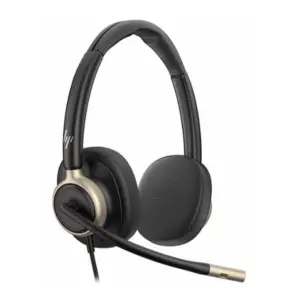
Poly USB-A Status Indicator Light 214023-01 in Dubai, UAE
The Poly USB-A Status Indicator Light is a compact presence indicator for business users who need a simple way to show whether they are available, busy on a call, away from the desk, or not ready for interruption. It is especially useful in open offices, shared service teams, contact centres, front-desk operations, and hybrid workplaces where call status is not always obvious from a distance. FourTeck helps businesses in Dubai and the UAE review compatibility, confirm current ordering options, and choose the right communication accessory for their workspace.
Softphone Status Support
Audio & Visual Alerts
Quote Assistance
Compatibility Guidance
Check UAE Availability
Quick Product Information
Poly / HP Poly
214023-01; also referenced as 85R75AA
USB-A status indicator and presence light
Open offices, call desks, shared workspaces, support teams
Shows user availability and helps reduce interruptions
USB-A connection; software support depends on environment
FourTeck quote, compatibility, and purchase guidance
Contact FourTeck for current options and alternatives
Product Overview
Modern offices often run on calls, video meetings, chat messages, softphones, and collaboration platforms. In that environment, one of the most common productivity problems is interruption. A colleague may not know whether a user is in a call, listening to a customer, away from the desk, or free for a quick discussion. The Poly USB-A Status Indicator Light helps solve that everyday issue by giving a clear visible status signal that can be understood from across the workspace. Instead of relying only on headset position, screen status, or manual signs, the indicator gives teams a more practical way to respect focus time and call activity.
This accessory is designed for unified communications users who need presence visibility in a physical office. It can support visual and audio alerts for incoming calls and instant messages where the application and operating environment support those functions. It is commonly associated with platforms such as Microsoft Skype for Business/Lync, Microsoft Skype, Cisco Jabber, Zoom, RingCentral, Circuit by Unify, and CounterPath Bria, with broader softphone support possible through Poly or Plantronics Hub depending on software compatibility. Buyers should confirm current platform support before ordering, especially when using newer collaboration applications or managed enterprise images.
The unit is useful for contact centre agents, customer service teams, helpdesk staff, reception desks, sales teams, executive assistants, and office users who handle frequent voice or video communication. It can help create better etiquette in open-plan environments by showing when a user should not be interrupted. It can also help managers standardise presence visibility across desks when multiple users work with headsets and softphones.
FourTeck supports UAE businesses by helping buyers confirm the correct model, review compatibility, request quotes, and identify suitable accessories or alternatives where needed. Because lifecycle status and regional supply may change, FourTeck does not present unverified stock or price claims on the product page. Buyers can contact the team for current availability, order quantity guidance, and practical support before purchase.
Key Business Benefits
For many business buyers, a presence indicator looks like a small accessory, but it can deliver value when deployed correctly. It supports clearer office behaviour, fewer accidental interruptions, and a more professional communication workflow for teams that depend on softphones and headsets throughout the day.
Clear Presence Visibility
A visible status light helps colleagues understand whether a user is available, busy, or away without walking over and interrupting a live call.
Better Call Focus
Call-focused users can handle customer conversations, internal meetings, and support sessions with fewer accidental interruptions from nearby colleagues.
Useful for Shared Teams
In service desks, reception areas, and sales teams, a consistent presence signal makes it easier for people to know when to approach or wait.
Audio and Visual Alerts
Where supported, alerts can help users notice incoming calls or messages, especially in busy workspaces where on-screen notifications may be missed.
Workspace Etiquette
Teams can agree on a common colour approach so everyone understands the meaning of available, away, and busy states.
Simple Desk Deployment
The compact USB-A accessory can fit neatly into desk environments without requiring complex infrastructure changes, subject to software compatibility.
Product Highlights
The status indicator is built around a straightforward business idea: make communication availability visible. It is a practical desk accessory for people who use compatible softphones, collaboration platforms, and headset-based calling as part of daily work. Instead of depending only on software presence that appears on someone else’s screen, it creates a physical status signal in the office.
Supports visible status signalling; colour behaviour can depend on app and configuration.
Designed for unified communications users and selected softphone environments.
Companion software can support personalisation such as brightness, volume, and ringtone settings where supported.
Compact design supports individual workstations without taking up significant desk space.
Buyers should note that support for specific applications may depend on the operating system, installed Poly/Plantronics software, application version, and enterprise policy. FourTeck can help review these points before a quote is prepared.
Technical Specifications
| Specification | Details |
|---|---|
| Brand | Poly / HP Poly |
| Model / Part Number | 214023-01; also referenced in market listings as 85R75AA |
| Product Type | USB-A unified communications status indicator light |
| Main Function | Displays user availability and can provide call or message alerts where supported |
| Connection | USB-A cable connection; setup depends on host computer and software |
| Alerts | Audio and visual alerts for incoming calls and instant messages where the softphone environment supports them |
| Ringtones | 10 MP3 ringtone selections referenced by reseller and product information sources |
| Controls | Adjustable volume and brightness through supported companion software |
| Supported Platforms | Compatibility may include Skype for Business/Lync, Skype, Cisco Jabber, Zoom, RingCentral, Circuit by Unify, CounterPath Bria, and additional softphones through Poly/Plantronics Hub; confirm before purchase |
| Operating System / App Notes | Configuration dependent; support can vary by application version, OS, enterprise image, and software policy |
| Warranty | Warranty handling may vary by region and supply channel; contact FourTeck for guidance |
| Availability | Contact FourTeck for current availability, ordering options, and suitable alternatives |
When choosing this product, buyers should focus less on the physical device alone and more on the complete communication environment. Confirm the softphone platform, operating system, USB port availability, user permissions, and whether companion software can be installed on company-managed devices. For larger deployments, a pilot test with one or two users can help confirm behaviour before ordering in volume. If the business has already moved from older platforms to a newer collaboration suite, compatibility should be checked carefully before purchase.
Configuration and Buyer Guidance
A USB status light is simple to use only when the surrounding environment is ready for it. Before requesting a quote, buyers should identify the exact calling platform in use, the operating system on the user’s computer, whether users have permission to install Poly or Plantronics software, and whether the device is needed for individual desks or a larger department rollout. These details help reduce the risk of ordering an accessory that does not behave as expected in the customer’s environment.
Confirm the platform
Share the softphone or collaboration app name, version if available, and whether it is managed by IT.
Check USB access
Make sure each workstation has a suitable USB-A port or plan the right adapter if the laptop only has USB-C.
Review desk layout
Choose placement where the light is visible to nearby colleagues without blocking screens, phones, or workspace tools.
Plan bulk use
For teams, define common colour meanings and confirm software deployment before ordering multiple units.
Ideal Business Use Cases
Open Office Teams
Open offices rely on quick communication, but they also create frequent interruptions. A visible presence light gives nearby colleagues a quick cue before approaching someone who may be handling a call or focused task.
Customer Service Desks
Support agents often move between calls, chat work, and case notes. A status indicator helps supervisors and colleagues understand when the user is actively engaged and should not be interrupted.
Reception and Front Office
Front-office staff may handle calls while also supporting walk-in visitors. A visible signal can help nearby team members know when to step in or wait.
Sales and Account Teams
Sales users often spend time on customer calls and online meetings. A desk light can reduce internal interruptions during negotiation, consultation, and follow-up discussions.
Executive Assistants
Assistants managing calendars, calls, and confidential conversations benefit from a simple status signal that lets colleagues know when conversation privacy should be respected.
IT Helpdesk Rollouts
IT teams can deploy presence lights to users who handle voice support, reducing desk walk-ups during troubleshooting calls or remote support sessions.
Poly USB-A Status Indicator Light 214023-01 Presence Visibility
The core value of this product is visibility. In many offices, software presence is only visible to people using the same collaboration platform. Someone walking across the room may not see whether a colleague is on a customer call or simply reviewing documents. A desk-based presence light helps bridge that gap by converting communication status into a physical signal. This is especially helpful for teams that share work areas or handle real-time customer conversations.
Businesses should agree on a simple internal colour policy. A consistent meaning for available, away, and busy states prevents confusion and makes the device more useful. The product can also support manual control in some situations, which is useful where automatic softphone sync is not available or where the user needs to show a focus status outside a call.
Poly USB-A Status Indicator Light 214023-01 Softphone Alert Support
For supported applications, the device can help users notice incoming calls or messages through a combination of light and sound. This matters in offices where users may miss a screen notification while working on another monitor, reviewing documents, or speaking with a colleague. The accessory is not a replacement for the communication platform itself; it is an enhancement that helps the user’s physical workspace reflect what is happening in the software environment.
Compatibility should be confirmed before purchase because business communication platforms change over time. Older unified communications tools, modern cloud calling apps, and enterprise-managed software images may not all provide the same behaviour. FourTeck can help buyers gather the right details for a practical compatibility review, including the application name, operating system, number of users, and whether the business wants automatic status sync or simple manual presence control.
Poly USB-A Status Indicator Light 214023-01 Workspace Deployment
A successful deployment depends on desk placement, user training, and consistent team rules. The light should be positioned where nearby colleagues can see it without distracting the user or cluttering the desk. In a call centre or helpdesk, it may be useful to deploy the product consistently across a row of desks so supervisors and team members can quickly recognise status. In an executive or reception environment, placement may be more discreet but still visible to the people who need the cue.
For company-wide or departmental orders, IT teams should test installation with the intended Windows or Mac environment, confirm software permissions, and prepare a simple user note explaining colour meanings and call-alert behaviour. Buyers should also consider whether users have USB-A ports available or whether compatible adapters are required for newer laptops. FourTeck can help identify those practical details during the quote stage.
What Buyers Should Check Before Purchase
Before ordering a status indicator, business buyers should confirm more than the model number. The correct choice depends on the communication software, endpoint operating system, user permissions, physical desk setup, and the business reason for using a presence light. A team using an older softphone platform may have different requirements from a team using a modern cloud meeting application. A company-managed laptop may also restrict installation of companion software, so IT approval should be included in the purchase process.
Model Confirmation
Confirm whether the request is for part number 214023-01, 85R75AA, or an alternative Poly presence accessory.
Compatibility Check
Share the softphone platform, operating system, and whether Poly/Plantronics Hub or companion software can be installed.
Accessories and Ports
Check USB-A availability on each workstation and plan USB-C adapters only when suitable for the user’s laptop.
Quote Preparation
Provide order quantity, delivery location, required timeline, and whether alternatives are acceptable if the exact part is unavailable.
These checks help prevent wrong product selection, missing accessories, and unclear expectations about software behaviour. FourTeck can assist with pre-sales review so the selected product matches the business requirement instead of being chosen only by a part number.
UAE Availability and Service Support
FourTeck supports product inquiries across Dubai and the UAE with assistance for product selection, compatibility review, quote requests, related accessory guidance, and delivery coordination. Availability may vary based on the selected part number, supplier status, lifecycle stage, order quantity, and regional channel conditions. Because several market listings identify this product under both 214023-01 and 85R75AA, buyers should share any required procurement reference, existing vendor quote, or IT standard before requesting a final quotation.
For business buyers, the most important support step is confirming that the device fits the actual communication environment. FourTeck can help review whether the accessory is intended for a single user, a front desk, a support queue, or a larger office deployment. The team can also guide buyers toward suitable alternatives where the requested part is not available or where a different connectivity requirement is identified.
Dubai, Abu Dhabi, Sharjah, and Ajman Coverage
Businesses in Dubai, Abu Dhabi, Sharjah, Ajman, and other UAE locations can contact FourTeck for product availability, quotation support, compatibility checks, and purchase guidance. The team can help buyers review requested part numbers, related communication accessories, and practical deployment details such as user quantity, USB port availability, and supported softphone environment. This single review process helps reduce delays and avoids repeated location-based product pages that do not answer real buyer questions.
GCC and Africa Availability
FourTeck also supports business technology inquiries across selected GCC and Africa markets through its regional inquiry channels. Buyers in Saudi Arabia, Qatar, Oman, Kuwait, Bahrain, Kenya, Uganda, and other Africa region locations can request guidance for communication accessories, workspace technology, and related IT procurement requirements. Availability, delivery options, warranty handling, and compatible alternatives may vary by country, product type, and supplier status.
Regional teams and procurement departments can start from FourTeck UAE, FourTeck Kuwait, FourTeck Kenya, FourTeck Uganda, or FourTeck Africa depending on the purchasing location and support requirement.
Other Options Buyers May Consider
Some buyers request this accessory as part of a headset, softphone, or desk productivity project. If the exact part is not available or if the environment needs a different accessory, FourTeck can help review alternatives from the same communication category.
Poly Business Headsets
For users who need professional calling audio with compatible desk or PC communication setups.
Unified Communications Accessories
Useful for call control, desk setup, USB connectivity, and workspace productivity requirements.
Business Collaboration Devices
Suitable for meeting rooms, hybrid teams, and offices building a clearer communication experience.
USB Adapters and Desk Accessories
May be required when newer laptops do not include native USB-A ports for legacy accessories.
Contact Centre Solutions
For teams that need headsets, call devices, and communication accessories in a structured rollout.
Why Buyers Choose FourTeck
FourTeck works with business buyers who need more than a product name and a price. Many IT accessories depend on compatibility, lifecycle status, user environment, and deployment details. For a presence light, the question is not only whether the device can be supplied; the buyer also needs to know whether the requested part is suitable for the platform, desk setup, and quantity required. FourTeck helps structure that discussion before purchase.
Guidance for requested part numbers, equivalent references, and related accessories.
Help reviewing communication software, operating environment, and user deployment needs.
Support for single-unit, team, or project-based quotation requests.
Assistance for UAE and selected regional business technology inquiries.
Frequently Asked Questions
What is this Poly status indicator used for?
It is used to show user availability in a physical workspace. When connected and supported by the communication environment, it can help display whether a user is available, on a call, away, or not ready for interruption. This makes it useful for open offices, support desks, reception teams, and call-heavy roles.
Is it available in Dubai or the UAE?
Availability can change based on supplier status, lifecycle stage, quantity, and requested part number. FourTeck can help check current UAE ordering options and suitable alternatives. Buyers should share the required quantity, delivery location, and whether 214023-01 or 85R75AA is the required procurement reference.
Which softphones can it work with?
Market information commonly references Skype for Business/Lync, Skype, Cisco Jabber, Zoom, RingCentral, Circuit by Unify, CounterPath Bria, and additional softphones through Poly or Plantronics Hub. Actual behaviour should be confirmed against the buyer’s current application version, operating system, and IT policy.
Does it support audio alerts?
Yes, product information sources reference audio and visual alerts for incoming calls and instant messages, along with 10 MP3 ringtone selections. Alert behaviour may depend on the communication platform, companion software, operating system, and whether the feature is supported in the business environment.
Can FourTeck help with compatibility?
Yes. FourTeck can help buyers review the softphone platform, operating system, USB port requirement, user quantity, and deployment method before preparing a quote. This is especially important for managed laptops, newer collaboration platforms, or larger team rollouts.
Is this product suitable for Microsoft Teams?
Compatibility with newer Teams environments should be checked carefully before purchase. Some product references focus on Skype for Business/Lync and other softphones, while user environments and software support may change. Share your Teams version and device management details with FourTeck for guidance.
What should I provide when requesting a quote?
Provide the part number, required quantity, company location, preferred delivery area, softphone platform, operating system, and whether alternatives are acceptable. These details help FourTeck prepare a more accurate response and reduce follow-up questions.
Can it be used for bulk office deployment?
It can be considered for team deployment when compatibility and supply status are confirmed. For bulk use, businesses should test one unit first, define common colour meanings, confirm software installation permissions, and check whether every workstation has the correct USB connectivity.
Does FourTeck list a fixed price on this page?
No fixed public price is shown because product availability, supplier cost, quantity, and regional options may vary. Buyers can contact FourTeck for a current quote based on the requested part number and order requirement.
Need Help Choosing the Right Presence Indicator?
FourTeck can help you review current availability, model references, softphone compatibility, accessory needs, warranty guidance, and delivery requirements for your business location.