

Quick Procurement & Configuration Matrix
Samsung
QA55Q7F / UAE family QA55Q7FAAUXZN
55-inch QLED 4K smart television
Video, presentations, streaming, signage-style playback and meeting-room display use.
Single 55-inch panel per display position; multi-room deployments scale by unit count.
AC 100–240 V, 50/60 Hz; maximum power figure listed by Samsung Gulf is 135 W.
Dubai, UAE and regional projects subject to quotation and logistics confirmation.
Confirm applicable Samsung/FourTeck warranty terms, serial coverage and service process before order placement.
Executive Product Architectural Overview
The Samsung QA55Q7F sits in a practical part of the modern display market: it is large enough to create a strong visual focal point in a boardroom, executive lounge, hotel suite, restaurant, reception area or premium living environment, yet compact enough to fit rooms where 65-inch and larger displays may dominate the wall or impose greater viewing-distance requirements. The 55-inch diagonal is particularly useful for organizations standardizing room types because it can serve as a repeatable baseline for huddle rooms, private offices, client waiting areas and hospitality spaces. Rather than treating the television as a stand-alone entertainment device, enterprise buyers can evaluate it as an endpoint in a wider content-delivery architecture that may include laptops, conferencing appliances, media players, network connectivity, wireless casting devices, soundbars and room-control workflows.
At the image-processing layer, Samsung specifies a Q4 AI Processor with 4K upscaling. The business relevance of this processing engine is consistency: many organizations still consume a mixture of content resolutions, including presentation slides, browser dashboards, full-HD video, broadcast material and 4K streaming sources. A processing pipeline capable of scaling lower-resolution content toward the native 3840 × 2160 panel helps deliver a more coherent visual result across those mixed inputs. It does not create native detail that was not present in the source, but it can reduce the visual gap between sources when a display is shared by different users and devices throughout the day.
The panel uses Samsung QLED technology with Quantum HDR and a 4K resolution. In practical procurement terms, QLED is valuable for spaces where color intensity and brightness are prioritized, such as reception areas with ambient lighting, restaurants, executive meeting rooms and hotel spaces. Quantum HDR support is intended to provide greater tonal range with compatible content, while Samsung’s Mega Contrast, Supreme UHD Dimming, Contrast Enhancer and HDR Brightness Optimizer functions contribute to the overall picture-processing chain. For buyers, the most important architectural point is that these features operate as a coordinated image system rather than isolated specification labels. They are designed to make ordinary video, streamed media and presentation imagery appear more consistent without requiring users to manually tune the display for every session.
The Q7F platform also incorporates a 50 Hz panel refresh rate for the UAE model and Samsung Motion Xcelerator processing. This places it well for general television, video playback, presentations and mainstream console or PC gaming use, but buyers planning specialist high-frame-rate gaming or professional simulation should evaluate higher-refresh display classes. Samsung lists 4K 60 Hz support on HDMI 1/2/3, together with Auto Game Mode, Game Motion Plus, Super Ultra Wide Game View, Mini Map Zoom and HGiG. These capabilities make the set flexible for mixed residential and light-commercial environments, especially when the same screen may be used for presentations during the day and entertainment after hours.
Audio is delivered through a 20 W, 2-channel speaker system with OTS Lite, Q-Symphony and Adaptive Sound. In a quiet private office or standard room, integrated audio may be sufficient for ordinary viewing. In larger meeting rooms, restaurants, hospitality lounges or acoustically challenging spaces, buyers should plan for a compatible soundbar or external audio system. The availability of eARC through HDMI is important because it simplifies high-quality audio return to a compatible sound device while allowing source switching to remain centered on the television. Q-Symphony can also be relevant where a compatible Samsung audio product is selected, allowing coordinated use of TV and soundbar speakers depending on the supported configuration.
Smart functionality is built around Tizen, with Samsung TV Plus availability in the UAE, a web browser, SmartThings Hub/Matter Hub functionality, multi-device features, Multi-View and Apple AirPlay. For enterprise architects, the value lies in reducing friction when users need to display content without dedicated cabling for every workflow. Wireless mirroring can accelerate ad-hoc presentations, while HDMI remains the preferred predictable path for critical meetings where latency, device compatibility or wireless policy may be a concern. Because smart services, applications and account requirements can change by region, FourTeck recommends confirming the exact required application set during project planning rather than assuming every global Samsung service is enabled in the UAE.
From an installation perspective, the QA55Q7F uses a slim look and three-bezel-less design. Samsung lists a set size of approximately 1234.1 × 710.8 × 60.3 mm without the stand and a VESA pattern of 200 × 200 mm. Those figures should be used when planning wall recesses, brackets, cable pathways and furniture clearances. The display weighs roughly 10.8 kg without the stand, so the final mounting solution should still be selected based on wall structure, bracket certification, cable bend radius and technician access. A professional installation plan also considers power socket placement, HDMI cable length, ventilation and the visibility of external devices. FourTeck can help buyers translate the display specification into a bill of materials that includes appropriate mounting and connectivity accessories rather than treating the screen purchase as an isolated line item.
Enterprise Business Value & ROI Benefits
For businesses, the value of a display is created by how reliably it supports people, rooms and content. The QA55Q7F can contribute to a lower-friction workplace and hospitality experience when its capabilities are aligned with the actual room role. The following value areas are intended to help procurement teams evaluate that fit before ordering.
Presentation Clarity
A native 4K panel provides substantial pixel density for charts, slides, browser dashboards and video. In meeting rooms this can improve readability when source material is correctly formatted, while in hospitality or reception environments it provides a sharper premium visual impression. Q4 AI processing and 4K upscaling help normalize mixed-resolution sources, reducing the need for users to adjust settings whenever they change from a laptop presentation to streamed media or broadcast content.
Color & Visual Impact
QLED technology is designed to deliver a broad, vivid color presentation, which is useful for brand imagery, marketing videos, hospitality content and premium entertainment. The value is strongest when the screen is positioned in a space with controlled viewing angles and reasonable ambient-light management. Buyers should still assess the room rather than assuming any television can overcome direct sunlight or unsuitable placement, but the QLED platform provides a strong base for visually rich everyday content.
Operational Simplicity
Tizen, SmartThings, wireless mirroring, Apple AirPlay and HDMI connectivity provide multiple routes for content delivery. This can reduce the number of special adapters users need to carry and make the screen easier to share across teams with different device types. Standardization on one model across several rooms also simplifies user familiarity, remote-control handling, mounting patterns, accessory stocking and IT documentation, which can lower the hidden support effort associated with mixed display estates.
Deployment Flexibility
Three HDMI inputs, USB, Ethernet, Wi-Fi and Bluetooth allow the display to accommodate a typical room mix of conferencing hardware, media players, laptops, streaming devices and audio systems. That breadth of connectivity can protect the investment when room requirements evolve. The screen can begin as a presentation endpoint and later take on a hospitality or lounge role, subject to application and operating-hour suitability.
Audio Expansion
The integrated 20 W 2-channel audio is adequate for many ordinary rooms, while eARC and Q-Symphony provide a clear expansion path for compatible external audio. This lets buyers avoid over-engineering small spaces while preserving the option to improve intelligibility and impact in larger rooms. Procurement teams can standardize the television while tailoring the soundbar tier to each room category, which is often more economical than buying a premium audio configuration everywhere.
Space Efficiency
The slim 55-inch form factor works well in many Dubai offices, hotel rooms and residential environments where a larger panel could overwhelm furniture or restrict circulation. With wall mounting, the display can preserve floor space and present a cleaner installation. The 200 × 200 mm VESA pattern supports a broad ecosystem of brackets, though bracket load rating, wall material and cable access should always be checked for the actual site.
Lifecycle Practicality
A widely recognized platform can be easier for facilities and support teams to manage because replacement accessories, familiar menus and common connectivity conventions reduce retraining. Lifecycle value depends on operating hours, application updates, environmental conditions and service terms, so organizations should document intended usage before procurement. FourTeck can help compare the Q7F against commercial signage or professional displays if the screen is expected to run extended schedules.
Hardware & Technical Architecture Highlights
The technical architecture of the QA55Q7F is best understood as an integrated signal path. Content enters through HDMI, tuner, network, wireless casting or an application within Tizen. The Q4 AI Processor then manages scaling, picture analysis and enhancement before the image reaches the 3840 × 2160 QLED panel. That pathway matters because display quality is influenced by more than the panel alone. Source encoding quality, frame rate, HDMI output settings, application behavior and image-processing modes all shape the final result. For enterprise deployment, consistency begins with controlling those upstream variables.
Samsung specifies Quantum HDR, Mega Contrast, Supreme UHD Dimming, Contrast Enhancer, HDR Brightness Optimizer and Color Booster Pro for the Q7F family. These functions collectively address contrast distribution, tonal detail and perceived color intensity. A buyer should not interpret them as substitutes for calibrated professional reference monitors; instead, they are consumer-display processing features intended to create an engaging visual result across varied content. In a boardroom, this is useful for mixed media presentations. In hospitality, it helps maintain a strong viewing experience across broadcast, streaming and local sources.
The display refresh architecture is rated at 50 Hz for the UAE model, with HDMI accepting up to 4K 60 Hz on all three HDMI inputs. Motion Xcelerator and Game Motion Plus operate at the processing layer to improve perceived motion handling within the capabilities of the panel. For mainstream video and presentation content this is appropriate. For competitive gaming rooms, simulation environments, sports-analysis labs or other applications requiring native 100/120 Hz presentation, procurement teams should move to a higher-refresh Samsung series rather than attempting to solve the limitation through source settings.
Connectivity is built for practical mixed-device rooms: three HDMI ports, one USB-A port, Ethernet, Wi-Fi 5, Bluetooth 5.3, RF inputs, HDMI-CEC through Anynet+ and eARC. This provides a straightforward topology for a conferencing appliance, a laptop input and a media player or set-top box while preserving the USB port for supported media or accessory workflows. In more complex spaces, an HDMI switcher, matrix, extender or AV-over-IP endpoint may be needed. Those devices should be selected based on cable distance, required resolutions, HDCP behavior and control requirements.
The physical system is intentionally slim. Samsung lists the panel at 60.3 mm deep without the stand, with a three-bezel-less front presentation. Thermal design relies on the manufacturer’s intended ventilation clearances, so installers should avoid creating tightly sealed recesses without confirming airflow. Power is specified for AC 100–240 V at 50/60 Hz with a maximum figure of 135 W for the UAE model. In normal room deployments, this is easily supported by standard electrical circuits, but large multi-screen projects should still account for total connected load, surge protection and safe cable routing.
The audio subsystem includes 20 W total output through a 2-channel speaker arrangement, OTS Lite and Adaptive Sound. In acoustic terms, this is optimized for convenience rather than high-output room reinforcement. Meeting rooms with remote participants may still rely on the conferencing device’s dedicated microphones and speakers, while hospitality spaces can add a soundbar. eARC provides an efficient return path to compatible audio equipment, and Q-Symphony can coordinate supported Samsung sound systems. The important architecture decision is to define whether the TV is only the visual endpoint or also the room’s primary audio endpoint.
Definitive Technical Specifications & Sizing Notes
| Category | Specification | Samsung QA55Q7F UAE Guidance |
|---|---|---|
| Display | Screen size | 55 inches |
| Display | Resolution | 4K UHD, 3840 × 2160 |
| Display | Refresh rate | 50 Hz |
| Processing | Picture engine | Q4 AI Processor |
| Video | HDR | Quantum HDR; HDR10+ support |
| Video | Upscaling | 4K Upscaling |
| Motion | Motion processing | Motion Xcelerator |
| Audio | Speaker/output | 2-channel, 20 W RMS |
| Audio | Features | OTS Lite, Q-Symphony, Adaptive Sound |
| Smart | Operating system | Tizen Smart TV |
| Connectivity | HDMI / USB | 3 × HDMI, 1 × USB-A |
| Connectivity | Network | Ethernet, Wi-Fi 5 |
| Connectivity | Wireless | Bluetooth 5.3, Apple AirPlay support |
| Audio return | HDMI ARC | eARC |
| Power | Supply / maximum | AC 100–240 V, 50/60 Hz; max 135 W |
| Dimensions | Without stand | 1234.1 × 710.8 × 60.3 mm |
| Dimensions | With stand | 1234.1 × 758 × 237 mm |
| Weight | Without stand | Approx. 10.8 kg |
| Mounting | VESA | 200 × 200 mm |
| Design | Finish | Slim Look, three-bezel-less, black |
Sizing should start with viewing distance, content type and wall width rather than screen size alone. A 55-inch 4K panel is well suited to medium rooms where users sit close enough to benefit from 4K detail but far enough that the screen remains comfortable for sustained viewing. For presentation-heavy spaces, also consider the size of spreadsheet text, dashboard elements and slide fonts. A larger display may be justified if multiple viewers need to read small content from the back of the room. Conversely, a 55-inch panel can be preferable in executive offices, hotel suites and lounges where visual balance is more important than maximum scale.
Buyers should treat power, dimensions and weight as planning inputs rather than installation instructions. Wall type, bracket rating, cable routing, socket position, furniture depth and technician access must be evaluated at the site. Model suffixes can vary by country, and smart-service availability may differ by region. FourTeck recommends quoting against the UAE model family and confirming the exact suffix, included accessories, warranty coverage and any bundled promotional items before purchase. Where the requirement is extended daily operation, centralized content scheduling or multi-screen commercial signage, a Samsung professional display may be more appropriate than a consumer television.
Configuration, Sizing & Deployment Workbench
A successful deployment begins by defining the room role before choosing accessories. The QA55Q7F is flexible, but the most economical configuration is the one that avoids both missing components and unnecessary complexity. Use the following decision sequence when preparing a project quote.
01 — Define viewing distance and content density
Document the nearest and farthest viewer positions and identify whether the screen will show video, presentation slides, dashboards, menus or detailed spreadsheets. Video remains readable from much farther away than small business text. If the farthest participant must read financial tables or browser interfaces, a larger panel may offer better usability. For hotel, lounge and residential-style viewing, the 55-inch format is often an effective balance between immersion and room scale.
02 — Map source devices to the three HDMI inputs
List every wired source: conferencing appliance, laptop dock, set-top box, media player, game console or signage player. With three HDMI ports, many rooms can connect core equipment directly. If the source count is higher, specify a suitable HDMI switcher or matrix. For long cable runs, especially across conference rooms, consider certified active optical HDMI, HDBaseT or AV-over-IP solutions instead of assuming a passive cable will maintain reliable 4K performance.
03 — Decide whether wireless presentation is primary or secondary
Apple AirPlay, Samsung multi-device features and SmartThings integration can make ad-hoc sharing convenient. However, enterprise environments may restrict wireless discovery across VLANs or guest networks. Critical meeting rooms should retain a predictable wired path even if wireless casting is enabled. If standardized conferencing platforms are required, connect the dedicated room appliance by HDMI and use the television primarily as the display endpoint.
04 — Size the audio solution to the room
The integrated 20 W speaker system can support normal viewing in smaller rooms. Larger rooms, hospitality spaces and restaurants may need a soundbar or distributed audio. If a Samsung soundbar is planned, review Q-Symphony compatibility and use eARC where appropriate. In conferencing spaces, avoid creating conflicting echo paths by deciding whether meeting audio will come from the room system or the television. Acoustic treatment, listener distance and ambient noise are often more important than raw wattage.
05 — Validate mounting, wall structure and service access
The VESA pattern is 200 × 200 mm, but bracket selection must also consider weight capacity, tilt requirements, service access and wall material. A fixed bracket creates a clean profile; a tilt or articulating bracket may improve viewing angles or maintenance access. For gypsum partitions, concealed reinforcement may be required. Plan power and HDMI points so connectors are not crushed behind the set and cables can be replaced without removing structural finishes.
06 — Confirm operating schedule and product class
Consumer televisions are ideal for normal office, hospitality and residential duty cycles, but continuous or long-hour signage workloads may justify a commercial display with published operating-hour ratings, centralized management and signage features. Tell FourTeck the expected daily runtime and content type so the product class can be validated before a large rollout. This avoids using a television where a professional signage panel would provide better lifecycle alignment.
07 — Document software, network and account requirements
Smart applications and Samsung services may require internet access, Samsung account registration or acceptance of terms. Enterprise networks often isolate displays for security. Coordinate with IT teams to determine whether the TV belongs on a corporate, IoT or guest segment, whether outbound internet access is allowed and whether wireless casting should be enabled. This is especially important in government, healthcare and finance environments with strict segmentation policies.
08 — Prepare procurement data before quotation
Provide the exact required quantity, delivery emirate, floor or site access constraints, mounting preference, soundbar requirement, source-device list and deployment timeframe. For multi-site projects, group quantities by location. If installation is required, include wall photographs, approximate dimensions and cable-path details where possible. A complete requirement helps FourTeck build a cleaner bill of materials and reduces revisions caused by missing brackets, adapters or room-specific accessories.
Industry Use Cases & Workload Scenarios
Banking & Finance
Private banking lounges, executive rooms and internal meeting spaces can use the 55-inch Q7F for presentations, financial news and client-facing media. The 4K panel is well suited to charts and presentation graphics, while wired HDMI offers a predictable connection for managed laptops. Financial institutions should define network segmentation and disable unnecessary smart functions where policy requires tighter control. For operational dashboards running extended hours, a professional commercial display may provide a better duty-cycle match.
Healthcare
Clinics, waiting areas, consultation rooms and executive offices may use the display for general information, patient education videos or presentations. Its 55-inch size works in medium waiting zones without requiring the installation footprint of very large displays. Healthcare environments should separate public content devices from clinical networks and validate cleaning, mounting and operating-hour requirements. The QA55Q7F is not a diagnostic medical monitor and should not be specified for regulated imaging interpretation.
Government & Public Sector
The screen can support meeting rooms, executive offices, VIP lounges and public information areas where standard television duty cycles are suitable. HDMI connectivity simplifies use with secure room PCs or conferencing systems, while wireless features can be disabled or restricted according to policy. Projects should verify approved network architecture, mounting, service coverage and any requirements for centralized management before procurement.
Logistics & Corporate Operations
Warehouses and operations offices can use the QA55Q7F for training, briefing rooms and management dashboards when operating hours remain moderate. For 24/7 control rooms or continuously refreshed operational data, commercial signage is usually the safer product class. In administrative areas, the 55-inch panel offers an accessible platform for presentations, safety videos and live operational reviews.
Retail & Hospitality
Boutiques, restaurants, hotel rooms, lounges and premium waiting spaces benefit from vivid QLED color and a slim appearance. The television can display brand videos, entertainment, menus or curated media where the duty cycle is appropriate. Hospitality projects should clarify whether central TV management, hotel mode, IPTV middleware or commercial warranty is required; if so, a Samsung hospitality or signage model may be a better fit than a standard smart TV.
Education & Training
Training rooms and small classrooms can use the display for video, presentations and wireless sharing. The 4K panel supports detailed instructional material, while HDMI ensures compatibility with managed PCs and document devices. Room size and audience distance should be checked carefully; larger classrooms may require a 65-inch or larger screen, interactive display or projector depending on teaching style and the need for touch interaction.
Technical Feature Deep Dive 1: Processing, Throughput & Workload Performance Architecture
The Q4 AI Processor is the control point for the Q7F image pipeline. Its role is to interpret incoming content and prepare it for a fixed 3840 × 2160 display grid. In daily use, source quality varies significantly. A streaming application may deliver adaptive video at several bitrates, a laptop may output 1080p or 4K, a broadcast tuner may deliver compressed channels, and a presentation appliance may render small text or video windows. The processor’s 4K upscaling capability helps normalize these sources so that lower-resolution content is presented more cleanly on the native panel. This is especially valuable in shared rooms where users cannot be expected to understand scaling, overscan and resolution settings.
Processing performance should still be understood within the limits of the source. Upscaling cannot reconstruct detail that was never captured, and heavily compressed video will remain constrained by compression artifacts. Procurement teams can improve the result by ensuring media players and laptops are configured to output stable 4K or high-quality 1080p signals, by using reliable HDMI cables and by avoiding unnecessary conversion adapters. In business rooms, this simple source discipline often produces a larger practical improvement than continually changing picture modes.
The Q7F supports Quantum HDR and HDR10+, with supporting picture functions including HDR Brightness Optimizer and Contrast Enhancer. HDR content contains a wider range of brightness and tonal metadata than conventional SDR material, allowing compatible scenes to preserve more highlight and shadow detail. The effect depends on the content, room lighting and panel capabilities. For corporate presentations, HDR is usually less important than accurate source resolution and readable text, but for hospitality, entertainment and promotional media it can materially improve the perceived richness of the picture.
Motion handling combines a 50 Hz panel with Motion Xcelerator and support for up to 4K 60 Hz input on the HDMI ports. This is appropriate for mainstream video, conventional broadcast material and business presentation use. Auto Game Mode, Game Motion Plus, HGiG and related gaming features reduce configuration friction for compatible consoles. However, the native panel rate remains an architectural boundary. Buyers requiring high-refresh competitive gaming should select a model designed for 100/120 Hz or higher rather than relying on processing features to replace native refresh capability.
For enterprise architects, the most useful way to think about performance is deterministic room behavior. If the display is connected to a room PC, set a known output resolution, test wake behavior, verify HDMI-CEC expectations and document which port is allocated to which device. If the room uses wireless casting, validate the network path and device compatibility. These operational controls create a predictable user experience and protect meeting productivity. The television’s processing capabilities then work in the background to provide a consistent visual presentation rather than becoming a feature users need to manage manually.
Technical Feature Deep Dive 2: Security, Redundancy & System Resilience
A smart television is a network-capable endpoint, so enterprise deployment should include it in the same governance discussions applied to printers, conferencing appliances and other IoT-class devices. Samsung includes Knox-related security capabilities in its modern TV platform, while Tizen provides the application and device environment. From a systems perspective, the correct control posture depends on the use case. A hotel suite or executive lounge may require internet-enabled streaming, whereas a government meeting room may deliberately restrict outbound services and rely on wired HDMI only.
Network segmentation is therefore the first resilience decision. If the display needs SmartThings, AirPlay or streaming applications, place it on an appropriate network segment rather than automatically joining a sensitive corporate VLAN. Define whether peer-to-peer discovery is permitted, whether mobile devices can see the display and whether the television should access only the internet or also internal resources. This reduces the operational risk associated with unmanaged device discovery and makes troubleshooting easier because the expected traffic pattern is documented.
Input resilience comes from maintaining more than one practical content path. A wireless presentation experience can be convenient, but a dedicated HDMI connection should remain available for important meetings. If the corporate network is unavailable or a casting protocol fails, the wired connection provides a fallback. In hospitality, an external media device can coexist with built-in smart applications. For meeting rooms, a conferencing appliance can occupy one HDMI port while another is reserved for guest laptops. The three-port layout supports this type of simple redundancy without an external switcher in many rooms.
Power resilience is a separate issue. The display itself does not provide redundant power supplies. Where uptime is important, the television and its source devices may be placed on a suitably sized UPS or protected circuit. A UPS should be selected based on the combined load of the TV, media player, conferencing appliance and any network equipment in the room, with enough headroom for runtime objectives. In standard office and hospitality settings, surge protection and stable mains supply may be sufficient, but critical environments should incorporate the display into the site’s electrical protection plan.
Physical resilience is equally important. Correct mounting, strain-free cabling and adequate ventilation reduce avoidable failures. Cables should not be forced into tight bends behind a flush wall bracket, and connectors should not carry mechanical load. If the display is installed in a public area, consider bracket security and controlled access to ports. In hospitality, document remote-control replacement procedures and source defaults. In multi-room corporate deployments, maintaining a small stock of standardized HDMI cables, remotes and mounts can reduce recovery time when an accessory fails.
Technical Feature Deep Dive 3: Remote Management, Telemetry & Infrastructure Integration
The QA55Q7F is a smart consumer television rather than a dedicated enterprise signage platform, so management expectations should be set accordingly. Tizen, SmartThings and IP control capabilities provide useful integration possibilities, but organizations that need centralized fleet management, proof-of-play reporting, content scheduling or strict 24/7 operations should compare commercial Samsung signage products. The Q7F is strongest where local room control, smart applications and familiar user interaction are more important than large-scale fleet administration.
SmartThings can provide an ecosystem layer for compatible devices and supports scenarios where the television participates in a connected-room environment. Matter Hub functionality broadens smart-device interoperability in supported configurations. For an enterprise deployment, the practical question is whether those capabilities are part of the room design or should remain unused. Enabling every smart feature by default can add complexity. A better approach is to activate only the services that support a defined user workflow, then document account ownership and network requirements.
IP control is useful when the television must integrate with third-party room control or automation systems, though exact command support and implementation should be validated for the specific project. A meeting-room control panel, for example, may need to power the display, select an input and manage volume. Where reliable automation is required, test the chosen control path during commissioning rather than assuming consumer behavior will match commercial display control. Wake-on-network behavior, application state and firmware updates can affect the experience and should be considered in acceptance testing.
Multi-device features and AirPlay can reduce meeting friction, particularly for mixed-device teams. Yet integration should account for network topology. Wireless discovery protocols often depend on multicast traffic that may not cross VLAN boundaries without deliberate configuration. Guest Wi-Fi may also isolate clients from each other. For this reason, IT teams should test real corporate and guest devices in the actual network environment. If wireless sharing is a core requirement, a dedicated enterprise presentation gateway may provide more predictable authentication and cross-network behavior.
Telemetry in a consumer TV context is not equivalent to data-center monitoring. Facilities teams generally manage these displays through room checklists, user reports and periodic inspection rather than SNMP-style fleet telemetry. Multi-site enterprises can still improve manageability by standardizing model families, documenting firmware practices, labeling HDMI assignments and keeping a room inventory that records serial number, location, mount type and accessory set. FourTeck can support procurement standardization by quoting consistent configurations across rooms and identifying when a commercial display would better satisfy a management requirement.
What Buyers Should Check Before Purchase
The most common procurement mistakes with large displays are not caused by the panel specification. They come from mismatched room size, missing mounting accessories, insufficient source planning, network-policy conflicts and assumptions about stock or warranty. Use this checklist to convert a simple television request into a deployable requirement.
01 / FIT — Configuration Fit & Model Sizing
Confirm why the screen is being purchased and who will view it. A 55-inch display may be ideal for an executive office, hotel suite, small-to-medium meeting room or lounge, but it may be too small for a large classroom or too large for a compact wall niche. Measure the installation area and viewing distance. Define whether content is mostly video, slides or detailed dashboards. Check whether the 50 Hz native refresh rate aligns with the use case. If a high-refresh gaming or specialist visualization requirement exists, select a different model class rather than compromising after installation.
02 / MATCH — Compatibility & Environmental Requirements
List every source device and allocate the three HDMI ports. Confirm whether eARC is needed for a soundbar and whether USB will be used for media or accessories. For wall mounting, verify the 200 × 200 mm VESA pattern, bracket load rating, wall construction and cable clearance. Consider ambient light, viewing angle and acoustics. If the screen will sit near direct sunlight, in a high-temperature enclosure or in a dusty industrial environment, the location may require a different product category or additional environmental planning.
03 / TERMS — Availability, Delivery & Warranty Terms
Do not assume online visibility equals local stock. Ask FourTeck to confirm the exact UAE model suffix, quantity availability, expected delivery timing and included accessories for the quotation date. Warranty terms should be confirmed in writing, including the service path and any conditions associated with commercial use. For multi-unit orders, check whether all units can be supplied from a consistent model batch if uniformity is important. Delivery planning should include site access, loading restrictions, floor level, lift dimensions and any requirement for scheduled installation.
04 / REQUEST — Quote Preparation Data Needed
A strong quote request includes model, quantity, delivery emirate, required date, mounting preference, audio requirement and source devices. For meeting rooms, note whether a conferencing system will be attached and whether guest HDMI access is required. For hospitality, state whether the television is for guest rooms, suites, lounges or public areas. For restaurants or retail, state the daily operating schedule. If the deployment is multi-site, provide a quantity split by location. These details allow FourTeck to identify accessory and product-class issues before the order is placed.
UAE Regional Availability & Service Ecosystem
FourTeck supports business buyers across the UAE with model validation, commercial quotation, logistics coordination and pre-sales guidance. Availability can vary by quantity and project timing, so procurement should begin with a current request that specifies delivery location and required date. For larger rollouts, FourTeck can help structure a consistent display-and-accessory bill of materials, reducing the risk that different sites receive mismatched mounts, cables or source interfaces.
K1. Dubai Supply & Logistics Support
Dubai buyers can request supply coordination for offices, hotels, restaurants, retail locations, residences, Free Zone sites and corporate facilities. Project planning can include unit quantity, VESA mounting requirements, soundbar options and delivery sequencing. Free Zone and controlled-access sites should provide delivery instructions early so vehicle access, receiving hours and documentation can be coordinated. Fast quote preparation is easiest when model, quantity, location and required timeline are supplied together.
K2. Abu Dhabi & Al Ain Logistics Reach
FourTeck can coordinate quotations and delivery planning for corporate, government, industrial and hospitality projects in Abu Dhabi and Al Ain. Buyers should identify whether delivery is to a central warehouse, office tower, hotel, educational facility or restricted industrial site. For government and regulated sectors, product approval, network policy and warranty documentation may need to be validated before order confirmation.
K3. Sharjah & Northern Emirates Logistics Infrastructure
Sharjah and Northern Emirates customers can request project supply for offices, educational spaces, hospitality venues, retail environments and mixed-use developments. For multi-location requirements, quantities can be grouped by site to simplify logistics planning. Where the display is intended for long operating schedules, FourTeck can also compare consumer television and commercial signage options before the buyer commits to a model class.
K4. Ajman & Surrounding Emirates Logistics Coverage
Ajman businesses can use FourTeck for availability verification, quotation preparation, accessory planning and delivery coordination. The pre-sales process can include checking stand or wall-mount deployment, source-device count, soundbar requirements and room size. Exact stock and delivery timing remain subject to confirmation at quotation stage, particularly for bulk or time-sensitive projects.
GCC & Pan-African Supply Chain Reach
Regional buyers often need more than a product price. Cross-border projects may require export packing, documentation, freight coordination, destination information and confirmation that the selected product variant is appropriate for the target market. FourTeck can support project inquiries from the GCC and African markets by validating requested models, quantities and logistics requirements before quotation. Customs, taxes, importer obligations and warranty applicability should be confirmed for the destination country.
L1. Saudi Arabia (KSA) Export & Supply Support
Saudi buyers and integrators can submit project requirements with model, quantity, destination city and intended use. FourTeck can coordinate sourcing and export quotation from the UAE, while the buyer confirms local import, conformity and warranty requirements. Larger hospitality and corporate projects should specify whether units will be deployed in guestrooms, meeting rooms or public areas because commercial-display alternatives may be preferable for extended-duty applications.
L2. Qatar Market Supply Reach
Qatar projects can be supported with cross-border quotation, configuration review and logistics coordination. Buyers should provide the delivery destination, project schedule and accessory requirements, particularly wall mounts and soundbars. For managed corporate environments, network and smart-service requirements should also be documented so the display class is selected appropriately.
L3. Oman Regional Distribution Support
Oman customers can request procurement guidance for single-site or multi-site projects, including model validation and accessory planning. The 55-inch Q7F can suit office, hospitality and premium residential environments, while large public areas or long-hour signage workloads may require a professional display. Freight and local import arrangements should be confirmed during quotation.
L4. Kuwait Supply Chain Coverage
For Kuwait requirements, FourTeck can assist with project quotation and export supply coordination. Buyers can also route local-market inquiries through FourTeck Kuwait. Project requests should include quantity, city, required date and intended installation type so logistics and compatible accessories can be evaluated together.
L5. Kenya & East Africa Supply Infrastructure
Kenyan system integrators, hospitality groups and corporate buyers can request regional sourcing and project coordination through FourTeck Kenya. Multi-site projects should include a location and quantity schedule. Warranty, local voltage compatibility, importer requirements and freight arrangements should be reviewed before dispatch.
L6. Uganda Regional Procurement Support
Uganda buyers can submit enterprise and hospitality display requirements through FourTeck Uganda. FourTeck can coordinate product sourcing, requirement clarification and delivery planning subject to destination terms. Buyers should specify whether the project needs consumer smart TVs or commercial displays designed for longer operating schedules.
L7. Pan-African Regional Logistics & Trade Reach
For broader African projects, FourTeck can coordinate multi-country inquiries, export supply and technology sourcing through FourTeck Africa and FourTeck International. Requirements should identify destination countries, unit quantities, preferred incoterms where known, deployment type and target schedule. Cross-border buyers should separately validate local certification, customs and warranty conditions before final order approval.
Deployment Visuals for Samsung Display Projects
The QA55Q7F can fit a range of presentation, hospitality and customer-facing environments. The following FourTeck Samsung deployment visuals illustrate the broader context in which Samsung displays are commonly planned. Images are representative project-category visuals rather than photographs of the exact QA55Q7F model.
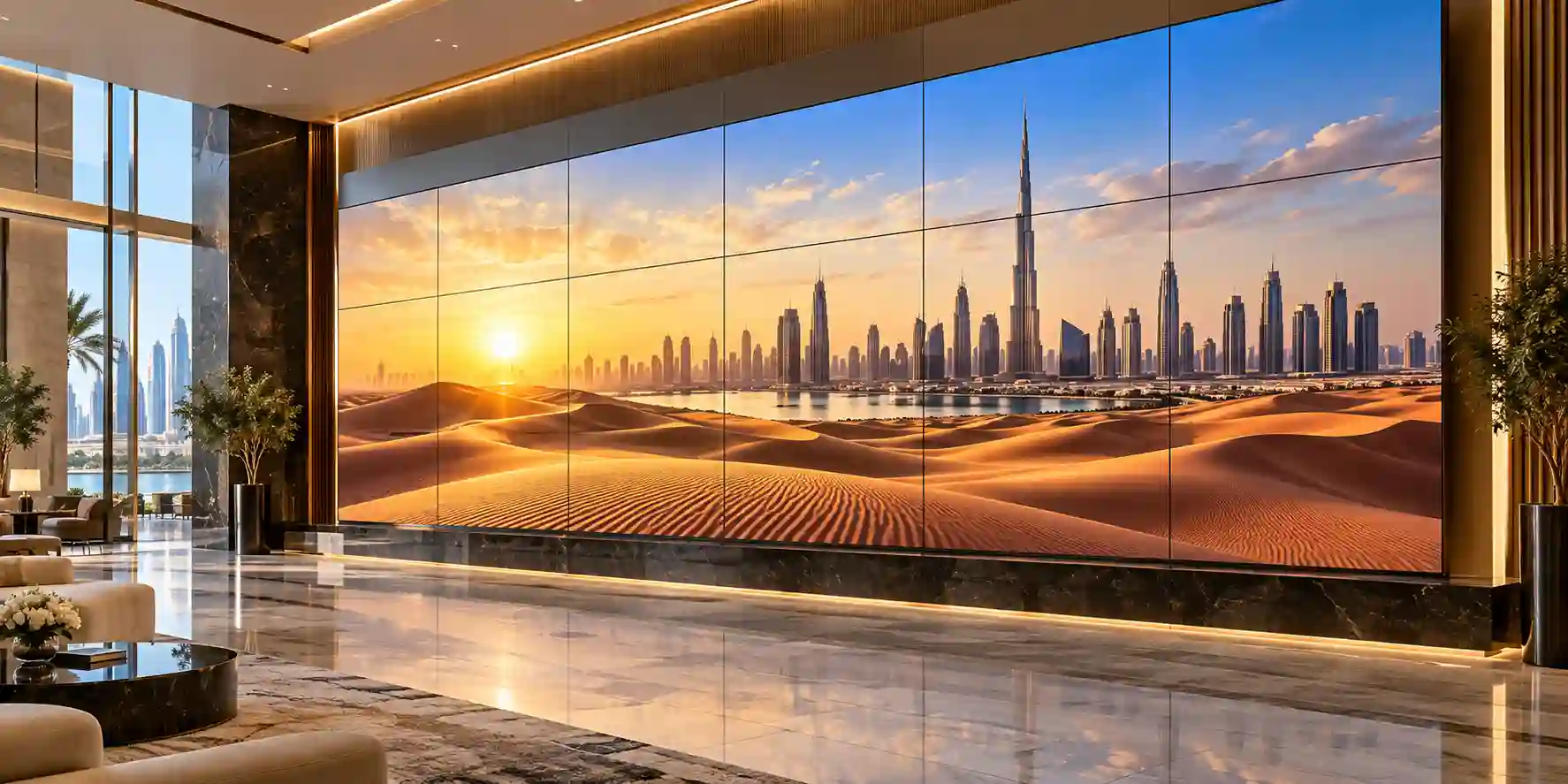
Restaurant and hospitality deployments benefit from vivid content, clean mounting and appropriately planned audio. Confirm duty cycle and content-control requirements before choosing between smart TV and commercial signage categories.

Meeting-room design should account for viewing distance, cable access, conferencing source devices and a dependable wired fallback even when wireless sharing is available.
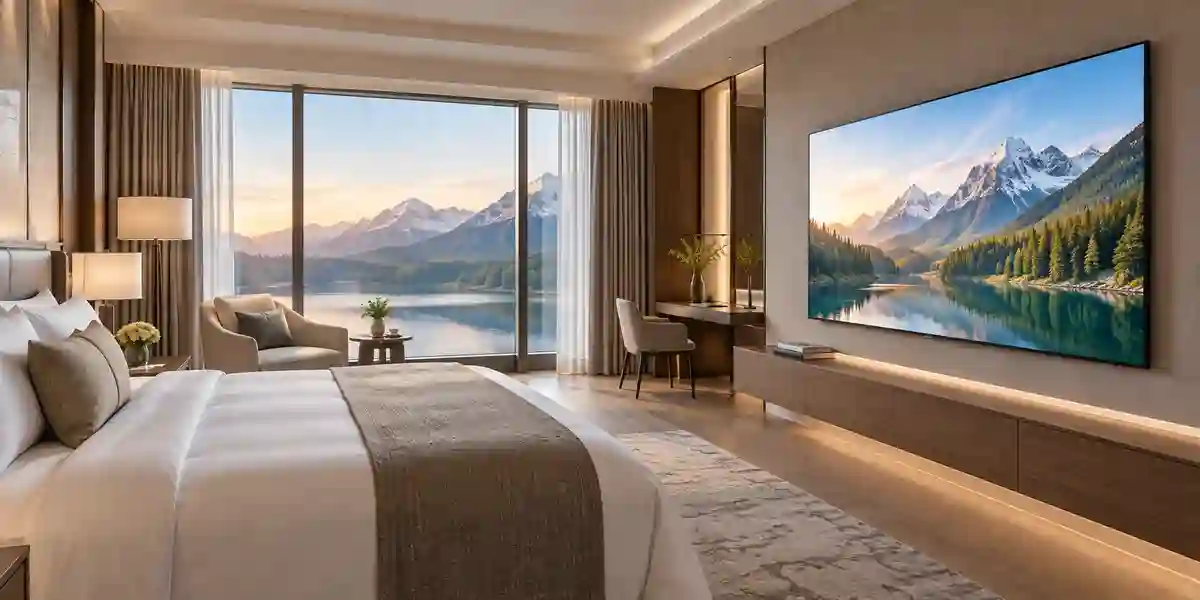
Hotel projects should determine whether standard smart-TV use is sufficient or whether hospitality-specific management, middleware and fleet controls require a dedicated hotel television platform.
Related FourTeck Products & Compatible Alternatives
The QA55Q7F is a strong general-purpose 55-inch QLED choice, but the best display depends on the room role. FourTeck can compare adjacent Samsung product categories rather than forcing every project into one model. For larger meeting spaces, a 65-inch or 75-inch Q7F-family screen can improve readability at distance while retaining familiar smart-TV behavior. Where the project requires scheduled content, high daily operating hours, centralized commercial control or signage warranties, Samsung QBC, QMC, QHC or QET professional display families may be more appropriate. For interactive classrooms and collaboration rooms, a Samsung Interactive Flat Panel or Smart Board class product adds touch and collaborative features that a standard television does not provide.
Samsung Q7F 65-inch
Choose when the room is larger or when text must remain readable from farther seats while retaining a consumer smart-TV experience.
Samsung QBC Series
Consider for corporate signage, dashboards and longer-hour business use requiring a professional display category.
Samsung QMC Series
A commercial alternative for managed signage environments that need a slim professional panel and business-focused deployment features.
Samsung QHC Series
Useful where a brighter professional signage tier is required for more demanding commercial presentation environments.
Samsung Interactive Display
Select for classrooms, workshops and collaborative meeting spaces where touch input, annotation and interactive participation are required.
Samsung Hospitality TV
Prefer for managed guestrooms where hotel-specific configuration, central management or hospitality middleware is a project requirement.
This comparison approach helps procurement teams avoid a common category error: choosing a consumer television solely because its image specification looks attractive, even when the operational requirement is actually signage, hospitality management or interactive collaboration. FourTeck can review the daily operating schedule, management expectations, room size and content workflow to recommend the correct Samsung class before quantity pricing is finalized.
Why Enterprises Choose FourTeck
Enterprise display procurement works best when product selection, accessories and logistics are handled as one requirement. FourTeck supports buyers by validating the requested model against the deployment role, preparing quantity-based quotations, identifying common accessory needs and coordinating delivery information for UAE and regional projects. This pre-sales engineering approach is particularly useful when a request begins as a simple television model but later reveals mounting, conferencing, network or commercial-duty requirements.
FourTeck does not need to replace the buyer’s internal technical standards; the role is to help translate those standards into a practical bill of materials. Buyers can specify preferred bracket types, soundbar models, cable standards, installation constraints and warranty documentation. For multi-site projects, a consistent configuration can be repeated across offices or properties, simplifying support. If requirements indicate that a professional signage or hospitality display is more suitable than the QA55Q7F, the team can present relevant alternatives before order confirmation.
Quotation turnaround depends on the completeness of the request and current sourcing conditions. Providing model, quantity, destination, required date and accessories in the first inquiry generally reduces back-and-forth. Stock, lead time and warranty should always be confirmed on the formal quotation because these factors can change. This evidence-led process helps enterprise buyers approve purchases with clearer expectations around what is being supplied and how it will fit the actual deployment.
Frequently Asked Questions
1. What is the Samsung QA55Q7F?
The Samsung QA55Q7F is a 55-inch QLED 4K smart television in Samsung’s Q7F family. The UAE model family uses a 3840 × 2160 panel, Q4 AI Processor, Quantum HDR, Tizen smart platform and a 50 Hz refresh rate. It is well suited to premium home viewing, executive offices, meeting rooms, hospitality suites and customer-facing environments where a vivid 4K screen and flexible connectivity are required.
2. What is the UAE model number?
Samsung Gulf lists the 55-inch Q7F UAE variant as QA55Q7FAAUXZN. Buyers may encounter shortened references such as QA55Q7F in commercial requests. For procurement, the exact suffix should be confirmed on the FourTeck quotation because regional model suffixes can identify market-specific packaging, tuner, service or warranty conditions. Do not substitute a non-UAE suffix in a controlled project without first confirming compatibility and support.
3. Does the Samsung QA55Q7F support 4K at 120 Hz?
No. Samsung specifies a 50 Hz native refresh rate for the UAE 55-inch Q7F and HDMI input up to 4K 60 Hz. Motion Xcelerator and gaming features improve mainstream motion handling, but they do not turn the panel into a native 120 Hz display. Buyers who require 4K 120 Hz for competitive gaming, simulation or specialist high-frame-rate workloads should choose a higher-refresh Samsung model.
4. How many HDMI ports does it have?
The UAE QA55Q7F has three HDMI inputs and one USB-A port. Samsung also lists eARC, Anynet+ HDMI-CEC, Ethernet, Wi-Fi 5 and Bluetooth 5.3. Three HDMI ports are sufficient for many meeting-room and hospitality scenarios, for example a conferencing appliance, guest laptop connection and media player. If more sources are required, FourTeck can help plan an HDMI switcher, matrix or AV distribution solution.
5. Can it be wall mounted?
Yes. Samsung lists a VESA mounting pattern of 200 × 200 mm for the 55-inch Q7F. The screen weighs about 10.8 kg without the stand, but bracket selection must account for safety margin, wall construction, tilt or articulation requirements and service access. Buyers should not select a bracket based on VESA pattern alone. For gypsum walls, reinforcement or appropriate structural fixing may be necessary.
6. Is the QA55Q7F suitable for meeting rooms?
Yes, especially in small-to-medium meeting rooms where the audience can comfortably read a 55-inch screen. It supports 4K presentation, HDMI connectivity, AirPlay and multi-device features. For critical meetings, FourTeck recommends keeping a wired HDMI path even if wireless sharing is enabled. Large rooms, detailed spreadsheet viewing or distant seating may justify a 65-inch or larger screen after viewing-distance assessment.
7. Is this a commercial signage display?
No. The QA55Q7F is a smart QLED television rather than a dedicated Samsung commercial signage panel. It can be used in offices, restaurants, reception areas and hospitality environments when the duty cycle is appropriate, but projects requiring extended daily operation, centralized signage management or commercial signage warranties should consider Samsung QBC, QMC, QHC or other professional display families instead.
8. What audio features are included?
Samsung specifies a 20 W 2-channel audio system with OTS Lite, Q-Symphony and Adaptive Sound. This is practical for normal viewing in smaller rooms. Larger meeting rooms, restaurants and hospitality lounges may benefit from an external soundbar or audio system. eARC is available for compatible audio return, and Q-Symphony can coordinate supported Samsung soundbars with the television speakers in applicable configurations.
9. How can I request a FourTeck quote in Dubai?
Send FourTeck the product name Samsung QA55Q7F, required quantity, delivery location, target date and any accessories such as wall mounts, soundbars or long HDMI cables. For business deployments, also describe the room type and daily operating schedule. FourTeck can then validate the UAE model, confirm current availability and warranty terms, and prepare a project-specific quotation rather than relying on assumptions about stock or bundled accessories.
Prepare Your Samsung QA55Q7F Procurement Request
For an accurate quotation, submit the required model, quantity, delivery location and deployment timeframe. Add any wall-mount, soundbar, HDMI cable, installation or multi-site requirements. FourTeck will use those details to validate the product configuration and identify whether the 55-inch Q7F is the correct fit or whether a larger television, commercial signage panel, hospitality display or interactive product would better match the workload.



