

Samsung QE43T 43-Inch QET Commercial Display in Dubai, UAE
The Samsung QE43T is a compact 43-inch Crystal UHD commercial signage display built for organizations that need dependable 4K messaging, presentations and managed visual communication in customer-facing or employee-facing environments. It combines a 3840 × 2160 panel, 300-nit typical brightness, 16/7 operating guidance, embedded signage capabilities and business-friendly control interfaces in a space-efficient format.
For Dubai and UAE buyers, the QE43T is particularly attractive when screen size, procurement efficiency and straightforward content deployment matter more than ultra-high brightness or 24/7 mission-critical operation. FourTeck can support model validation, accessory selection, quantity pricing, delivery coordination and installation planning for offices, retail outlets, hospitality environments, clinics, schools and distributed branch networks.
Procurement Snapshot
- Model: Samsung QE43T / QET Series
- Panel: 43-inch Direct LED BLU
- Resolution: 3840 × 2160 UHD
- Typical brightness: 300 nit
- Recommended duty profile: up to 16/7
- UAE availability: Contact FourTeck for current channel stock and lead time
Quick Procurement & Configuration Matrix
Samsung QE43T, QET Series commercial signage.
43-inch 4K UHD business display for digital signage and corporate visual communication.
Retail promotions, menu boards, meeting-room content, information displays and branch messaging.
Designed for commercial operation up to 16 hours per day, 7 days per week.
AC 100–240 V, 50/60 Hz; approximately 80 W typical, 121 W maximum.
200 × 200 mm VESA mounting. Stand and wall-mount choice should be validated before purchase.
Dubai, Abu Dhabi, Sharjah, Ajman and wider UAE, subject to current logistics terms.
Warranty varies by authorized channel and regional supply. Confirm terms on quotation.
Executive Product Architectural Overview
Commercial displays sit in a different operational category from conventional consumer televisions. The distinction matters because business environments demand predictable operating schedules, repeatable installations, managed input behavior, physical mounting flexibility and a content workflow that can be supported across more than one room or location. The Samsung QE43T addresses that requirement as a compact member of the QET family. Its 43-inch panel is large enough to create meaningful visual presence in meeting rooms, reception desks, retail aisles, clinics, training areas and service counters, yet small enough to fit locations where a 55-inch or larger signage panel would overwhelm the wall, reduce viewing comfort or increase installation complexity.
At its core, the QE43T uses a Direct LED backlit panel with a native 3840 × 2160 resolution. That pixel density is valuable for businesses presenting fine text, price lists, schedules, branded graphics, product imagery or dashboard content at relatively short viewing distances. The 300-nit typical brightness positions the display for indoor commercial use rather than high-ambient-light shop windows or outdoor deployment. Buyers should view brightness as an environmental sizing decision: a reception wall away from direct sunlight can be a strong fit, whereas a storefront receiving sustained daylight may require a brighter signage class. This is one reason FourTeck recommends that buyers provide installation photographs, viewing distances and approximate ambient lighting conditions when requesting a project quote.
The panel is specified for a 16/7 operation profile, a useful fit for offices, schools, clinics, restaurants and retail environments that operate throughout normal business hours but do not require uninterrupted round-the-clock presentation. A 16/7 profile also helps procurement teams avoid paying for 24/7 engineering when the site does not need it. For control and integration, the QE43T provides two HDMI 2.0 inputs, USB connectivity, RJ45 networking, RS-232 input through a stereo jack and audio output. These interfaces support common signage architectures ranging from simple USB content playback to network-controlled commercial deployments, meeting-room source switching and external signage players.
Samsung also integrates a system-on-chip platform into the display, including a quad-core Cortex-A72 processor, 2 GB LPDDR4 system memory and 8 GB internal storage, with a portion reserved for the operating system. This embedded architecture allows many organizations to deploy digital content without attaching a separate PC behind every screen. In practical terms, fewer external devices can mean fewer power adapters, fewer cable-management points and fewer failure domains. The exact content workflow should still be matched to the project. A single-location menu board may use USB playback, while a chain of retail branches may benefit from centrally controlled content management. Organizations with specialized web applications, high-frame-rate video, unusual codecs or custom software may still choose an external media player.
For UAE deployments, the value of the QE43T lies in its balance. It is not intended to replace high-brightness storefront signage, interactive classroom panels, video-wall panels or 24/7 command-center displays. Instead, it is a practical commercial UHD panel for standard indoor conditions where image clarity, manageable operating hours and business control interfaces are required at an accessible form factor. Procurement teams can standardize on the 43-inch size for smaller rooms while maintaining a similar content experience across larger QET sizes, depending on availability and project design.
From an infrastructure perspective, deployment requires more than simply choosing a diagonal size. Power socket position, HDMI cable length, network outlet availability, wall structure, VESA bracket depth, ventilation clearance, service accessibility and content ownership should be considered before installation. In hospitality and retail projects, content-update responsibility is frequently shared among marketing, IT and facilities teams. Defining who publishes content, who maintains connectivity and who handles physical servicing prevents operational gaps later. FourTeck can assist with pre-sales validation so the final bill of materials reflects the real environment rather than only the display model.
The QE43T can therefore be understood as a compact commercial endpoint within a broader visual communication architecture. The display provides the pixel surface, embedded processing, commercial controls and connectivity; the surrounding deployment supplies the mounting, cabling, network, content sources, governance and operational process. Buyers who approach the project in this structured way typically achieve a cleaner installation, a more predictable user experience and lower support friction over the working life of the display.
Enterprise Business Value & ROI Benefits
4K Clarity for Dense Business Content
The UHD canvas helps preserve fine typography, product imagery and presentation detail. In reception signage or meeting spaces, higher native resolution supports professional-looking layouts without forcing designers to oversimplify content. The practical return is not only visual quality; it can reduce the need for separate printed boards when prices, schedules or service information change regularly.
Commercial Operating Discipline
A 16/7 duty profile maps well to working-day environments. Organizations can run the display through extended commercial hours while keeping the specification aligned with actual need. Selecting equipment appropriate to the operating schedule is a straightforward way to control project cost and avoid over-engineering.
Reduced Endpoint Complexity
The embedded signage platform can remove the need for an external PC in many common deployments. Fewer external devices may reduce hardware count, cable clutter and support touchpoints. When a dedicated player remains necessary, the dual HDMI inputs still provide flexibility for the required architecture.
Remote Control Readiness
RJ45 and RS-232 connectivity give systems teams options for managed control, status monitoring and integration with broader room or signage systems. This is especially useful in multi-screen environments where technicians should not need to physically visit every panel for basic operational tasks.
Energy-Aware Deployment
With approximately 80 W typical power consumption and 0.5 W standby consumption, the screen can be incorporated into predictable facility power planning. Scheduling displays off outside business hours can improve operational discipline and prevent unnecessary runtime across large estates.
Compact Standardization
The 43-inch size is useful for standardized small-room deployments. Organizations can deploy a consistent signage format in branches, consultation rooms, counters or compact meeting rooms while using larger panels only where viewing distance requires them. This reduces ad-hoc screen selection and simplifies support documentation.
Lifecycle Procurement Control
A commercial display project benefits from documented mounting, cabling, asset naming and warranty records. FourTeck can help buyers structure the procurement request around quantity, site, accessory needs and operating environment so that the delivered screen is treated as part of an infrastructure system rather than an isolated purchase.
The strongest business case for the QE43T usually appears when organizations need repeatable indoor signage with clear content and manageable installation requirements. Return should be assessed against the process being improved: replacing frequently updated printed materials, standardizing meeting-room displays, enabling campaign changes across retail branches, presenting queue information in clinics or providing consistent internal communications. These gains are operational rather than speculative. The actual financial outcome depends on deployment scale, content process, installation cost and how frequently information changes.
Hardware & Technical Architecture Highlights
The QE43T combines the display panel, system-on-chip processing, storage, connectivity and control interfaces into one commercial chassis. The direct LED backlight provides the illumination layer behind the LCD panel. At a native 3840 × 2160 resolution, the screen contains more than eight million addressable pixels, allowing business content to be rendered with fine detail. A typical contrast ratio of 4000:1 and 178-degree horizontal and vertical viewing specification support practical use in meeting rooms and customer areas where viewers are not always seated directly in front of the panel.
The embedded processor is a 1.7 GHz quad-core Cortex-A72 platform paired with 2 GB of LPDDR4 memory. Storage is 8 GB, with part reserved by the operating system, leaving approximately 4.12 GB available according to Samsung’s listed specification. That capacity should not be confused with archival media storage. It is intended for signage operation and content workflows appropriate to the platform. Large video libraries or complex content estates should be designed around network content delivery, external storage where supported or dedicated playback hardware.
The graphics pipeline renders the signage interface and scales supported content to the 4K panel output. Samsung lists support for common video and image formats including H.264/AVC, HEVC, VP8, VP9, JPEG and PNG, along with common audio decoding. Format support can vary by encoding profile, bit rate, container and firmware, so project teams should validate representative media rather than assuming that every file with a familiar extension will behave identically.
Connectivity is deliberately business-oriented. Two HDMI 2.0 inputs enable common sources such as laptops, conferencing appliances, set-top boxes, signage players or presentation systems. USB 2.0 supports local media and service workflows. RJ45 connectivity supports network-based management and content scenarios, while RS-232 control through the stereo interface is useful in integrated AV environments. A stereo mini-jack audio output is available, and the display includes integrated 10 W + 10 W speakers. Built-in audio can be sufficient for room prompts, presentations and light multimedia use, although larger meeting spaces or hospitality applications may benefit from dedicated speakers.
Commercial reliability also depends on thermal and environmental limits. Samsung specifies an operating temperature range of 0°C to 40°C and operating humidity of 10% to 80%. In the UAE, this makes indoor climate control and correct enclosure ventilation important. A screen mounted in an air-conditioned office is very different from one installed inside an unventilated cabinet or close to glazing with direct solar heat gain. Facilities teams should keep ventilation paths clear and avoid treating a commercial indoor display as outdoor signage.
Mechanical integration is straightforward through a 200 × 200 mm VESA pattern. The panel dimensions without stand are approximately 37.9 × 22 × 2.3 inches, and the product weighs approximately 18.5 lb. These figures help installers size the bracket and wall substrate, but bracket load rating should always include a safety margin. Cable bend radius, connector access and service clearance should also be planned before the bracket position is finalized.
Definitive Technical Specifications & Sizing Notes
| Category | Samsung QE43T Specification | Procurement Relevance |
|---|---|---|
| Screen | 43-inch Direct LED BLU | Compact business signage for short-to-medium viewing distances. |
| Resolution | 3840 × 2160 UHD | Suitable for fine text, detailed images and 4K presentation sources. |
| Brightness | 300 nit typical | Best suited to indoor controlled-light environments rather than high-brightness windows. |
| Contrast | 4000:1 typical | Supports strong differentiation between dark and light visual elements. |
| Viewing Angle | 178° / 178° | Useful for rooms and public spaces with off-axis viewers. |
| Response Time | 8 ms typical | Appropriate for standard signage video and presentation motion. |
| Duty Cycle | 16/7 | Designed for extended business-day use, not continuous 24/7 operation. |
| Video Inputs | 2 × HDMI 2.0, HDCP 2.2 | Supports modern UHD sources and common commercial players. |
| Other I/O | USB 2.0, RJ45, RS-232 in, stereo audio | Enables local playback, networking and AV control integration. |
| Audio | 10 W + 10 W built-in speakers | Useful for basic multimedia; dedicated audio may be preferred in larger rooms. |
| Embedded Platform | Tizen 4.0, quad-core Cortex-A72 1.7 GHz, 2 GB LPDDR4, 8 GB storage | Supports embedded signage workflows without a separate PC in many deployments. |
| Power | 100–240 V AC; 80 W typical; 121 W max; 0.5 W standby | Supports straightforward UAE electrical planning through standard AC distribution. |
| Environment | 0–40°C; 10–80% humidity | Indoor installation should maintain ventilation and controlled temperature. |
| VESA | 200 × 200 mm | Confirm wall bracket compatibility and load rating. |
| Size / Weight | Approx. 37.9 × 22 × 2.3 in without stand; 18.5 lb | Useful for bracket, wall, transport and service-clearance planning. |
Sizing should start with viewing distance, content type and available wall area. A 43-inch 4K display can show very fine information, but text still needs to be legible at the intended distance. Retail price boards viewed from several metres away need larger type than a meeting-room dashboard viewed from a conference table. Brightness should also be evaluated against ambient light. The 300-nit panel is appropriate for many indoor environments, but brighter Q-series models may be preferable near large windows or high-output architectural lighting.
Configuration details can vary by regional model suffix, firmware and supply channel. Buyers should therefore treat the core panel specification as the design baseline while confirming the exact part number, included accessories, warranty, stand or wall mount and content-management requirement on the final quotation. FourTeck can review these points before order placement, particularly for multi-unit rollouts where consistency between sites matters.
Configuration, Sizing & Deployment Workbench
Start with the person who must read the screen. Estimate typical and maximum viewing distance, then identify whether content is mostly video, large promotional graphics, dashboards, menus or detailed text. The QE43T is compact enough for close viewing, but a larger display may produce better legibility across a wide room. Avoid choosing screen size from wall dimensions alone.
Confirm whether the screen faces windows, storefront glazing or direct lighting. A 300-nit indoor display should not be treated as high-brightness window signage. Also document daily runtime. The QE43T is specified for 16/7 operation, making it suitable for extended working days but not the correct choice for applications requiring uninterrupted 24/7 duty.
Decide whether content will come from USB media, the embedded signage environment, an HDMI-connected player, a meeting-room device or a network-managed content platform. This decision drives cabling, licensing, support ownership and sometimes network security review. For a multi-site rollout, define one standard content architecture before screens are installed.
If remote management is required, provide wired network connectivity or the approved control path for the installation. VLAN placement, IP addressing, firewall rules and content-server access may need coordination with IT. RS-232 control may be useful when the display is connected to room-control or AV automation systems.
The 200 × 200 mm VESA interface simplifies bracket selection, but the wall substrate and bracket load rating must still be checked. Decide whether the screen needs tilt, articulation or fixed low-profile mounting. Plan power, HDMI and network outlets so connectors remain serviceable and cable bends are not forced behind the chassis.
The integrated 20 W speaker system can serve light presentation audio, prompts and basic signage media. Larger rooms, training spaces or hospitality settings may require dedicated amplification. Confirm whether audio must follow HDMI, feed an external system or remain muted for silent signage.
Identify who creates content, who approves it, who publishes it and who responds when a screen is offline. Content-management software may carry licensing or subscription terms depending on the chosen workflow. Do not assume that a display purchase automatically includes every enterprise content service; validate current software entitlements and support options during quotation.
For multi-location projects, order planning should account for spare units, bracket consistency, cable standardization and replacement strategy. A small quantity of validated spares can reduce downtime if the estate is operationally important. Where supply continuity matters, FourTeck can discuss current alternatives within Samsung’s commercial display range rather than locking a project to an unavailable configuration.
A good deployment workbook should list each site, screen quantity, mounting position, wall type, power source, network requirement, content source, expected operating hours and responsible owner. This turns a simple hardware purchase into an auditable project. For organizations with dozens of branches, these records become essential for troubleshooting and lifecycle planning. The QE43T is technically straightforward, but the surrounding design decisions determine whether users experience it as a reliable business tool or a collection of independently configured screens.
Industry Use Cases & Workload Scenarios
Banking & Finance
Deploy the QE43T in branch waiting areas, advisory rooms or back-office communication zones for service messages, rate information, queue guidance and internal dashboards. Financial institutions should keep sensitive data off public signage and place the display on an approved network segment when centralized content is used.
Healthcare
Clinics and medical centers can use the 43-inch format for reception notices, wayfinding, appointment guidance and educational messaging. The screen should be positioned so that patient information is not inadvertently exposed. Content systems handling identifiable information require separate privacy and security controls.
Government & Public Sector
Customer-service counters, waiting areas and staff spaces can use managed displays for public notices, queue instructions, service information and internal communication. Procurement teams should validate required certifications, project documentation and warranty route according to the specific tender or entity policy.
Logistics & Warehousing
Indoor dispatch offices and operations rooms can present shift information, safety reminders, process dashboards or loading schedules. Dust, heat and enclosure conditions should be reviewed carefully; a standard indoor commercial display should not be installed in uncontrolled warehouse zones without environmental validation.
Retail
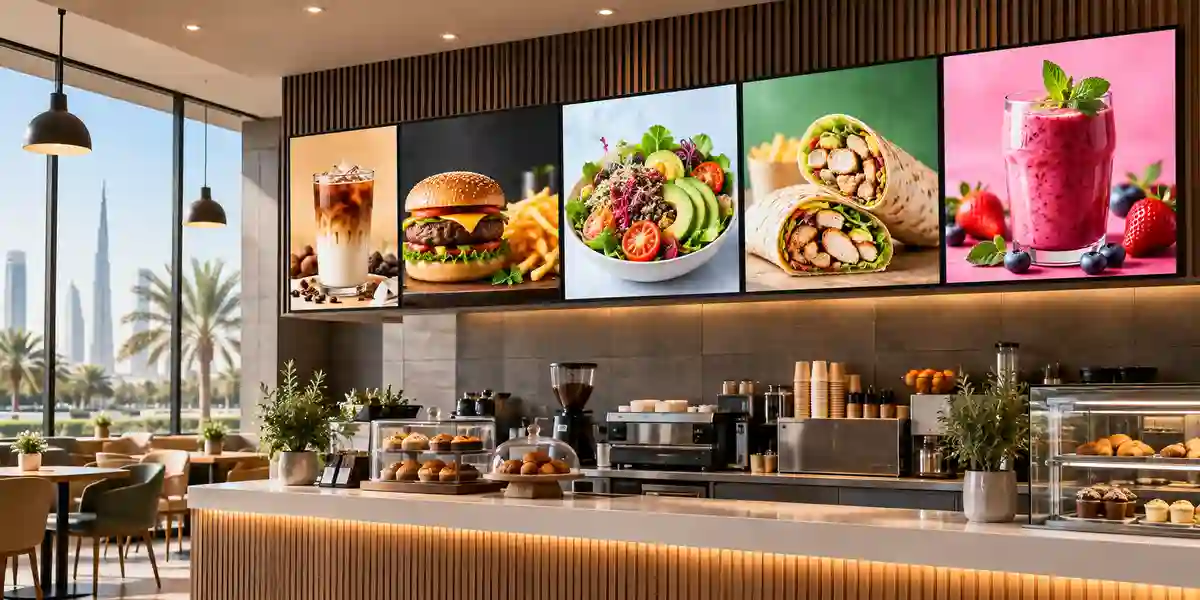
The QE43T can act as an aisle-end promotion panel, counter display, digital menu or campaign screen. Its 4K resolution works well with branded imagery and fine product detail. Window-facing applications with heavy daylight may require a brighter commercial signage model.
Education & Training
Schools, universities and training centers can use the screen for timetables, announcements, departmental signage and smaller teaching rooms. It is a display rather than a purpose-built interactive whiteboard, so buyers needing touch collaboration should evaluate Samsung interactive products instead.

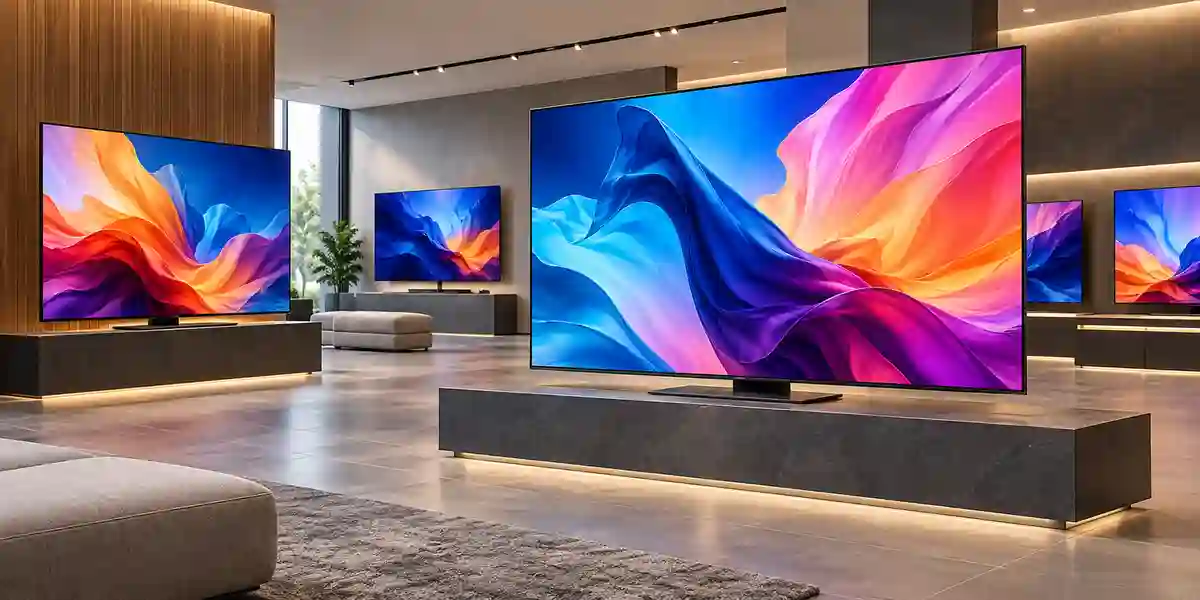
Across these sectors, the common pattern is controlled indoor operation with content that changes more often than the physical installation. The QE43T is most valuable when that content cycle is formalized. A retailer may update campaigns weekly, a clinic may revise service instructions monthly, and an office may switch between corporate messaging and meeting-room sources every day. The same display can support these different workflows because its role is as a managed visual endpoint. The surrounding governance, source device and network design define the user experience.
Technical Feature Deep Dive 1: Processing, Throughput & Workload Performance Architecture
The performance requirement for a commercial signage display is fundamentally different from that of a workstation. The system does not need large amounts of general-purpose compute for user-installed applications; it needs predictable decoding, scaling, rendering and playback behavior. The QE43T’s embedded quad-core Cortex-A72 processor, 2 GB LPDDR4 memory and integrated graphics pipeline are designed around this workload. Samsung’s listed architecture renders the internal graphics environment and scales output to the 3840 × 2160 panel, allowing supported content to be shown on the UHD screen without requiring an external computer for every basic deployment.
The most visible aspect of this architecture is 4K presentation. Source content does not always arrive at native UHD resolution. Presentations, web graphics, legacy videos and broadcast sources may be lower resolution. Samsung’s Crystal processing and upscaling approach is intended to present these sources cleanly on the higher-resolution panel. Upscaling cannot create source detail that was never captured, but it can reduce the visual harshness that comes from simply stretching lower-resolution material across a large pixel matrix. Organizations should still author graphics at appropriate resolution whenever possible, especially when small text or precise brand assets are involved.
Codec support is another practical performance factor. The internal player supports widely used formats including H.264/AVC and HEVC along with VP8, VP9 and common image formats. This allows many standard promotional loops and information screens to run from the embedded environment. However, a professional deployment should test actual assets before site rollout. Video playback depends on more than a file extension: codec profile, frame rate, bit rate, container, audio encoding and unusual metadata can all influence compatibility. A short validation cycle with representative content can prevent dozens of field support calls later.
For meeting-room use, HDMI 2.0 connectivity gives the display direct access to common 4K-capable laptops, conferencing systems and room players. Dual HDMI inputs can reduce cable swapping by keeping two sources connected. Where users frequently present from laptops, a room may still benefit from a table connectivity system, USB-C docking station or wireless presentation platform. The display remains the final output device while those collaboration tools manage user convenience and source selection.
Throughput planning also includes network and storage choices. Internal storage is not intended to hold an enterprise media archive. If content is centrally managed, the network must reliably deliver the required assets and the chosen content platform must handle scheduling, caching and updates. If a site uses USB playback, operations teams need a disciplined process for media replacement and version control. In both cases, the screen’s performance is only one part of the content pipeline.
Technical Feature Deep Dive 2: Security, Redundancy & System Resilience
Commercial signage security begins with defining what the display can access. A network-connected screen should not automatically sit on the same trusted segment as sensitive business systems. Organizations with mature IT controls frequently place signage endpoints on a dedicated VLAN or restricted network, allow only required management and content destinations, and document device ownership. The QE43T offers RJ45 networking and remote-control capabilities, but the security design around those interfaces remains the customer’s responsibility.
Physical resilience is equally important. The display includes business-oriented features such as a temperature sensor, button lock and auto source switching or recovery functions. These capabilities can help reduce disruptions caused by accidental input changes or source loss. In a public-facing installation, locking local controls can prevent casual users from changing configuration. In a meeting room, source recovery can simplify return to the preferred device after an interruption. Exact behavior should be validated in the final configuration and firmware release.
The 16/7 operating rating should be treated as a resilience boundary rather than a marketing footnote. A display selected for 16/7 duty should be scheduled accordingly. If an operations center truly needs 24-hour continuous use, the better design is to select a display engineered and warranted for that duty profile. Proper product selection is more reliable than asking a lower-duty device to operate permanently outside its intended envelope.
Power resilience depends on business criticality. Many signage screens can tolerate a normal building power interruption; others may present time-sensitive queue, safety or operational information. Where continuity matters, facilities teams can place the display and content player on an appropriately sized UPS, subject to local electrical design. The QE43T’s maximum listed power draw of 121 W makes load calculation straightforward, but the total UPS design must include every attached device and the required runtime.
Redundancy at content level may be more valuable than hardware redundancy for ordinary signage. A cached content schedule can keep a screen useful if the network drops temporarily, while an external player can be configured with fallback media. Multi-site organizations should also keep configuration records and, where operationally justified, spare screens or compatible replacements. FourTeck can help buyers discuss alternative Samsung commercial models if a project requires supply continuity beyond one product lifecycle.
Technical Feature Deep Dive 3: Remote Management, Telemetry & Infrastructure Integration
Remote management is one of the strongest reasons to select a commercial display rather than a consumer television. Large organizations need screens to behave as managed endpoints. RJ45 networking provides a path for supported network control and content workflows, while RS-232 offers a deterministic interface often used by AV controllers, room automation processors and centralized support platforms. This lets integrators include the QE43T in a broader room design rather than treating it as an isolated appliance.
A managed deployment should establish naming standards before devices are installed. Screen identifiers can encode site, floor, room and device number. Network teams can reserve addresses or use managed DHCP. Support teams can record serial numbers, bracket model, firmware baseline, content source and warranty route. These operational details become valuable when the estate grows from five displays to fifty or five hundred.
Telemetry requirements should be proportional to business impact. A promotional screen in a small internal office may need only periodic visual checks. A customer-facing menu board may justify automated online/offline alerting because a blank screen immediately affects operations. The content-management platform, not just the hardware, determines what health information is available. Buyers should therefore evaluate monitoring as part of the software architecture rather than assuming the panel alone provides every desired dashboard.
Infrastructure integration also includes source-control strategy. Auto source switching and recovery can help the screen return to a designated source if an attached device is disconnected or restored. In a conference room, an AV controller may instead manage power and input commands centrally. In retail, the display may stay locked to one signage source. The correct approach depends on user behavior and support ownership.
Firmware management deserves the same discipline as other network-connected business devices. Organizations should review release notes, test updates on a small group where practical and maintain a documented process for applying changes. Avoid uncontrolled updates during peak business periods. For larger estates, change management should include rollback planning and content compatibility checks. This does not make the display complex; it simply applies familiar enterprise operations practices to a device that has become part of the networked environment.
What Buyers Should Check Before Purchase
Most display-project mistakes happen outside the panel specification. Screen size, ambient light, wall structure, content workflow, control method and duty cycle should all be confirmed before purchase. Use the checklist below to turn a model request into a deployable bill of materials.
Confirm intended viewing distance, number of viewers, content type, room size and screen operating hours. The 43-inch format is excellent for compact spaces but may be undersized in a deep meeting room or large retail environment. Verify that 300-nit brightness is sufficient for the ambient light. If the screen must run continuously, select a 24/7 commercial model instead of stretching the QE43T beyond its intended duty profile.
Check VESA bracket compatibility, wall strength, cable routes, HDMI source resolution, network access and environmental temperature. The display is designed for indoor commercial conditions. If installed inside furniture, ensure ventilation is not obstructed. If paired with a conferencing appliance, confirm that the appliance supports the desired resolution and audio path. If an external media player is required, plan power and secure mounting behind the screen.
Commercial display supply changes over time as manufacturers transition product generations and channel stock. Ask FourTeck to confirm the current regional part number, stock status, lead time, included accessories and warranty route before placing the order. Multi-site projects should also ask whether a single batch can be supplied or whether an approved alternative should be documented in advance to protect the rollout schedule.
For a useful quotation, provide the exact model or required screen size, quantity, delivery emirate, installation timeframe and whether wall mounts, stands, HDMI cables, network patching, media players or installation services are required. For larger projects, include a site list and a brief description of the content workflow. This information allows pre-sales teams to identify gaps before equipment reaches site and reduces the risk of change orders during installation.
UAE Regional Availability & Service Ecosystem
FourTeck supports commercial-display procurement across the UAE with configuration validation, project quotation and delivery coordination. Current availability depends on Samsung channel stock, exact regional part number, project quantity and accessory requirements. Business buyers can improve quote speed by sending quantity, destination, required date and mounting or installation needs in the first request.
K1. Dubai Supply & Logistics Support
Dubai organizations can request Samsung QE43T supply for offices, retail spaces, hospitality venues, schools, clinics, showrooms and Free Zone operations. FourTeck can coordinate commercial quotations, validate required accessories and organize delivery according to the project schedule. For multi-screen sites, buyers should provide floor or room counts and indicate whether units must arrive together or in phases. Staging requirements, label conventions and site-access restrictions can be discussed before dispatch.
K2. Abu Dhabi & Al Ain Logistics Reach
For Abu Dhabi and Al Ain, FourTeck can support sourcing, quotation coordination and delivery planning for corporate, industrial, education and public-sector projects. Buyers with formal procurement processes should share any required documentation, warranty expectations and approved delivery windows early. Large facilities may also need security access coordination, loading-bay scheduling or phased delivery, which should be reflected in the project plan rather than handled after equipment arrives.
K3. Sharjah & Northern Emirates Logistics Infrastructure
Sharjah businesses and organizations across the Northern Emirates can request commercial display sourcing, model validation and logistics support. Deployment planning can include screen sizing, bracket selection and basic content-source guidance. Where multiple branches are involved, a standardized bill of materials can reduce inconsistency between locations and simplify future support.
K4. Ajman & Surrounding Emirates Logistics Coverage
Ajman buyers can use FourTeck for current availability checks at quotation stage, delivery coordination and technical pre-sales guidance. The team can help determine whether the QE43T is the right fit or whether another Samsung commercial display class would better suit brightness, duty-cycle or screen-size requirements. Final lead time and warranty terms should always be confirmed on the commercial offer.
GCC & Pan-African Supply Chain Reach
FourTeck can also coordinate regional technology supply inquiries beyond the UAE. Cross-border projects typically require confirmation of commercial terms, destination, customs documentation, shipment method and local installation responsibility. Availability and warranty routing may differ from domestic UAE supply, so export quotations should be treated as project-specific rather than assumed to follow identical conditions.
L1. Saudi Arabia (KSA) Export & Supply Support
Saudi enterprise projects can request configuration validation and project quotation support for Samsung commercial signage. Buyers should provide destination city, quantity, required delivery window and whether the project needs display-only supply or coordinated accessories. Cross-border shipping, customs handling and applicable commercial terms should be confirmed in the quotation.
L2. Qatar Market Supply Reach
For Qatar-based organizations and integrators, FourTeck can assist with hardware sourcing and project quotation. Commercial display projects often include mounts, players and cabling, so including the complete requirement at inquiry stage enables more accurate freight and project planning.
L3. Oman Regional Distribution Support
Oman buyers can request procurement guidance for Samsung commercial screens, including model alternatives when availability changes. Destination details and preferred shipment terms should accompany the request, particularly for multi-site deployments or scheduled project deliveries.
L4. Kuwait Supply Chain Coverage
Kuwait customers can access regional project quote assistance and export supply coordination through FourTeck’s Kuwait channel. For current inquiries, visit FourTeck Kuwait and submit the required model, quantity and project destination.
L5. Kenya & East Africa Supply Infrastructure
Kenyan system integrators, resellers and enterprise buyers can request regional distribution support, technical inquiry routing and delivery coordination through FourTeck Kenya. Multi-unit signage projects should include site count, required screen sizes and accessory needs so the supply plan can be scoped correctly.
L6. Uganda Regional Procurement Support
Organizations in Uganda can request localized inquiry response, project supply management and technology sourcing through FourTeck Uganda. Export availability, freight method and warranty conditions should be confirmed for each project.
L7. Pan-African Regional Logistics & Trade Reach
For wider African technology projects, FourTeck can assist with multi-country supply inquiries, export planning and hardware sourcing through FourTeck Africa and FourTeck Global. Buyers should provide destination countries, quantities and deployment schedules so logistics and commercial terms can be evaluated accurately.
Related FourTeck Products & Compatible Alternatives
Samsung QBC Series
Consider the QBC family when you need a newer generation of business signage with a slim commercial design and current platform options. Exact size and regional availability should be checked against the project.
Samsung QMC Series
A useful alternative for buyers who need a step up in commercial signage capability, larger size choices or a different deployment profile. Compare brightness, operating hours and connectivity rather than selecting only by diagonal size.
Samsung QHC Series
Evaluate QHC-class models where a brighter presentation environment or higher commercial display tier is required. These can be better suited to spaces with stronger ambient light or more demanding presentation expectations.
Samsung VHR Video Wall
Choose video-wall products when a project needs a tiled multi-panel canvas, narrow bezels and centralized wall-scale presentation. This is a fundamentally different architecture from a standalone QE43T installation.
Samsung Interactive Display
For classrooms, workshops and collaborative meeting rooms that require touch, whiteboarding or interactive participation, a purpose-built Samsung interactive display is usually a better choice than adding complexity to a standard signage panel.
Alternative selection should be driven by duty cycle, brightness, room size, interaction requirement and current channel availability. If the QE43T is unavailable or a project has evolved beyond its design envelope, FourTeck can compare current Samsung commercial-display options instead of forcing the original model into an unsuitable role. This approach also helps organizations plan technology refreshes when older signage generations reach end-of-channel availability.
Why Enterprises Choose FourTeck
Commercial display procurement works best when the supplier understands the deployment context. FourTeck’s role is not limited to quoting a screen model. Pre-sales discussions can cover viewing distance, screen size, operating hours, mounting, source devices, network connectivity and accessory needs so buyers receive a more complete bill of materials. This is especially important for projects with multiple sites, where small inconsistencies can multiply into support problems.
Quotation coordination can also account for current stock position, project quantity, delivery destination and requested timeline. Because commercial display generations change over time, FourTeck can identify when an alternative Samsung model should be evaluated rather than presenting obsolete inventory information as a certainty. Buyers remain able to compare options based on their actual technical requirements.
For delivery, the practical details matter: site access, phased rollout, accessory matching and shipment sequencing. For warranty support, the applicable terms depend on the regional channel and product supplied, so these should be stated on the commercial quotation rather than assumed. This evidence-led approach gives enterprise customers a clear basis for purchase approval and reduces ambiguity between procurement, IT, facilities and installation teams.
Frequently Asked Questions
1. Is the Samsung QE43T a commercial display or a normal television?
The QE43T is a commercial digital-signage display in Samsung’s QET business range. It is designed for managed visual communication and extended business-hour operation rather than ordinary home entertainment. It provides commercial control interfaces such as RJ45 and RS-232, built-in signage capability and a 16/7 operating profile, making it suitable for offices, retail, hospitality, education and other indoor business environments.
2. What is the native resolution and brightness of the QE43T?
The Samsung QE43T has a native 3840 × 2160 Ultra HD resolution and typical brightness of 300 nit. The 4K panel is well suited to detailed graphics, presentations and signage content at short and medium viewing distances. The 300-nit brightness level is intended for standard indoor environments; brighter commercial signage should be considered for locations exposed to strong daylight or high-intensity ambient lighting.
3. Can the QE43T operate 24 hours a day?
Samsung specifies the QE43T for a 16/7 operating profile, meaning up to 16 hours per day, seven days per week. It should not be selected as a substitute for a 24/7-rated signage display when continuous operation is a formal requirement. For control rooms, transport environments or always-on public information systems, ask FourTeck to recommend a Samsung model designed for the required duty cycle.
4. Does the QE43T need an external media player?
Not necessarily. The QE43T includes an embedded Tizen-based signage platform with internal processing and storage, so many standard signage workflows can operate without a separate PC. An external player may still be preferred for specialized content, custom software, advanced media requirements or standardized enterprise platforms. The best architecture depends on how content is created, scheduled, distributed and monitored across the organization.
5. What connectivity does the Samsung QE43T provide?
The display includes two HDMI 2.0 inputs with HDCP 2.2, one USB 2.0 port, RJ45 networking, RS-232 control input through a stereo jack and stereo audio output. This combination supports presentation sources, signage players, network management and AV control integration. Buyers should validate cable lengths, source resolution and control requirements during project design, particularly for concealed or long-distance installations.
6. Does the QE43T include speakers?
Yes. Samsung specifies built-in 10 W + 10 W speakers. This is useful for presentations, prompts and general multimedia where separate audio equipment is not necessary. For larger rooms, hospitality spaces or environments requiring higher sound pressure and wider coverage, dedicated speakers or an external audio system may be more appropriate. The room’s acoustic requirement should be treated separately from the display size.
7. What wall mount does the QE43T use?
The QE43T uses a 200 × 200 mm VESA mounting pattern. A compatible bracket should be selected with an adequate load rating and the correct type of adjustment for the installation, such as fixed, tilt or articulating. Installers must also confirm the wall substrate, anchor method, cable access and ventilation clearance. FourTeck can help buyers include an appropriate mount in the quotation when required.
8. Is the QE43T suitable for retail storefront windows?
It can be suitable for indoor retail areas with controlled lighting, but its 300-nit typical brightness is not designed for demanding high-brightness storefront windows exposed to strong daylight. In a sunlit window, content may appear washed out compared with a purpose-built high-brightness signage display. Share the installation conditions with FourTeck so a brighter Samsung commercial model can be considered when necessary.
9. Can FourTeck supply the QE43T across the UAE?
FourTeck can coordinate commercial-display inquiries for Dubai, Abu Dhabi, Sharjah, Ajman and other UAE locations, subject to current channel availability and project terms. Buyers should send the required quantity, delivery location, target date and accessory requirements. Current stock, exact regional part number, delivery lead time and warranty terms should be confirmed on the quotation before purchase.
10. What information should I send to get an accurate quote?
Send the requested model, quantity, delivery emirate, project deadline and whether you need wall mounts, stands, HDMI cables, media players or installation support. For multi-site deployments, include the number of locations and expected quantity per site. If brightness, viewing distance or operating hours are uncertain, provide a short description or site photo so FourTeck can validate whether the QE43T is the right commercial display class.
Request a Samsung QE43T Project Quote
For the fastest commercial response, send FourTeck the model, required quantity, delivery location, deployment timeframe and any mounting, cabling, media-player or installation requirements. If the project includes multiple sites, add the site list and expected screen count per location. FourTeck can then confirm current availability, accessory compatibility, commercial terms and suitable alternatives where required.



