

Samsung QE55T 55-Inch QET Commercial Display in Dubai, UAE
Samsung QE55T is a 55-inch professional 4K UHD signage display engineered for indoor business communication, corporate presentation, retail messaging, education, hospitality, menu boards and information screens that typically operate on a scheduled 16/7 duty cycle. Its combination of 3840 × 2160 resolution, 300-nit brightness, integrated media capabilities and commercial control interfaces gives UAE buyers a practical platform for dependable everyday visual communication.
For procurement teams, the important distinction is fit: QE55T is intended for controlled indoor environments rather than sunlit storefront windows or continuous 24/7 mission-critical signage. FourTeck can help validate mounting, source connectivity, control, content workflow, operating-hour requirements and project logistics before purchase.
Procurement Snapshot
Best fit: Indoor signage, meeting rooms, retail information, corporate communications, education and hospitality.
Duty cycle: Up to 16 hours per day, 7 days per week.
Deployment note: Brightness and duty-cycle requirements should be validated before choosing QE55T for high-ambient-light or continuous-operation sites.
UAE supply: Contact FourTeck for current stock, project quantity, accessories, mounting and warranty guidance.
Quick Procurement & Configuration Matrix
Samsung QE55T, QET Series 55-inch commercial display.
Indoor Direct LED BLU 4K UHD standalone signage display.
Scheduled corporate, retail, education, hospitality and information display workloads.
Standalone 55-inch endpoint; fleet scale depends on content-management and control architecture.
AC 100–240 V, 50/60 Hz. Typical 105 W and maximum 154 W according to Samsung business specifications.
Dubai, Abu Dhabi, Al Ain, Sharjah, Ajman and wider UAE; regional export coordination available.
Warranty terms vary by supply channel and destination. Confirm scope and service route on quotation.
VESA 200 × 200 mm; wall-mount and stand selections should be checked against site conditions.
Executive Product Architectural Overview
The Samsung QE55T sits in a useful part of the commercial display market: it gives organizations a professional signage endpoint with 4K resolution, integrated playback capabilities and business-oriented control interfaces, yet avoids the cost profile associated with ultra-high-brightness window displays, premium 24/7 signage or specialized video-wall panels. For a UAE enterprise, this means it can solve a large class of everyday communication problems when the environment is controlled and the display schedule falls within its 16/7 operating envelope. Typical examples include an office reception screen, a digital directory, a meeting-room content endpoint, a restaurant menu board positioned away from direct sunlight, an education notice display, a retail promotional screen or an internal dashboard in a staff area.
At the visual layer, the 55-inch panel provides a native 3840 × 2160 UHD canvas and a typical contrast ratio of 4000:1. The 178-degree horizontal and vertical viewing specification is particularly relevant in communal areas because audiences often approach signage from the side rather than sitting directly in front of it. A 300-nit panel is appropriate for many indoor locations with controlled lighting; however, procurement teams should not treat brightness as a generic quality number. A screen facing direct UAE sunlight or positioned behind a bright glass storefront may need a substantially higher-brightness signage category. Conversely, in meeting rooms, corridors, clinics, classrooms and indoor retail zones, unnecessarily high brightness can increase energy use and discomfort. Correct environmental matching therefore has direct operating and lifecycle value.
The system architecture also reduces dependency on an external media player for many straightforward workflows. Samsung specifies a quad-core Cortex-A72 processor running at 1.7 GHz, 2 GB LPDDR4 memory, 8 GB internal storage with part of that capacity occupied by the operating system, and a Tizen 4.0 platform. This embedded architecture can support local content playback and signage functions without requiring a small PC behind every display. The value is less about raw compute performance and more about reducing the number of devices, power adapters, cables and operating-system instances that an IT team must secure and maintain. For simple scheduled media, USB playback or supported embedded content workflows, this consolidation can simplify rollout.
The input and control architecture is equally important. QE55T provides two HDMI 2.0 inputs with HDCP 2.2, one USB 2.0 port, stereo mini-jack audio connectivity, RS232C input through a stereo jack and RJ45 for network/control use. This mix allows a deployment to combine embedded signage with external sources such as a room PC, digital signage player, set-top box or presentation system. In a corporate environment, the dual HDMI inputs are useful when the screen must switch between a fixed room device and a visitor or secondary source. In distributed signage, RJ45 and serial-control options provide a more professional management foundation than consumer televisions that may lack predictable remote-control interfaces.
The 3-sided bezel-less styling is not merely aesthetic. In reception, boardroom and premium retail environments, a narrow visual border helps the panel integrate into architecture with less visual bulk. Physical dimensions of approximately 1230.5 × 707.2 × 59.9 mm without a stand and a product weight of about 14.1 kg provide installers with the baseline needed for wall selection, bracket planning and handling. The VESA 200 × 200 mm mounting pattern supports a broad range of commercial brackets, but bracket load rating, wall substrate, cable clearance, ventilation and service access still need to be verified at the site.
The built-in 10 W + 10 W speakers can eliminate the need for separate audio hardware in basic corporate videos, menu content, training loops and presentations. Where speech intelligibility, larger-room coverage or premium audio is important, external audio design should be considered. Power planning is similarly straightforward: Samsung lists AC 100–240 V at 50/60 Hz, approximately 105 W typical consumption and 154 W maximum, with 0.5 W standby consumption. For one display these numbers are modest, but for a fleet of 50 or 100 endpoints they become meaningful inputs to circuit capacity, UPS strategy, heat-load estimation and operating-cost calculations.
From an enterprise architecture perspective, the QE55T should be treated as an endpoint in a broader visual-communications system. The screen alone does not define success. The project also needs a content source, an ownership model, mounting, structured cabling or local connectivity, power, remote-control policy, update process, content approval workflow and warranty escalation route. FourTeck’s role in the procurement process is to help buyers validate these surrounding requirements so the selected screen matches the operational outcome rather than simply matching an inch size.
Enterprise Business Value & ROI Benefits
4K Information Density
A 3840 × 2160 canvas lets teams present detailed dashboards, wayfinding maps, multi-zone menu layouts and corporate messaging with significantly more pixel density than Full HD. The operational value appears when fine text and complex layouts remain readable at appropriate viewing distances, reducing the temptation to add extra screens simply to fit more information.
Embedded Playback Efficiency
The Tizen-based internal platform and onboard storage can remove an external media player from selected use cases. Every device eliminated from a deployment removes a possible power supply, HDMI cable, mounting bracket, operating-system image and support ticket. For multi-site rollouts, that reduction in component count can materially simplify field support.
Commercial Control
RS232C and RJ45 support give facilities and IT teams more structured control options than a typical consumer display. Remote source management, integration with room systems and centralized operational procedures can reduce manual intervention, especially when screens are mounted high, distributed across floors or deployed at multiple branches.
Scheduled Reliability
The 16/7 operating specification gives buyers a defined duty-cycle boundary for normal daily commercial operation. Selecting hardware whose intended operating schedule matches the business requirement reduces the risk of deploying consumer-oriented screens into workloads for which they were not designed. For 24/7 sites, FourTeck can recommend a different signage class.
Energy & Fleet Planning
A published typical power figure of about 105 W enables more disciplined electrical and operating-cost planning. Fleet owners can model branch energy consumption, assess power-circuit headroom and create shutdown schedules. The value is not only lower power consumption; it is predictability when scaling from a pilot screen to a large estate.
Flexible Source Strategy
Two HDMI 2.0 inputs provide room for both a primary and secondary source, while USB supports convenient local media workflows. This permits phased deployments: a business can begin with simple local playback, later introduce a managed signage player, or retain an HDMI input for presentations without replacing the panel.
Return on investment for a commercial display should not be calculated only from purchase price. A useful evaluation includes content effectiveness, reduction in printed collateral, fewer manual poster changes, avoided external-player costs, support time, power, mounting hardware, cabling, content-management licensing and replacement risk. QE55T can be economically attractive when its 300-nit brightness and 16/7 duty cycle genuinely fit the site. Choosing a brighter or 24/7 model without a business need may over-allocate budget; choosing QE55T for a sunlit window or nonstop operations may create operational dissatisfaction. The economic objective is therefore accurate sizing. FourTeck can review the planned environment, audience distance, number of screens, schedule and content source to help align the display category with the actual workload.
Business continuity also benefits from standardization. If a retail chain or corporate office adopts a consistent model family across sites, facilities teams can standardize wall mounts, installation practices, spare remotes, source devices and support documentation. Consistency simplifies training and escalation. Where projects require different sizes, related QET models can help preserve a similar operating experience while matching room dimensions, subject to current regional availability and specification validation for each exact model.
Hardware & Technical Architecture Highlights
The QE55T is built around a Direct LED backlight architecture and a 55-inch UHD panel. Its native 3840 × 2160 pixel matrix supports detailed content, while Samsung’s listed 4000:1 typical contrast ratio and 178/178-degree viewing angles provide the fundamental image characteristics for communal indoor signage. Response time is specified at 8 ms typical. These values should be interpreted in a signage context: the product is well suited to presentations, static or animated advertising, dashboards and general video, rather than specialist color-critical grading or high-refresh gaming workloads.
Inside the display, Samsung lists a Cortex-A72 quad-core processor at 1.7 GHz, 2 GB LPDDR4 memory using a 64-bit interface, and 8 GB internal storage. Approximately 3.88 GB is occupied by the operating system in Samsung’s published specification, leaving around 4.12 GB available. This is an embedded-signage resource pool, not a general-purpose desktop computer. Procurement teams should size local media libraries accordingly and avoid assuming that internal storage replaces a content server or dedicated enterprise player for complex campaigns. For larger media sets, dynamic feeds, specialized applications or centrally orchestrated networks, a compatible external or managed platform may still be the correct architecture.
The operating environment is Tizen 4.0 (VDLinux), with multimedia decode support covering common video and image formats including MPEG families, H.264/AVC, HEVC, VP8, VP9, JPEG and PNG, along with common audio decoding. This hardware/software integration is valuable because it provides a purpose-built playback layer inside the display. The exact content-management workflow should still be validated against the organization’s file formats, scheduling needs, network policies and administrative model.
Connectivity is intentionally practical. Two HDMI 2.0 ports with HDCP 2.2 cover modern 4K source equipment. A USB 2.0 port can support local content or service workflows, while a stereo mini-jack provides audio connectivity. For control, RS232C input is presented through a stereo jack and RJ45 is available. These interfaces let system integrators combine the panel with meeting-room controllers, digital signage players and network-based administration. Cable selection should account for run length, conduit routes and 4K signal requirements; long HDMI runs may require active optical HDMI, HDBaseT extenders or another engineered transport method rather than commodity passive cabling.
Thermal and environmental planning is straightforward but mandatory. Samsung specifies operation from 0°C to 40°C and 10% to 80% relative humidity, non-condensing. Indoor UAE sites with air conditioning normally fall within this range, but screens placed near glass, kitchens, poorly ventilated recesses or outdoor-adjacent spaces can experience localized temperatures far above room averages. Installers should preserve ventilation and avoid sealed cabinetry that traps heat. The product also lists an IP5x rating in Samsung’s business feature set, providing dust-ingress protection appropriate to its design, but this does not convert the display into an outdoor weatherproof unit.
The mechanical package measures approximately 1230.5 mm wide, 707.2 mm high and 59.9 mm deep without a stand, with a weight of about 14.1 kg. A 200 × 200 mm VESA interface simplifies bracket compatibility. The commercial installation design should still include a safety margin for mount load rating, suitable anchors for the wall substrate, service clearance and secure cable routing. When a floor stand or trolley is required, stability, center of gravity and public-area safety become part of the sizing decision.
Definitive Technical Specifications & Sizing Notes
| Category | Samsung QE55T Specification | Buyer Interpretation |
|---|---|---|
| Screen | 55-inch Direct LED BLU | Suitable for medium viewing distances and many corporate or retail spaces. |
| Resolution | 3840 × 2160 UHD | Supports high information density, 4K video and detailed graphics. |
| Brightness | 300 nit | Best for controlled indoor light; validate sunlit or storefront locations separately. |
| Contrast | 4000:1 typical | Supports clear tonal separation for general signage and presentation. |
| Viewing Angle | 178° / 178° | Useful where viewers approach from varied angles. |
| Response Time | 8 ms typical | Appropriate for signage, presentations and standard video content. |
| Operating Profile | 16/7 | For scheduled daily operation; select a 24/7 class display where continuous uptime is required. |
| Inputs | 2 × HDMI 2.0, 1 × USB 2.0, stereo mini-jack | Supports dual digital sources and convenient local-media workflows. |
| Control | RJ45, RS232C input | Useful for structured device management and integration. |
| Audio | 10 W + 10 W built-in speakers | Adequate for basic presentations and content; larger rooms may need external audio. |
| Processor | Cortex-A72 quad-core, 1.7 GHz | Embedded compute for supported signage functions and media playback. |
| Memory / Storage | 2 GB LPDDR4 / 8 GB storage | Local resources are finite; large content libraries may require external or networked architecture. |
| Operating System | Tizen 4.0 (VDLinux) | Commercial embedded platform; confirm app and management compatibility. |
| Power | AC 100–240 V, 50/60 Hz; 105 W typical, 154 W max, 0.5 W standby | Supports fleet power modeling and electrical planning. |
| Dimensions | 1230.5 × 707.2 × 59.9 mm without stand | Use for wall clearance, furniture coordination and handling plans. |
| Weight | Approx. 14.1 kg | Bracket and wall anchoring must provide suitable load safety margin. |
| VESA | 200 × 200 mm | Check mount pattern, load rating, tilt requirement and service access. |
| Environment | 0–40°C; 10–80% RH non-condensing | Validate heat, humidity and ventilation at the exact installation point. |
Specifications should always be connected to deployment conditions. Brightness is one of the most frequently mis-sized attributes: 300 nit works well in many indoor spaces, but a reception wall opposite large windows may create reflections or washed-out content at particular times of day. Likewise, 16/7 is a defined operational limit rather than a marketing label. If a display must remain active around the clock in a security operations center, airport, hospital command area or 24-hour retail facility, a model designed for 24/7 operation is more appropriate.
Connectivity also needs site-specific interpretation. Two HDMI ports are generous for a standalone commercial endpoint, but long cable distances, matrix switching, room-control integration or centrally located players may require additional infrastructure. Internal storage should be treated as embedded-system storage rather than a large media repository. Mounting, optional stands and accessories vary by project and region, so buyers should provide FourTeck with the wall type, orientation, mounting height, source location and any mobility requirements. Exact accessory availability, warranty term, regional part number and delivery schedule are configuration dependent and should be confirmed on the final quotation.
Configuration, Sizing & Deployment Workbench
01 — Define Viewing Distance and Content Density
Begin with what the audience must read, not with the available wall size. A 55-inch 4K display can show very detailed material, but text that is technically sharp may still be physically too small for a viewer several metres away. Define the farthest and nearest expected viewing positions, the smallest critical text, whether content is moving or static, and whether people will stand or walk past. For menu boards and wayfinding, readability usually matters more than maximizing the number of information zones. FourTeck can help compare 55-inch sizing with larger QET or other commercial-display options when distance requires a bigger image.
02 — Validate Ambient Light and Operating Hours
Record the screen’s exact orientation relative to windows, artificial lighting and reflected surfaces. The QE55T’s 300-nit brightness is optimized for many indoor uses but is not equivalent to high-brightness window signage. Then document the daily schedule. A business opening from 08:00 to 22:00 can sit comfortably inside a 16-hour daily profile, while a screen expected to run 24 hours should move to a different product class. These two checks—light and duty cycle—prevent a large share of commercial display mismatches.
03 — Choose the Content Architecture
Decide whether content will originate from USB, the embedded signage environment, a dedicated media player, a meeting-room PC, a central AV matrix or another source. Small single-screen deployments may prioritize simplicity, while multi-branch estates may need centralized scheduling, access control, reporting and content approval. The screen’s onboard processor and storage are useful resources, but they should not be assumed to satisfy every enterprise management requirement. Licensing terms for third-party content platforms are separate and should be confirmed before rollout.
04 — Engineer Signal and Network Paths
For local sources, determine HDMI cable length and routing. Passive copper HDMI can become unreliable at long distances or difficult resolutions; active optical links, extenders or structured AV transport may be preferable. For networked control or content, confirm LAN availability, VLAN policy, IP addressing, firewall rules, remote-management ownership and switch-port capacity. A 20-screen branch rollout can consume meaningful switch-port density even when bandwidth requirements are modest. Network design should be agreed with corporate IT before installation day.
05 — Plan Power, Mounting and Thermal Clearance
Each screen needs a reliable AC outlet and safe cable route. Using Samsung’s typical 105 W figure, facilities teams can estimate aggregate running load; the 154 W maximum figure is useful for circuit headroom. The 14.1 kg chassis requires a VESA-compatible mount with an appropriate safety rating and anchors matched to concrete, block, stud, gypsum or other substrates. Recessed walls and cabinetry must preserve ventilation. Where a UPS is required, calculate desired runtime using the complete connected load rather than display wattage alone.
06 — Define Operations, Warranty and Lifecycle Ownership
Before procurement, identify who updates content, who approves messages, who responds when a screen is offline and who holds warranty records. Capture serial numbers and installation locations in the asset register. Define whether remote management is required and how firmware updates will be tested. For UAE and export projects, confirm whether warranty service is local, return-to-base or tied to the supplied regional channel. FourTeck can coordinate quotation details and provide current warranty guidance for the offered unit, but the final commercial terms should be reviewed on the issued quote.
Industry Use Cases & Workload Scenarios
Banking & Finance
Use the QE55T for branch information, queue guidance, service promotions, meeting-room dashboards and internal corporate communications where the display operates during business hours. Financial organizations should place the signage network on an appropriate managed segment and avoid exposing administrative interfaces to untrusted networks. Sensitive dashboards should be reviewed for visibility and data governance before being displayed in public or semi-public areas.
Healthcare
Clinics and hospitals can use 55-inch commercial displays for waiting-room information, wayfinding, health education and staff communication. The 178-degree viewing characteristics help in shared waiting areas. Healthcare buyers should separate general signage from clinical systems and confirm infection-control requirements for placement and cleaning. Continuous 24-hour operational zones may require a display with a higher duty-cycle rating.
Government & Public Sector
Service centers can deploy QE55T screens for queue information, policy notices, directions, multilingual communications and meeting spaces. Centralized content procedures can reduce the need for manually replaced posters across multiple buildings. Project teams should confirm procurement documentation, approved mounting, network restrictions and warranty support requirements before ordering.
Logistics & Warehousing
In air-conditioned dispatch offices, staff areas and control rooms operating within the panel’s environmental limits, the screen can show shipment KPIs, safety notices and dock schedules. It should not be assumed suitable for hot, dusty or exposed warehouse locations without verifying local temperature, dust and operating conditions. Distance is critical for dashboard text, so larger sizes may be more appropriate for wide operations floors.
Retail & Hospitality
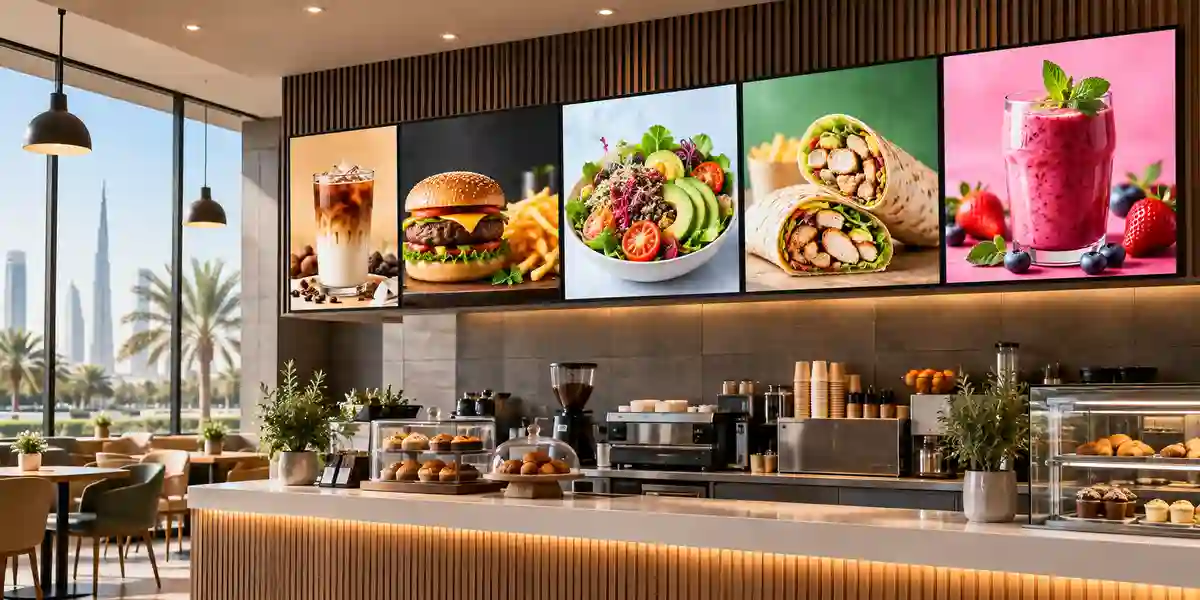
Indoor retail stores, restaurants, hotels and reception areas can use the QE55T for brand videos, menus, promotions, guest information and directional messaging. The slim appearance supports customer-facing spaces, while built-in speakers can handle modest audio needs. Locations close to external glazing should be assessed for sunlight; high-brightness signage may be necessary when the display must compete with daylight.
Education
Schools, universities and training centers can use the display for campus notices, lecture-room presentations, digital directories and scheduled event communication. The dual HDMI inputs allow a fixed room source and a secondary presentation source. Interactive teaching requires an appropriate touch solution or interactive display category; the QE55T itself should not be purchased under the assumption that it is a native interactive whiteboard.

Technical Feature Deep Dive 1: Processing, Throughput & Workload Performance Architecture
Commercial display performance is different from workstation performance. The QE55T does not need a desktop-class CPU; it needs a tightly integrated system capable of decoding common media, rendering the signage interface, switching sources and maintaining predictable operation across long daily sessions. Samsung’s quad-core Cortex-A72 processor at 1.7 GHz, paired with 2 GB of LPDDR4 memory, forms that embedded compute layer. The platform can decode common codecs including H.264/AVC, HEVC, VP8 and VP9, along with common image formats such as JPEG and PNG. That capability allows many video and static-content workloads to run without a separate computer.
For buyers, the key sizing question is workload complexity. A simple loop of 4K promotional video or a schedule of static images is materially different from a complex interactive web application, a multi-zone dashboard with real-time feeds or a specialized collaboration workload. The embedded environment should therefore be mapped to the intended content format rather than judged only by processor frequency. If the application depends on a particular browser engine, vendor application, secure client certificate, custom executable or powerful GPU, an external player may still be necessary. The QE55T then becomes the professional display endpoint while compute is delegated to the correct platform.
The 4K panel provides 8.3 million pixels, giving designers a large canvas for detailed layouts. This is valuable for maps, menu grids, corporate dashboards and mixed-image/text composition, but it also makes source quality visible. Low-resolution artwork can appear soft on a 55-inch UHD panel. Content teams should create graphics in a resolution and aspect ratio appropriate to 3840 × 2160 and maintain readable typography. For live PC sources, output timing and scaling should be tested so desktop elements are not too small at the intended audience distance.
HDMI 2.0 supports modern 4K source integration, and the presence of two ports can reduce source-switching hardware in small deployments. However, throughput across an AV path is only as reliable as its weakest element. Source device, cable, extender, matrix, adapter and display must all support the intended resolution, refresh rate and copy-protection behavior. For conference rooms, this is why professional commissioning includes testing with the actual room PC and guest devices instead of assuming every USB-C adapter or long HDMI cable behaves identically.
Technical Feature Deep Dive 2: Security, Redundancy & System Resilience
A display becomes part of the enterprise technology estate once it is connected to a network or used to present business information. Security planning therefore needs to address both the screen and the content workflow around it. QE55T offers RJ45 connectivity and an embedded operating environment, so organizations should place displays on managed network segments, restrict administrative access, document credentials and define responsibility for firmware and configuration changes. The exact hardening approach depends on the organization’s network architecture and the management software in use.
Operational resilience begins with appropriate product selection. A 16/7 rated display should be scheduled within that design target. Using it as a 24/7 command-center screen is not a resilience strategy, even if the unit can physically remain powered on. Similarly, a 300-nit indoor display should not be expected to overcome direct sunlight. Matching the product to its environment reduces stress, complaints and emergency replacements. For critical environments, consider spare-unit strategy, standardized mounts and documented replacement procedures so a failed endpoint can be exchanged rapidly.
Source resilience can be improved by using the available dual HDMI inputs and Samsung’s support for auto source switching and recovery. Depending on the system design, an organization can maintain a primary signage source and a secondary local source, reducing disruption when a content player is unavailable. The exact behavior should be tested during commissioning, especially where copy protection, extenders or room-control systems are involved. Redundancy at the screen-input layer does not replace resilience in the upstream content platform, network, DNS, cloud service or electrical infrastructure.
Electrical resilience depends on business impact. A reception promotion screen may not need UPS protection, while a queue-management display at a service center could be operationally important. If a UPS is specified, runtime calculations must include the display, media player, network extender and any local switch or controller. Protection against unsafe power events should be designed according to site standards. The universal 100–240 V input is convenient for regional deployment, but plug type, electrical compliance and supplied power cord should be confirmed for the destination market.
Technical Feature Deep Dive 3: Remote Management, Telemetry & Infrastructure Integration
The difference between a television and an enterprise signage endpoint often becomes obvious after the tenth or fiftieth screen is deployed. At fleet scale, staff cannot rely on handheld remotes and manual inspection. The QE55T’s RJ45 and RS232C control interfaces create a foundation for more structured administration. Depending on the selected management architecture, integrators can incorporate power state, source switching and device control into broader signage or room-management workflows. The exact command set and supported functions should be checked against the integration platform used for the project.
Network integration should be deliberately designed. A display fleet may be placed in a dedicated VLAN with restricted east-west communication, allowed only the outbound services required for content management and updates. Addressing can be static or reservation-based depending on operational policy. Monitoring systems may track player health and content status even when the display itself offers limited telemetry. For remote branches, having a consistent naming convention—such as site-floor-room-screen—helps support teams identify the affected endpoint without relying on informal descriptions.
Telemetry is most valuable when it leads to action. A useful signage operating model records whether the screen is reachable, whether the expected source is active, whether content has been published successfully and whether the local environment has reported repeated power or thermal problems. Some of these functions are delivered by the signage platform rather than the panel, so procurement must evaluate the whole solution. A device with excellent remote-control interfaces can still be difficult to manage if content players are unmanaged or network policies block the required services.
Infrastructure integration also extends to facilities management. Display schedules can align with building opening hours, reducing unnecessary energy consumption. Room systems can power displays based on occupancy or scheduled meetings. In retail environments, content can be synchronized with campaign calendars. In education, campus communications can be centrally scheduled. The common theme is that the screen becomes an endpoint in a business process rather than an isolated piece of AV hardware. FourTeck can help buyers document these integration dependencies during pre-sales so the procurement list includes the required cables, players, mounts and supporting components rather than only the panel.
What Buyers Should Check Before Purchase
Risk Overview
Most commercial display problems originate before installation: wrong brightness, wrong duty cycle, undersized screen, incompatible mount, excessive HDMI length, unclear content ownership or unconfirmed warranty terms. The following checklist turns those risks into four purchasing decisions.
01 / FIT — Configuration Fit & Model Sizing
Confirm that 55 inches is large enough for the farthest viewer and that 300 nit matches the ambient-light conditions. Specify whether content is primarily text, video, dashboards, menus or wayfinding. Record required daily operating hours and whether shutdown scheduling is possible. If the screen must run continuously, face intense daylight or be read across a large hall, the QE55T may not be the correct category. Model fit should be established before comparing accessory prices.
02 / MATCH — Compatibility & Environmental Requirements
List every source device and required connection. Confirm whether HDMI runs are short and local or extended through structured cabling. Check wall construction, VESA mounting, bracket capacity, portrait or landscape requirement, ventilation, room temperature and power-outlet position. If the display will be recessed, provide drawings so clearance can be reviewed. Verify whether built-in audio is sufficient or an external sound system is needed.
03 / TERMS — Availability, Delivery & Warranty Terms
Commercial displays may have region-specific part numbers, accessory bundles and warranty conditions. Ask for the exact offered model, delivery lead time, included accessories, warranty term and service route. For project quantities, confirm whether units will arrive in one batch and whether serial-number recording or staged delivery is required. Export projects should also define Incoterms, customs responsibilities, destination documentation and whether local warranty coverage differs from UAE supply.
04 / REQUEST — Quote Preparation Data Needed
For an accurate FourTeck quotation, provide the model or required screen size, quantity, installation city, delivery address type, target date, operating hours, mounting preference and content source. If installation is part of the project, include wall material, mounting height, nearest power point, source-equipment location and approximate cable distance. For managed signage, state the number of sites, network constraints and preferred content-management approach. Better input data produces a cleaner bill of materials and reduces revisions.
UAE Regional Availability & Service Ecosystem
FourTeck supports commercial-display procurement across the UAE with configuration validation, quotation coordination and logistics planning. Current stock and lead time should always be confirmed at quotation stage because project quantities and regional inventory change. For Samsung QE55T deployments, buyers can share quantity, delivery emirate, mounting requirement and source architecture so the commercial proposal reflects the full deployment need rather than only the display unit.
K1. Dubai Supply & Logistics Support
Dubai buyers can request supply coordination for corporate offices, retail outlets, hotels, schools, restaurants, clinics, Free Zone facilities and multi-site business operations. Delivery planning can account for security access, loading-bay restrictions, tower schedules and phased project requirements. FourTeck can also help identify mounting, cabling and source requirements before dispatch, reducing the chance that installers arrive without a necessary accessory. For urgent commercial inquiries, include the quantity and required delivery date so availability can be checked against the project schedule.
K2. Abu Dhabi & Al Ain Logistics Reach
Organizations in Abu Dhabi and Al Ain can use FourTeck for quotation coordination and enterprise display sourcing across government, industrial, education, healthcare and corporate environments. Projects may require approved delivery windows, site documentation or staged logistics, so procurement teams should identify those conditions in the inquiry. For branch rollouts, standardized model and mount selection can simplify deployment across multiple facilities.
K3. Sharjah & Northern Emirates Logistics Infrastructure
FourTeck can coordinate commercial-display supply for Sharjah and the Northern Emirates, including offices, warehouses, schools, retail sites and hospitality projects. Buyers should specify environmental conditions carefully for industrial or warehouse-adjacent installations, since air temperature and dust can differ from normal office environments. Pre-sales review can help determine whether the QE55T or another signage class is the better fit.
K4. Ajman & Surrounding Emirates Logistics Coverage
Ajman businesses can request hardware availability verification, delivery coordination and technical pre-sales guidance for new sites, refurbishments and screen replacements. Providing photos, wall details, existing mount information and current source devices can help identify whether accessories can be reused safely or should be replaced. Warranty and accessory scope should be confirmed against the exact offered configuration.
GCC & Pan-African Supply Chain Reach
FourTeck supports regional technology projects from the UAE with export quotation coordination, configuration validation, commercial documentation and cross-border logistics planning. Export feasibility, lead time, customs treatment and warranty applicability vary by destination and should be confirmed before order placement. For multi-country projects, standardizing the display family and accessory strategy can simplify installation while destination-specific power cords, certifications and service arrangements remain part of the final validation.
L1. Saudi Arabia (KSA) Export & Supply Support
Saudi enterprise projects can be supported with regional inquiry routing, display sizing, bill-of-material review and project quotation coordination. Buyers should provide destination city, quantity, required documentation and expected deployment date. Where screens will be installed across branches, a site template covering mount, power, connectivity and content source can accelerate planning and reduce inconsistent field decisions.
L2. Qatar Market Supply Reach
For Qatar, FourTeck can coordinate cross-border sourcing and project quotations for corporate, retail, education and hospitality use. Delivery and customs responsibilities should be clearly defined, and local operating conditions should be reviewed where displays are near exterior glass or high-traffic public areas. The QE55T should be selected only when its indoor brightness and 16/7 operating profile match the application.
L3. Oman Regional Distribution Support
Oman buyers can request procurement guidance, quantity pricing and logistics coordination for commercial display projects. Projects spanning Muscat and remote sites should account for final-mile scheduling, spare strategy and local installation resources. FourTeck can help structure the equipment list so displays, mounts and source components are considered together.
L4. Kuwait Supply Chain Coverage
Project teams in Kuwait can request export supply coordination and commercial display quotation assistance through FourTeck’s regional platform. For destination-specific support and local inquiry routing, visit FourTeck Kuwait. Exact warranty, lead time and logistics terms should be confirmed for the proposed shipment.
L5. Kenya & East Africa Supply Infrastructure
Kenyan enterprises and system integrators can coordinate commercial-display sourcing, technical inquiry routing and delivery planning for branch, hospitality, education and retail projects. Regional project details are available through FourTeck Kenya. Export buyers should confirm destination compliance, shipping terms and after-sales route before order confirmation.
L6. Uganda Regional Procurement Support
Uganda projects can be supported with localized inquiry response, technology sourcing and project-supply coordination. Buyers can use FourTeck Uganda for regional contact. Multi-screen rollouts benefit from a standardized deployment package that defines bracket, player, cable and network expectations alongside the display.
L7. Pan-African Regional Logistics & Trade Reach
For broader African projects, FourTeck can coordinate multi-country technology inquiries, export documentation and consolidated project supply. Regional buyers may use FourTeck Africa or FourTeck Global for cross-market inquiries. Display selection should always be localized to operating temperature, ambient light, duty cycle, electrical standards and available service infrastructure.
Related FourTeck Products & Compatible Alternatives
Samsung QET Series Larger Sizes
Choose a larger QET-family screen when the same general indoor signage profile is suitable but viewing distance or room size makes 55 inches too small. Exact specifications vary by screen size and should be checked against the selected model.
Samsung QBC Series
Consider the QBC range when the project needs a newer ultra-slim Samsung commercial signage platform or different brightness, operating-system and management characteristics. Model selection should be based on current regional specification and availability.
Samsung QMC Series
A QMC model may be appropriate for buyers seeking a step-up commercial signage class with different brightness and operational features. It is useful where the procurement standard prioritizes a more current signage generation.
Samsung QHC Series
Evaluate QHC for higher-brightness or more demanding professional environments where QE55T’s 300-nit output may be insufficient. The exact brightness and duty-cycle rating depend on the selected QHC model.
Samsung VHR / VMT Video Wall
Select a dedicated video-wall family when the objective is a tiled multi-panel canvas with narrow bezels and synchronized content. A standalone QE55T is not intended to replace purpose-built video-wall hardware.
Samsung Interactive Display
For teaching, whiteboarding and collaborative touch interaction, use a Samsung interactive display rather than treating QE55T as a touch-first device. Interactive models integrate input capabilities and workflows designed for classrooms and collaboration spaces.
Alternative selection should be driven by the requirement that makes QE55T insufficient. If the issue is viewing distance, choose a larger size. If the issue is brightness, move to a higher-brightness series. If the requirement is 24/7 operation, specify a panel rated for continuous duty. If users need touch, select an interactive platform. If the desired canvas spans a large architectural wall, choose a video-wall or direct-view LED solution. FourTeck can compare these categories against the project brief so the upgrade solves a defined problem rather than simply increasing specification and cost.
Why Enterprises Choose FourTeck
Pre-Sales Validation
FourTeck helps buyers validate screen size, brightness class, duty cycle, source connectivity, mounting and project quantity before order placement.
Project Quotation
Commercial proposals can be aligned to required quantity, delivery location, accessories and project schedule rather than treating every display as a generic retail purchase.
Delivery Coordination
UAE and export projects can include delivery planning, staged requirements and destination information so logistics are considered as part of procurement.
Warranty Guidance
FourTeck can confirm the warranty scope associated with the offered unit and help route post-sales queries according to the applicable supply terms.
Enterprise technology purchasing is most successful when the bill of materials is tied to a deployment design. A screen that looks correct on a specification sheet can still fail the project if it is too dim for the room, too small for the viewing distance or dependent on an unsupported content workflow. FourTeck’s procurement approach is to gather these conditions before the quotation is finalized. This is especially important for multi-site projects, where one incorrect assumption can be repeated dozens of times.
For the Samsung QE55T, the pre-sales discussion should focus on the indoor environment, 16/7 schedule, 300-nit brightness class, 55-inch physical size, HDMI and network design, mounting surface and content-management plan. Buyers who provide those details can receive a more relevant proposal with fewer post-order changes. FourTeck does not rely on unverified claims of universal stock or one-size-fits-all warranty coverage; current availability, regional part number, lead time and commercial terms should be confirmed on the issued quotation.
Frequently Asked Questions
1. Is the Samsung QE55T a 4K commercial display?
Yes. The Samsung QE55T uses a 55-inch panel with a native 3840 × 2160 UHD resolution. It is positioned as a commercial digital-signage display rather than a consumer television. The panel is designed for professional indoor communication workloads, with business-oriented features such as a 16/7 operating profile, RJ45 and RS232C control interfaces, dual HDMI 2.0 inputs and an embedded Tizen platform.
2. How bright is the QE55T and where should it be installed?
Samsung specifies the QE55T at 300 nit brightness. That level is suitable for many controlled indoor environments including meeting rooms, offices, corridors, classrooms and retail interiors. It is not intended to compete with strong direct sunlight at a storefront window. Buyers should assess reflections, window orientation and ambient illumination before deciding that 300 nit is sufficient for the planned location.
3. Can the Samsung QE55T run 24 hours a day?
The published operating-hours specification is 16/7, meaning the product is designed for up to 16 hours of daily operation, seven days per week. If a project requires continuous 24-hour operation, choose a Samsung commercial signage model explicitly rated for 24/7 use. Matching duty cycle to the workload is important for reliability, lifecycle planning and warranty expectations.
4. Does QE55T need an external media player?
Not necessarily. The QE55T includes an embedded quad-core processor, Tizen 4.0, onboard storage and support for common media formats, which can handle many straightforward signage tasks. An external player may still be preferred for specialized applications, advanced centralized management, large media libraries, custom software, complex dashboards or enterprise platforms with requirements beyond the embedded environment.
5. What inputs and control connections are available?
QE55T provides two HDMI 2.0 inputs with HDCP 2.2, one USB 2.0 port, stereo mini-jack audio connectivity, RS232C input through a stereo jack and RJ45 connectivity for network/control use. This combination supports common 4K source devices, local playback and professional control integration. Long-distance HDMI links may require active cables or AV extenders.
6. Does the Samsung QE55T have built-in speakers?
Yes. Samsung specifies built-in 10 W + 10 W speakers, providing 20 W total audio output. This is useful for basic videos, presentations and informational content without a separate sound system. Large rooms, high-noise retail spaces or premium presentation environments may need external amplification and speakers to achieve appropriate speech intelligibility and sound coverage.
7. What wall mount does the QE55T use?
The QE55T uses a 200 × 200 mm VESA mounting pattern. Buyers should choose a commercial wall mount rated safely above the display’s approximate 14.1 kg weight and suitable for the wall material. Mount selection should also account for tilt, service access, cable clearance and whether the installation is landscape or another supported orientation.
8. Is the QE55T suitable for retail stores and restaurants?
Yes, when deployed indoors under controlled lighting and within its 16/7 operating profile. It can show promotions, digital menus, product information and branded video content. Locations immediately behind sun-facing windows may require a higher-brightness display. Restaurants should also consider heat and grease exposure when placing screens near kitchens or cooking areas.
9. Can FourTeck supply Samsung QE55T in Dubai and the UAE?
FourTeck can coordinate quotation and supply inquiries for Dubai, Abu Dhabi, Al Ain, Sharjah, Ajman and other UAE locations, subject to current availability. Buyers should provide quantity, delivery location, required date, mounting needs and content source. FourTeck can also help validate whether QE55T is the right brightness, size and duty-cycle class for the project before order placement.
10. What information should I send to receive a project quote?
Send the model, quantity, delivery city, target delivery date, expected daily operating hours and whether wall mounting or stands are required. If installation planning is needed, also provide wall type, mounting height, source location, cable distance, content method and network requirements. For export projects, include destination country and preferred shipping terms so logistics can be evaluated correctly.
Request a Samsung QE55T Project Quote
To prepare an accurate proposal, send FourTeck the Samsung QE55T model requirement, quantity, delivery location, required deployment date, operating-hours expectation, wall-mount or stand requirement and planned content source. For multi-screen deployments, include the number of sites and whether centralized management is required. FourTeck can review fit, current availability, accessories, logistics and applicable warranty guidance before the quotation is finalized.



