

Samsung VH55T-E 55-Inch Video Wall Display in Dubai, UAE
Samsung VH55T-E is a commercial 55-inch IPS video wall display built for high-visibility multi-panel installations where narrow visual seams, dependable 24/7 duty and centralised control matter. With Full HD resolution, up to 700 cd/m² brightness, a 1.8 mm bezel-to-bezel profile and enterprise signal connectivity, it is suited to operational dashboards, surveillance walls, boardroom visualisation, transport monitoring and branded digital environments.
FourTeck helps UAE buyers validate screen count, wall geometry, source architecture, brackets, controllers, signal paths, power and delivery requirements before quotation so the purchased display estate matches the actual deployment plan rather than a generic bill of materials.
Procurement Snapshot
Brand: Samsung
Model: VH55T-E
Class: 55-inch commercial video wall
Primary role: Multi-display visualisation and continuous operations
Deployment: Landscape or portrait
UAE supply: Project and availability dependent
Quick Procurement & Configuration Matrix
Brand / Model
Samsung VH55T-E
Product Type
55-inch commercial LCD video wall display
Recommended Workload
24/7 operational video walls, dashboards and command visualisation
Scalability
Video wall functions and daisy-chain topology subject to source and HDCP design
Power Planning
Internal power supply; circuit sizing should reflect wall quantity and site code
Delivery Area
Dubai, Abu Dhabi, Sharjah, Ajman and wider UAE project locations
Warranty Guidance
Confirm current Samsung/FourTeck terms at quotation stage
Project Inputs
Matrix size, sources, quantity, mounting surface and deployment date
Executive Product Architectural Overview
The Samsung VH55T-E sits in a specialised category of professional displays: it is not simply a large television mounted beside other televisions, but a panel engineered to become one tile within a larger visual surface. That distinction influences almost every procurement decision. In a standard presentation room, a single display can be judged mainly by diagonal size, input count and image quality. In a video wall, the buyer must evaluate how multiple panels align mechanically, how content crosses panel boundaries, how signal distribution is designed, how devices are controlled, how heat is managed, and how service access is maintained after the wall is built. The VH55T-E addresses this operational pattern with a 55-inch IPS panel, Full HD native resolution, wide viewing angles, a narrow 1.8 mm bezel-to-bezel arrangement and commercial 24/7 operation. Those characteristics make it relevant where a wall must remain readable across long shifts and where viewers approach from more than one seating or standing position.
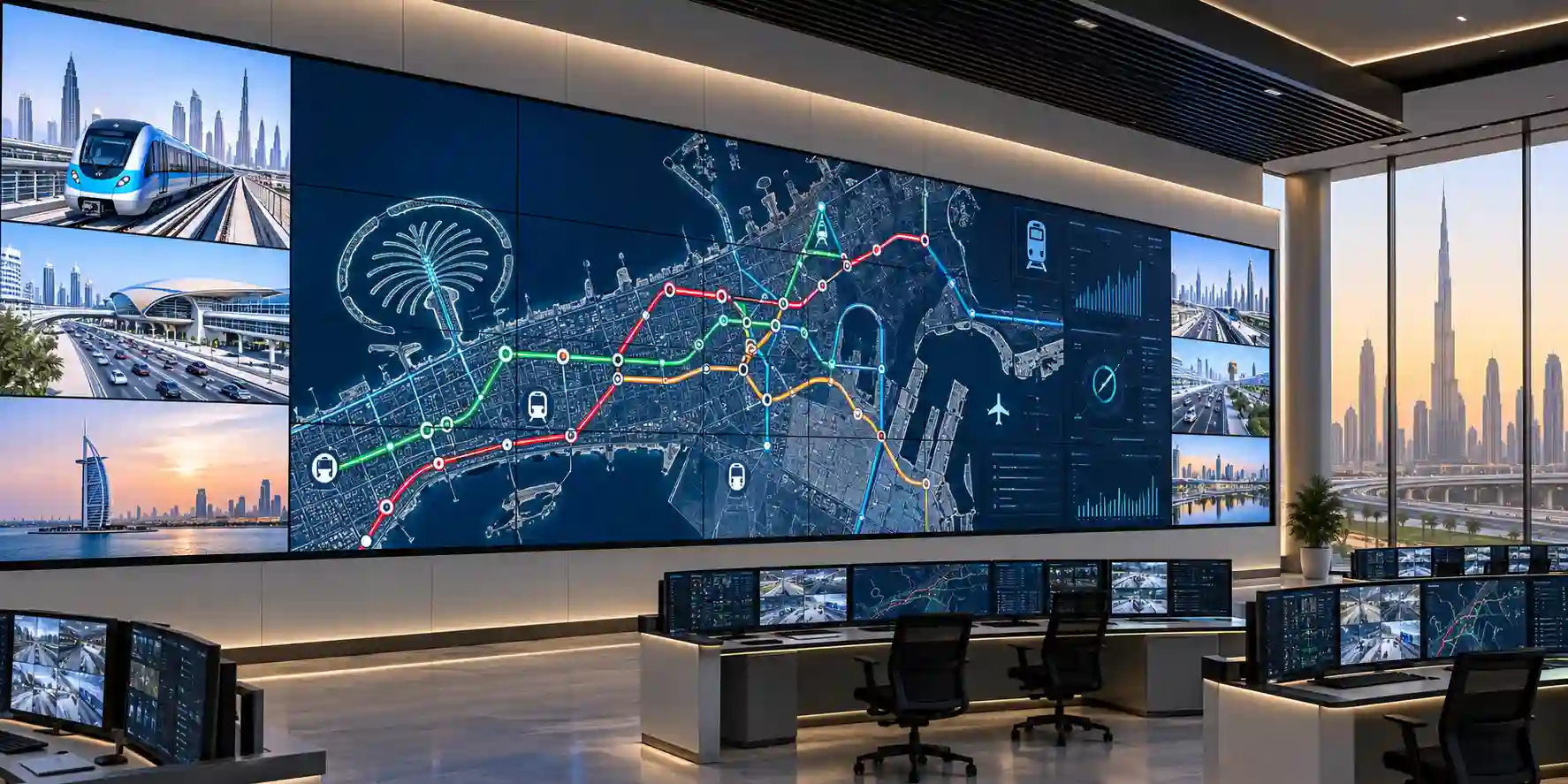
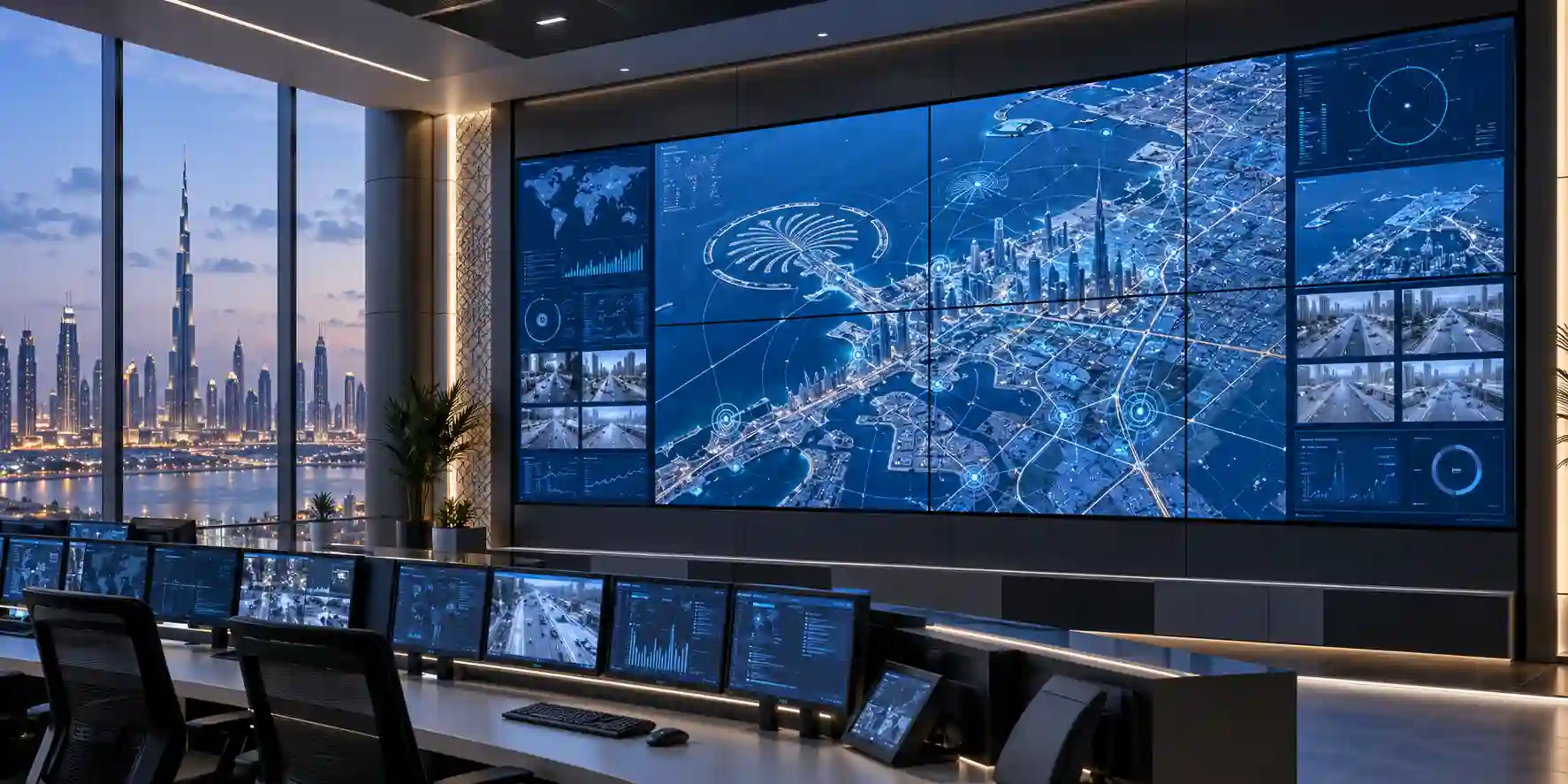
For security operations centres, network operations centres and transport control environments, the practical advantage of a tiled display is simultaneous situational awareness. Teams can dedicate parts of the canvas to CCTV mosaics, alarm dashboards, ticket queues, network health, maps, incident chat, weather, logistics data or live feeds. The VH55T-E provides the panel-level foundation, while the complete solution typically also includes wall mounts, source processors or graphics outputs, matrix switching, cabling, surge and power protection, control integration and a defined maintenance path. FourTeck therefore approaches the display as one component of an engineered visual system. Buyers should provide not only the requested screen quantity but also the desired matrix—for example 2×2, 3×3 or another arrangement—plus source count, target content resolution, viewing distance and mounting environment.
The panel’s 700 cd/m² maximum brightness is valuable in commercial interiors where ambient light can be materially higher than in a home cinema. Brightness alone, however, should not be used as a substitute for site assessment. Direct sunlight, reflective finishes, glass partitions and overhead lighting can affect perceived contrast. The IPS architecture and 178° horizontal/vertical viewing specification support off-axis visibility, which is especially useful in wide control rooms, lobbies or customer-facing spaces where viewers are not always positioned directly in front of the wall. A 28% haze specification can also help manage reflections compared with highly glossy consumer-oriented screens.
Signal architecture is another reason the VH55T-E belongs in enterprise design discussions. Inputs include DVI-D, DisplayPort 1.2 and dual HDMI, while DisplayPort loop-out can support daisy-chain designs. The display also offers RS-232C in/out and RJ45 for control and management functions. These interfaces allow AV integrators and IT teams to create structured control schemes rather than relying on manual interaction at each screen. Depending on the content protection mode and architecture, Samsung documentation describes daisy-chain scaling limits; the project designer should validate the exact chain size, source format, HDCP requirements and cable lengths before hardware is committed.
In the UAE, the environmental and facilities context matters. A display wall may be installed in a cooled control room, a retail atrium, an industrial office, a transport facility or a semi-public operational zone. The VH55T-E operating specification is designed for indoor commercial use, with an operating temperature range documented around 0°C to 40°C and 10% to 80% humidity. That does not remove the need for HVAC planning. Large multi-panel walls concentrate heat, cables and power supplies in a small vertical area. Mechanical spacing, ventilation paths and rear-access strategy should be part of the rack and wall design. For high-availability deployments, buyers should also decide whether spare displays, spare mounts, critical cables or replacement power arrangements will be held on site.
The result is a display platform that fits organisations looking for a structured visualisation surface rather than a one-off screen. The strongest deployments are those where procurement, facilities, AV, IT and end-user operations agree on the wall’s role before ordering. FourTeck can assist by translating those operational requirements into a bill of materials and confirming which items are included, optional, third-party or dependent on the selected installation scope.
Enterprise Business Value & ROI Benefits
Operational Visibility
A multi-panel wall gives teams a persistent shared view of operational information. Rather than switching between windows on personal monitors, operators can keep the most important feeds visible across shifts. This can shorten the time required to notice incidents, correlate data and brief colleagues during escalation.
24/7 Duty Alignment
The VH55T-E is specified for 24/7 operation, making it more appropriate than a consumer television for continuously staffed rooms. Commercial duty alignment reduces the mismatch between the hardware’s intended use and the operating model of security, utilities, transport or infrastructure teams.
Visual Continuity
A 1.8 mm bezel-to-bezel design reduces the physical interruption between adjacent panels. For maps, dashboards and camera mosaics this supports a more coherent canvas. Buyers should still plan content so critical text or controls are not placed directly on seams.
Centralised Control
RS-232C and RJ45 management options can reduce the need for technicians to access each panel individually for routine control. A properly designed management layer improves repeatability for power, source and configuration actions across larger estates.
Scalable Canvas Design
Because each panel acts as a tile, organisations can design walls around the room and use case rather than being restricted to one oversized screen. This creates flexibility for control-room ergonomics, public information walls and branded visual environments.
Lifecycle Planning
Standardising on a defined panel model across a project can simplify spares strategy, configuration documentation and service procedures. The value is operational discipline: technicians know the panel layout, interfaces and replacement approach before an outage occurs.
Return on investment for a professional video wall rarely comes from the display specification in isolation. It comes from reducing information fragmentation, supporting faster coordination, improving customer communication or enabling a room to perform the business function it was designed for. In a network operations centre, value may be measured through faster fault recognition and more effective incident coordination. In a retail flagship, the value may be campaign visibility and high-impact storytelling. In a government or utility command room, the value may be shared situational awareness across multiple agencies or teams. These outcomes depend on content and workflow design as much as panel hardware.
Procurement teams should therefore compare solutions on total deployment cost. Include wall mounts, trim, cabling, signal processors, source PCs, control software, installation labour, commissioning, access equipment, power distribution, spare units and future service. A lower-priced display can become a more expensive project if it introduces unsuitable duty cycles, poor control options or difficult mechanical alignment. Conversely, a premium display does not automatically deliver value if the wall is oversized for the viewing distance or the source system cannot feed the intended content.
Hardware & Technical Architecture Highlights
At the panel layer, the VH55T-E uses an IPS LCD architecture with direct LED backlighting. IPS technology is particularly relevant to video-wall applications because off-axis viewing is common: operators at the edges of a control room or visitors walking across a lobby need colour and content to remain legible as their viewing position changes. Samsung specifies 178° horizontal and vertical viewing angles, an 8 ms grey-to-grey response time, Full HD 1920 × 1080 native resolution and 16.7 million colours. The active display area is approximately 1209.6 × 680.4 mm, with a pixel pitch of 0.63 × 0.63 mm.
Brightness is rated up to 700 cd/m², paired with a typical contrast ratio of 1,200:1. These figures place the display in a commercial visualisation category appropriate for bright indoor environments. The 28% haze surface treatment is a practical detail: video walls often sit opposite operator lighting, glass partitions or ceiling fixtures, so managing reflections can improve perceived readability even when brightness itself is adequate. Site lighting remains an important design variable and should be evaluated during planning.
The narrow-bezel mechanical design is central to the product’s role. Samsung specifies a 1.8 mm bezel-to-bezel distance, created by combining adjacent panel borders. The benefit becomes more pronounced as wall size grows, because every additional row and column introduces more seams. Accurate mounting is therefore essential. Precision video-wall brackets with micro-adjustment are normally preferred so installers can level panels, control depth and preserve consistent gaps. Wall flatness, structural loading and service access must be confirmed before installation.
For signal transport, the display supports DVI-D and DisplayPort 1.2 as RGB/digital inputs and two HDMI inputs with HDCP 2.2 support. DisplayPort 1.2 loop-out can be used in supported daisy-chain topologies, which may simplify cabling for some wall designs. Audio uses 3.5 mm mini-jack connections. USB is intended for firmware-related functions rather than serving as a general-purpose embedded media-player interface. The unit does not rely on a built-in general media-player SoC in the same way as many standalone digital-signage displays; buyers should plan an external content source, controller or player appropriate to the application.
Management interfaces include RS-232C in/out and RJ45, enabling multi-display control from compatible management systems. Samsung Multi Display Control support allows integrators to manage groups of displays through network or serial connections. This matters operationally because a 3×3 wall already contains nine individual display devices. Without central control, simple tasks such as source selection, power scheduling or configuration checks can become repetitive and error-prone. Temperature sensing and configuration features documented by Samsung further support commercial deployment monitoring.
Power and thermal design should be considered at wall scale rather than per display. Samsung documentation lists typical on-state consumption around 120 W for the VH55T-E in certain regional specifications, but electrical design should be confirmed against the exact regional model and project conditions. Multiplying a typical panel figure by the full screen count is only a starting point; circuits, breakers, inrush, UPS sizing, distribution strips and heat rejection all require appropriate engineering margins. The display’s internal power supply simplifies local connection, while the wall designer remains responsible for safe distribution and maintainable cable routing.
Definitive Technical Specifications & Sizing Notes
| Category | Specification | Samsung VH55T-E |
|---|---|---|
| Panel | Diagonal size | 55-inch class / 54.6-inch measured |
| Panel | Technology | IPS, Direct LED |
| Image | Native resolution | 1920 × 1080 |
| Image | Brightness | Up to 700 cd/m² |
| Image | Contrast ratio | 1,200:1 typical |
| Image | Viewing angle | 178° / 178° |
| Image | Response time | 8 ms G-to-G |
| Image | Haze | 28% |
| Video Wall | Bezel-to-bezel | 1.8 mm |
| Operation | Duty rating | 24/7 |
| Input | Digital video | DVI-D, DisplayPort 1.2, 2 × HDMI |
| Output | Loop-out | DisplayPort 1.2 |
| Control | External control | RS-232C in/out, RJ45 |
| Audio | Audio I/O | 3.5 mm stereo mini-jack input/output |
| Orientation | Installation | Landscape / portrait support |
| Environment | Operating temperature | Approximately 0°C to 40°C |
| Environment | Humidity | Approximately 10% to 80% |
Specification tables should be read as a project baseline, not as the entire solution definition. The exact regional part number, supplied accessories, warranty, mounting hardware and optional software can differ by market and quotation. Before purchase, confirm whether your wall requires a dedicated video-wall processor, multi-output workstation graphics, HDMI/DP distribution, HDCP handling, redundancy, external speakers, remote power control or integration with a room-control platform.
Sizing begins with wall geometry. A 2×2 array creates four Full HD tiles; a 3×3 wall uses nine; larger canvases quickly increase power, mounting complexity and signal requirements. Decide whether content should be stretched across the whole wall, segmented into zones or presented as independent sources. Content density must also match viewing distance. A wall used for detailed network dashboards at close range has different source and typography requirements from a large lobby wall viewed from across an atrium. FourTeck can review the planned matrix and bill of materials before the commercial quote is finalised.
Configuration, Sizing & Deployment Workbench
01 — Define the visual workload
Start with what must remain visible and who makes decisions from it. Security teams may need dozens of camera streams and alarm panels; a network team may need topology maps, ticket dashboards and performance graphs; a boardroom may need multiple data sources during executive reviews. List the applications, source computers, target windows and hours of operation. This clarifies whether the wall is primarily a situational-awareness canvas, presentation surface or public-facing communication system.
02 — Select the matrix and viewing geometry
Determine rows, columns, mounting height, audience distance and whether the wall is landscape or portrait. A 2×2 system may suit a compact monitoring room; a larger operations centre can justify 3×3 or greater layouts. Measure the real wall surface, not architectural assumptions. Allow for trim, bracket depth, ventilation, cable bend radius and service access. Structural verification is essential because the combined weight of displays and mounts becomes significant.
03 — Design source throughput and signal paths
Map every source to its destination. If one workstation must create a single large desktop across the full wall, graphics outputs and processor capability must support that canvas. If multiple independent sources are required, consider a controller, matrix switch or AV-over-IP layer. Validate HDMI/DisplayPort format, HDCP, cable length and conversion requirements. Avoid unplanned adapter chains because they create additional troubleshooting points.
04 — Plan control, network and telemetry
Decide who controls the wall and how. The VH55T-E supports RS-232C and RJ45 management, allowing integration with compatible display-management systems. Reserve network ports and IP addressing where required, document device naming conventions, and agree whether the AV team, facilities team or IT service desk owns first-line support. Central management becomes increasingly valuable as screen count rises.
05 — Validate power, cooling and business continuity
Calculate wall-level electrical demand and heat load. Confirm the number and location of outlets, branch circuits, surge protection and any UPS requirement. For command rooms, decide whether the wall must remain online during generator transfer or utility disturbances. A UPS sized only from nominal wattage can be inadequate if runtime, inrush and derating are ignored. Coordinate with qualified electrical and facilities personnel.
06 — Define installation and service strategy
Choose mounts designed for precision video-wall alignment and future access. Consider whether a failed panel can be removed without dismantling adjacent units. Establish commissioning checks for panel alignment, colour consistency, input switching, management access and source recovery. For critical facilities, consider purchasing one or more spare panels and documenting the replacement procedure so restoration does not depend entirely on emergency sourcing.
Licensing is another area where projects can diverge. The VH55T-E itself provides hardware video-wall capability and management support, while advanced content management, wall processors or third-party platforms may carry separate software or appliance costs. Buyers should ask for an itemised quotation showing displays, mounts, source components, licenses, cabling, installation, commissioning and optional maintenance as distinct lines. This makes commercial comparison more accurate and reduces the chance of discovering missing infrastructure after delivery.
Industry Use Cases & Workload Scenarios
Banking & Finance
Treasury rooms, security operations, trading-support environments and executive monitoring areas can use tiled walls to keep risk, transaction, network and camera data visible. The 24/7 duty profile supports continuous operations, while central control can help standardise daily start-up and source management.
Healthcare
Hospital command centres, facilities operations and security teams can consolidate building systems, queues, incident views and camera feeds. Procurement should account for infection-control requirements around installation zones and ensure wall placement does not interfere with clinical circulation.
Government & Public Sector
Emergency coordination, municipal monitoring and public-sector operations rooms often require shared information surfaces for cross-team awareness. The display wall can present maps, telemetry, video feeds and status boards while the processor and source layer handles role-based content.
Logistics & Transport
Warehouses, ports, airports, fleet centres and transport control rooms can display dispatch data, route maps, CCTV, capacity indicators and alerts. High-brightness commercial panels help maintain visibility in busy operations spaces with substantial ambient lighting.
Retail & Hospitality
A narrow-bezel wall can create a large branded canvas for campaign visuals, wayfinding or event content. In these scenarios, content quality and synchronization are as important as the panel. Buyers should specify player architecture and creative resolution from the outset.
Education & Research
Universities can use video walls in command centres, simulation facilities, research visualisation spaces and executive briefing rooms. Multiple data sources can be compared simultaneously, while wide viewing angles support groups seated across a broad room.
Technical Feature Deep Dive 1: Processing, Throughput & Workload Performance Architecture
Performance in a video-wall system is distributed across several layers. The panel is responsible for rendering the incoming signal accurately and consistently, but the source workstation, GPU, controller, switcher and transport links determine how many pixels can be generated, moved and synchronized. The VH55T-E presents a native 1920 × 1080 canvas per panel. In a 2×2 wall, the physical canvas comprises four Full HD tiles; in larger matrices, total pixel count grows rapidly. Whether the source should feed each tile independently or produce a single composite desktop depends on the application and controller design.
DisplayPort 1.2 and HDMI 2.0 inputs provide modern digital connectivity, while DVI-D can accommodate legacy enterprise sources. DisplayPort loop-out supports daisy-chain scenarios that can reduce the number of long home-run cables. However, daisy chaining should be engineered around content protection, resolution and chain limits rather than assumed to scale indefinitely. Samsung documentation notes different maximum chains according to HDCP mode, so AV designers should validate the actual source, firmware and topology. For mission-critical rooms, direct or redundant distribution may be preferable even if it uses more cabling.
The panel’s 8 ms response time is suitable for operational dashboards, CCTV and most live enterprise content. It is not marketed as a high-refresh gaming display, and procurement decisions should reflect the real workload rather than headline comparisons from consumer displays. In a control room, stability, brightness consistency, input handling, uptime and manageability typically matter more than gaming-oriented refresh features. For rapidly moving camera content, source encoding, decoder latency and controller performance can have a larger system impact than the panel’s response specification.
Content creation should respect wall seams and resolution. Designers can create templates that place persistent labels, critical numbers and alarm indicators away from bezel intersections. The source system should render at a resolution appropriate to the wall. Simply stretching a low-resolution dashboard across many panels can make text and icons look soft, while sending unnecessarily dense content can burden GPUs and make information unreadable at normal viewing distance. Effective video-wall engineering matches pixel density, source resolution and visual hierarchy to operator tasks.
Technical Feature Deep Dive 2: Security, Redundancy & System Resilience
A display wall becomes part of the operational infrastructure when teams rely on it during incidents, security events or service disruptions. Resilience therefore starts with architecture. The VH55T-E supports 24/7 duty, but a resilient wall also requires dependable power, robust source devices, controlled thermal conditions and documented failover procedures. For high-availability sites, designers may use redundant content sources, dual network paths for controllers, protected power circuits and spare panels. The required level should be driven by business impact rather than copied from another project.
Control interfaces can contribute to operational resilience because they make device state visible and repeatable. RS-232C and network control can allow a central platform to issue commands or check configurations across multiple displays. This helps reduce configuration drift, where one panel ends up with a different source, brightness setting or operating state. Access to management networks should follow normal enterprise security practices: place devices on appropriate VLANs, restrict management access, document addresses and avoid exposing control interfaces unnecessarily.
Source recovery is another consideration. Samsung commercial-display functions include source management behaviour intended to improve continuity when an input disappears. Even so, failover logic must be tested as part of commissioning. A control-room operator should know what happens if the primary processor reboots, an HDMI cable is disconnected or a distribution amplifier fails. The best recovery design is one that the operational team has rehearsed and documented.
Physical resilience matters as much as logical resilience. Video-wall mounts should secure each panel while allowing controlled adjustment and service access. Cable strain relief prevents connectors from carrying mechanical load. Ventilation keeps panel temperatures within operating limits. Surge protection and properly designed circuits reduce electrical risk. In critical rooms, keeping a spare display of the same model or an approved compatible replacement can materially shorten restoration time. FourTeck can help buyers separate essential resilience components from optional enhancements during quotation review.
Technical Feature Deep Dive 3: Remote Management, Telemetry & Infrastructure Integration
The operational challenge of a video wall grows with every additional panel. A nine-screen wall contains nine individual display devices, each with its own power state, input selection and settings. Manually accessing each screen is inefficient and, after installation, may be physically difficult. The VH55T-E provides RS-232C in/out and RJ45 connectivity that can be incorporated into compatible Samsung multi-display control workflows or third-party room-control systems. This creates a foundation for central commands and more consistent operation.
Infrastructure teams should decide where display management belongs. In an AV-led environment, the wall may be managed through a room-control processor. In a corporate IT environment, selected devices may sit on a dedicated AV VLAN with access controlled from an engineering workstation. In a security operations centre, control may be restricted to authorised technicians while operators use the content-management layer rather than touching panel configuration. Clear ownership reduces the risk of conflicting changes.
Monitoring should focus on actionable data. Temperature, power state, source status and communication availability can be useful signals, but alerts need an escalation path. If a management platform detects an unreachable panel at 02:00, who responds, and is the issue business-critical? Defining thresholds and ownership before go-live turns telemetry into an operational tool rather than another dashboard that no one watches.
Integration documentation should include device IDs, IP addresses if used, serial topology, panel position, firmware version, source mapping and physical cable labels. This may seem procedural, but it significantly improves troubleshooting after staff changes or contractor handovers. A labelled 3×3 wall where every display maps to a documented device record is far faster to diagnose than a wall assembled without naming conventions. FourTeck can coordinate product and accessory information at procurement stage, while the integrator or project team should maintain the final as-built documentation.
What Buyers Should Check Before Purchase
The biggest procurement risk in a video-wall project is buying the right panel but an incomplete system. Verify wall geometry, source architecture, mounting, power, control and commercial terms before issuing the purchase order. The checklist below is designed to expose the common gaps early.
01 / FIT — Configuration Fit & Model Sizing
Confirm screen matrix, quantity, viewing distance, brightness requirement, portrait or landscape orientation, duty hours and whether content spans the whole wall or multiple zones. Validate that the VH55T-E’s Full HD tile resolution and 700-nit brightness suit the room. If the wall is used for fine dashboards, review text size and source resolution before selecting the final matrix.
02 / MATCH — Compatibility & Environmental Requirements
List every source connector, output format and control requirement. Confirm HDMI/DP/DVI compatibility, HDCP handling, cable distances, processor outputs, mount model, wall loading, ventilation and power. Check whether existing brackets are genuinely compatible with the panel dimensions and service method rather than assuming all 55-inch mounts are interchangeable.
03 / TERMS — Availability, Delivery & Warranty Terms
Ask for current stock or sourcing status, regional part number, lead time, delivery scope, warranty process and what is included in the quoted package. Video-wall products may have project-driven availability. Do not assume brackets, controllers, calibration, installation or extended warranty are bundled unless the quotation states them explicitly.
04 / REQUEST — Quote Preparation Data Needed
Provide FourTeck with model, quantity, matrix dimensions, delivery emirate, target installation date, source count, preferred inputs and whether you require mounts, processors, cabling, UPS, installation or commissioning. Photographs or drawings of the wall area can help identify practical constraints. A more complete request usually leads to a more useful bill of materials.
UAE Regional Availability & Service Ecosystem
FourTeck supports enterprise display procurement across the UAE through project quotation, configuration validation, logistics coordination and accessory sourcing. Availability and lead time can vary with quantity and regional stock, so the recommended process is to submit the requested screen count, destination, deployment date and installation scope. This allows the commercial and technical teams to distinguish in-stock items from project sourcing and to identify mounting, signal or power dependencies before dispatch.
K1. Dubai Supply & Logistics Support
Dubai projects can include corporate headquarters, hotels, malls, airports, command rooms, free-zone offices and system-integrator deployments. FourTeck can coordinate quotation and delivery requirements across mainland and Free Zone locations, subject to site access and commercial terms. For staged projects, buyers can request phased quantity planning and accessory alignment. Fast quotation is most practical when the request includes matrix size, required quantity, mounting scope and the target deployment window.
K2. Abu Dhabi & Al Ain Logistics Reach
For Abu Dhabi and Al Ain, FourTeck supports corporate, government, industrial, healthcare and infrastructure buyers with sourcing assistance and project quotation coordination. Large installations should include delivery-site restrictions, receiving hours, access permits and staging requirements in the request. Where a control room is part of a wider technology build, the display wall can be quoted alongside signal, network, power-protection and computing components.
K3. Sharjah & Northern Emirates Logistics Infrastructure
Sharjah and Northern Emirates projects can be supported with procurement planning, delivery coordination and pre-sales guidance. Buyers should confirm whether the displays are being delivered to a warehouse, integrator facility or live installation site, because handling and scheduling requirements differ. For multi-site rollouts, standardising the approved wall design can simplify repeat orders and reduce installation variance.
K4. Ajman & Surrounding Emirates Logistics Coverage
Businesses in Ajman and surrounding areas can request availability verification, commercial quotation and technical pre-sales support for the VH55T-E and related video-wall infrastructure. Sharing drawings, photos and source requirements helps FourTeck identify accessory gaps before procurement. Delivery timing, warranty terms and installation services should be confirmed on the final quotation for each project.
GCC & Pan-African Supply Chain Reach
FourTeck can support regional project enquiries beyond the UAE with configuration validation, quotation coordination, export documentation assistance and cross-border logistics planning where commercially feasible. Export buyers should provide destination country, city, quantity, incoterm preference if known, project timeline and whether the requirement includes accessories or installation partners. Customs duties, taxes, local conformity requirements and final-mile obligations depend on destination and shipment terms.
L1. Saudi Arabia (KSA) Export & Supply Support
Saudi enterprise and integrator projects can be routed for model validation and project quotation support. For larger display walls, include the complete matrix and accessory list so freight and packing can be planned around the real shipment rather than only the panel count.
L2. Qatar Market Supply Reach
Qatar buyers can request cross-border logistics coordination and hardware sourcing for corporate, hospitality, command-centre and system-integration projects. Commercial terms should identify delivery scope, export documentation responsibilities and any local receiving constraints.
L3. Oman Regional Distribution Support
Oman projects can be supported with hardware procurement guidance, compatible-accessory review and quote coordination. For Muscat and other locations, provide the final destination and timeline so logistics can be evaluated alongside product sourcing.
L4. Kuwait Supply Chain Coverage
FourTeck supports Kuwait project enquiries with quotation and export coordination for professional displays and related infrastructure. Visit FourTeck Kuwait for regional contact and project routing.
L5. Kenya & East Africa Supply Infrastructure
System integrators and enterprise buyers in Kenya can request regional distribution support, technical enquiry routing and delivery coordination for suitable projects. Visit FourTeck Kenya for regional procurement support.
L6. Uganda Regional Procurement Support
Uganda enquiries can be supported with project supply management and technology sourcing, subject to destination, quantity and commercial terms. Visit FourTeck Uganda for localised enquiry routing.
L7. Pan-African Regional Logistics & Trade Reach
For multi-country African projects, FourTeck can review consolidated supply requirements and coordinate trade documentation and hardware sourcing where applicable. Visit FourTeck Africa and FourTeck Global for broader regional engagement.
Related FourTeck Products & Compatible Alternatives
Samsung VHR-R Series
Consider VHR-R family options when an even narrower visual seam is a major design priority. These models target premium video-wall installations with extremely narrow bezels and high brightness. Exact model availability and regional specifications should be confirmed.
Samsung VMT-E Series
VMT-E models may suit projects where a 500-nit brightness class is sufficient and the buyer wants a comparable 1.8 mm bezel-to-bezel architecture. It can be a practical alternative for controlled indoor lighting conditions.
Samsung VMT-U Series
VMT-U can be evaluated where project budget, bezel class and indoor brightness requirements differ from the VH55T-E. Compare exact bezel dimensions, connectivity and wall geometry before substitution.
Samsung QMC / QHC Signage
For applications that do not require a tiled video-wall seam, standalone commercial signage from Samsung Q-series families can be simpler. These are better suited to individual screens, menu boards or distributed digital-signage points than a continuous narrow-bezel canvas.
Alternative selection should be driven by the wall’s actual requirement. A buyer who needs the smallest possible seam may prioritise a different bezel class. A site with controlled ambient lighting may not need 700-nit brightness. A distributed signage project may be better served by standalone commercial displays with integrated media platforms. FourTeck can compare these pathways during pre-sales review so the selected family matches the operational outcome.
Why Enterprises Choose FourTeck
Enterprise display procurement works best when the supplier understands the dependencies around the screen. FourTeck supports buyers by reviewing model requirements, requested quantities, wall layouts, connectivity and accessory needs before quotation. This helps distinguish the core Samsung display from the surrounding system components that may be necessary for a successful deployment.
Pre-sales engineering validation can reduce common procurement errors such as ordering insufficient mounts, overlooking source-output limitations, mismatching cable standards or failing to reserve enough power. FourTeck can coordinate project quotations covering displays and relevant infrastructure while clearly identifying items that remain configuration dependent. Commercial teams can also plan delivery around site readiness and project staging where the scope permits.
After purchase, warranty support follows the terms documented on the accepted quotation and applicable manufacturer or channel process. Buyers should retain serial numbers, invoices, deployment records and packaging details where required. FourTeck avoids making generic promises about stock, lead time or warranty duration because these can change by product batch, region and project. The objective is to provide a traceable procurement path that aligns commercial terms with the technical deployment.
Frequently Asked Questions
1. Is the Samsung VH55T-E designed for 24/7 operation?
Yes. Samsung specifies the VH55T-E for 24/7 commercial operation. This makes it appropriate for continuously staffed environments such as security operations centres, network operations centres, transport monitoring and other control-room applications. Continuous-duty capability does not replace proper ventilation, power design or preventive maintenance; the complete wall should still be installed within the stated environmental limits and supported by an appropriate service plan.
2. What is the bezel width of the VH55T-E?
The VH55T-E is specified with a 1.8 mm bezel-to-bezel distance when panels are placed together. This narrow seam is a key reason to select a dedicated video-wall display rather than standard commercial signage. Mechanical alignment is important: precision video-wall mounts and a flat, load-bearing surface help maintain consistent panel gaps across the full matrix.
3. How bright is the Samsung VH55T-E?
Samsung rates the VH55T-E at up to 700 cd/m² brightness. That level is intended for bright indoor commercial environments such as control rooms, transport facilities, retail areas and corporate spaces. Buyers should still assess direct sunlight, reflective surfaces and room lighting because perceived contrast depends on the site. The panel also carries a 28% haze specification to help manage reflections.
4. Which video inputs are available?
The VH55T-E provides DVI-D, DisplayPort 1.2 and two HDMI inputs, with HDCP 2.2 support documented for HDMI. DisplayPort 1.2 loop-out supports compatible daisy-chain designs. Before purchase, confirm the exact source devices, output resolution, cable lengths and any converters or distribution equipment, particularly for larger matrices or protected content.
5. Can the VH55T-E be managed over a network?
Yes. The display includes RJ45 connectivity and RS-232C in/out for external control, and Samsung supports multi-display control workflows. Network integration should be planned like any other managed device estate: define VLAN placement, IP addressing, access permissions, naming conventions and support ownership. Large walls benefit from central control because manual configuration of every panel becomes inefficient.
6. Does the VH55T-E include an embedded signage media player?
The VH55T-E is primarily a video-wall display and does not rely on the same integrated general-purpose media-player platform found in many standalone smart-signage models. Projects should plan an external source, workstation, video-wall controller or compatible content platform. The appropriate source architecture depends on whether the wall displays one large canvas, multiple independent feeds or dynamically arranged content windows.
7. What should be included in a complete video-wall quote?
A complete quotation may include displays, precision mounts, processor or source hardware, signal distribution, cables, control interfaces, power accessories, installation, commissioning and optional spares. The exact list depends on matrix size and site conditions. Ask for line-item clarity so it is obvious which components are included and which remain optional or supplied by another contractor.
8. Can FourTeck supply the VH55T-E in Dubai and other UAE emirates?
FourTeck can support project enquiries for Dubai, Abu Dhabi, Sharjah, Ajman and other UAE locations. Current availability, quantity, lead time, warranty terms and delivery scope should be confirmed at quotation stage because commercial display stock can change. For the fastest project review, provide the required quantity, wall matrix, delivery location and target deployment date.
9. Can the display be installed in portrait orientation?
Samsung documentation supports portrait operation for the VH55T-E. Portrait video walls can be effective for tall information canvases, wayfinding, creative digital installations or specific monitoring layouts. The mount, content rotation, ventilation clearances and source configuration should all be planned for the intended orientation rather than changed after installation without review.
10. What information should I send to FourTeck for a quotation?
Send the model name, total display quantity, desired matrix such as 2×2 or 3×3, delivery location, target installation date, source count and whether you need mounts, cabling, processors, UPS, installation or commissioning. If possible, include wall dimensions or drawings. These details allow the quotation team to identify system dependencies instead of pricing the panels in isolation.
Request a Project Quote for Samsung VH55T-E
For an accurate commercial proposal, send FourTeck the Samsung VH55T-E model requirement, total quantity, proposed wall matrix, delivery emirate or country, required accessories and target deployment timeframe. If you already know the source architecture or processor requirement, include those details as well. FourTeck can review the request for display, mount, signal, control and power dependencies before preparing the quotation.



