

Samsung VM55T-U 55-Inch Video Wall Display in Dubai, UAE
Samsung VM55T-U is a 55-inch commercial video wall panel designed for multi-screen installations that need a narrow visual seam, dependable round-the-clock operation and centralized AV control. The Full HD IPS panel combines up to 500 cd/m² brightness, 178° horizontal and vertical viewing angles, a 3.5 mm bezel-to-bezel profile and DisplayPort daisy-chain support for practical enterprise video wall deployment.
For UAE projects, FourTeck can help architects, AV integrators, IT teams and procurement managers validate panel quantity, mounting geometry, source distribution, control requirements and delivery planning before the purchase order is finalized.
Procurement Snapshot
Quick Procurement & Configuration Matrix
Samsung VM55T-U, VMT-U series commercial video wall display.
55-inch IPS, 1920 × 1080, up to 500 cd/m² brightness.
3.5 mm bezel-to-bezel profile intended for tiled multi-display arrangements.
Specified for 24/7 commercial operation when installed within environmental limits.
2 × HDMI 2.0, DVI-D, DisplayPort 1.2, RS232C and RJ45.
AC 100–240 V, 50/60 Hz; maximum power figure shown by Samsung is 242 W.
600 × 400 mm VESA; professional video wall mount and service access planning recommended.
Contact FourTeck for current UAE sourcing, lead time, warranty route and project quantity guidance.
Executive Product Architectural Overview
The Samsung VM55T-U belongs to a class of professional displays built specifically for tiled video wall architectures rather than conventional single-screen office viewing. In a video wall, the objective is not merely to make a picture larger; it is to create a scalable visual surface that can present one panoramic canvas, multiple independent information windows, dashboards, live feeds, corporate messaging or operational telemetry across several synchronized panels. That requirement changes nearly every procurement criterion. Bezel width matters because physical borders affect the continuity of the canvas. Panel uniformity matters because even small brightness or color differences become visible when displays sit edge to edge. Input and loop-out design matter because source routing must remain manageable as panel count increases. Mechanical depth, weight, mounting tolerance and service access matter because the displays must align precisely while remaining maintainable over years of operation.
The VM55T-U addresses this architecture with a 55-inch IPS Full HD panel and a 3.5 mm bezel-to-bezel dimension. For common 2×2, 3×3, 4×4 and larger matrices, this provides a practical balance between seam visibility, procurement budget and commercial display durability. The panel supports 178-degree horizontal and vertical viewing angles, which is significant in public-facing environments because users rarely stand at a perfectly perpendicular viewing position. A transport concourse, retail atrium, reception lobby or network operations center may have viewers distributed across a broad lateral area. Wide viewing geometry helps keep content legible and visually consistent for those off-axis positions.
Samsung specifies a maximum brightness of 500 cd/m² and 24/7 operation capability. Those two parameters frame the VM55T-U primarily as an indoor professional wall for controlled commercial environments where content must remain visible throughout extended operating periods. The 25% haze panel treatment is designed to reduce the distracting impact of reflections compared with glossy surfaces. In deployment terms, this means designers should still account for direct light sources, glass facades, spotlights and high-luminance windows, but the display is purpose-built to function in typical business interiors rather than requiring dark-room conditions.
At the signal layer, the VM55T-U provides two HDMI 2.0 inputs, DVI-D and DisplayPort 1.2. DisplayPort loop-out enables daisy-chain designs in which a source can be distributed from one panel to the next, reducing dependence on a separate output for every individual display. Samsung’s product documentation also describes video wall functions, image rotation and multi-display control capabilities. In practical enterprise projects, these functions simplify the physical AV topology, but they do not eliminate the need for careful source-resolution planning. A control room with many independent live feeds may still need a dedicated video wall controller. A lobby showing a single high-resolution canvas may use a different player and distribution model. A meeting room wall could require switching between conferencing, presentation and digital signage sources. FourTeck’s pre-sales role is therefore to understand what the wall must show before the correct playback, control and cabling architecture is chosen.
The display uses RS232C and RJ45 for external management. This matters for IT and facilities teams because a professional wall should be considered an infrastructure asset, not a collection of televisions. Administrators may need power scheduling, source switching, status monitoring, configuration consistency and centralized troubleshooting. Samsung’s Multi Display Control environment and compatible management workflows can help align those operational tasks with the rest of the AV estate. For larger organizations, remote control is particularly valuable when displays are mounted in elevated lobbies, secure operations rooms or public zones where physical access is inconvenient.
Mechanically, each display measures approximately 1211 × 681.7 × 70 mm and weighs about 21.2 kg according to the Samsung series brochure for VM55T-U. A 600 × 400 mm VESA interface supports professional wall mounting. These figures should be multiplied by the intended panel count during structural planning. A 3×3 wall, for example, represents nine display cabinets plus brackets, trim, cabling and any controller hardware. The supporting wall or freestanding structure must therefore be evaluated for static load, alignment accuracy and maintenance access. Power circuits, ventilation around the array and cable routing should be designed before installation rather than improvised after panels arrive.
From a UAE procurement standpoint, the VM55T-U is most useful when purchased as part of a defined system scope. A panel-only quotation may be appropriate for a replacement or expansion project where mounts and controllers already exist. New builds usually benefit from a bill of materials covering panels, video wall mounts, source player or controller, signal distribution, control connectivity, power arrangements and installation accessories. FourTeck can coordinate that validation so buyers receive a configuration aligned with the intended geometry, signal sources and site constraints rather than simply matching a model number.
Enterprise Business Value & ROI Benefits
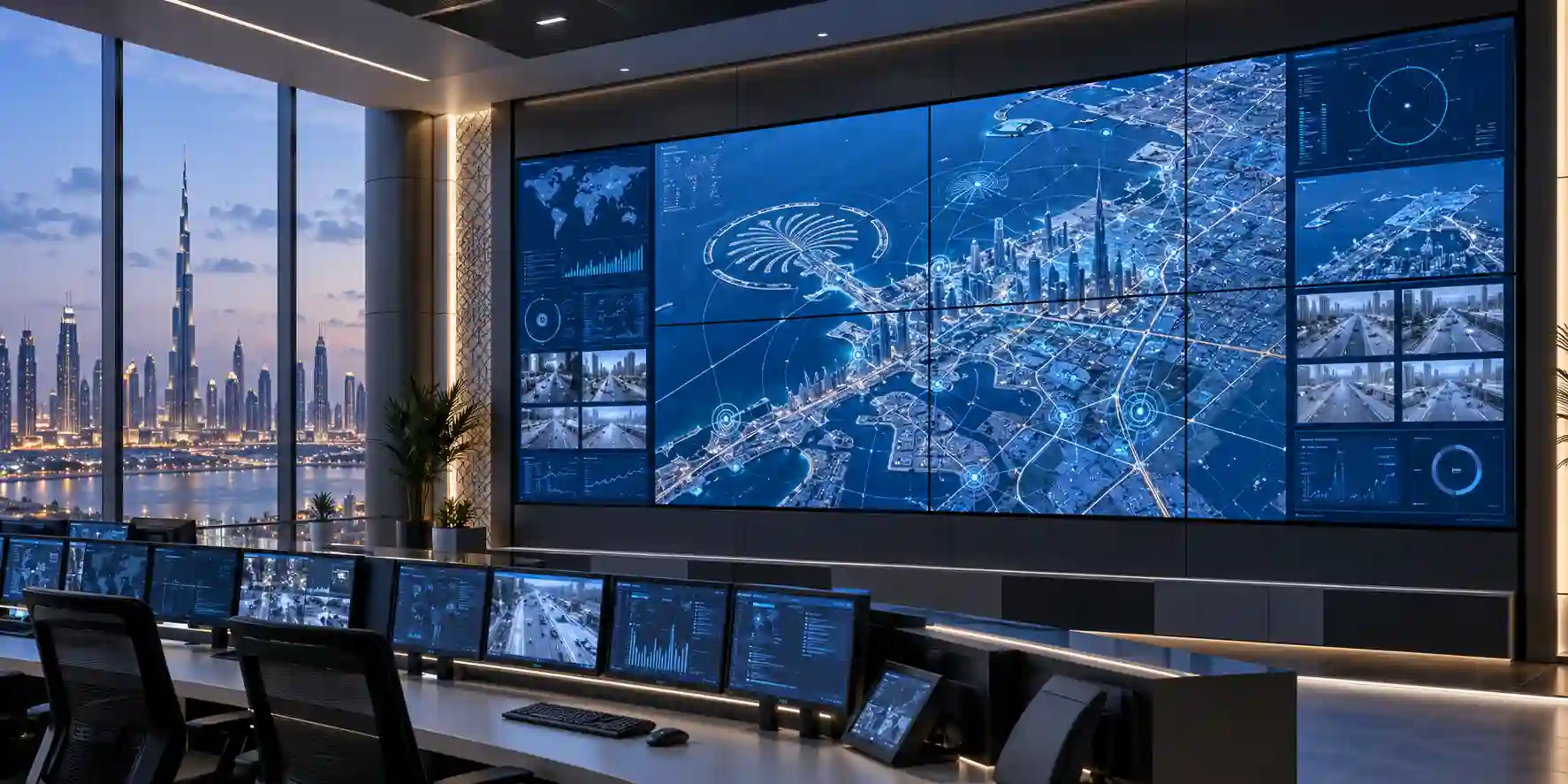
Video wall value is measured less by a single headline specification and more by how effectively the display system supports communication, situational awareness and operational continuity. The VM55T-U’s commercial feature set allows organizations to design walls for long operating hours, predictable management and visual consistency across multiple panels. The following business-value areas are the most important during procurement.
Operational Visibility
A multi-panel canvas can consolidate dashboards, incident data, cameras, schedules and executive metrics into a shared visual field. In operations environments, this reduces the need for staff to switch between many local monitors and supports faster group awareness. The business value comes from making critical information simultaneously visible to teams, supervisors and decision makers.
Continuous Commercial Duty
Samsung rates the display for 24/7 operation. For airports, command centers, logistics facilities and always-open retail or hospitality venues, this duty profile better matches operational reality than consumer equipment designed around shorter daily use. Proper thermal and power planning remains necessary, but the product is designed for sustained commercial workloads.
Scalable Visual Surface
A tiled system can be expanded according to the required physical canvas and viewing distance. Organizations can begin with a compact arrangement and standardize around the same panel family where project design permits. Scalability protects the broader AV investment because source, control and mounting design can be planned around modular display units.
Centralized Management
RS232C and network-based control reduce the friction of administering many panels individually. Central control can support status checks, source changes and operational consistency. For facilities and IT teams, fewer manual interventions can translate into lower support effort and faster incident response when a display needs attention.
Content Continuity
The 3.5 mm bezel-to-bezel format is designed to limit the visual interruption between adjacent panels. While the seam remains visible, it is narrow enough for many operational and commercial applications where a tiled LCD architecture offers a useful cost and serviceability balance compared with other large-format display technologies.
Serviceable Modular Design
Individual panels can be treated as modular field-replaceable elements within a larger wall. With the correct mount and service clearance, a failed or damaged panel can be addressed without replacing the entire visual surface. That modularity can reduce long-term disruption and simplify lifecycle budgeting.
ROI calculations should include more than the display purchase price. Buyers should account for mounting hardware, wall preparation, controllers or players, signal distribution, cabling, installation labor, commissioning, calibration, spare-panel strategy and ongoing support. The most economical design is the one that satisfies visual requirements while avoiding unnecessary controller complexity, excessive brightness, overbuilt mounting or difficult maintenance access. FourTeck can help convert the project brief into a practical bill of materials so stakeholders can evaluate total deployment cost rather than comparing panel prices in isolation.
Hardware & Technical Architecture Highlights
The VM55T-U’s architecture is built around a 55-inch IPS LCD panel with direct LED backlighting. IPS technology is widely used in professional video walls because broad viewing angles are important when many viewers see the wall from different positions. The native resolution is 1920 × 1080, producing a pixel pitch of 0.63 × 0.63 mm. Each panel therefore renders a standard Full HD image natively, while a complete wall can present larger composite layouts depending on the controller, source and daisy-chain topology.
Samsung specifies 8-bit color with 16.7 million colors and a 72% color gamut figure for this series. For enterprise signage, control-room dashboards and general visualization, the more important design factor is usually consistency across panels rather than cinematic color grading. Samsung describes a multi-step factory calibration process and support for Color Expert Pro workflows so integrators can tune wall uniformity. On a tiled wall, small variations that might be unnoticed on standalone displays become obvious at panel boundaries, which is why commissioning should include white-balance, brightness and color checks across the entire array.
The 500 cd/m² maximum brightness class supports indoor deployments with moderate to bright ambient conditions. Haze treatment helps diffuse reflections and reduce glare. Designers should still conduct a basic site review because directly opposing windows or directional spotlights can overpower any display if the lighting geometry is unfavorable. In high-ambient-light environments, brightness requirements should be reviewed against the intended content and viewer distance rather than assumed from room type alone.
Connectivity is deliberately broad for professional AV integration. Two HDMI 2.0 ports support current digital sources; DVI-D provides compatibility with established AV systems; DisplayPort 1.2 provides both input and loop-out capability; a stereo mini-jack is available for audio; USB is intended for firmware-related use on this series; RS232C and RJ45 provide external control paths. This combination lets the VM55T-U operate in legacy upgrades as well as new digital signage and operations-room deployments.
A key architectural capability is DisplayPort daisy chaining. Instead of routing a separate cable from a multi-output graphics card or matrix switch to every panel, integrators can feed a source into the first display and loop the signal through subsequent displays where the planned resolution and topology permit. This can reduce cable count and simplify rack-side hardware. For complex walls with many independent source windows, a dedicated controller may still be the better choice because it handles scaling, window placement, redundancy and multi-source composition centrally.
The chassis depth is approximately 70 mm and the VM55T-U supports a 600 × 400 mm VESA mount pattern. Professional pop-out or serviceable video wall mounts are recommended because precise X/Y/Z alignment is critical. Even millimeter-level panel misalignment becomes visible across long horizontal and vertical seams. Mounting systems should therefore provide micro-adjustment and enough forward access for cable service. Mechanical planning should also reserve ventilation space and avoid trapping heat behind decorative cladding.
The display carries IP5X testing in Samsung documentation. IP5X indicates dust-protection testing appropriate to professional environments, but it does not mean the unit is weatherproof or suitable for exposed outdoor installation. Indoor temperature and humidity limits remain relevant. The stated operating temperature is 0°C to 40°C with 10% to 80% humidity for the VM55T-U series brochure. UAE projects should therefore ensure conditioned indoor operation and avoid enclosed cavities that can exceed permitted temperature under prolonged use.
Definitive Technical Specifications & Sizing Notes
| Specification | Samsung VM55T-U | Procurement Note |
|---|---|---|
| Screen size | 55-inch class / 54.6-inch measured | Use cabinet dimensions for wall geometry, not diagonal size alone. |
| Panel type | IPS | Supports wide viewing angles for multi-viewer environments. |
| Resolution | 1920 × 1080 | Wall-level resolution depends on matrix and controller topology. |
| Brightness | Max 500 cd/m² | Suitable for many indoor commercial environments; review direct-light exposure. |
| Contrast ratio | 1,200:1 | Content design and ambient lighting materially influence perceived contrast. |
| Viewing angle | 178° / 178° | Useful where audiences approach from wide lateral positions. |
| Response time | 8 ms | Appropriate for signage, dashboards and general video wall motion content. |
| Color | 8-bit / 16.7 million colors | Panel-to-panel calibration remains important in tiled walls. |
| Duty cycle | 24/7 | Observe power, thermal and environmental planning requirements. |
| Haze | 25% | Helps reduce disruptive reflections in commercial interiors. |
| Bezel width | 2.3 mm upper/left, 1.2 mm right/bottom; 3.5 mm bezel-to-bezel | Exact visual seam is a core wall-design criterion. |
| Inputs | DVI-D, DP 1.2, 2 × HDMI 2.0, stereo mini-jack | Confirm source connector type and HDCP requirements during design. |
| Output | DP 1.2 loop-out, stereo mini-jack | Supports streamlined daisy-chain architectures. |
| External control | RS232C in/out, RJ45 | Suitable for centralized professional AV management. |
| Power | AC 100–240 V, 50/60 Hz; max 242 W | Calculate circuit load using total panel quantity plus controllers and players. |
| Dimensions | 1211 × 681.7 × 70 mm | Use in structural, trim and service-clearance drawings. |
| Weight | Approx. 21.2 kg per panel | Multiply by panel count and include mount weight in load planning. |
| VESA mount | 600 × 400 mm | Professional micro-adjust video wall mounts are recommended. |
| Protection / certification | IP5X tested; EMC Class A listed for VM55T-U | Commercial indoor use; not a weatherproof outdoor display. |
Buyers should interpret the table as a system-design starting point rather than a complete project specification. The panel count determines physical canvas size, total weight, maximum electrical load and mounting requirements. The source topology determines whether simple daisy chaining is sufficient or a dedicated controller is required. Content type determines whether Full HD per panel is adequate, while ambient light influences whether the 500 cd/m² brightness class is appropriate. Warranty terms, available accessories and exact regional SKU packaging can vary by market and sourcing route, so these should be confirmed in the FourTeck quotation. Where an existing wall is being expanded, panel generation, firmware compatibility, color aging and mechanical dimensions should be checked carefully before mixing old and new units.
Configuration, Sizing & Deployment Workbench
01 / Define the Wall Geometry
Start with the required physical dimensions and viewing distance rather than selecting panel quantity arbitrarily. A 2×2 wall uses four panels, a 3×3 uses nine and a 4×4 uses sixteen. The correct format depends on room size, visual target, wall proportions and available structure. Drawings should include the 1211 × 681.7 mm cabinet dimensions, bezel lines, frame or trim, and required maintenance clearances. Portrait arrangements may be possible for certain applications, but the intended orientation should be validated during design.
02 / Define Content and Source Count
A single marketing video spread across the whole wall needs a very different signal architecture from a command center displaying twelve independent feeds. List every source: signage player, workstation, CCTV decoder, conferencing codec, broadcast receiver, dashboard PC or matrix switch. Then define whether those sources need simultaneous display, picture-in-picture, window scaling or fast switching. This step determines whether the wall can rely primarily on panel functions and daisy chaining or needs a dedicated video processor.
03 / Validate Resolution and Bandwidth
Each VM55T-U panel is 1920 × 1080. A composite wall may represent a much larger pixel canvas, but the practical wall resolution is constrained by the source, controller and transmission method. For fine text, maps or dense analytics, viewing distance and font size should be evaluated before purchase. DisplayPort 1.2 can simplify chained distribution, but total bandwidth and topology should be confirmed for the intended format. Long cable runs may require active optical HDMI/DP, extenders or structured AV-over-IP systems.
04 / Plan Mounting and Service Access
Video wall performance is partly mechanical. If panels are not coplanar, seams look inconsistent and reflections can differ from unit to unit. Use purpose-built mounts with fine adjustment, and verify that the wall structure can carry the aggregate display and bracket load. Pop-out service mounts are often preferable because they allow a single panel to be pulled forward for rear-cable access without dismantling the surrounding wall.
05 / Engineer Power and Thermal Conditions
Samsung lists a maximum power figure of 242 W per VM55T-U. Multiply this figure by the panel count for conservative circuit planning, then add controllers, players, switches and any AV extenders. Electrical design should include suitable distribution, surge protection and circuit segregation where required by the project. The displays are rated for operation between 0°C and 40°C, so enclosed architectural cavities should have adequate airflow and conditioned room temperature.
06 / Define Control, Monitoring and Ownership
Decide who will manage the wall after handover. IT may own network connectivity, AV teams may manage sources, facilities may control schedules, and marketing may manage content. RS232C and RJ45 support professional management workflows, but operational responsibility should be documented. For business-critical walls, consider keeping configuration backups, labeling every panel and cable, documenting network addresses, and defining a replacement-panel strategy.
For UAE tenders and projects, FourTeck can use this workbench as the basis for quotation discovery. The most useful information to submit is the desired wall matrix, quantity, source devices, content type, installation location, mounting status, preferred delivery date and whether installation accessories are required. Providing that data at the start reduces revision cycles and helps the quotation reflect the actual deployment rather than an isolated display SKU.
Industry Use Cases & Workload Scenarios
Banking & Finance
Trading floors, security operations and executive monitoring rooms often require many live data windows visible to teams at once. A VM55T-U wall can act as a shared visualization surface for market dashboards, branch status, cybersecurity telemetry or incident coordination, with centralized source and panel control.
Healthcare
Hospital command centers and facility operations teams can use tiled displays for bed-management dashboards, security monitoring, workflow status and operational alerts. Deployment should respect healthcare IT policies and maintain separation between the visualization platform and regulated clinical systems where required.
Government & Public Sector
Situation rooms, public information halls and smart-city operations centers can present GIS views, service metrics, surveillance summaries and coordinated briefing material. The 24/7 rating and professional control interfaces support environments where the wall may remain active throughout extended operational periods.
Logistics & Transportation
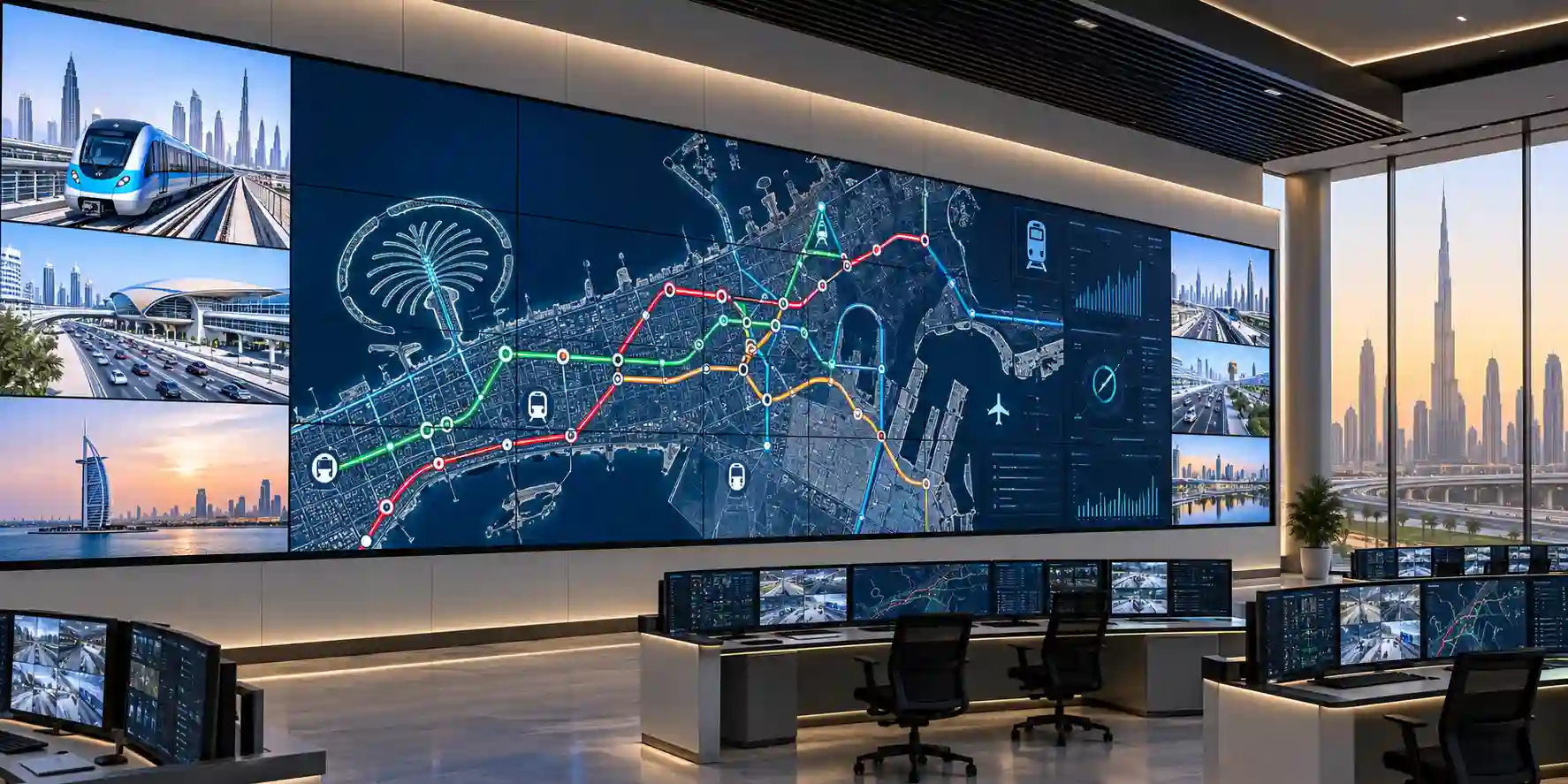
Warehouses, ports, airports and fleet operations centers can display route status, camera feeds, cargo flow, KPIs and incident information on a single shared visual canvas. Wide viewing angles help teams positioned across a control room, while tiled geometry allows the display surface to scale with the facility.
Retail & Hospitality
Atriums, flagship stores, malls, restaurants and hotel lobbies can use video walls for branded campaigns, wayfinding, promotions and immersive visual storytelling. The narrow seam supports large-format compositions while the haze treatment helps mitigate reflections from interior lighting.
Education & Corporate Campuses
Universities and enterprises can deploy walls in auditoriums, reception spaces, innovation centers and operations rooms. Uses include event content, KPI dashboards, visitor messaging, live streams and campus information. Input flexibility accommodates presentation PCs, signage players and AV switching systems.
Technical Feature Deep Dive 1: Processing, Throughput & Workload Performance Architecture
A video wall should be assessed as a distributed display system. The panel itself is responsible for receiving a digital signal, processing picture parameters and presenting the assigned portion of the canvas, while an upstream device may perform composition, scaling or source switching. The VM55T-U’s DisplayPort 1.2 and HDMI 2.0 interfaces give system designers several options. For straightforward walls, one source can feed the array and the displays can be arranged to show the correct portion of the image. For more complex applications, a controller can generate a wall canvas containing multiple windows and distribute that output to the displays.
The benefit of DisplayPort loop-out is architectural simplicity. A chain can reduce the number of long home-run cables from the rack, which in turn can reduce installation labor and output-card requirements. However, daisy chaining should not be treated as universally superior. Signal bandwidth, redundancy, failure domains and wall layout all matter. In a long chain, a connectivity fault near the beginning can affect downstream panels. Mission-critical command centers may therefore prefer controller architectures with more isolated signal paths or redundant processors. FourTeck can help align the signal design with the business criticality of the wall.
The native 1920 × 1080 resolution per panel is suitable for general signage, video and operational dashboards. When dense text is planned across a large matrix, designers should model the final pixel canvas, viewing distance and expected font size. A wall can be physically very large yet still be hard to read if content is not authored for the viewing environment. Conversely, control-room content intended for operators seated close to the wall benefits from higher effective pixel density and careful source mapping. These are content-system decisions rather than panel-only specifications.
Response time is specified at 8 ms, which is appropriate for typical commercial motion content and dashboard transitions. This is not a gaming display and should not be selected based on consumer refresh-rate criteria. In professional deployments, synchronization, source stability, scaling quality and operational uptime usually have greater business impact than ultra-low input latency. The VM55T-U is therefore best understood as a reliable visualization endpoint within a broader AV or information system.
Technical Feature Deep Dive 2: Security, Redundancy & System Resilience
Display security begins with system boundaries. The VM55T-U is a professional panel with control interfaces, but the more sensitive cybersecurity considerations often sit upstream: media players, controller PCs, network switches, content platforms and remote-management servers. Organizations should place AV devices in appropriate network segments, restrict management access, document credentials and firmware processes, and avoid exposing control interfaces directly to untrusted networks. RJ45 control should be integrated according to corporate network policy rather than connected ad hoc.
Physical resilience is equally important. Samsung documents IP5X testing, which supports use in environments where dust exposure is a concern, but the display remains an indoor commercial device. Proper temperature, ventilation and power conditioning are essential. A large wall concentrates heat and electrical load in one location. For 24/7 environments, designers should provide stable conditioned air, avoid blocked rear ventilation paths and consider UPS support for controllers and source equipment when continuity requirements justify it.
Redundancy strategy depends on the business role of the wall. A lobby branding wall may tolerate short outages, while a command center may not. Higher-criticality projects can include a spare panel, redundant controllers, duplicate source PCs, bypass signal paths and preconfigured replacement procedures. Keeping at least one compatible spare can shorten recovery if a panel fails or is physically damaged. Because visual aging can affect color matching over time, spare strategy should be discussed early rather than only when a failure occurs years later.
Auto source switching and recovery capabilities listed by Samsung can assist with source continuity in supported configurations. Nevertheless, end-to-end resilience should be validated by testing actual failure scenarios: loss of primary player, loss of network, reboot of a panel, controller restart and power restoration. A commissioning plan that verifies recovery behavior produces more operational confidence than relying on feature names alone.
Technical Feature Deep Dive 3: Remote Management, Telemetry & Infrastructure Integration
The presence of RS232C and RJ45 changes how the VM55T-U should be managed. Instead of treating each screen as a manual endpoint, organizations can incorporate the wall into an AV operations model. Multi Display Control workflows can support functions such as input selection, power commands and configuration coordination across multiple displays. This becomes increasingly valuable as panel count grows because manually walking to every display is inefficient and can introduce configuration drift.
For facilities teams, scheduling can reduce unnecessary run time in environments that do not require continuous output. For IT teams, documented IP addressing and control paths make remote troubleshooting more predictable. For AV support teams, panel naming should match physical location and matrix position, for example A1, A2, B1 and B2. That simple convention can save time when a remote status alert identifies a device requiring physical service.
Integration should also consider how content platforms communicate with the display environment. Some deployments use a dedicated signage player per wall; others feed the array from a workstation, controller or AV-over-IP decoder. The VM55T-U does not remove the need for a content-management or source platform. Instead, it provides the professional display layer. That distinction is important in procurement because buyers sometimes assume that purchasing the panels alone provides an end-to-end signage system. The required playback and management stack is configuration dependent.
Remote management plans should include change control. Picture settings, wall geometry, source assignments and calibration values should be documented before handover. Administrators should record firmware versions and avoid uncontrolled updates across only part of the wall. When multiple panels must look like one visual surface, configuration consistency is operationally significant. A structured commissioning record therefore becomes part of the long-term support asset.
What Buyers Should Check Before Purchase
The main purchasing risks in a video wall project are not usually hidden panel specifications; they are mismatches between the display, mount, source architecture, site conditions and expected visual outcome. Use the four checks below before issuing a purchase order.
01 / FIT — Configuration Fit & Model Sizing
Confirm the exact wall matrix, overall active area, audience distance and content type. A 55-inch panel is a building block, not the final wall size. Determine whether 500 cd/m² is appropriate for the room and whether the 3.5 mm bezel seam is acceptable for the intended viewing experience. Check whether 1920 × 1080 per panel provides enough effective resolution for dashboards, text and maps. If the project has architectural constraints, create a dimensional elevation before ordering.
02 / MATCH — Compatibility & Environmental Requirements
Verify mount compatibility, VESA dimensions, cable bend radius, service access and rear ventilation. Confirm source interfaces, HDCP requirements and controller outputs. Review room temperature and power capacity. IP5X testing does not make the panel suitable for unprotected outdoor use. If the wall is installed behind decorative panels or in a recessed cavity, account for heat buildup and maintenance access from the design stage.
03 / TERMS — Availability, Delivery & Warranty Terms
Ask for current regional availability, lead time, exact supplied SKU, warranty route and included accessories. Commercial display availability can change as product generations evolve, so do not assume an online listing guarantees immediate UAE stock. For large quantities, request project-based confirmation. If delivery is to a free zone, restricted site or active construction project, include access rules and timing requirements in the logistics plan.
04 / REQUEST — Quote Preparation Data Needed
A useful quotation request should include Samsung VM55T-U, panel quantity, wall matrix, delivery emirate, required date, whether mounting is already installed, source/controller requirements and whether configuration or staging assistance is expected. For replacement projects, provide photographs and the existing panel model. For new projects, provide a room elevation or approximate wall dimensions. Better project information lets FourTeck identify missing accessories before procurement rather than during installation.
UAE Regional Availability & Service Ecosystem
FourTeck supports commercial display procurement across the UAE with quotation coordination, product validation and logistics planning. Availability should be confirmed at the time of request because video wall project quantities and exact regional SKUs can vary. Buyers can submit the model, quantity, wall layout and delivery location so sourcing and compatible accessory requirements can be reviewed before order placement.
K1. Dubai Supply & Logistics Support
Dubai projects can include corporate headquarters, malls, hotels, showrooms, command centers, free-zone offices and transport environments. FourTeck can coordinate quotations, quantity validation and delivery planning across mainland and free-zone destinations. Where a project requires staging, mount compatibility or source-architecture review, these requirements should be included in the initial inquiry so they can be considered alongside panel supply.
K2. Abu Dhabi & Al Ain Logistics Reach
For government, energy, industrial, education and corporate projects in Abu Dhabi and Al Ain, FourTeck can support model validation and commercial supply coordination. Buyers should provide project timelines, delivery access constraints and any documentation requirements with the RFQ. Large video wall projects benefit from planned delivery windows because panels, mounts and controllers may arrive as coordinated project components.
K3. Sharjah & Northern Emirates Logistics Infrastructure
Organizations in Sharjah, Ras Al Khaimah, Fujairah and Umm Al Quwain can request assistance with video wall sourcing, compatible accessories and regional delivery. Industrial and educational sites should mention operating conditions and installation environment so the suitability of the indoor commercial display can be confirmed before shipment.
K4. Ajman & Surrounding Emirates Logistics Coverage
Ajman-based businesses can use FourTeck for availability verification, pre-sales guidance and delivery coordination. For replacement projects, share the existing wall configuration and failed panel model. For new installations, include desired dimensions and source requirements. This helps determine whether the VM55T-U is being purchased as a standalone replacement or as part of a broader AV system.
GCC & Pan-African Supply Chain Reach
FourTeck can coordinate regional technology procurement beyond the UAE, including export quotation support, hardware consolidation and documentation assistance where applicable. Cross-border orders should include destination country, quantity, project deadline and preferred shipping terms so the commercial team can assess the appropriate supply route and documentation requirements.
L1. Saudi Arabia (KSA) Export & Supply Support
Saudi enterprise, retail, hospitality and control-room projects can submit video wall requirements for configuration validation and project quotation. Export routing, delivery terms and current model availability should be confirmed for each project rather than inferred from UAE supply conditions.
L2. Qatar Market Supply Reach
Qatar-based buyers and system integrators can request sourcing support for Samsung commercial displays, with wall quantity, accessories and delivery timing included in the inquiry. Projects with fixed handover dates should submit requirements early enough to account for sourcing and cross-border logistics.
L3. Oman Regional Distribution Support
Organizations in Oman can request procurement guidance for the VM55T-U and related video wall components. Providing source architecture and mounting requirements with the RFQ helps identify whether additional processors, cabling or service mounts should be included.
L4. Kuwait Supply Chain Coverage
Kuwait project teams can coordinate commercial display requirements through FourTeck Kuwait. The procurement request should state display quantity, deployment type, installation timing and delivery location so project quotation and export planning can be aligned.
L5. Kenya & East Africa Supply Infrastructure
Kenyan system integrators and enterprise buyers can route technology sourcing inquiries through FourTeck Kenya. For video wall projects, the RFQ should include wall geometry, controller needs and whether mounting hardware will be sourced locally or included in the export package.
L6. Uganda Regional Procurement Support
Uganda-based projects can use FourTeck Uganda for localized inquiry handling, technology sourcing and project supply coordination. Availability and warranty routing should be confirmed for the destination market before purchase.
L7. Pan-African Regional Logistics & Trade Reach
For broader African multi-country projects, buyers can use FourTeck Africa and FourTeck International for regional sourcing discussions. Multi-site rollouts should standardize model, mounting, source architecture and acceptance criteria wherever possible to simplify spares, training and lifecycle support.
Related FourTeck Products & Compatible Alternatives
Samsung VM55T-E
Consider the VMT-E family where a narrower bezel class is required for a more continuous visual canvas. Exact availability and regional model suffix should be confirmed.
Samsung VHR Series
A suitable comparison where a more premium narrow-seam visual wall and higher brightness tier may be required. It can be attractive for high-visibility retail and executive environments.
Samsung VMC-E Series
A newer 55-inch video wall family that can be reviewed when current-generation availability, refined bezel design and updated commercial support are priorities.
Samsung QMC / QHC Signage
For projects that need a single large commercial screen rather than a tiled wall, Samsung’s 4K professional signage families may simplify mounting, cabling and source processing.
Samsung The Wall
For premium direct-view LED applications where virtually seamless modular visuals and very large canvases are required, The Wall represents a different technology category with different budget and design considerations.
The correct alternative depends on whether the priority is seam width, brightness, resolution, physical size, serviceability or total project cost. An existing video wall may favor a like-for-like replacement for mechanical compatibility, while a new project may benefit from reviewing current-generation Samsung models. FourTeck can compare candidate models against room conditions and the desired wall architecture before quotation.
Why Enterprises Choose FourTeck
Commercial display procurement is more reliable when the supplier understands both the model number and the system around it. FourTeck’s value in a Samsung VM55T-U project is the ability to validate whether the requested panel suits the intended wall geometry, brightness environment, control model and source architecture before the order proceeds. This is particularly important for video walls because a missing mount, incompatible processor output or overlooked service-clearance issue can delay an otherwise straightforward installation.
Quotation coordination can also cover project quantity, regional delivery, accessory requirements and warranty guidance. FourTeck does not need to replace the role of the AV consultant or installer; instead, it can support the procurement layer with product-level checks so the supplied hardware aligns more closely with the technical design. Buyers should provide accurate project information, and FourTeck can use that information to reduce avoidable ambiguity during sourcing.
For multi-site organizations, standardization is another important consideration. Maintaining a consistent display family, mount type, controller platform and spares strategy can simplify operations across offices, control rooms and public spaces. FourTeck can help structure product inquiries around that lifecycle perspective rather than treating each order as an isolated transaction.
Frequently Asked Questions
Is the Samsung VM55T-U designed for 24/7 operation?
Yes. Samsung specifies 24/7 operation support for the VM55T-U series. This makes it suitable for control rooms, transport facilities, retail environments and other commercial applications that may need continuous display operation. The installation must still remain within the specified temperature, humidity, ventilation and power conditions. For business-critical environments, power conditioning and upstream source redundancy should also be considered.
What is the bezel size of the VM55T-U?
The VM55T-U uses an ultra-narrow bezel design with approximately 2.3 mm on the upper and left edges and 1.2 mm on the right and bottom edges, producing a 3.5 mm bezel-to-bezel seam between adjacent displays. The seam remains visible, but it is designed for professional tiled LCD video walls where continuity and modular serviceability are important.
What resolution does each panel provide?
Each VM55T-U panel has a native resolution of 1920 × 1080 pixels. The effective visual canvas of a complete wall depends on the matrix layout and the signal-processing architecture. A 3×3 wall, for example, contains nine Full HD panels, but how content maps across them depends on the controller, player and daisy-chain configuration. Dense dashboard content should be tested against viewing distance.
Can the VM55T-U be daisy-chained?
Yes. The VM55T-U provides DisplayPort 1.2 input and loop-out connectivity, enabling daisy-chain architectures for supported video wall configurations. This can reduce the number of direct source connections required. However, the correct design depends on total resolution, content layout, redundancy requirements and source count. Complex control rooms may still benefit from a dedicated video wall controller.
Is the Samsung VM55T-U suitable for outdoor installation?
No. The VM55T-U is a professional indoor commercial display. Samsung documents IP5X testing for dust protection, but IP5X does not mean the display is weatherproof or protected against rain and outdoor exposure. It should be installed in an appropriate indoor environment within its specified temperature and humidity limits. Outdoor projects should use displays engineered for outdoor environmental protection.
What mounting pattern does the display use?
The VM55T-U supports a 600 × 400 mm VESA mounting pattern. For multi-panel walls, use a purpose-built video wall mounting system with micro-adjustment and suitable service access. Standard fixed mounts may make precision alignment and maintenance difficult. The wall structure should be evaluated for the combined weight of all panels, brackets and any architectural trim.
Does the VM55T-U include a built-in signage player?
The VM55T-U should be treated primarily as a professional display panel. A complete deployment may require an external signage player, workstation, controller or other source device depending on the application. Samsung documentation lists signage player options for the series. FourTeck can help determine whether the project needs a simple source, a dedicated video wall processor or an AV-over-IP architecture.
How bright is the VM55T-U?
Samsung specifies maximum brightness of 500 cd/m². This is appropriate for many indoor commercial environments, including lobbies, control rooms, retail spaces and corporate facilities. Direct sunlight or very high ambient light can still reduce perceived contrast, so the room’s lighting geometry should be considered. Projects with unusually bright environments may need a higher-brightness display family.
What information should I send FourTeck for a quotation?
Send the model VM55T-U, required quantity, intended wall matrix, delivery location, desired delivery date and whether mounts, controllers, players or cabling are required. If replacing an existing panel, include the current model and wall photographs. If building a new wall, include approximate wall dimensions and source requirements. This allows the quotation to reflect the full deployment context.
Request a Samsung VM55T-U Project Quote
For a practical quotation, send FourTeck the required model, panel quantity, wall matrix, delivery emirate or export destination, required delivery date and whether the project needs mounting, controller, player or cabling guidance. If the VM55T-U is being used as a replacement in an existing wall, also provide the current panel model and a photograph of the installation. FourTeck can then review the request and confirm current sourcing, commercial terms and suitable accessory options.



