

Samsung WA65F 65-Inch WAF Interactive Display in Dubai, UAE
The Samsung WA65F is a 65-inch professional interactive display built for collaborative education, corporate training, workshops and meeting environments. It combines a 4K IPS display, Android 14 with Google EDLA, responsive IR touch, integrated processing and broad connectivity in a single wall- or cart-mountable collaboration surface.
For UAE organisations, the practical value is straightforward: presenters can annotate, share, teach and collaborate without designing every room around an external PC, while IT teams retain multiple options for wired presentation, network access and optional computing expansion.
Procurement Snapshot
Brand: Samsung
Model: WA65F / WAF Series
Class: 65-inch interactive flat panel
Resolution: 4K UHD
Platform: Android 14 with EDLA
Primary buyers: Education, corporate, government, training
UAE supply: Contact FourTeck for current options
Quick Procurement & Configuration Matrix
Brand / Model
Samsung WA65F, WAF Series
Product Type
65-inch professional interactive display
Recommended Workload
Teaching, annotation, meetings, workshops and collaborative presentation
Scalability Limit
Room-by-room deployment; fleet sizing depends on site design and management approach
Power
AC 100–240 V, 50/60 Hz; circuit planning should reflect local installation conditions
Delivery Area
Dubai, Abu Dhabi, Sharjah, Ajman and UAE-wide coordination
Mounting
VESA 600 × 400 mm; confirm bracket load rating and wall substrate
Warranty Guidance
Terms can vary by supply channel and project; request written confirmation with quotation
Executive Product Architectural Overview
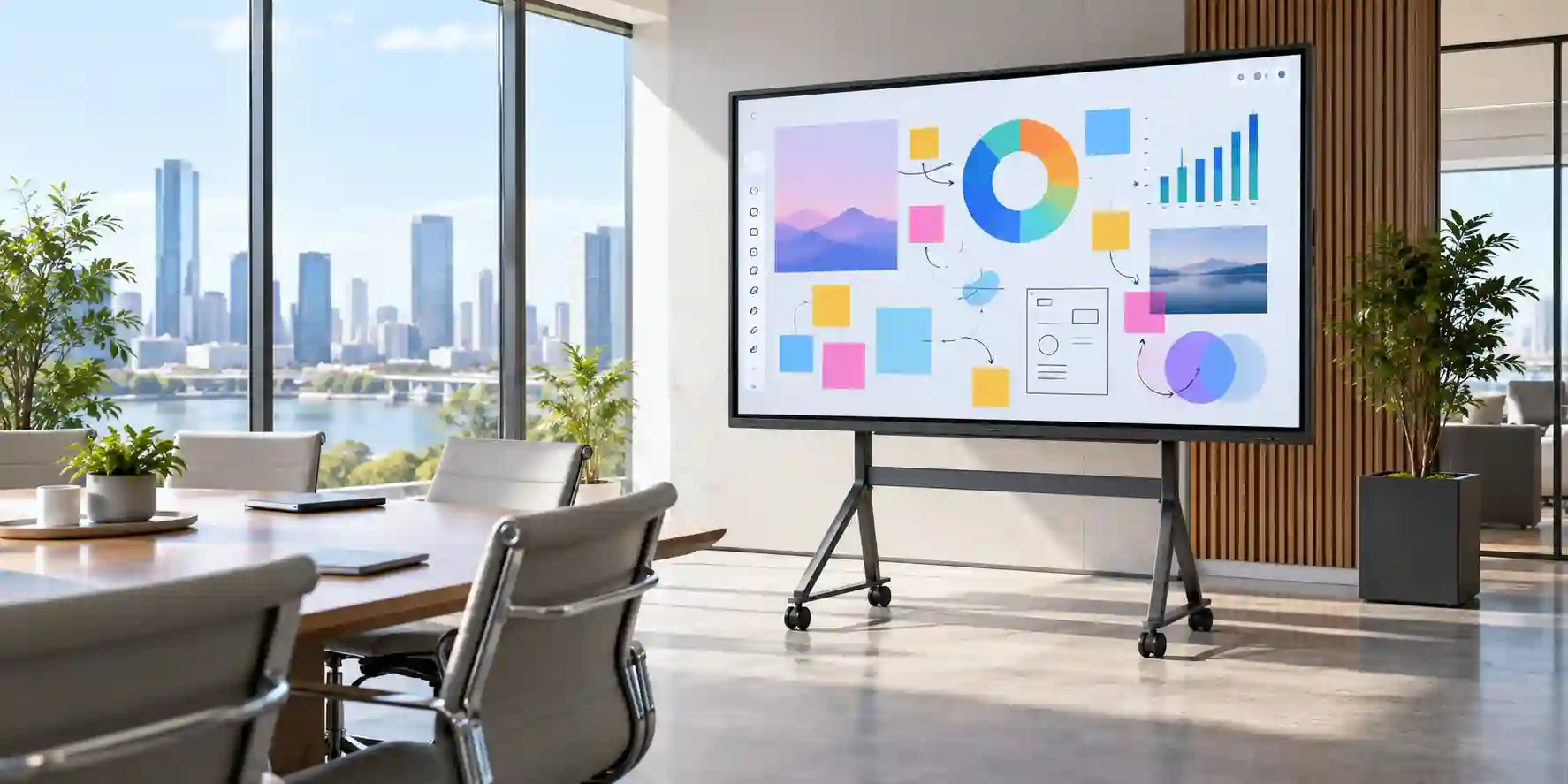
The WA65F sits in the part of the collaboration market where display quality, touch interaction and embedded software are expected to operate as one appliance rather than as loosely coupled components. Its 65-inch IPS panel provides a 3840 × 2160 pixel workspace that is large enough for conventional classrooms, compact training rooms, huddle spaces and many conference-room layouts while remaining easier to handle than larger 75-inch and 86-inch panels. The wide viewing-angle characteristics of IPS are particularly relevant when participants are seated off-axis, because a collaborative display is rarely viewed from one perfectly centered position. In practical room design, that means facilitators can place learners or meeting participants around a table or across a classroom without creating an obviously disadvantaged viewing zone.
The embedded Android 14 environment changes the operational model from “screen plus computer” to “interactive endpoint with optional computers.” This distinction matters to IT departments that need faster room startup and simpler day-to-day use. A teacher can approach the display, open supported applications, annotate or present content and use the board’s interface without first locating a dedicated laptop. A corporate trainer can conduct a recurring induction session with a repeatable display-side workflow, while external presenters can still connect through HDMI, USB-C or other supported paths when their own device is required. Google EDLA support is also strategically relevant for organisations that use Google services and managed application ecosystems, because it creates a more familiar application and account environment than a closed, proprietary whiteboard interface.
Internally, Samsung pairs the operating platform with an octa-core processor, 8 GB of memory and 64 GB of integrated storage. These specifications should not be evaluated like a workstation specification; the purpose is to provide responsive whiteboarding, application handling, media playback and collaboration tasks at the display endpoint. Where a workload demands specialist Windows applications, advanced browser workloads, domain-specific software or heavier local computing, buyers should evaluate the available OPS expansion path or an external PC rather than expecting the embedded system to replace a full workstation. That separation of duties helps procurement teams avoid overbuying every room while preserving an upgrade path for specialist spaces.
Touch is based on infrared technology and supports high-point multi-touch operation, allowing multiple users or multiple contact points during annotation and interaction. Samsung regional documentation lists up to 40 touch points for externally connected systems and 20 touch points internally, with a passive pen architecture. In real deployments, the quality of the experience depends not only on the headline touch count but also on application design, touch mapping, USB touch routing, operating-system support and whether multiple participants can physically reach the active area. For most classrooms and meeting spaces, the primary benefit is fluid handwriting, object manipulation, on-screen navigation and group participation rather than simply achieving the maximum simultaneous touch figure.
Connectivity is deliberately broad. The WA65F family includes HDMI inputs, USB ports, USB-C, network connectivity, Wi-Fi and Bluetooth, while selected regional documentation also confirms HDMI output, touch-out connections and an OPS slot. This creates several possible room topologies: a permanently installed room PC, a bring-your-own-device workflow, an embedded Android-first setup, a wireless presentation pattern, or a hybrid of these. The correct topology should be chosen during pre-sales design because cable lengths, table connectivity, wall conduits, USB touch routing, network segmentation and presentation ownership all affect user experience after installation.
For organisations in Dubai and the wider UAE, environmental and infrastructure planning deserve equal attention. The display is designed for indoor commercial use, with Samsung specifying operation within typical conditioned-room temperature and humidity bands. UAE sites should therefore place the WA65F inside properly air-conditioned learning or meeting spaces and avoid assuming that a professional indoor display is suitable for semi-outdoor corridors, sun-exposed glass façades or non-conditioned warehouses. The metal and glass assembly is substantial, so wall condition, bracket certification, access for servicing and safe installation height must be considered during deployment. A mobile stand can be appropriate when rooms are shared, but it should be rated for the panel’s weight and include a suitably wide, stable base.
From an enterprise architecture perspective, the WA65F is most valuable when treated as part of a room standard rather than an isolated purchase. Define the mounting method, preferred presentation interface, cable kit, wireless policy, network onboarding, user profile approach, approved applications and support ownership once, then replicate that standard across sites. FourTeck can help buyers translate those requirements into a repeatable bill of materials and quotation structure, including compatible mounts, stands, cables and optional computing components subject to the selected deployment model.
Enterprise Business Value & ROI Benefits
Faster Room Readiness
An embedded interactive platform reduces the number of sessions that must begin with cable hunting, laptop login troubleshooting or display-source confusion. Standardising a known startup workflow can reduce friction for teachers, trainers and meeting hosts. The financial value is not simply the cost of hardware avoided; it is the cumulative time recovered across hundreds of sessions when rooms become predictable and familiar.
Collaborative Participation
A touch-enabled 65-inch surface changes presentations from passive viewing into a workspace where presenters can write, manipulate material and invite participation. In education this can support student engagement and group problem solving. In business it enables design reviews, process mapping and workshop facilitation. The result is a room asset that serves more use cases than a conventional non-touch screen.
Flexible Computing Model
The WA65F can operate through its embedded Android environment while retaining support for external presentation sources and optional computing expansion. This helps IT teams create tiered room standards: simple rooms can remain embedded-first, while specialist rooms can use Windows or another external platform. Procurement can therefore align compute cost with the workload rather than paying for the same computer configuration in every room.
Visual Consistency
The 4K panel provides a high-resolution canvas for text, diagrams, spreadsheets, technical illustrations and multimedia. Consistency across rooms is important because content creators can design once for a common resolution and interaction model. This also simplifies staff training and support documentation when a school, university or enterprise deploys the same platform across multiple spaces.
Infrastructure Reuse
Multiple wired and wireless connectivity choices allow the display to fit into existing room designs with fewer architectural changes. HDMI can support legacy presentation habits, USB-C can simplify newer notebook connections, Ethernet supports controlled wired networking, and Wi-Fi supports approved wireless workflows. Buyers should still validate exact cable distances and network policies, but the breadth of interfaces lowers the chance of an immediate redesign.
Operational Resilience
Samsung documents design measures intended to improve protection against electrical surges and humidity in critical circuitry. These features do not remove the need for proper building power, surge protection, air conditioning or safe electrical installation, but they are valuable in high-use environments where equipment may remain installed for years and be handled by many different users.
Return on investment should be evaluated through utilisation rather than a single feature. A display that serves teaching, training, video collaboration, annotation, digital workshops and occasional signage-like communication can achieve a higher room utilisation rate than a single-purpose projector or basic television. Buyers should model how many weekly sessions the room supports, how much setup time is currently lost, which external devices can be removed or standardised, and how many support calls are triggered by inconsistent room technology. Those inputs create a more defensible business case than comparing panel price alone.
Hardware & Technical Architecture Highlights
At the display layer, the WA65F uses a 65-inch IPS LCD architecture with 4K UHD resolution, 16:9 presentation geometry, approximately 400-nit typical brightness in common regional specifications, 1,200:1 typical contrast and broad 178-degree horizontal and vertical viewing angles. This is an indoor collaboration display, not a high-brightness outdoor signage panel. Room lighting design therefore matters: strong direct sunlight or poorly controlled reflections can compromise perceived contrast even when the panel itself is functioning correctly. The 25% haze specification helps manage reflections, but architectural shading and sensible display orientation remain good practice.
The interactive layer uses an infrared touch frame. IR systems detect interruption of a light grid around the active display surface, enabling fingers and passive pens to interact without active stylus charging. This approach is well suited to shared environments because users do not need to pair a pen before writing. Samsung documentation lists touch-overlay response below five milliseconds for the hardware layer in some regional material, while total perceived writing latency is influenced by the application, rendering pipeline and operating system. Buyers conducting handwriting-heavy lessons should test their actual teaching applications during pilot acceptance rather than assessing touch from specification numbers alone.
The embedded compute subsystem is based on an Amlogic A311D2-class system-on-chip in Samsung’s published European documentation, paired with an octa-core CPU, ARM Mali-G52 graphics, 8 GB RAM and 64 GB eMMC storage. The architecture is optimised for interactive display workloads rather than workstation-class computation. This distinction is important for software planning. Web applications, whiteboarding, media playback and general collaboration can fit naturally into the embedded environment, while CAD, engineering simulation, high-end video production, complex Excel models or line-of-business applications with Windows dependencies should be hosted on an external computer or OPS module.
Connectivity creates the bridge between the panel and room infrastructure. Two HDMI inputs support standard source devices, USB ports support peripherals and storage where policy permits, USB-C provides a modern single-cable presentation path subject to device compatibility, and Ethernet/Wi-Fi enable network access. Bluetooth supports compatible wireless peripherals. An OPS slot provides a structured way to add computing without placing a separate small-form-factor PC behind the display, although the exact OPS module should be selected based on processor, memory, storage, operating system, licensing and thermal requirements.
Mechanically, the WA65F is designed for substantial commercial mounting. Samsung specifies a 600 × 400 mm VESA pattern and a panel weight in the mid-30-kilogram range depending on regional variant documentation. The frame uses aluminium, while the finished assembly includes the touch glass and electronics. Installation planning should account for bracket rating, wall material, anchor specification, cable clearance, service access and safe lifting procedures. On gypsum partitions, installers should locate structural reinforcement rather than fastening a heavy interactive board only to board material.
Power design is equally practical. Samsung specifies universal AC input at 100–240 V, 50/60 Hz. Published regional values for maximum or on-mode consumption can vary by test method and market documentation, so project electrical calculations should use the datasheet attached to the exact SKU supplied. Meeting rooms that include an OPS PC, conferencing bar, camera, microphones and USB hubs should be designed as a complete equipment load rather than treating the display as the only powered device.
Definitive Technical Specifications & Sizing Notes
| Category | Specification | Procurement Note |
|---|---|---|
| Display | 65-inch IPS, 3840 × 2160 | Suitable for classrooms and small-to-medium collaboration rooms |
| Brightness | Approx. 400 nit typical | Indoor use; manage glare and direct sunlight |
| Contrast | 1,200:1 typical | Room lighting materially affects perceived contrast |
| Viewing angle | 178° / 178° | Supports wide seating layouts |
| Touch | IR multi-touch, passive pen | Application and OS determine practical simultaneous touch behavior |
| Embedded OS | Android 14 with EDLA | Validate app compatibility and account-management policy |
| Processor | Octa-core embedded platform | Designed for display-side collaboration workloads |
| Memory / Storage | 8 GB RAM / 64 GB eMMC | Do not treat as workstation replacement for heavy applications |
| Video inputs | 2 × HDMI; USB-C; OPS path | Exact physical location of ports should be checked during installation |
| USB | Multiple USB 2.0 / 3.0 plus USB-C | Peripheral behavior depends on selected source mode |
| Network | RJ45 Ethernet, Wi-Fi 5, Bluetooth 5.0 | Coordinate VLAN, firewall and wireless onboarding policies |
| Audio | Integrated speakers; audio I/O supported | Assess external audio for larger rooms |
| Mount | VESA 600 × 400 mm | Use commercial-rated bracket and proper structural anchoring |
| Approx. dimensions | 1482.1 × 897.5 × 87.7 mm | Allow clearance for cabling and service access |
| Approx. set weight | About 36 kg, regional variant dependent | Plan two-person or professional lifting procedures |
| Power supply | AC 100–240 V, 50/60 Hz | Confirm exact SKU power figure for electrical design |
| Environment | 0–40°C; 10–80% RH non-condensing | Use in air-conditioned indoor environments |
Specifications should be read as a system-design input, not as a substitute for project validation. Samsung publishes regional WA65F variants with small differences in documentation, packaging data and operating-hour statements. UAE buyers should therefore match the quotation to the exact part number supplied and request written confirmation of warranty, included accessories and any optional OPS or mounting components. Room size also affects suitability: 65 inches works well when the farthest viewer can comfortably read typical presentation text, but larger classrooms may justify a 75-inch or 86-inch model. Conversely, a 65-inch panel can be preferable in rooms with tighter wall space or when a mobile trolley must pass through doors and corridors. FourTeck can help map room dimensions, mounting constraints and connection requirements to the final bill of materials.
Configuration, Sizing & Deployment Workbench
01 — Define the Room and Viewing Geometry
Measure wall width, ceiling height, presentation distance and the farthest seat. Identify windows, glare sources, doors and whiteboard obstructions. A 65-inch display is often effective in classrooms and meeting rooms where users remain reasonably close to the screen, but room dimensions should drive the choice. Decide whether the display will be wall-mounted or mobile. For mobile deployments, confirm trolley width, wheel quality, doorway clearance, cable management and anti-tip stability.
02 — Select the Computing Model
Choose between Android-first operation, bring-your-own-device presentation, a dedicated room PC, or an OPS module. Android-first designs are simple and efficient for whiteboarding, browser-based learning and approved apps. Windows-centric organisations may prefer OPS or a dedicated mini PC for domain integration, specialist applications and familiar desktop management. Do not select an OPS processor solely by clock speed; consider memory, storage, device-management tools, operating-system lifecycle and application requirements.
03 — Map Wired Presentation Paths
Determine where presenters will stand and how their devices will connect. HDMI remains a reliable universal path, while USB-C can simplify modern notebook connectivity. If touch control of a connected computer is required, include the correct USB touch connection and verify source switching behavior. Long cable runs may require active cables, extenders or table connectivity modules. Specify cable categories, lengths and conduits during procurement instead of improvising them after installation.
04 — Validate Network and Identity Requirements
Interactive displays are network endpoints and should be onboarded according to organisational policy. Decide whether the board uses Ethernet, corporate Wi-Fi, a dedicated device VLAN or a restricted guest-like network. Review firewall rules, DNS, proxy requirements, certificate deployment and Google service accessibility. If users will sign in, define whether shared-room accounts, managed identities or guest workflows are acceptable, and establish a sign-out procedure that prevents the next class or meeting from inheriting private session data.
05 — Plan Power, Mounting and Environmental Controls
Provide a correctly earthed power outlet located close to the display and avoid loose extension leads in public circulation areas. Confirm bracket load rating, fixing method and structural backing. In UAE buildings, keep the board within conditioned indoor spaces and avoid locations exposed to direct solar heat, moisture ingress or construction dust. Where sensitive facilities require added continuity, specify surge protection or an appropriately sized UPS after reviewing total room load and runtime expectations.
06 — Standardise Applications and Support
Define the approved application set before roll-out. This may include whiteboarding, browser tools, learning management portals, meeting applications and document viewers. Establish who owns updates, user support and room reset procedures. Create a one-page quick-start guide showing power-on, source selection, touch use, screen sharing and shutdown. A standard operational process often produces more real-world value than adding another accessory.
A pilot room is advisable for larger deployments. Use it to test handwriting responsiveness, wireless behavior, teacher or presenter workflows, camera and microphone integration, cable reach, mounting height and network access. Gather feedback from both end users and IT support staff, then freeze a repeatable standard. This protects a multi-room rollout from discovering basic design issues after dozens of units have been installed.
Industry Use Cases & Workload Scenarios
Education & Training
Schools, universities and training centres can use the WA65F for digital whiteboarding, lesson annotation, media playback, collaborative exercises and shared web content. The integrated Android environment helps reduce dependence on a teacher laptop for basic sessions, while connected computers remain available for subject-specific applications. For campus deployment, standardised mounting heights, teacher access policies and network onboarding should be documented before roll-out.
Corporate Meetings
Meeting rooms benefit from a display that supports both spontaneous whiteboarding and conventional presentations. Teams can review documents, annotate diagrams and switch between embedded and laptop-based content. Pairing the panel with a suitable conferencing camera, microphone or video bar creates a broader collaboration system. USB routing and room-PC design should be planned carefully so users understand which device controls cameras, microphones and touch.
Government & Public Sector
Government departments can use interactive panels for training, planning sessions, operations briefings and internal workshops. The key procurement questions often relate to controlled network access, application approval, identity handling and warranty support rather than raw display specifications. Where information sensitivity is high, IT teams should define whether cloud services, wireless sharing and USB media are permitted before enabling them.
Healthcare
Hospitals and healthcare groups can deploy interactive panels in training rooms, administrative conference spaces and non-clinical collaboration areas. They can support policy training, process mapping and multidisciplinary planning. The WA65F should not be assumed to hold medical-device certification for clinical use; buyers should separate general-purpose meeting technology from regulated diagnostic or patient-care equipment.
Logistics & Operations
Logistics organisations can use an interactive display for shift briefings, route discussions, process improvement workshops and training. A large touch surface allows teams to mark workflows and review operational dashboards. In warehouse-adjacent spaces, the board should still be installed in a clean, conditioned room rather than exposed directly to heat, dust or loading-bay conditions.
Retail & Hospitality
Retailers and hospitality groups can use the WA65F in back-office training rooms, sales academies and management meeting spaces. Interactive content can support product education, onboarding and campaign briefings. For public-facing digital signage, a dedicated signage model may be more appropriate because signage environments have different uptime, orientation, brightness and content-management requirements.
Technical Feature Deep Dive 1: Processing, Throughput & Workload Performance Architecture
Interactive displays have an unusual performance profile. They are not expected to compile software, render professional 3D models or run dozens of desktop applications, yet they must feel immediate because the user is physically touching the screen. Any delay between a finger movement and on-screen feedback is more noticeable than a similar delay on a passive display. Samsung addresses this with an integrated compute platform sized for display-side tasks and an IR touch system capable of handling multiple simultaneous interactions. The octa-core processor divides workloads across multiple processing resources, while 8 GB of memory gives the operating environment room for modern application handling, browser tabs and collaboration features within the intended workload envelope.
The 64 GB eMMC storage provides space for the system, applications and local content, but enterprise buyers should resist treating the panel as a document archive. Shared-room endpoints work best when content lives in managed cloud repositories, approved network locations or presenter devices, subject to organisational policy. This reduces the chance that locally stored files are forgotten on a shared board and simplifies device replacement. Local storage is best viewed as application and working storage, not as a substitute for enterprise content management.
Graphics processing matters because the system continuously renders a 4K interface. The integrated GPU handles user-interface composition, media and visual effects while the CPU manages application logic and system services. For typical whiteboarding, presentation and education applications, this integrated architecture provides a cleaner appliance experience than relying on an external computer for every basic action. When heavier software is required, the display can become the touch-and-visual front end for external compute. This is an important architectural boundary: the panel is flexible precisely because it can switch between embedded processing and connected sources.
Performance planning should therefore begin with applications. List the software teachers or meeting users must run, identify whether each application has an Android version or browser workflow, and note any plug-ins, drivers or peripherals. If critical software is Windows-only, budget the external compute path from day one. If the use case is mostly annotation, browser content and productivity applications supported by the embedded platform, the simpler configuration can reduce device count and support effort. A proof-of-concept should include the actual institutional login method, typical presentation files, high-resolution PDFs, streaming media and any interactive learning tools that matter to users.
Technical Feature Deep Dive 2: Security, Redundancy & System Resilience
Security for an interactive display begins with recognising that it is a shared endpoint. The risks are different from a personal laptop because many people may use the same physical device across a day. Organisations should decide whether users are allowed to sign into personal or corporate accounts, whether browser history should persist, whether USB storage is permitted, and how sessions are cleared between users. Google EDLA support provides access to a familiar application ecosystem, but governance still belongs to the organisation. Application permissions, account handling and update policy should be part of the deployment standard.
Network segmentation is equally important. A display does not automatically need the same access as an employee workstation. Many organisations place room systems in a dedicated device or collaboration VLAN with controlled outbound access and limited inbound paths. This can reduce lateral movement risk while still enabling approved cloud services, updates and wireless presentation. If wireless sharing is enabled, the organisation should document who can discover the display and whether guest users can initiate sessions. Meeting rooms used for sensitive discussions may require more restrictive policies than classrooms or public training spaces.
Resilience includes physical and electrical considerations. Samsung describes the WAF line as incorporating protection measures intended to improve tolerance to voltage surges and humidity at critical circuitry. These are useful product-level measures, but they should complement rather than replace building engineering. UAE installations should use proper earthing, stable power circuits, appropriate surge protection where required and air-conditioned indoor spaces. Facilities teams should also ensure adequate ventilation around the rear of the display and avoid enclosing electronics in millwork without airflow.
Because the display may become central to a classroom or meeting room, operational redundancy can be achieved through workflow design. Keep at least two presentation methods available, such as embedded apps plus HDMI, or wireless sharing plus USB-C. If one method encounters a compatibility issue, the session can continue through another path. For large sites, maintaining a spare compatible cable kit, remote control, passive pens and perhaps one strategically held spare unit can reduce downtime more effectively than attempting component-level repair during a live class or meeting.
Technical Feature Deep Dive 3: Remote Management, Telemetry & Infrastructure Integration
The most successful interactive-display deployments are integrated into IT operations rather than left as unmanaged room furniture. Start by recording each panel in the asset register with model, serial number, room, network identity, installation date, warranty reference and support owner. This information is essential when a device is moved or when multiple campuses use the same model. Labeling ports and documenting cable routes also reduces troubleshooting time because technicians can identify the expected connection path without disassembling the room.
Network integration should include DHCP or reserved-address strategy, DNS behavior and any proxy or firewall requirements. Wired Ethernet usually provides predictable connectivity for permanently installed collaboration devices, while Wi-Fi can simplify rooms where cabling is limited. Where both exist, decide which is primary to avoid support ambiguity. Wireless networks should provide sufficient coverage at the actual panel location, not merely in the room doorway. Large education sites may need wireless capacity planning because dozens of interactive displays can join alongside hundreds of student devices.
Telemetry and management options depend on the software environment selected by the organisation and the exact Samsung regional solution stack. Buyers should determine whether they need central application control, policy enforcement, remote support or inventory reporting. If a dedicated Windows OPS module is installed, it can often be brought under the organisation’s existing endpoint management platform, while the embedded Android environment may follow a different management path. Treat these as separate endpoints with separate lifecycle considerations.
Integration also extends to room peripherals. Cameras, microphones, soundbars and USB hubs can create device-routing complexity when both the display and a connected PC are capable of hosting peripherals. Designate a primary host for each accessory and document what happens when the presentation source changes. In simple classrooms the panel’s built-in audio may be sufficient; in larger meeting rooms, dedicated audio and conferencing systems can provide better pickup and coverage. The WA65F should be viewed as the collaborative visual surface at the centre of a broader room system, not automatically as every subsystem in one enclosure.
What Buyers Should Check Before Purchase
Interactive display projects most often encounter problems when procurement focuses only on screen size and price. The checklist below converts hidden room, network, software and commercial assumptions into explicit decisions before purchase orders are issued.
01 / FIT: Configuration Fit & Model Sizing
Confirm room dimensions, audience distance, mounting height and whether 65 inches provides comfortable readability. List the applications that must run and decide whether embedded Android is sufficient or external Windows compute is required. Establish how many users are likely to touch the board at once and whether handwriting, document annotation or multimedia is the dominant interaction pattern. For large rooms, compare 75-inch and 86-inch models before freezing the specification.
02 / MATCH: Compatibility & Environmental Requirements
Validate laptop ports, USB-C behavior, HDMI cable length, touch-out routing, Wi-Fi security and any required video-conferencing peripherals. Check wall construction and confirm a commercial bracket rated above the actual display weight. Keep the panel within Samsung’s specified indoor temperature and humidity envelope. If the room is near an external façade, review sunlight and glare. Confirm that power sockets and network points will remain accessible after mounting.
03 / TERMS: Availability, Delivery & Warranty Terms
Request the exact regional part number, included accessories, warranty duration, warranty service process, delivery lead time and whether installation is included or quoted separately. For multi-site projects, identify each delivery location and whether staged shipment is required. Do not assume that a model shown on a regional website has identical packaging, power documentation or included items in every country. Ask FourTeck to state the supplied SKU and commercial terms in writing.
04 / REQUEST: Quote Preparation Data Needed
Provide model, quantity, Emirate, site address, target delivery date, mounting preference and whether you need stands, wall brackets, OPS computing, cables or conferencing accessories. For education tenders, include room count and any standard installation scope. For corporate projects, specify whether devices must integrate with Microsoft, Google or another identity ecosystem. Better input data enables faster quotation and reduces revisions later in the procurement cycle.
A structured request also helps compare quotations fairly. Ensure competing proposals include the same display model, accessories, freight, installation scope and warranty assumptions. A low headline number can become expensive if the bracket, cabling, touch connection, optional computer or on-site work is excluded. FourTeck can prepare a line-item proposal so procurement and technical teams can see what is included and which items remain optional.
UAE Regional Availability & Service Ecosystem
FourTeck supports UAE organisations with sourcing coordination, configuration review and project quotation for interactive display deployments. Availability is subject to current channel supply and the exact Samsung part number, so buyers should request live confirmation rather than assuming stock from a catalogue listing. For multi-room projects, the procurement process can include accessory matching, delivery scheduling and pre-installation bill-of-materials review.
K1. Dubai Supply & Logistics Support
Dubai buyers can request quotation support for offices, schools, universities, training centres and Free Zone facilities. Delivery coordination can be planned around receiving hours, building access and project phasing. Where displays are being installed across several floors or branches, provide a room schedule so mounting and accessory requirements can be grouped logically. FourTeck can also help validate whether the project requires wall brackets, mobile stands, additional cables or optional compute before dispatch.
K2. Abu Dhabi & Al Ain Logistics Reach
For Abu Dhabi and Al Ain, procurement support can cover corporate, industrial, education and public-sector projects. Buyers should share site-access requirements, required quantities and delivery milestones early, particularly where buildings have controlled loading areas or installation windows. Technical pre-sales review can help align the WA65F with room dimensions, presentation standards and network policies before final order placement.
K3. Sharjah & Northern Emirates Logistics Infrastructure
Sharjah and Northern Emirates customers can coordinate interactive-display supply for schools, training facilities, factories, logistics businesses and commercial offices. Projects that combine several sites should identify which locations require wall mounting versus mobile deployment. FourTeck can structure quotations so the display, mounts, cables and optional computing are visible as separate items, supporting clearer approvals and deployment planning.
K4. Ajman & Surrounding Emirates Logistics Coverage
Ajman buyers can request current hardware availability, delivery coordination and technical guidance for meeting rooms and learning environments. Before purchase, provide the site location, quantity and preferred installation approach. For refurbished spaces, wall composition and available power or data points should be checked before delivery so the installation team is not forced to redesign the mounting position on site.
GCC & Pan-African Supply Chain Reach
FourTeck can support cross-border business enquiries where Samsung interactive displays are being sourced for regional projects. Export availability, freight method, customs documentation and warranty applicability can differ by destination, so each request should be reviewed as a project rather than assumed to match UAE domestic supply. Buyers should provide destination city, quantity, required delivery timeline and any tender documentation when requesting a quotation.
L1. Saudi Arabia (KSA) Export & Supply Support
Saudi organisations and system integrators can request project quotation and configuration validation for educational and corporate collaboration deployments. For large quantities, provide phased requirements, destination cities and any local compliance or tender documentation. Export terms, local installation and warranty routing should be clarified before order placement.
L2. Qatar Market Supply Reach
Qatar buyers can request cross-border sourcing and project coordination for interactive display requirements. Include the project sector, quantity, delivery location and required accessory list. Where installation is handled by a local integrator, FourTeck can focus the proposal on hardware and compatible accessories while clearly defining the supply boundary.
L3. Oman Regional Distribution Support
Oman organisations can request procurement guidance for education, hospitality, government and corporate meeting-room projects. Cross-border delivery planning should account for freight, customs processing and final-site access. For multi-site projects, a consolidated hardware standard can simplify local deployment and support.
L4. Kuwait Supply Chain Coverage
Kuwait project teams can request quotation and export coordination through FourTeck’s regional channel. Exact supply terms and warranty should be confirmed for the destination. Visit FourTeck Kuwait for regional contact options.
L5. Kenya & East Africa Supply Infrastructure
Kenyan system integrators, schools and businesses can request sourcing support for interactive display projects. Provide destination, quantity and project timeframe so logistics options can be evaluated. Visit FourTeck Kenya for East Africa enquiries.
L6. Uganda Regional Procurement Support
Uganda buyers can request project supply management and technology sourcing for collaboration environments. Hardware selection should consider local installation capability, power conditions and support routing. Visit FourTeck Uganda for regional procurement support.
L7. Pan-African Regional Logistics & Trade Reach
For broader African projects, FourTeck can review multi-country requirements and coordinate commercial proposals subject to destination rules and product availability. Large deployments should standardise model, accessories and room design wherever possible to reduce support complexity. Visit FourTeck Africa or FourTeck Global for regional engagement.
Related FourTeck Products & Compatible Alternatives
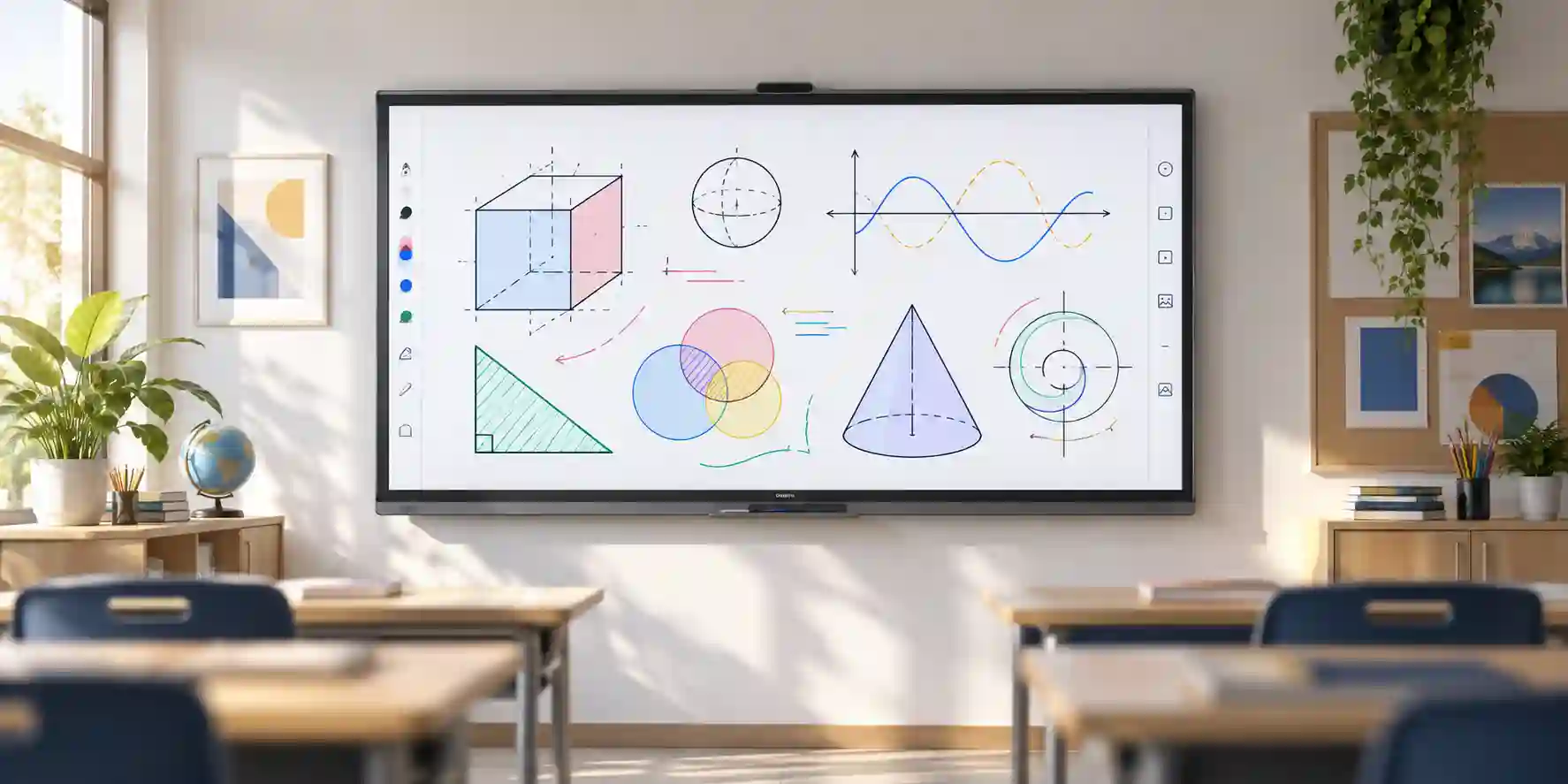
Samsung WAF 75-inch
Choose a larger WAF size when the room is deeper or the audience needs larger text and visual content. The larger canvas can improve collaborative visibility but increases mounting, transport and wall-space requirements.
Samsung WAF 86-inch
Best considered for larger classrooms, lecture areas or executive collaboration rooms where maximum surface area matters. Confirm access routes, lift dimensions and wall structure before specifying an 86-inch interactive panel.
Samsung WAF-P Series
Evaluate newer or higher-tier WAF-P variants when the project benefits from updated platform specifications, increased storage or different connectivity. Exact features vary by model and market, so compare the supplied part number rather than relying only on family names.
Samsung Smart Signage
Use a non-touch commercial signage display when the requirement is presentation, dashboards or communications without interactive annotation. Signage panels can be a more appropriate operational fit for reception, retail and information-display roles.
The correct alternative depends on room geometry, touch requirements and software workload. A buyer should not automatically move to a larger screen because it appears more premium, nor select an interactive panel when no one will use touch. FourTeck can compare screen sizes and related Samsung display families against actual room dimensions and business use cases so the selected model solves the operational need without unnecessary complexity.
Why Enterprises Choose FourTeck
Enterprise display procurement is more reliable when technical validation happens before delivery. FourTeck’s role is to help buyers turn a product request into a complete commercial and deployment specification: correct model, quantity, mounting approach, connectivity, optional computing, cabling and delivery plan. This is particularly important for interactive panels because a missing touch cable, unsuitable bracket or misunderstood software requirement can prevent the room from operating as intended even when the display itself is correct.
FourTeck can support quotation structuring for single-room purchases and multi-site projects, including accessory separation where procurement teams need transparent line items. Delivery coordination can be aligned to UAE site requirements and phased projects. Warranty terms are confirmed according to the actual supply path rather than implied generically, helping customers understand the commercial support boundary before approval. For regional exports, logistics and documentation requirements can be reviewed based on the destination.
Technical pre-sales guidance also helps organisations avoid over-specification. Some rooms need only the WA65F and a secure wall mount; others need an OPS PC, conferencing peripherals, mobile trolley or extended cabling. By identifying the room workflow first, buyers can allocate budget to the features that improve actual utilisation. Contact FourTeck with room count, project location and required applications to build a procurement-ready bill of materials.
Frequently Asked Questions
1. What is the Samsung WA65F?
The Samsung WA65F is a 65-inch 4K interactive professional display in Samsung’s WAF family. It combines an IPS display, infrared touch, integrated Android 14 software with Google EDLA support, embedded processing and multiple wired and wireless connection options. It is intended primarily for interactive education, training, meetings and collaborative work rather than outdoor signage or specialist clinical applications.
2. Does the WA65F work without a separate computer?
Yes. The WA65F includes an embedded Android platform with its own processor, memory and storage, so supported applications, whiteboarding and browser-based workflows can run directly on the display. A separate PC may still be required for Windows-only software, specialist enterprise applications or heavier computing tasks. Buyers can use an external computer or evaluate a compatible OPS module where a self-contained Windows room is preferred.
3. What resolution and panel type does the WA65F use?
Samsung specifies a 65-inch IPS panel with native 3840 × 2160 4K UHD resolution. IPS technology provides wide 178-degree viewing angles, which is valuable in classrooms and meeting rooms where participants sit across a broad seating area. Typical brightness is around 400 nit in common regional specifications, making the display suitable for controlled indoor commercial environments rather than direct-sunlight outdoor locations.
4. How many touch points does the Samsung WA65F support?
Samsung’s regional documentation lists up to 40 touch points when used with an external connected system and up to 20 points in the embedded environment. Practical behavior depends on the operating system and application being used. Most business and classroom workflows rely on handwriting, annotation and a smaller number of simultaneous users, so application compatibility and writing responsiveness are usually more important than the maximum theoretical touch count.
5. Can laptops connect through USB-C?
The WA65F family includes USB-C connectivity in Samsung documentation, enabling modern laptop presentation workflows when the source device supports the required USB-C video behavior. Buyers should validate the exact notebook models, cable specification and whether touch control or charging behavior is required. For guaranteed compatibility across mixed fleets, many organisations retain HDMI as an additional presentation option and provide approved room cables.
6. Can the WA65F be mounted on a wall?
Yes. Samsung specifies a VESA 600 × 400 mm mounting pattern. The bracket must be commercially rated for the display’s weight and installed using anchors appropriate to the wall structure. For gypsum partitions, structural reinforcement is normally required. Buyers should also leave clearance for connectors and service access. A professional installation is recommended because the panel weighs roughly 36 kg before considering the bracket and accessories.
7. Is the WA65F suitable for UAE schools?
Yes, the product category is well suited to classrooms, training rooms and learning spaces when installed in conditioned indoor environments. Schools should validate mounting height, teacher workflow, network access, application policy and classroom size before standardising the model. Larger rooms may need 75-inch or 86-inch versions for better visibility. FourTeck can support quantity quotation, accessory planning and UAE delivery coordination.
8. Does it support Wi-Fi and Bluetooth?
Yes. Samsung WA65F regional specifications include Wi-Fi 5 connectivity and Bluetooth 5.0. Ethernet is also available for wired network deployment. Organisations should place the display on a network segment appropriate to shared collaboration devices and confirm firewall, authentication and wireless presentation policies. Wired Ethernet can be preferable for fixed rooms where predictable connectivity is a priority.
9. What should I include when requesting a quotation?
Provide the WA65F model, required quantity, delivery Emirate and site, target delivery date, wall-mount or mobile-stand preference, and whether you need OPS computing, conferencing accessories or additional cables. For multi-room projects, include a room schedule. This allows FourTeck to prepare a clearer bill of materials and identify any installation or compatibility questions before commercial approval.
10. Is stock and warranty the same for every UAE order?
No. Availability and warranty terms can depend on the exact regional part number, distribution channel, project quantity and timing. Buyers should request current confirmation when ordering rather than relying on historic stock information. FourTeck can state the supplied model, commercial warranty guidance and delivery assumptions in the quotation so procurement teams have a documented basis for approval.
Request a Samsung WA65F Project Quote
Send FourTeck the model, quantity, delivery location and target deployment timeframe. For a more complete proposal, include mounting preference, room count, required computing platform and any conferencing accessories. FourTeck can then confirm current supply options, compatible accessories and commercial terms for your Dubai or UAE project.



