

Quick Procurement & Configuration Matrix
Samsung
WA86F, regional part number varies
86-inch interactive flat-panel display
Teaching, training, whiteboarding, workshops and meeting-room collaboration
Room-based endpoint; multi-room scale depends on network, management and deployment design
AC 100–240 V, 50/60 Hz; 493 W on-mode specification for referenced regional model
Dubai and UAE; regional export coordination available
Terms can vary by region and supply channel; confirm on quotation
Executive Product Architectural Overview
The Samsung WA86F occupies a useful middle ground between a conventional commercial display and a dedicated room-computing appliance. In practical terms, it is not merely an 86-inch monitor with a touch overlay. Its design combines a 4K display surface, an integrated Android environment, infrared touch input, wireless connectivity, front-access ports, rear connectivity, built-in application support and expansion options within a single device. That consolidation matters in classrooms and meeting spaces because every additional mini-PC, adapter, external receiver, USB hub and peripheral introduces another support dependency. By moving core collaboration functions into the panel, the WA86F can reduce the number of separate components that facilities and IT teams must mount, cable, label and maintain.
The visual foundation is an 86-inch IPS panel operating at 3840 × 2160 resolution. At this size, the display is intended for medium-to-large rooms where participants may be positioned several metres from the screen. The 178-degree horizontal and vertical viewing angle specification is important in collaborative layouts because attendees are rarely seated perfectly on-axis. The 400-nit typical brightness is suited to controlled indoor environments such as classrooms, lecture rooms, training areas and boardrooms. It is not an outdoor display and should not be specified as a substitute for high-brightness signage in direct sunlight. The 25% haze specification helps manage reflected light, but room lighting design, window position and mounting angle still influence perceived contrast and writing comfort.
The interactive layer uses infrared touch technology. That architecture is familiar in large-format collaborative displays because it allows the panel to detect touch across a broad surface without requiring active electronic pens for basic input. For educators and facilitators, this supports direct annotation, navigation, content manipulation and whiteboarding. For enterprise use, it lets teams stand at the board and work through diagrams, workflows, planning boards, architectural drawings or presentation material rather than passing control back to a laptop operator. Touch performance should still be evaluated in the context of the intended application, particularly where very fine drawing, specialist design input or unusual gloves and pointing devices are involved.
A central architectural advantage is the integrated Android 14 operating environment with EDLA certification. EDLA certification is especially relevant to institutions that rely on Google services, because it provides a supported path to Google Play and commonly used Google applications within the interactive-display workflow. Instead of treating the board as a passive endpoint that always requires a connected computer, users can access supported applications and tools directly from the display. This is useful for quick-start lessons, classroom activities, ad hoc workshops and meeting sessions in which the user wants to begin without signing into a room PC first. Organizations should nevertheless apply their own application governance, account policy, network segmentation and device-management rules before allowing unrestricted app use.
Connectivity is broad enough to support mixed estates. The WA86F specification includes two HDMI inputs, USB-C, multiple USB ports, audio connectivity, HDMI video output, RS232 control, RJ45 Ethernet, Wi-Fi and Bluetooth, with an OPS interface for optional modular compute. This means a room can support both native Android workflows and conventional external-source workflows. A presenter can connect a laptop, a school can attach document cameras or USB devices where supported, and an enterprise can incorporate the display into its AV control or management approach. The OPS interface is strategically useful for customers that want a Windows-based compute module integrated into the display chassis rather than mounted externally.
For UAE projects, the display should be treated as part of a room system, not as a standalone purchase. The 62.5 kg set weight and 800 × 600 mm VESA pattern mean wall construction, bracket rating, installation height, cable paths and service access need to be planned before delivery. Power, Ethernet, Wi-Fi coverage and USB-C cable length should be checked at the actual installation point. Where the display will be moved between rooms, the mobile stand must be rated appropriately for an 86-inch commercial interactive panel and selected with stability, doorway clearance and lift access in mind. FourTeck can help buyers translate these practical requirements into a procurement bill of materials and delivery plan so the screen arrives as part of a workable deployment rather than becoming a large uninstalled asset awaiting missing brackets, cables or infrastructure changes.
Enterprise Business Value & ROI Benefits
The financial case for an interactive display is rarely based on the panel specification alone. Value is created when the display shortens meeting setup time, reduces dependence on room peripherals, improves visibility for larger groups, enables more direct participation and gives IT teams a repeatable room standard. The WA86F supports that outcome by combining a large 4K canvas with integrated touch and an embedded computing platform.
Collaboration Performance
An 86-inch interactive surface gives teams enough visual area to display dashboards, documents, diagrams and whiteboard content at a scale that remains legible for group sessions. The benefit is not abstract pixel count; it is the ability to keep more context visible while participants interact with the material. In training rooms this can reduce the need to continually zoom, switch views or duplicate content across multiple screens.
Operational Simplicity
Built-in Android, wireless networking and integrated applications can allow common sessions to begin directly on the display. Fewer external components can mean fewer power supplies, fewer HDMI adapters and fewer points of failure. This does not eliminate endpoint management, but it can simplify the standard room design and give support teams a more consistent troubleshooting baseline.
Flexible Endpoint Strategy
The WA86F can work as a self-contained Android board, as a touch display for an attached laptop or PC, or as a host for an optional OPS compute module. That flexibility protects the room design from being tied to one user workflow. Education customers can emphasize Google services, while corporate buyers can attach their preferred managed Windows environment where required.
Space Efficiency
Consolidating display, touch, speakers, computing functions and connectivity into one chassis can reduce the equipment footprint around a teaching wall or collaboration zone. This is particularly useful where rooms have limited furniture, where cable visibility matters, or where mobile carts need to remain manageable. A cleaner physical design can also make maintenance access more predictable.
Lifecycle Consistency
Standardizing on a common interactive-display family across multiple rooms helps organizations document installation, create user guides, stock compatible accessories and train support teams around one operating model. Consistency can lower the indirect cost of supporting a mixed estate, especially in schools, campuses and corporate offices with many collaboration spaces.
Energy & Schedule Governance
The panel supports low-power sleep behavior, while commercial deployment planning can pair it with room operating schedules and sensible shutdown practices. Energy savings depend on actual usage patterns, but procurement teams can improve total operating cost by avoiding unnecessary all-day operation in lightly used rooms and by integrating display usage into facilities policies.
ROI should therefore be measured around room utilization, support effort, setup time, avoided peripheral purchases and the value of more productive collaborative sessions. A school replacing projector-based classrooms may also value the elimination of lamp replacement and image washout associated with some legacy projection environments, although site conditions must be assessed individually. A corporate customer may focus instead on faster workshop starts and consistent collaboration experiences across locations. FourTeck can help buyers frame the project around these measurable operational outcomes rather than limiting the comparison to panel price alone.
Hardware & Technical Architecture Highlights
At panel level, the WA86F uses an IPS architecture with direct LED backlighting and a native 3840 × 2160 landscape resolution. IPS technology is widely used where broad viewing angles are important, and the specified 178-degree viewing angles support classrooms and meeting layouts in which participants sit at the sides of the room. The 1,200:1 contrast ratio and 400-nit typical brightness are optimized for indoor use. Buyers should assess ambient light, especially in glass-walled boardrooms or classrooms with strong daylight, because even a capable commercial panel can appear less contrast-rich if positioned opposite uncontrolled windows.
The touch subsystem is based on infrared sensing. IR touch works by detecting interruptions in an invisible light grid across the surface rather than by requiring every touch point to be electronically sensed inside the LCD structure. For large-format boards, this is a practical approach because it supports finger and passive-pen interaction over a very large area. It also means the glass and bezel condition matter; installation teams should avoid mounting arrangements or accessories that intrude into the active edge area.
The integrated system-on-chip platform runs Android 14 and includes 64 GB of flash storage in the referenced Samsung specification, while Samsung Business India lists 8 GB memory for the 86-inch WAF configuration. This embedded architecture is intended for board-level applications, annotation, content access and collaboration rather than workstation-class computing. Heavy specialist applications, high-end 3D workloads or enterprise software that requires Windows should be assigned to an attached computer or optional OPS module. The distinction is important during sizing: embedded Android is valuable because it reduces friction for everyday collaborative tasks, not because it replaces every endpoint workload.
I/O design is another strength. Samsung specifies two HDMI inputs, USB-C, multiple USB ports, Ethernet, RS232, audio connections, HDMI output and touch-out connectivity. Front-access connectivity is useful for visiting presenters because they can attach a source without reaching behind an 86-inch display. Rear I/O remains valuable for permanent room computers and structured cabling. The OPS interface gives system integrators an upgrade path for integrated compute, while HDMI output can support particular duplication or signal-routing designs depending on the project.
Wireless networking is specified as Wi-Fi 5 for the standard WA86F reference, with Bluetooth also built in. Wireless performance in a real deployment depends on access-point density, channel design, authentication method and local interference. Schools and large enterprises should not assume that because Wi-Fi is integrated, the display can be deployed without network planning. IT teams should place interactive boards on an appropriate network segment, validate authentication compatibility and confirm whether cloud services or app stores are permitted under policy.
Mechanical architecture deserves equal attention. The set measures approximately 1961.8 × 1170 × 87.7 mm and weighs approximately 62.5 kg for the referenced model. The VESA mount is 800 × 600 mm. Those dimensions take the installation outside the scope of casual consumer-TV mounting. The bracket, wall substrate, fasteners, lifting method and service clearances should be professionally planned. In many projects, the cost of safe installation is modest compared with the operational risk of an under-rated mount or an inaccessible cable path. FourTeck can incorporate these factors into pre-sales planning and can coordinate accessory requirements based on the building and room type.
Definitive Technical Specifications & Sizing Notes
| Specification | Samsung WA86F Reference | Buyer Interpretation |
|---|---|---|
| Display Size | 86 inch / 217.42 cm class | Suited to medium and larger teaching or collaboration rooms. |
| Panel / Backlight | IPS / Direct LED | Wide-angle viewing with commercial indoor display characteristics. |
| Resolution | 3840 × 2160 | 4K UHD workspace for text, diagrams, dashboards and annotation. |
| Brightness | 400 nit typical | Designed for indoor rooms; control direct glare for best experience. |
| Contrast Ratio | 1,200:1 | Appropriate for presentation and whiteboard content in controlled lighting. |
| Viewing Angle | 178° / 178° | Supports off-axis seating and wider room layouts. |
| Response Time | 8 ms | Panel response specification; touch feel also depends on app and source device. |
| Touch | Infrared | Supports direct interactive whiteboard and annotation workflows. |
| Operating System | Android 14, EDLA certified | Native application and Google-service workflow subject to organizational policy. |
| Memory / Storage | 8 GB memory / 64 GB storage on referenced regional configuration | Intended for embedded collaboration applications, not workstation-class workloads. |
| Video Inputs | 2 × HDMI, USB-C, OPS interface | Supports permanent and guest sources plus optional modular compute. |
| USB | 4 USB ports plus USB-C in referenced specifications | Useful for peripherals and local media; confirm device compatibility per use case. |
| Network / Wireless | RJ45, Wi-Fi 5, Bluetooth | Allows wired or wireless integration; enterprise authentication should be validated. |
| Power | AC100–240 V 50/60 Hz; 493 W on mode; 0.5 W sleep | Plan dedicated, accessible power and appropriate room electrical capacity. |
| Dimensions | 1961.8 × 1170 × 87.7 mm | Check wall width, door paths, lift access and service clearance. |
| Weight | 62.5 kg set weight | Requires professional handling and appropriately rated mounting hardware. |
| VESA | 800 × 600 mm | Confirm bracket compatibility before shipment. |
| Operating Environment | 0 to 40°C; 10–80% RH non-condensing | Indoor commercial environment; ensure ventilation and HVAC suitability. |
Specifications can differ slightly by regional part number, firmware level and commercial bundle. The WA86F model family is consistent in its core positioning, but buyers should avoid treating accessory lists, warranty periods, included cables or software entitlements from one country as automatically applicable to UAE supply. FourTeck can verify the exact part number offered for a project and record important assumptions on the quotation. For multi-room rollouts, request a sample-unit validation or detailed room standard before committing to a large quantity. This helps confirm wall mount, USB-C behavior, network onboarding, application policy and user workflow against the organization’s actual environment. Where an OPS PC is required, its processor, memory, storage and operating-system licensing should be specified as a separate compute decision.
Configuration, Sizing & Deployment Workbench
Interactive displays are easiest to procure when the room requirement is translated into a short set of engineering decisions. The following workbench provides a repeatable framework for schools, universities, government entities, system integrators and enterprises planning WA86F deployments.
Start with the furthest viewer, not the screen size preference. An 86-inch 4K display is most useful where participants need a large readable surface for detailed material. Measure seating distance, wall width and line of sight. Check whether whiteboards, doors, cabinets or acoustic panels compete for the same wall. In classrooms, consider the standing writing height for teachers and students; in boardrooms, consider camera placement and whether the panel needs to sit above furniture.
Decide whether users will primarily work in the embedded Android environment, connect their own laptops, use a permanent room PC, or require an OPS module. Android-first deployments can be simple and fast for annotation and Google-based workflows. Corporate applications that depend on Windows, domain policies, specialist software or full desktop productivity may be better served by a managed PC. Hybrid designs can support both, but user guidance should make the preferred workflow obvious.
Confirm whether the display will use Ethernet or Wi-Fi. Wired Ethernet is often preferable for fixed rooms because it reduces dependency on radio conditions. If Wi-Fi is required, validate enterprise authentication, VLAN policy, captive-portal restrictions and internet access. Decide how users will authenticate to Google services and how accounts will be cleared or protected between sessions. Public or shared spaces require especially careful sign-out and data-retention procedures.
Map every permanent and guest source to a physical port. Confirm whether the room needs HDMI, USB-C, touch-back USB, audio output or network control. Cable quality matters at 4K resolution, and USB-C behavior can vary by host capabilities and cable specification. For wall-mounted displays, use cable lengths that maintain signal integrity while leaving enough service slack. Install conduits before finishing walls where possible.
With a set weight of approximately 62.5 kg, the WA86F requires an appropriate commercial bracket and properly engineered attachment to the wall structure. Do not size the mount only by screen diagonal. Confirm VESA 800 × 600 support, load rating, fastener type, stud or blockwork condition, desired tilt and service clearance. Mobile stands must also be rated for the panel and stable during touch interaction.
List the applications that must run on day one and separate them into native Android apps, browser-based services and external-PC software. Verify app availability and organizational licensing. EDLA certification enables a richer Google-services path, but it does not remove institutional governance requirements. Schools may need content controls; enterprises may need application whitelisting, account restrictions or network inspection exceptions.
The referenced WA86F specification lists 493 W on-mode consumption and 0.5 W sleep power. Verify the room circuit and avoid hidden power extensions trapped behind the screen. The published operating range is 0 to 40°C with 10–80% non-condensing humidity. In UAE facilities, normal air-conditioned indoor rooms fit the intended environment, but unconditioned spaces, temporary structures or areas with direct solar heat need additional assessment.
Plan for future needs while keeping the initial configuration practical. Leave spare network capacity, consider an accessible pathway for future cables, and document the mount model and display serials. If multiple classrooms or meeting rooms are planned, create a standard drawing and acceptance checklist. This reduces variation between installers and makes later support far easier.
Industry Use Cases & Workload Scenarios
Education
Schools and universities can use the WA86F as a front-of-room teaching canvas for annotation, lesson content, browser resources, Google applications and student participation. The 86-inch format is particularly relevant for larger classrooms where a 65- or 75-inch board may feel visually constrained. IT teams should standardize accounts, app access and content-sharing practices across classrooms.
Corporate Collaboration
Project teams can use the screen for workshops, process mapping, planning boards, architecture reviews and interactive presentations. USB-C and HDMI connectivity make it practical for a mix of managed room PCs and visiting laptops. Where video conferencing is required, the WA86F should be integrated with the organization’s chosen camera, microphone and collaboration platform rather than assumed to be a complete conferencing appliance by itself.
Government & Public Sector
Training centres, briefing rooms and operational planning environments can benefit from a large shared display with touch control. Public-sector buyers should pay close attention to network segmentation, application policy, identity controls and procurement documentation. External compute may be preferred for workloads that must remain within existing secure endpoint standards.
Healthcare Training
Hospitals and medical education facilities can use the display for staff training, simulation debriefs, procedural education and multidisciplinary review sessions. The board can make complex diagrams, protocols and imaging-related discussions easier to follow for a group, while sensitive clinical systems should remain governed by the healthcare organization’s endpoint and data-access controls.
Retail & Customer Experience
Large interactive screens can support staff training, product exploration, guided demonstrations and internal planning. Retail buyers should distinguish between interactive use and always-on signage: the WA86F is primarily a collaborative display, so dedicated signage models may be more appropriate where the requirement is long daily operation without touch.
Logistics & Operations
Operations teams can use the panel for shift briefings, route planning, safety training and collaborative review of dashboards. Touch interaction is useful when supervisors need to annotate plans or work through exceptions with a group. Permanent dashboard operation should be evaluated against operating-hour requirements and source-device resilience.
Technical Feature Deep Dive 1: Processing, Throughput & Workload Performance Architecture
Performance in an interactive display is a combination of panel behavior, touch processing, embedded compute and source-device responsiveness. The WA86F uses an embedded Android platform with an octa-core processing architecture in Samsung’s regional literature, supported by 8 GB memory and 64 GB storage in the referenced configuration. This provides enough local compute for the board-oriented tasks the product is designed around: running the home interface, launching supported applications, browsing content, annotating, using whiteboard tools and handling screen-sharing workflows. It should not be evaluated against a desktop workstation because the objective is instant room usability with low operational friction.
The 4K panel gives applications a 3840 × 2160 canvas, which is particularly beneficial on an 86-inch surface because text and line work can remain crisp at typical collaboration distances. The display pipeline needs to handle both internally rendered Android content and external 4K sources over HDMI or USB-C. When a connected laptop feels slow, the bottleneck may reside in the laptop GPU, USB-C docking path, cable quality or application rather than in the panel itself. Procurement testing should therefore use the actual device types expected in production.
Touch latency is similarly end-to-end. The infrared sensor detects user input, but perceived writing quality also depends on the annotation software, operating system, processing load and whether the board is controlling an external source through touch-back. A well-configured native whiteboard session should feel direct and natural for teaching and workshop use. If the application runs on an attached PC, the USB touch path and PC performance become part of the experience. This is why a proof-of-concept session is valuable for specialized applications such as GIS review, engineering drawings or high-density design tools.
Storage capacity should be treated as working space for applications and local content rather than a substitute for institutional storage. Schools and enterprises should encourage users to save documents to approved cloud or network repositories where policy permits. This reduces the amount of business or educational data left on a shared room device. It also makes board replacement or reset less disruptive because the important information is not trapped locally.
The OPS interface provides a performance escape path where native Android is not enough. An appropriately specified OPS computer can deliver managed Windows applications while keeping the compute module physically integrated with the display. Buyers should size that module independently according to software requirements, processor load, memory demand and security policy. The result is a two-tier architecture: embedded Android for fast everyday interaction and modular or external compute for heavier enterprise workloads.
Technical Feature Deep Dive 2: Security, Redundancy & System Resilience
Interactive displays now sit on enterprise networks and often handle user identities, cloud services and shared content, so they should be governed like endpoints rather than treated as anonymous AV devices. The WA86F’s EDLA-certified Android environment enables access to Google services, which is beneficial for usability but makes identity and application governance more important. Organizations should define who can sign in, whether personal accounts are permitted, how sessions are cleared and which applications can be installed. In public or shared environments, persistent user credentials should be avoided unless a managed workflow explicitly supports them.
Network segmentation is a practical first control. A collaboration display may need internet access, screen sharing and management connectivity without requiring broad access to sensitive internal servers. VLAN placement, firewall rules and DNS policy can limit exposure while preserving the services users actually need. Wired Ethernet can provide stable connectivity for fixed rooms, while Wi-Fi may be appropriate where structured cabling is unavailable. The choice should follow the organization’s network design rather than convenience alone.
Resilience also includes physical and operational factors. Because the display consolidates many room functions, a failed panel can temporarily remove both the visual surface and touch interface. Critical training facilities or high-utilization rooms should therefore plan service coverage, spare-room capacity or rapid replacement procedures. Multi-room organizations can reduce risk by standardizing hardware so users can move to another room without learning a different collaboration platform.
Power management is another resilience issue. The screen’s 0.5 W sleep specification helps reduce idle draw, but a stable room circuit and properly installed power path are still necessary. Avoid inexpensive extension arrangements hidden behind a heavy wall-mounted panel. Where the room is operationally critical, facilities teams can assess surge protection and building power quality according to local standards. UPS use should be based on the complete room equipment load and required runtime, not just the display wattage.
There is no value in overstating redundancy that does not exist. The WA86F is a single-panel endpoint, not a fault-tolerant server. Its resilience comes from disciplined deployment: correct mounting, controlled power, supported firmware, sound network design, repeatable room standards and a clear support process. FourTeck can help procurement teams capture those dependencies at quotation stage so operational expectations remain realistic.
Technical Feature Deep Dive 3: Remote Management, Telemetry & Infrastructure Integration
At scale, the difference between one interactive board and fifty is management. A single unit can be configured manually; a campus rollout needs a consistent way to apply settings, monitor devices and control application behavior. Samsung positions the WAF platform with centralized device-management capabilities for settings and apps, making it more suitable for managed fleets than consumer screens. Exact management functions and required services should be confirmed for the regional firmware and the organization’s intended management platform.
The physical interfaces also support integration with professional AV environments. RS232 enables command-and-control scenarios where a room automation system needs to power or control the display. HDMI output can support defined signal distribution designs. Touch-out connections allow the interactive layer to control an attached source when properly connected. RJ45 provides a stable network path for fixed installations. Together, these interfaces give integrators options that are absent on many consumer televisions.
Telemetry should be used to improve operations rather than collect data without purpose. A facilities team might want to know whether boards are online, whether certain rooms show repeated faults or whether firmware is consistent. An education IT team may care more about app deployment and classroom policy. A corporate workplace team may focus on room availability and standardized user experience. The management design should therefore start with operational questions and then select the tooling that can answer them.
Integration planning must also include the human layer. Users should know whether they are expected to open native apps, cast wirelessly, connect through USB-C or use a room PC. If every method is technically possible but no method is clearly preferred, support calls increase. A short on-screen guide, laminated room card or standard home-screen arrangement can reduce confusion. For larger deployments, FourTeck can help buyers document the hardware baseline while the customer’s IT team defines identity, application and network policy.
Finally, lifecycle management should anticipate change. Google services evolve, apps update, institutional policies tighten and collaboration software changes over time. By choosing a commercial interactive platform with standard I/O and modular compute options, buyers retain more paths to adapt. If a future application requires Windows, OPS or an external PC can be introduced without replacing the panel immediately. If the organization moves more workloads into browser services, the embedded platform becomes increasingly useful. That flexibility is one of the strongest architectural reasons to view the WA86F as infrastructure rather than as a one-time display purchase.
What Buyers Should Check Before Purchase
The largest purchasing errors with interactive displays are usually not caused by misunderstanding resolution. They come from mismatched room size, under-rated mounting, unclear compute expectations, unmanaged user identities, missing cables, unsupported network authentication or assumptions about included accessories and warranty. Use the four checks below before approving a purchase order.
Confirm that 86 inches is appropriate for the furthest viewer and available wall area. Define whether Android, laptop input, room PC or OPS compute is the main workflow. List the applications users must run and identify any that require Windows. Check whether the board will be fixed or mobile, whether touch will be used by children or adults and whether the installation height supports comfortable writing.
Validate wall construction, VESA mount, load rating, cable routes, power location and room cooling. Review wired and wireless network requirements. Confirm laptop port standards, especially USB-C expectations. If video conferencing is required, specify camera, microphone and meeting-platform components separately. For bright rooms, examine glare and window orientation before finalizing placement.
Request the exact regional part number, lead time, delivery location, included accessories and warranty terms in writing. For project quantities, confirm whether all units can be supplied from one commercial batch and whether phased delivery is required. Clarify whether installation, wall mounts, mobile stands, cables and OPS modules are included or priced separately.
Send FourTeck the product model, quantity, emirate, exact delivery area, preferred deployment date and whether wall mounting or mobile stands are needed. Include the expected source devices, network method and any OPS requirement. For education projects, provide classroom count and rollout phases. For corporate projects, state whether the display is part of a wider AV or video-conferencing design.
This checklist turns a generic product inquiry into a deployable project specification. It also helps suppliers distinguish between what is part of the Samsung display and what must be delivered by the wider room solution. That distinction is particularly important when comparing quotations from multiple vendors, because a low headline price may exclude the bracket, installation, transport handling, compute module or necessary cabling. Evaluate comparable scopes rather than only unit price.
UAE Regional Availability & Service Ecosystem
FourTeck supports enterprise and institutional procurement across the UAE with project-focused quotation, configuration validation, delivery coordination and pre-sales guidance. Availability can vary by regional part number and shipment cycle, so buyers should request a current quotation rather than assume online availability. For multi-unit deployments, providing a rollout schedule helps align sourcing and delivery with site readiness.
K1. Dubai Supply & Logistics Support
Dubai customers can request WA86F supply for corporate offices, schools, universities, training centres, hospitality facilities and Free Zone operations. FourTeck can coordinate the commercial side of delivery planning, including quantity confirmation, destination details and required accessories. For high-rise or controlled-access sites, share lift restrictions, receiving hours and security procedures early so the delivery plan reflects the real building environment. Fast quotation depends on having the model, quantity, mounting requirement and target date clearly defined.
K2. Abu Dhabi & Al Ain Logistics Reach
Organizations in Abu Dhabi and Al Ain can use FourTeck for sourcing assistance, quotation coordination and delivery planning for educational, government, industrial and corporate projects. Larger institutions often require formal commercial documentation and phased rollouts; providing site count and target dates at inquiry stage helps structure the proposal. Where the display will be integrated into secure networks or specialist rooms, technical requirements should be included before final part-number confirmation.
K3. Sharjah & Northern Emirates Logistics Infrastructure
Sharjah and Northern Emirates customers can request procurement support for single-room installations or multi-site deployments. FourTeck can help validate mounting, connectivity and accessory assumptions before quotation. Educational institutions in particular benefit from standardizing one room design across classrooms, reducing variation in wall brackets, cables and user workflows. Commercial delivery timing should be coordinated with installation readiness to avoid storing large 86-inch panels unnecessarily.
K4. Ajman & Surrounding Emirates Logistics Coverage
Businesses and education customers in Ajman can request current availability verification, delivery coordination and technical pre-sales guidance. Because an 86-inch display requires careful handling, buyers should provide the final delivery point and building-access conditions rather than only a general emirate location. FourTeck can also help determine whether a wall mount or mobile stand is more appropriate for the intended room and usage pattern.
GCC & Pan-African Supply Chain Reach
For projects outside the UAE, FourTeck can coordinate regional inquiry handling, export-oriented quotation and cross-border hardware logistics subject to destination regulations, carrier constraints and product availability. Export projects should include consignee details, destination country, quantity and required Incoterm or logistics expectations so commercial teams can prepare an appropriate response. Customs duties, local taxes and import approvals remain destination dependent.
L1. Saudi Arabia (KSA) Export & Supply Support
Saudi enterprise, education and integration partners can request configuration validation and project quotation support for WA86F deployments. Large-format displays require freight planning that accounts for package dimensions, handling and final-site delivery. Multi-unit projects should provide city, project schedule and whether shipment will move to one warehouse or multiple sites.
L2. Qatar Market Supply Reach
Qatar buyers can request cross-border logistics coordination and project sourcing for interactive display requirements. For tender or project work, provide the requested model, quantity and technical compliance checklist so the proposed part number can be reviewed against the project requirement before shipment.
L3. Oman Regional Distribution Support
Oman customers can engage FourTeck for procurement guidance and quote coordination, including accessory and mounting requirements. Muscat and regional deliveries should be scoped with the consignee location and project timeline. Any requirement for installation should be discussed separately from product export and freight.
L4. Kuwait Supply Chain Coverage
Kuwait projects can receive quote assistance and export supply coordination through FourTeck’s regional channel. Buyers can review the Kuwait operation at kuwait.fourteck.com and submit project details including quantity, delivery city and required commercial documentation.
L5. Kenya & East Africa Supply Infrastructure
Kenyan system integrators, education organizations and corporate buyers can request regional distribution support, technical inquiry routing and delivery coordination. Project information can be routed through kenya.fourteck.com. Large display shipments should be planned with freight protection, inland delivery and site-receiving capability in mind.
L6. Uganda Regional Procurement Support
Uganda buyers can request localized inquiry response, technology sourcing and project supply management via uganda.fourteck.com. For institutional rollouts, include deployment phases and expected receiving dates so sourcing can be aligned with site preparation.
L7. Pan-African Regional Logistics & Trade Reach
For broader African projects, FourTeck can coordinate multi-country sourcing discussions and export logistics through africa.fourteck.com and fourteck.com. Requirements involving several countries should identify destination, quantity per location, desired delivery window and any local compliance documentation needed by the receiving partner.
Samsung Interactive Display Visual Context
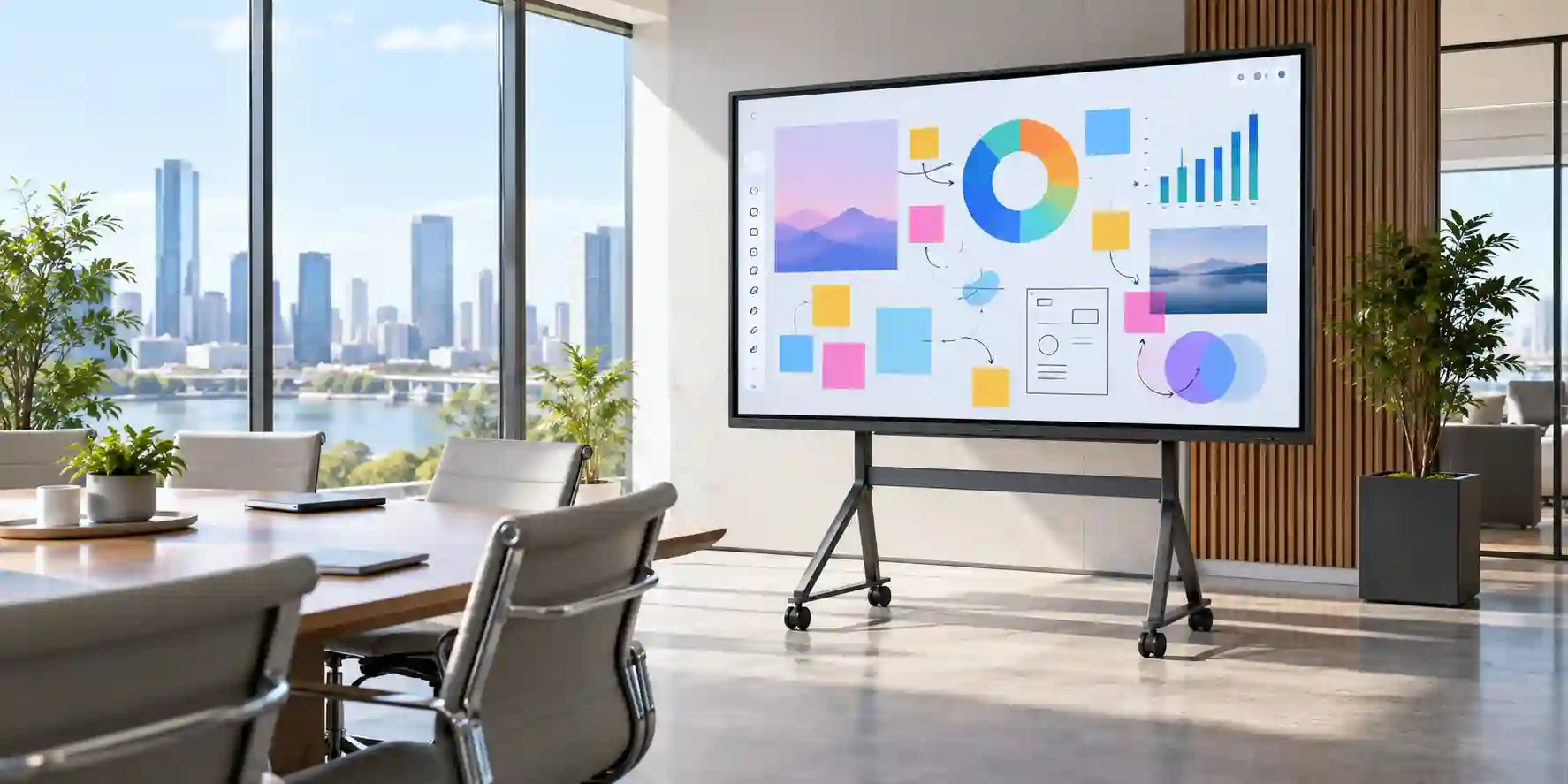
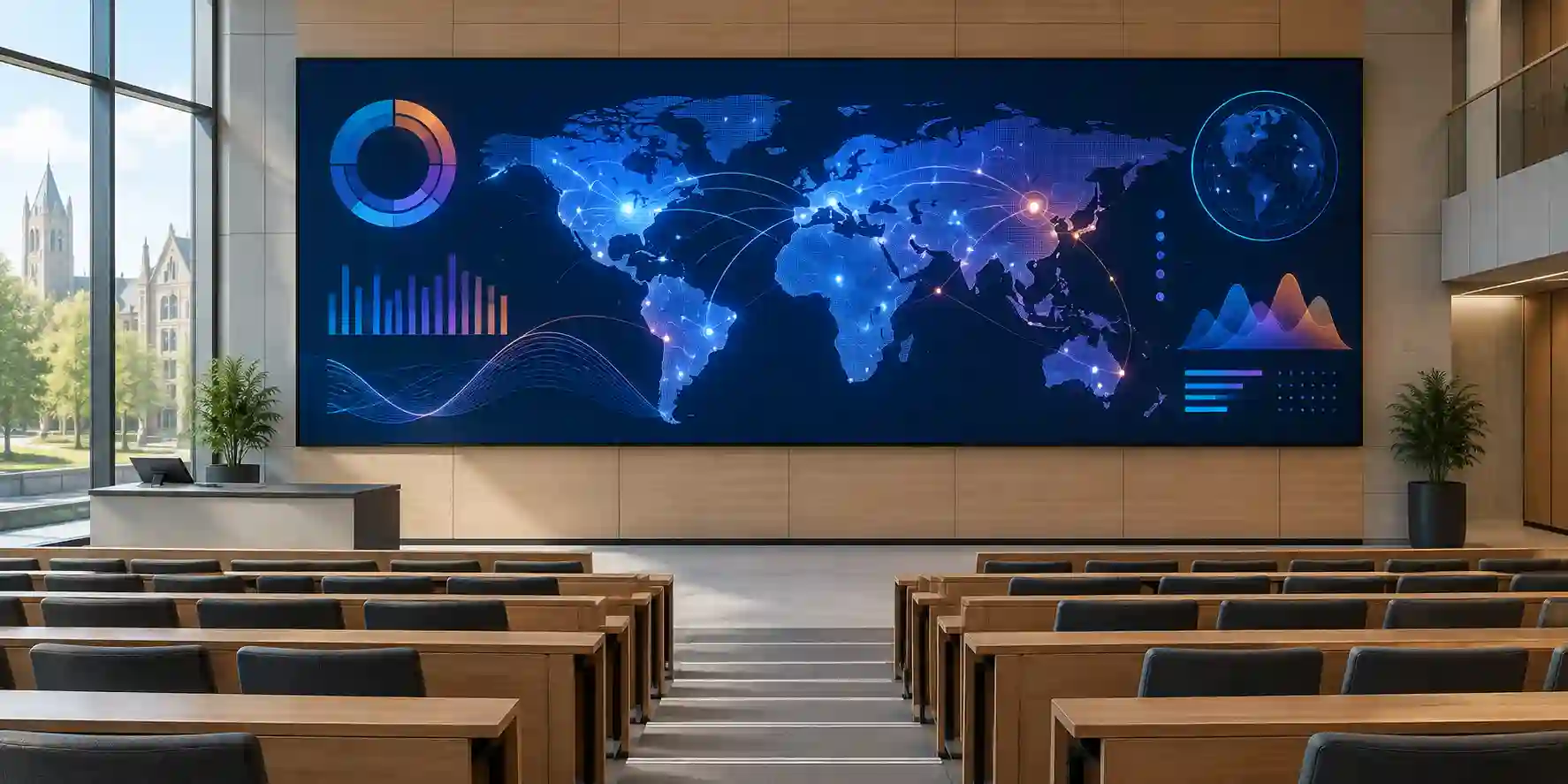
The following FourTeck image library references illustrate Samsung interactive-display and smart-board deployment styling. Final product appearance, stand choice and room integration should be confirmed against the exact WA86F part number and accessories quoted.
Related FourTeck Products & Compatible Alternatives
Samsung WA75F
Choose the 75-inch sibling where rooms are smaller, wall space is tighter or viewing distances do not justify an 86-inch panel. It preserves the same general WAF family approach while reducing physical size and handling requirements.
Samsung WA65F
A 65-inch model can be a better fit for huddle rooms, small classrooms and compact training areas. Buyers should avoid oversizing displays where the nearest users would sit uncomfortably close to an 86-inch panel.
Samsung WAF-P 86-Inch Series
Consider the newer premium WAF-P family where higher brightness, newer wireless capabilities, Android 15, larger memory and storage or additional connectivity are required. The exact benefit depends on the regional model and budget.
Samsung Flip Pro Series
Samsung Flip Pro can be relevant for organizations already standardized on Flip workflows or requiring its specific collaboration features. Compare operating environment, application strategy, port requirements and management approach rather than choosing only by diagonal size.
Samsung Commercial Signage
For non-interactive digital signage, dashboards or long-duration content playback, a commercial signage display may be more appropriate than the WA86F. Interactive boards should be selected when touch and collaborative use deliver real value.
Alternative selection should always begin with the workload. A classroom that needs direct annotation and Google-service access has different priorities from a retail site that needs a 16-hour advertising loop, and a boardroom that needs video conferencing has different peripheral requirements from both. FourTeck can compare models around room size, operating schedule, collaboration platform and total installed scope.
Why Enterprises Choose FourTeck
FourTeck’s role in a WA86F project is to help translate product interest into a commercially and technically coherent deployment. Pre-sales validation can cover the exact model, regional part number, quantity, mounting method, cable expectations, network assumptions and accessory scope before the purchase order is issued. This reduces the risk of receiving a screen that is technically correct but incomplete for the room.
Quotation coordination is structured around project facts. Customers who provide quantity, destination, deployment date and accessory requirements can receive a proposal that is easier to compare and approve internally. For multi-site rollouts, FourTeck can work with phased requirements and separate delivery destinations, subject to stock and logistics conditions at the time of order.
Delivery coordination is particularly important for 86-inch displays because package size and handling requirements are materially different from normal desktop IT equipment. Receiving access, lift size, loading-bay rules and installation timing should be considered. Warranty support is also handled with attention to the commercial channel and regional terms quoted for the specific supply. FourTeck does not need exaggerated claims to add value; careful scoping, documented assumptions and responsive procurement support are what help enterprise buyers reduce avoidable deployment friction.
Frequently Asked Questions
1. What is the Samsung WA86F?
The Samsung WA86F is an 86-inch commercial interactive display in the WAF series. It combines a 4K UHD IPS panel, infrared touch, integrated Android 14, EDLA certification, Wi-Fi, Bluetooth and multiple wired inputs. It is designed primarily for collaborative environments such as classrooms, training facilities and meeting spaces rather than for consumer television use.
2. What resolution and brightness does the WA86F provide?
Samsung specifies a native resolution of 3840 × 2160 and typical brightness of 400 nit for the standard WA86F reference. The 4K resolution provides a detailed large-format workspace for documents, diagrams and whiteboarding. The brightness level is intended for indoor commercial rooms; strong direct sunlight or uncontrolled window glare should be addressed through room design.
3. Does the Samsung WA86F run Android?
Yes. The standard WA86F is specified with Android 14 and EDLA certification. That combination supports an embedded interactive workflow and access to supported Google services and applications. Organizations should still apply their own account, application and network policies, particularly when the display is used as a shared device by many staff members or students.
4. Can laptops connect to the WA86F?
Yes. The WA86F provides HDMI and USB-C connectivity, allowing compatible laptops and other source devices to display content on the panel. Touch control of an external source may require the appropriate touch-back connection and compatible host configuration. Cable quality and laptop capabilities should be verified, especially for 4K video and USB-C workflows.
5. Does the WA86F support an OPS computer?
Yes. Samsung lists an OPS interface for the WA86F. This allows organizations to add a compatible modular computer when a managed Windows environment or heavier desktop application workload is required. The OPS module is a separate sizing decision, and its processor, memory, storage, operating system and licensing should be selected according to the application set.
6. Is the WA86F suitable for large classrooms?
The 86-inch size is well suited to many medium and larger classrooms, but room dimensions and furthest viewing distance should be checked. The 4K resolution and wide viewing angles support group visibility, while touch interaction makes the board useful for teaching and student participation. Installation height should be chosen so users can comfortably reach the interactive area.
7. What mounting standard does the WA86F use?
The referenced WA86F specification uses an 800 × 600 mm VESA mounting pattern and the set weighs approximately 62.5 kg. Buyers should select a commercial mount rated for the display’s weight and size and confirm the wall structure can support the installation. Professional lifting and installation are recommended for a panel of this scale.
8. Does it include Wi-Fi and Bluetooth?
Yes. The standard WA86F specification includes Wi-Fi 5 and Bluetooth. Wi-Fi can be convenient for app access and wireless workflows, while Ethernet may provide more predictable connectivity in fixed rooms. Enterprise customers should verify authentication compatibility, network segmentation and security policy before deploying the display on a production network.
9. What should UAE buyers include in a quote request?
Provide the Samsung WA86F model, required quantity, delivery emirate and area, target deployment date, and whether wall mounts, mobile stands or OPS compute are required. Also mention whether the display will use Android, connected laptops or a permanent room computer. These details allow FourTeck to prepare a more complete project quotation and reduce follow-up delays.
10. Are warranty and included accessories the same in every country?
Not necessarily. Warranty periods, included accessories, regional part numbers and commercial bundles can differ between markets and supply channels. Buyers should rely on the exact quotation for UAE supply rather than a specification page from another country. FourTeck can confirm the offered part number, current warranty guidance and included items before order placement.
Plan Your Samsung WA86F Deployment with FourTeck
To prepare an accurate project quotation, send FourTeck the WA86F model requirement, quantity, delivery location, target deployment date and preferred mounting approach. If the project needs mobile stands, OPS computers, structured cabling, video-conferencing peripherals or multi-site delivery, include those requirements as well. For education rollouts, classroom count and rollout phase are useful; for enterprise projects, include room type and any standard laptop or collaboration platform requirements.



