

Samsung WM65B 65-Inch Flip Pro Interactive Display in Dubai, UAE
Samsung WM65B is a 65-inch professional interactive display built around a 4K UHD VA panel, responsive infrared touch, collaborative whiteboarding, wired and wireless source sharing, and an integrated Samsung smart display platform. It is designed for organisations that need one screen to function as a presentation surface, digital whiteboard, annotation workspace, teaching canvas, remote collaboration endpoint, and shared visual decision tool.
For Dubai and UAE buyers, the WM65B fits particularly well in medium meeting rooms, classrooms, training suites, design review spaces, command briefings, and hybrid-work collaboration areas where touch quality, source flexibility, room integration, and predictable business operation matter more than consumer-TV features.
Procurement Snapshot
Samsung Flip Pro WM65B
65-inch 4K interactive flat panel
Mid-sized meeting rooms, classrooms and training rooms
Dubai and UAE project supply, subject to current availability
Confirm part number, mount, optional tray, warranty and lead time before order
Quick Procurement & Configuration Matrix
Samsung Business Display
WM65B / Flip Pro 65-inch
Interactive 4K flat-panel collaboration display
Whiteboarding, presentation, training, annotation and multi-user collaboration
Up to 20 touch points; application behavior can vary by source and mode
AC 100–240 V, 50/60 Hz
Dubai, UAE and project-based regional export
Confirm UAE warranty entitlement and supplying part number with quotation
Executive Product Architectural Overview
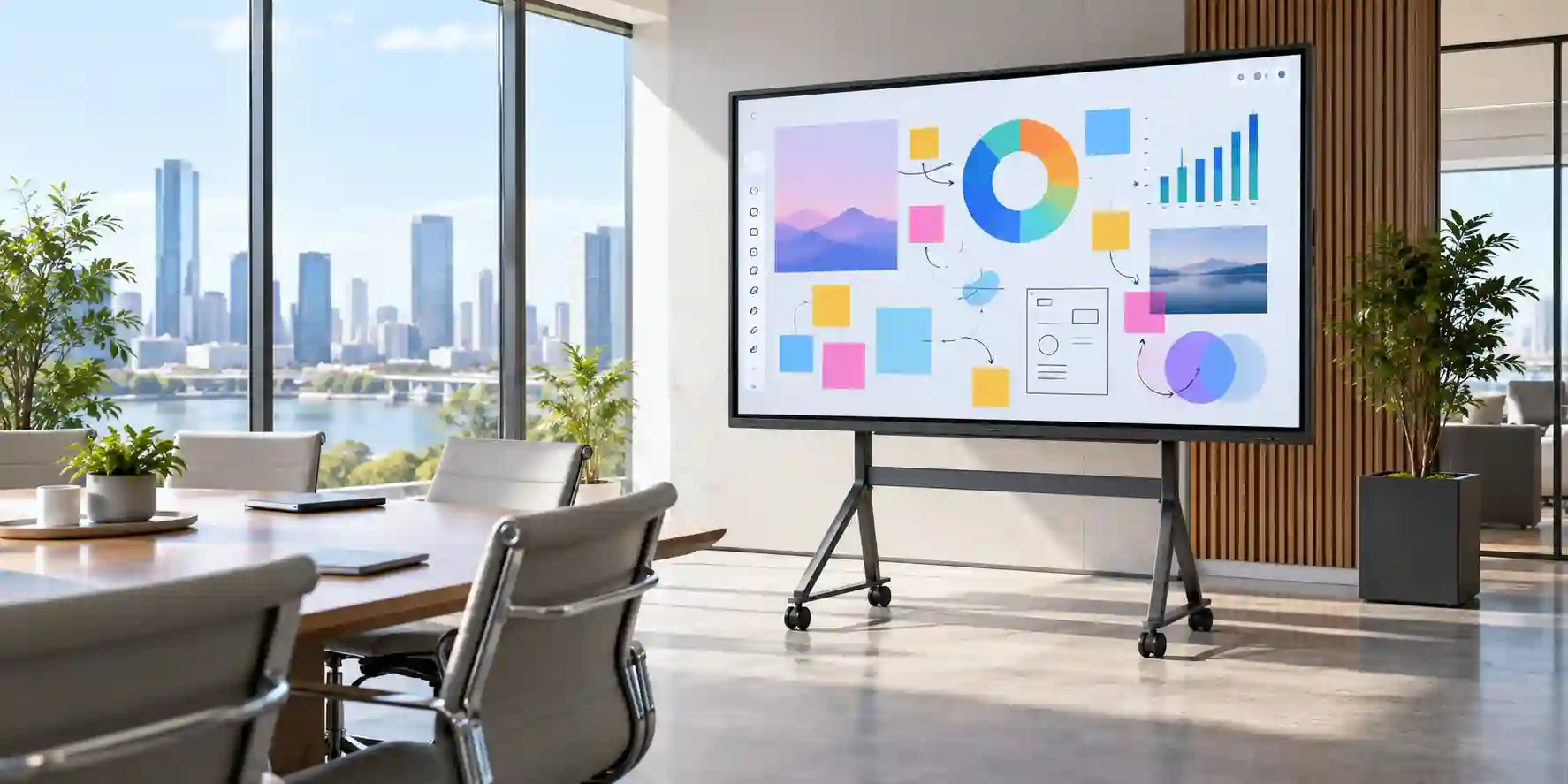
The Samsung WM65B sits in a category that has moved well beyond the traditional electronic whiteboard. In a modern enterprise or education environment, the interactive display is increasingly the shared front end for a room: it receives content from notebooks and mobile devices, provides a large visual surface for structured discussion, captures handwritten contributions, allows teams to annotate business material, and helps a facilitator move from presentation to participation without changing equipment. The WM65B combines these roles within a 65-inch 4K UHD panel, making it a practical choice for spaces that are too large for a desktop collaboration monitor but do not require the physical footprint of 75-inch or 85-inch installations.
The core visual architecture uses a VA panel with a native 3,840 × 2,160 resolution. That pixel density matters in real rooms because an interactive display is viewed at mixed distances: participants at the back of a meeting room need readable charts and text, while a presenter standing close to the glass needs crisp interface elements and precise pen feedback. Samsung specifies wide viewing angles and a business-use operating profile intended for scheduled daily operation. Buyers should still size the room carefully. Screen diagonal alone is not a complete sizing metric; viewing distance, font size, room width, furniture placement, ambient light, camera position and presenter movement all influence whether 65 inches is appropriate.
Touch is delivered through an infrared interaction layer. Samsung publishes support for up to 20 touch points, with low touch-overlay response and a writing latency figure of 26 ms in the Flip interface under the applicable conditions. These figures translate into a noticeably more natural user experience than older interactive systems that force users to wait for ink to catch up with a pen stroke. The practical benefit is not simply smoother writing. Lower perceived latency makes it easier to diagram a process, mark architectural plans, review a spreadsheet, teach a mathematical concept, collect workshop input or run a design critique without the technology interrupting the conversation.
The built-in Flip environment is also important from an operational perspective. Many organisations do not want every room to depend on a dedicated PC just to start a whiteboard. The embedded system supports Samsung’s whiteboard workflows, a web browsing environment, wireless sharing, network connectivity and compatible remote-work capabilities. This reduces the number of steps needed to move from an empty room to a working collaboration session. At the same time, the WM65B remains a display endpoint that can be integrated with external Windows, macOS and mobile devices. HDMI, DisplayPort, USB, Ethernet and wireless options allow the display to participate in an existing AV and IT architecture rather than forcing a completely separate room ecosystem.
For UAE organisations, integration planning should include more than the screen itself. The procurement bill of materials may require a wall bracket or mobile stand, an optional connectivity tray, longer certified video cables, USB touch-return cabling, USB-C cabling where applicable, surge protection, network access, meeting-room compute, wireless presentation policies, cable management and installation services. The final part number can vary by market. FourTeck therefore treats the WM65B as a solution component rather than an isolated SKU: the quotation process should validate the intended source devices, mounting method, room type, user count, required input path and warranty expectation before the order is finalized.
This approach also protects buyers from a common specification mistake. Interactive displays often have features that vary by regional SKU, firmware level, optional front tray or attached computing platform. For example, Samsung documentation across regions can describe different USB-C power behavior and connection layouts. A responsible procurement process should therefore distinguish between the base display’s confirmed capabilities and functions that depend on the selected regional configuration. FourTeck can confirm current UAE supply details at quotation stage so that the delivered unit aligns with the planned room architecture.
Enterprise Business Value & ROI Benefits
The business case for an interactive display is strongest when it reduces meeting friction, consolidates room tools and improves the speed with which teams can turn information into decisions. The WM65B is not purchased merely for touch capability; it is purchased to change how the room works. The following value areas explain where the platform can contribute operationally when it is sized, installed and governed correctly.
Faster Collaborative Work
Teams can move directly from presentation into annotation, diagramming and whiteboarding on the same surface. This shortens the transition between explaining a problem and working on it. In project reviews, workshop facilitation and classroom environments, the ability for multiple people to interact with the same visual surface can make discussions more participatory and reduce dependence on one person controlling a laptop.
Room Standardisation
A consistent interactive-display standard can reduce variation between rooms. Instead of combining separate whiteboards, consumer televisions, wireless dongles and ad-hoc touch devices, organisations can define a repeatable room design. Standardisation simplifies user training, replacement planning, cable specifications, mounting practice and support documentation, especially across multiple offices, schools or training locations.
Source Flexibility
The WM65B supports conventional wired sources and wireless collaboration methods, allowing a room to serve mixed device populations. This is valuable in organisations where employees, customers, instructors or visitors bring different notebooks, tablets and phones. A broad connection model reduces the chance that a productive session is delayed because one presenter lacks a specific adapter or proprietary endpoint.
Readable 4K Canvas
4K resolution gives teams room to display detailed diagrams, dashboards, drawings, documents and multi-window content without reducing everything to large presentation slides. In engineering review, financial analysis, product planning and teaching, this can improve the amount of useful information shown at once. The result is not a guaranteed productivity gain, but it can reduce repeated zooming and switching between views.
Operational Reliability
Professional displays are designed around managed business use rather than living-room entertainment. The WM65B’s stated operating profile, network interfaces, control options and remote-management capabilities make it easier to include the screen in a facility support model. This matters when multiple rooms must be available at the start of a business day or teaching schedule and when IT teams need predictable service procedures.
Safer Shared-Surface Design
Samsung equips the Flip Pro with protective screen treatments including a proprietary shatterproof film and an antimicrobial surface treatment. These features should not be interpreted as a substitute for hygiene policies or physical safety controls, but they add useful design considerations for classrooms, training rooms and other shared spaces where a display is touched frequently by many users.
Lifecycle Planning
Because the WM65B can be deployed as part of a structured room standard, procurement teams can plan mounts, cable routes, network drops, spare pens, accessories and support coverage at project level. This reduces the hidden cost of one-off room builds. FourTeck can help map the display into a broader rollout bill of materials so that installation assumptions are documented before hardware arrives.
Hardware & Technical Architecture Highlights
At the hardware layer, the WM65B combines a 65-inch VA LCD panel, Edge LED backlighting, a touch-overlay subsystem, embedded system-on-chip processing, integrated memory and storage, wireless radios, wired network connectivity, audio output and multiple physical source interfaces. Samsung lists the native panel resolution at 3,840 × 2,160 pixels with a typical 4,000:1 contrast ratio without glass and wide 178-degree viewing angles. Brightness is specified differently with and without the front glass, which is important when comparing the figure with non-touch commercial displays. Buyers should compare the in-room viewing requirement rather than using one brightness number in isolation.
The interactive layer uses infrared touch detection. Unlike a simple capacitive personal-device screen, an IR frame is engineered for larger interactive surfaces and supports multiple simultaneous contacts. Samsung specifies a 6.7 ms touch-overlay response and 26 ms latency in the Flip interface under the relevant test conditions, with up to 20 touch points supported. Passive pens attach magnetically and do not require the battery-management overhead associated with active styluses. The software adds pen and brush modes, quick tools, a palette and gesture-style erasing, allowing the screen to behave more like a shared working surface than a conventional signage panel.
The embedded platform is based on Samsung’s Tizen environment. Published WM65B documentation identifies a quad-core ARM Cortex-A72 class processor, 3.5 GB of LPDDR4 memory and 32 GB of storage, with available user capacity lower than the raw storage figure after system allocation. This architecture is intended to run the integrated collaboration interface, browser and platform services; it should not be confused with a full workstation-class PC. Where an organisation needs specialist Windows applications, complex video conferencing software or a tightly managed corporate endpoint, the display can be paired with an external room computer or compatible OPS-style solution according to the deployment design.
Connectivity is a major part of the hardware architecture. The base platform provides HDMI, DisplayPort, USB, Ethernet, Wi-Fi and Bluetooth capability. Samsung also documents touch-out paths so an external computer can use the large touch surface as an input device when cabled appropriately. An optional front connectivity tray can expand convenient front-access connections, and regional documentation describes USB-C functionality that can combine image transport, touch control and device charging. Because USB-C power behavior can differ by regional documentation and configuration, FourTeck recommends validating the UAE part number and required charging expectation rather than assuming a universal wattage.
Audio is integrated, reducing the need for separate speakers in straightforward presentation or classroom use. For higher-quality conferencing, larger rooms or AV-standardised spaces, external audio or a conferencing system may still be preferable. Control and management interfaces, including network and serial connectivity, also allow the display to be integrated into broader room-management practices. Samsung’s MagicINFO ecosystem can provide remote content and notification capabilities where the necessary licensing and integration are in place, which is particularly useful for schools and multi-room environments.
Mechanical architecture matters because a 65-inch interactive display is a substantial installed object. Samsung lists a 400 × 400 mm VESA pattern and a set weight of approximately 39.7 kg in published documentation. The installation surface, bracket rating, wall construction, anchoring method, service access, ventilation, screen height and cable strain relief should therefore be reviewed before deployment. Mobile stands must be rated for the display’s weight and VESA pattern and should have an appropriately stable base for touch interaction. FourTeck can help customers identify the physical accessories that fit the intended environment.
Definitive Technical Specifications & Sizing Notes
| Category | Specification | WM65B Detail |
|---|---|---|
| Display | Diagonal size | 65 inches |
| Display | Panel / Resolution | VA / 3,840 × 2,160 UHD |
| Display | Brightness | 350 cd/m² typical without glass; approximately 220 cd/m² with glass in published regional specifications |
| Display | Contrast ratio | 4,000:1 typical without glass |
| Display | Viewing angle | 178° horizontal / 178° vertical |
| Display | Panel response time | 8 ms |
| Operation | Published operation support | 16/7 in Samsung Gulf/European business specifications; confirm regional operating guidance |
| Touch | Technology / points | Infrared touch; up to 20 touch points |
| Touch | Touch overlay / writing latency | 6.7 ms overlay response; 26 ms Flip UI latency under applicable conditions |
| Platform | Embedded system | Samsung Tizen-based Flip platform; published documentation lists quad-core CA72, 3.5 GB LPDDR4 and 32 GB storage |
| Video | Physical inputs | HDMI and DisplayPort on base configuration; additional front connectivity can depend on optional tray |
| Network | Wired / Wireless | RJ-45 Ethernet, Wi-Fi, Bluetooth; SmartView+ and Apple AirPlay 2 support |
| USB-C | Combined functions | Screen mirroring, touch control and device charging where supported; wattage and availability are region/configuration dependent |
| Audio | Integrated speakers | Integrated speaker system; regional documentation should be checked for exact output profile |
| Power | Input | AC 100–240 V, 50/60 Hz |
| Mechanical | Set dimensions | Approximately 1522.4 × 897.6 × 62.9 mm |
| Mechanical | Weight | Approximately 39.7 kg without packaging |
| Mounting | VESA | 400 × 400 mm |
| Environment | Operating conditions | Published documentation indicates 0–40°C and 10–80% relative humidity; validate site conditions and installation ventilation |
Specifications should be read as a system-design reference rather than a substitute for final part-number validation. Samsung publishes the WM65B across multiple regions, and regional pages can differ in details such as part-number suffix, USB-C power behavior, accessory packaging and listed power consumption methodology. The safest purchasing method is to identify which features are mandatory for the project and ask FourTeck to confirm them against the UAE-supplied unit. For example, if a customer expects one-cable USB-C operation for a laptop, the quotation should explicitly state whether video, touch return and the required charging wattage are supported in the selected configuration. If the display will be controlled by a central AV system, the RS-232 and network-control design should be reviewed. If it will be mobile, the stand must be verified for weight, VESA pattern, center of gravity and frequent touch interaction. If it will be wall mounted, structural anchoring and service clearance should be documented before installation.
Configuration, Sizing & Deployment Workbench
A successful WM65B deployment starts by translating the room’s workflow into technical requirements. The following decision sequence can be used by IT, facilities, AV teams, procurement departments and system integrators to prevent common ordering and installation errors.
01 / Validate Room Size and Viewing Distance
Start with the room, not the display. A 65-inch panel is typically attractive for medium meeting rooms and classrooms, but the correct size depends on how far the furthest participant sits from the screen and what content will be shown. Large-font presentations tolerate longer distances than spreadsheets, engineering drawings or dashboards. Map the seating layout, presenter standing zone, camera position and any side-angle viewers. If the audience is large or detailed content must be read from the back of the room, a 75-inch or 85-inch alternative may be more appropriate.
02 / Define Collaboration Load and User Behavior
Determine whether users will simply annotate occasionally or whether multiple participants will actively write, drag objects and work together. The WM65B supports up to 20 touch points, but the actual application and connected operating system must also support the intended multi-touch behavior. For training rooms, confirm whether instructors need to save notes, export content, browse web resources or switch frequently between attached sources. For corporate workshops, identify whether external visitors need a frictionless wireless-sharing method.
03 / Choose the Source Architecture
Decide whether the display will operate mainly from its embedded interface, from user laptops, from a permanently installed room computer, or from a dedicated video-conferencing platform. This determines the importance of HDMI, DisplayPort, USB touch return, USB-C and network access. If the room will use a fixed PC, plan separate video and touch paths unless a validated one-cable workflow is available. If guest users will connect, provide clearly labeled access points and approved cables to reduce support calls.
04 / Validate Network and Wireless Policy
Wireless sharing can be extremely useful, but enterprise networks may restrict peer discovery, multicast traffic, guest access or cross-VLAN communication. Engage the network team before installation if SmartView+, AirPlay 2, remote-management services or browser access are expected. Decide whether the display will use wired Ethernet, enterprise Wi-Fi or both. For education and public environments, define who can cast content and how sessions are cleared. Wireless convenience should be balanced with access-control and network-segmentation policies.
05 / Plan Power, Mounting and Cable Paths
The display requires a properly rated AC supply and a mounting system suitable for roughly 40 kg of screen weight plus the forces introduced by touch interaction. Wall structures must be assessed rather than assumed. Cable paths should separate power and signal appropriately, avoid tight connector bends and preserve service access. For mobile deployments, use a commercial stand rated for the screen and plan a safe power-cable route that does not create a trip hazard. Consider surge protection or UPS support according to facility standards and the importance of the room.
06 / Confirm Licensing and Management Expectations
Some management and integration functions can require separate software, licenses, server components or third-party services. If the organisation expects centralised content push, room alerts, fleet management, remote assistance or integration with an education information system, document those requirements during design. The display’s presence does not automatically provide every enterprise-management workflow. FourTeck can help distinguish the base hardware capability from separately licensed or externally integrated components.
07 / Establish Lifecycle and Support Ownership
Before deployment, decide who owns firmware updates, room testing, cable replacement, pen replacement, physical cleaning, warranty escalation and user assistance. Samsung continues to publish firmware and support resources for the WM65B, so a documented maintenance process is worthwhile. Organisations with many rooms should maintain a basic configuration record for each display, including serial number, network placement, mount type, firmware level, associated room computer and warranty details.
Industry Use Cases & Workload Scenarios
Banking & Finance
In finance teams, the WM65B can support budget workshops, portfolio reviews, branch training, product planning and risk discussions. Presenters can mark up charts or documents while participants contribute around the same screen. Where confidential content is involved, organisations should pair the display with appropriate room-access rules, secure source devices, controlled wireless-sharing settings and session-clearing procedures. The display is a collaboration surface; information security still depends on the wider endpoint and network architecture.
Healthcare
Hospitals, clinics and medical education teams can use the display for training, process mapping, non-diagnostic collaboration, administrative reviews and teaching. The large 4K canvas is useful for complex diagrams and multi-step workflows. Buyers should carefully assess any requirement involving regulated clinical imaging, infection-control procedures or patient data because those may demand specialised certified equipment and governance beyond a general-purpose interactive business display.
Government & Public Sector
Government departments can deploy the WM65B in project rooms, training centres, operational briefings and administrative meeting spaces. Wired connectivity offers predictable source paths, while wireless functions can be enabled according to agency policy. Procurement teams should validate security requirements, network-segmentation rules, warranty coverage, regional part numbers and long-term support expectations before standardising a display across multiple sites.
Logistics & Operations
Warehousing, transport and supply-chain teams often work with maps, schedules, dashboards and process diagrams. An interactive screen allows supervisors to explain exceptions visually, annotate route or workflow issues and conduct shift training. In dusty, hot or industrial environments, however, site conditions must be compared with the display’s rated operating environment. The WM65B is best treated as an indoor professional collaboration display rather than an industrial hardened terminal.
Retail & Commercial Training
Retail groups can use the WM65B in headquarters, back-office training rooms and product-education centres. Store planning teams can review layouts, campaign artwork and sales dashboards collaboratively. If the requirement is continuous customer-facing signage rather than touch collaboration, a dedicated Samsung commercial signage family may be a better fit. FourTeck can help separate the interactive-room requirement from the digital-signage requirement so that each screen is selected for its intended duty cycle and controls.
Education & Training
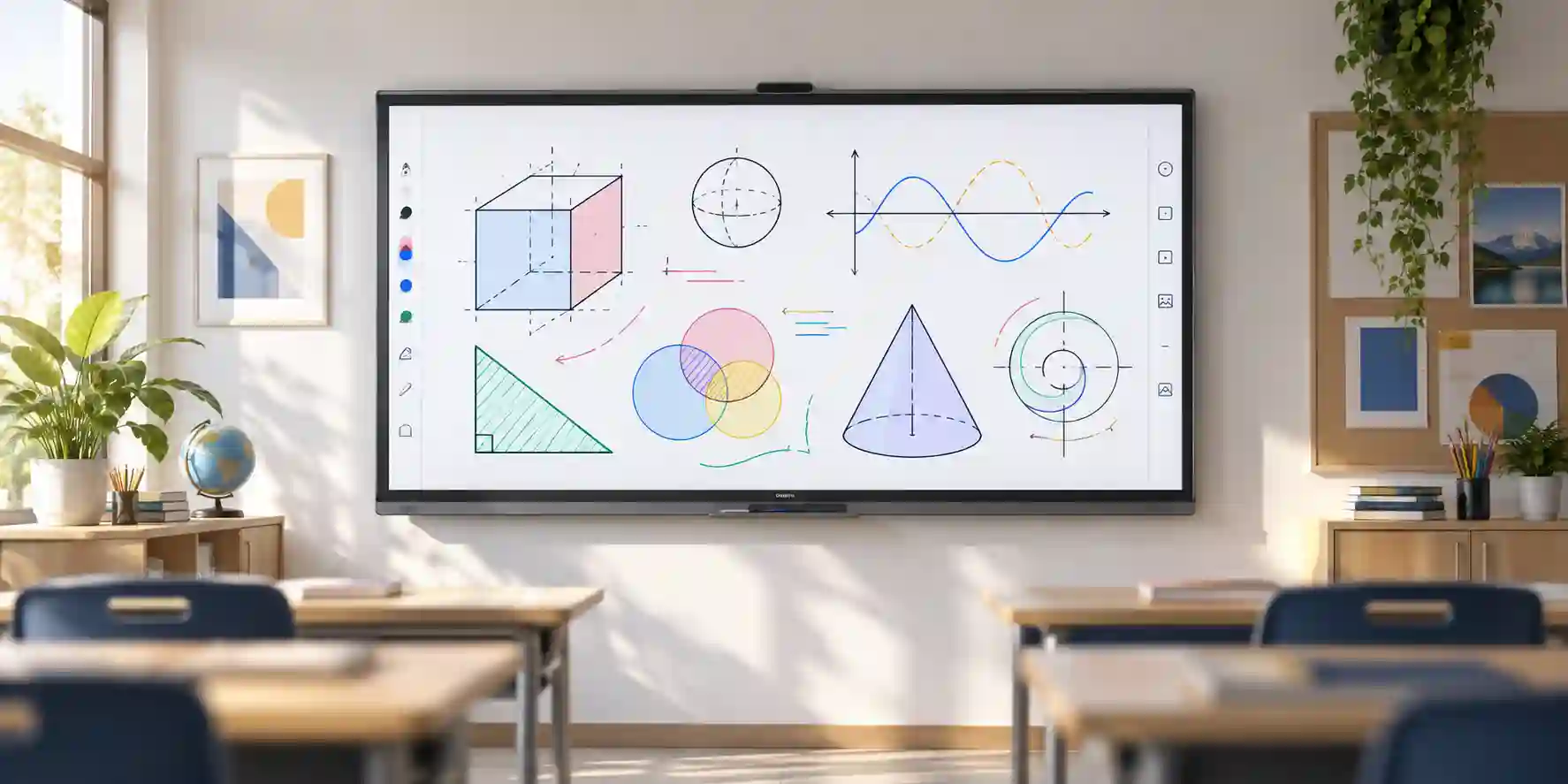
Education is one of the most natural environments for the Flip Pro platform. Teachers and trainers can combine whiteboarding, web resources, presentation content, annotation and student participation on a single display. Multi-touch support makes small-group interaction practical, while wireless sharing can help students present from compatible devices. Schools should plan mounting height, cable protection, wireless policy, account/session practices and a simple support procedure so that instructors are not forced to troubleshoot technology during lessons.
Technical Feature Deep Dive 1: Touch, Visual Performance & Collaboration Throughput
Interactive-display performance is best understood as a chain rather than a single specification. The user writes on the glass, the IR touch system detects the contact, the embedded platform or external computer interprets the coordinates, the application renders the stroke, and the LCD updates the image. Delay at any point can make writing feel unnatural. Samsung’s design targets this entire experience with a low-latency touch layer and prediction logic in the Flip environment. The published 26 ms writing-latency figure is therefore more meaningful to a facilitator than the LCD’s panel response time alone. It indicates how quickly digital ink can appear in Samsung’s own interface under the relevant conditions.
The 20-point touch capability also needs to be understood in context. It means the hardware can recognise a substantial number of simultaneous contacts, which is valuable for group activities. However, the actual number of useful simultaneous users is governed by application design, available screen area and human ergonomics. Twenty fingers touching the screen does not necessarily mean twenty people can productively work on the 65-inch canvas at once. In a classroom, several students may interact around the display. In a boardroom, two or three people may annotate simultaneously while others observe. The important point is that the touch system has enough capacity to support genuine multi-user scenarios rather than forcing single-person control.
Resolution contributes another layer of throughput because it determines how much information the display can show while maintaining clarity. At 4K UHD, the WM65B can present dense content such as multi-column spreadsheets, dashboards, diagrams and annotated documents more effectively than a lower-resolution panel of the same size. This is especially helpful when users stand close to the screen, where individual interface elements and text remain sharper. The trade-off is that source devices and applications should be configured with appropriate scaling. A laptop outputting native 4K with very small interface text may still be difficult to use from the back of a room, so Windows or macOS scaling settings should be part of room commissioning.
Wireless collaboration extends throughput from the physical screen to the room. SmartView+ is designed to allow multiple compatible devices to connect, while AirPlay 2 provides a familiar path for Apple users. Samsung documentation describes multi-device connection and multi-view capabilities that can support larger classes and meeting groups. The useful enterprise question is not merely whether wireless casting exists but whether it can be governed. Organisations should define who is allowed to connect, how devices discover the display, whether guest VLANs can reach it and what process is used to clear previous sessions. Network policy can determine whether a wireless feature feels effortless or unreliable.
Wired connections remain essential for predictable high-value rooms. HDMI and DisplayPort allow direct source attachment, while USB touch-out can return touch input to a connected computer. This model is useful for corporate applications that must run on a managed endpoint rather than the embedded display platform. A presenter can show a Windows application on the WM65B and interact with it from the screen, provided the video and touch paths are cabled and supported correctly. For project deployments, FourTeck recommends labeling both paths clearly and testing them during commissioning because a working video cable does not automatically imply that touch return is active.
Technical Feature Deep Dive 2: Security, Physical Protection & System Resilience
Security for an interactive display has several layers: physical access, network access, source-device security, application behavior, management credentials and content handling. The WM65B includes network and wireless capabilities, which means it should be treated as an IT asset rather than a passive television. Enterprise deployments should place it on an appropriate network segment, restrict unnecessary access, maintain firmware according to organisational policy and document who can change settings. If the display is used in a shared or public room, administrators should also decide whether browser data, saved whiteboard material or connected-device history needs to be cleared between sessions.
Wireless presentation deserves particular attention because it intentionally makes content sharing easy. Ease of use and access control can conflict. In a school, a teacher may want students to share from personal devices. In a corporate boardroom, the same openness may be undesirable. The correct design depends on the network architecture and the audience. Where wireless discovery cannot be safely enabled, wired presentation remains available. This is one reason the WM65B’s combination of physical and wireless interfaces is valuable: it gives IT teams options rather than forcing one collaboration method.
Physical resilience is also relevant because interactive displays are touched repeatedly and are often installed in busy shared environments. Samsung uses a proprietary shatterproof film intended to help keep broken glass together in the event of damage. The company also applies an antimicrobial coating to the screen surface. Samsung explicitly notes that the antimicrobial property does not protect users from bacteria or viruses and that its effectiveness can vary with conditions. Buyers should therefore understand it as a material feature, not a replacement for cleaning procedures or health protocols.
Operational resilience depends on installation quality. A correctly mounted screen with adequate ventilation, protected cables and stable power is less likely to suffer avoidable service incidents. Touch displays are subject to physical force during normal use, so wall anchors and mobile stands experience different stresses from passive signage screens. Likewise, USB and HDMI ports used by frequent visitors can wear faster than hidden fixed connections. A good deployment therefore provides easy-access connections where appropriate, strain relief, short replaceable patch cables and documented spare accessories.
The WM65B’s professional operating profile also supports predictable scheduling. Samsung business specifications list 16/7 operation support for the model in relevant regions. This does not mean the display should be used as a 24/7 signage panel, and it should not be selected for always-on applications without checking duty-cycle requirements. In classrooms and offices, 16 hours per day is generally compatible with extended working schedules, but specialised environments should confirm operating expectations with the supplied regional documentation.
Technical Feature Deep Dive 3: Remote Management, Telemetry & Infrastructure Integration
Interactive displays create a support challenge when deployed at scale: a single screen is easy to configure manually, but dozens or hundreds of rooms require repeatable management. Samsung positions the Flip Pro within its broader business-display ecosystem, including MagicINFO-related remote content and notification workflows where the necessary components and licenses are available. In education, Samsung describes the ability to push alerts and warnings to displays through integrated systems. For enterprises, the broader principle is equally useful: a display fleet should be visible and manageable through documented processes rather than treated as isolated room appliances.
Integration can begin with basic connectivity. RJ-45 Ethernet provides a stable wired path where wireless policy is restrictive. RS-232 support can be used in AV-control environments for command-based integration. Network-connected management may support remote operational workflows depending on the software stack and licensing. A facilities or AV team can therefore design the WM65B into a room-standard template that includes display control, room-compute status and help-desk procedures. The exact telemetry and control functions available should be validated against the chosen management platform rather than assumed from the hardware interfaces alone.
Remote work capability also extends to the user workflow. Samsung documentation for the WM65B includes support references for remote desktop-style services and web-based productivity access in the embedded environment. These functions can be useful for lightweight access scenarios, but most enterprises will still prefer a managed external endpoint for applications that handle confidential data or require complex authentication. The display should therefore be positioned according to the organisation’s endpoint model: embedded features for quick collaboration and web access, external compute for controlled corporate workloads, or a hybrid of both.
From a telemetry perspective, the most valuable deployment practice may simply be asset consistency. Record the display model, serial number, installed firmware, physical location, network identity, mount type and attached room computer. This creates a support baseline. If a user reports that touch is not working, IT can quickly determine whether the issue is the USB touch-return cable, source input, external PC driver, application or display setting. Without that baseline, interactive-display tickets often become long troubleshooting sessions because the room’s connection design is undocumented.
FourTeck can support this integration process during procurement by identifying which features require optional hardware, which interfaces are available on the supplied configuration and which project assumptions need to be validated before dispatch. For large rollouts, customers should provide a room schedule that lists quantity, room type, mount style, source architecture, network requirement, accessory needs and target deployment date. This makes the quotation more accurate and reduces the chance that installation teams encounter missing trays, mounts, cables or adapters on site.
What Buyers Should Check Before Purchase
Most avoidable interactive-display problems come from mismatched room size, assumed accessory inclusion, unverified USB-C behavior, unsuitable mounting or incomplete network planning. Use the four checks below to convert the WM65B from a product selection into an installable project specification.
01 / FIT: Configuration Fit & Model Sizing
Confirm that 65 inches is suitable for the furthest viewer and the type of material shown. Validate whether multi-touch, embedded whiteboarding, wireless casting and external PC touch control are required. If the display will primarily show static signage or operate around the clock, consider a different Samsung commercial-display family. If the room is larger, compare 75-inch and 85-inch Flip Pro variants. If the room is small, verify that the 65-inch physical dimensions do not dominate the wall or interfere with furniture and camera sight lines.
02 / MATCH: Compatibility & Environmental Requirements
List the actual source devices and operating systems that will connect. Confirm required video connectors, touch-return method, wireless-sharing policy, network access, USB-C expectation and optional tray requirement. Check wall structure, VESA mount rating, cable lengths, ventilation, ambient light, temperature and humidity. If a mobile stand is required, validate its rated load and stability under touch. A compatibility checklist is more reliable than choosing accessories after the display has already arrived.
03 / TERMS: Availability, Delivery & Warranty Terms
Ask for the exact regional part number, commercial lead time, delivery location coverage, warranty entitlement and included accessories on the quotation. Large interactive displays require careful transport and handling, so delivery terms should state whether unloading, inside delivery, installation or wall mounting are included or quoted separately. For project quantities, confirm whether units will ship from one batch and whether the project schedule requires phased delivery. Do not assume that accessories shown in marketing images are included with the base display.
04 / REQUEST: Quote Preparation Data Needed
For a fast and accurate FourTeck quotation, provide the model, quantity, delivery Emirate, site or Free Zone, desired installation date, wall-mount or mobile-stand preference, number and type of source devices, wireless-sharing requirement, USB-C charging expectation, conferencing platform if any, optional tray requirement and warranty expectations. For multi-room projects, a simple room-by-room schedule can prevent accessory mismatches and allows the commercial team to structure the quote around actual deployment groups.
UAE Regional Availability & Service Ecosystem
FourTeck supports UAE organisations that require Samsung interactive displays for single-room upgrades, classroom programs, office fit-outs and larger multi-site rollouts. Supply is subject to current distributor stock, regional part-number availability and project quantity, so quotations should be treated as the authoritative source for lead time. The procurement process can include configuration validation, accessory planning, logistics coordination and pre-sales guidance to reduce the risk of a display arriving without the required mounting or connectivity components.
K1. Dubai Supply & Logistics Support
Dubai customers can request WM65B quotations for corporate offices, schools, training centres, hospitality back-office spaces, design studios, healthcare administration and Free Zone operations. FourTeck can coordinate commercial supply across major Dubai business areas and support project discussions around mounts, stands, optional connection accessories and source-device compatibility. For urgent requirements, stock status should be confirmed at quote time because professional display availability can change with project demand and regional shipments.
K2. Abu Dhabi & Al Ain Logistics Reach
For Abu Dhabi and Al Ain, FourTeck can coordinate sourcing and delivery for government, industrial, education and corporate projects. Buyers should provide site details early when access procedures, delivery bookings or phased project schedules are involved. Pre-sales validation is particularly valuable for large installations because room standards, mounting conditions and network policies may differ between headquarters, branches, campuses and operational sites.
K3. Sharjah & Northern Emirates Logistics Infrastructure
Businesses and educational institutions in Sharjah and the Northern Emirates can source the WM65B through FourTeck with quotation support, project planning and commercial delivery coordination. Customers with multiple campuses or branches should identify the quantity and destination for each location so that freight and deployment sequencing can be planned accurately. Compatibility checks can also be aligned with existing AV equipment, meeting-room computers and network policies.
K4. Ajman & Surrounding Emirates Logistics Coverage
Ajman organisations can request availability verification, technical pre-sales guidance and delivery coordination for the Samsung WM65B. The quotation process can account for local delivery, required stands or brackets, front-access connectivity needs and intended source devices. For education and training deployments, buyers should also specify whether installation height, mobile movement, cable protection or multiple-user access creates additional accessory requirements.
GCC & Pan-African Supply Chain Reach
FourTeck can support regional project enquiries where customers need UAE-based sourcing combined with export coordination. Cross-border transactions depend on destination regulations, stock position, shipping method, documentation, warranty routing and importer requirements. Project buyers should therefore share destination country, quantity, required delivery term and end-use details early so that the commercial team can structure a practical quotation and identify documentation needs.
L1. Saudi Arabia (KSA) Export & Supply Support
Saudi enterprise, education and system-integration projects can be supported with configuration validation, regional inquiry routing and project quotation. Large-display logistics should account for packaging dimensions, protected freight handling and any local installation partner requirements. For multi-site rollouts, buyers should provide city-level quantities and preferred delivery phases.
L2. Qatar Market Supply Reach
Qatar buyers can request WM65B sourcing and project coordination for classrooms, meeting rooms and training facilities. Export quotes can be prepared around quantity, shipping mode, delivery terms and accessory requirements. Where a project depends on a particular Samsung regional part number or warranty route, this should be stated during inquiry.
L3. Oman Regional Distribution Support
For Oman, FourTeck can assist with hardware procurement guidance, quotation coordination and export planning. Customers should identify whether the display will be wall-mounted or placed on a mobile stand and whether optional connectivity hardware is required, as these items affect packing, shipping weight and deployment readiness.
L4. Kuwait Supply Chain Coverage
Kuwait projects can be supported with commercial sourcing, project quote assistance and export coordination. Buyers can also visit FourTeck Kuwait for regional contact and procurement routing. Exact lead time and warranty conditions should be confirmed for the destination supply path.
L5. Kenya & East Africa Supply Infrastructure
Kenyan system integrators, schools, enterprises and regional project teams can route inquiries through FourTeck Kenya. Support can cover technical inquiry routing, configuration review and delivery coordination, with freight planning based on project quantity, destination and accessory package.
L6. Uganda Regional Procurement Support
Uganda customers can use FourTeck Uganda for regional inquiry response, project supply management and technology sourcing. Interactive-display projects benefit from early confirmation of mounting, cabling and source-device requirements because these components can be more difficult to substitute after equipment reaches site.
L7. Pan-African Regional Logistics & Trade Reach
For broader African projects, FourTeck can coordinate multi-country commercial inquiries, technology sourcing and export planning through FourTeck Africa and FourTeck Global. Buyers should provide destination, quantities, delivery schedule and required accessories so that project logistics can be structured around real deployment needs rather than a display-only shipment.
Related FourTeck Products & Compatible Alternatives
The WM65B is a strong fit for medium interactive rooms, but buyers should compare adjacent Samsung products when room scale or workload differs. The correct alternative is determined by physical size, collaboration behavior and duty cycle rather than model age alone.
Samsung WM55B Flip Pro
Select the 55-inch model for smaller huddle rooms, compact classrooms or training areas where wall space is constrained and viewers remain relatively close to the display.
Samsung WM75B Flip Pro
Choose the 75-inch version when a larger audience needs better visibility but the project still requires the Flip Pro interactive workflow and collaborative touch experience.
Samsung WM85B Flip Pro
The 85-inch format is better suited to boardrooms, large classrooms and wider collaboration spaces where participants sit further from the screen or detailed content must remain readable at distance.
Samsung QMC / QHC Commercial Display
Use a commercial signage display when touch and whiteboarding are not required and the primary workload is scheduled signage, dashboards, menus, information display or presentation-only operation.
Samsung Smart Board Solutions
Consider other Samsung interactive-board families where a project has different education software, camera integration, Android requirements, certified platform needs or organisation-specific collaboration standards.
Why Enterprises Choose FourTeck
Enterprise display procurement works best when commercial supply and technical validation happen together. FourTeck can help buyers confirm the intended Samsung model, regional availability, mounting approach, accessory set, source-device connection method and delivery requirements before an order is placed. This is particularly important for interactive displays because a missing touch cable, optional tray, unsuitable bracket or incorrect assumption about USB-C behavior can delay an otherwise straightforward room installation.
Project quotations can be structured around quantity, site location, phased delivery and deployment schedule rather than a single unit price alone. Customers with multiple rooms can provide a room list so that display sizes, stands, mounts and connectivity accessories are matched to each space. For UAE customers, logistics coordination can account for Dubai, Abu Dhabi, Sharjah, Ajman and other Emirates, subject to project terms and site access.
After purchase, warranty handling depends on the supplied part number, applicable Samsung policy and commercial terms shown on the quotation. FourTeck’s role is to keep those expectations explicit. Buyers should retain serial numbers, invoices and deployment records, especially for multi-site rollouts. Clear documentation at the procurement stage makes later support significantly easier and reduces uncertainty about which accessory, cable, firmware or warranty route applies to a particular room.
Frequently Asked Questions
1. What is the Samsung WM65B Flip Pro?
The Samsung WM65B is a 65-inch professional interactive 4K UHD display designed for collaborative rooms, classrooms and training environments. It combines a VA display panel, infrared multi-touch, Samsung’s Flip whiteboard interface, wired video inputs, network connectivity and wireless collaboration features. It can operate as a standalone interactive workspace for many common tasks or act as a touch-enabled display for an external computer.
2. How many touch points does the WM65B support?
Samsung specifies support for up to 20 touch points on the WM65B. This allows multiple users to interact with the display at the same time, subject to the application and source-device behavior. Samsung also publishes a 6.7 ms touch-overlay response and a 26 ms writing-latency figure for the Flip interface under applicable conditions, supporting a smooth pen-and-touch experience.
3. Is the WM65B suitable for a medium meeting room?
Yes, 65 inches is commonly suitable for medium meeting rooms where participants are seated at moderate viewing distances and require an interactive collaboration surface. Room geometry still matters. If the furthest viewers need to read detailed spreadsheets, drawings or small text, a 75-inch or 85-inch model may be more appropriate. FourTeck can help compare screen size with room layout before quotation.
4. Does the Samsung WM65B support 4K resolution?
Yes. The WM65B uses a native 3,840 × 2,160 UHD panel. The higher resolution is useful for detailed documents, diagrams, dashboards and interface elements, particularly when users stand close to the screen. The connected source should also be configured correctly for 4K output and readable interface scaling, because resolution alone does not guarantee that small text will be comfortable from the back of a room.
5. Can users share content wirelessly to the WM65B?
Yes. Samsung documents wireless collaboration features including SmartView+ and Apple AirPlay 2, in addition to Wi-Fi and Bluetooth capability. The practical experience depends on network design and organisational policy. Enterprise networks may restrict device discovery or cross-network communication, so wireless presentation should be tested on the intended VLAN and guest-access architecture before a large rollout.
6. Does the WM65B have USB-C?
Samsung documentation describes USB-C functionality for Flip Pro configurations, including combinations of screen mirroring, touch control and device charging. However, published regional materials can differ on charging wattage and the role of the optional front connectivity tray. UAE buyers should therefore ask FourTeck to confirm the exact regional part number, tray configuration and required USB-C charging behavior on the project quotation.
7. Can the display be wall mounted?
Yes. Samsung lists a 400 × 400 mm VESA mounting pattern for the WM65B. The screen weighs about 39.7 kg without packaging, so the bracket, wall structure and anchors must be rated appropriately and installed using correct construction methods. Because users physically press and write on the screen, the installation should account for touch forces as well as static weight.
8. Is the WM65B intended for 24/7 signage use?
The WM65B is primarily an interactive collaboration display, and Samsung business specifications for applicable regions list 16/7 operating support. It should not automatically be treated as a 24/7 signage panel. If an application requires continuous always-on operation, FourTeck can recommend a Samsung commercial signage family designed around that duty cycle and the required brightness, control and content-management profile.
9. What information should I send for a FourTeck quotation?
Send the Samsung WM65B model requirement, quantity, delivery location, target deployment date, wall-mount or mobile-stand preference, source-device types, wireless-sharing requirement, optional tray requirement, USB-C expectations and warranty preference. For multi-room projects, include a room schedule. This allows the quotation to cover the display and the practical accessories required to install it rather than quoting an incomplete screen-only package.
10. Is the Samsung WM65B available in Dubai and the UAE?
FourTeck can source and quote Samsung professional displays for Dubai and UAE projects, subject to current channel availability, quantity and regional part number. Stock levels and lead times can change, especially for project quantities, so availability should be confirmed at quotation stage. FourTeck can also coordinate accessory selection, delivery planning and pre-sales validation for deployments across other Emirates.
Plan Your Samsung WM65B Deployment with FourTeck
For an accurate procurement proposal, send FourTeck the required model, quantity, delivery location, preferred deployment date, mounting method and source-device requirements. If USB-C, wireless sharing, central management, mobile stands or optional front connectivity are important, include those requirements in the inquiry so the quoted configuration can be validated before order placement.
Project teams deploying multiple rooms should include a simple room schedule with screen size, mount type, connection method and location for each room. This enables cleaner accessory planning and reduces installation delays caused by missing components.



