

Samsung WM85B 85-Inch Flip Pro Interactive Display in Dubai, UAE
The Samsung WM85B Flip Pro is an 85-inch 4K interactive collaboration display built for large classrooms, training spaces, boardrooms and enterprise meeting environments that need natural writing, multi-user touch and flexible wired or wireless content sharing. Its combination of 3840 x 2160 resolution, responsive pen interaction, up to 20 simultaneous touch points and business connectivity gives UAE organizations a practical platform for instruction, workshops, design reviews and collaborative decision-making.
For procurement teams, the WM85B is particularly relevant where one large visual surface must support presentation, annotation, device connection and managed deployment without turning every room into a collection of separate peripherals. FourTeck can help validate the model, accessories, installation approach, quantity, delivery plan and regional commercial requirements before purchase.
Procurement Snapshot
Model: WM85B / Gulf part family LH85WMBWLGCXUE
Display: 85-inch VA, 3840 x 2160
Interaction: Pen/brush mode, up to 20 touch points
Deployment: Corporate, education, training, government and collaboration rooms
Availability: Contact FourTeck for current UAE project stock, lead time and warranty options.
Quick Procurement & Configuration Matrix
Samsung Flip Pro WM85B interactive display.
85-inch UHD touch-enabled interactive flat panel.
Teaching, workshops, boardroom collaboration, annotation, training and visual review.
Up to 20 simultaneous touch points; single-touch writing latency is specified at 26 ms.
AC 100–240 V, 50/60 Hz; plan circuit and cable routing for installed location.
Dubai, Abu Dhabi, Al Ain, Sharjah, Ajman and other UAE locations, subject to quotation.
Warranty route and duration can depend on channel and project supply. Confirm on quotation.
Heavy large-format display; wall structure, bracket rating and service access require validation.
Executive Product Architectural Overview
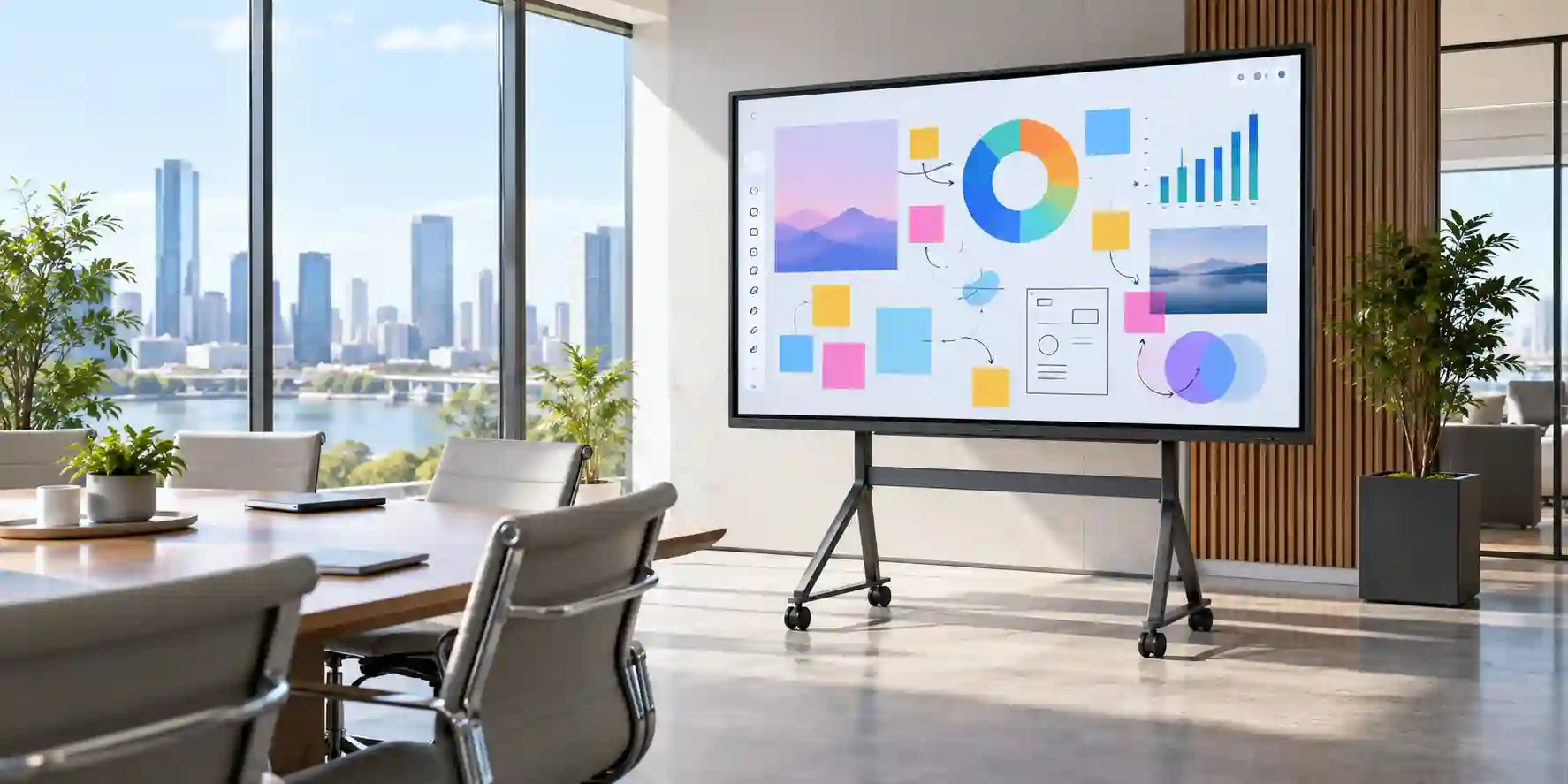
The Samsung WM85B is best understood as a collaboration endpoint rather than simply a large television with touch added. In a conventional meeting or teaching space, separate components often accumulate around the room: a display, wireless presentation adapter, interactive whiteboard, speakers, USB extension equipment, a room PC, cables for guest laptops and sometimes a dedicated annotation device. Every additional component adds another failure point, another power adapter, another firmware stream and another support dependency. The WM85B consolidates several of these functions into one large interactive surface. That consolidation is operationally valuable because the display becomes the shared visual and touch layer of the room, while source devices, network services and collaboration platforms can be selected according to the organization’s standards.
At 85 inches, the panel is positioned for larger rooms where information density and viewing distance matter. The native 3840 x 2160 resolution gives teams enough pixel area for detailed spreadsheets, dashboards, diagrams, CAD reviews, teaching material, multi-window content and high-resolution media. A 178-degree horizontal and vertical viewing specification helps maintain practical visibility for participants seated away from the central axis. The 4000:1 contrast specification without the protective glass reflects the characteristics of its VA panel architecture, while Samsung lists typical brightness at 350 cd/m² without glass and 220 cd/m² with glass. These figures matter because an interactive display is normally viewed through a protective writing surface; room lighting, glazing and direct sunlight should therefore be considered during site planning instead of assuming the raw-panel brightness value describes the installed experience.
The interaction layer is where Flip Pro differentiates itself from a passive large-format screen. Samsung specifies single-touch latency of 26 ms, prediction logic, 2,048 sensing levels for writing behavior and support for up to 20 simultaneous touch points. In practical terms, a lecturer can annotate a lesson, a facilitator can capture ideas during a workshop, or multiple participants can interact with content without passing a single input device around the room. The passive pen approach also reduces dependency on rechargeable stylus batteries. Pen-and-brush modes, quick tools, palette access, note layering and palm/finger erasing are intended to make the surface behave more like a familiar writing board while retaining digital content flexibility.
Connectivity has been designed around mixed-device environments. Two HDMI inputs and one DisplayPort input address fixed room computers, laptops, conferencing systems and AV switching. USB interfaces support peripherals and content workflows, while the front USB-C port is especially useful for modern notebooks because a compatible single cable can carry display output, touch return and up to 65 W charging. This can materially simplify a meeting room: instead of a presenter connecting video, USB touch and a charger separately, one supported USB-C connection may handle all three functions. The display also includes RJ45, Wi-Fi and Bluetooth for network and accessory integration, as well as RS232 for control scenarios and an OPS slot for organizations that prefer an integrated compute module.
Samsung’s Tizen 6.5 platform and 32 GB internal storage give the WM85B an embedded operating foundation for its interactive features and supported applications. For managed environments, this matters because some room workflows can operate without a permanently exposed external PC, while others can use an OPS computer or centrally managed endpoint when Windows-domain integration, specialist applications or a standardized enterprise image are mandatory. The architecture therefore supports different deployment philosophies: appliance-like interactive use for simpler rooms, paired-compute use for corporate environments, and a hybrid model where both native functions and an external collaboration endpoint coexist.
Audio is integrated as a 4-channel 40 W speaker system on the 85-inch model. This can be sufficient for general teaching, presentations, embedded video and many meeting-room scenarios, reducing the need for separate speakers. However, rooms used for hybrid conferencing should still be acoustically assessed. Microphone pickup, echo cancellation, camera positioning and far-end speech intelligibility are distinct requirements from local content playback, so conferencing peripherals should be selected based on room size and platform standards rather than assuming display speakers alone constitute a full meeting-room system.
From a UAE procurement perspective, the WM85B fits projects where organizations need a standardized large interactive endpoint across classrooms, executive rooms, training centers, innovation labs or customer-experience environments. The significant physical size and approximately 75.2 kg net weight mean deployment must include structural assessment, rated mounting hardware, safe handling and proper service clearance. A successful project therefore combines the right product with correct mounting, power, cable routes, network readiness, input-device policy, room-lighting conditions and user workflow. FourTeck can coordinate those procurement questions before quotation so the selected configuration is aligned to the actual room rather than treated as a box-only purchase.
Enterprise Business Value & ROI Benefits
Faster Room Start-Up
A collaboration room loses value when users spend the first ten minutes identifying the correct cable, locating a remote control or troubleshooting adapters. The WM85B’s HDMI, DisplayPort, USB and USB-C options let IT teams design several predictable connection paths. In rooms centered on modern USB-C notebooks, the single-cable experience can reduce presenter friction because video, touch and charging can be combined. Fewer connection steps translate into more usable meeting or lesson time and fewer basic support calls.
Shared Participation
Up to 20 simultaneous touch points allow a workshop to become participatory rather than presenter-controlled. For design thinking, classroom exercises, planning sessions and process mapping, multiple people can engage with the visual surface. The value is not the touch-count specification in isolation; it is the ability to shorten the distance between discussion and documented action, reducing the need to recreate handwritten notes after a session.
Room Standardization
Large organizations often struggle with inconsistent room technology. Standardizing on a defined interactive-display family can simplify mounting specifications, cabling templates, user instructions, spare strategy and support escalation. The WM85B’s predictable connectivity and embedded platform can form part of a repeatable room blueprint, while an OPS or external PC can be added where more specialized software is required.
Reduced Peripheral Sprawl
Integrated speakers, touch, wireless sharing capability and the interactive software environment can eliminate some standalone room devices. Each peripheral removed from a room reduces cabling, power supplies, mounting hardware, remote controls and support dependencies. Procurement teams should calculate lifecycle value using both purchase cost and the operational cost of maintaining separate subsystems.
Better Visual Collaboration
The 85-inch 4K canvas is large enough for content that becomes difficult to interpret on conventional meeting-room screens: detailed project plans, engineering diagrams, large worksheets, financial dashboards and rich teaching material. Better visibility supports more informed discussion and reduces the constant zooming, panning and reformatting associated with smaller displays.
Flexible Compute Strategy
Organizations can use the embedded Tizen environment, connect existing laptops, integrate an OPS computer or adopt a dedicated collaboration endpoint. That flexibility protects investment when software strategy changes. A school may emphasize native board functions; a corporate customer may standardize on managed Windows endpoints; a government project may require a controlled compute image. The display can serve as the common interactive layer across these approaches.
The most meaningful return on an interactive display generally comes from utilization rather than a single hardware metric. A device that is easy to connect, large enough for the room, intuitive to write on and consistent across sites is more likely to be used frequently. Conversely, an impressive display installed at the wrong height, in direct glare, with inadequate cabling or without a defined conferencing workflow can underperform despite strong specifications. For this reason, FourTeck’s pre-sales process should focus on room purpose, user profile, source devices, mounting environment and support model before finalizing quantity and accessories.
Hardware & Technical Architecture Highlights
The WM85B uses a large VA LCD panel with 3840 x 2160 native resolution and a pixel pitch of approximately 0.4875 mm. VA technology is commonly selected for strong native contrast, which is relevant for presentations containing dark interfaces, video, diagrams and mixed-content backgrounds. Samsung specifies an 8 ms panel response time and 48–75 Hz vertical scanning range. These display characteristics make the unit appropriate for general interactive business and education content rather than specialized high-refresh esports or color-critical mastering workflows.
Its embedded computing platform is based on Tizen 6.5 and, according to Samsung technical documentation for the WM85B platform, uses a quad-core Cortex-A72 processor running at up to 1.7 GHz, LPDDR4 memory and 32 GB internal storage. This embedded architecture handles the board interface, annotation functions, device connectivity and supported display applications. It should not be confused with a full workstation: organizations that need heavyweight desktop applications, specialist engineering software, complex browser sessions or strict enterprise endpoint-management policies should pair the display with an external PC or approved OPS module.
Touch sensing is integrated into the front interaction layer. Samsung promotes 26 ms latency for single-touch input, 2,048 sensing levels and up to 20-point multi-touch. A passive pen is advantageous in shared environments because it has no battery lifecycle to manage. The protective writing surface influences delivered brightness, so buyers should consider room illumination and reflections. The specified 2% haze value without glass does not remove the need for a site-level lighting assessment, particularly for glass-fronted meeting rooms or classrooms with strong daylight.
Physical integration is a major part of the architecture at this size. The set measures approximately 1945.8 mm wide, 1151.1 mm high and 89 mm deep, with a listed net weight of about 75.2 kg. This is not a casual two-person consumer-TV installation. The wall construction, bracket specification, anchoring method, access route, lift equipment, cable service loop and maintenance clearance should all be assessed. Packaging is substantially larger and heavier than the bare display, so delivery planning must also account for elevators, door widths, loading-bay rules and staging space.
The connectivity architecture supports both AV and IT integration. HDMI 2.0 and DisplayPort 1.2 accept common 4K sources; HDCP 2.2 supports protected content paths where compatible. The front USB-C connection can combine screen mirroring, touch control and up to 65 W charging, a particularly valuable feature for notebook-centric organizations. RJ45, Wi-Fi and Bluetooth add network and accessory flexibility, while RS232 supports control-system integration. An OPS slot enables an optional embedded compute configuration, which can be useful where the organization wants a self-contained Windows-based room endpoint without an exposed mini-PC.
The 85-inch model includes an integrated 40 W, 4-channel speaker system. Audio integration reduces the number of room components for local playback and teaching use. For video conferencing, however, speaker adequacy should be evaluated together with camera, microphone and acoustic design. In a large reverberant boardroom, a dedicated room-audio solution may still be appropriate even though the display already provides capable local speakers.
Definitive Technical Specifications & Sizing Notes
| Category | Specification | Buyer Interpretation |
|---|---|---|
| Model | Samsung Flip Pro WM85B; Gulf part LH85WMBWLGCXUE | Confirm exact regional part number on final quote. |
| Display | 85-inch VA LCD | Sized for large collaboration and teaching rooms. |
| Resolution | 3840 x 2160 UHD | Provides high information density for detailed content. |
| Brightness | 350 cd/m² without glass; 220 cd/m² with glass, typical | Assess daylight and glare in the actual room. |
| Contrast | 4000:1 without glass | Supports strong differentiation between dark and light content. |
| Viewing Angle | 178° / 178° | Useful for wide classrooms and boardroom seating. |
| Response Time | 8 ms panel response | Appropriate for mainstream interactive content and video. |
| Touch | Up to 20 touch points; 26 ms single-touch latency | Supports multi-user exercises and natural board interaction. |
| Writing | Pen/brush mode, passive pen, 2,048 sensing levels | No stylus battery lifecycle for standard writing workflow. |
| Video Inputs | 2 x HDMI 2.0, 1 x DisplayPort 1.2 | Supports fixed and guest sources without immediate AV switching. |
| USB | Multiple USB ports including front USB-C | Plan peripheral and touch-return paths during room design. |
| USB-C | Video, touch control and charging up to 65 W | Can simplify modern notebook connection with one compatible cable. |
| Network | RJ45, Wi-Fi, Bluetooth | Supports wired and wireless integration strategies. |
| Control | RS232 input | Useful for AV control-system workflows. |
| Platform | Tizen 6.5; 32 GB storage | Embedded collaboration environment; external compute may be added. |
| Audio | 40 W, 4-channel integrated speakers | Suitable for local media; conferencing audio should be assessed separately. |
| Operation Support | 16/7 listed for Gulf model | Suitable for extended daily institutional use; not specified as 24/7 signage. |
| Power | AC 100–240 V, 50/60 Hz; listed on-mode 528 W at 100–240 V / 506 W at 220–240 V | Provide correctly rated outlet, isolation and cable routing. |
| Dimensions | 1945.8 x 1151.1 x 89 mm | Validate wall area, viewing position and access path. |
| Net Weight | Approx. 75.2 kg | Requires professional large-format handling and rated mounting. |
Specification review should be tied to the actual room design. An 85-inch panel may be ideal for a large training room but excessive for a small huddle room where users sit close to the screen. USB-C charging at up to 65 W is convenient, but high-performance mobile workstations that require 90 W, 130 W or more may still need their own power adapters. Likewise, Wi-Fi and AirPlay 2 can simplify sharing, but organizations with strict segmentation or wireless-display restrictions may prefer wired presentation paths. Every variable should be validated as part of a deployment template rather than interpreted as a universal recommendation.
Accessories, wall mounts, OPS modules, conferencing peripherals and installation hardware are configuration dependent and may not be included with a base-display quotation. FourTeck should confirm current bundle contents, warranty route, lead time, regional part number and installation scope at the quotation stage. This protects buyers from assuming that a compatible accessory shown on a global product page is automatically supplied or supported in a particular UAE project.
Configuration, Sizing & Deployment Workbench
01 — Define Room Size, Viewing Distance & Audience
Start with seating geometry rather than the display specification. Record the furthest viewing distance, room width, primary seating positions and typical content. A room showing large presentation slides can tolerate greater viewing distances than one used for spreadsheet review or detailed engineering diagrams. The 85-inch 4K canvas is most valuable when the physical size matches the audience and content density. Also check whether users will stand directly at the display for touch work; mounting height must balance comfortable writing with visibility for seated participants.
02 — Map Source Devices & Collaboration Platforms
Document the expected sources: USB-C laptops, HDMI guest devices, fixed room PC, OPS module, wireless devices, document camera or conferencing system. Decide which device owns the meeting application and which device should receive touch feedback. A room centered on Microsoft Teams, Zoom or Webex may require a managed compute endpoint and dedicated camera/microphone system. The WM85B can remain the interactive display layer while those conferencing components follow corporate standards.
03 — Validate Network & Wireless Policy
Confirm whether the display will be connected by Ethernet, Wi-Fi or both. Review VLAN placement, outbound access, firmware-management policy and whether wireless screen sharing is permitted. AirPlay 2 can be useful for Apple-device environments, but some enterprises restrict peer discovery or cross-segment casting. The network team should therefore approve the intended workflow before rollout, especially when the same template will be deployed across many rooms.
04 — Engineer Mounting, Power & Cable Access
At approximately 75.2 kg, the display needs a mounting solution rated for the load with correct structural anchors. Validate wall substrate, bracket pattern, service clearance and cable access. Position AC power, network, HDMI and USB-C routes so connectors are protected from strain. If floor stands or mobile solutions are being considered, confirm the stand is specifically rated for the display size and weight, maintains safe center of gravity and is acceptable for the facility’s safety policy.
05 — Plan User Capacity & Interaction Workflow
Twenty-point multi-touch does not mean twenty people should always crowd the display. Decide whether the room uses single-presenter annotation, two-person co-creation, small-team activities or full-class exercises. This influences floor clearance, furniture position and training requirements. Consider how annotations are saved, exported or transferred into the organization’s document workflow, so useful workshop output does not remain trapped on the room display.
06 — Confirm Warranty, Support & Lifecycle Terms
Ask for the exact regional part number, warranty duration, service route, dead-on-arrival procedure, installation responsibility and firmware-support approach on the project quote. For multi-site rollouts, establish a spare or swap strategy. The operational goal is predictable recovery if a room fails, not simply acquiring hardware at the lowest initial price. FourTeck can structure quotation details around the project’s deployment locations and quantities.
Industry Use Cases & Workload Scenarios
Education & Training
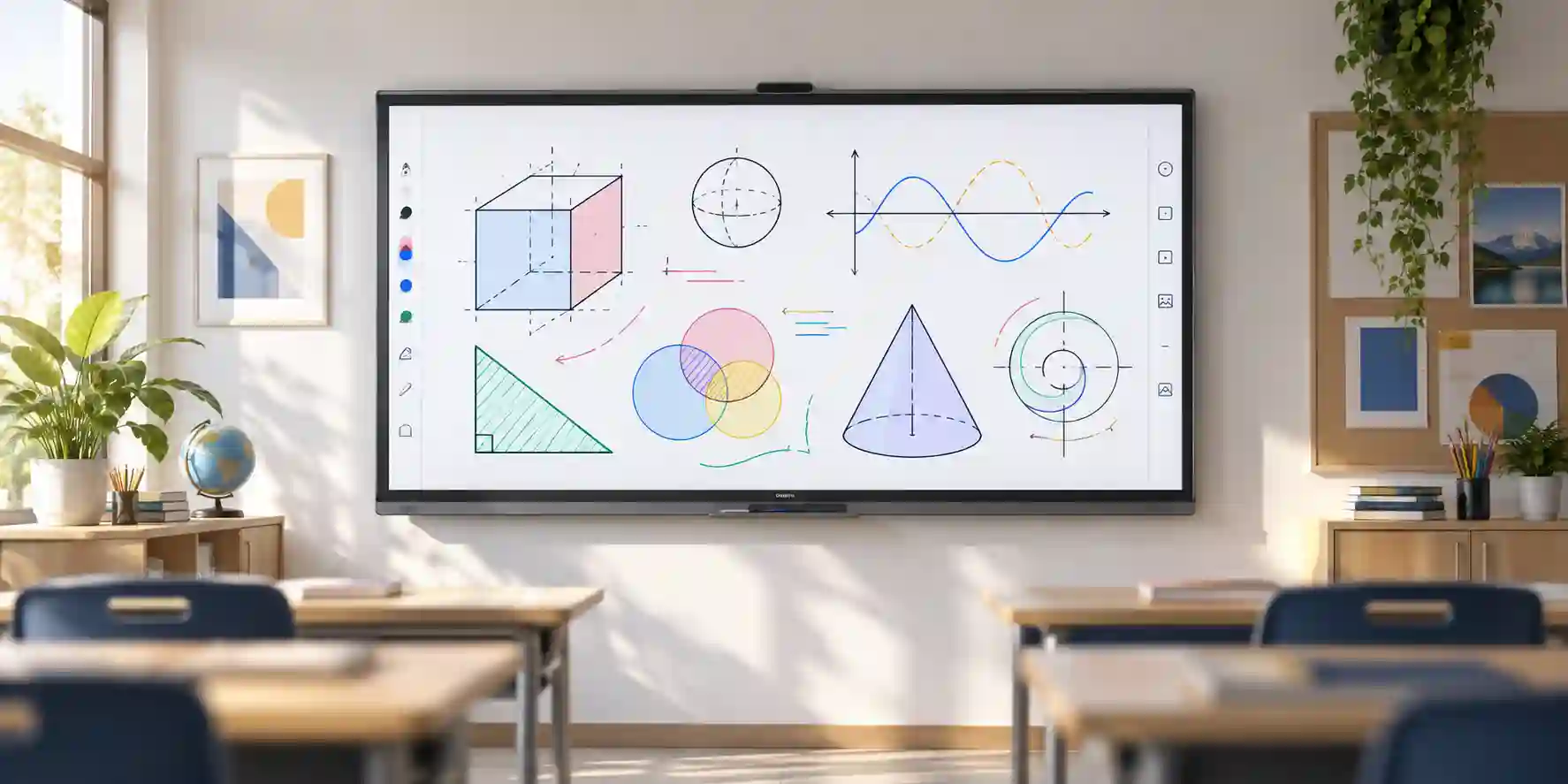
Universities, schools, corporate academies and professional training centers can use the large 4K surface for interactive lessons, annotation and group participation. The passive pen and multi-touch design reduce barriers to shared use, while USB-C and wireless presentation options make it easier for instructors to bring different source devices into the room. The 85-inch format is especially relevant to larger teaching spaces where smaller interactive boards would limit rear-seat visibility.
Banking & Finance
Financial institutions can deploy the WM85B in strategy rooms, executive meeting spaces and training facilities for dashboard analysis, process mapping, risk workshops and branch training. The value is collaborative review: participants can annotate reports and visually map scenarios rather than treating the screen as a one-way presentation endpoint. Network and compute integration should follow internal security controls.
Government & Public Sector
Government departments can use the display in briefing rooms, planning centers, workshops and training environments. Where data handling is sensitive, the deployment can be designed around approved wired sources, controlled network access and an externally managed compute endpoint. Procurement should confirm the required warranty path, approved accessories and installation documentation before rollout.
Healthcare
Hospitals and medical education environments can use interactive displays for staff training, multidisciplinary case discussion, workflow design and classroom-style education. This product should not be treated as a diagnostic medical display unless separately certified for that purpose. Its role is collaboration and presentation. Cleaning procedures and placement should be aligned with the facility’s infection-control requirements.
Logistics & Operations
Logistics teams can review network maps, warehouse plans, delivery dashboards and process-flow diagrams on a large interactive canvas. During incident reviews or continuous-improvement workshops, teams can annotate bottlenecks directly on shared visuals. For always-on operations centers, buyers should note the 16/7 operating support listed for the Gulf model and assess whether a true 24/7 signage platform is needed instead.
Retail & Experience Centers
Retail organizations can use the WM85B for staff training, product-planning sessions, digital workshops and interactive customer presentations where supervised touch is appropriate. For unattended public kiosks or continuous digital signage, a dedicated commercial signage model may be a better fit. Selecting the correct product category avoids using an interactive collaboration panel outside its intended operating model.
Technical Feature Deep Dive 1: Processing, Throughput & Workload Performance Architecture
Performance on an interactive display is experienced differently from performance on a workstation. Users judge responsiveness by how quickly ink follows the pen, how promptly touch gestures register, how smoothly content moves across the canvas and how reliably the display switches among connected sources. Samsung addresses this interaction layer with 26 ms single-touch latency and prediction logic. That latency figure is important because sluggish writing immediately breaks the illusion of a digital whiteboard. A low-friction annotation experience helps trainers and presenters write naturally without consciously compensating for delayed ink.
The WM85B’s 4K resolution also changes the workload. A 3840 x 2160 canvas contains four times the pixel count of Full HD, so source devices need appropriate graphics capability and properly specified cables to deliver stable 4K output. HDMI 2.0 and DisplayPort 1.2 provide established paths for UHD content. USB-C can simplify modern notebooks, but the connected device must support DisplayPort alternate mode or the relevant video function; a USB-C connector by itself does not guarantee video output. For standardized deployments, IT teams should test approved laptop models, docks and cable lengths rather than assume every USB-C device behaves identically.
The embedded Tizen 6.5 platform, quad-core processing architecture and 32 GB storage provide the operating foundation for the board interface and native features. This architecture is deliberately different from a general-purpose workstation. It is efficient for display functions, annotation and supported apps, but a demanding enterprise workflow should still use dedicated compute where appropriate. For example, a construction team reviewing a large BIM model or a data-science group manipulating complex visualizations may use a powerful workstation connected to the WM85B. The display then contributes the large 4K visual surface and touch capability, while the workstation provides application-level compute performance.
This separation of responsibilities is useful for lifecycle planning. Displays commonly remain in rooms longer than notebook and PC refresh cycles. By keeping the interactive panel as the persistent room interface and changing the compute endpoint when software requirements evolve, an organization can avoid replacing the complete collaboration system merely because a processor generation or operating-system standard changes. OPS support offers another form of modularity by placing the compute module inside the display chassis rather than behind the wall or on furniture.
Technical Feature Deep Dive 2: Security, Redundancy & System Resilience
Interactive displays sit at an unusual intersection of AV and IT security. They may receive guest laptops, connect to corporate networks, provide wireless presentation functions and remain installed in publicly accessible meeting spaces. A secure deployment therefore begins with defining the trust boundary. Decide whether the WM85B is a managed network endpoint, an isolated AV appliance, or a display connected only to an approved room computer. Each model has different implications for VLAN design, firmware management, wireless features and user access.
Wired presentation remains the easiest path to reason about from a security standpoint because the source relationship is physical and visible. HDMI, DisplayPort and USB-C can support controlled workflows without relying on wireless discovery. If AirPlay 2 or other wireless sharing is enabled, network teams should validate segmentation and discovery behavior. Guest-network casting can be useful in training centers, but the organization should avoid bridging networks merely for convenience. Feature availability should follow policy rather than policy being weakened to enable a feature.
Resilience also includes physical and operational durability. The WM85B supports 16/7 operation according to the Gulf specification, positioning it for extended daily use in institutions and commercial spaces. This does not make it a 24/7 signage replacement. Organizations that require nonstop control-room visualization should select a product rated for that duty cycle. Using a device inside its intended operating envelope is one of the simplest ways to protect reliability.
Power planning should include a stable grounded supply, accessible isolation and surge protection appropriate to the facility. In critical rooms, a UPS may be considered not because the display itself stores mission-critical data, but because abrupt power loss during a presentation or training session can interrupt operations. Where an OPS computer or external conferencing appliance is also installed, the power plan should account for the combined room load. The display’s USB-C charging capability is valuable for notebooks, but it should not be treated as a substitute for facility-level power design.
Operational resilience depends on standardization and documentation. Record the installed firmware baseline, network method, source-port assignments, cable routes, mounting model and support contact. For multi-room deployments, keep the room template consistent. If one classroom uses USB-C for touch while another relies on a separate USB upstream cable with HDMI, user behavior and troubleshooting become inconsistent. A standardized design reduces mean time to resolution because support staff know what to expect before entering the room.
Technical Feature Deep Dive 3: Remote Management, Telemetry & Infrastructure Integration
The WM85B can participate in broader managed-display ecosystems rather than operating as an isolated screen. Ethernet and Wi-Fi provide network connectivity, while RS232 enables integration with compatible AV control systems. Samsung also positions Flip Pro within its business-display environment, where supported remote-management tools can be used for administrative workflows such as content updates or device management, subject to licensing and service configuration. Organizations should define the management objective before selecting tooling: monitoring room availability, pushing informational content, standardizing firmware or simply ensuring network reachability are different requirements.
For enterprise AV teams, control-system integration can be important in executive rooms. A wall-panel or room controller may need to power the display, select an input and coordinate blinds, lighting and conferencing equipment. RS232 provides a traditional pathway for this class of automation. The final command set and control compatibility should be validated with the organization’s AV integrator, because having a serial port does not automatically guarantee native support in every control platform.
Network telemetry should be treated with the same discipline applied to printers, cameras and other room endpoints. Give the device a documented asset identity, assign it to the appropriate network segment and record its physical room location. For large education or corporate estates, this makes troubleshooting easier because the service desk can correlate a room name with an IP address, switch port and hardware serial. If the display is replaced, those records should be updated as part of the change process.
Infrastructure integration also includes identity and application strategy. If users require access to corporate files, cloud drives or meeting platforms, it may be preferable to keep those authenticated sessions on a managed laptop or room PC rather than the display platform. That approach simplifies account lifecycle, endpoint protection and conditional access. The WM85B can still provide the interactive surface while identity remains concentrated on the organization’s managed compute layer.
In schools, remote content distribution may be useful for announcements and alerts between lessons. In corporate environments, the same concept can be used for internal communications when the room is idle. These functions should be planned so they do not disrupt primary collaboration use. Management licenses, network permissions and application compatibility can vary; FourTeck can help buyers identify the commercial components that need to be confirmed before the project moves from product selection into deployment.
What Buyers Should Check Before Purchase
The most common procurement risk is not choosing an incapable display; it is buying the right display without the supporting room design. Use the checks below to close gaps around fit, compatibility, commercial terms and quotation data before issuing a purchase order.
01 / FIT — Configuration Fit & Model Sizing
Confirm that 85 inches suits the room. Measure wall width, ceiling height, nearest and furthest seating, and the standing interaction zone. Decide whether users need regular touch input or primarily presentation. If touch is occasional and continuous signage dominates, a conventional commercial display may be more economical. If daily annotation and workshop use are core requirements, Flip Pro is better aligned.
Also check the required duty cycle. The Gulf WM85B is listed for 16/7 operation. Projects needing nonstop 24/7 operation should review dedicated signage families rather than simply assuming all commercial panels share the same operating rating.
02 / MATCH — Compatibility & Environmental Requirements
Validate USB-C video capability on approved notebooks, the wattage those notebooks require, preferred conferencing platform, wireless-sharing policy and network segmentation. Confirm HDMI and DisplayPort cable lengths and whether extenders are needed. Inspect wall substrate, available power, ventilation and glare sources. The display is large and heavy, so mounting cannot be an afterthought.
For rooms with acoustic challenges, decide whether integrated 40 W speakers are sufficient or whether a dedicated DSP, microphone array and external speakers are required for hybrid meetings.
03 / TERMS — Availability, Delivery & Warranty Terms
Ask the quotation to state exact part number, quantity, supply lead time, delivery location, warranty route, included accessories, installation scope and validity. Large-format displays can have project-specific logistics costs, particularly where loading restrictions, elevator access or after-hours delivery are involved. If the display is required for a fixed opening date, build procurement and installation lead time into the project plan.
Do not assume a global accessory list equals the local box contents. Confirm pens, cables, mounts and optional computing accessories explicitly.
04 / REQUEST — Quote Preparation Data Needed
For a useful quotation, provide model WM85B, required quantity, delivery emirate, site type, desired deployment date, mounting preference and whether installation is required. Add the expected source devices, conferencing platform and any OPS or room-PC requirement. If the project spans multiple branches, list quantities per site so logistics can be planned rather than priced as a single undifferentiated delivery.
Providing complete project data allows FourTeck to validate assumptions and return a more actionable commercial response.
UAE Regional Availability & Service Ecosystem
FourTeck can support UAE organizations that are sourcing the Samsung WM85B for single-room requirements, multi-room refreshes and larger education or enterprise projects. Regional procurement support can include product validation, quotation coordination, accessory alignment, delivery planning and technical pre-sales discussion. Exact stock position, lead time and warranty terms can change with distributor availability and project quantity, so they should be confirmed on the current quote rather than inferred from an online listing.
K1. Dubai Supply & Logistics Support
Dubai customers can request project quotations for offices, schools, universities, training centers, free-zone facilities, hospitality training environments and government-linked organizations. Delivery planning should account for building access, security permits, loading-bay schedules and the physical size of the packaged 85-inch display. For projects requiring staging, FourTeck can coordinate the commercial scope around quantity, accessories and requested delivery windows. Free-zone deliveries should include the exact site and receiving procedure at enquiry stage so documentation and routing can be planned correctly.
K2. Abu Dhabi & Al Ain Logistics Reach
Abu Dhabi and Al Ain projects often involve government, energy, healthcare, education and large corporate environments with defined vendor-registration, site-access and delivery processes. FourTeck can support sourcing and quotation coordination for WM85B requirements, including multi-site quantity breakdowns. Buyers should share project deadlines, approved delivery hours and whether installation is part of the requirement so logistics can be aligned to the actual site conditions.
K3. Sharjah & Northern Emirates Logistics Infrastructure
Sharjah, Ras Al Khaimah, Fujairah and Umm Al Quwain organizations can source the WM85B for education, industrial training, executive collaboration and commercial projects. Pre-sales planning can cover display sizing, input requirements and mounting approach before quotation. For remote or multi-site deliveries, provide a site schedule and receiving contact for each location to reduce the risk of failed delivery attempts.
K4. Ajman & Surrounding Emirates Logistics Coverage
Ajman businesses, schools and training centers can request availability checks, quantity-based quotations and delivery coordination. Technical pre-sales guidance can help determine whether the 85-inch format is appropriate or whether another Flip Pro size is more practical. Buyers should identify wall construction, preferred installation date and source-device strategy early, because these factors influence the final accessory and installation scope.
GCC & Pan-African Supply Chain Reach
FourTeck also supports regional project enquiries where UAE-based sourcing is used for export or multi-country technology deployment. Cross-border projects require more than a product price: destination documentation, freight method, customs responsibility, insurance, local receiving arrangements and warranty routing should be defined before dispatch. Availability and export eligibility remain subject to current commercial conditions and the destination country.
L1. Saudi Arabia (KSA) Export & Supply Support
Organizations and system integrators in Saudi Arabia can request configuration validation and project quotation support for Samsung interactive-display requirements. The enquiry should include delivery city, quantity, intended use, required timeline and whether accessories or installation hardware are needed. Export and warranty terms should be confirmed on the commercial offer.
L2. Qatar Market Supply Reach
Qatar-based enterprises, education providers and integrators can engage FourTeck for cross-border sourcing coordination. For large displays such as the WM85B, freight method and handling are important because shipping damage risk is influenced by packaging orientation and handling discipline. Project quotes can therefore be structured around quantity and delivery destination rather than treating the unit as a small parcel.
L3. Oman Regional Distribution Support
Oman buyers can request procurement guidance for collaboration-room and education deployments, including model selection and accessory validation. When a project has multiple sites, provide the quantity per city or region so freight and delivery planning can be evaluated accurately.
L4. Kuwait Supply Chain Coverage
For Kuwait projects, FourTeck can coordinate product enquiries, configuration checks and export supply requirements. Buyers can also route local market enquiries through FourTeck Kuwait. The final quotation should state shipping terms, destination and warranty handling.
L5. Kenya & East Africa Supply Infrastructure
Kenyan integrators, education organizations and enterprise buyers can request regional distribution support for interactive-display projects through FourTeck Kenya. For East African shipments, requirements should include destination city, quantity and preferred delivery terms so freight and documentation can be planned correctly.
L6. Uganda Regional Procurement Support
Uganda-based customers can coordinate project enquiries via FourTeck Uganda. Technical inquiry routing and technology sourcing can be aligned to education, corporate and government procurement needs. Local compatibility, import requirements and service arrangements should be confirmed as part of the project scope.
L7. Pan-African Regional Logistics & Trade Reach
For broader African projects, FourTeck can assist with multi-country technology sourcing and trade coordination through FourTeck Africa and FourTeck global. Regional projects should be structured around destination-specific quantities and timelines because freight, taxes, customs and local service expectations vary by market.
Related FourTeck Products & Compatible Alternatives
Interactive-display selection should begin with room size and workflow rather than assuming the largest panel is always best. Within Samsung’s Flip Pro family, smaller models can provide a better physical fit for compact rooms, while conventional professional signage may be preferable where touch is unnecessary. The alternatives below should be treated as product-family guidance; current regional availability and exact part numbers should be confirmed before purchase.
| Alternative | When to Choose It |
|---|---|
| Samsung Flip Pro WM75B | Choose the 75-inch class when the room needs substantial collaborative screen area but wall width, budget or viewing geometry makes 85 inches excessive. |
| Samsung Flip Pro WM65B | A strong option for medium meeting rooms, classrooms and training spaces where participants sit closer to the display. |
| Samsung Flip Pro WM55B | Better suited to small collaboration rooms, creative studios or spaces where portability and close interaction matter more than long-distance visibility. |
| Samsung QMC/QHC Commercial Signage | Consider professional signage when the core workload is scheduled content display and touch collaboration is not required. |
| Samsung WA-Series Interactive Display | Review current Samsung interactive-display generations when the project requires different platform capabilities, updated connectivity or long-term standardization around a newer family. |
FourTeck can compare room dimensions, audience size, connectivity requirements and deployment quantity across these choices. A 65-inch model can outperform an 85-inch model in a small room simply because users can reach the screen comfortably and the display does not overwhelm the space. Conversely, a 55-inch board can be difficult to read from the back of a large classroom. Correct sizing is a functional decision, not a prestige decision.
Why Enterprises Choose FourTeck
Enterprise hardware procurement is most effective when commercial supply is connected to technical validation. FourTeck’s role is to help buyers translate a product model into a deployable requirement: correct regional part number, quantity, intended workload, room size, mounting environment, source connectivity, accessories, delivery location and project timing. This reduces the chance that a purchase order omits an essential component or assumes an accessory is included when it is actually optional.
For the WM85B, pre-sales discussion can include USB-C compatibility, external compute or OPS requirements, installation planning, wall-mount suitability, conferencing integration and multi-site delivery. Commercial teams can then align the quotation with the confirmed requirement. Stock, lead time and warranty terms are stated according to current supply conditions rather than represented as permanent guarantees.
For large deployments, FourTeck can coordinate site-based quantities and delivery sequencing so the procurement document reflects the implementation plan. This is particularly useful for schools, training centers and corporate offices where rooms may be upgraded in phases. Buyers should provide a bill of quantities or site schedule where available; doing so enables more precise logistics and accessory planning.
Frequently Asked Questions
1. What is the Samsung WM85B designed for?
The Samsung WM85B is an 85-inch Flip Pro interactive display designed for collaboration, education, training and presentation environments. It combines a 4K UHD screen with touch input, passive-pen writing, multi-user interaction and wired or wireless device connectivity. It is suitable for classrooms, boardrooms, workshops and large meeting spaces where users need to present and annotate content on the same shared surface.
2. How many users can touch the WM85B at the same time?
Samsung specifies support for up to 20 simultaneous touch points on the Flip Pro WM85B. This enables group activities and collaborative workshops where more than one participant interacts with the display. Actual application behavior can also depend on the connected software, operating system and touch implementation, so organizations using specialized applications should test their intended workflow before large-scale deployment.
3. Does the Samsung WM85B support USB-C?
Yes. The WM85B includes a front USB-C connection that Samsung describes as a three-in-one interface for screen mirroring, touch control and external-device charging up to 65 W. The connected notebook or tablet must support the required USB-C video function. Devices that need more than 65 W for full performance may still require their original power adapter.
4. Can the WM85B be used for Microsoft Teams or Zoom?
The display can be used as the interactive visual endpoint in Teams, Zoom, Webex and other conferencing rooms when paired with a suitable room computer, OPS module or conferencing appliance. Camera and microphone requirements should be designed separately. The built-in 40 W speakers can handle local audio playback, but larger hybrid rooms may benefit from dedicated conferencing audio hardware and acoustic planning.
5. Does the WM85B support wireless screen sharing?
Yes. Samsung provides wireless screen-sharing capabilities and AirPlay 2 support for compatible Apple devices. Wireless presentation behavior depends on the local network configuration and security policy. In managed enterprise environments, the network team should validate VLAN placement, discovery requirements and guest-access rules before enabling wireless sharing across multiple rooms.
6. Is the WM85B suitable for 24/7 digital signage?
The Gulf specification lists 16/7 operation support for the WM85B. That makes it suitable for extended daily use in education and business environments, but it should not automatically be treated as a 24/7 signage display. Organizations requiring continuous operation should evaluate Samsung commercial signage models specifically rated for the desired duty cycle.
7. What mounting considerations apply to an 85-inch WM85B?
The display measures approximately 1945.8 x 1151.1 x 89 mm and weighs about 75.2 kg, so professional mounting is strongly recommended. The wall substrate, bracket load rating, anchoring method, mounting height and service clearance should be checked before installation. Delivery teams should also confirm doorway, elevator and loading-bay access for the packaged display.
8. Does the Samsung WM85B include speakers?
Yes. Samsung lists a 40 W, 4-channel speaker system for the 85-inch Flip Pro. This is useful for teaching material, presentations and general media playback. For professional hybrid conferencing, the room may still require dedicated microphones, echo-cancellation processing and, in some cases, additional speakers depending on room volume and acoustic conditions.
9. What information should I send FourTeck for a quotation?
Send the model WM85B, required quantity, delivery emirate or city, requested delivery date, mounting preference and whether installation is required. Also mention the primary source devices, such as USB-C notebooks or a room PC, and whether the project includes conferencing hardware or an OPS module. For multi-site rollouts, provide a quantity breakdown by location.
10. Are warranty and accessories fixed for every WM85B purchase?
No. Warranty route, duration, included accessories and optional items can vary by regional part number, distributor channel and project quotation. Buyers should request the exact part number and a written list of included items. Wall mounts, OPS computers, conferencing devices and installation services should be treated as separate line items unless the quotation explicitly states they are included.
Request a Samsung WM85B Project Quote
For an actionable quotation, send FourTeck the required model, quantity, delivery location, project timeline, preferred mounting approach and whether installation or conferencing integration is required. If the display will connect to a standard corporate laptop fleet, include notebook models or dock details so USB-C expectations can be checked. Multi-site projects should include a room or branch quantity schedule. FourTeck will use this information to align product, accessories, logistics and commercial terms to the project rather than quoting the display in isolation.



