

Quick Procurement & Configuration Matrix
Samsung Business
OM55B / regional suffix varies
High-brightness in-window commercial signage
Retail campaigns, menu-style promotions, banking information, hospitality offers and branded content
Single-screen or multi-screen estates; physical layout and control design are project dependent
AC 100–240 V, 50/60 Hz; Samsung lists 450 W on-mode consumption
Dubai, Abu Dhabi, Sharjah, Ajman and wider UAE; export coordination available
Confirm UAE channel warranty, serial coverage and service process on the final quotation
Executive Product Architectural Overview
Window-facing digital signage operates under a different set of constraints from a normal office display. A conventional television may look acceptable in a meeting room yet lose visual impact when positioned behind a sunlit retail window. Ambient light reflected by storefront glass, changing daylight levels, long daily operating schedules and limited access for maintenance all change the design priorities. The Samsung OM55B addresses this problem as a commercial high-brightness signage platform rather than as a consumer entertainment screen. Its 55-inch 4K UHD ADS panel is specified at 3,000 nit typical brightness, giving businesses considerably more luminance headroom for content that must compete with bright shopping-mall atriums or external daylight entering through glazing. The 178-degree horizontal and vertical viewing angle is useful in storefronts because passers-by rarely stand directly in front of the screen.
The display is equally important as an infrastructure endpoint. Samsung integrates its Tizen 5.0 signage operating environment and 8 GB of flash storage, allowing supported signage applications and content workflows to run on the display without automatically requiring a separate PC behind every screen. That can simplify a multi-branch deployment by reducing the number of powered devices, HDMI cables and maintenance points. Where an external player, video source or control system is preferred, the OM55B provides two HDMI inputs, one DisplayPort input, USB, RS232 connectivity, RJ45 network interfaces and embedded Wi-Fi. This mix enables the display to sit comfortably in conventional AV environments, managed retail networks or more distributed digital-signage architectures.
For enterprise procurement teams, the practical distinction is lifecycle suitability. Samsung specifies 24/7 operation and an IP5X dust-resistance rating. Those characteristics matter when screens are mounted inside shop windows where airborne dust, warm pockets of air and long campaign schedules can quickly expose limitations in general-purpose hardware. The OM55B also incorporates design measures intended to support dependable operation in demanding signage placements, including thermal-management functionality and a cable-management concept that helps installers avoid an untidy cluster of visible leads. Its 54.5 mm chassis depth supports relatively clean installations when the bracket, cable bends and ventilation clearance are planned correctly.
Physical integration should be treated as part of the technical design rather than an afterthought. The display measures approximately 1253.4 × 724.2 × 54.5 mm and weighs about 23.1 kg. A 400 × 400 mm VESA pattern provides compatibility with a broad class of professional mounts, but installers should verify bracket certification, load capacity, orientation support and service access. Window installations can create local heat build-up, especially if the display sits close to glazing with restricted airflow. The product operating environment is specified for 0–40 °C and 10–80% humidity, non-condensing, so deployment engineers should validate the real thermal conditions at the mounting position rather than relying only on general indoor room temperature.
The OM55B is particularly relevant to Dubai and UAE businesses that operate high-footfall storefronts and need campaign changes without printing and physically replacing posters. A retail merchandising team can schedule product launches, promotions and brand storytelling from a content platform; a bank can rotate service messages; a hotel can promote dining, spa or event offers; and a property showroom can update availability or development visuals. These use cases gain value when the display is treated as one node in a managed content estate rather than a standalone screen. Network segmentation, content publishing authority, remote monitoring and change-control procedures become part of the operating model.
FourTeck’s role in such a project is not limited to quoting a display. Buyers should bring the intended orientation, number of screens, mounting position, approximate viewing distance, glass exposure, content source, network constraints and preferred management method into the pre-sales discussion. This allows the procurement design to cover the complete solution rather than creating downstream surprises around brackets, cabling, media players, network access or power. Exact regional part numbers, accessory compatibility, warranty conditions and shipment lead times can vary, so these items should be validated against the final UAE supply quotation.
Enterprise Business Value & ROI Benefits
Visible Communications
A 3,000-nit panel gives campaign designers more usable luminance when content is viewed through a window in strong ambient light. The business benefit is not a laboratory number; it is the ability to keep promotions, pricing messages and brand creative noticeable where lower-brightness screens can appear washed out. Better legibility can improve the usefulness of premium storefront space and reduce the risk that digital investment is undermined by poor daytime visibility.
Campaign Agility
Digital signage shortens the operational path between a marketing decision and what customers see at the storefront. Instead of producing, shipping and installing printed creative for every campaign cycle, authorized teams can publish or schedule content electronically. The savings depend on the existing process and number of branches, but the recurring reduction in manual changeovers can be material for retailers with frequent promotions or time-sensitive offers.
Continuous Commercial Operation
Samsung specifies 24/7 operating support, which aligns the screen with environments that need long schedules, overnight content loops or facilities that remain open beyond normal office hours. A commercial duty cycle helps procurement teams align hardware capability with the actual operating plan rather than relying on consumer equipment that may not be intended for continuous signage usage.
Simplified Endpoint Architecture
The embedded Tizen signage platform can reduce the need for an external computer in supported content workflows. Fewer devices can mean fewer power supplies, fewer cables and fewer individual operating systems to maintain. This does not eliminate the need for network and content governance, but it can reduce installation complexity and create a cleaner standard for multi-site rollouts.
Installation Flexibility
The 55-inch format is large enough for impactful storefront messaging while remaining manageable for many retail window bays. Landscape and portrait use lets designers adapt content to available architectural space. A standard 400 × 400 mm VESA pattern gives integrators access to professional mounting choices, subject to load, orientation and clearance checks.
Operational Resilience
IP5X-rated dust resistance and purpose-built thermal management are useful in storefront installations where dust and heat accumulation are realistic operating concerns. The business impact is reduced exposure to avoidable downtime when compared with unsuitable hardware, provided the installation itself respects ventilation, environmental and electrical requirements.
Return on investment should be evaluated at estate level. A single screen can improve a storefront, but the largest operational value often appears when a business standardizes display models, mounting practices, content templates and remote publishing processes across many branches. Procurement teams can compare the capital cost against recurring print production, courier distribution, installation labour, campaign delay, inconsistent branch execution and lost promotional flexibility. The OM55B contributes to that model by combining high brightness, commercial operating support and integrated signage functions in one endpoint.
Hardware & Technical Architecture Highlights
At panel level, the OM55B uses a 55-inch ADS architecture with a 3840 × 2160 native pixel matrix. That resolution provides approximately four times the pixel count of Full HD, which benefits close-range storefront creative containing detailed product photography, fine typography or multi-element layouts. Samsung lists a 1,200:1 typical contrast ratio, 8 ms response time, 72% NTSC colour gamut and 1% haze. The 1% haze characteristic is relevant because the display is designed for strong brightness delivery rather than the matte treatment common on some office monitors; storefront glass and final installation geometry therefore remain important variables in perceived reflection control.
The back-end signal architecture supports common commercial AV workflows. HDMI 2.0 inputs provide a practical path for 4K-capable media players, PCs and distribution systems, while DisplayPort 1.2 supports compatible professional sources. HDCP 2.2 support is relevant where protected content is part of the signal chain. USB can be used for supported local media or service operations, while RS232 and RJ45 interfaces support integration into managed control environments. Integrated Wi-Fi provides a cable-reduction option, although enterprise deployments should still consider the predictability, security policy and monitoring advantages of wired Ethernet where practical.
The integrated system-on-chip environment runs Samsung Tizen 5.0 and includes 8 GB flash memory according to Samsung’s published specification. In a signage context, the SoC is significant because it allows the display itself to participate in content playback and management workflows. Rather than treating every panel as a passive monitor attached to a separate mini-PC, administrators can choose a more consolidated architecture where supported applications run locally on the signage platform. Whether that is appropriate depends on the selected content-management system, application requirements, video complexity, security policy and lifecycle strategy.
Power and thermal behaviour deserve particular attention in window installations. Samsung specifies an AC 100–240 V, 50/60 Hz supply and lists 450 W on-mode consumption with 0.5 W sleep consumption. Electrical design should therefore allow sufficient circuit capacity for the number of displays on a branch, while also considering other equipment sharing the circuit. Heat generated by high-brightness operation must escape the mounting zone. A display pushed close to glazing inside a decorative enclosure can experience a local temperature substantially different from the rest of the store. Installers should preserve manufacturer-recommended clearances and avoid trapping hot air.
Mechanically, the 23.1 kg set weight and 400 × 400 mm VESA pattern make bracket selection straightforward but not trivial. Professional mounts should be chosen with appropriate safety margin, anti-theft provisions where needed and support for the required landscape or portrait orientation. Cable bend radius, connector access and maintenance removal path should be planned before finalizing cabinetry. In multi-screen windows, serviceability becomes especially important because one failed cable or player should not require dismantling the entire display wall.
Definitive Technical Specifications & Sizing Notes
| Category | Specification | Samsung OM55B |
|---|---|---|
| Display | Diagonal / Panel | 55-inch ADS |
| Display | Native Resolution | 3840 × 2160, 16:9 |
| Display | Brightness | 3,000 nit typical |
| Display | Contrast Ratio | 1,200:1 typical |
| Display | Viewing Angle | 178° horizontal / 178° vertical |
| Operation | Duty Cycle | 24/7 |
| Protection | Dust Resistance | IP5X |
| Connectivity | Video Inputs | 2 × HDMI 2.0, 1 × DisplayPort 1.2 |
| Connectivity | Management / Data | USB, RS232 in/out, RJ45 in/out, Wi-Fi |
| Platform | SoC / Storage | Tizen 5.0 / 8 GB flash memory |
| Power | Input / On Mode | AC 100–240 V, 50/60 Hz / 450 W |
| Dimensions | Set W × H × D | 1253.4 × 724.2 × 54.5 mm |
| Weight | Set Weight | 23.1 kg |
| Mounting | VESA | 400 × 400 mm |
| Environment | Temperature / Humidity | 0–40 °C / 10–80%, non-condensing |
The specification table should be read as a deployment starting point rather than a substitute for site design. A 55-inch display may be ideal for one storefront bay and undersized or oversized for another depending on glass dimensions, pedestrian distance and content layout. Brightness should also be considered together with window orientation, reflections and any tint applied to glazing. Power figures help electrical planning, but circuit loading should include all screens, players, network equipment and local accessories. The operating temperature range is especially important in UAE installations because direct solar gain at a window can create elevated local heat even when the air-conditioned store itself feels comfortable. Part-number suffixes can differ by market, so buyers should ask FourTeck to confirm the exact UAE-supplied SKU, included accessories, warranty channel and any optional mounting hardware on the commercial offer.
Configuration, Sizing & Deployment Workbench
01 / Define the viewing zone
Measure the visible glass area, pedestrian approach path and typical viewing distance. Determine whether the audience is moving parallel to the window or approaching it directly. This affects screen orientation, text size, placement height and the number of displays required. A 55-inch panel can be highly effective when creative is designed for fast comprehension, but even high resolution cannot compensate for typography that is too small for the viewing distance.
02 / Validate daylight and thermal conditions
Record whether the window receives direct sun, reflected sun from nearby buildings or strong mall lighting. Then inspect ventilation around the proposed display position. High-brightness signage produces heat, and glazing can create a warmer microclimate than the sales floor. The OM55B operating range is 0–40 °C, so enclosure design, distance from glass and airflow must be assessed carefully. Where conditions are uncertain, installation teams should perform a site survey.
03 / Select the content architecture
Decide whether content will run through the embedded Tizen signage environment, an external media player, a corporate PC or an AV distribution system. The choice affects cabling, software support, management overhead and security. A centralized content platform is usually preferable for multi-branch estates because marketing teams can schedule campaigns consistently, while local staff receive only the permissions they need.
04 / Plan network and control access
The OM55B provides Ethernet, Wi-Fi and serial control options. Enterprise IT should determine which interfaces are permitted, what VLAN or firewall rules apply, how devices receive addresses and how administrators will reach them for monitoring. Wireless connectivity can reduce visible cabling, but dense retail environments may have significant RF contention. Wired Ethernet is often preferable for stable remote management when cable pathways are available.
05 / Size electrical and mounting infrastructure
Use the published 450 W on-mode figure as an input to circuit planning and add margin for any external player or accessory. Confirm socket position so leads are not exposed in the customer view. Select a professional 400 × 400 mm VESA mount rated well above the 23.1 kg display weight, and confirm whether portrait positioning, tilt, pull-out servicing or anti-theft features are required.
06 / Standardize rollout and support
For multiple branches, create a repeatable bill of materials covering display, bracket, network path, power, media-player choice, cable lengths and commissioning steps. Record serial numbers and assigned locations. Confirm warranty handling before rollout so branch teams know whom to contact and how replacement or service cases are escalated. Standardization reduces installation variability and makes future screen additions easier to forecast.
Sizing should also include content workload rather than only physical dimensions. Static promotions, short 4K videos and simple scheduled playlists are relatively straightforward. Interactive applications, data-driven dashboards or synchronized multi-screen creative can impose additional requirements on the media architecture and network. If a project relies on a particular content-management system, confirm software compatibility and licensing terms before hardware purchase. For large estates, stage a pilot location to verify brightness, mounting, remote management and content rendering under real conditions before committing every site.
Industry Use Cases & Workload Scenarios
Retail & Luxury
Fashion, electronics, jewellery and automotive showrooms can use the OM55B for product launches, limited-time campaigns and brand storytelling in street-facing or mall-facing windows. Portrait orientation is useful for fashion photography and tall creative, while landscape layouts work well for product sequences and video. High brightness helps maintain impact in bright concourses and daylight-exposed façades.
Banking & Finance
Branches can present service messages, rate information, digital banking campaigns and queue guidance near entrances. Central publishing enables compliance-reviewed content to be distributed consistently, reducing the chance that old printed material remains visible after a campaign ends. Network policy and content approval processes should be aligned with the institution’s information-security controls.
Hospitality
Hotels, restaurants and entertainment venues can promote dining offers, events, spa packages or seasonal experiences from windows and high-traffic reception areas. The screen can become part of a broader signage estate covering lobby, wayfinding and promotional zones, with content centrally scheduled according to time of day.
Government & Public Sector
Customer service centres can display campaigns, service announcements and public information at entrances. Commercial 24/7 capability supports extended operating schedules, while RS232 and network interfaces allow the display to be incorporated into managed facilities or AV control environments. Any deployment should follow government cybersecurity and accessibility standards applicable to the project.
Healthcare
Clinics and hospital retail fronts can communicate service availability, health campaigns and visitor information. Content should be designed for quick reading and should avoid exposing personal or sensitive patient information. Central management can help healthcare groups keep branding and public messaging consistent across multiple facilities.
Education & Training
Universities and training centres can use window signage to promote admissions, events, courses and campus announcements. In multi-building environments, consistent hardware and central publishing can reduce the effort required to update information at each location while allowing local teams to manage approved content zones.
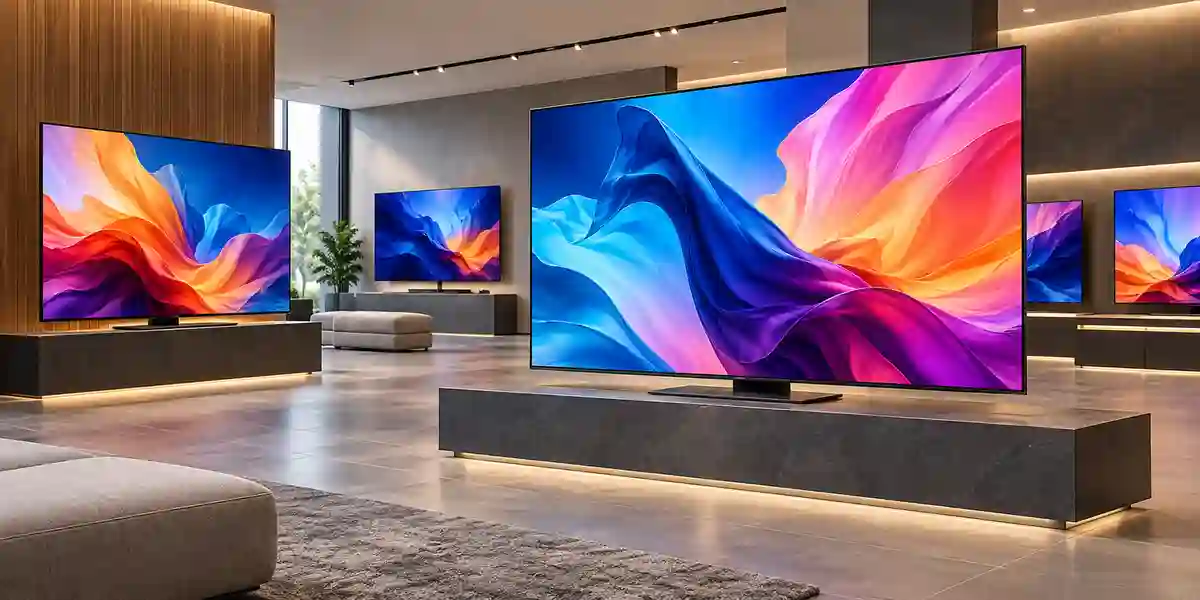
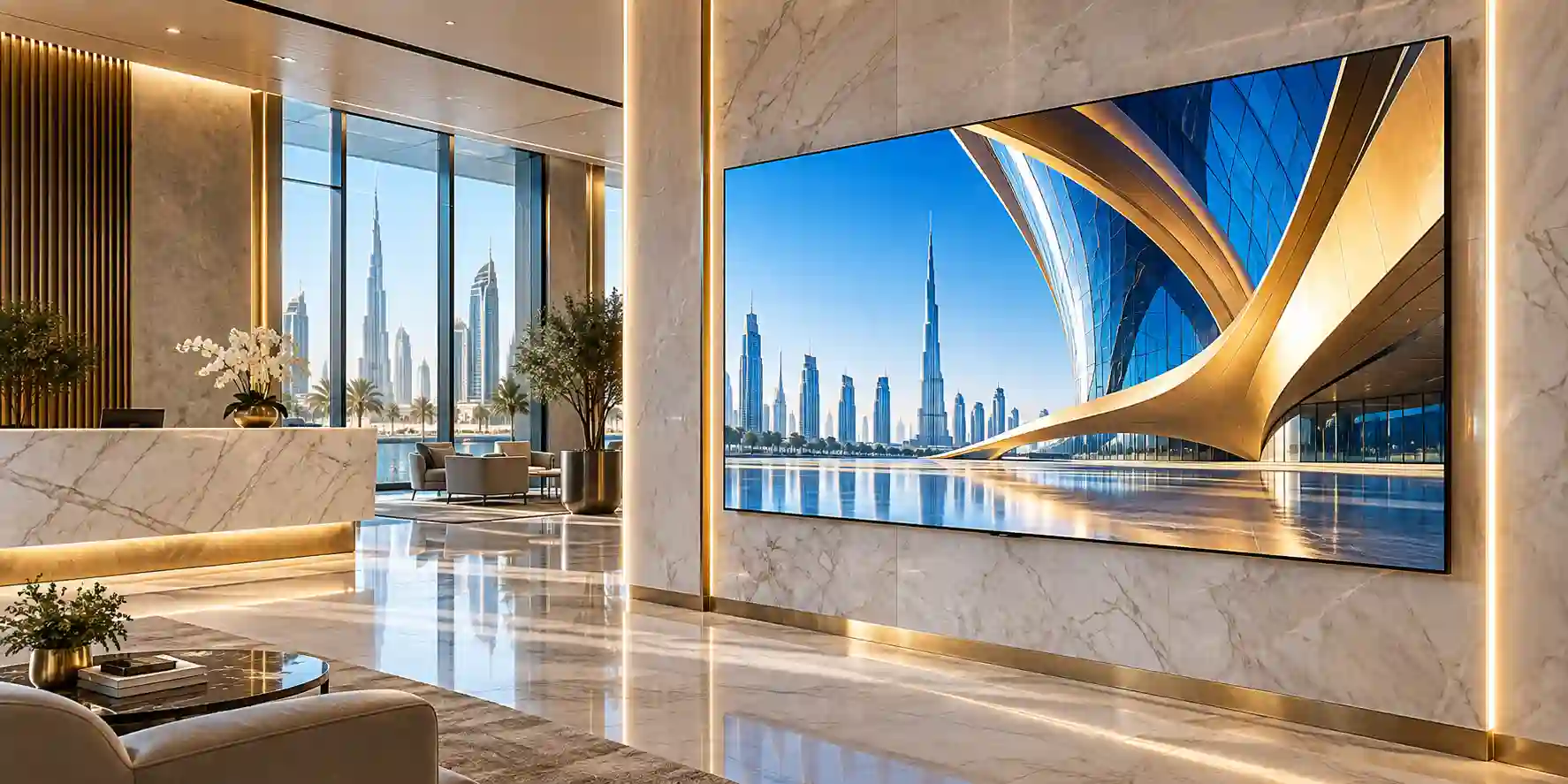
Images illustrate Samsung commercial display deployment categories and related signage families. Final appearance, bezel design and installation accessories should be verified against the quoted OM55B unit.
Technical Feature Deep Dive 1: Processing, Throughput & Workload Performance Architecture
A signage display processes a workload that is fundamentally different from a desktop monitor. It may run long playlists, decode high-resolution assets for hours, switch scheduled campaigns without user interaction and stay reachable for remote administration. The OM55B’s embedded Tizen environment is therefore a meaningful architectural component, not an entertainment feature. It gives the screen an operating platform that can support signage applications and content playback directly on the endpoint. For many organizations, this can remove one external computer from the bill of materials at each location and reduce the number of individual failure points that must be powered, patched and physically secured.
The 4K panel allows creative teams to use high-resolution source material without downscaling to Full HD at the screen. That is useful in premium retail, automotive and hospitality settings where image detail supports perceived product quality. However, good content engineering still matters. A 4K canvas encourages designers to place more information on screen, but storefront viewers may have only a few seconds to understand the message. The most effective deployments use resolution for sharper typography and product imagery rather than for overcrowding. Video bitrates, codec choice and animation complexity should also be tested on the intended playback platform before estate-wide deployment.
For external-source architectures, two HDMI 2.0 inputs and DisplayPort 1.2 provide flexibility for media players, PCs and matrix distribution systems. HDCP 2.2 support matters if protected source material is involved. In centralized AV installations, integrators can select the connection that best matches the source, cable distance and control environment. Where long cable runs are unavoidable, active extenders or structured-cabling AV solutions may be required; these should be validated separately because the display’s local connector specification does not guarantee performance over third-party transport systems.
Network throughput is usually not a limitation for basic scheduled signage, but estate scale changes the calculation. If hundreds of screens download 4K campaign files simultaneously, WAN links and branch circuits can experience bursts. Content platforms should use staggered distribution, caching or off-peak delivery where supported. IT teams should also distinguish between content transfer traffic and control traffic so they can monitor failures accurately. A screen that is powered and reachable but missing the current campaign is an operational fault even if the network interface itself appears healthy.
Technical Feature Deep Dive 2: Security, Redundancy & System Resilience
Digital signage sits at the boundary between marketing infrastructure and enterprise IT, so resilience must include both physical and logical considerations. The OM55B’s 24/7 duty-cycle support is the hardware baseline, but availability is determined by the complete chain: mains power, network connectivity, content platform, media source, mount, cabling and operating procedures. A robust deployment therefore uses stable power circuits, documented network addressing, controlled firmware policies and a method for detecting screens that have gone offline or stopped playing the expected content.
IP5X dust resistance is valuable in retail environments because window cavities and ceiling voids can accumulate dust despite regular store cleaning. The rating supports resistance to dust ingress at the product level, but it does not make the display weatherproof for exposed outdoor installation. The OM55B is best understood as an in-window screen: positioned indoors and facing outward through glass. Buyers needing fully outdoor, rain-exposed signage should select hardware specifically designed and rated for those conditions.
Logical security should begin with network segmentation. Screens and media players generally do not need unrestricted access to corporate user networks. A dedicated signage VLAN, controlled outbound access, unique administrative credentials and documented management endpoints can reduce exposure. If Wi-Fi is used, enterprise authentication and RF planning may be appropriate depending on the organization. Firmware and content-platform updates should be managed through change control so that a large estate is not disrupted by an untested upgrade.
Redundancy requirements vary by business criticality. A single luxury storefront may keep a spare media player and replacement cable on site, while a national retail chain may hold a percentage of spare displays in a regional depot. The display itself does not provide power-supply redundancy, so organizations that view signage as operationally critical can consider UPS support where justified. The correct approach is a service design that matches financial impact: the cost of a spare should be weighed against the effect of a dark flagship window during a major campaign.
Technical Feature Deep Dive 3: Remote Management, Telemetry & Infrastructure Integration
The strongest case for commercial signage often emerges after the first deployment, when teams realize that centralized administration can reduce repeated store visits. The OM55B provides Ethernet and Wi-Fi connectivity plus RS232 interfaces, giving integrators multiple paths for management and control. The final management architecture depends on the selected Samsung platform or third-party signage system, but the infrastructure objective should be consistent: administrators need visibility into whether the display is reachable, what it is scheduled to play and whether intervention is required.
Telemetry becomes more valuable as the number of endpoints grows. A ten-screen estate can be checked manually; a hundred-screen estate quickly becomes difficult without structured monitoring. Asset records should associate each screen with branch, physical position, serial number, IP address, mount type and support status. Help-desk teams then have enough information to determine whether a complaint involves content, network connectivity, a source device or the display itself. Remote tools should be configured so support staff can diagnose likely causes before dispatching an engineer.
Integration also extends to the content workflow. Marketing departments usually own campaign creative, while IT controls network and endpoint security. A well-designed platform separates these responsibilities. Marketing can schedule approved content without receiving infrastructure administration rights; IT can manage the devices without editing campaign artwork. For regulated industries such as banking or healthcare, an approval workflow can help ensure that externally visible content is reviewed before publication.
In practical UAE deployments, branch connectivity varies. A flagship mall store may have resilient fibre and managed LAN services, while a temporary retail kiosk may rely on constrained connectivity. Content architectures should account for intermittent links so displays can continue showing previously downloaded material if the network becomes unavailable. During procurement, buyers should therefore ask not only whether the screen has Wi-Fi or Ethernet, but how the selected content platform behaves during link failure, how it recovers and how administrators are alerted.
What Buyers Should Check Before Purchase
Most procurement problems with professional signage do not come from the panel specification itself. They come from mismatched mounting, overlooked heat conditions, unclear content ownership, incompatible software or assumptions about warranty and installation scope. The checklist below is designed to close those gaps before a purchase order is issued.
01 / FIT — Configuration Fit & Model Sizing
Confirm the 55-inch format fits the actual window bay and is readable from the target pedestrian distance. Decide landscape or portrait orientation, number of screens and whether content is independent or synchronized. Validate that 3,000-nit brightness is suitable for the window exposure. Where the screen faces exceptionally strong direct sunlight, perform a site review rather than assuming all window conditions are equivalent.
02 / MATCH — Compatibility & Environmental Requirements
Check VESA mount dimensions, bracket load rating, connector access, power socket location, Ethernet availability and cable routes. Measure likely heat around the window position and preserve airflow. If using a content-management platform, confirm its support for the intended Tizen generation or specify an external player. Verify any AV extenders, matrix equipment or control systems as separate components.
03 / TERMS — Availability, Delivery & Warranty Terms
Ask for the exact regional part number, stock or lead-time status, UAE warranty channel, service process, delivery scope and included accessories on the quotation. Do not assume that a model suffix from another country is the same commercial package supplied in the UAE. For project quantities, reserve stock and confirm the expected installation schedule before coordinating contractors.
04 / REQUEST — Quote Preparation Data Needed
Provide FourTeck with the model, quantity, emirate, delivery address type, required date, desired orientation, mounting requirement and whether you need a standalone screen or complete signage solution. Include the preferred content source and network method where known. The more complete the initial request, the easier it is to separate display cost from mounting, media, logistics and service requirements.
UAE Regional Availability & Service Ecosystem
FourTeck supports commercial display procurement across the UAE with quotation coordination, configuration validation and logistics planning for single-site and multi-branch projects. Availability can change with distributor inventory, regional part numbers and project quantities, so current supply status should be confirmed at the point of quotation. For planned rollouts, sharing a branch schedule early helps align stock allocation, delivery windows and installation dependencies.
K1. Dubai Supply & Logistics Support
Dubai deployments can include mall retailers, high-street storefronts, Free Zone offices, hospitality properties and corporate experience centres. FourTeck can coordinate product sourcing, quote validation and delivery planning across commercial districts, subject to building access and receiving requirements. For large rollouts, buyers should identify whether each site accepts direct delivery or whether consolidated staging is preferred before branch distribution.
K2. Abu Dhabi & Al Ain Logistics Reach
Organizations in Abu Dhabi and Al Ain can request OM55B sourcing support for government, industrial, hospitality, retail and corporate projects. Quotation coordination can account for quantity, requested delivery date and any special site-access procedures. Where screens are part of a broader AV package, pre-sales validation should include mounts, sources, power and network requirements before dispatch.
K3. Sharjah & Northern Emirates Logistics Infrastructure
Sharjah and Northern Emirates customers can use FourTeck for commercial display procurement, deployment planning and logistics coordination. Retail and education projects often involve multiple delivery points, so a location schedule and contact list can reduce missed deliveries. Technical pre-sales checks help ensure that the display, content source and mounting method are aligned before equipment arrives on site.
K4. Ajman & Surrounding Emirates Logistics Coverage
Ajman businesses can request hardware availability verification, quotation support and coordinated delivery for window-signage projects. Buyers should provide quantity, delivery location, project deadline and any required accessories. Exact warranty and fulfilment arrangements are confirmed against the quoted supply route so there is a clear service path after purchase.
GCC & Pan-African Supply Chain Reach
For projects outside the UAE, FourTeck can coordinate regional sourcing discussions, export-oriented quotations and cross-border logistics planning. International supply requires attention to destination import rules, customs documents, freight mode, local installation responsibility and warranty applicability. These factors should be established before shipment so the commercial offer reflects the complete destination requirement rather than only ex-warehouse hardware cost.
L1. Saudi Arabia (KSA) Export & Supply Support
Saudi enterprise and retail projects can be supported through inquiry routing, configuration validation and project quotation coordination. Buyers should specify city, site count, quantity and project timeline so freight and supply assumptions are realistic. Local certification or installation requirements remain the responsibility of the destination project and should be checked before order placement.
L2. Qatar Market Supply Reach
Qatari businesses and system integrators can request sourcing assistance for commercial signage, with cross-border logistics and project quotation aligned to the required quantity. Where displays are part of a wider fit-out, the request should identify whether mounts, players or other AV components are expected in the same shipment.
L3. Oman Regional Distribution Support
Oman buyers can use FourTeck for hardware procurement guidance, configuration review and quote coordination. Delivery method, import handling and local installation should be planned together so equipment reaches the project with the necessary documentation and the correct regional commercial terms.
L4. Kuwait Supply Chain Coverage
For Kuwait, FourTeck can assist with project quote preparation and export supply coordination for professional displays and related infrastructure. Buyers can also use the regional portal at kuwait.fourteck.com for local market inquiries and procurement routing.
L5. Kenya & East Africa Supply Infrastructure
Kenyan system integrators, retailers and enterprise buyers can request technical inquiry routing and delivery coordination for digital-signage projects. Regional procurement information is available through kenya.fourteck.com, with final logistics structured around project quantity, destination and import requirements.
L6. Uganda Regional Procurement Support
Uganda projects can be supported with localized inquiry response, sourcing coordination and project supply management. Buyers can submit requirements through uganda.fourteck.com and should include the destination city, quantity and target delivery period.
L7. Pan-African Regional Logistics & Trade Reach
For broader African technology projects, FourTeck can coordinate multi-country sourcing conversations and export logistics through africa.fourteck.com and fourteck.com. Multi-destination projects should identify country-by-country quantities and dates because import requirements, freight routing and service arrangements can differ materially between markets.
Related FourTeck Products & Compatible Alternatives
Samsung OM46B
Consider the smaller OM46B when the window bay is narrower or when a multi-screen merchandising layout benefits from a reduced physical footprint. Brightness and resolution differ from the OM55B, so the visual requirement should be compared carefully.
Samsung OM75A
A larger 75-inch-class in-window option can suit wide storefronts that need stronger visual scale. Size, resolution and orientation support differ, so it should be treated as an alternative design platform rather than a direct drop-in replacement.
Samsung QMC Series
QMC models are useful for conventional indoor signage where extreme window brightness is not required. They can be a better value for interior menu boards, wayfinding and corporate communications, while OM55B remains the more appropriate choice for demanding bright-window visibility.
Samsung QHC Series
QHC is a premium indoor signage family suited to meeting spaces, customer areas and general commercial displays. Select it when slim installation and professional 4K presentation matter but storefront-level brightness is unnecessary.
Samsung Outdoor Signage
If the display will be exposed directly to rain, dust and outdoor weather rather than installed behind glass, choose a Samsung outdoor-rated signage platform designed for that environment. The OM55B is an in-window product and should not be treated as an exposed outdoor enclosure.
Alternative selection should begin with environment, not only screen size. Window signage needs brightness and thermal characteristics that differ from an interior meeting-room display, while exposed outdoor signage introduces weather sealing and environmental requirements beyond an in-window design. FourTeck can compare the requested installation against Samsung’s commercial signage families and recommend a model category that fits the actual site conditions, content duty and budget.
Why Enterprises Choose FourTeck
Enterprise display procurement is more reliable when the quotation reflects the deployment rather than only the model number. FourTeck can help buyers validate the requested Samsung model, regional part number, quantity, mounting considerations, content-source requirements and UAE delivery scope before the order is placed. This pre-sales discipline is useful for projects where a screen will be installed in a fixed architectural position and late changes are expensive.
For multi-site projects, FourTeck can structure quotations around phased requirements, branch destinations and accessory needs so purchasing teams can see the relationship between core hardware and deployment components. Logistics coordination is particularly important for malls, hotels and controlled facilities where receiving windows, loading-bay procedures or contractor handovers can affect the schedule.
After purchase, warranty support depends on the supplied channel and the manufacturer terms attached to the quoted unit. FourTeck can clarify those terms at quotation stage and provide the relevant escalation path for covered products. Buyers should retain purchase records, serial numbers and installation locations to simplify any future service request.
Samsung OM55B Frequently Asked Questions
1. Is the Samsung OM55B suitable for a shop window in Dubai?
Yes, the OM55B is designed as an in-window commercial display and its 3,000-nit typical brightness is intended to remain visible in strong ambient light. It should be mounted indoors behind glass rather than treated as a directly exposed outdoor screen. Dubai installations should still assess solar gain, window tint, reflections and local heat around the mounting position before finalizing the design.
2. What resolution does the OM55B provide?
The OM55B uses a native 3840 × 2160 4K UHD panel. This resolution supports detailed product photography, video and sharp typography, which is useful for premium retail and customer-facing signage. Content should still be designed for the real viewing distance because pedestrians may only have a few seconds to absorb the message even when the source artwork is very high resolution.
3. Can the Samsung OM55B operate continuously?
Samsung specifies 24/7 operation support for the OM55B. That makes it suitable for commercial environments with long operating schedules or continuous content playback. Reliable continuous operation still depends on correct ventilation, power quality, environmental temperature and installation practices. The published operating temperature range is 0–40 °C with 10–80% humidity, non-condensing.
4. Does the OM55B need an external media player?
Not always. The OM55B includes Samsung’s Tizen 5.0 signage platform and 8 GB flash memory, so supported signage applications and content workflows can operate on the display itself. An external player may still be appropriate when a project uses specialized software, advanced graphics, proprietary applications or an existing AV standard. Compatibility should be validated before procurement.
5. What connectivity is available?
Samsung lists two HDMI 2.0 inputs, one DisplayPort 1.2 input, USB, RS232 in and out, RJ45 in and out, integrated Wi-Fi and a stereo mini-jack audio output. This combination supports common media players, PCs, network management and control systems. Exact use of each interface depends on the selected content and remote-management architecture.
6. Can the OM55B be mounted in portrait orientation?
Samsung’s in-window OM55B specification supports landscape and portrait use. The display uses a 400 × 400 mm VESA mounting pattern and weighs approximately 23.1 kg. Buyers should select a professional bracket specifically rated for the required orientation and load, then preserve cable access and ventilation clearance. Decorative enclosures should not restrict heat dissipation.
7. Is the OM55B waterproof for outdoor use?
No. The OM55B has an IP5X dust-resistance rating, but that does not make it a rainproof outdoor display. It is intended for in-window applications where the screen is installed indoors and viewed through glass. Projects requiring direct exposure to rain, humidity or outdoor weather should use a display with the appropriate outdoor environmental rating.
8. What is the power requirement for the Samsung OM55B?
The display supports AC 100–240 V at 50/60 Hz. Samsung lists 450 W on-mode power consumption and 0.5 W sleep-mode consumption. Electrical planning for multi-screen sites should include all displays and any external media players or network equipment on the circuit. A qualified installer should verify circuit capacity and safe local power provision.
9. How can I buy the Samsung OM55B in the UAE?
Send FourTeck the required model, quantity, delivery emirate, target date and whether you need mounting or other signage components. FourTeck can confirm current availability, the regional part number, warranty channel and logistics terms on the quotation. For project quantities, include the branch list or rollout schedule so supply and delivery can be coordinated more accurately.
10. What should be confirmed before issuing a purchase order?
Confirm the exact regional SKU, quantity, warranty, lead time, screen orientation, VESA mount, content platform, network method, electrical provision and environmental suitability. If the screen will sit close to sunlit glazing, check the actual thermal conditions. For multi-site rollouts, confirm how units are labeled, delivered and assigned to branches so installation teams receive the correct equipment.
Request a Samsung OM55B Project Quote
For an accurate commercial quotation, send FourTeck the Samsung OM55B model requirement, quantity, delivery location, required deployment date and whether you need mounting, media players or a complete signage solution. If the project covers multiple branches, include the site list and expected rollout sequence. FourTeck can then validate availability, regional part number, accessory requirements and delivery scope before order placement.



