

Samsung QE50T 50-Inch QET Commercial Display in Dubai, UAE
The Samsung QE50T is a 50-inch professional QET Series 4K display built for organizations that need sharp UHD messaging, predictable daily operating schedules, straightforward source connectivity, and business-friendly content presentation. With 300-nit brightness, a 16/7 operating profile, Crystal UHD processing, MagicInfo Lite, dual HDMI 2.0, USB, RJ45 and RS232C control, it fits a wide range of indoor signage and corporate communication projects.
FourTeck supports UAE procurement teams with model validation, mounting and cabling planning, source and control mapping, quotation coordination, delivery planning, and project-specific accessory guidance so the screen is specified around the real deployment rather than selected only by diagonal size.
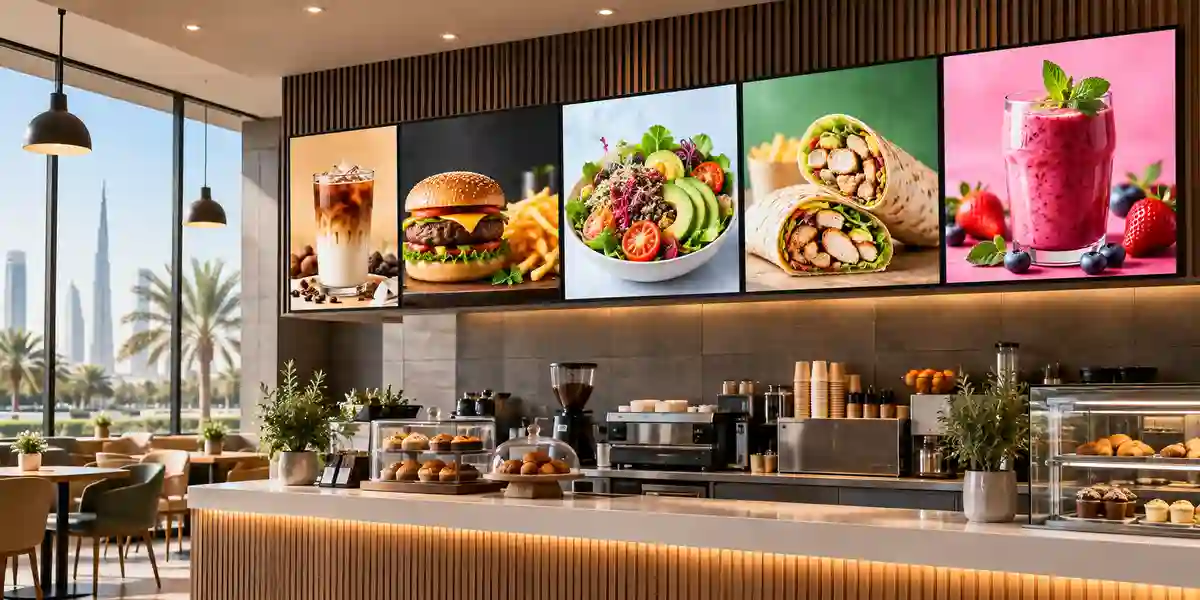
Procurement Snapshot
Brand: Samsung
Model: QE50T
Format: 50-inch commercial signage
Resolution: 3840 x 2160 UHD
Operating profile: 16 hours/day, 7 days/week
Commercial terms: Contact FourTeck for current UAE availability, warranty guidance and project quote.
Quick Procurement & Configuration Matrix
Samsung QE50T, QET Series professional display.
Indoor corporate messaging, retail signage, lobby communication, menu and information boards, meeting-room content and education signage.
Best used as a single screen or coordinated signage endpoint. Multi-screen estates require content, network and management planning.
AC 100–240 V, 50/60 Hz. Samsung lists 95 W typical and 149 W maximum consumption.
2 x HDMI 2.0, USB 2.0, RJ45, RS232C input through stereo jack, audio input/output support.
Dubai, Abu Dhabi, Sharjah, Ajman and wider UAE; regional export support is project dependent.
VESA 200 x 200 mm. Wall mount, stand, fixings and installation conditions should be validated per site.
Coverage varies by market and supply channel. FourTeck can confirm the applicable UAE commercial warranty terms in the quotation.
Executive Product Architectural Overview
The Samsung QE50T sits in the practical middle ground between a consumer television and a higher-brightness, extended-duty professional signage platform. That distinction matters for enterprise buyers because business displays are normally selected not only for image size but for operating schedule, mounting, content sources, remote control, maintenance, network integration and the predictability required in customer-facing spaces. The QE50T addresses organizations that need an indoor 50-inch UHD canvas for scheduled daily operation without automatically paying for 24/7 duty, extreme brightness or specialist outdoor construction that the use case may not require.
At display level, the 3840 x 2160 panel offers four times the pixel count of Full HD and is designed to present high-resolution marketing imagery, dashboards, menus, wayfinding graphics, meeting-room material and business video with substantially more visual detail than legacy 1080p signage. Samsung specifies 300-nit brightness and a typical 4000:1 contrast ratio with 178-degree horizontal and vertical viewing angles. In practical procurement terms, 300 nit places the QE50T in the indoor signage class rather than the window-facing or high-ambient-light class. It is well matched to offices, reception areas, interior retail zones, corridors, clinics, schools and hospitality locations where lighting is controlled. For storefront windows with direct sunlight or very bright atriums, a higher-brightness commercial panel should be considered.
The 16/7 operating profile is another important architectural boundary. A sixteen-hours-per-day, seven-days-per-week schedule aligns well with the opening and staffing hours of many stores, offices, education facilities and service organizations. It provides significantly more appropriate usage guidance than treating a consumer display as a continuously managed commercial endpoint, while avoiding the cost of a full 24/7 platform when the screen is switched off overnight. Buyers planning command centres, security operations, transport hubs or always-on manufacturing dashboards should evaluate Samsung models rated for continuous operation instead.
Content handling is simplified by Samsung MagicInfo Lite and the integrated Tizen-based player architecture. The screen includes an internal quad-core processor, 2 GB LPDDR4 memory and 8 GB storage, of which a portion is used by the operating system. This means many straightforward signage deployments can operate without an external media player for every screen. For simple scheduled media playback and signage tasks, fewer external boxes can reduce cable clutter, power adapters, rack or shelf requirements, and points of failure. More complex enterprise content management, interactive applications or advanced fleet orchestration may still require dedicated software, licensing or external compute, and those needs should be mapped during solution design.
From an integration perspective, two HDMI 2.0 inputs support modern 4K source devices, while USB 2.0 allows local media and service workflows. RJ45 and RS232C connectivity enable network and serial control scenarios, useful when the display must be incorporated into meeting-room control, signage administration or centralized AV management. The built-in 10 W + 10 W speakers provide basic audio for presentations, promotional clips and announcements, removing the immediate need for separate speakers in smaller rooms. Where speech intelligibility, music quality or larger-space coverage is important, dedicated audio should be planned.
Physical deployment is straightforward but still deserves engineering attention. Samsung lists the display at approximately 44.0 x 25.4 x 2.4 inches without stand, with VESA 200 x 200 mm mounting. The product weight is about 25.8 lb. Those dimensions support wall installation in meeting rooms, shop interiors and reception zones, but wall construction, bracket load rating, cable exit position, ventilation clearance, viewing height and service access should be checked before installation. FourTeck can help buyers align bracket type, source location, network outlet, power socket and screen orientation to reduce avoidable rework.
For UAE organizations, the strongest architectural value of the QE50T is its balance. It provides recognizable Samsung display engineering, UHD resolution, commercial daily-duty guidance, embedded signage capability and business control interfaces in a 50-inch footprint that is easy to deploy in many indoor spaces. The model is best evaluated as a component in a complete signage workflow: content preparation, scheduling, network access, mounting, power, remote control, physical security, warranty coverage and replacement strategy all influence the success of the deployment. A sound procurement decision therefore starts with the screen specification but finishes with a validated site and operations plan.
Enterprise Business Value & ROI Benefits
Sharper Business Communication
UHD resolution gives designers more usable detail for text, pricing, product photography, schedules and dashboard elements. In environments where viewers stand closer to a 50-inch screen, the higher pixel density can improve perceived professionalism and readability. The benefit is not simply a prettier image: clearer communication can reduce confusion, improve message consistency and let organizations consolidate several printed signs into an updateable digital surface.
Reduced External Player Dependence
Built-in signage capabilities can remove the need for a separate player in straightforward use cases. Fewer boxes mean fewer power adapters, HDMI jumpers, mounting shelves and replacement components. Across a multi-screen estate, that simplification can reduce installation labour and ongoing fault isolation time. Where the content workflow requires a separate CMS or player, the two HDMI inputs still preserve flexibility.
Operational Fit for Business Hours
The 16/7 duty profile supports organizations that operate long days but close overnight. Matching duty rating to real operating hours prevents over-specifying a 24/7 platform where continuous operation is unnecessary. This can protect project budget while still providing a professional signage model intended for managed commercial environments.
Central Control Readiness
RJ45 and RS232C control paths are valuable for integrators and facilities teams that need centralized source switching, status visibility or room-control workflows. Centralized control can reduce manual interaction with remotes, especially in meeting spaces and distributed signage areas where local staff should not need to manage screen settings.
Energy Planning Transparency
Samsung publishes typical, maximum and standby consumption figures, allowing facilities teams to estimate electrical loading and operating cost rather than relying on guesswork. When multiplied across tens or hundreds of screens, power behavior becomes a meaningful operating-cost factor and should be included in TCO planning.
Consistent Brand Presentation
A standardized 50-inch signage platform helps enterprises create repeatable visual zones across branches, offices or service locations. Consistency simplifies template design, mounting standards, spare planning, operator training and content governance. A common model also makes it easier to document configuration baselines and support procedures.
Return on investment for a commercial display should be judged beyond acquisition price. The useful measures include installation simplicity, uptime during business hours, content update speed, reduction in printed collateral, ease of remote administration, staff effort, energy consumption and the ability to re-use the display when campaigns or room functions change. The QE50T is particularly attractive when a buyer needs a dependable 50-inch indoor UHD endpoint and does not need sunlight-readable brightness or 24/7 operation. In those conditions, paying for capabilities that will never be used can inflate project cost without creating additional business value.
The platform can also support business continuity in a practical sense. Digital signage allows organizations to change messages centrally or locally when operating conditions, safety notices, queue instructions, promotions or visitor information change. A printed sign requires redesign, printing and physical replacement; a managed screen can update content in minutes once the workflow is established. This agility is especially useful in multi-site retail, education, healthcare and corporate environments where message consistency and change control matter.
Hardware & Technical Architecture Highlights
The QE50T uses a Direct LED backlight architecture behind a 50-inch UHD panel. Direct-lit construction supports consistent backlight delivery across the screen while remaining suitable for mainstream commercial signage. Samsung pairs the panel with its Crystal UHD processing approach, which is designed to present content cleanly at the panel’s native 3840 x 2160 resolution. The internal player uses a Cortex-A72 quad-core processor running at 1.7 GHz, supported by 2 GB of LPDDR4 system memory and 8 GB of onboard storage. Approximately 3.88 GB is occupied by the operating environment according to Samsung specifications, leaving roughly 4.12 GB available for applicable content and system use.
The graphics pipeline processes content and scales output to the UHD panel. This is particularly valuable for organizations with mixed libraries containing Full HD and UHD assets. Upscaling does not create genuine source detail that was never captured, so design teams should still use high-quality artwork whenever possible, but the display can present non-UHD sources more appropriately on the native 4K canvas. Supported media decoding covers commonly used formats such as H.264/AVC, HEVC, VP8, VP9, JPEG and PNG, providing practical flexibility for signage media preparation.
Connectivity is designed around common AV and commercial-control needs. Two HDMI 2.0 inputs allow a signage player and a secondary device such as a laptop, set-top source or room system to remain connected simultaneously. HDCP 2.2 support matters when protected 4K content sources are used. USB 2.0 provides local file access and service convenience. A stereo mini jack supports applicable audio paths, while the audio output can feed external equipment when required. For control, RS232C input through a stereo jack and RJ45 network connectivity offer two established approaches for integration into managed AV environments.
The built-in audio system is rated at 10 W + 10 W. That is sufficient for many small meeting rooms, reception displays and close-range signage installations where audio is secondary. It should not be treated as a substitute for distributed sound in noisy restaurants, large classrooms, open retail floors or event environments. A separate amplifier, soundbar or ceiling speaker system may be more appropriate in those cases.
Samsung also lists a temperature sensor, internal clock battery, button lock, auto source switching and recovery, LFD home interface and IP5X protection among the model’s business features. IP5X indicates resistance to dust ingress at a level relevant to indoor commercial operation, but the QE50T is not an outdoor weatherproof display. It still requires an indoor installation within the specified temperature and humidity envelope. Samsung states 0 to 40 degrees Celsius operating temperature and 10% to 80% operating humidity. In the UAE, those limits make environmental planning essential for entrances, shopfronts and facilities where HVAC may be reduced after hours.
Definitive Technical Specifications Table & Sizing Notes
| Specification | Samsung QE50T | Buyer Planning Note |
|---|---|---|
| Screen size | 50 inches | Suitable for medium-distance indoor viewing; confirm audience distance and wall dimensions. |
| Panel / Backlight | Direct LED BLU | Professional indoor display architecture. |
| Resolution | 3840 x 2160 | Use UHD artwork and appropriately encoded video for best detail. |
| Brightness | 300 nit | Best for indoor controlled-light environments, not direct-sunlight windows. |
| Contrast ratio | 4000:1 typical | Supports strong dark/light separation for general signage content. |
| Viewing angle | 178° / 178° | Useful where viewers approach from different angles. |
| Response time | 8 ms typical | Appropriate for mainstream signage and business video. |
| Operation | 16/7 | Do not design a 24/7 workload around a 16/7-rated display. |
| HDMI | 2 x HDMI 2.0 | Supports modern UHD sources and source redundancy options. |
| USB | 1 x USB 2.0 | Useful for local content and service workflows. |
| Control | RJ45, RS232C input | Useful for networked administration and AV control integration. |
| Built-in audio | 10 W + 10 W | Adequate for basic near-field audio; large spaces may need external sound. |
| Internal player | Tizen 4.0, quad-core 1.7 GHz | Supports embedded signage use cases and MagicInfo Lite. |
| Memory / Storage | 2 GB LPDDR4 / 8 GB storage | Available storage is lower after operating-system allocation. |
| Power | 100–240 V AC, 50/60 Hz | Compatible with standard UAE electrical infrastructure when installed correctly. |
| Power consumption | 95 W typical / 149 W max / 0.5 W standby | Use maximum values for circuit planning and typical values for energy estimates. |
| Dimensions without stand | 44.0 x 25.4 x 2.4 in | Allow additional space for bracket, ventilation, plugs and service access. |
| Weight | 25.8 lb product weight | Wall and bracket must be load-rated with appropriate safety margin. |
| VESA | 200 x 200 mm | Confirm bracket compatibility and orientation before order. |
| Environment | 0–40°C; 10–80% humidity | Maintain conditioned indoor environment, particularly in UAE summer conditions. |
Specifications describe the display itself, but sizing a business installation requires context. A 50-inch panel can be excellent in a reception zone, medium meeting room, aisle endcap or wall-mounted information point, yet undersized for a large auditorium and overly large for a narrow corridor. Brightness must be assessed against ambient light, not screen size. Likewise, built-in audio may simplify a quiet room but will not overcome a loud restaurant or open-plan retail floor. Buyers should also decide whether content will be played from the integrated signage environment, a USB device, a dedicated media player, a PC or an AV-over-IP source. These choices affect network design, cable routes and support procedures.
Commercial terms are also configuration dependent. The display may require a wall bracket, floor stand, trolley, cable management, external speakers, surge protection, installation labour, network points or a content platform. Warranty terms can vary by market and supply channel. FourTeck can validate the relevant UAE part number, accessories, current availability and support terms before the purchase order is issued.
Configuration, Sizing & Deployment Workbench
01 — Define Viewing Distance and Content Density
Start with how far the audience will be from the screen and what they must read. A 50-inch UHD panel can display very detailed material, but tiny text is still difficult from several metres away. Retail price boards, wayfinding, dashboards and menu screens all have different legibility requirements. Design the content around realistic viewing conditions, then confirm that 50 inches is the correct physical format.
02 — Validate Ambient Light and Duty Cycle
The QE50T is specified at 300 nit and 16/7. Confirm that the installation is indoors, that direct sunlight will not wash out the image and that the display can be powered down outside business hours. If the requirement is 24/7 or the screen faces bright windows, move to a model designed for those conditions rather than trying to compensate with settings.
03 — Map Source and Content Workflow
Determine whether content will run through MagicInfo Lite, local USB playback, an external media player, a meeting-room PC, a set-top device or another AV source. Identify resolution, HDCP requirements, audio routing and who owns content updates. A technically capable screen can still fail operationally when there is no clear publishing workflow.
04 — Plan Network and Control
If the screen will be managed over the network, confirm VLAN placement, DHCP or static addressing policy, firewall requirements and remote management responsibility. For meeting-room or BMS-style control, determine whether RJ45 or RS232C integration is preferred. Document source switching, startup state, power schedule and failure recovery behavior.
05 — Engineer Mounting, Power and Service Access
Use a VESA 200 x 200-compatible mount with suitable load rating. Confirm wall construction, anchor method, screen centreline, accessibility, power outlet placement and cable bend radius. Avoid trapping connectors behind a bracket with insufficient clearance. Leave practical access for technicians to reach ports without removing architectural finishes.
06 — Confirm Quantity, Spares and Lifecycle
For multi-site rollouts, standardize part numbers and consider holding a spare where downtime has customer impact. Check whether all sites share the same mounting pattern, content templates and network policy. A consistent estate is easier to support than an assortment of unrelated screens purchased over time. FourTeck can help consolidate the bill of materials around a repeatable deployment standard.
User-count limits are less relevant to a signage panel than concurrent content endpoints and management architecture. What matters is how many screens will be administered, how often content changes, whether files are distributed over LAN or WAN, and whether central licensing is required. Storage throughput is similarly workload dependent: local looping video needs different planning from live dashboards or externally rendered content. For a large estate, treat the display network as an IT service with naming standards, addressing, credentials, update procedures, monitoring and replacement policy.
Environmental planning deserves particular attention in the Gulf. Indoor screens may be installed close to glass façades, entrances or areas where HVAC schedules change after business hours. The QE50T’s specified operating envelope should be maintained even when the premises are closed. Excess heat can shorten component life and trigger instability. If the panel is installed in a recessed enclosure, include ventilation rather than assuming the room temperature alone represents the conditions at the rear of the screen.
Industry Use Cases & Workload Scenarios
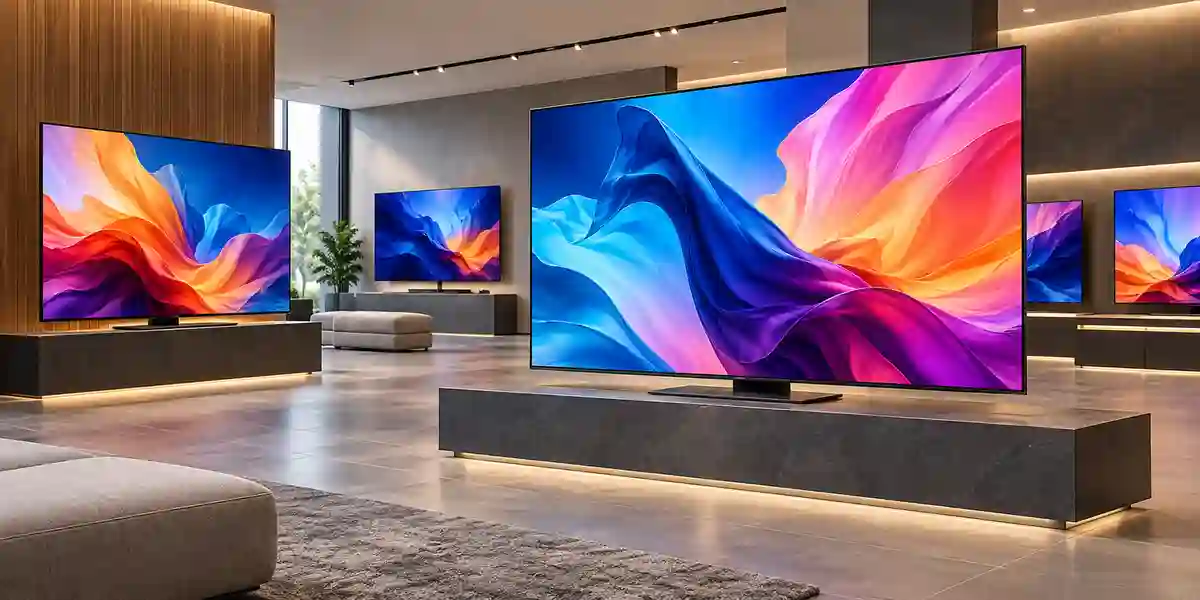
Retail
Use for promotional visuals, product storytelling, internal window zones, queue messaging and digital directories. The 50-inch format works well at department boundaries, service desks and feature walls where 300-nit indoor brightness is appropriate.
Corporate
Deploy in receptions, town-hall overflow areas, departmental communication points and meeting rooms. HDMI connectivity supports room sources while network and serial control can help standardized AV operations.
Healthcare
Suitable for waiting-room information, appointment guidance, internal communications and educational content where clinical staff need centrally maintained messages without relying on printed notices.
Government
Useful for service-centre queue information, public notices, meeting spaces and departmental dashboards. Standardized commercial displays can simplify facilities support across multiple offices.
Education
Use for campus announcements, reception messaging, timetable displays and event information. For interactive teaching, choose a dedicated interactive board rather than assuming a signage display provides touch capability.
Hospitality & Restaurants
Apply as interior menu boards, event notices, lobby information and venue promotions. High-noise or bright-window areas may need stronger audio or higher-brightness display alternatives.
Banking and finance environments can use the QE50T for branch communications, rates information, campaign media and internal dashboards, subject to corporate security policy for networked signage. Logistics operators can place screens in reception areas, dispatch offices and staff communication zones for schedules, safety messages and operational dashboards. Each sector should separate the content requirement from the display hardware requirement: the screen presents information, while the security, data source, authentication and publishing controls belong to the wider system architecture.
Technical Feature Deep Dive 1: Processing, Throughput & Workload Performance Architecture
The QE50T’s performance architecture is designed for commercial signage rather than workstation-class computing. The integrated Cortex-A72 quad-core processor and Tizen operating environment provide the processing foundation for onboard signage tasks, media decoding, user interface operations and content playback. This architecture matters because the screen can act as an endpoint with embedded intelligence instead of behaving only as a passive monitor. For straightforward digital signage, removing a separate PC or media player can reduce BOM cost, cabling, power consumption and support overhead.
The internal graphics path scales processed content to the display’s 3840 x 2160 output. In practice, this lets mixed-resolution media libraries be presented on the UHD panel without requiring every asset to be natively rendered at 4K. However, source quality remains the dominant factor in final clarity. A heavily compressed or low-resolution image cannot gain true detail through scaling. Organizations should therefore treat the display processor as an enhancement and compatibility layer, not a substitute for good content production standards.
Video decoding support includes HEVC and UHD H.264/AVC, which is important for efficient distribution of high-resolution video. HEVC can deliver 4K content at lower bitrates than older codecs when the source and workflow are compatible, potentially reducing network transfer load for distributed signage. File testing remains important because container format, codec profile, bitrate and audio encoding can all influence playback behavior. For high-stakes rollouts, validate representative content on a sample display before deploying to every location.
The two HDMI 2.0 inputs provide practical source throughput for UHD devices. In a meeting room, one input might be allocated to the room PC and another to a wireless presentation gateway. In retail, one could connect an external signage player while the second remains available for service or campaign-specific equipment. This dual-source design creates operational flexibility without requiring constant cable swapping. HDCP 2.2 support also helps with protected 4K content sources.
Performance planning for signage should consider the entire path: content creation, encoding, storage, network distribution, local playback, display processing and panel response. Bottlenecks can occur well before the screen. A slow WAN link may delay campaign updates; an overloaded CMS may miss scheduling windows; an underpowered external player may render dashboards poorly. FourTeck can help buyers distinguish between limitations of the panel and limitations of the wider content-delivery architecture so investment is directed to the correct layer.
Technical Feature Deep Dive 2: Security, Redundancy & System Resilience
Commercial displays are increasingly connected endpoints, so resilience depends on more than panel reliability. The QE50T provides features such as button lock, auto source switching and recovery, network control and an internal clock battery. These functions can contribute to stable unattended operation when configured appropriately. Button lock can reduce accidental changes in public or shared spaces. Source recovery helps the display return to an available input after a source interruption rather than requiring staff to intervene manually.
Security architecture should be defined by the organization operating the signage estate. Network-connected screens belong on an appropriate managed network segment with controlled access, documented credentials and an update process. Where corporate policy requires isolation, a dedicated signage VLAN can separate displays from sensitive user or server networks. The screen should not be treated as a trusted workstation merely because it is mounted on a wall. Asset inventory, firmware governance and removal of unused services are all part of responsible endpoint administration.
Physical resilience starts with correct mounting. The bracket must support the display weight with suitable safety margin, and the building substrate must be capable of holding the complete assembly. Commercial spaces also need cable strain relief and protection against accidental disconnection. In public areas, consider tamper-resistant mounting and concealed cabling. Surge protection and properly earthed power infrastructure are valuable in sites where electrical disturbances are a concern.
The 16/7 rating is itself a resilience parameter. Running a device beyond its specified operating profile can undermine expected service life and support assumptions. Organizations requiring screens to remain on around the clock should select a 24/7-rated alternative. Similarly, 300-nit brightness should not be forced to solve sunlight exposure. Choosing the correct class of display at design stage is one of the most effective ways to improve real-world reliability.
For multi-screen estates, redundancy may involve spare units rather than redundant components inside each display. Holding one compatible spare can restore a critical signage point quickly while the failed unit enters a warranty or repair process. Standardized brackets and cabling can make swaps faster. FourTeck can help project teams plan quantity, spares, replacement workflow and warranty handling as part of the procurement package.
Technical Feature Deep Dive 3: Remote Management, Telemetry & Infrastructure Integration
Remote management is where a commercial display begins to behave like infrastructure rather than furniture. The QE50T provides RJ45 networking and RS232C control capabilities that can support centralized workflows. In a managed environment, displays can be incorporated into operational routines for power scheduling, source control and status checks, depending on the management platform in use. This reduces reliance on handheld remotes and manual visits, especially across large offices, schools or retail branches.
MagicInfo Lite gives the display embedded signage functionality for straightforward content use. Organizations with larger fleets may adopt a more comprehensive content-management platform, and licensing should be verified separately because the exact capabilities and commercial terms depend on the management environment. The key architectural decision is whether the screen operates independently, under a centralized Samsung signage stack, or behind an external player managed by another platform. That choice determines who owns monitoring, content distribution and troubleshooting.
Integration with corporate IT should be documented. Network teams need device counts, MAC addressing expectations, IP assignment method, outbound or inbound connectivity requirements and security boundaries. AV teams need control protocols, source priorities and startup behavior. Content teams need publishing permissions, scheduling rules and creative specifications. Facilities teams need power schedules and physical access. When these ownership boundaries are defined before installation, the deployment becomes considerably easier to support.
Telemetry is most useful when it drives action. A dashboard showing that a screen is offline is valuable only if someone owns the incident and knows whether to check power, network, source or hardware. Mature signage operations therefore combine remote management with service procedures. Establish escalation paths, document common fault states, maintain spare cables and remotes, and record each display’s physical location and serial information. The technology supports centralized administration, but operational discipline converts that capability into uptime.
For meeting rooms, RS232C or network control can also integrate the display with room-control systems so users interact with a simplified interface rather than display menus. An automation controller can select inputs, manage power states and coordinate with audio equipment. Compatibility should be confirmed against the control platform and command set used by the integrator. FourTeck can coordinate specification discussion with project stakeholders so the display is treated as part of the room ecosystem rather than a standalone purchase.
What Buyers Should Check Before Purchase
The most common signage procurement mistakes come from mismatching the display to the environment: using 300 nit in direct sunlight, expecting 24/7 operation from a 16/7 panel, ordering the wrong bracket, overlooking network policy, or discovering after installation that content ownership is undefined. Use the four checks below before issuing a purchase order.
01 / FIT — Configuration Fit & Model Sizing
Confirm screen size, viewing distance, mounting orientation, daily runtime and brightness requirement. The QE50T is a 50-inch, 300-nit, 16/7 indoor display. If the project requires sunlight readability, portrait-specific constraints, touch interaction or around-the-clock operation, verify whether another model is more appropriate. Also identify whether built-in MagicInfo Lite is sufficient or whether an external player and broader management platform are required.
02 / MATCH — Compatibility & Environmental Requirements
Validate VESA 200 x 200 mounting, wall structure, power outlet location, HDMI cable length, network port availability and control-system compatibility. Confirm that the installation area stays within the specified 0–40°C operating range. If the screen sits near glazing or an entrance, evaluate heat gain and reflected sunlight during the actual hours of use rather than relying only on architectural drawings.
03 / TERMS — Availability, Delivery & Warranty Terms
Commercial availability and support terms can change by country, stock position and supply channel. Request a formal quotation that identifies the exact part number, quantity, included accessories, warranty handling, delivery location and validity period. Do not assume a wall mount or floor stand is included unless it is explicitly stated. For multi-site deployments, confirm whether deliveries must be split and whether staging or serial-number capture is required.
04 / REQUEST — Quote Preparation Data Needed
Provide FourTeck with the Samsung QE50T model, required quantity, exact delivery emirate, target installation date, wall-mount or stand preference, content source, required cable lengths and whether installation is needed. For network-managed estates, include the number of locations and expected management approach. Better input produces a more accurate bill of materials and reduces revision cycles during procurement.
UAE Regional Availability & Service Ecosystem
FourTeck supports commercial-display procurement across the UAE with sourcing coordination, configuration review, quotation preparation, accessory validation and delivery planning. Availability can vary by quantity and project timing, so enterprise buyers should request a current quotation before locking deployment schedules. For larger rollouts, FourTeck can coordinate phased deliveries, mounting accessories, site-specific bill-of-material reviews and pre-sales discussions to reduce mismatches between the screen and the installation environment.
K1. Dubai Supply & Logistics Support
Dubai buyers can request supply support for corporate offices, retail locations, hospitality sites, education projects, clinics, warehouses and Free Zone operations. FourTeck can assist with quantity validation, project quotations, delivery coordination and accessory planning for wall-mounted or stand-based deployments. Where a rollout includes multiple Dubai sites, schedules can be aligned around site readiness and project milestones. Exact stock, warranty and installation terms remain quotation dependent.
K2. Abu Dhabi & Al Ain Logistics Reach
Organizations in Abu Dhabi and Al Ain can use FourTeck for commercial-display sourcing, configuration validation and coordinated delivery to government, industrial, corporate, education and service-sector projects. Buyers should provide site access conditions, quantity, installation timeline and any required compliance documentation early so logistics can be planned around security, receiving and project-control requirements.
K3. Sharjah & Northern Emirates Logistics Infrastructure
FourTeck supports Sharjah and Northern Emirates requirements with quotation handling, product sourcing and delivery coordination. For industrial facilities, schools, showrooms and branch networks, deployment planning should include environmental conditions, mount type, source equipment and network control. Multi-site orders can be reviewed as a standardized package to improve consistency across locations.
K4. Ajman & Surrounding Emirates Logistics Coverage
Ajman businesses can request current availability checks, project quotations, delivery coordination and pre-sales guidance for the QE50T and suitable alternatives. FourTeck can help determine whether the 50-inch format, 300-nit brightness and 16/7 operating profile match the planned indoor environment before purchase, reducing the risk of selecting a screen based only on size or brand.
GCC & Pan-African Supply Chain Reach
For regional projects, FourTeck can support quotation coordination, export documentation discussion, configuration validation and cross-border supply planning on a project basis. Buyers should provide destination country, consignee information, quantity, required delivery term, project schedule and any country-specific import requirements. Freight, customs, taxes, certifications and warranty applicability should be confirmed for the destination before order placement.
L1. Saudi Arabia (KSA) Export & Supply Support
Saudi enterprise and integrator projects can request configuration validation and project quotation support for Samsung commercial displays. For multi-site deployments, provide city distribution, delivery windows and standardized accessory requirements so the supply plan can be aligned with installation sequencing.
L2. Qatar Market Supply Reach
FourTeck can coordinate project inquiries for Qatari buyers requiring commercial signage for offices, retail, hospitality and education. Export logistics and local receiving requirements are assessed according to the specific order, destination and project timetable.
L3. Oman Regional Distribution Support
Buyers in Oman can request hardware sourcing guidance, accessory validation and quotation coordination. The project should identify the final deployment environment so screen brightness, duty cycle and mounting method can be checked before export.
L4. Kuwait Supply Chain Coverage
Project quote assistance and export supply coordination are available for Kuwait-based inquiries. Visit FourTeck Kuwait for regional contact and project routing.
L5. Kenya & East Africa Supply Infrastructure
Kenyan system integrators and enterprise buyers can request regional distribution support, technical inquiry routing and delivery coordination for business display requirements. Visit FourTeck Kenya for local project engagement.
L6. Uganda Regional Procurement Support
Uganda projects can be supported with inquiry response, technology sourcing and project supply management subject to availability and destination requirements. Visit FourTeck Uganda for regional coordination.
L7. Pan-African Regional Logistics & Trade Reach
For broader African technology projects, FourTeck can coordinate multi-country inquiries, product sourcing and export planning according to project scale and trade requirements. Visit FourTeck Africa and FourTeck Global for regional and international project channels.
Related FourTeck Products & Compatible Alternatives
| Alternative | When to Consider It |
|---|---|
| Samsung QE43T | Choose the 43-inch QET model where wall space is limited or viewers are closer to the screen. |
| Samsung QE55T | Move to 55 inches when slightly larger viewing areas require more visual presence while retaining the QET platform concept. |
| Samsung QE65T | Consider for larger reception areas, retail zones or meeting spaces where the 50-inch screen would appear undersized. |
| Samsung QBC Series | Evaluate when a newer-generation Samsung business signage platform better matches lifecycle, management or design requirements. |
| Samsung QMC Series | Consider for projects requiring a different performance tier, industrial design or updated signage feature set. |
| Samsung QHC Series | Evaluate where higher-impact professional signage and different brightness or duty characteristics are needed. |
Choosing among related displays should be driven by application rather than model hierarchy alone. Screen size should be matched to viewing distance; brightness should match the ambient environment; operating profile should match daily runtime; and the content platform should match how the organization plans to publish, monitor and support media. FourTeck can compare current Samsung options when the QE50T is not the best fit, especially for 24/7 environments, brighter storefronts, larger spaces or projects requiring a more recent platform generation.
Why Enterprises Choose FourTeck
Pre-Sales Validation
FourTeck can review model fit, screen size, duty cycle, brightness, control interfaces, mounting and accessories before quotation so buyers have a clearer bill of materials.
Commercial Coordination
Project quotes can be structured around quantity, destination, requested accessories and rollout schedule rather than presenting a screen price without deployment context.
Delivery Planning
UAE and regional requirements can include phased deliveries, branch distribution or project-site receiving. Logistics are coordinated according to the actual order and site requirements.
Warranty Guidance
Warranty applicability varies by market and channel. FourTeck can identify the applicable commercial support path in the quotation and assist with post-sales coordination where included.
Enterprise procurement benefits from clarity more than marketing claims. FourTeck’s role is to help buyers translate a product model into a deployable requirement by identifying the accessories, environmental conditions, delivery assumptions and support expectations that affect the project. This approach is particularly valuable for commercial displays because many failures in the field are caused by mismatched brightness, duty cycle, mounting, content workflow or cabling rather than the panel itself.
For a Samsung QE50T project, buyers can provide the target quantity, delivery location, installation environment, operating hours, mounting method and content source. FourTeck can then align the commercial proposal with those requirements and identify where alternatives should be evaluated. This reduces avoidable purchase-order revisions and creates a stronger handoff from procurement to installation.
Frequently Asked Questions
1. Is the Samsung QE50T a commercial display or a consumer television?
The QE50T is a Samsung QET Series commercial signage display. It is designed around business use cases such as digital signage, corporate communication, retail messaging and information display. Samsung specifies a 16/7 operating profile, MagicInfo Lite, RJ45 and RS232C control, and commercial mounting features that distinguish it from typical home televisions.
2. What resolution and brightness does the QE50T provide?
The Samsung QE50T provides 3840 x 2160 Ultra HD resolution with 300-nit brightness. The resolution is well suited to detailed 4K graphics and video, while 300 nit is intended primarily for indoor controlled-light environments. If the display will face direct sunlight or a bright storefront window, a higher-brightness signage model should be considered.
3. Can the Samsung QE50T run 24 hours a day?
Samsung specifies the QE50T for 16/7 operation, meaning up to sixteen hours per day, seven days per week. It should not be selected for a true 24/7 control-room, transport or continuously operating signage workload. For those applications, FourTeck can help identify a Samsung commercial display with a continuous-operation rating.
4. Does the QE50T require an external media player?
Not always. The QE50T includes an internal Tizen-based player environment and MagicInfo Lite capability for straightforward signage workflows. More advanced content management, custom applications or third-party platforms may still require a dedicated player or additional software. The correct design depends on how content is created, scheduled, distributed and monitored across the deployment.
5. What connectivity is available on the Samsung QE50T?
The QE50T includes two HDMI 2.0 inputs, one USB 2.0 port, RJ45 network connectivity, RS232C input through a stereo jack and audio connectivity. HDMI supports common 4K source devices, while the network and serial interfaces are useful for centralized control, room integration and managed signage environments.
6. Does the QE50T have built-in speakers?
Yes. Samsung specifies built-in 10 W + 10 W speakers. They are useful for basic presentation audio, announcements and promotional clips in smaller or quieter spaces. In large rooms, restaurants, open retail floors or noisy public areas, external audio equipment may provide better intelligibility and coverage.
7. What wall mount does the Samsung QE50T use?
The QE50T uses a 200 x 200 mm VESA mounting pattern. The selected bracket must support the display’s weight and suit the wall substrate, required tilt or articulation, and service-access needs. Confirm bracket compatibility before ordering, and use professional installation where the wall construction or public-area safety requirements demand it.
8. Is the QE50T suitable for outdoor use in Dubai?
No. The QE50T is intended for indoor commercial use and is not an outdoor weatherproof display. Samsung lists an operating temperature range of 0 to 40°C and 10% to 80% humidity. For outdoor or semi-outdoor UAE locations, specify a display designed for higher heat, weather exposure and stronger ambient light.
9. Can FourTeck supply the Samsung QE50T across the UAE?
FourTeck can coordinate quotations and supply planning for Dubai, Abu Dhabi, Sharjah, Ajman and other UAE locations subject to current availability and project terms. Buyers should provide quantity, delivery location, target date, mount requirement and whether installation or staging is needed so the quotation can reflect the complete requirement.
10. What information should I send to get an accurate project quote?
Send the model name Samsung QE50T, quantity, destination, required delivery date, installation environment, operating hours, preferred mounting method, content source and any network-control requirement. If the project spans multiple sites, include quantities per location. This information helps FourTeck validate accessories, logistics and potential alternative models before issuing the proposal.
Request a Samsung QE50T Project Quote
For the fastest and most accurate quotation, send FourTeck the Samsung QE50T model, required quantity, delivery location, target deployment timeframe, wall-mount or stand preference, content source and whether installation support is required. If the display will operate near windows, in a high-heat zone or beyond sixteen hours per day, include those details so the team can confirm whether the QE50T is suitable or recommend a better-matched commercial display.



