
Quick Product Information
Poly, an HP product line
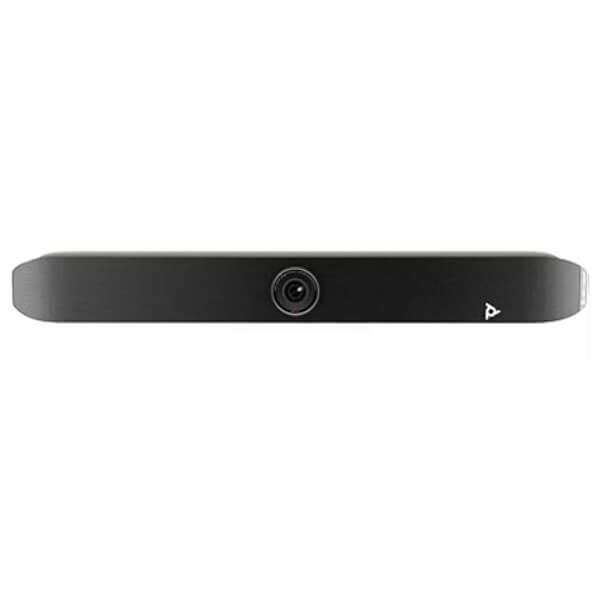
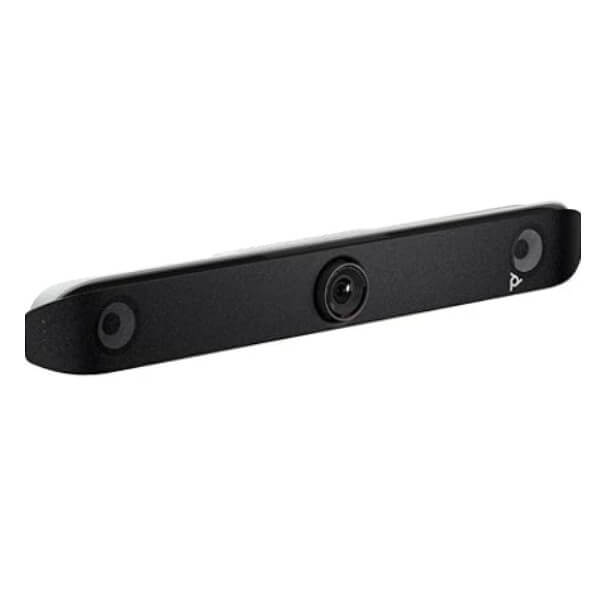
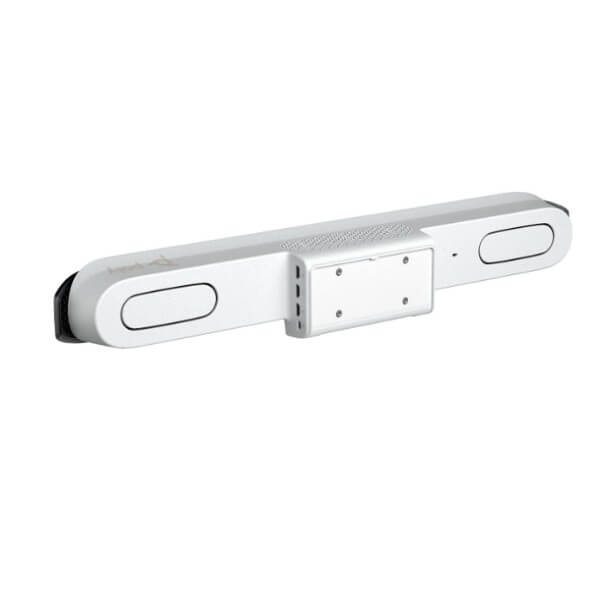
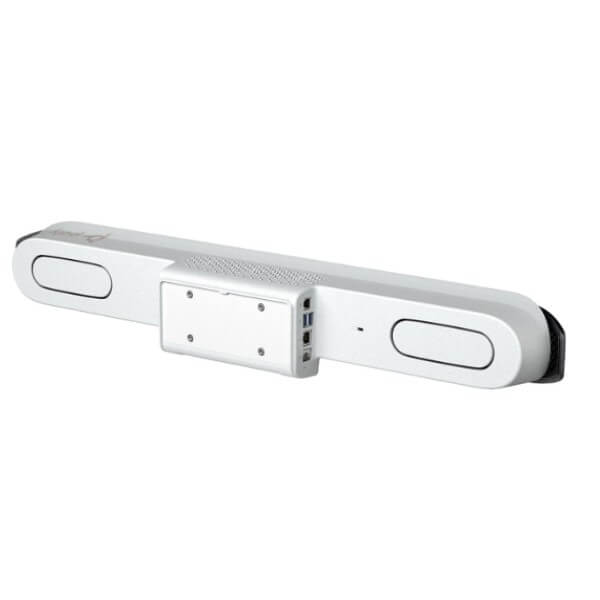
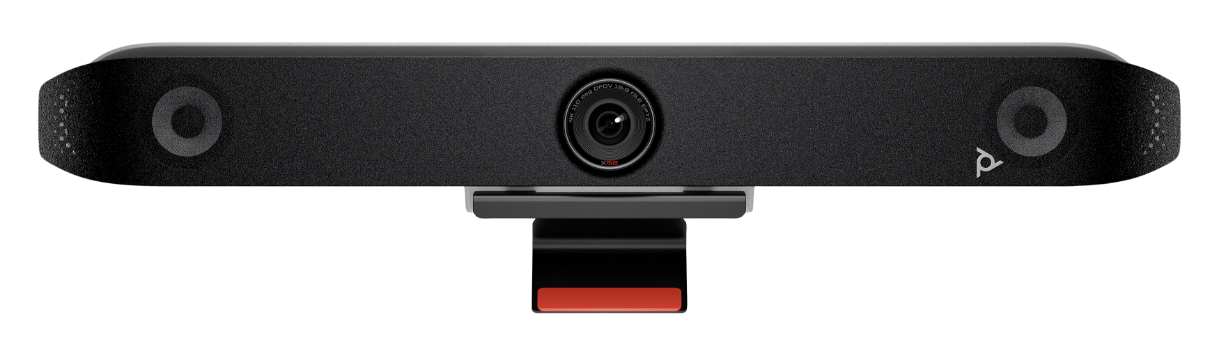
Studio X52
All-in-one video conferencing bar
Medium conference spaces
20 MP, 4K capture, 95° horizontal field of view
Microphone pickup up to 20 ft / 6.09 m
Poly Lens cloud service
Controller, mounting, microphone, and regional radio options vary
Product Overview
A modern meeting room needs more than a webcam placed above a display. It needs a coordinated room endpoint that can frame participants, collect voices across the table, reproduce far-end audio clearly, share content, connect to the organization’s chosen meeting service, and remain manageable by the IT team. This all-in-one video bar brings those functions into a single purpose-built system, reducing the number of separate components that must be selected, connected, supported, and kept updated.
The design targets medium rooms where a wider table, several in-room participants, and one or two displays create more demanding audio and camera requirements than a huddle space. The 20 MP camera captures at up to 4K and provides a 95-degree horizontal field of view. Poly DirectorAI adds group, people, and speaker framing so remote attendees can follow the discussion without requiring someone in the room to operate the camera. The built-in microphone array reaches up to 20 feet under suitable room conditions, while stereo speakers provide an integrated audio path. NoiseBlockAI and Acoustic Fence technologies are intended to reduce distracting sound and help keep the meeting focus within the room’s working area.
The system can participate through built-in applications for leading collaboration platforms, standards-based H.323 or SIP workflows in Poly Video App mode, or USB device mode when a user wants to connect a laptop. That flexibility matters to businesses with mixed meeting practices. A dedicated room may use a native platform every day, while visiting teams, clients, or project partners may occasionally need a laptop-led call. Wired HDMI content input, Apple AirPlay, Miracast, and whiteboarding options provide multiple ways to bring material into a meeting, although feature availability can depend on the selected application and operating mode.
For IT administrators, Poly Lens provides centralized visibility and management capabilities for compatible Poly devices. This can support device configuration, software maintenance, policy deployment, and operational insight across one room or a wider estate. The value becomes more noticeable when an organization is standardizing several meeting rooms and wants repeatable settings rather than treating every endpoint as an isolated installation.
FourTeck approaches the purchase as a room solution rather than a box-only transaction. Buyers can discuss room size, table orientation, display quantity, preferred platform, controller choice, cable routes, mounting, network services, wireless policies, expansion microphone requirements, and expected rollout quantity. This review helps identify whether the base video bar, a TC10 controller bundle, another room size in the same family, or additional accessories are appropriate for the intended environment.
Key Business Benefits
The practical value of a room system comes from how reliably it supports real meetings, not from a specification list alone. The following benefits connect the platform’s core capabilities to everyday business needs.
More inclusive camera coverage
Automatic group, people, and speaker framing helps remote participants see who is contributing. This reduces the static “wide room” view that can make expressions difficult to read and can improve engagement in hybrid discussions.
Cleaner room audio
Integrated microphones, stereo speakers, echo cancellation, automatic gain control, and Poly noise-filtering tools work together to make conversation easier to follow. Better audio reduces repetition, meeting fatigue, and avoidable misunderstandings.
Flexible joining methods
Native meeting applications, standards-based calling, and USB device mode give organizations several deployment paths. A room can support a standardized platform while still accommodating guest or laptop-led sessions when required.
Reduced component complexity
Combining the camera, microphone array, loudspeakers, compute environment, and meeting applications reduces dependence on multiple separate devices. Fewer individual components can make installation, user training, fault isolation, and room documentation more straightforward.
Expandable room design
Optional touch controllers, expansion microphones, stands, wall mounts, VESA mounting kits, and secondary camera support allow the room design to develop beyond the base unit. Buyers can select accessories around the actual layout rather than overbuying by default.
Central IT oversight
Poly Lens can help administrators monitor and manage compatible room devices at scale. Central oversight supports consistent settings, controlled updates, quicker visibility into issues, and more disciplined room lifecycle management.
Platform confidence
Certification for Microsoft Teams, Zoom, and Google Meet gives buyers a clear starting point when planning platform-aligned rooms. The final experience still depends on the chosen application, licenses, tenant policies, network, and room configuration.
Product Highlights
The system is built around a single-lens 20 MP camera capable of UHD 2160p capture. Its 110-degree diagonal and 95-degree horizontal field of view are designed to cover medium conference spaces without relying on an extremely wide, distorted perspective. Five-times digital zoom supports closer framing, while DirectorAI can switch among group, people, and active-speaker views according to the meeting behavior and supported operating mode.
Content can be shared through HDMI, Apple AirPlay, Miracast, and whiteboarding workflows. The device also supports Polycom Lost Packet Recovery, dynamic bandwidth allocation, web proxy options, IPv4 and IPv6, and H.323 or SIP operation up to 6 Mbps when running the Poly Video App. Some functions are application dependent, and administrators should confirm current software support before standardizing a large deployment.
Technical Specifications
| Specification | Confirmed product detail |
|---|---|
| Brand and model | Poly Studio X52; HP product number 8D8K2AA for the video bar listing. Bundle and regional part numbers can differ. |
| Product category | All-in-one video conferencing bar for medium conference spaces. |
| Camera | Single-lens, 20 MP, UHD 2160p capture, 110° diagonal field of view, 95° horizontal field of view, 5x digital zoom. |
| Intelligent framing | Poly DirectorAI with group framing, people framing, and speaker framing. |
| People video resolutions | 4K at 30 fps from 2048 Kbps; 1080p at 60 fps from 1740 Kbps; 1080p at 30 fps from 1024 Kbps; 720p at 60 fps from 832 Kbps; 720p at 30 fps from 512 Kbps. |
| Microphones | Two MEMS microphones plus two second-order microphones; pickup range up to 20 ft / 6.09 m; optional expansion microphone support. |
| Audio output | Integrated stereo speakers; 20 W RMS power handling and 40 W maximum power handling listed in the vendor datasheet. |
| Audio processing | Full-duplex audio, acoustic echo cancellation, NoiseBlockAI, Acoustic Fence, and automatic gain control. |
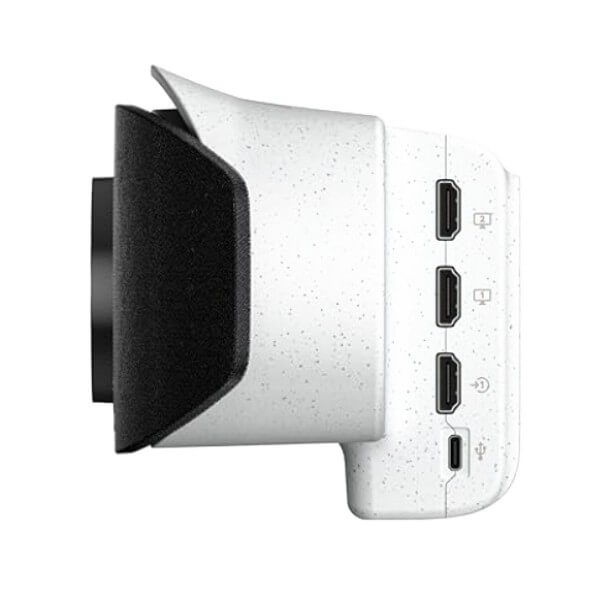
| Video and display interfaces | One HDMI input, two HDMI outputs, touch-display compatibility, and support for adding secondary cameras through USB and HDMI. |
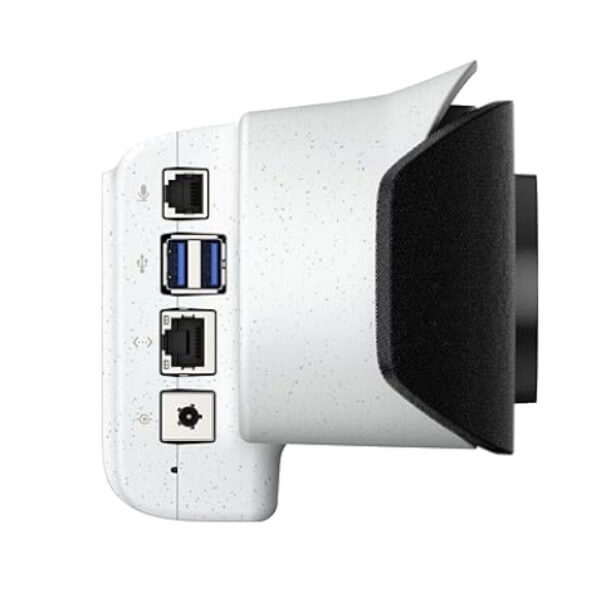
| Other interfaces | Two USB-A 3.0, one USB-C, Bluetooth 5.0, Wi-Fi 6, and one 10/100/1000 Ethernet port. Wireless connectivity is configuration dependent. |
| Content sharing | HDMI input, Apple AirPlay, Miracast, and whiteboarding. Availability can vary by application and operating mode. |
| Platform interoperability | Certified for Microsoft Teams, Zoom, and Google Meet; native third-party application support and Poly Video App mode; USB device mode. |
| Network and protocols | IPv4, IPv6, H.323 and/or SIP up to 6 Mbps in Poly Video App mode, Auto-MDIX, packet-loss recovery, dynamic bandwidth allocation, adjustable MTU, and web proxy support. |
| Management | Poly Lens cloud service for compatible device administration, monitoring, software, policies, and insight. |
| Physical size | 769.5 × 115.2 × 103 mm; weight 2.54 kg. |
| Power | Auto-sensing power supply; approximately 25 W under heavy load and 8 W idle/sleep as listed in the datasheet. |
| Operating environment | 0°C to 40°C operating temperature; 15% to 80% non-condensing operating humidity. |
| Package contents | Video bar, power supply, HDMI cable, Ethernet cable, monitor clamp, and privacy cover according to the base datasheet. Exact package contents vary by SKU and bundle. |
| Warranty reference | The vendor datasheet lists one-year return-to-factory parts and labor. Regional seller terms, service options, and entitlement should be confirmed before purchase. |
How to interpret the specification table
The table describes the core platform, but a complete room quote depends on the exact regional SKU and bundle. A base unit may not include the same controller, mounting accessories, cables, wireless capabilities, or service coverage as a packaged kit. The chosen meeting application can also affect available features, content workflows, and call behavior. Buyers should therefore match the part number to the deployment plan, not assume that every listing with the same model family name has identical contents.
Configuration and Buyer Guidance
A reliable meeting-room purchase begins with the room, users, and operating model. The product name alone does not determine whether the deployment will be successful. Before requesting a quotation, document the room dimensions, table length, seating positions, display size, display count, wall construction, cable pathways, network outlets, available power, lighting conditions, and areas where background noise may enter. These details influence mounting height, camera view, microphone coverage, controller placement, and the need for accessories.
Which meeting platform?
Confirm whether the room will run Microsoft Teams, Zoom, Google Meet, a standards-based service, or a laptop-led workflow. Include tenant licensing and administrator requirements.
One display or two?
Decide whether the room needs a single screen or separate displays for people and shared content. Check display inputs, resolution support, mounting, and cable length.
Controller or remote operation?
A TC10 can provide a dedicated touch interface and scheduling workflow in supported deployments. Verify whether the chosen bundle includes it and how it will be powered and connected.
Is extra microphone reach needed?
Long tables, soft voices, challenging acoustics, or seating beyond the nominal pickup area may justify an optional table microphone. A room assessment is more useful than relying only on distance figures.
Network readiness is equally important. Confirm whether the endpoint will use wired Ethernet, wireless networking, or both; whether the selected regional version includes radio features; and whether the corporate network permits the meeting service, device registration, time services, certificate validation, proxy access, and Poly Lens communication. Quality-of-service policies, firewall rules, VLAN design, DHCP, DNS, and firmware governance may need input from the network and security teams.
For multi-room projects, define a standard room bill of materials and create exceptions only where room conditions require them. Include the video bar, touch controller, mount, displays, cables, adapters, network patching, power extensions, table connectivity, signage requirements, installation labor, commissioning, administrator access, user handover, asset tagging, and service expectations. FourTeck can use this information to prepare a more relevant quote and identify suitable alternatives when the requested SKU or bundle is not the best fit.
Ideal Business Use Cases
The platform suits organizations that need a repeatable, professional conferencing experience in medium spaces. Its best use cases are environments where meetings are frequent enough to justify a dedicated room endpoint and where ease of joining, consistent audio, managed software, and visible remote participants matter to day-to-day work.
Corporate project rooms
Cross-functional teams can run planning sessions, design reviews, status meetings, and customer calls without rebuilding the setup for every meeting. Dual-display support can separate shared material from participant video where the room design allows.
Client consultation spaces
Professional services, legal, finance, engineering, and advisory teams can host remote stakeholders with clear room audio and intelligent framing. USB device mode adds flexibility when a client or consultant needs to use a laptop-based service.
Training and learning rooms
Instructors can present content while remaining visible to remote learners. The room plan should confirm instructor movement, whiteboard placement, content inputs, microphone reach, and whether a secondary camera is needed for demonstrations.
Management meeting rooms
Leadership teams often need quick access to scheduled calls, reliable content sharing, and a clean room appearance. A dedicated controller bundle can reduce dependence on a personal laptop and make the room easier for different executives to use.
Branch collaboration
Businesses connecting headquarters with branch teams can standardize a familiar joining experience across locations. Poly Lens management may help IT maintain visibility as the number of deployed rooms grows.
Hybrid recruitment and interviews
Interview panels can include local and remote participants while keeping the candidate and speakers visible. Good lighting, camera height, acoustic treatment, and privacy procedures remain important parts of the total room experience.
The same hardware is not automatically suitable for every medium space. Rooms with unusually long tables, hard reflective surfaces, open ceilings, loud ventilation, bright windows behind participants, or highly flexible seating may require acoustic improvements, additional microphones, lighting changes, alternative camera placement, or a more modular conferencing design. FourTeck can help compare the all-in-one approach with other room options based on the actual project conditions.
Poly Studio X52 Camera Intelligence
A meeting-room camera must cover the entire table while still presenting individual speakers clearly enough for remote participants to read expressions and follow the conversation. The 20 MP sensor and 4K capture capability provide a strong imaging foundation, while the 95-degree horizontal field of view is intended for medium spaces rather than ultra-wide huddle-room coverage. This balance helps the camera include the room without making people at the far end appear excessively small.
DirectorAI adds automated group framing, people framing, and speaker framing. Group framing is useful when the whole room should remain visible. People framing can present participants more individually, creating a more balanced view for remote attendees. Speaker framing directs attention toward the person currently contributing. The available behavior depends on the chosen application, software release, room conditions, and administrator settings, so project teams should test their preferred experience before a wide deployment.
Camera performance is also affected by placement. Mounting too high can create an unnatural downward view, while mounting too low can allow laptops, table edges, or foreground objects to block faces. Bright windows behind participants can reduce facial detail, and strong reflections may confuse automatic exposure. The room design should place the display and video bar near eye level where practical, control backlighting, and keep the field of view free from moving doors or busy corridors.
The five-times digital zoom supports closer electronic framing but does not replace good room sizing. Digital zoom works by using part of the captured image, so very distant seating may still require another camera strategy. Secondary cameras can be added through supported USB and HDMI workflows, giving designers an option for instructor views, demonstrations, or alternate angles. Compatibility, application support, and switching behavior should be confirmed for the intended use case.
Poly Studio X52 Audio Clarity
Audio quality often determines whether a meeting feels productive. Participants may tolerate a less-than-perfect image, but clipped speech, echo, distant voices, and constant background noise quickly make discussion tiring. The integrated audio system combines two MEMS microphones and two second-order microphones with full-duplex processing, acoustic echo cancellation, automatic gain control, stereo speakers, and Poly noise-filtering technologies.
The specified microphone pickup range reaches up to 20 feet under appropriate conditions. This figure is a planning reference, not a guarantee for every room. Hard walls, glass partitions, high ceilings, open doors, air-conditioning noise, keyboard activity, and people sitting away from the table can influence intelligibility. A long narrow room may also perform differently from a wider room of the same floor area. For critical spaces, an acoustic review and practical voice test are more reliable than distance alone.
NoiseBlockAI is designed to reduce distracting non-speech sounds, while Acoustic Fence helps focus the pickup area. These capabilities can improve concentration in ordinary office environments, but they should not be treated as a replacement for basic room discipline and acoustic treatment. Closing doors, controlling loud ventilation, adding soft furnishings, reducing reflective surfaces, and avoiding speakerphone placement near noise sources all contribute to a better result.
An optional Poly Studio Table Microphone is available for rooms that need more pickup reach or more consistent voice capture along a long table. Buyers should confirm the supported microphone part number, cable routing, table entry points, and whether the controller or furniture design leaves enough space for a clean installation. The built-in stereo speakers should also be matched to room volume and seating distance. Very large, divisible, or acoustically difficult rooms may benefit from a modular audio system rather than an all-in-one endpoint.
Poly Studio X52 Deployment and Management
A successful room deployment must be straightforward for users and supportable for administrators. The all-in-one architecture reduces the number of independent devices compared with a room assembled from a separate camera, microphone, speaker, computer, and control interface. That can simplify cabling, documentation, software ownership, and fault isolation, especially when several rooms follow the same design standard.
The endpoint can use built-in meeting applications, Poly Video App mode, or USB device mode. Native applications support a room-first workflow in which users join from the room interface. Standards-based H.323 or SIP operation may suit organizations with existing video infrastructure. USB device mode allows a connected computer to use the room camera, microphones, and speakers. Each mode has different licensing, user experience, security, cable, and support implications. The deployment team should choose a primary workflow and treat alternate modes as planned exceptions.
Poly Lens gives IT teams a centralized management path for compatible endpoints. Administrators can gain device visibility, deploy settings and policies, coordinate software updates, and examine operational information. For multi-site rollouts, this can reduce the need to visit every room for routine tasks. It also supports a more consistent baseline, although organizations should still maintain change control, firmware testing, administrator role separation, and a documented recovery procedure.
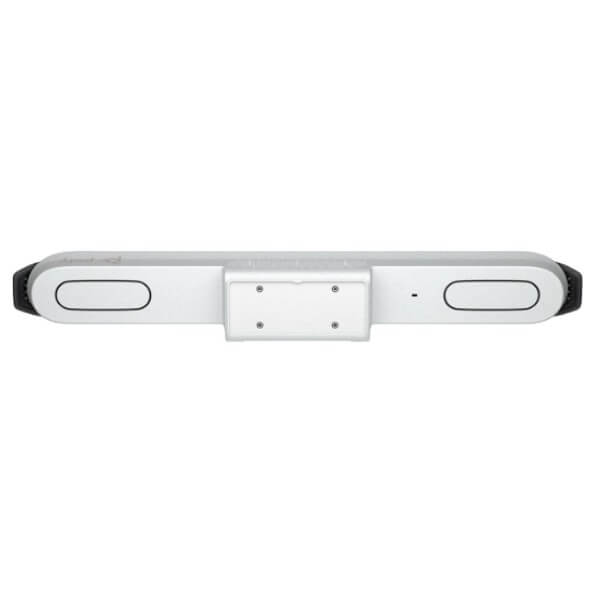
Physical deployment choices include a monitor clamp in the base package and optional wall, VESA, and table mounting solutions. The final selection depends on display construction, wall material, cable access, screen position, and serviceability. A TC10 controller may be added through a suitable kit or separate purchase for touch control and room scheduling in supported deployments. Buyers should verify the exact bundle, controller connectivity, mount compatibility, included cables, power arrangements, and regional radio capabilities before approving the bill of materials.
What Buyers Should Check Before Purchase
Before requesting a quote, buyers should confirm the complete room requirement rather than choosing only by model name or an online price. Similar listings may refer to the standalone bar, a kit with a TC10 controller, a radio or no-radio version, or a region-specific SKU. Package contents, support entitlement, power lead, mounting accessories, and platform configuration can therefore differ even when the main product family appears identical.
Configuration fit
State the room dimensions, table length, seating arrangement, display count, preferred platform, controller preference, and expected call workflow. Include whether the room will be dedicated or shared with laptop users.
Compatibility check
Confirm display inputs, touch-display needs, network services, firewall rules, proxy settings, tenant licensing, USB cable distance, secondary camera support, and management access before installation.
Availability and warranty
Ask for the quoted part number, package contents, supplier lead time, service entitlement, warranty handling path, and any optional support coverage. Do not assume every region has the same terms.
Quote preparation
Provide the required quantity, delivery location, target deployment date, installation expectations, accessories, preferred invoicing details, and whether the project needs staging or phased supply.
Mounting and cabling are frequently underestimated. The supplied monitor clamp may not suit every display or furniture plan. A wall or VESA mount can create a cleaner result, but the installer must check load capacity, hole patterns, wall structure, ventilation, service access, and camera height. Cable routes should account for HDMI input and outputs, Ethernet, power, USB connections, controller location, table connectivity, and possible future microphone expansion. Long cable distances may require approved extenders or a different room architecture.
Buyers should also consider lifecycle cost. The initial hardware is only one part of the room investment. Other costs can include displays, mounts, installation, meeting-platform licenses, network changes, controller hardware, optional microphones, spare cables, administrator time, support coverage, replacement planning, and room acoustic improvements. A standardized design can reduce training and support effort, but only when the selected platform matches the organization’s actual meeting behavior.
FourTeck can review these details and help identify the appropriate model family, bundle, accessories, and suitable alternatives. Sharing a room drawing, photographs, display information, preferred platform, expected number of participants, and rollout schedule allows the sales team to prepare a more useful proposal and reduces the risk of missing components or ordering a configuration that does not match the business requirement.
UAE Availability and Service Support
FourTeck supports conferencing product inquiries across Dubai and the wider UAE with assistance for model selection, bundle review, accessory matching, quote preparation, delivery coordination, and warranty guidance. Availability can change according to the exact part number, radio version, controller bundle, order quantity, supplier position, and project schedule. For this reason, the sales team confirms current options against the requested configuration instead of presenting a general availability statement that may not apply to the required SKU.
Business buyers can request support for a single room, a phased office rollout, or a multi-location project. The inquiry should include the meeting platform, room size, number of displays, preferred controller, mounting approach, microphone needs, installation expectations, and target delivery period. FourTeck can then review whether the standalone bar, the TC10 kit, another product in the same family, or a different room solution is more suitable.
Warranty guidance is based on the quoted supply channel and regional entitlement. The vendor datasheet references one-year return-to-factory parts and labor, but final coverage, handling procedures, service upgrades, and exclusions should be confirmed on the quotation. Buyers planning a critical meeting environment may also wish to discuss spare-unit strategy, installation validation, administrator documentation, and support response expectations.
Coverage Across Key UAE Business Locations
Organizations in Dubai, Abu Dhabi, Sharjah, Ajman, and other UAE locations can contact FourTeck for product availability, configuration guidance, and quotation support. The purchasing process can be adapted to a headquarters meeting room, branch office, training facility, consulting space, education environment, or a coordinated rollout across several sites.
Delivery coordination depends on the confirmed product, order quantity, location, supplier lead time, and any staging or installation requirement. Buyers should provide the complete delivery address, site access rules, receiving hours, contact person, and target date. For project quantities, it is useful to identify whether all rooms require the same bundle or whether some locations need different mounts, controllers, microphones, or display connections.
FourTeck can also help buyers review a standardized room bill of materials before orders are released. This step can reduce site-to-site inconsistency and make future support easier. Where a requested configuration is unavailable or unsuitable, the team can discuss related models and alternatives without assuming that one room design fits every location.
GCC and Africa Project Inquiries
FourTeck supports business technology inquiries through regional platforms and inquiry channels for selected GCC and Africa markets. Organizations with requirements in Saudi Arabia, Qatar, Oman, Kuwait, Bahrain, Kenya, Uganda, and other locations can share the target country, quantity, room design, preferred platform, and required timeline for review. Product availability, delivery options, documentation, warranty handling, power accessories, and radio variants may differ by country.
Regional supply planning should account for customs requirements, final delivery location, importer arrangements, local installation responsibility, service expectations, and platform licensing. A configuration suitable for a UAE office may need a different part number or support path elsewhere. FourTeck can help organize the inquiry and identify the information required for a country-specific quotation, while final commercial and delivery terms remain subject to confirmation.
Other Options Buyers May Consider
Room size, camera reach, audio coverage, platform choice, and control requirements may point to another model or accessory. The following options help buyers compare the room family and complete the deployment. Final suitability should be confirmed against the actual room rather than selected only by the model sequence.
Poly Studio X32
A related all-in-one video bar intended for smaller rooms that need a wider camera view and a compact room endpoint.
Poly Studio X72
A larger-room member of the family with a dual-camera design and greater microphone reach for more demanding spaces.
Poly TC10 Touch Controller
A touch interface for supported room control and scheduling workflows. Verify bundle inclusion, platform support, placement, and connectivity.
Video Conferencing Solutions
Compare all-in-one bars, USB room devices, controllers, cameras, and accessories for different room layouts and collaboration platforms.
A smaller room does not always need a smaller model, and a larger room does not automatically require the largest bar. Camera angle, seating depth, speaker distance, acoustics, wall position, lighting, and expected meeting behavior all influence selection. FourTeck can compare related products and build a room-specific recommendation when the initial model request does not align with the physical space or preferred workflow.
Why Business Buyers Choose FourTeck
FourTeck supports technology procurement with a practical pre-sales approach. The aim is to help buyers define what the room needs, identify the right product and bundle, prepare a clear quotation, and coordinate supply based on confirmed requirements. This is especially important for conferencing projects, where a missing controller, unsuitable mount, overlooked cable, or unsupported workflow can delay the room even when the core video bar has arrived.
FourTeck does not rely on unconfirmed stock, delivery, partnership, or pricing claims. Current details are checked when the buyer provides the exact requirement. This allows the proposal to reflect the selected model, region, accessories, quantity, and support needs rather than presenting a generic promise that may not apply to the project.
Frequently Asked Questions
What is this all-in-one video bar used for?
It is designed for medium conference spaces that need an integrated camera, microphone array, stereo speakers, meeting applications, content sharing, and room management. Typical uses include project meetings, client calls, management sessions, training, interviews, and collaboration between offices. The room layout and platform should be reviewed before purchase.
Does the camera support 4K video?
Yes. The camera uses a 20 MP sensor and supports UHD 2160p capture. People video can operate at 4K and 30 frames per second under supported call conditions. Actual meeting resolution depends on the application, network bandwidth, far-end capability, tenant settings, selected video mode, and current software support.
Which meeting platforms are supported?
The product is certified for Microsoft Teams, Zoom, and Google Meet. It also supports native third-party applications, Poly Video App mode for standards-based workflows, and USB device mode for a connected computer. Feature availability and licensing vary, so buyers should identify the primary platform and tenant requirements before ordering.
Is a TC10 controller included?
Not with every listing. The base video bar and the TC10 controller kit have different product numbers and package contents. A quotation should clearly state whether the controller is included, how it will be connected, and whether the selected meeting application supports the intended control and room-scheduling workflow.
Can it work with two displays?
The system provides two HDMI outputs and supports two displays. The way people video and shared content are arranged depends on the meeting application and room configuration. Buyers should confirm display resolution, input availability, cable lengths, mounting, and whether a touch-compatible display is part of the planned workflow.
How far can the microphones pick up voices?
The vendor specification states a pickup range of up to 20 feet. Actual intelligibility depends on room acoustics, participant position, background noise, ceiling height, furniture, and speaking volume. An optional table microphone is available for suitable deployments that need additional reach or more consistent coverage along the table.
Can FourTeck help select mounts and accessories?
Yes. FourTeck can review the display, wall type, furniture, camera height, controller location, microphone need, and cable route to help identify suitable mounting and accessory options. Final compatibility depends on the exact display, room design, regional SKU, and bundle, so photographs or room drawings are helpful.
Is the product available for UAE delivery?
FourTeck supports availability checks and delivery coordination across the UAE. Current supply depends on the requested part number, controller bundle, wireless version, quantity, supplier status, and project date. Contact the sales team with the complete requirement so the quotation can reflect the correct configuration and current lead time.
What warranty applies to the system?
The vendor datasheet lists one-year return-to-factory parts and labor. The warranty included with a specific purchase may depend on the regional product, supply channel, seller terms, and optional service coverage. FourTeck can provide warranty guidance based on the exact quoted SKU and available support options.
Can businesses request bulk or multi-room supply?
Yes. Businesses can request support for multiple rooms or phased deployments. Provide the room count, standard bill of materials, any site-specific exceptions, preferred platform, controller requirements, installation scope, delivery locations, and target schedule. A consistent design helps simplify user training, administration, spares, documentation, and long-term support.
Need Help Planning the Right Meeting Room?
Share your room dimensions, meeting platform, display count, preferred controller, mounting plan, quantity, and delivery location. FourTeck can review the requirement, check current options, and prepare a configuration-focused quotation.




Reviews
There are no reviews yet.