
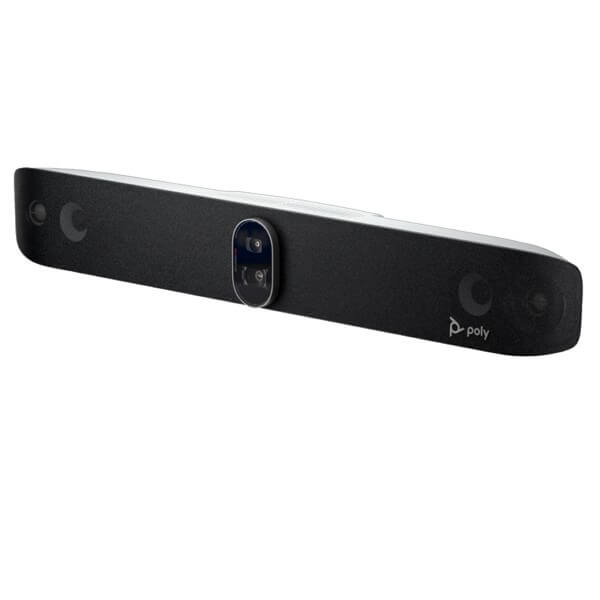
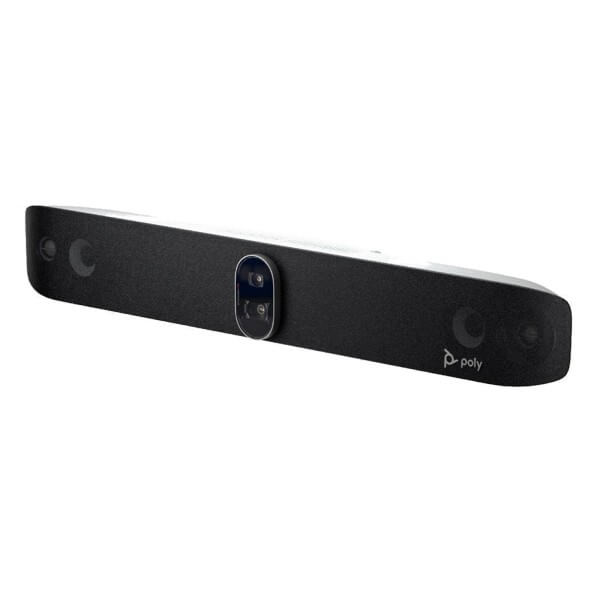
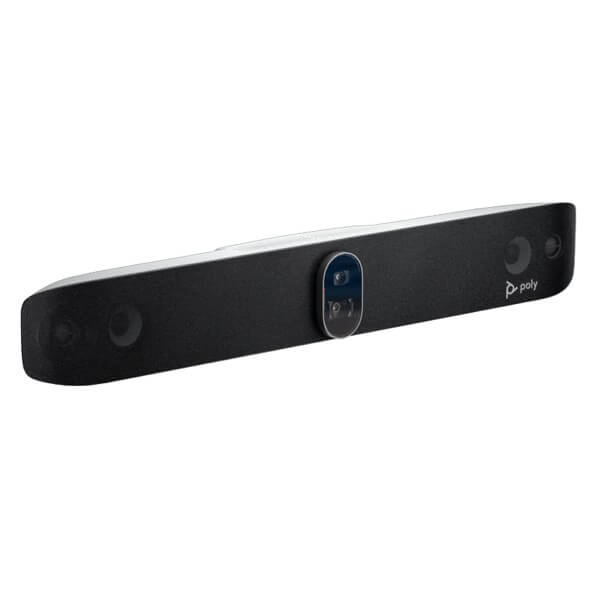
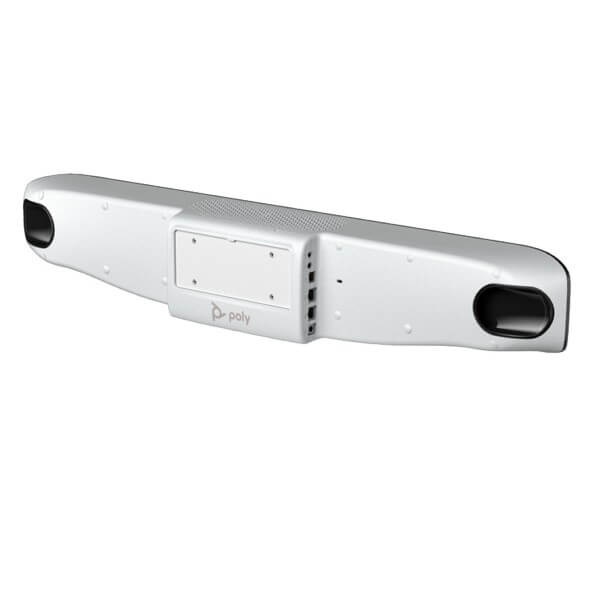
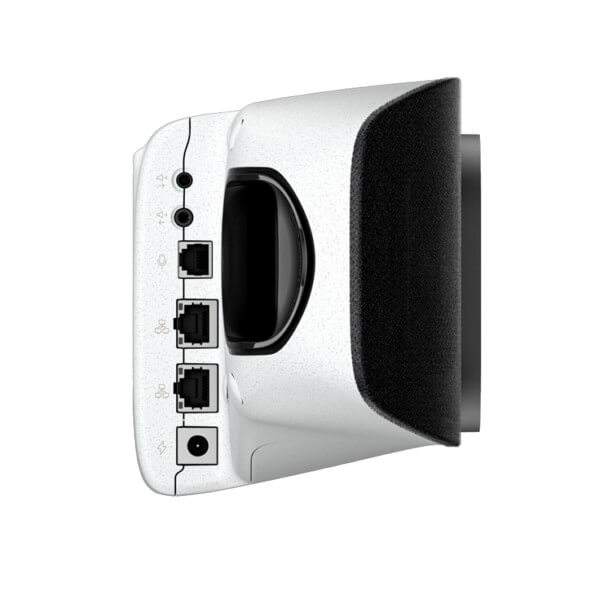
Poly Studio X72 in Dubai, UAE
Create a more consistent hybrid meeting experience in large conference spaces with an all-in-one video bar built around dual 4K camera sensors, intelligent participant framing, integrated room audio, native meeting applications, and centralized device management. The system is designed for organizations that want clear room coverage and simpler day-to-day operation without depending on a permanently connected meeting-room computer.
Large-Room Audio Coverage
Built-In Meeting Apps
UAE Configuration Guidance
Check UAE Availability
Quick Product Information
Poly, an HP product line
Studio X72
All-in-one video conferencing bar
Large boardrooms and conference spaces
Dual 20 MP sensors with 4K capability
Vendor reference: up to about 28 ft × 15 ft
HP Poly Lens support
Contact FourTeck for current UAE options
Manufacturer warranty guidance based on selected SKU
Base bar and TC10 kits use different part numbers
A Practical Large-Room Collaboration Platform
Large meeting rooms create problems that smaller video bars cannot always solve. Participants may sit far from the display, people at the ends of a table can fall outside the useful camera view, and ordinary microphones may pick up table noise while missing quieter speakers. A business may also have several meeting platforms in use across departments, clients, and regional offices. The Poly Studio X72 brings camera, microphone, loudspeaker, conferencing software, network connectivity, and room control support together in one purpose-built platform so the room can be easier to operate and manage.
Its dual-camera design addresses two competing room needs. One lens provides a broad perspective for group coverage, while the second offers a narrower view for more detailed participant framing. Poly DirectorAI uses speaker, people, and group framing modes to select a suitable view during a call. This reduces the need for someone in the room to manage camera presets throughout every meeting. It also helps remote attendees follow the conversation when speakers change or when several participants contribute from different parts of the table.
The integrated audio system is equally important. Large spaces often have air-conditioning noise, laptop keyboard sounds, movement, side conversations, and reflective surfaces. Poly NoiseBlockAI and Acoustic Fence technologies are designed to reduce distracting sound and focus attention on relevant voices. The bar combines multiple microphone types with two-way stereo speakers, tweeters, and bass ports to create a room system that can serve many standard conference-room layouts without requiring a separate audio processor. Expansion options remain important for unusually long tables, divided rooms, difficult acoustics, or layouts where the people sit beyond the recommended pickup area.
The system can run supported meeting applications directly, can operate as a USB device connected to a laptop, and can support standards-based H.323 or SIP calling in Poly application mode. This flexibility is useful where one room must host scheduled internal meetings, external client calls, webinars, and calls initiated from a visitor’s laptop. It also allows organizations to standardize room hardware while preserving practical ways to join different collaboration services.
For UAE organizations, the main buying decision is not simply whether the video bar has enough resolution. Buyers should confirm room dimensions, table shape, display count, viewing distance, network design, chosen meeting service, controller requirements, mounting position, cabling route, and support expectations. FourTeck can help review these details before quotation so the selected hardware, controller bundle, accessories, and deployment plan fit the intended meeting space.
Key Business Benefits
More Complete Room Coverage
Dual camera sensors allow the system to combine broad room visibility with closer framing. This helps reduce the common problem of choosing between seeing the whole table and seeing useful facial detail. Remote participants gain a clearer sense of who is present and who is speaking.
Less Manual Camera Control
DirectorAI framing modes automate much of the camera selection during a meeting. Users can focus on the discussion instead of repeatedly adjusting zoom, pan, or presets. This is valuable in executive rooms, customer presentations, and training sessions where attention should stay on the meeting.
Focused Conversation
Noise filtering and acoustic boundary features help limit distracting sound from outside the active discussion area. Better voice focus can reduce repeated questions and listener fatigue, especially in offices with glass partitions, nearby corridors, or open collaboration zones.
Simpler Room Operation
Built-in applications enable supported room services without a dedicated PC. A compatible touch controller can provide a familiar meeting interface for starting calls, viewing schedules, sharing content, and managing call controls. The exact experience depends on the chosen service and bundle.
Flexible Joining Options
Native room mode, USB device mode, and standards-based communication support give organizations several ways to connect. This flexibility can help when internal teams use one platform while clients, partners, or visiting presenters use another.
Better Administrative Control
Centralized management through HP Poly Lens can help IT teams monitor devices, apply settings, manage updates, and gain deployment visibility. This matters when a business is standardizing multiple meeting rooms and wants fewer site visits for routine administration.
Room Growth Path
Support for selected room peripherals and expansion audio helps the platform adapt when a space has a longer table, a challenging layout, or additional control requirements. Buyers can plan the base system and future additions around actual room behavior rather than replacing the full platform too early.
Product Highlights That Matter in Daily Meetings
Dual Optical Perspectives
A 120-degree horizontal field of view supports broad room coverage, while the 70-degree camera helps deliver tighter participant views. The combination is particularly useful when attendees are distributed across a long boardroom table.
Intelligent Framing Modes
Speaker framing, people framing, and group framing provide different visual behaviors for active discussions, structured presentations, or meetings where every attendee should remain visible.
Integrated Privacy Control
An electronic privacy shutter gives users a clear camera privacy function when the room is not in use. Organizations should still include room-device security, account controls, network segmentation, and update management in the deployment plan.
Two-Display Support
Two HDMI outputs allow common dual-display room designs, such as showing remote participants on one screen and shared content on another. A supported adapter may allow a third display in specific Zoom room designs.
Wired and Wireless Connectivity
Gigabit Ethernet, Wi-Fi 6 class connectivity, Bluetooth 5.0, USB, HDMI input and outputs, and audio connections support a broad range of room designs. Final cabling should be planned before wall installation.
Purpose-Built Room Form
The video bar combines cameras, microphones, speakers, and processing in a single enclosure. This can produce a cleaner front-of-room installation than a collection of separate consumer devices, while retaining selected expansion options.
Part numbers are important. The standalone Poly Studio X72 video bar is commonly associated with A4LZ8AA, while kits that include a Poly TC10 controller may use a different SKU such as A4MA7AA. Regional suffixes, power cords, software mode, controller inclusion, and packaged accessories can vary. A quotation should identify the exact manufacturer part number and list every included component rather than relying only on the model name.
Technical Specifications
Specifications describe the core hardware, but room success depends on design choices around it. A camera mounted too high or too far from the participants can make even a capable system feel distant. Displays that are too small for the viewing distance can make shared content difficult to read. An unmanaged network connection can create jitter, packet loss, or inconsistent joining behavior. Buyers should therefore treat the table as the beginning of room planning rather than the complete design. Final specifications, regional power details, software support, certifications, and included accessories should be validated against the exact SKU on the quotation.
Configuration and Buyer Guidance
Begin with the room rather than the model name. Measure room length, width, ceiling height, the distance from the camera wall to the farthest seat, and the width of the participant area. Record the table shape and seating plan. A rectangular boardroom, a U-shaped training room, and a flexible classroom may have the same floor area but need different camera placement and audio expansion.
Meeting Platform
Confirm whether the room will run Microsoft Teams, Zoom, Google Meet, Poly application mode, or mainly use USB device mode. Licensing, account setup, interface behavior, and supported accessories can differ.
Display Plan
Decide whether the room needs one or two displays. Consider screen size, mounting height, content readability, cable paths, and whether the chosen platform supports the desired layout.
Controller Choice
Check whether a TC10 touch controller is required and included. A base bar quotation and a controller kit are not the same package, even when both are described by the Studio X72 name.
Audio Expansion
Review the farthest speaking position, room acoustics, ceiling type, background noise, and table length. Expansion microphones or Poly Studio A2 components may be appropriate for demanding spaces.
Network Readiness
Plan a stable wired network connection where possible, required firewall rules, VLAN placement, quality-of-service policies, DNS, certificates, proxy handling, and secure device administration.
Support Scope
Confirm whether supply only, preconfiguration, installation, mounting, commissioning, user orientation, management onboarding, and post-deployment support are required.
A useful quotation request should include the room dimensions, photos of the front and rear walls, table layout, display requirement, preferred meeting platform, number of rooms, site location, target deployment date, and any existing equipment that must remain. These details help FourTeck identify the correct base unit, controller, mounting items, cables, expansion audio, and service scope.
Ideal Business Use Cases
Executive Boardrooms
Senior leadership meetings need reliable room coverage, intelligible speech, clear presentation sharing, and an interface that does not distract from the agenda. Dual-camera framing and integrated audio suit rooms where participants sit across a long table and remote executives need to follow changing speakers.
Client Presentation Rooms
Consultancies, technology firms, legal practices, and financial organizations can use the platform for customer presentations, project reviews, and contract discussions. HDMI content input and supported sharing workflows allow presenters to show documents while the room remains visible.
Training and Learning Spaces
Corporate academies, universities, healthcare educators, and government training centers can connect instructors and learners across locations. The correct design should assess presenter movement, audience seating, whiteboard use, far-end content, and whether additional microphones are needed.
Project and Design Reviews
Engineering, architecture, construction, and energy teams often review drawings, schedules, and site imagery with colleagues in different countries. Dual displays can separate remote participants from shared content, helping teams retain visual context during detailed discussions.
Regional Operations Meetings
Businesses coordinating branches, warehouses, stores, service centers, and field teams can use a standardized room platform for recurring operational calls. Central management becomes more valuable as the number of rooms grows and local IT resources vary by site.
Healthcare Administration
Hospitals and medical groups can use large meeting rooms for management coordination, training, and administrative collaboration. Deployment teams should follow organizational privacy policies, network controls, approved platforms, and any sector-specific handling requirements.
Government and Public-Sector Rooms
Departments that run multi-site planning sessions, committee meetings, and inter-agency discussions may value standards-based calling, secure administration, and consistent room controls. Exact platform, hosting, security, and support requirements should be reviewed before procurement.
Hospitality and Venue Collaboration
Hotels, managed offices, and conference venues can deploy the system in premium meeting suites. A flexible joining strategy is especially important where different guests arrive with different platforms and expectations.
Poly Studio X72 Dual-Camera Framing
A single fixed wide-angle camera can show an entire room, but faces may appear small and distant. A narrow camera can produce useful detail, yet may not include participants seated close to the display or near the edges of the room. The dual-camera architecture gives the system two visual sources with different horizontal fields of view. Poly DirectorAI uses these sources to produce group, people, or speaker-oriented views according to the selected framing mode and software behavior.
This matters most in natural discussions where several people contribute. Remote attendees should not have to guess which person is speaking, and the in-room team should not need to pause the meeting to operate a remote control. Automated framing can create a more conversational experience by changing the composition as participation shifts. People framing can present individual participants more distinctly, group framing can keep the room context visible, and speaker framing can draw attention to the active contributor.
Camera intelligence does not remove the need for correct placement. The bar should have an unobstructed view of the seating area and should not be installed where pendant lights, decorative features, monitors, or table equipment block faces. Strong backlighting from windows can reduce visual quality, while a camera mounted far above eye level can make the meeting feel unnatural. Where possible, position displays and the bar so remote participants appear close to eye level for seated users.
Room testing should include people in the nearest and farthest seats, users who stand to present, and participants at both ends of the table. Verify how each framing mode behaves during a real conversation rather than judging the system only from an empty-room camera preview. FourTeck can help buyers identify the information needed for placement review and accessory planning before supply.
Poly Studio X72 Intelligent Room Audio
Video attracts attention during product selection, but poor audio causes more meeting frustration than imperfect picture quality. Participants may tolerate a less dramatic camera angle; they will struggle when voices are distant, interrupted by air-conditioning, masked by table movement, or mixed with conversations from outside the room. The Studio X72 combines four microphones of two types with integrated stereo speakers and Poly audio processing to create a balanced base system for a large meeting space.
Poly NoiseBlockAI is designed to identify and reduce distracting non-speech sounds. Acoustic Fence technology helps define the desired pickup area so that speech outside the meeting zone is less likely to dominate the call. These tools are useful in rooms near corridors, reception areas, shared workspaces, or movable partitions. They can also reduce the impact of typing, paper handling, and other common meeting noise, although acoustic treatment and sensible room behavior still matter.
The vendor reference pickup distance is up to about 7.6 meters under suitable conditions. That figure should not be treated as a guarantee for every room. Glass walls, hard floors, high ceilings, irregular table layouts, loud ventilation, and participants speaking away from the bar can change the result. A space that is physically within the reference size may still benefit from additional microphones, while a well-treated room may perform strongly with the integrated array.
Before ordering, buyers should describe the room surfaces, table length, typical group size, and whether people present from the rear or side of the space. For critical executive or training rooms, plan an on-site audio check after installation. Expansion components, placement, software settings, and firmware should be validated as one system rather than as unrelated items.
Poly Studio X72 Platform Flexibility and Management
Many organizations do not use a single collaboration service for every call. Internal meetings may take place on Microsoft Teams, a customer may send a Zoom invitation, a partner may use Google Meet, and a legacy environment may still require standards-based H.323 or SIP communication. The system addresses this reality through supported built-in applications, Poly application mode, and USB device mode. The exact capabilities available depend on the current software version, selected provider mode, certification status, and account configuration.
Native room mode is attractive for scheduled meetings because users can interact with a dedicated room interface, particularly when a compatible TC10 controller is included. USB device mode can be useful for meetings initiated from a laptop or when a visiting user needs to join through a service that is not the room’s normal provider. Standards-based calling may support organizations with existing video infrastructure. These options should be tested against the organization’s real meeting patterns rather than assumed from a general compatibility statement.
HP Poly Lens helps IT administrators manage compatible devices at scale. Centralized visibility can simplify inventory, settings, software updates, and troubleshooting across several offices. It can also reduce the need for an engineer to visit every room for routine changes. Management planning should include ownership of administrator accounts, network access, update windows, monitoring responsibility, and a documented recovery process.
Security remains a shared responsibility. The hardware supports encrypted communication and administrative controls, but the deployment should also use strong credentials, restricted management access, trusted certificates, approved firmware, network segmentation, and meeting-service policies. Buyers should involve both collaboration and security teams before finalizing a large rollout.
What Buyers Should Check Before Purchase
A successful purchase starts with a complete room requirement, not only a request for “one Studio X72.” Similar quotations can contain different manufacturer part numbers, controller options, cables, mounting items, service scopes, and warranty terms. Before requesting a quote, confirm what the room must achieve and what is already installed. FourTeck can use that information to help reduce wrong-model selection, missing accessories, incompatible room controls, and unexpected installation work.
Exact SKU and Bundle
Ask for the full manufacturer part number. Confirm whether the quotation includes only the video bar or a TC10 controller kit, and list all cables, mounts, power items, and licenses.
Room and Seating Fit
Share accurate dimensions and seating positions. Include the farthest participant, presentation areas, movable furniture, and any columns or decorative elements that could obstruct the camera.
Platform and Account Mode
Identify the main meeting service and any secondary services. Confirm room-account licensing, calendaring, guest-join expectations, and whether USB laptop mode is required.
Display and Content Design
Choose one or two displays, appropriate screen sizes, and mounting positions. Plan HDMI content input, cable distance, adapters, and how shared content should appear during calls.
Audio Environment
Describe hard surfaces, ventilation noise, partition walls, and table length. Confirm whether integrated microphones are sufficient or whether expansion audio should be included from the beginning.
Network and Security
Confirm Ethernet availability, VLAN design, firewall rules, proxy use, certificates, quality-of-service policy, management access, and the team responsible for updates.
Installation Scope
State whether you need product supply only or installation, wall mounting, structured cabling, display mounting, commissioning, configuration, testing, and user handover.
Warranty and Lifecycle
Review local warranty terms, service upgrades, replacement procedures, expected support period, and responsibility for meeting-platform subscriptions and renewals.
For multi-room or bulk projects, provide a room schedule showing each location, room type, quantity, display count, mounting condition, meeting platform, and required deployment date. Standardizing several room profiles can simplify support while still allowing suitable differences between small, medium, and large spaces. FourTeck can also discuss related Poly models where a smaller Studio X32 or X52, a USB-focused solution, or a modular room system would be a better fit.
UAE Availability and Service Support
FourTeck supports product inquiries across Dubai and the UAE with assistance for product selection, configuration review, quotation, delivery coordination, and warranty guidance. Availability can vary by manufacturer part number, controller bundle, regional suffix, requested quantity, project timing, and supplier status. For that reason, a current quotation should identify the exact SKU, included accessories, expected lead time, and applicable warranty rather than relying on a general model listing.
Businesses can request supply-only pricing or discuss a wider room requirement that includes displays, mounts, cables, network preparation, controller setup, meeting-service configuration, and commissioning. Installation requirements should be reviewed separately because wall construction, cable distance, access restrictions, working hours, and existing furniture can affect the service scope. Site photos and dimensions help create a more accurate plan.
For bulk requirements, provide the number of rooms, site list, desired meeting platform, preferred deployment schedule, and whether every room needs the same design. FourTeck can help structure the inquiry so smaller rooms are not over-specified and large rooms are not left with insufficient camera or audio coverage.
Dubai, Abu Dhabi, Sharjah, and Ajman Coverage
Organizations in Dubai, Abu Dhabi, Sharjah, Ajman, and other UAE locations can contact FourTeck for product availability, model clarification, bundle selection, and quote assistance. Delivery and on-site service arrangements depend on location, access conditions, project scope, quantity, and scheduling.
When requesting support, include the building or site location, room dimensions, preferred meeting platform, display plan, and target date. For installations in controlled facilities, free zones, hotels, healthcare sites, campuses, or government buildings, mention access approvals and permitted working hours so delivery and deployment planning can reflect the site requirements.
GCC and Africa Business Inquiries
FourTeck also supports business technology inquiries for selected GCC and Africa markets through its regional platforms and inquiry channels. Organizations in Saudi Arabia, Qatar, Oman, Kuwait, Bahrain, Kenya, Uganda, and other supported markets can submit requirements for product sourcing, configuration guidance, and regional delivery review. Product availability, local warranty handling, import conditions, certification requirements, and service coverage can differ by country.
Regional buyers should provide the destination country and city, required quantity, exact room application, preferred meeting platform, target schedule, and whether installation is required. For project shipments, clarify who will manage customs, local site access, cabling, displays, and commissioning. A region-specific quotation can then identify what is included and what must be arranged locally.
Explore FourTeck regional inquiry options through FourTeck UAE, FourTeck Kenya, FourTeck Uganda, FourTeck Africa, or FourTeck Kuwait. Regional response and delivery options remain subject to the requested product, destination, supplier status, and project scope.
Other Poly Options Buyers May Consider
The largest model is not automatically the right model. Room size, seating distance, platform choice, expansion needs, and whether the organization wants an appliance or USB-based solution should guide selection. The following related products can help buyers build a consistent room portfolio.
Poly Studio X52
Suitable for medium rooms that need an all-in-one appliance with built-in meeting applications and a simpler physical footprint.
Poly Studio X32
Designed for huddle and small rooms where broad camera coverage and integrated conferencing are required without large-room scale.
Poly Studio E70
A dual-camera intelligent USB camera for modular room designs where separate processing, microphones, speakers, and control are planned.
Poly TC10 Controller
A touch interface that can support room control and scheduling scenarios. Confirm platform mode, mounting choice, and whether it is already included.
Video Conferencing Solutions
Compare appliance, USB, and modular room approaches for different room sizes, platforms, budgets, and support requirements.
A portfolio approach can simplify enterprise deployment. Huddle spaces may use X32 systems, medium rooms may use X52, and large boardrooms may use X72, while complex divisible rooms may require modular architecture. Standard naming, controller placement, network policy, update management, and user guidance across the portfolio can reduce support complexity.
Why Business Buyers Contact FourTeck
Meeting-room products sit at the intersection of audiovisual design, networking, cloud services, physical installation, and user experience. A technically capable video bar can still disappoint when the wrong bundle is ordered, the camera is installed in a poor position, the displays are undersized, the room account is not prepared, or cabling is considered only after equipment arrives. FourTeck approaches the inquiry as a business requirement rather than only a model request.
Assistance identifying the exact manufacturer part number, bundle type, controller inclusion, and related accessories.
Review of room size, meeting platform, display plan, audio coverage, expansion needs, and connectivity.
Clearer quotation preparation for one room, multiple rooms, replacement projects, or phased deployment.
Planning based on site location, quantity, supplier lead time, access conditions, and delivery requirements.
Review of listed manufacturer warranty, regional terms, optional service coverage, and support expectations.
Guidance on smaller, larger, USB, or modular alternatives when the requested model does not match the room.
FourTeck supports SMB, enterprise, education, healthcare, hospitality, and public-sector inquiries without assuming that every organization needs the same deployment. Buyers should request a written scope that states hardware, services, exclusions, responsibilities, and acceptance criteria. This helps procurement, IT, facilities, and end users understand what will be delivered and how the completed room will be tested.
Frequently Asked Questions
What is the Poly Studio X72 used for?
It is an all-in-one video conferencing bar for large meeting rooms. It combines dual cameras, microphones, speakers, room processing, network connectivity, built-in supported meeting applications, USB device mode, and standards-based calling options. Typical uses include board meetings, customer presentations, regional operations calls, executive briefings, training, and hybrid collaboration.
How large a room can it support?
HP’s product-family guidance positions the system for large rooms and references a room around 28 ft × 15 ft, with microphone pickup up to approximately 25 ft or 7.6 m. Real performance depends on seating layout, acoustic surfaces, background noise, camera placement, and participant behavior. Unusual or longer rooms may need expansion audio or a different design.
Does the video bar include a Poly TC10 controller?
Not every part number includes a controller. The base Studio X72 and the Studio X72 with TC10 kit are different packages. Ask the supplier to state the exact manufacturer part number and list the box contents. A4LZ8AA is associated with the base bar, while controller kits may use another part number such as A4MA7AA.
Which meeting platforms can it use?
The system supports leading cloud meeting services through built-in applications, USB device mode for laptop-based calls, and H.323 or SIP calling in Poly application mode. Current app support, certification, feature behavior, and accessory compatibility can change with software releases. Confirm the intended platform and room-account requirements before ordering.
Can it work with two displays?
Yes. The video bar has two HDMI 2.0 outputs for common dual-display designs. Depending on the meeting platform, one screen can show remote participants while the second presents shared content. Specific Zoom configurations may support a third display using a compatible adapter. Display size, resolution, mounting, and cable distance should be planned as part of the room design.
Does every large room need expansion microphones?
No. The integrated microphone system may be suitable for many rooms within the recommended range, but acoustics and layout can be more important than floor area. Long tables, high ceilings, glass surfaces, strong ventilation, or participants speaking from the rear may justify expansion. A room assessment helps avoid both unnecessary accessories and inadequate coverage.
Can FourTeck help with configuration and installation planning?
FourTeck can help review the required SKU, controller, displays, mounts, cables, meeting platform, network readiness, audio expansion, and service scope. Installation planning depends on the site, wall type, cable route, access conditions, and existing infrastructure. Share dimensions, room photos, quantity, location, and target date to support a clearer quotation.
Is the Poly Studio X72 available in Dubai and the UAE?
FourTeck accepts availability and quotation inquiries across the UAE. Current supply depends on the exact part number, controller bundle, quantity, regional version, and supplier status. Request a current written quotation for confirmed scope, expected lead time, delivery coordination, and warranty details. Stock or delivery speed should not be assumed from a general product listing.
Can businesses request multiple units for a rollout?
Yes. For multi-room projects, provide a room schedule, site list, quantity, room sizes, meeting platform, controller preference, display count, required services, and deployment dates. FourTeck can help structure the request and identify where X32, X52, X72, USB, or modular solutions may create a more suitable standardized room portfolio.
What warranty is supplied?
HP’s published specification for the base product lists a Poly standard one-year limited warranty. Actual regional terms, service process, start date, exclusions, and optional support plans can depend on the SKU and supply channel. Ask for warranty details in writing and confirm who will handle support, diagnostics, replacement, software updates, and meeting-service administration.
Need Help Planning Your Large Meeting Room?
Share your room dimensions, meeting platform, display requirement, controller preference, location, quantity, and target date. FourTeck can help review the product bundle, related accessories, availability, delivery requirements, and quotation scope.




Reviews
There are no reviews yet.