

Quick Procurement & Configuration Matrix
Brand: Samsung
Model: QE65T / QET Series
Product Type: Commercial 4K UHD digital signage display
Recommended Workload: Corporate information, menus, retail media, dashboards, presentations and general indoor signage
Scalability Limit: Designed as a standalone 65-inch display; multi-screen projects require source, control and layout planning
Power: AC 100–240 V, 50/60 Hz; project power planning should account for up to 204 W maximum draw per published specification
Delivery Area: Dubai, Abu Dhabi, Sharjah, Ajman, Al Ain and other UAE locations subject to project logistics
Warranty Guidance: Confirm exact regional warranty and service route against supplied unit and project quotation
Executive Product Architectural Overview
The Samsung QE65T sits in a useful middle ground between consumer television hardware and premium mission-critical signage. Its architecture is intended for commercial environments where content needs to remain visually consistent, controllable and presentable for extended daily schedules, but where buyers do not need the cost, luminance or environmental hardening associated with outdoor displays, control-room panels or continuous 24/7 signage families. For an enterprise buyer, this distinction matters because a display should be sized and specified around the actual operating condition rather than selected purely by screen size. The QE65T provides a 65-inch canvas with native 3840 x 2160 resolution, making it suitable for detailed business graphics, UHD media, data dashboards, directional content, digital menus and brand messaging when viewed at appropriate distances.
The display uses Direct LED backlighting and is rated at 300 nit brightness. In controlled indoor lighting this level can work well for reception areas, meeting rooms, internal retail zones, training spaces, restaurants and office communication points. It is not positioned as a sunlight-readable unit, so glazing, direct solar exposure and very bright storefront conditions must be evaluated carefully. Buyers often focus on resolution and overlook ambient light. In practice, a lower-brightness display placed opposite glass can lose perceived contrast even when the source image is technically 4K. FourTeck therefore recommends assessing the intended wall, nearby windows, lighting design, viewing distance and operating hours before finalizing quantities.
From an infrastructure perspective, the QE65T supports common source and control paths. Two HDMI 2.0 inputs provide straightforward connectivity for mini PCs, media players, conference systems, set-top devices and other AV endpoints. USB 2.0 supports local media workflows. RS232C input and RJ45 connectivity provide commercial control options that can be more useful than consumer-oriented remote-only operation, especially when displays are installed out of easy physical reach or deployed across multiple rooms. Built-in 10 W + 10 W speakers simplify projects where basic audible content is required without a separate amplifier, although dedicated room audio remains preferable for larger spaces or intelligibility-critical applications.
Samsung also integrates a commercial signage software environment around the panel. The published QE65T platform includes Tizen and MagicInfo Lite-oriented signage functionality, along with features such as auto source switching and recovery, LFD-oriented interface controls, button lock options, temperature sensing and scheduled commercial operation support. These characteristics help the screen behave more like managed business equipment than a living-room display. A corporate communications team can use the panel as part of a structured content workflow, while an AV administrator can retain centralized source and control planning. The exact content-management design should still be validated against the organization’s required software version, player architecture, network segmentation and security rules.
Physical integration is equally important. The QE65T is approximately 57.1 inches wide, 32.7 inches high and 2.4 inches deep without a stand, with a published product weight of about 46.7 lb. VESA 400 x 300 mm mounting gives installers a familiar commercial mounting pattern, but the wall construction, anchor type, service clearance, cable bend radius and ventilation requirements must be considered. For false walls, glass partitions, lightweight blockwork or decorative cladding, mounting design should be approved before installation. Power and signal outlets should be positioned so connectors are not compressed behind the panel.
For UAE and GCC organizations, the QE65T can fit standard indoor digital transformation projects where visual communication is required without introducing unnecessary platform complexity. Examples include branch-level dashboards, employee communications, visitor information, retail category messaging, classroom content, hospitality promotions and operations-center overview screens that do not require 24/7 duty. The commercial value comes from selecting a display whose size, duty cycle, control ports and signage features are proportionate to the workload. FourTeck’s role in such a project is not simply to quote a screen, but to help buyers check whether the QE65T is technically aligned with brightness conditions, source devices, mounting, operating schedule, content workflow and regional service expectations before procurement.
Enterprise Business Value & ROI Benefits
4K Information Density
Native UHD resolution allows organizations to present detailed charts, text, product visuals and multi-zone layouts with more usable pixel density than Full HD. The business advantage is not merely sharper video. It enables design teams to place multiple information blocks on one large screen while preserving legibility at practical viewing distances, reducing the need for several smaller displays in suitable spaces.
Commercial Daily Duty
A 16/7 operating profile aligns with many offices, retail interiors, education environments and hospitality venues that need displays active throughout the business day but can shut them down overnight. Matching duty cycle to actual usage can avoid overspending on a 24/7 platform where continuous operation is unnecessary while still using a purpose-built commercial signage product.
Managed Source Control
HDMI, USB, RJ45 and RS232C connectivity gives integrators multiple ways to design content and control workflows. This reduces dependence on manual remote-control intervention and supports cleaner operational procedures. For multi-room rollouts, predictable control interfaces can reduce support calls caused by incorrect source selection, unauthorized changes or inaccessible displays.
Built-In Audio
Integrated 10 W + 10 W speakers can remove the requirement for separate audio hardware in simple information or presentation scenarios. That can reduce cabling, amplifier requirements and installation time. Buyers should still use dedicated audio where room size, speech clarity, music quality or conferencing performance demands higher acoustic output.
Lower Integration Friction
Standard commercial mounting and source interfaces make the QE65T relatively straightforward to integrate into common AV environments. Installation teams can plan around familiar VESA mounting, HDMI distribution, network access and controlled power. This predictability reduces the risk of discovering incompatible physical or signal requirements after screens have arrived on site.
Operational Consistency
A standardized display model across branches or departments can simplify content templates, mounting inventories, spare strategy and support documentation. Instead of troubleshooting a mix of televisions and signage products, IT and facilities teams can maintain a repeatable deployment standard with known screen dimensions, control behavior and cabling requirements.
Return on investment for commercial displays is best measured against the workflow they replace or improve. A digital menu can reduce repeated print cycles. An office communication screen can distribute policy, safety and performance messaging without physical noticeboards. A retail screen can rotate campaigns without a technician replacing posters. A training room can reuse a permanent presentation surface across multiple sessions. These benefits become stronger when content governance is centralized and the hardware is selected with realistic viewing, brightness and duty requirements.
Reliability also has a cost dimension. Choosing a commercial model does not eliminate failures, but it can provide an architecture better aligned with scheduled business use and remote control. A screen that can be monitored and controlled through commercial interfaces is easier to incorporate into support procedures than a consumer television that depends on local users. For geographically distributed UAE businesses, fewer manual interventions can matter as much as initial purchase price because service travel and operational interruption add hidden cost.
Energy planning should be considered at fleet scale. Samsung publishes 145 W typical and 204 W maximum consumption for this model, with 0.5 W standby. A single display is modest in the context of a commercial site, but dozens or hundreds of displays materially affect electrical loading and annual energy usage. Scheduling screens to power down outside operating hours can reduce unnecessary consumption and aligns well with the model’s 16/7 intended deployment profile.
Hardware & Technical Architecture Highlights
At the panel level, the QE65T uses Direct LED backlighting behind a 65-inch 4K display surface. The native 3840 x 2160 pixel matrix delivers four times the pixel count of Full HD, while the published 0.372 x 0.372 mm pixel pitch is appropriate for detailed large-format imagery at normal commercial viewing distances. A typical 8 ms response time is sufficient for signage, presentations and mainstream video playback. The 178-degree horizontal and vertical viewing specification supports broad-angle visibility, which is valuable in corridors, meeting spaces and retail floors where viewers are rarely positioned directly in front of the screen.
Internally, Samsung specifies a quad-core Cortex-A72 processor running at 1.7 GHz with 2 GB LPDDR4 memory and 8 GB total storage, of which a portion is occupied by the operating system. This embedded computing layer allows the display to perform signage-related functions without requiring a full external PC for every basic use case. The graphics pipeline processes content and outputs to the native UHD panel, while supported video decoding includes common formats such as H.264/AVC, HEVC, VP8 and VP9. For buyers, the key architectural consideration is deciding whether the onboard platform is sufficient for content requirements or whether a dedicated player, OPS-style ecosystem alternative, mini PC or external signage endpoint is needed.
The connection architecture is intentionally straightforward. Two HDMI 2.0 ports accept UHD-capable sources and support HDCP 2.2 for protected digital content paths. A USB 2.0 port supports local media and service workflows. Audio can be handled through HDMI or stereo mini-jack paths, with a stereo mini-jack output available when external audio routing is required. External control is supported through RS232C input via stereo jack and RJ45, allowing the display to participate in commercial control environments rather than relying only on infrared remote commands.
The built-in speaker system is rated at 10 W + 10 W. This is useful in classrooms, small meeting zones, internal communication points and digital menu environments where basic sound is sufficient. It should not be interpreted as a substitute for a designed sound system in boardrooms, auditoriums, restaurants with ambient noise or training facilities where speech reinforcement matters. Audio architecture should be sized separately when room acoustics are important.
Environmental specifications require attention in UAE projects. Samsung lists an operating temperature range of 0°C to 40°C and humidity range of 10% to 80%. Those figures apply to the display’s operating environment, not exterior ambient conditions outside a building. A screen positioned near direct sunlight, behind hot glazing, in an enclosure or in a poorly ventilated decorative recess may experience substantially higher local temperatures. Integrators should preserve airflow around the chassis and avoid assuming that an air-conditioned room automatically guarantees acceptable temperature behind the panel.
Definitive Technical Specifications Table & Sizing Notes
| Specification | Samsung QE65T | Procurement Interpretation |
|---|---|---|
| Screen size | 65 inch | Large-format indoor viewing for meeting, signage and information applications. |
| Resolution | 3840 x 2160 | Native UHD resolution supports detailed content and multi-zone layouts. |
| Backlight | Direct LED BLU | Commercial direct-lit panel architecture. |
| Brightness | 300 nit | Best suited to controlled indoor lighting; evaluate glare and window exposure. |
| Viewing angle | 178° / 178° | Supports visibility for off-axis viewers across common public and meeting spaces. |
| Response time | 8 ms typical | Suitable for typical signage and business video. |
| Operating schedule | 16/7 | Use within planned daily duty; select a 24/7 family where continuous operation is mandatory. |
| HDMI | 2 x HDMI 2.0 | Supports common UHD source devices and switching workflows. |
| USB | 1 x USB 2.0 | Useful for local media, maintenance and supported signage workflows. |
| Control | RS232C in, RJ45 | Supports commercial remote control and managed deployment integration. |
| Speakers | 10 W + 10 W | Adequate for basic audio; use dedicated sound for larger rooms or critical speech. |
| Embedded platform | Tizen 4.0, quad-core Cortex-A72, 2 GB memory, 8 GB storage | Supports onboard signage functions; validate software compatibility for current projects. |
| Power | AC 100–240 V, 50/60 Hz; 145 W typical; 204 W max; 0.5 W standby | Plan circuit capacity and fleet-level energy use around maximum load and schedules. |
| Dimensions without stand | Approx. 57.1 x 32.7 x 2.4 in | Confirm wall area, service clearance and cable routing before installation. |
| Product weight | Approx. 46.7 lb | Wall structure and mount rating must include suitable safety margin. |
| VESA mount | 400 x 300 mm | Select a commercial bracket compatible with screen weight, orientation and service access. |
Specification tables should be interpreted as a starting point for deployment rather than a complete system design. The same QE65T can perform very differently depending on content source, room brightness, cable length, mount geometry and operating schedule. If the source device is located far from the display, passive HDMI may not be appropriate and an active extension or AV-over-IP design may be required. If the display sits inside joinery, airflow must be maintained. If audio matters, room acoustics and external sound should be assessed independently. If the project depends on centralized content management, the planned software workflow and network security model should be confirmed before hardware ordering. Product availability, accessory part numbers and warranty treatment can also vary by market and supply channel, so FourTeck should validate the final bill of materials against the actual UAE quotation.
Configuration, Sizing & Deployment Workbench
01 — Define viewing distance and information density
Start by defining where the nearest and farthest viewers will stand or sit. A 65-inch 4K screen can display fine detail, but content designers should not assume that small text remains usable simply because the panel is UHD. Reception spaces, retail aisles and meeting rooms have different sight lines. Use the highest-value information for the largest visual zones, reserve smaller text for closer viewing, and test representative content at actual distance before approving the design template.
02 — Assess ambient light and reflections
The QE65T is a 300-nit indoor display. That rating is appropriate for many controlled spaces but should not be treated as universal. Check direct sunlight, strong spotlights, reflective flooring, bright window walls and glass partitions. When the display faces daylight or must remain readable in a highly illuminated storefront, a higher-brightness signage family may deliver better practical visibility. The cheapest screen is not economical if staff later compensate by relocating it or redesigning the environment.
03 — Match the operating schedule
The published operating support is 16/7. That fits normal business-day usage with scheduled shutdown. Hospitals, transport centers, security rooms, airports and always-on command environments may require 24/7 displays. Buyers should map actual operating hours, including weekends and seasonal extended shifts, rather than estimating based only on office hours. A correct duty-cycle match protects the project from running a product outside its intended operating profile.
04 — Select the source and content architecture
Decide whether each display will use its onboard signage capability, USB media, a dedicated external player, a Windows mini PC, a conferencing endpoint, an IPTV device or a centralized AV distribution platform. The source decision affects cabling, network policy, content governance, maintenance responsibility and licensing. For multiple screens, a standardized player and content-management approach generally reduces support complexity. Validate current software compatibility before committing to a fleet architecture.
05 — Plan ports, control and network segmentation
Use HDMI for direct sources, USB for supported local workflows, and RJ45 or RS232C where commercial control is needed. Network-connected signage should be placed within the organization’s approved segmentation and firewall policy. Do not expose device management interfaces unnecessarily. IT teams should decide who owns the display network, how firmware is handled, how device credentials are managed and how remote-control traffic is permitted across sites.
06 — Validate mounting, power and service clearance
Confirm the 400 x 300 mm VESA pattern, mount load rating, wall construction and cable routing before delivery. Provide suitable AC power close to the screen, but preserve serviceability. Recessed mounts can look attractive while making ports inaccessible or trapping heat. Allow enough clearance for HDMI connectors, network cables and ventilation. Where screens are high on a wall, consider how technicians will safely access them for inspection or replacement.
07 — Build quantity, spare and lifecycle planning
For multi-site projects, determine whether a spare unit should be held locally and whether all sites should use the same mount and source device. Product families evolve, so standardization can simplify replacement planning while the model remains available. If the project spans several months, confirm current production and channel status before locking the specification. FourTeck can quote project quantities and suggest current Samsung alternatives where the QE65T is not the best lifecycle match.
Industry Use Cases & Workload Scenarios
Banking & Finance
Branches can use the display for queue information, product messaging, compliance notices, rates, internal performance dashboards and meeting-room content. Because financial environments often impose strict network controls, any signage platform should be segmented and managed under corporate security policy. The 16/7 schedule typically suits branch hours, while 24-hour operations should use a more appropriate continuous-duty family.
Healthcare
Clinics and administrative areas can use the QE65T for wayfinding, service information, staff communications and training. Clinical decision displays and diagnostic imaging require specialized standards and should not be substituted with general signage hardware. For public areas, content readability, cleaning access, mounting safety and patient privacy should be included in deployment planning.
Government & Public Sector
Service centers, briefing rooms and administrative offices can deploy the screen for citizen information, KPI dashboards and scheduled announcements. Procurement teams should confirm asset tagging, warranty documentation, installation scope and network-management requirements. Where public information must remain visible continuously, confirm whether the operating schedule exceeds the QE65T’s 16/7 rating.
Logistics & Warehousing
In climate-controlled operations rooms, the display can present dispatch status, warehouse KPIs, safety messages and shift information. Dust, heat and non-conditioned warehouse floors may require a different enclosure or display class. Site surveys should distinguish between office-grade indoor zones and harsh operational areas before selecting the product.
Retail & Hospitality
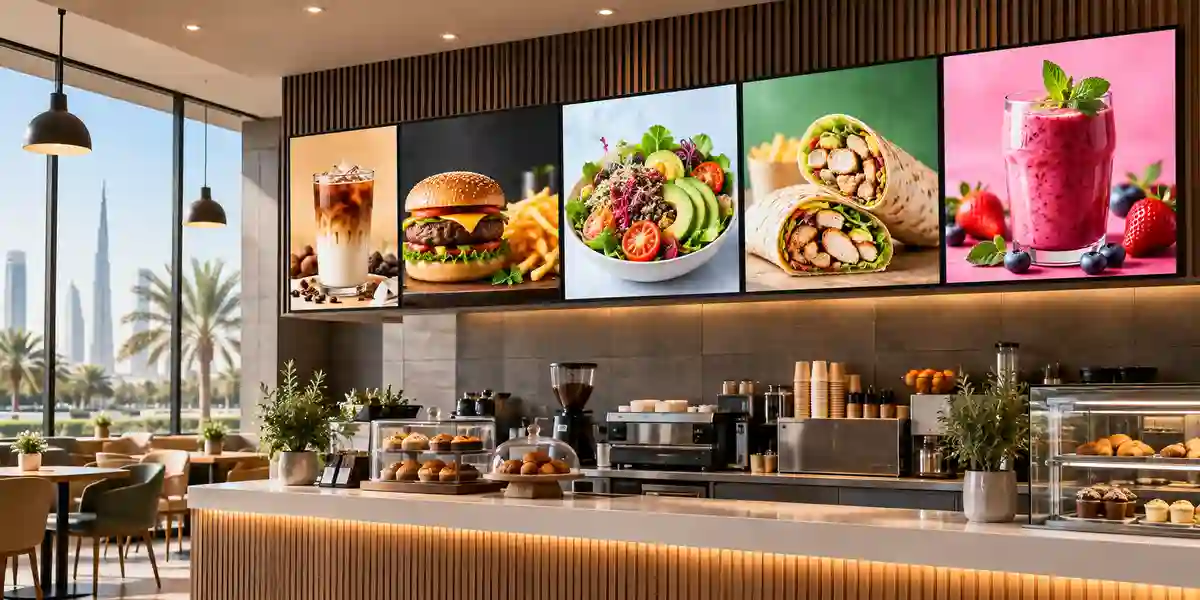
The 65-inch format works for menus, category promotions, reception messages, event schedules and branded content. Placement should avoid strong window light where 300-nit output may be insufficient. Retail teams benefit from central content templates and scheduled campaign changes, reducing dependence on printed graphics and manual swaps.
Education & Training
Schools, colleges and corporate training centers can use the QE65T for announcements, lesson media and presentation content. It is a display rather than an interactive board, so touch or collaborative writing requirements need additional hardware or a purpose-built interactive model. Built-in speakers may be adequate for small rooms but larger classrooms often benefit from dedicated audio.

Technical Feature Deep Dive 1: Processing, Throughput & Workload Performance Architecture
A commercial display’s performance is determined by more than panel resolution. The signal path must ingest, decode, scale and present content predictably across long daily operating windows. The QE65T’s embedded quad-core Cortex-A72 platform, 2 GB LPDDR4 memory and onboard storage provide the computational layer for its signage interface and supported media playback. For straightforward scheduled media, dashboards and presentation workflows, this can reduce the need for external computing. The benefit is lower hardware count and simpler cabling at each endpoint.
However, embedded signage processing should not be confused with a general-purpose workstation. Browser-heavy dashboards, complex web applications, encrypted streaming, real-time 3D content or enterprise applications may require an external player. During design, separate the display function from the application function. If content can be rendered by a dedicated media player with predictable output, the screen can focus on display and control. This separation can also simplify lifecycle management because compute hardware can be upgraded independently of the panel.
The dual HDMI 2.0 architecture provides practical flexibility. One input can be assigned to a primary signage player while the second can support a room PC, conference endpoint or fallback source. Auto source switching and recovery features can be valuable where an alternate input should appear after a source failure, though exact behavior should be configured and tested for the project. In environments where content interruption has operational impact, source redundancy is as important as panel reliability.
UHD resolution also changes network and content-production requirements. A 4K screen does not automatically require that every asset be 4K, but large-format graphics and fine text can benefit from native-resolution design. Video bitrates, player storage and network distribution should be planned accordingly. For centralized deployments, avoid sending unnecessarily high-bitrate content over constrained WAN links. Content can be staged locally where the management platform allows, reducing repeated network traffic and providing more resilient playback if site connectivity is interrupted.
Technical Feature Deep Dive 2: Security, Redundancy & System Resilience
Digital signage is frequently treated as an AV system even though network-connected displays are also endpoints on the enterprise infrastructure. Security therefore begins with architecture. If RJ45 control or content delivery is used, the display should be placed in an appropriate VLAN or network segment, management access should be limited to authorized systems, and remote administration should follow the organization’s credential policy. A screen installed in a lobby should not have broad access to internal application networks simply because it needs to retrieve content.
Physical security also matters. The built-in button lock and commercial interface controls can help prevent casual local changes, but installers should also secure player hardware, cable access and USB exposure where necessary. In public locations, external mini PCs and adapters should be mounted out of reach or enclosed in suitable service compartments. For regulated environments, IT teams should document how content is updated and which team owns firmware and configuration changes.
Resilience is best addressed as a full signal chain. The display may be functioning correctly while content is absent because of a failed player, damaged HDMI cable, network outage or misconfigured source. Using a second HDMI input as a fallback can be helpful. Maintaining spare cables, standardized players and documented configuration can reduce troubleshooting time. For a multi-site fleet, a spare display or preconfigured replacement unit may be justified if a failed screen interrupts customer service or operational communication.
Power events are another risk. UAE commercial facilities generally have stable power infrastructure, but project teams should still consider surge protection, UPS-backed circuits where continuity is important, and proper shutdown scheduling. The QE65T’s maximum published consumption should be included in circuit planning, particularly where several screens share one electrical branch. Integrators should not overload extension systems or hide consumer power strips inside wall cavities. Permanent installation should follow local electrical and fire-safety requirements.
Technical Feature Deep Dive 3: Remote Management, Telemetry & Infrastructure Integration
Commercial display projects scale successfully when support teams can determine whether a screen is powered, which source is selected and whether the content system is reachable without sending a technician to every room. The QE65T includes RJ45 and RS232C control pathways that support integration into managed AV environments. These interfaces can be connected to compatible management or control systems, allowing organizations to standardize power schedules, source behavior and troubleshooting procedures.
The practical design question is who owns control. In some companies, facilities manages display power while IT manages players and network connectivity. In others, an AV team owns the entire stack. Defining responsibility prevents situations where a screen is blank and several departments assume another team controls it. Naming conventions, IP address documentation, room mapping and asset registers should be created during installation rather than after problems occur.
Temperature sensing and scheduled operations also contribute to management discipline. A temperature sensor can provide useful operational context where supported by the management workflow, while schedules can ensure screens do not remain powered overnight unnecessarily. Fleet-wide scheduling can reduce power consumption and minimize panel runtime outside business hours. If sites operate different shifts, schedules should be set per location rather than copied blindly.
Infrastructure integration also includes cabling standards. For short local runs, certified HDMI cabling may be sufficient. Longer distances may require active optical HDMI, HDBaseT or AV-over-IP depending on the project. Network-based extension should be designed with bandwidth, multicast, switching and security requirements in mind. A 65-inch screen is often the most visible component, but the reliability of the installation depends heavily on hidden infrastructure behind the wall and in the communications room.
What Buyers Should Check Before Purchase
Most display-project problems are caused by fit, environment, logistics or integration assumptions rather than by the panel specification itself. Before placing an order, buyers should validate the points below and include them in the quotation request.
01 / FIT — Configuration Fit & Model Sizing
Confirm screen size, viewing distance, content density, brightness requirement and daily operating schedule. If the display will face windows, operate 24/7 or show very small data from a long distance, the QE65T may not be the optimal model. Define the use case first and use the specification to test suitability rather than starting with brand and price alone.
02 / MATCH — Compatibility & Environmental Requirements
Check HDMI source resolution, cable length, network connectivity, mounting pattern, wall structure, airflow, local temperature and audio needs. Confirm that the chosen bracket supports VESA 400 x 300 mm and the display weight with appropriate safety margin. For recessed installations, preserve connector access and cooling clearance.
03 / TERMS — Availability, Delivery & Warranty Terms
Commercial display availability can change by region and supply channel. Ask for current lead time, supplied model code, included accessories, warranty route, delivery scope and any installation exclusions. For phased projects, verify whether the same model is expected to remain available across the deployment period and identify a current alternative if required.
04 / REQUEST — Quote Preparation Data Needed
Provide quantity, delivery emirate, site type, mounting requirement, source device, desired installation date and whether configuration or installation support is required. If the project is for multiple branches, include site count and approximate rollout schedule. Better project data allows FourTeck to prepare a more accurate commercial and technical quotation.
UAE Regional Availability & Service Ecosystem
FourTeck supports UAE commercial-display procurement through model validation, quotation coordination, accessory planning and delivery management. Because supply status, warranty route and lead time can vary with channel inventory and project quantity, each requirement should be confirmed against a current quotation. Buyers can improve turnaround by providing the exact model, number of units, delivery area, intended deployment date and whether wall mounts, players or installation support are required.
Dubai Supply & Logistics Support
Dubai projects can include corporate offices, retail stores, hospitality venues, schools, business centers, showrooms and Free Zone facilities. FourTeck can coordinate project quotations, delivery scheduling and pre-sales checks for display size, source connectivity and mounting. For Free Zone and controlled-access sites, buyers should provide gate, vehicle and documentation requirements early so logistics can be planned around site procedures rather than discovered at delivery.
Abu Dhabi & Al Ain Logistics Reach
For Abu Dhabi and Al Ain, FourTeck can support commercial and enterprise buyers with sourcing coordination, quotation response and delivery planning. Government, industrial and corporate sites often require approved delivery windows, documentation and security access. Project teams should therefore share destination details, receiving contact information and any asset-documentation requirements when requesting a quotation.
Sharjah & Northern Emirates Logistics Infrastructure
Sharjah and Northern Emirates deployments may range from education and retail to logistics, manufacturing administration and hospitality. FourTeck can help match the display to environmental conditions and coordinate commercial delivery. For warehouse or industrial locations, identify whether the panel will be installed in an air-conditioned office zone or exposed operational area, because temperature, dust and brightness requirements can differ substantially.
Ajman & Surrounding Emirates Logistics Coverage
Ajman buyers can request current availability verification, project pricing, delivery coordination and technical pre-sales guidance. Quantity, installation environment and timeline are the most useful starting points. Where a project includes several displays, FourTeck can also help standardize mounts, source devices and accessory requirements to simplify installation and future support.
GCC & Pan-African Supply Chain Reach
FourTeck can support regional technology procurement beyond the UAE through project quotation, export coordination and documentation assistance. Cross-border supply depends on product availability, destination regulations, incoterms, freight method and customs requirements. Buyers should provide destination country, city, quantity and preferred delivery terms so the commercial team can structure the shipment appropriately.
Saudi Arabia (KSA) Export & Supply Support
Saudi enterprise projects can be supported through configuration validation, regional inquiry handling and project quotation. For multi-site deployments, provide a location schedule and target delivery phases so the bill of materials can be standardized. Import, conformity and final-mile requirements should be confirmed for the destination before shipment.
Qatar Market Supply Reach
Qatar buyers can request sourcing support for commercial display projects in offices, education, hospitality, retail and service environments. FourTeck can coordinate quotation and cross-border logistics while the buyer confirms local import, installation and site-access requirements. Large projects should identify staging and delivery sequencing in advance.
Oman Regional Distribution Support
Oman procurement teams can engage FourTeck for model selection guidance, project pricing and export coordination. Where equipment will travel to interior regions after arrival, protective handling and delivery responsibility should be agreed clearly. Display mounting and environmental suitability should also be reviewed for each site type.
Kuwait Supply Chain Coverage
For Kuwait, FourTeck can assist with project quote preparation and export supply coordination. Buyers can review the regional channel at kuwait.fourteck.com and share quantity, delivery city and project schedule for a tailored response.
Kenya & East Africa Supply Infrastructure
Kenyan system integrators, enterprises and project teams can request regional distribution support, technical inquiry routing and delivery coordination through kenya.fourteck.com. Export quotations should clearly identify destination, consignee requirements, quantity and desired freight method.
Uganda Regional Procurement Support
Uganda projects can use uganda.fourteck.com for localized inquiry routing, supply coordination and technology sourcing. For institutional and multi-site requirements, provide a bill of quantities and deployment schedule so availability and shipment planning can be assessed together.
Pan-African Regional Logistics & Trade Reach
For broader African projects, FourTeck can coordinate multi-country technology supply, export documentation and project logistics subject to destination requirements. Buyers can route regional requirements through africa.fourteck.com or fourteck.com. Each quotation should define delivery terms, destination, consignee details and any required compliance documentation.
Related FourTeck Products & Compatible Alternatives
Samsung QBC Series
Consider current QBC-family models when project lifecycle, newer platform support or a more recent signage generation is important. Compare brightness, duty cycle, ports and software version against the final requirement.
Samsung QMC Series
A QMC model can be a stronger option for projects that require higher brightness, newer Tizen capabilities, additional connectivity or 24/7 operating support. Validate the exact size and regional model code.
Samsung QHC Series
Choose QHC-family displays when a newer commercial platform and slim installation profile are priorities. This family can be more appropriate for premium corporate spaces and current-generation standardized rollouts.
Samsung Interactive Display
If the requirement includes writing, touch interaction, whiteboarding or classroom collaboration, a purpose-built Samsung interactive display is a better architectural match than adding ad hoc touch components to a general signage screen.
Samsung Video Wall Family
For control rooms, command environments or large multi-panel canvases with narrow bezel requirements, use a video-wall series rather than arranging standard signage panels without a designed wall-processing architecture.
Alternative selection should be based on operating hours, luminance, content-management requirements, installation depth, port density and product lifecycle rather than screen size alone. FourTeck can compare the QE65T with currently available Samsung commercial display families and recommend a more suitable platform when the project needs 24/7 duty, stronger brightness, interactive touch or a newer management stack.
Why Enterprises Choose FourTeck
Enterprise procurement is more reliable when hardware selection is tied to deployment conditions. FourTeck supports buyers by reviewing the requested model against screen size, duty cycle, brightness, source interfaces, mounting, quantity and destination. This pre-sales validation is particularly useful for commercial displays because a model that looks suitable on a specification sheet may underperform if it is placed in direct sunlight, operated beyond its intended schedule or connected through an unsuitable source path.
Quotation coordination can include the display, compatible mounting guidance, source-device planning and delivery requirements. For project orders, FourTeck can help structure quantities by site and deployment phase. The team can also identify a current alternative when a requested model has limited channel availability or when a newer family better fits the required lifecycle.
After purchase, warranty and service handling should follow the actual regional product and supply route. FourTeck can help buyers understand the applicable process documented for the supplied unit and quotation. This evidence-led approach avoids unverified promises and gives procurement teams a clearer basis for approvals, installation planning and ongoing support.
Frequently Asked Questions
1. Is the Samsung QE65T suitable for 24/7 operation?
No. Samsung publishes a 16/7 operating schedule for the QE65T. It is suited to commercial environments that run the display for up to 16 hours per day across seven days. If your deployment requires continuous 24-hour operation, select a Samsung commercial signage family specifically rated for 24/7 duty. FourTeck can compare suitable current alternatives based on screen size, brightness and budget.
2. What resolution and brightness does the QE65T provide?
The QE65T has native 3840 x 2160 UHD resolution and a published brightness of 300 nit. The UHD resolution supports detailed graphics, dashboards and video, while 300 nit is best suited to controlled indoor lighting. If the screen will face windows, direct sunlight or very bright retail lighting, a higher-brightness commercial display should be evaluated.
3. Can the QE65T play content without an external PC?
Yes, the model includes an embedded Tizen-based signage platform and Samsung MagicInfo Lite-oriented functionality, along with onboard processing and storage. This can support many standard signage workflows without a separate PC. More complex web applications, specialized software or enterprise player requirements may still justify an external media player or mini PC. Validate software compatibility before designing a large fleet around the embedded platform.
4. What source connections are available?
Samsung specifies two HDMI 2.0 inputs, one USB 2.0 port, stereo audio connectivity, RS232C input and RJ45 control connectivity. This supports common commercial scenarios including media players, PCs, conferencing devices and network-managed control. Cable length and source location should be checked during design because long HDMI distances may require active extension or an AV-over-IP solution.
5. Does the Samsung QE65T include speakers?
Yes. The QE65T includes built-in 10 W + 10 W speakers, which can be adequate for basic presentation audio, announcements or small-room media. For larger meeting rooms, restaurants, classrooms or spaces where speech intelligibility is critical, a dedicated sound system is normally preferable. Audio requirements should be assessed separately from the screen selection.
6. What wall mount is required?
The published VESA mounting pattern is 400 x 300 mm. Select a commercial wall bracket rated for the display weight and intended orientation, with a suitable safety margin. The wall structure must also be capable of carrying the load. Installation planning should preserve ventilation, HDMI and network connector clearance, and safe service access after the screen is mounted.
7. Is the QE65T suitable for outdoor or window-facing signage?
It is primarily an indoor commercial display. Its 300-nit brightness is not intended to compete with direct sunlight or dedicated outdoor signage. A window-facing installation may also suffer from glare and heat buildup. For storefront windows, semi-outdoor or exterior applications, choose a display family designed for higher luminance, environmental resilience and the required temperature conditions.
8. Can FourTeck supply multiple QE65T displays across the UAE?
FourTeck can coordinate UAE project quotations and delivery planning for Dubai, Abu Dhabi, Sharjah, Ajman, Al Ain and other locations, subject to current supply status. For multi-site deployments, provide quantities per location, target delivery dates and any mounting or source-device requirements. Current availability, warranty route and lead time should be confirmed in the project quotation.
9. What information should I send to request a quotation?
Send the model name, required quantity, delivery location, target deployment date, intended usage, wall-mount requirement and preferred content source. If the project covers several branches, include the site count and rollout phases. Also state whether you need accessories, media players, installation coordination or a comparison with newer Samsung signage models. This helps FourTeck prepare a more accurate technical and commercial response.
Request a Samsung QE65T Project Quote
For the fastest quotation, send FourTeck the Samsung QE65T model reference, quantity, UAE or export delivery location, target deployment timeframe, wall-mount requirement and intended source or content system. If you are comparing the QE65T with a newer Samsung commercial display, include your required operating hours and ambient-light condition so the team can recommend the most appropriate current option.



