

Samsung QH85C 85-Inch QHC Commercial Display in Dubai, UAE
The Samsung QH85C is a large-format 85-inch 4K UHD professional signage display engineered for business environments that need continuous operation, high visual clarity and a refined wall-mounted profile. Its 700-nit typical brightness, non-glare treatment, Tizen 7 platform and commercial connectivity make it suitable for enterprise information, brand communication, collaboration, wayfinding and operational dashboards.
For UAE projects, the QH85C is particularly relevant where screen size must create impact without the visual bulk associated with deeper commercial panels. FourTeck can help buyers validate the exact regional suffix, mounting method, signal path, content platform, accessory set and deployment timetable before purchase.
700 nit Typical
24/7 Rated Operation
Tizen 7 / SSSP
28.5 mm Depth
600 × 400 VESA
Procurement Snapshot
QH85C / LH85QHCEBGXEN family reference. Regional suffix can vary by market.
Corporate lobbies, retail, transport, meeting spaces, hospitality, education and information displays.
Landscape or portrait installations with professional mounting, content management and wired/wireless signal options.
Confirm mounting hardware, CMS licensing, warranty scope and regional power/accessory bundle before PO release.
Quick Procurement & Configuration Matrix
Samsung professional display platform.
QH85C, 85-inch QHC commercial signage.
4K UHD commercial digital signage display.
High-visibility enterprise signage and 24/7 information display.
Single-screen deployment or fleet rollout through compatible content/device management tools.
Commercial AC supply; exact regional input and consumption data should be validated for the ordered suffix.
Dubai, Abu Dhabi, Sharjah, Ajman and wider UAE, subject to current logistics terms.
Coverage is region and channel dependent. Request written confirmation with the quotation.
Executive Product Architectural Overview
The Samsung QH85C sits in the high-end QHC branch of Samsung’s commercial UHD signage portfolio. That positioning matters because an enterprise display is not simply a large television with a business label attached. A commercial signage endpoint is expected to fit into managed AV environments, sustain longer operating windows, expose control interfaces that integrators can automate, support standardized mounting, and present content consistently across a fleet. The QH85C addresses those needs through a combination of an 85-inch 3840 × 2160 panel, 700-nit typical brightness, non-glare surface treatment, Samsung’s image-processing stack, Tizen 7 and a set of professional wired and wireless interfaces. The result is a display designed to operate as an infrastructure endpoint inside a commercial communication system rather than as a standalone consumer entertainment device.
The physical architecture is especially important on an 85-inch platform. Large screens can dominate an interior and complicate installation because of depth, wall loading, service clearances and cable routing. The QH85C uses an approximately 28.5 mm chassis depth, giving architects and integrators a much cleaner starting point for lobby, boardroom and retail wall treatments. The centrally arranged 600 × 400 VESA mounting pattern supports standard professional mounting practices, while the slim depth can reduce the visual gap between wall and display when paired with an appropriate mount. Buyers should still treat the wall structure, bracket load rating, anchor selection, ventilation, service access and cable bend radius as formal engineering decisions, particularly because a screen of this size and mass requires careful handling during delivery and installation.
From a visual-performance standpoint, 700-nit typical brightness provides useful headroom for many bright indoor environments where lower-output screens can appear washed out. Non-glare treatment further helps by diffusing reflections from windows, downlights and polished interiors. This combination is valuable in UAE commercial spaces, where strong ambient lighting is common in shopping malls, transport facilities, hospitality venues and glass-fronted corporate offices. Brightness, however, should not be assessed in isolation. Viewing distance, ambient lux level, content color palette, screen orientation and direct-reflection geometry determine whether a display will actually remain readable. FourTeck can help buyers assess these variables before finalizing a bill of materials.
The QH85C’s Tizen 7 platform and Samsung Smart Signage Platform capabilities make the display more useful in centrally managed deployments. Organizations can use compatible applications, content-management solutions and control workflows rather than attaching a separate playback PC to every screen. Where advanced fleet management or content orchestration is required, Samsung VXT may be considered, with licensing and service terms confirmed separately. The display also supports conventional external-source workflows through three HDMI inputs, a DisplayPort input, USB interfaces and network connectivity. This means the screen can fit into meeting-room AV, IPTV, signage players, digital menu systems, queue-management platforms, dashboards and custom enterprise applications without forcing every project into one software model.
Control and integration interfaces are equally relevant. RS232 and RJ45 allow professional AV teams to incorporate the panel into centralized control, monitoring and automation workflows. Wi-Fi and Bluetooth add flexibility where cabling is constrained or where approved wireless features are needed. For enterprise procurement, the practical benefit is reduced dependence on manual remote-control operation. Displays can become part of a repeatable site standard with defined startup behavior, source selection, network configuration and content procedures. That repeatability becomes increasingly valuable as a deployment expands from one flagship screen to dozens or hundreds of endpoints.
In procurement terms, the QH85C is best understood as a large-format commercial canvas for organizations that need visual impact plus operational discipline. It can function as a reception centerpiece, executive dashboard, promotional screen, wayfinding surface, event display, menu board, campus information point or collaboration endpoint depending on the surrounding solution. The screen itself is therefore one part of a broader architecture that may include mounting, structured cabling, network services, media players, content software, surge protection, control systems and installation labor. FourTeck’s role in a UAE project is to help buyers validate those dependencies, align the quotation with the deployment environment and reduce the risk of ordering a display without the accessories or interfaces required for commissioning.
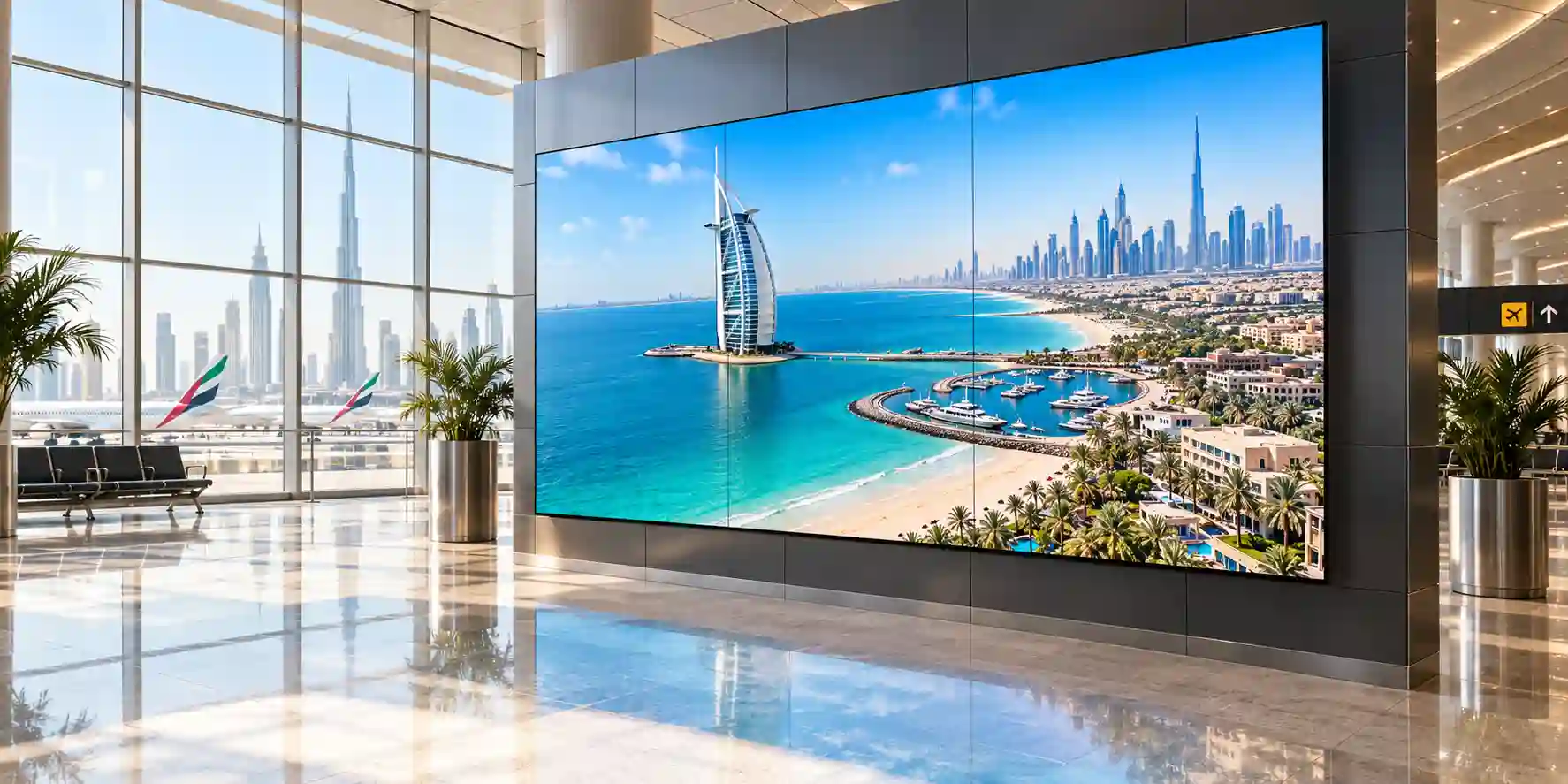
Enterprise Business Value & ROI Benefits
Return on a commercial display should be measured by more than purchase price. The relevant business questions are whether the screen can remain readable, manageable and dependable over the intended duty cycle; whether it reduces installation complexity; whether it supports existing content and control systems; and whether the organization can standardize the platform across multiple sites. The QH85C provides value through a collection of design decisions that support these operational outcomes.
1. Large-Format Visual Performance
An 85-inch 4K panel creates a broad canvas for information-rich dashboards, branded content and high-impact messaging. The 3840 × 2160 pixel matrix preserves detail when users stand relatively close while still presenting strong visual scale at lobby or retail viewing distances. For organizations replacing projection systems, the display can also eliminate lamp-management and room-darkening considerations, although application suitability should be assessed case by case.
2. Readability in Bright Interiors
The 700-nit typical brightness level and non-glare treatment are important in spaces with architectural lighting, daylight spill or reflective surfaces. Better visibility can reduce the need to overcompensate with oversized text, excessively dark room treatments or frequent brightness adjustments. Consistent readability helps protect the business purpose of the screen, whether that purpose is sales messaging, operational information or wayfinding.
3. 24/7 Operational Headroom
Support for continuous 24/7 operation gives project owners more scheduling freedom than consumer-class displays designed around shorter daily duty cycles. This is valuable for transport, control rooms, hospitals, hotels, logistics facilities and other environments that do not shut down at the end of a retail day. Actual operating policies should still include thermal, power-quality and maintenance planning.
4. Reduced Installation Bulk
The 28.5 mm chassis depth supports visually cleaner mounting and can simplify interior-design coordination. A thinner enclosure cannot eliminate structural requirements, but it can reduce the amount of visible hardware and help the screen sit more naturally within modern reception walls, boardrooms and retail fixtures.
5. Platform Standardization
Tizen 7, Samsung signage management options and professional I/O make it easier to define a repeatable corporate standard. Standardization can lower long-term support friction because site teams work with a consistent menu structure, control model and accessory strategy rather than a mixture of unrelated display families.
6. Flexible Content Paths
Three HDMI inputs, DisplayPort, USB, network connectivity and compatible signage applications allow the project team to choose between embedded playback, network-managed content, external players or AV switching. This flexibility protects the display investment when content architecture changes over the life of the installation.
Financially, the strongest value case usually appears when the QH85C is specified as part of an intentional standard rather than bought as an isolated screen. A standardized mounting approach can reduce installation variability; an approved network template can reduce commissioning time; a defined content-management workflow can reduce manual USB updates; and remote control options can reduce site visits for basic configuration changes. These are not automatic savings, because they depend on the surrounding system and operating model, but they are the areas where commercial signage often produces measurable lifecycle value.
Energy planning also deserves attention. A display this large represents a non-trivial electrical load over long operating hours. Buyers should review the exact regional power-consumption specification, preferred brightness schedule, operating hours and local electricity cost. In many deployments, responsible scheduling and centralized control can reduce unnecessary runtime without compromising communications. For always-on facilities, power quality, surge protection and UPS strategy should be considered according to business-continuity requirements.
Finally, commercial value includes the cost of avoiding the wrong model. A 500-nit or 350-nit alternative may be perfectly adequate in controlled lighting and could lower project cost, while a high-brightness or outdoor-rated product may be necessary in direct-sun or weather-exposed conditions. The QH85C is most compelling when its 700-nit output, non-glare surface, 24/7 rating and premium slim architecture directly solve a defined project requirement. FourTeck can compare those requirements with other Samsung signage families before quotation so the buyer does not pay for unused capability or under-specify a mission-critical location.
Hardware & Technical Architecture Highlights
At the panel level, the QH85C is built around an 85-inch UHD imaging surface with a 3840 × 2160 native resolution. The high pixel count allows the display to render dense dashboards, detailed graphics and 4K media without the visible coarse structure associated with lower-resolution large screens. The documented 25% haze characteristic contributes to reflection control by diffusing a portion of ambient light, which can improve perceived readability in bright indoor spaces. The QH85C listing for the European model family identifies a 5,500:1 contrast ratio, while project teams should confirm the exact regional datasheet attached to the quoted suffix before treating any panel parameter as universal across all markets.
Samsung’s image-processing chain is designed to improve consistency across mixed content. The QHC family is associated with Dynamic Crystal Color and Samsung 4K processing/upscaling features, helping lower-resolution sources occupy the UHD panel more gracefully. Upscaling cannot recreate detail that was never present in the source, so content teams should still produce native or high-quality assets whenever possible. For digital signage, this distinction is important: a powerful display cannot compensate for heavily compressed videos, low-resolution logos or incorrect aspect ratios supplied by the content workflow.
The system platform uses Tizen 7 and Samsung Smart Signage Platform capabilities. In practical terms, the display includes an embedded computing environment that can support compatible signage applications and content workflows without requiring a separate Windows PC for every use case. This reduces component count in deployments that are well suited to embedded playback. However, specialized applications, proprietary video processors, complex interactive systems or security policies may still require an external media player. Procurement should therefore start with the content architecture rather than assuming the onboard platform will replace every source device.
Connectivity is broad enough for most enterprise AV topologies. Three HDMI 2.0-class inputs can accommodate multiple local sources such as presentation systems, set-top boxes and media players. A DisplayPort 1.2 input supports integration with compatible computers and professional AV hardware. USB ports support approved media and peripheral workflows, while RJ45 enables wired network access. Integrated Wi-Fi provides an alternative network path where policy permits, and Bluetooth supports compatible wireless functions. RS232 in/out interfaces are especially valuable to integrators because they allow deterministic command-and-control workflows in rooms managed by AV controllers.
Mechanical architecture is one of the QH85C’s strongest differentiators. At roughly 190.43 cm wide by 108.53 cm high and only 2.85 cm deep for the referenced regional variant, the display presents a large front surface with unusually limited chassis depth. The 600 × 400 VESA interface provides a standardized attachment pattern, but mount selection must account for actual display weight, wall construction, orientation, service requirements and local safety practice. The referenced QH85C specification lists a set weight of approximately 56.3 kg, making multi-person handling and appropriately rated lifting/installation procedures essential.
Thermal design and duty cycle also influence the deployment architecture. A 24/7 rating provides continuous-operation capability, but installers should not interpret this as permission to block ventilation, place the display in an unconditioned enclosure or ignore local temperature limits. The display should operate within the manufacturer’s environmental specifications. In UAE projects, this is particularly important near glass façades, poorly ventilated kiosks, industrial spaces or locations where HVAC may be reduced outside office hours. Environmental planning protects both reliability and image consistency over time.
Definitive Technical Specifications & Sizing Notes
| Specification | Samsung QH85C Reference | Procurement Note |
|---|---|---|
| Screen Size | 85-inch class | Confirm physical fit, access route and mounting wall dimensions. |
| Native Resolution | 3840 × 2160 UHD | Best results use high-quality 4K or appropriately scaled content. |
| Typical Brightness | 700 nit | Suitable for many bright indoor spaces; not a substitute for outdoor-rated signage. |
| Contrast Ratio | 5,500:1 reference for QH85C European specification | Confirm against the exact regional datasheet supplied with the quote. |
| Haze / Reflection Control | 25% haze / non-glare positioning | Site lighting and direct reflections should still be assessed before installation. |
| Operation Support | 24/7 | Observe manufacturer environmental and maintenance guidance. |
| Platform | Tizen 7 / Samsung Smart Signage Platform | Application compatibility and CMS licensing are solution dependent. |
| HDMI Inputs | 3 × HDMI 2.0-class | Validate cable length, switching requirements and HDCP compatibility. |
| DisplayPort | 1 × DP 1.2 | Useful for compatible PCs and professional AV sources. |
| USB | 2 × USB | Function depends on application and supported media/peripherals. |
| Network / Control | RJ45, Wi-Fi, Bluetooth, RS232 in/out | Align with corporate network and AV-control policies. |
| Approx. Chassis Dimensions | 190.43 × 108.53 × 2.85 cm reference | Confirm final dimensions for the exact suffix and installation drawing. |
| Approx. Set Weight | 56.3 kg reference | Use appropriately rated mounts, anchors and installation personnel. |
| VESA Pattern | 600 × 400 mm | Bracket compatibility should be verified by model and load rating. |
Sizing an 85-inch signage display begins with physical and visual geometry. Check the wall width, ceiling height, doorway and elevator clearances, unpacking area and the path installers will use to bring the panel into position. The screen’s diagonal alone is not enough: the enclosure is roughly 1.9 metres wide, so a location that looks spacious on plan may become constrained once cabinetry, speakers, lighting or access panels are included. Viewing distance should be assessed against the content type. Detailed dashboards and meeting content benefit from closer viewing, while promotional signage may be designed for greater distance and shorter attention spans.
Buyers should also distinguish fixed specifications from configuration-dependent project items. The display’s panel and core I/O are model attributes, but the mounting bracket, media player, CMS license, cable kit, surge protection, floor stand, wireless casting method and installation labor are normally separate decisions. Regional model suffixes can also affect included accessories, compliance labels and warranty administration. FourTeck can structure the quotation so the display and these supporting components are reviewed as one deployable solution rather than separate line items that only meet at installation time.
Configuration, Sizing & Deployment Workbench
A successful QH85C deployment is the result of a sequence of decisions, not a single product selection. The following workbench converts common enterprise requirements into procurement checkpoints that can be reviewed before a purchase order is issued.
01 / Define the visual workload
Identify whether the display will present video, dashboards, static graphics, menu boards, transport information, meeting-room sources or a combination of these. Content type affects viewing distance, source architecture and management needs. A digital-signage playlist can often run from an embedded or networked signage platform, while an executive boardroom may require AV switching, wireless presentation and room control. Mission-critical dashboards may require redundant source devices and documented fallback behavior.
02 / Calculate brightness headroom
Evaluate ambient light at the actual screen position, including daytime conditions. The QH85C’s 700-nit output is strong for indoor signage, but a glass atrium with direct sun can exceed the assumptions of ordinary indoor display design. In those locations, repositioning the screen, adding architectural shading or selecting a purpose-built high-brightness display may deliver better results. Conversely, in a controlled boardroom, full brightness may be unnecessary and can be reduced for viewing comfort.
03 / Design signal and network paths
Map every source to an input and confirm cable distances. Long HDMI runs may require active optical cables, extenders or AV-over-IP rather than passive copper. Where the embedded Tizen platform is used, provide a reliable wired or approved wireless network path and coordinate VLAN, firewall, DNS and proxy requirements with the IT team. If remote management is required, confirm that the chosen CMS and management architecture complies with organizational security policy.
04 / Validate mounting and structure
An 85-inch display should be treated as a structural load. Confirm the wall substrate, bracket rating, fastener method, service clearance and orientation. The referenced QH85C uses a 600 × 400 VESA pattern and weighs around 56.3 kg, so the bracket must exceed the required load with an appropriate safety margin. For movable stands, check wheel rating, base footprint, anti-tip provisions and local traffic patterns.
05 / Plan power and continuity
Coordinate the screen location with a dedicated, code-compliant electrical outlet and appropriate protection. Where signage is operationally important, consider surge protection and UPS runtime according to the business impact of an outage. A UPS should be sized from verified power-consumption data for the exact regional unit plus any connected media player, network adapter or AV extender. Avoid selecting a UPS solely by display size.
06 / Review software and licensing terms
The display’s embedded platform does not automatically include every cloud service or enterprise content feature. Samsung VXT and third-party CMS platforms may have separate subscriptions, device licenses or support terms. Determine who will create content, who will approve it, who will publish it and who will manage devices. Large fleets benefit from role-based workflows, asset naming standards and centralized health monitoring.
07 / Establish lifecycle headroom
Consider whether future use may add more sources, higher-resolution content, interactive peripherals or a centralized AV-over-IP platform. Leaving one free input, using serviceable cable paths and documenting the installation can make later changes less disruptive. For multi-site deployments, maintaining a controlled spare policy and recording serial numbers, firmware levels and configuration baselines can reduce downtime when equipment is replaced.
User count is not usually a display limitation in the same sense as a server or firewall, but audience size still affects design. A screen serving a boardroom of twelve people has different text-size and viewing-angle requirements from a lobby screen serving hundreds of passers-by. Likewise, storage throughput is typically a property of the media player or CMS rather than the panel, but high-bitrate 4K playback demands that the content source, network and storage path can deliver data consistently. Procurement should therefore separate display capabilities from the performance requirements of the surrounding content system.
Industry Use Cases & Workload Scenarios
Banking & Finance
Banks can use the QH85C for branch promotions, market information, queue guidance and executive dashboards. The large UHD canvas accommodates detailed charts and multi-zone layouts, while network connectivity supports centrally distributed content. For regulated environments, security teams should approve the CMS, network segmentation and any external media player before deployment.
Healthcare
Hospitals and clinics may use large commercial displays for wayfinding, patient information, education and operational messaging in reception areas. The non-glare surface supports readability under bright interior lighting. Clinical imaging or diagnostic use should not be assumed from general signage capability; specialized medical workflows require separately validated equipment and application suitability.
Government & Public Sector
Service centers, municipal facilities and public reception areas can use the QH85C for announcements, directional information, service metrics and multilingual communication. 24/7 capability is useful in facilities that operate extended hours. Procurement teams should align the model suffix, warranty route, approved mounting and cybersecurity requirements with the applicable public-sector standards.
Logistics & Transport
Warehouses, control rooms, transport terminals and distribution facilities can display operational dashboards, schedules, safety messaging and wayfinding. The 700-nit brightness can help in bright indoor areas, while RS232 and network connectivity support centralized control. Harsh industrial, outdoor or weather-exposed locations require environmental validation and may call for a more rugged display class.
Retail & Hospitality
The screen’s scale and slim profile suit flagship retail stores, hotel lobbies, restaurants and branded experience areas. Dynamic content can highlight promotions, menus, events and brand stories. The slim enclosure supports premium interior design, while centralized content systems can keep multiple branches aligned. Mounting and content schedules should be planned around opening hours and visual-merchandising standards.
Education & Corporate Learning
Universities, training centers and enterprise campuses can deploy the QH85C in auditoriums, common areas and large collaboration rooms. Wireless sharing features and multiple wired inputs support flexible presentation workflows. Where touch interaction is required, buyers should evaluate an interactive display family or certified touch-overlay solution rather than assume native touch capability.

Technical Feature Deep Dive 1: Processing, Throughput & Workload Performance Architecture
In a digital-signage system, performance is the combined result of panel resolution, image processing, source quality, playback hardware and content delivery. The QH85C’s native 4K UHD panel provides 8.3 million addressable pixels, giving content creators a high-density surface for typography, photos, charts and video. Samsung’s QHC image-processing architecture is designed to handle scaling and presentation so mixed-resolution content can be displayed consistently. This is particularly useful in enterprise fleets where some assets may originate from legacy 1080p systems while newer campaigns are produced in 4K.
Upscaling should be treated as a compatibility feature rather than a substitute for good content production. If a logo is supplied as a tiny JPEG or a video is heavily compressed, the processor can scale the image but cannot recover missing source information. Procurement teams planning a signage refresh should therefore include content-governance standards: minimum asset resolution, approved codecs, safe text sizes, color profiles and aspect ratios. These standards often contribute more to perceived quality than changing displays alone.
The display’s 700-nit typical brightness also forms part of workload performance because content that cannot be seen has no practical value. Brightness headroom helps the panel preserve image impact when used under strong indoor lighting. The 25% haze treatment reduces mirror-like reflection, which is particularly relevant for dashboards and text-heavy information because reflections can obscure small details. In high-end retail or corporate environments, designers can exploit the screen’s brightness without necessarily driving it at maximum output all day; scheduled brightness policies can balance visibility, viewing comfort and energy use.
Input throughput must be matched to the source. HDMI 2.0-class inputs provide a practical path for 4K sources, while DisplayPort 1.2 supports compatible professional and PC workflows. When a source is located more than a few metres away, the transmission system becomes critical. A display may fully support 4K, yet a marginal passive cable can produce intermittent blanking or handshake failures. For long routes, active optical HDMI, certified extenders or AV-over-IP systems may provide more predictable results. Cable bandwidth, HDCP behavior and EDID management should be validated during commissioning.
Embedded Tizen playback changes the architecture by reducing dependence on external source hardware. For many signage applications, content can be scheduled or delivered through compatible software directly to the display platform. This can simplify rack design and reduce the number of power supplies and HDMI cables at each screen. Nevertheless, external players remain appropriate when the content requires specialized rendering, proprietary applications, complex data integration or an operating environment unavailable on the display. The optimal architecture is therefore workload-driven, not based on a blanket preference for embedded or external playback.
Technical Feature Deep Dive 2: Security, Redundancy & System Resilience
A commercial display becomes part of the enterprise attack surface when it connects to a network, receives remote content or runs applications. Security planning should therefore include the QH85C in the same asset-governance process used for other managed endpoints. Network teams should place signage devices in an appropriate VLAN or segmented network, restrict unnecessary access, manage credentials, review firmware policy and document the approved content-management path. Public-facing USB access should be controlled according to the deployment’s risk profile, and physical access to ports should be considered when the display is installed in open areas.
Resilience begins with the source architecture. For a standard marketing screen, a short interruption may be acceptable. For a command center, transport terminal or service-counter information display, the business impact can be greater. Projects with higher availability requirements can use redundant source players, monitored network paths, local fallback content or documented source-switching procedures. The QH85C’s multiple inputs make it possible to design alternate source paths, but automation and failover behavior depend on the external control and content system.
Power continuity is another layer. A commercial display rated for 24/7 operation still depends on stable electrical supply. Surge protection can mitigate transient events, while a correctly sized UPS can bridge short outages or allow managed shutdown of connected equipment. UPS sizing should use verified wattage for the exact display variant and all attached devices, with sufficient capacity for the required runtime. Facilities teams should also verify outlet placement and circuit loading, especially when multiple large screens are installed on a common branch circuit.
Mechanical resilience matters too. Secure mounting, correct torque, appropriate fasteners, cable strain relief and service access reduce the chance that routine maintenance creates new faults. In portrait mode, orientation requirements should follow the manufacturer’s guidance. In high-traffic areas, the installation should account for accidental contact, cleaning procedures and access-control needs. The slim 28.5 mm profile is aesthetically valuable, but a very tight wall fit should not compromise ventilation or make cables impossible to service.
Finally, fleet resilience comes from repeatable configuration. Organizations deploying multiple QH85C screens should maintain a standard build sheet documenting model suffix, firmware baseline, network settings, CMS enrollment, input configuration, display orientation, brightness schedule and physical location. This record allows technicians to replace or reset a unit with less ambiguity. For geographically distributed estates, the combination of remote management, standardized naming and central asset records can materially reduce mean time to repair.
Technical Feature Deep Dive 3: Remote Management, Telemetry & Infrastructure Integration
Remote management is one of the clearest distinctions between professional signage and unmanaged display deployments. With network connectivity, Samsung’s signage platform and compatible management services, administrators can build workflows that reduce the need for staff to stand in front of each screen with a remote control. Depending on the selected software platform, teams may distribute playlists, schedule content, adjust settings, monitor device status and troubleshoot basic issues from a central console. Samsung VXT is one option in this ecosystem and should be quoted separately where its subscription-based capabilities match the project.
For AV integrators, RS232 and network control allow the QH85C to participate in room-control systems. An automation processor can issue power, source and status commands as part of a broader room sequence. In a boardroom, for example, a single meeting-start action could wake the display, select the presentation source and set other AV devices to predetermined states. In a retail environment, scheduled control can coordinate display runtime with store hours. These scenarios reduce manual variability and can improve user experience, but command implementation should be tested with the exact firmware and control platform.
Telemetry becomes more valuable as fleet size grows. A single screen can be inspected manually; a hundred screens across the UAE cannot. Centralized status visibility can help support teams identify devices that are offline, misconfigured or failing to receive content. The operational workflow should define alert ownership: who receives an alarm, what information is captured, when a site visit is triggered and how changes are documented. Without these processes, a powerful management platform can become another dashboard that nobody actively monitors.
Infrastructure integration also includes identity and change management. Where a CMS supports role-based access, organizations should separate content authors, approvers and device administrators rather than sharing one account. Firmware and application updates should be tested on a small group of screens before broad rollout. Network firewall rules should be documented, and remote access should follow corporate policy. These controls are particularly important when screens show regulated, customer-facing or operationally sensitive content.
The QH85C therefore fits best when buyers treat it as a managed endpoint with lifecycle processes around it. Its hardware provides the necessary foundation: commercial duty cycle, network interfaces, embedded platform and professional control. The organization creates the actual operational benefit by layering content governance, monitoring, support ownership and change discipline on top. FourTeck can support pre-sales design conversations so these management requirements are identified before hardware quantities are finalized.
What Buyers Should Check Before Purchase
Large-format signage orders can fail for surprisingly small reasons: the bracket is rated for the wrong VESA pattern, the screen cannot pass through the intended access route, the CMS license was omitted, the source cable cannot carry stable 4K, or the quoted regional suffix has different warranty terms from what the buyer expected. Use the following checklist as a pre-PO control gate.
01 / FIT: Configuration Fit & Model Sizing
Confirm that 85 inches is appropriate for viewing distance, wall dimensions and content density. Validate that 700-nit brightness is sufficient for the ambient-light level and that a 24/7-rated indoor display matches the operating schedule. Check whether portrait orientation, embedded playback, wireless sharing or external media players are required. If the site is exposed to weather, direct sun, excessive heat or industrial contaminants, evaluate a product designed for that environment rather than forcing an indoor display into a hostile location.
02 / MATCH: Compatibility & Environmental Requirements
Review the 600 × 400 VESA pattern, approximate 56.3 kg set weight, wall substrate and bracket rating. Confirm input requirements for HDMI, DisplayPort, USB, RJ45, Wi-Fi, Bluetooth and RS232. Validate cable length, HDCP compatibility, network policy, ventilation, operating temperature and access for maintenance. If a recessed wall detail is planned, ensure the cavity allows airflow and connector clearance despite the display’s slim profile.
03 / TERMS: Availability, Delivery & Warranty Terms
Ask the quotation to state the exact Samsung part number and regional suffix, current lead time, delivery scope, included accessories and warranty route. Large panels require careful logistics, so clarify whether delivery is curbside, to-building, to-room or includes installation. For remote sites or free zones, identify access permits and booking procedures early. Warranty duration and service method should be recorded in writing rather than assumed from another country’s product page.
04 / REQUEST: Quote Preparation Data Needed
Provide the desired model, quantity, delivery emirate, site type, required date, orientation, mounting preference and content source. For multi-screen projects, add floor plans or elevation drawings where available. State whether the requirement includes brackets, floor stands, media players, CMS licensing, installation, cabling, AV switching, surge protection or UPS. Better input data produces a more useful quotation and reduces the number of commercial revisions before order placement.
UAE Regional Availability & Service Ecosystem
FourTeck supports enterprise buyers across the UAE with product sourcing, configuration validation, quotation coordination and delivery planning for Samsung professional displays. Availability can change by model suffix and shipment cycle, so project teams should request a current quote rather than assume immediate stock. For multi-unit deployments, FourTeck can help align the required quantity with mounting, media-player, network and installation dependencies before the order is released.
K1. Dubai Supply & Logistics Support
Dubai projects range from corporate offices and hotels to retail flagships, schools, event venues and Free Zone facilities. FourTeck can coordinate enterprise quotations, validate delivery details and help stage related accessories so the display arrives as part of a coherent project bill of materials. Free Zone and high-rise deliveries may require gate passes, loading-bay reservations, elevator bookings or specific delivery windows; identifying these requirements before dispatch reduces avoidable handling delays.
K2. Abu Dhabi & Al Ain Logistics Reach
For Abu Dhabi and Al Ain, FourTeck can support corporate, industrial, education and public-sector procurement with configuration review and logistics coordination. Large displays should be planned with site access, delivery timing and installation responsibility clearly defined. Government and industrial projects may also require approved vendor processes, security documentation or staged deliveries, which should be identified during quotation rather than after equipment reaches the site.
K3. Sharjah & Northern Emirates Logistics Infrastructure
Sharjah and the Northern Emirates include a broad mix of education, manufacturing, logistics, hospitality and commercial facilities. FourTeck can assist with QH85C model validation, quotation handling and delivery coordination across these environments. For industrial or warehouse locations, environmental suitability should be reviewed carefully because dust, heat and operating conditions may differ significantly from those of a conditioned corporate office.
K4. Ajman & Surrounding Emirates Logistics Coverage
Businesses in Ajman and surrounding areas can request current availability, technical pre-sales guidance and coordinated delivery for Samsung commercial signage. The most efficient inquiry includes quantity, site location, intended mounting method and required deployment date. FourTeck can then identify whether the project needs only the display or a broader package including brackets, media players, control components and installation accessories.
GCC & Pan-African Supply Chain Reach
Regional projects frequently require more than product availability. Cross-border procurement may involve export documentation, freight coordination, local importer requirements, insurance, customs classification and country-specific warranty considerations. FourTeck can support project inquiries from GCC and African markets with configuration validation and commercial coordination, while final delivery terms are confirmed against the destination and shipment method.
L1. Saudi Arabia (KSA) Export & Supply Support
Saudi enterprise projects can request QH85C configuration review, quantity-based quotation and cross-border supply coordination. Buyers should provide the destination city, consignee details, delivery scope and required schedule so freight and documentation can be evaluated. For multi-site rollouts, standardizing mounts, players and cable kits can simplify deployment across branches.
L2. Qatar Market Supply Reach
Qatar-based businesses and integrators can engage FourTeck for Samsung display sourcing, project quotation and logistics planning. Large-format screens require packaging integrity and careful handling, so shipping method and final-mile responsibility should be stated clearly. Warranty administration and local installation should also be confirmed before order placement.
L3. Oman Regional Distribution Support
For Oman, FourTeck can help buyers validate the QH85C against indoor signage requirements, prepare a project bill of materials and coordinate commercial supply. Site conditions should be reviewed where displays are deployed in industrial, logistics or semi-conditioned environments, because commercial indoor screens must remain within the manufacturer’s stated environmental limits.
L4. Kuwait Supply Chain Coverage
Kuwait buyers can request project quote assistance, model validation and export supply coordination through FourTeck’s regional channel. Visit FourTeck Kuwait for localized inquiry routing and project communication.
L5. Kenya & East Africa Supply Infrastructure
System integrators and enterprise buyers in Kenya can use FourTeck for regional sourcing discussions, technical inquiry routing and shipment planning. Large-display projects benefit from advance coordination of freight, insurance, receiving facilities and local installation resources. Visit FourTeck Kenya for regional support.
L6. Uganda Regional Procurement Support
Uganda-based buyers can request localized commercial response, project supply management and technology sourcing for Samsung professional displays. The quotation process should capture destination, quantity, accessories and expected delivery terms so cross-border logistics are clear. Visit FourTeck Uganda.
L7. Pan-African Regional Logistics & Trade Reach
For multi-country African projects, FourTeck can help consolidate hardware inquiries, standardize configuration and coordinate export documentation with the intended trade route. Project owners should still validate country-specific taxes, import rules, certifications and warranty service before shipment. Regional information is available through FourTeck Africa and FourTeck Global.
Related FourTeck Products & Compatible Alternatives
The right alternative depends on brightness, size, duty cycle, budget and management requirements rather than brand name alone. Samsung’s QHC, QMC and QBC families occupy different positions within the professional signage range, so a buyer can often reduce cost or gain capability by moving to a better-matched model instead of treating QH85C as the default answer for every large-screen project.
Samsung QH75C
Choose the 75-inch QHC option when the project requires the same premium QHC feature direction but has tighter wall dimensions or a shorter viewing distance. It can also be easier to transport into constrained sites.
Samsung QM85C
Consider QM85C where an 85-inch commercial format and 24/7 operation are required but approximately 500-nit brightness is sufficient. This can be a strong fit for controlled indoor lighting where the QH85C’s extra brightness is unnecessary.
Samsung QB85C
Consider QB85C for cost-sensitive indoor signage where approximately 350-nit brightness and a shorter duty-cycle profile align with the operating environment. It is better suited to controlled lighting than high-ambient-light spaces.
Samsung QMC 98-inch Class
Use a larger QMC option when physical scale is the primary requirement and the site can accommodate the greater dimensions. Compare brightness, mounting, freight and viewing distance rather than choosing by diagonal size alone.
Samsung Interactive Display
For classrooms and meeting rooms that require native touch, whiteboarding and interactive collaboration, evaluate Samsung’s interactive display range instead of adding unplanned touch accessories to a signage model.
Samsung Video Wall / LED Signage
For very large canvases, unusual aspect ratios or mission-critical control environments, modular LED or dedicated video-wall products may be more appropriate. These architectures require different structural, signal and service planning.
FourTeck can compare these alternatives against the same requirement sheet: screen size, ambient light, daily operating hours, mounting location, source architecture, content platform, serviceability and budget. That comparison is more useful than a feature-count exercise because it identifies which specifications directly support the intended workload and which would add cost without operational benefit.
Why Enterprises Choose FourTeck
Enterprise display procurement often sits between IT, facilities, marketing, AV integration and finance. FourTeck helps connect those disciplines during the pre-sales stage by validating the requested model against the actual deployment conditions, reviewing key accessories and preparing quotations that reflect project requirements rather than only a display SKU. This is particularly useful with large-format signage, where mounting, cable length, media playback and logistics can materially affect the finished result.
FourTeck can coordinate quantity-based pricing requests, delivery planning and regional supply discussions for Dubai and the wider UAE. Quote response depends on the completeness of the inquiry and supplier availability, so providing model, quantity, location and required date at the outset helps accelerate commercial preparation. For projects that need installation components, buyers can request brackets, stands, players, network accessories or power-protection items to be reviewed alongside the display.
Post-sales expectations should be established before purchase. FourTeck can clarify the warranty route and channel terms associated with the quoted regional product so the buyer knows how support will be handled. Because warranty coverage can differ by model suffix, country and distribution channel, written quotation terms remain the authoritative commercial reference. This evidence-led approach avoids unsupported claims and gives procurement teams clearer documentation for internal approval.
Frequently Asked Questions
1. Is the Samsung QH85C a true commercial display or a consumer TV?
The QH85C is part of Samsung’s professional QHC commercial signage family. It is designed for business deployment with 4K UHD resolution, 700-nit typical brightness, non-glare treatment, 24/7 operation support, professional connectivity and a Tizen-based signage platform. That makes it better suited to managed business environments than a conventional consumer television, although the surrounding mount, player and CMS are separate project decisions.
2. Can the QH85C run continuously?
Yes. The referenced QH85C specification supports 24/7 operation, which makes it suitable for facilities that require continuous information or branding. Continuous-duty capability does not remove the need for correct ventilation, stable power, appropriate ambient temperature and maintenance. Buyers should follow the manufacturer’s environmental guidance and confirm the final regional datasheet supplied with the purchased unit.
3. How bright is the Samsung QH85C?
The QH85C is specified at 700 nit typical brightness. This level is useful for bright indoor settings such as retail, transport, reception and hospitality environments, especially when combined with the non-glare surface. It is not an outdoor display rating. Locations exposed to direct sunlight or weather should be assessed separately and may require a purpose-built high-brightness or outdoor signage model.
4. What mounting pattern does the QH85C use?
The referenced 85-inch QH85C uses a 600 × 400 mm VESA mounting pattern. Mount selection must also account for the display’s approximately 56.3 kg reference weight, installation orientation, wall construction and service access. A bracket matching the hole pattern is not automatically sufficient; it must also be rated for the load and installed with suitable structural anchoring.
5. Does the QH85C support network content management?
The QH85C uses Tizen 7 and Samsung’s commercial signage platform, with RJ45 and Wi-Fi connectivity for compatible networked workflows. Organizations can use supported signage applications and may consider Samsung VXT or third-party platforms depending on requirements. Cloud services, subscriptions and application compatibility should be validated separately because they are not automatically included with the physical display.
6. Which video inputs are available?
The referenced QH85C configuration includes three HDMI inputs and one DisplayPort input, alongside USB connectivity. This supports multiple local sources such as media players, presentation systems and PCs. For long-distance 4K signal paths, the project may need active optical cables, extenders or AV-over-IP rather than ordinary passive HDMI. Source switching and control should be planned as part of the AV design.
7. Is QH85C suitable for portrait orientation?
The QHC platform is designed for professional signage use and supports flexible installation scenarios, including portrait deployments when installed according to Samsung guidance. Portrait projects should confirm the permitted orientation, mounting hardware, ventilation and content rotation settings for the exact regional model. An integrator should also verify cable strain relief because connector routing can change when the display orientation is rotated.
8. What information should I send FourTeck for a quotation?
Send the requested model, quantity, UAE delivery location, target deployment date and intended use. If possible, include orientation, mounting method, content source and whether you need brackets, players, CMS licenses, installation, cabling or power protection. For multi-screen projects, drawings or a site schedule can help FourTeck prepare a more complete bill of materials and reduce revision cycles.
9. Is warranty coverage the same in every country?
No. Warranty duration, service route and eligibility can vary by product suffix, distribution channel and destination country. Buyers should rely on the warranty terms written into the quotation for the exact unit being supplied rather than assuming that terms shown on another market’s website apply locally. FourTeck can clarify the quoted warranty route before purchase so procurement teams can document support expectations.
10. How does QH85C compare with QM85C and QB85C?
QH85C is the higher-brightness 85-inch option in this comparison, with 700-nit typical output and 24/7 operation. QM85C is commonly positioned around 500 nit with 24/7 support, while QB85C is typically around 350 nit and may target shorter duty-cycle business signage. The best choice depends on ambient light, operating hours, budget and content requirements rather than screen size alone.
Request a Samsung QH85C Project Quote
For an accurate Samsung QH85C quotation in Dubai or anywhere in the UAE, send FourTeck the model, required quantity, delivery location and target deployment timeframe. Add mounting preference, orientation, content source, CMS requirement and installation scope if known. FourTeck can then review the display, accessories and logistics as one procurement package and highlight any configuration-dependent items before order placement.



