

Samsung VH55R-R 55-Inch Video Wall Display in Dubai, UAE
The Samsung VH55R-R is a 55-inch professional video wall display designed to create large-format visual canvases with an exceptionally narrow 0.44 mm even bezel and 0.88 mm bezel-to-bezel gap. It combines Full HD resolution, up to 700-nit brightness, 24/7 operating capability and commercial control interfaces for enterprise signage, command-and-control and high-impact presentation environments.
For UAE projects, the practical value is not only the panel specification but the ability to engineer the complete wall: screen matrix, mounts, signal transport, video processors, cable routing, service access and power provisioning. FourTeck supports buyers with configuration validation and quotation coordination before procurement.
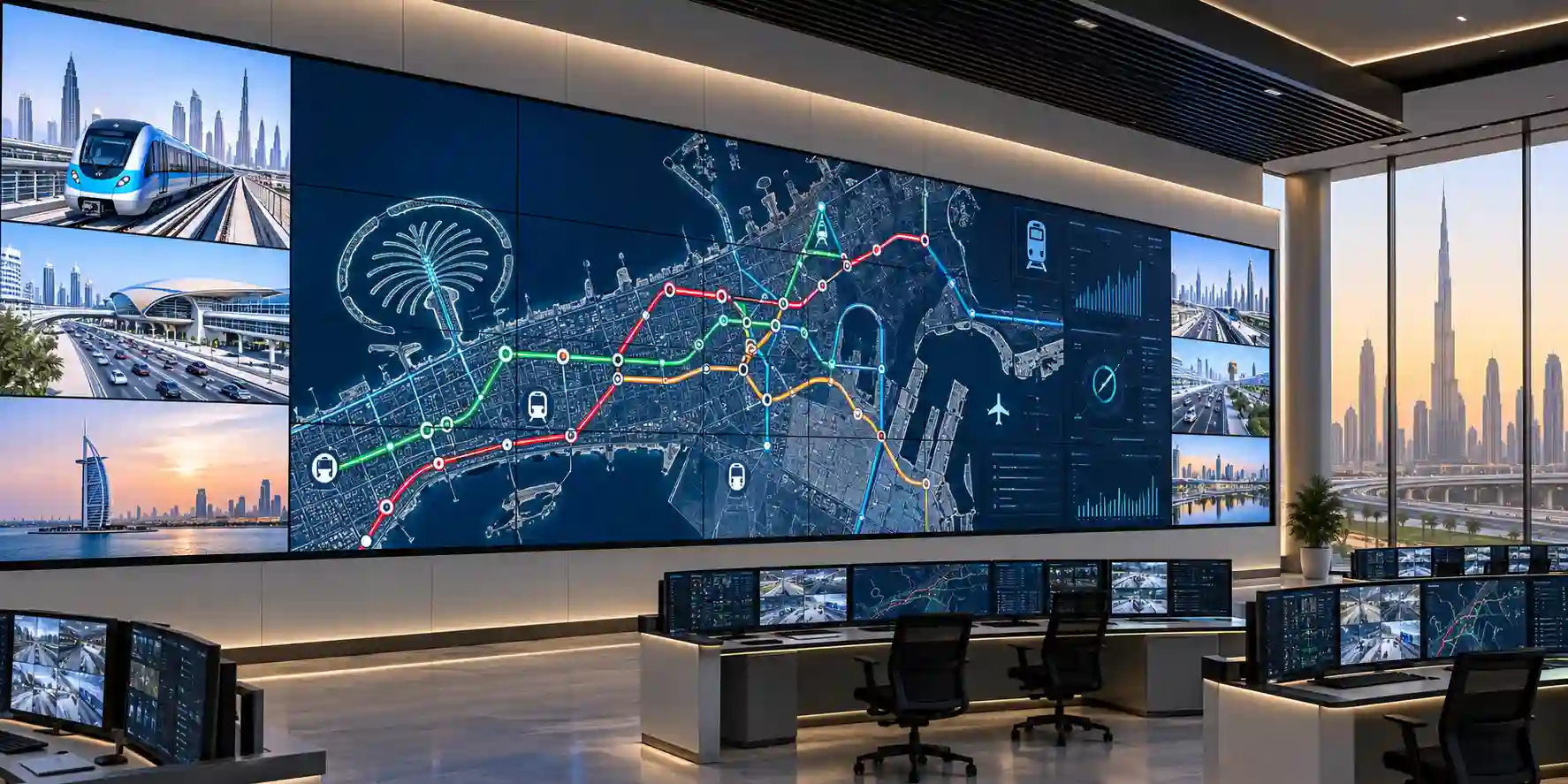
Procurement Snapshot
Best suited for multi-screen environments where bezel visibility, continuous operation, standardized control and broad viewing angles are critical. Final project design should confirm screen quantity, mounting geometry, controller topology, room brightness, service clearances, local power distribution and signal path before purchase.
Quick Procurement & Configuration Matrix
Samsung
VH55R-R
55-inch commercial video wall display
Control rooms, retail walls, corporate command centers, public information, hospitality and monitoring.
Matrix size is project dependent and should be validated against source, processor, transport and mounting design.
AC 100–240 V, 50/60 Hz; maximum panel consumption published at 270 W.
Dubai, Abu Dhabi, Sharjah, Ajman and wider UAE, subject to channel availability.
Warranty terms depend on regional SKU, project channel and supplier conditions; confirm on quotation.
Executive Product Architectural Overview
A professional video wall is not simply a collection of television screens placed next to one another. In enterprise environments, it functions as a coordinated visual system in which each panel must align mechanically, render content predictably, stay available for long operating windows and accept centralized control. The Samsung VH55R-R is designed for that systems role. Its 55-inch panel uses a commercial Direct LED architecture and Full HD native resolution of 1920 × 1080, giving integrators a known pixel canvas for each display while allowing multiple screens to be arranged into larger logical surfaces. The extremely narrow 0.44 mm even bezel is particularly important because it reduces the visible interruption between neighboring screens to approximately 0.88 mm bezel-to-bezel. For surveillance walls, network operation centers, trading floors and brand installations, the reduced seam helps operators or audiences perceive the wall as one coordinated display surface rather than a set of individual monitors.
Brightness is another architectural consideration. Samsung publishes maximum brightness of 700 cd/m² for this model. That level gives designers more flexibility than standard office monitors in environments with controlled but meaningful ambient light, such as corporate lobbies, shopping environments and command centers. Buyers should still evaluate room illumination, reflections, content type and operating brightness policies because running every panel continuously at maximum luminance may be unnecessary. The panel is specified for wide 178-degree horizontal and vertical viewing angles, helping preserve usability when operators or visitors are positioned away from the geometric center of the wall. This matters in broad command rooms, circulation spaces and presentation areas where viewing positions change throughout the day.
The VH55R-R also fits well into enterprise signal architectures because it provides two HDMI 2.0 inputs, one DisplayPort input, one DVI input and DisplayPort loop-out capability. This connectivity supports both direct source attachment and daisy-chain designs where appropriate, although the final topology must be validated against resolution, content synchronization, cable length and video processor requirements. RS232C and RJ45 control interfaces allow the screens to participate in managed AV systems, room-control workflows and centralized device administration. For large walls, this management layer becomes as important as the video signal itself because operations teams need efficient ways to power displays, switch inputs, coordinate states and diagnose issues without manually accessing every screen.
Operational design is strengthened by 24/7 rated usage, landscape or portrait orientation and a 600 × 400 mm VESA mounting pattern. These characteristics make the display suitable for permanent installations where conventional consumer displays may not be appropriate. The 69.9 mm panel depth and approximately 16.8 kg set weight are also relevant because wall structure, mount selection and installation labor need to account for the aggregate mechanical load. A 3 × 3 array, for example, involves nine panels before mounting hardware, cabling and support framing are added. For that reason, project planning should treat the wall as a mechanical and electrical system, not just an AV purchase.
In UAE and GCC projects, environmental and logistics considerations deserve equal attention. Samsung publishes an operating temperature range of 0°C to 40°C and relative humidity range of 10% to 90%. Indoor deployment spaces should therefore provide suitable HVAC and ventilation, particularly in recessed walls, control-room cabinetry or architectural enclosures where heat can accumulate. Service access is equally important: screens may need alignment adjustment, cable replacement or future swap-out. A narrow-bezel wall that looks excellent on day one can become costly to maintain if the mounting structure does not provide practical serviceability.
FourTeck’s role in procurement is to convert the panel specification into an implementable project bill of materials. Buyers can share the required wall matrix, content sources, preferred orientation, room dimensions, source-to-wall distance, control platform and desired installation timeline. From there, the procurement conversation can include panel quantity, spares strategy, mounts, video controllers, distribution hardware, cables, power design and warranty requirements. This systems approach helps reduce compatibility gaps and ensures that the Samsung VH55R-R is evaluated as part of the complete operational environment rather than in isolation.
Enterprise Business Value & ROI Benefits
Visual Continuity
The 0.44 mm even bezel reduces the visible boundary between adjacent displays. In a command center this can make maps, dashboards and camera grids easier to interpret across panel edges. In retail or hospitality it helps preserve the intended creative composition. The value is therefore not cosmetic alone; better visual continuity can improve comprehension, brand presentation and the perceived quality of the installed environment.
24/7 Operational Readiness
A 24/7 rated commercial display is better aligned with continuous operations than a general-purpose office monitor or television. Network operations, security monitoring, transportation, healthcare supervision and public information systems may need to remain visible around the clock. Selecting hardware intended for those duty cycles reduces architectural mismatch and gives facilities teams a more suitable foundation for continuous-use policies.
Scalable Wall Geometry
Each panel becomes a building block within a larger canvas. A buyer can size the wall around viewing distance, available space, source resolution and operational need instead of being constrained to one monolithic panel size. This modularity can simplify phased expansion and allows replacement of an individual panel rather than the entire visual surface when service is required.
Control & Integration
RS232C and RJ45 management interfaces provide a route for centralized control. That matters in large deployments because manual operation becomes inefficient as panel count grows. Integrators can design power, input and status workflows around a broader AV or facilities control architecture, helping operators manage the wall as a system rather than as unrelated screens.
Broad Viewing Usability
Published 178-degree viewing angles support rooms where users are distributed laterally or vertically. This can improve information access in executive briefing rooms, public-facing lobbies and monitoring spaces. A display that remains readable from off-axis positions can reduce the pressure to redesign seating or circulation around a narrow ideal viewing zone.
Flexible Signal Architecture
HDMI, DisplayPort and DVI inputs broaden compatibility with existing AV infrastructure. DisplayPort loop-out can support daisy-chain workflows where suitable. This flexibility can protect value when the wall must coexist with current workstations, matrix switchers, digital signage players or video processors, although every final signal path should be validated for bandwidth and resolution.
Return on investment for a video wall should be measured against the operational purpose of the installation. In a security operations center, value may come from faster incident interpretation, fewer blind spots in shared situational awareness and the ability to present many sources simultaneously. In retail, value may be tied to visual impact, campaign flexibility and more efficient reuse of prime display space. In a corporate environment, a large collaborative canvas can reduce friction when teams review dashboards, design models or project status across multiple information sources. In every case, the most important financial control is accurate project sizing: the screen count, controller architecture, mounts, power distribution and installation method should be aligned with the real requirement rather than overbuilt.
Reliability also affects lifecycle cost. A wall with accessible mounting, documented cabling, spare-panel strategy and centralized control can be easier to maintain than a visually similar wall installed without service planning. Buyers should therefore budget beyond the panel purchase and consider commissioning, calibration, content management, remote monitoring and replacement logistics. FourTeck can help frame these variables during quotation so procurement teams can compare complete project cost rather than panel price alone.
Hardware & Technical Architecture Highlights
At panel level, the VH55R-R uses a 55-inch commercial Direct LED display with a 16:9 Full HD pixel matrix. The published pixel pitch is 0.63 × 0.63 mm, active display area is approximately 1209.6 × 680.4 mm and the nominal contrast ratio is 1,100:1. These figures establish the visual foundation for image composition and should be considered alongside source content. A video wall can physically be very large while still being assembled from Full HD panels, so source processing should be designed to map content appropriately across the matrix. When users want one continuous high-resolution desktop or canvas, a video wall processor or graphics solution may be required to distribute the source into the exact output topology.
The narrow bezel is a defining mechanical element. Samsung specifies an even bezel width of 0.44 mm, yielding approximately 0.88 mm between active image areas of adjacent displays when aligned. Achieving the intended effect depends on precision mounting. The wall structure must support micro-adjustment so installers can control gaps, depth alignment and panel-to-panel leveling. A high-quality mount system also helps protect the panel during service because excessive pressure or poor removal technique can damage narrow-bezel displays.
Connectivity is enterprise-oriented. Two HDMI 2.0 ports support modern digital sources, while DisplayPort 1.2 and DVI provide alternatives for workstation, processor or legacy integration. HDCP 2.2 compatibility is useful where protected content workflows are involved. DisplayPort loop-out supports signal continuation to downstream screens when the chosen design permits daisy chaining. Audio input and output are provided, although dedicated room audio is usually preferable for large professional installations. USB is present primarily for firmware-related use rather than general-purpose media playback on the panel itself.
The control layer includes RS232C in/out and RJ45 input. In a multi-display room, these interfaces support coordinated operation from control systems or device-management platforms. Central control can simplify scheduled power policies, input selection, fault isolation and commissioning. The model also supports Samsung video-wall functions and can integrate with Samsung signage ecosystems when the selected controller or player platform is included in the project. Any optional signage player should be treated as a separate component unless explicitly included in the commercial offer.
Power architecture uses an internal power supply accepting AC 100–240 V at 50/60 Hz. Samsung publishes maximum power consumption of 270 W and typical consumption around 153 W in certain documentation, with sleep and off modes below 0.5 W. For a large wall, electricians should size circuits against maximum expected demand, panel count and local electrical code rather than multiplying only typical consumption. Thermal planning must also address the combined heat load of all panels plus controller, switcher and player equipment.
Mechanically, the display measures approximately 1211.0 × 681.7 × 69.9 mm and weighs about 16.8 kg without packaging. The VESA interface is 600 × 400 mm. These details influence support framing, access strategy and installation sequencing. For portrait deployment, cable routing and service clearances should be tested in advance because orientation changes can affect connector accessibility and thermal behavior within a tight architectural recess.
Definitive Technical Specifications Table & Sizing Notes
| Category | Specification | Samsung VH55R-R |
|---|---|---|
| Display | Diagonal Size | 55-inch class / 54.6-inch measured |
| Display | Panel Type | Direct LED commercial panel |
| Display | Resolution | 1920 × 1080, 16:9 |
| Display | Brightness | Up to 700 cd/m² |
| Display | Contrast Ratio | 1,100:1 |
| Display | Viewing Angle | 178° / 178° |
| Display | Response Time | 8 ms G-to-G |
| Display | Haze | 28% |
| Video Wall | Bezel Width | 0.44 mm even bezel; approx. 0.88 mm bezel-to-bezel |
| Operation | Duty Cycle | 24/7 |
| Orientation | Mounting | Landscape / Portrait |
| Inputs | Video | 2 × HDMI 2.0, 1 × DisplayPort 1.2, 1 × DVI |
| Outputs | Video | DisplayPort loop-out |
| Control | External Control | RS232C in/out, RJ45 |
| Power | Supply | AC 100–240 V, 50/60 Hz |
| Power | Maximum Consumption | 270 W |
| Mechanical | Dimensions | 1211.0 × 681.7 × 69.9 mm |
| Mechanical | Weight | Approx. 16.8 kg |
| Mount | VESA | 600 × 400 mm |
| Environment | Operating Temperature | 0°C to 40°C |
| Environment | Humidity | 10% to 90% |
The table should be used as the starting point for project sizing rather than as a complete bill of materials. A buyer planning a 2 × 2, 3 × 3, 4 × 4 or larger array must also calculate source outputs, processor channels, cable distances, electrical load and mechanical support. The native resolution of each panel is Full HD, but the logical wall can present a larger combined desktop when driven by appropriate processing hardware. If the wall is intended to show many CCTV feeds, analytics dashboards or ultra-high-resolution media, verify the controller’s aggregate input and output capability, HDCP handling and scaling performance.
Power planning should use conservative maximum figures and account for all panels on the circuit. Environmental design should prevent heat pockets behind the wall and preserve access for service. Mounting hardware should provide precise micro-adjustment because narrow-bezel walls require tighter alignment than standard signage. Specifications can vary by regional SKU or documentation revision, so project quotations should identify the exact part number being supplied and state included accessories, warranty route and lead time.
Configuration, Sizing & Deployment Workbench
Begin with the physical objective: total visible width and height, room viewing distance and preferred aspect ratio. A 2 × 2 wall behaves very differently from a 4 × 4 array in terms of source resolution, electrical load and service access. Identify whether the wall will be landscape, portrait or a mixed architectural layout. Also decide whether the content is intended to span the complete wall or whether each panel should show independent sources. These choices determine the signal and processor architecture.
List every content source: operator workstations, NVRs, digital signage players, conferencing systems, dashboards, satellite feeds or media servers. Determine source resolution, refresh rate, HDCP requirements and whether content must be cropped, scaled or tiled. For continuous high-resolution canvases, validate a video wall processor or graphics platform capable of mapping the intended pixel surface. Leave headroom for future sources so the processor does not become the first upgrade bottleneck.
HDMI, DisplayPort and DVI are available at the panel, but cable length and topology matter. Short local runs may be straightforward, while long distances can require active copper, fiber transport or AV-over-IP. If DisplayPort daisy chaining is planned, confirm the entire path, supported output format and processor design. Avoid assuming that any chain length will work simply because loop-out exists. Project-level validation should include cable certification and endpoint testing.
Use the published maximum panel consumption when sizing branch circuits, then include processing and network hardware. A 3 × 3 wall can represent a significant continuous electrical load, especially in 24/7 environments. HVAC capacity should account for the wall’s thermal output and the geometry of any recessed enclosure. Ventilation pathways must not be blocked by decorative cladding. Facilities teams should also define safe shutdown, restart and emergency isolation procedures.
The 600 × 400 mm VESA pattern provides a standard mounting interface, but a video wall requires more than a basic fixed bracket. Select professional mounts with precision alignment and a service method suitable for the room. Pop-out or front-service mechanisms can be valuable where rear access is impossible. Verify wall structure, aggregate load, mounting surface tolerances, cable bend radius and panel extraction clearances before installation.
Document RS232C or LAN control, naming conventions, IP addressing, firmware policy and remote management responsibility. For mission-critical sites, consider keeping a compatible spare panel and preserving installation settings so replacement is predictable. Record serial numbers, positions in the matrix and cable labels. Warranty terms, replacement workflow and response expectations should be agreed during procurement rather than after a failure.
User count is not a direct limitation for a display, but it becomes relevant when the wall is used as a shared collaborative surface. In a security room with ten analysts, viewing distance, text size and content zoning may matter more than the number of screens. Storage throughput is also indirect: if the wall displays many high-bitrate camera streams, the NVR, media server or analytics platform must be sized for those workloads before output reaches the VH55R-R. Licensing terms may apply to signage management, video processing or third-party control systems; those should be treated as separate project line items unless explicitly bundled.
Industry Use Cases & Workload Scenarios
Banking & Finance
Operations teams can use multi-panel walls for market dashboards, transaction monitoring, fraud analytics, branch performance and incident coordination. Narrow seams help preserve graphs and timelines when they span several displays. Secure source architecture and controlled network integration remain essential because the wall is only the presentation layer of a larger protected environment.
Healthcare
Hospital command centers and operations rooms may use video walls for facility status, emergency coordination, capacity tracking and security monitoring. Wide viewing angles help multidisciplinary teams read shared information from varied positions. Clinical use should follow the requirements of the connected medical systems; this commercial signage display is not a diagnostic medical monitor.
Government & Public Sector
Municipal control rooms, public safety centers and infrastructure agencies can use the wall for maps, camera feeds, service dashboards and incident response. Centralized control interfaces support managed operation, while 24/7 rating fits continuous duty. Project design should address access control, cybersecurity of connected control networks and redundancy of source systems.
Logistics & Transportation
Distribution centers, airports, ports and fleet operations can present shipment status, yard cameras, route maps and exception dashboards across a shared canvas. The modular wall format allows the visual surface to scale with room size. Signal distribution should be designed around the control room layout and the number of live sources expected during peak operations.
Retail & Hospitality
High-impact feature walls can present campaign media, menu content, brand experiences or event visuals. The narrow bezel helps create a more continuous image than standard multi-monitor arrays. Designers should account for viewer distance, ambient illumination and creative templates that minimize important text crossing physical seams.
Education & Training
Universities, simulation centers and advanced classrooms can use a video wall for data visualization, collaborative reviews and multi-source teaching. A processor can arrange different applications across the canvas, while wide viewing angles support larger audiences. Content design should prioritize readable typography and sufficient contrast for the farthest seats.
Technical Feature Deep Dive 1: Processing, Throughput & Workload Performance Architecture
The performance of a video wall is determined by both the panel and the system driving it. The VH55R-R has a native 1920 × 1080 canvas per panel, so a wall’s effective display area increases as panels are added. A 2 × 2 matrix contains four Full HD canvases; a 3 × 3 wall contains nine. The source architecture must decide whether those canvases behave as independent endpoints or as coordinated segments of one larger desktop. In the simplest signage workflow, a media player can deliver preformatted content sized for the wall. In control rooms, the more common requirement is multi-source composition, where several windows, dashboards and video feeds must be arranged dynamically. That usually calls for a dedicated video wall processor, GPU-based workstation architecture or AV-over-IP platform.
Throughput planning begins with source count. Ten camera feeds at modest resolution have different processing demands from multiple 4K dashboards or high-frame-rate visualization sources. The panel itself does not remove that burden; it displays whatever signal reaches it. The processor must scale, crop, synchronize and distribute content to the exact outputs. Buyers should therefore specify current and expected future sources, including refresh rate, color format and HDCP requirements. The controller should provide enough output channels for the wall geometry and enough input capacity for operational growth.
The panel’s HDMI 2.0 and DisplayPort 1.2 connectivity is useful because it fits contemporary digital infrastructure. DVI adds compatibility for older systems that remain common in industrial or government estates. DisplayPort loop-out can simplify some wiring architectures, but designers should evaluate where direct distribution from a processor is preferable. Direct home-run outputs may improve fault isolation, while daisy chains can reduce cabling. The best choice depends on matrix size, redundancy goals and service model.
Visual workload also affects how the wall should be calibrated. Command rooms often prioritize text clarity, consistent white balance and stable luminance across displays. Retail environments may prioritize saturated creative content and visual impact. A good commissioning process establishes brightness targets appropriate to the room rather than using maximum output everywhere. This can improve comfort, reduce unnecessary power draw and make panel-to-panel consistency easier to maintain over time. Content templates should also account for the physical seams between displays, even when those seams are very narrow.
Technical Feature Deep Dive 2: Security, Redundancy & System Resilience
A video wall is often installed in rooms that present operationally sensitive information. Security therefore extends beyond the display. The VH55R-R offers management interfaces such as RS232C and RJ45, but the network architecture around those interfaces should follow the organization’s control policies. Where LAN-based management is used, AV devices can be segmented into a dedicated VLAN, restricted by access control lists and monitored as part of the enterprise infrastructure. Default credentials on any associated player, controller or management platform should be changed, and firmware governance should be incorporated into normal maintenance procedures.
Resilience begins with identifying single points of failure. A wall containing many reliable panels can still become unusable if one central processor, matrix switcher, media player or power circuit fails. Critical command environments may therefore require redundant sources, failover processors, dual network paths or UPS-backed control systems. The display panels accept standard AC input, so upstream power continuity should be designed at room level. The correct UPS capacity depends on the number of panels, controller load and required runtime; this is a separate engineering calculation.
Physical resilience also matters. Narrow-bezel panels need careful handling because frame tolerances are tighter than general-purpose signage. Installation teams should use suitable lifting, alignment and transport procedures. Samsung’s commercial packaging is designed for controlled delivery, but project logistics should still minimize unnecessary handling and ensure screens are stored upright in appropriate environmental conditions. A spare-panel strategy can reduce downtime where the wall is mission critical, especially if future model transitions could make exact visual matching more difficult.
Operational resilience improves when each display is documented by position, serial number and control address. This makes troubleshooting faster because support teams can identify exactly which panel is reporting a fault. Scheduled health checks can include input status, temperature conditions, brightness consistency and mounting alignment. Over time, a documented lifecycle plan is more valuable than ad-hoc repair because it gives procurement teams visibility into replacement stock, warranty status and expected refresh cycles.
Technical Feature Deep Dive 3: Remote Management, Telemetry & Infrastructure Integration
In a single-display meeting room, local controls may be sufficient. In a 12-panel or 20-panel wall, they are not. Centralized management is therefore one of the practical reasons to select professional signage hardware. The VH55R-R provides RS232C and RJ45 interfaces that can participate in automated control workflows. Integrators can use these connections to coordinate power state, input selection and operational commands from a central platform. The exact management feature set depends on the software, controller and optional player architecture used in the project.
RS232C remains common in professional AV because it is deterministic, simple and widely supported by room-control systems. It can be valuable in environments where the control network is intentionally separated from the corporate LAN. Ethernet-based control provides greater flexibility for distributed systems and can integrate with monitoring platforms, although it requires proper network configuration. IP addresses, switch ports, VLANs and firewall rules should be documented as part of commissioning.
Telemetry becomes especially useful in sites with limited local support. A facilities or AV operations team can monitor the wall’s state, detect a source issue and coordinate troubleshooting before dispatching staff. While the VH55R-R is a display rather than a full monitoring appliance, its controllable architecture fits this broader service model. When combined with compatible signage platforms or enterprise AV management, organizations can build repeatable workflows for uptime checks, scheduled operation and incident escalation.
Infrastructure integration should also cover identity, change management and documentation. Firmware updates and controller configuration changes should be tested before deployment to production walls. Network changes that affect VLANs or switch ports should be coordinated with AV teams because an apparently unrelated infrastructure change can disrupt centralized control. Asset management systems can record model, serial number, location, installation date and warranty information, improving lifecycle visibility. For managed service contracts, these records support planned maintenance and more accurate spare forecasting.
What Buyers Should Check Before Purchase
Most video-wall project issues come from missing system details rather than from the panel specification itself. Before issuing a purchase order, confirm geometry, signal topology, mounting, environment, control method, warranty route and delivery sequence. The checklist below helps procurement and technical teams expose those gaps early.
01 / FIT: Configuration Fit & Model Sizing
Confirm the exact number of displays, rows and columns. Measure the available wall area and viewing distance. Decide whether content will span the entire wall or be distributed by zones. Identify the required brightness, orientation and daily operating schedule. A model that is technically capable may still be the wrong choice if the wall is too large for the room, if the viewing distance is unsuitable or if the creative content does not match the panel geometry.
02 / MATCH: Compatibility & Environmental Requirements
List every source device and output format, then match ports, HDCP level and cable distance. Verify the video processor, wall controller or graphics card that will map sources to outputs. Confirm mount compatibility, wall strength, HVAC, service access and available branch circuits. For recessed installations, check ventilation paths and connector clearance. Any AV-over-IP solution should also be validated against switch bandwidth and network policy.
03 / TERMS: Availability, Delivery & Warranty Terms
Ask the quotation to state the exact Samsung part number, quantity, current availability, expected lead time, warranty conditions, region of supply and included accessories. Large projects should also clarify whether all panels come from a compatible production batch where practical. Delivery should be coordinated so screens are not stored in uncontrolled areas or repeatedly moved between sites. Confirm the process for reporting transit damage before installation begins.
04 / REQUEST: Quote Preparation Data Needed
Provide the model, desired quantity, wall matrix, installation emirate, required delivery date and whether mounts, processors, cables or installation services are needed. Include source-device details and approximate cable distances if available. If the project is still at concept stage, share room drawings or wall dimensions. Better input data allows suppliers and integrators to quote a realistic system rather than a bare panel list that later requires costly additions.
UAE Regional Availability & Service Ecosystem
FourTeck supports UAE buyers with product sourcing, configuration validation, project quotation and delivery coordination for professional display deployments. Availability of the VH55R-R should be confirmed at the time of inquiry because commercial display inventory, project allocations and regional channel stock can change. Buyers can accelerate quotation by sharing quantity, delivery emirate, wall matrix and required date.
K1. Dubai Supply & Logistics Support
Dubai projects can include corporate headquarters, hospitality venues, retail developments, Free Zone offices, transportation facilities and command rooms. FourTeck can coordinate localized sourcing, quotation, delivery scheduling and pre-sales configuration review. Where installations are staged through a systems integrator, panel quantity, mount requirements and processor topology can be aligned before dispatch to reduce site-side surprises.
K2. Abu Dhabi & Al Ain Logistics Reach
For Abu Dhabi and Al Ain, procurement support can cover government, energy, industrial, healthcare and corporate projects. Delivery planning should account for site access, security procedures, loading schedules and installation sequencing. FourTeck can coordinate sourcing and quotation for the displays and related project components, subject to current channel availability and requested deployment timeline.
K3. Sharjah & Northern Emirates Logistics Infrastructure
Sharjah and Northern Emirates buyers can use the same project approach: confirm wall geometry, site environment, source architecture and delivery date before finalizing the order. Commercial logistics may be coordinated for offices, education, industrial facilities, retail and public-sector environments. Where multiple sites are involved, quantities and staging instructions should be separated by destination.
K4. Ajman & Surrounding Emirates Logistics Coverage
Ajman businesses can request product availability verification, project quotation and delivery coordination for professional video-wall deployments. Technical pre-sales guidance can help identify whether the VH55R-R is the best fit or whether another Samsung commercial display should be considered. Final recommendations depend on viewing distance, brightness requirement, bezel expectation, operating schedule and budget.
GCC & Pan-African Supply Chain Reach
Regional projects may require export documentation, consolidated shipments, configuration checks and coordination with local systems integrators. FourTeck can support cross-border inquiries for commercial displays and related infrastructure, with final shipping method, duties, lead time and warranty routing determined by the destination and commercial terms.
L1. Saudi Arabia (KSA) Export & Supply Support
Saudi enterprise buyers can submit project quantities, destination city and wall topology for configuration validation and quote support. Cross-border planning should include local import requirements, installation responsibility and warranty routing before shipment.
L2. Qatar Market Supply Reach
Qatar projects can be supported with hardware sourcing and logistics coordination for corporate, hospitality, retail and control-room deployments. Exact shipment timing depends on stock, freight method and project quantity.
L3. Oman Regional Distribution Support
Buyers in Oman can request procurement guidance for the VH55R-R and related video-wall components. Quote preparation should include city, quantity, required date and whether the equipment will be integrated locally or supplied as part of a broader project package.
L4. Kuwait Supply Chain Coverage
Kuwait project teams can coordinate commercial display sourcing and export supply through FourTeck’s regional channel. For local inquiry routing and project quotation, visit FourTeck Kuwait.
L5. Kenya & East Africa Supply Infrastructure
Kenyan system integrators and enterprise buyers can request regional distribution support, technical inquiry routing and delivery coordination. Larger projects should include wall matrix and destination details during the initial request. Visit FourTeck Kenya.
L6. Uganda Regional Procurement Support
Uganda buyers can access localized inquiry response, project supply management and technology sourcing support. Import and warranty arrangements should be clarified in the commercial offer. Visit FourTeck Uganda.
L7. Pan-African Regional Logistics & Trade Reach
For multi-country African projects, FourTeck can coordinate trade export management and project supply subject to destination requirements. Regional inquiries can be routed through FourTeck Africa and FourTeck Global.
Related FourTeck Products & Compatible Alternatives
Samsung VM55B-R
A newer-generation 55-inch razor-narrow video-wall alternative worth evaluating when current availability, support lifecycle or updated project standards are priorities. Compare bezel, brightness, control features and regional stock before substituting.
Samsung VMT Series
Suitable for buyers who want to compare Samsung’s broader video-wall range and select the best balance of bezel, brightness and lifecycle for the project. Exact model selection should follow room and duty-cycle requirements.
Samsung QHC Series
A commercial signage alternative for projects that need a large professional display but do not require a tiled ultra-narrow-bezel wall. It can be appropriate for meeting rooms, retail signage and information displays.
Samsung QMC Series
Consider this category where single-screen signage, slimmer installation and general-purpose commercial display functions matter more than bezel-to-bezel continuity.
Samsung The Wall
For premium large-format installations where direct-view LED architecture and near-seamless scaling are required, Samsung’s The Wall can be considered as a fundamentally different technology platform with a different budget and installation model.
Alternative selection should not be based on screen size alone. A video wall panel such as the VH55R-R is designed around tiled visual continuity, precise mounting and multi-display control, while standard signage screens are optimized for standalone use. Direct-view LED is another separate architecture that can scale to larger canvases without LCD panel seams but introduces different pixel-pitch, service and cost considerations. FourTeck can help buyers compare these approaches based on viewing distance, image continuity, brightness, wall dimensions, maintenance model and project budget.
Why Enterprises Choose FourTeck
Enterprise display procurement is most effective when commercial and technical decisions are connected. FourTeck can help buyers validate the requested Samsung model, identify associated mounting and signal requirements, prepare quotations around real project quantities and coordinate delivery across UAE locations. This reduces the risk of ordering the correct screen but missing the processor, control interface, service access or power considerations that make the wall operational.
Pre-sales validation can include model confirmation, wall matrix discussion, input-source review, mount planning and preliminary power considerations. Quotation coordination can identify what is included, what is optional and which components depend on the selected project design. Delivery planning can be aligned with site readiness so sensitive displays are not delivered too early or handled unnecessarily. After purchase, warranty support follows the terms stated in the commercial offer, making it important to preserve serial numbers, invoices and project records.
For integrators and IT procurement teams, the benefit is a clearer bill of materials and a more predictable deployment process. FourTeck avoids unsupported claims about stock, warranty or price and instead confirms those items against the current project requirement. That is especially important for professional display products whose availability and model lifecycle can change over time.
Frequently Asked Questions
1. What is the Samsung VH55R-R designed for?
The Samsung VH55R-R is a 55-inch commercial video-wall display designed for multi-screen installations in control rooms, retail spaces, hospitality, corporate environments, public information systems and other professional applications. Its narrow 0.44 mm even bezel, 24/7 rated operation and enterprise control interfaces make it more suitable for tiled display walls than ordinary televisions or office monitors.
2. What is the bezel size of the VH55R-R?
Samsung specifies an even bezel width of 0.44 mm, producing an approximately 0.88 mm bezel-to-bezel gap between adjacent screens. This is one of the model’s most important characteristics because it reduces visible interruption across a tiled image. Final visual continuity also depends on precise mounting, alignment and content design.
3. What resolution and brightness does it support?
Each VH55R-R panel has a native Full HD resolution of 1920 × 1080. Samsung publishes brightness up to 700 cd/m². In a multi-panel wall, total canvas size increases physically, but the source system or video processor must be configured correctly if one large desktop or synchronized composition is required across the full matrix.
4. Can the VH55R-R operate continuously?
Yes. Samsung specifies the VH55R-R for 24/7 commercial operation. That makes it suitable for control rooms, surveillance centers and public information environments that may run continuously. Continuous operation still requires proper ventilation, stable power, suitable room temperature and a maintenance plan for the complete wall infrastructure.
5. What inputs are available?
The display provides two HDMI 2.0 inputs, one DisplayPort 1.2 input and one DVI input. It also includes DisplayPort loop-out, RS232C control and RJ45 network control. This allows integration with workstations, video processors, signage systems and AV control environments. Final compatibility should be checked against the exact source resolution, HDCP requirement and cable distance.
6. Does the display include a built-in signage player?
The VH55R-R can participate in Samsung signage ecosystems, but buyers should not assume that an external signage player box is included unless the quotation explicitly lists it. Player hardware, video wall processors and content-management licensing can be separate project components. FourTeck can help define whether the wall needs a dedicated player, processor or AV-over-IP platform.
7. What mount should be used?
The panel uses a 600 × 400 mm VESA mounting pattern. For video walls, a professional mount with precision micro-adjustment and suitable service access is strongly recommended. Fixed brackets intended for single displays may not provide the alignment accuracy required for a 0.88 mm bezel-to-bezel wall. Structural load and access method should be verified before installation.
8. How much power does each screen use?
Samsung publishes maximum power consumption of 270 W for the VH55R-R, with lower typical consumption figures in product documentation. Electrical circuits should be sized conservatively using maximum expected load and the total panel count. Processing equipment, switches, media players and control systems should be included in the overall room power and cooling calculation.
9. Is the VH55R-R suitable for portrait orientation?
Yes. The model supports both landscape and portrait orientation. Portrait walls can be effective for tall architectural canvases, digital art, wayfinding or retail experiences. Before installation, the project team should verify content design, mount orientation, cable access, ventilation and processor mapping so the final wall behaves correctly in portrait mode.
10. How can I request a Dubai or UAE quotation?
Send FourTeck the Samsung VH55R-R model name, required quantity, screen matrix, delivery emirate and target deployment date. If you also need mounts, processors, signal extenders, cables or installation support, include those requirements. Providing room dimensions, source-device details and approximate cable distances helps the team prepare a more accurate project recommendation and quotation.
Request a Samsung VH55R-R Project Quote
For a useful quotation, provide the model, required quantity, wall matrix, delivery location and deployment timeframe. If the project also needs mounts, video processors, signal transport, cabling, control integration or spare panels, include those items in the request. FourTeck can then coordinate availability, configuration review and commercial terms for your Dubai or UAE deployment.



