

Samsung VM46T-U 46-Inch Video Wall Display in Dubai, UAE
The Samsung VM46T-U is a 46-inch Full HD professional display created for tiled video wall installations that must run around the clock. It combines a 500-nit IPS panel, 3.5 mm bezel-to-bezel profile, commercial control interfaces and video-wall daisy-chain functions in a cabinet only 69.9 mm deep.
For UAE enterprises, the value is practical: a repeatable display platform for control rooms, retail storytelling, transport information, corporate communications and operational dashboards where screen alignment, visibility and remote administration are more important than consumer-TV features.
Procurement Snapshot
Best suited to professional tiled-display projects that require continuous duty, external content sources and centralized device control.
46-inch IPS
24/7
RJ45 / RS232C
External required
Configuration dependent: mounting system, player, cabling, processor requirements and wall geometry should be confirmed before purchase.
Quick Procurement & Configuration Matrix
Samsung VM46T-U, VMT-U family.
46-inch professional LCD video wall display.
24/7 command, signage, information and monitoring walls.
OSD video-wall setting up to 15×15; daisy-chain architecture up to 10×10 as documented by Samsung.
AC 100–240 V, 50/60 Hz; 176 W maximum per display.
Dubai, UAE and coordinated regional export destinations.
Regional warranty coverage can vary by supply channel; confirm terms in the project quotation.
600 × 400 mm VESA; Samsung lists WMN-46VD as the optional mount.
Executive Product Architectural Overview
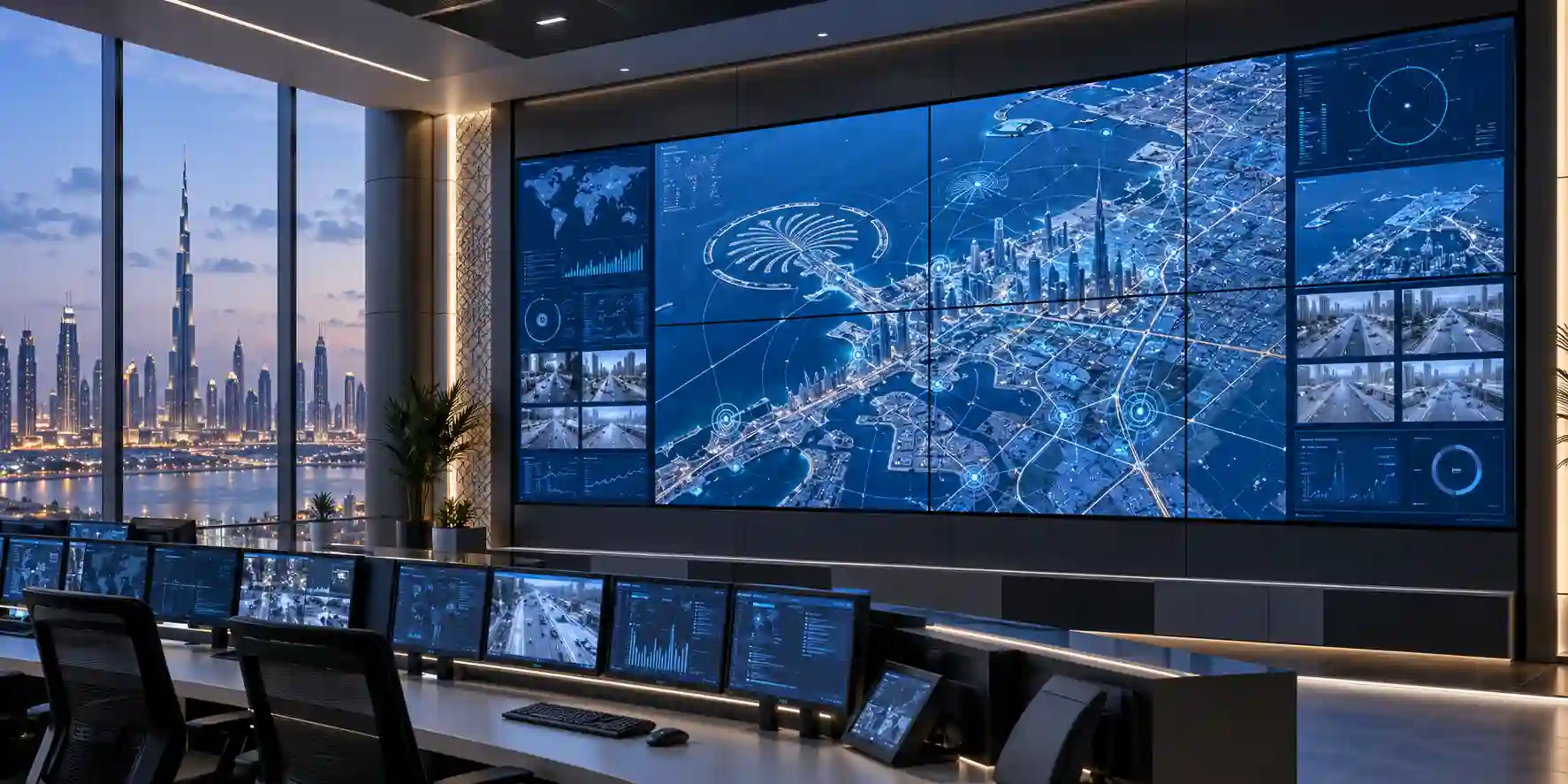
The Samsung VM46T-U belongs to a class of display hardware designed specifically for tiled visual systems rather than single-screen desktop or television use. In a video wall, every display becomes part of a larger visual canvas. That changes procurement priorities considerably. Buyers must care about bezel width, panel-to-panel color consistency, continuous operating capability, mounting geometry, source distribution, remote control, cable paths, thermal load and service access. The VM46T-U addresses these project realities with a 46-inch IPS panel, a 3.5 mm combined bezel-to-bezel specification, a shallow 69.9 mm cabinet, multiple professional source inputs and external control through both RS232C and Ethernet. The result is a display platform suited to organizations that need information to remain visible for long duty cycles across multiple screens.
At the image layer, each VM46T-U is a 1920 × 1080 panel with a measured diagonal of 45.9 inches and an active display area of approximately 1018.08 × 572.67 mm. Maximum brightness is specified at 500 cd/m², with a 1,200:1 static contrast ratio, 178° horizontal and vertical viewing angles, an 8 ms gray-to-gray response time, 8-bit color supporting 16.7 million colors and a 25% haze specification. Those characteristics make the product particularly relevant where viewers may approach a wall from several angles or where overhead lighting could otherwise interfere with legibility. The panel is not positioned as a sunlight-readable outdoor display; instead, its design is optimized for controlled indoor commercial spaces, lobbies, operations rooms, retail environments and other professional installations where 500-nit brightness provides a strong balance between visibility, heat and energy demand.
The architecture becomes more useful when several units are interconnected. DisplayPort 1.2 input and loop-out allow a chain of displays to receive distributed video, while Samsung documents video wall control features that simplify tiled composition. HDMI 2.0 inputs provide compatibility with contemporary source devices, and DVI-D supports legacy digital infrastructure that still exists in many enterprise control rooms and AV systems. HDCP 2.2 support helps with protected content workflows where applicable. Audio is handled through stereo mini-jack connections, but the display itself is documented without built-in speakers. USB is intended only for firmware upgrades, and the product does not include an embedded media player. This means the display layer and the content-compute layer should be designed separately. Depending on the project, a signage player, workstation, video-wall processor, matrix switcher or dedicated control-room visualization platform may be required.
For enterprise estates, remote administration is just as important as the panel specification. RS232C in/out and RJ45 connectivity allow the units to participate in centralized display management workflows. Samsung lists its MDC capabilities, automatic source switching and recovery, temperature sensing, button lock, image rotation, pivot display support and smart firmware update functions among the model’s feature set. These controls reduce dependence on physical access to each screen and are especially valuable after a display wall has been mounted at height or inside a tightly engineered recess. A center infrared receiver is also listed for the VM46T-U, supporting easier local control during installation and service work.
The physical platform is engineered around commercial wall integration. Each display measures approximately 1022.1 × 576.6 × 69.9 mm without packaging and weighs about 15.7 kg. A 600 × 400 mm VESA pattern provides a familiar mounting interface, while the relatively slim cabinet depth helps installers maintain a lower-profile wall. For a multi-panel installation, however, mount choice must account for micro-adjustment and service access, not simply weight capacity. A video wall can only look continuous when adjacent panels are leveled precisely and maintained in plane. FourTeck therefore recommends validating the wall dimensions, recess depth, service strategy, cable routing and structural loading before the display count is finalized.
From an environmental perspective, Samsung documents operating conditions from 0°C to 40°C and 10% to 80% humidity. The unit is IP5X tested, which addresses dust ingress resistance for the display enclosure, but this should not be confused with weatherproof outdoor protection. UAE installations still need correct HVAC design, especially for dense walls where several displays each generate heat in close proximity. The 176 W maximum power rating and approximately 600 BTU maximum thermal figure per panel should be multiplied by the total panel count when engineers calculate circuit capacity, UPS sizing and room cooling. This systems-level approach is what turns a screen purchase into a reliable business display solution.
Enterprise Business Value & ROI Benefits
A commercial video wall should be evaluated as a communication and operations asset rather than as a collection of screens. The most meaningful return comes from how consistently the wall supports the business process: keeping operational data visible, presenting brand content at scale, enabling supervisors to watch multiple feeds simultaneously, or helping visitors navigate facilities. The VM46T-U is designed around those continuous-use requirements, and its strongest financial case appears when organizations compare it with improvised installations built from consumer displays that may not offer the same duty cycle, control interfaces, bezel geometry or service planning options.
Continuous Visibility
Samsung specifies 24/7 operation. For control rooms, transport areas, security desks and busy retail environments, that duty profile supports continuous information presentation without designing daily shutdown windows around the display technology.
Reduced Visual Interruption
The 3.5 mm bezel-to-bezel specification helps adjacent images read as a unified wall. It does not remove the seams, but it limits the amount of non-image area between panels, preserving dashboard readability and visual continuity.
Operational Manageability
Ethernet and RS232C management interfaces allow integrators to supervise multiple panels from a central point. That reduces service friction when the wall is inaccessible or when operating teams need repeatable power, source and configuration control.
Infrastructure Reuse
The combination of HDMI 2.0, DisplayPort 1.2 and DVI-D can ease integration into mixed-generation AV estates. This is useful in phased modernization projects where source systems or switching hardware may not all be replaced at once.
Installation Density
At 69.9 mm deep, the cabinet supports relatively slim wall construction. Compact depth can improve architectural fit, reduce protrusion into occupied spaces and simplify integration into corporate lobbies, stores and operations environments.
Environmental Confidence
IP5X testing adds useful protection against dust ingress in commercial environments. It does not replace controlled indoor installation practices, but it contributes to resilience where airborne dust is a realistic operating concern.
The cost model for a video wall extends beyond panel price. Mounts, cabling, processors or players, power distribution, UPS capacity, installation labor, calibration, commissioning, access equipment and ongoing maintenance all influence total project value. Selecting a panel that exposes professional controls and documented multi-screen features can reduce integration improvisation and improve repeatability across sites. For a retailer rolling out multiple branches, for example, the ability to standardize display dimensions, mounting patterns, input interfaces and control methods can lower engineering effort for each subsequent location.
Business continuity is another important value area. Auto source switching and recovery functions can be incorporated into a resilient signal design so that operations are less dependent on a single input path. The exact failover behavior must be tested with the chosen source equipment and project configuration, but the availability of commercial source-management functions provides a more suitable foundation than a basic television. In command environments, this matters because a blank wall during an incident can be far more expensive than the display hardware itself.
Energy and cooling also affect lifecycle planning. A 46-inch VM46T-U has a documented typical consumption of 111 W and maximum of 176 W. On a 3×3 wall, maximum connected load can therefore approach 1.584 kW before accounting for players, processors or auxiliary equipment. On larger walls, electrical distribution and air-conditioning must be engineered as part of the solution. Accurate sizing prevents two costly outcomes: over-building infrastructure far beyond realistic demand, or under-building circuits and cooling to the point that reliability is compromised. FourTeck can help convert the intended wall geometry into a bill of materials and power-planning checklist before procurement.
Hardware & Technical Architecture Highlights
The VM46T-U is fundamentally a display endpoint with professional video-wall control logic rather than a self-contained smart signage computer. That distinction shapes the deployment architecture. Samsung does not list an embedded hardware player for this model. Instead, the cabinet concentrates on panel performance, input handling, image adjustment, control interfaces and tiled-display functions. For system designers, this separation can be advantageous because compute and content services can be selected independently. A wall used for security monitoring may be driven by a GPU workstation or video-wall controller, while a retail installation may use a dedicated signage player. The same display layer can therefore serve very different workflows without tying the project to a single on-board content engine.
The IPS panel delivers wide-angle visibility and consistent image behavior across common viewing positions. The pixel pitch is approximately 0.53025 mm horizontally and vertically, with an active image area of 1018.08 × 572.67 mm. The panel’s 8-bit color system supports 16.7 million colors, while Samsung documents a 72% color-gamut figure and factory calibration processes across its professional video wall range. For walls that display a single image across several panels, calibration is essential because small differences in white point or luminance become easy to see at panel boundaries. Samsung’s Color Expert Pro tools are designed to help integrators refine brightness and color uniformity, and project teams should budget commissioning time for this work rather than treating installation as complete when the hardware is merely powered on.
Signal architecture is built around DVI-D and DisplayPort 1.2 for RGB input, two HDMI 2.0 video inputs, HDCP 2.2 compatibility and DisplayPort 1.2 loop-out. The presence of DP loop-out enables daisy-chained signal distribution in supported wall configurations. Samsung also documents UHD content distribution over DisplayPort chains within its video-wall platform, but buyers should validate source resolution, cable distances, number of panels, content layout and processor requirements with the intended design. An installation can look simple on paper yet become unstable if cable quality, EDID behavior, HDCP negotiation or long-run transport are overlooked.
Control-plane connections include RS232C in/out and RJ45. These interfaces support Samsung MDC workflows, enabling centralized administration across multiple displays. Button lock can help prevent unauthorized local changes, temperature sensing can contribute to operational monitoring, and smart firmware updating simplifies lifecycle maintenance. The center IR receiver supports local setup and service, while pivot display and image rotation features provide flexibility for portrait or mixed-orientation installations where the project calls for it.
Thermal and power design are conventional for a professional LCD video wall but should be treated as a system calculation. The power supply is internal and accepts 100–240 V AC at 50/60 Hz. Samsung documents 111 W typical and 176 W maximum consumption, with less than 0.5 W in sleep or off mode. Maximum thermal output is listed at approximately 600 BTU. Multiplying these values across the wall gives facilities teams a practical basis for circuit and cooling plans. For critical control-room deployments, engineers should also decide whether the wall belongs on UPS-backed circuits and how long display continuity is actually required during a mains interruption.
The enclosure is 1022.1 mm wide, 576.6 mm high and 69.9 mm deep, with a set weight of 15.7 kg. The asymmetrical bezel dimensions are 2.25 mm on the upper and left edges and 1.25 mm on the right and bottom edges, producing the 3.5 mm combined bezel-to-bezel figure when panels are tiled. The VESA interface is 600 × 400 mm. These numbers are critical for wall construction because the integrator must translate them into total array dimensions, structural loads, trim clearances and service gaps. A well-designed mounting system also needs fine adjustment on multiple axes so the panels can be aligned without stressing the LCD modules.
Definitive Technical Specifications & Sizing Notes
| Category | Specification | Samsung VM46T-U |
|---|---|---|
| Panel | Diagonal / Type | 46-inch class, 45.9-inch measured, IPS |
| Image | Resolution | 1920 × 1080 |
| Image | Brightness | Maximum 500 cd/m² |
| Image | Static Contrast | 1,200:1 |
| Image | Viewing Angle | 178° / 178° |
| Image | Response / Colors | 8 ms G-to-G; 8-bit, 16.7M colors |
| Image | Haze / Color Gamut | 25% haze; 72% gamut |
| Duty | Operating Hours | 24/7 |
| Video Input | HDMI | 2 × HDMI 2.0 |
| RGB Input | Digital | DVI-D, DisplayPort 1.2 |
| Output | Loop | DisplayPort 1.2 loop-out |
| Content Protection | HDCP | HDCP 2.2 |
| Audio | Connection | Stereo mini-jack input/output; no built-in speaker listed |
| Management | External Control | RS232C in/out, RJ45, center IR |
| USB | Function | Firmware upgrade only |
| Power | Supply | Internal, AC 100–240 V, 50/60 Hz |
| Power | Consumption | 111 W typical; 176 W maximum; <0.5 W sleep/off |
| Thermal | Maximum | Approximately 600 BTU |
| Dimensions | Set | 1022.1 × 576.6 × 69.9 mm |
| Weight | Set / Packaged | 15.7 kg / 22.2 kg |
| Mounting | VESA | 600 × 400 mm; optional WMN-46VD listed |
| Bezel | Panel Edges | 2.25 mm upper/left; 1.25 mm right/bottom; 3.5 mm B-to-B |
| Environment | Temperature / Humidity | 0–40°C; 10–80% |
| Protection | Ingress | IP5X tested |
| Player | Embedded Hardware | Not included; external signage player or source required |
Sizing should start from the intended visual canvas rather than from the individual display. A 2×2 matrix uses four panels; a 3×3 matrix uses nine; and larger arrays quickly multiply power, heat, structural loading and cabling requirements. The 46-inch format can be attractive where wall area is constrained or where an existing architectural opening favors a smaller module than a 55-inch class display. The 3.5 mm seam specification should also be considered against viewing distance and content type. Fine text, maps or highly detailed dashboards may reveal panel seams more readily than large-format brand imagery.
Specifications describe the base display, not a complete installation. A working video wall may additionally require precision mounts, power distribution, UPS, media players or workstations, matrix switching, signal extenders, network ports, control software, structured cabling and professional commissioning. For current UAE availability, exact accessories, regional warranty and logistics options, buyers should request a project quotation rather than assuming every accessory is included.
Configuration, Sizing & Deployment Workbench
01 — Define the visual canvas
Start with the physical wall dimensions, viewing distance and content layout. Determine whether the audience needs one large image, several independent sources, or a hybrid dashboard. A 46-inch panel can create a compact array with more modular granularity than larger screen sizes, but each additional row or column adds seams, power demand and service complexity. Calculate the actual assembled width and height from cabinet dimensions, then add installation clearances, trim and access requirements.
02 — Size source and processing capacity
Decide how many independent content regions must be displayed simultaneously. A simple retail wall playing one full-canvas promotional feed may only need a signage player and supported daisy chain. A command center showing CCTV, maps, analytics and collaboration feeds may require a dedicated video-wall processor or multi-output workstation. Source resolution, output count, codec load and protected-content requirements should be established before the screens are ordered.
03 — Engineer signal transport
HDMI 2.0, DisplayPort 1.2 and DVI-D provide useful integration choices, but cable length matters. Short in-rack or local connections may be straightforward, while long runs from a control room to a lobby can require active optical cables, HDBaseT-class transport or other professional extension methods. The chosen transport must preserve EDID and HDCP behavior where required and should be tested with the exact sources and switching equipment.
04 — Plan control and network ports
For centralized administration, determine how the wall will connect to the management network and whether control will use RJ45, RS232C or both. Assign ports, addressing, VLAN policy and access controls according to the organization’s AV and IT standards. Remote management becomes particularly important once panels are installed above normal reach or behind architectural finishing.
05 — Calculate power, UPS and cooling
Multiply 176 W maximum consumption by panel count for conservative branch-circuit planning, then add external players, processors, switches and auxiliary devices. Determine whether uninterrupted visual operation is a business requirement. If a UPS is included, size it for real runtime goals rather than simply matching the connected wattage. Cooling design should use the wall’s aggregate thermal load and installation enclosure geometry, especially in UAE environments where HVAC continuity is essential.
06 — Validate mounting and serviceability
A standard VESA pattern does not mean every mount is suitable for a multi-panel wall. Precision alignment, depth adjustment and service access are essential. Confirm the supporting wall or frame can carry the complete array plus mounting hardware with an appropriate engineering margin. Where front access is required, choose mounts and finishing details that allow one panel to be serviced without dismantling the entire wall.
07 — Establish commissioning and calibration
Commissioning should include source validation, wall addressing, alignment, image orientation, brightness balancing, color calibration, failover testing and remote-control checks. Content should be reviewed at real viewing distances before handover. Project teams should also document firmware versions, network addresses, cable paths and panel positions so future support can identify a specific display quickly.
Licensing terms depend primarily on the external content platform, processor or management solution selected for the project, because the VM46T-U itself is a display endpoint. Buyers should therefore separate display procurement from player software subscriptions, CMS licensing, analytics services and third-party control-platform costs. This distinction keeps the bill of materials transparent and makes later expansion easier to budget.
Headroom matters in both compute and physical infrastructure. A wall that starts with four displays may later expand to six or nine. If expansion is likely, reserve switch ports, rack capacity, electrical circuits and structural space. Similarly, select source hardware with enough output and processing capacity for the planned end state rather than only the first deployment phase. FourTeck can help translate a target matrix and content workflow into a project checklist before ordering.
Industry Use Cases & Workload Scenarios
Banking & Finance
Trading support areas, network operations centers and executive briefing rooms can use tiled displays to keep market data, operational status and business dashboards visible to multiple teams. The wide viewing angle is valuable in rooms where staff are distributed across desks rather than positioned directly in front of the wall.
Healthcare
Hospitals and healthcare groups can deploy video walls in command centers, facilities operations, public information areas and large meeting spaces. The commercial duty cycle supports extended use, while centralized control reduces the need to physically reach every display for routine configuration changes.
Government & Public Sector
Operations centers, public service halls and crisis-management environments can benefit from a modular wall that shows maps, communications feeds, status boards and public guidance. Integration architecture should be selected according to security and network-segmentation requirements of the specific agency.
Logistics & Transportation
Warehousing operations, transport terminals and fleet-management centers often require shared visibility of schedules, camera feeds, route status and incident data. A multi-panel wall can concentrate these sources in one operational view while allowing supervisors to monitor from different positions.
Retail & Hospitality
Retailers can build attention-focused feature walls for campaigns, product storytelling and experiential zones. Hotels and large venues can use similar systems in lobbies or event areas. The 500-nit panel is intended for indoor commercial conditions; sunlight exposure and window-facing placement should be assessed during site survey.
Education
Universities, auditoriums and campus operations centers can use video walls for information displays, event content, monitoring dashboards and collaborative sessions. External source flexibility makes it possible to connect presentation systems, computers and signage players according to each room’s workflow.
The same hardware can therefore serve very different business outcomes, but the surrounding architecture should not be generalized. A security operations wall prioritizes simultaneous source density, low-latency switching and resilience. A retail wall prioritizes content quality, visual impact and straightforward scheduling. A corporate lobby may prioritize architectural integration and quiet operation. FourTeck’s role in the procurement process is to identify these differences early so the display count, mounting, player platform and signal design fit the actual workload rather than a generic reference configuration.
Technical Feature Deep Dive 1: Processing, Throughput & Workload Performance Architecture
A video wall does not have a single performance number equivalent to a server’s CPU score or a network switch’s throughput rating. Performance is the interaction between source generation, transport bandwidth, display timing and the wall’s image-processing functions. The VM46T-U accepts modern digital sources through two HDMI 2.0 inputs and DisplayPort 1.2, with DVI-D available for older infrastructure. DisplayPort loop-out supports chained distribution. This makes the panel capable of participating in straightforward multi-screen delivery designs, but the total experience still depends on the upstream system.
For a one-canvas wall, the source must generate content at an appropriate aggregate resolution and map it correctly to the panel matrix. Samsung documents support for UHD distribution in daisy-chain scenarios within its professional video wall family. Buyers should distinguish between transporting a UHD feed and having each display render native UHD resolution: the VM46T-U itself is a Full HD 1920 × 1080 panel. A processor or source may divide a larger canvas across multiple displays so that the combined wall presents higher effective spatial resolution, but the design must be planned end to end.
The 8 ms gray-to-gray response time is appropriate for signage, dashboards, control information and normal motion content. It is not positioned as a gaming panel, and enterprise buyers should focus more on synchronization, source stability and content legibility than on consumer refresh-rate marketing. When a wall displays CCTV, for example, processor latency and decoding performance can matter more than the panel response figure. When it displays large promotional video, color matching and seam management may have greater impact on perceived quality.
Panel uniformity is especially visible in multi-screen arrays. Samsung’s factory calibration process and support for Color Expert Pro help integrators tune luminance and color relationships across units. Over time, operating hours and environmental conditions can cause displays to drift, so maintenance plans for high-visibility walls should include periodic visual inspection and recalibration. For brands that depend on consistent corporate colors, this maintenance discipline protects the wall’s professional appearance.
The 500-nit maximum brightness level is a practical indoor commercial figure. It gives the wall more visual authority than many office-class monitors while keeping power and thermal requirements lower than very-high-brightness outdoor or window-facing signage. The 25% haze characteristic helps reduce disruptive reflections, but placement still matters. Direct sunlight, glass reflections and intense spotlights should be assessed in a site survey. If the environment routinely exceeds what a 500-nit indoor display can comfortably overcome, a different signage class may be more appropriate.
Technical Feature Deep Dive 2: Security, Redundancy & System Resilience
Display resilience begins with duty cycle and environmental suitability. Samsung specifies the VM46T-U for 24/7 operation and documents IP5X testing. These characteristics make the unit a more appropriate foundation for continuous commercial service than a screen designed around limited daily entertainment use. However, resilience must be designed at the system level. A reliable display connected to a single non-redundant player, one switch and an unprotected power circuit can still become unavailable from failures elsewhere in the chain.
Auto source switching and recovery functions can help the display respond when an active source disappears. Project engineers can use this capability as part of a failover plan, although the exact source priority and recovery behavior should be commissioned with the actual connected devices. In control rooms, dual-source architecture may be appropriate. In retail signage, a local fallback player or cached content strategy may offer better continuity than relying on a remote stream. The display provides tools, but the business continuity design must reflect the application.
Button lock supports basic physical control governance by reducing the risk of accidental or unauthorized local changes. Central management over RS232C or RJ45 makes it possible to move routine operations away from front-panel interaction. In environments with formal cyber controls, the Ethernet-connected management path should be placed on an appropriate network segment, governed by the organization’s access policies and documented as part of the AV asset inventory. The display is not a firewall and should not be treated as a substitute for network security controls.
Power resilience also needs deliberate planning. The panel’s maximum 176 W rating helps size branch circuits and UPS capacity. A nine-panel wall can represent more than 1.5 kW of display load at maximum before additional equipment is counted. If the business requirement is only graceful shutdown during a power event, UPS runtime can be short. If the wall must continue operating through outages, facilities engineers need much more battery capacity and may need generator-backed circuits. Those decisions should be driven by operational impact rather than by an arbitrary runtime target.
Mechanical resilience is equally important. Precision mounting hardware must maintain alignment and allow service access without imposing panel stress. Dense installations require ventilation so heat does not accumulate behind the wall. The documented 0–40°C operating range sets the boundary condition, but good engineering aims to keep equipment comfortably inside that limit rather than operating at the edge. In the UAE, reliable room cooling and dust management remain essential even though the display itself has IP5X testing.
Technical Feature Deep Dive 3: Remote Management, Telemetry & Infrastructure Integration
The maintenance cost of a video wall can rise quickly if every adjustment requires physical access. The VM46T-U’s RS232C in/out and RJ45 connections are therefore important design features. They allow integrators to create centralized control paths for common display operations and to integrate the wall with professional management workflows. Samsung’s MDC capabilities support administration across multiple commercial displays, making it easier to maintain consistent settings and reduce repetitive local intervention.
Temperature sensing adds another useful operational signal. In dense arrays, a single panel reporting elevated temperature can indicate ventilation restrictions, HVAC changes or local heat buildup. Temperature data does not replace environmental monitoring for the room, but it can support troubleshooting and preventative maintenance. Smart firmware update functions similarly reduce service overhead by providing a defined path for keeping display software current according to the project’s change-control process.
Integration with enterprise AV control systems may use RS232C for deterministic serial control, IP-based management through RJ45, or a combination of both. The correct design depends on the control platform, network governance and service model. In highly segmented environments, AV devices may live on a dedicated management network. In smaller installations, a local controller may manage the wall independently. The key is to define ownership: IT, facilities, security operations or an AV support team should know who manages addresses, firmware, credentials, source routing and incident response.
The lack of an embedded media player should be considered an architectural choice rather than a deficiency. External players can be replaced or upgraded independently from the display wall, and different content platforms can be used over the hardware lifecycle. It also means procurement teams must not assume a complete signage workflow arrives inside the display. CMS software, player hardware, cloud subscriptions and content-creation services should be specified separately if the project requires them.
Documentation at handover has direct operational value. A professional commissioning package should identify the physical position of every panel, serial and asset references, network addressing, source topology, mount type, cable routes, firmware version and calibration baseline. When a fault is reported months later, the support team can then determine whether the issue is a panel, cable, source, processor or network path without dismantling the wall unnecessarily. FourTeck recommends making this documentation part of the deployment scope for larger UAE enterprise installations.
What Buyers Should Check Before Purchase
The largest procurement risk is not choosing the wrong panel specification in isolation; it is buying displays before the wall architecture is confirmed. Screen count, mounting, source processing, power, cooling, cable transport and service access should be agreed as one system.
01 / FIT: Configuration Fit & Model Sizing
Confirm the required matrix, wall dimensions, viewing distance and content type. The VM46T-U is a 46-inch Full HD panel with 500-nit maximum brightness and a 3.5 mm combined seam. Decide whether those characteristics match the room and audience. If the wall will show dense text or detailed control graphics, review the content at expected viewing distance before standardizing the design.
02 / MATCH: Compatibility & Environmental Requirements
Validate HDMI, DisplayPort or DVI source compatibility, HDCP behavior, cable distance, external player or processor requirements and management interfaces. Check that wall structure, VESA mount geometry and service access are suitable. Confirm room temperature and humidity stay within documented operating limits, and do not treat IP5X as outdoor weather protection.
03 / TERMS: Availability, Delivery & Warranty Terms
The VM46T-U is an established commercial model, so current supply can vary by market and project quantity. Ask FourTeck to verify available stock channels, lead time, exact regional model code, included accessories and warranty coverage before issuing a purchase order. For multi-unit walls, consider procuring matched units together rather than piecemeal where possible.
04 / REQUEST: Quote Preparation Data Needed
Provide the display model, required quantity, desired wall layout, installation city, mounting status, source type and deployment deadline. If integration is required, also describe the content workflow, number of independent sources, cable distance, preferred management method and whether UPS-backed power is needed. Better project data produces a more accurate quotation and reduces change orders later.
Buyers should also confirm whether an alternative current-generation Samsung video wall model is strategically better for a new long-life project. The VM46T-U remains technically capable for its documented use case, but procurement decisions should consider lifecycle, replacement strategy and future spares. FourTeck can quote the specified model and, where requested, identify a current alternative for side-by-side evaluation.
UAE Regional Availability & Service Ecosystem
FourTeck supports UAE enterprise buyers with product sourcing, configuration validation, quotation coordination and logistics planning for professional Samsung display projects. Because video walls are multi-component systems, quote preparation can include the display quantity, mounting approach, source architecture, cabling and power considerations rather than treating each panel as an isolated line item. Availability and response time depend on quantity, current supply channel and project complexity; buyers should provide a target deployment date so logistics can be planned realistically.
K1. Dubai Supply & Logistics Support
Dubai projects can include corporate headquarters, retail malls, hospitality sites, free-zone offices, showrooms, data centers and operational facilities. FourTeck can coordinate model verification, quantity-based quotation, delivery planning and pre-sales technical checks across Dubai, including free-zone destinations where documentation and receiving procedures may differ. For larger walls, staging requirements and phased delivery can be discussed before shipment so installation teams receive equipment in an order that supports efficient deployment.
K2. Abu Dhabi & Al Ain Logistics Reach
For Abu Dhabi and Al Ain, FourTeck can support sourcing and quotation coordination for corporate, government, industrial and institutional buyers. Projects with strict site-access procedures should identify delivery windows, receiving contacts and documentation requirements early. Technical pre-sales support can help validate display count, power planning and control integration before hardware is dispatched to the project location.
K3. Sharjah & Northern Emirates Logistics Infrastructure
Sharjah and the Northern Emirates can be served through coordinated commercial logistics based on project quantity and delivery schedule. Buyers can request support for deployment planning, accessory matching and quotation handling. Where a wall is being installed into an existing AV environment, source details and current mounting infrastructure should be shared so compatibility risks are identified before procurement.
K4. Ajman & Surrounding Emirates Logistics Coverage
Ajman buyers can request availability verification, delivery coordination and pre-sales guidance for VM46T-U projects. FourTeck can help distinguish display-only procurement from a full integration requirement, ensuring the quotation reflects whether the customer already owns mounting, players, processors and cabling or needs those elements sourced as part of a broader solution.
GCC & Pan-African Supply Chain Reach
FourTeck can coordinate regional export inquiries for enterprise display hardware beyond the UAE, including configuration validation, quotation routing, commercial documentation and logistics planning. Cross-border delivery depends on destination, quantity, carrier, customs requirements and current supply status. For project accuracy, buyers should provide the destination city, importer details where applicable, required quantity and target delivery date before finalizing an export quotation.
L1. Saudi Arabia (KSA) Export & Supply Support
Saudi enterprise projects can be supported through regional inquiry routing, product validation and project quotation. For multi-site rollouts, it is useful to standardize the display matrix, mounting specification and source architecture before quantities are split across destinations. Logistics, customs and warranty route should be confirmed in the commercial offer.
L2. Qatar Market Supply Reach
Qatar buyers can request cross-border logistics coordination and sourcing support for professional video wall requirements. Project teams should specify whether they need displays only or a broader bill of materials that includes mounts, players and associated AV hardware. Shipment terms and local warranty arrangements should be confirmed at quote stage.
L3. Oman Regional Distribution Support
Organizations in Oman can request procurement guidance and quote coordination for the VM46T-U and suitable alternatives. For large arrays, submitting the intended row-by-column layout allows FourTeck to estimate panel count and flag additional infrastructure considerations before shipment planning begins.
L4. Kuwait Supply Chain Coverage
For Kuwait projects, FourTeck can assist with project quote preparation, model verification and export supply coordination. Buyers can route regional requests through FourTeck Kuwait for localized commercial follow-up.
L5. Kenya & East Africa Supply Infrastructure
Kenyan system integrators and enterprise buyers can request regional distribution support, technical inquiry routing and delivery coordination through FourTeck Kenya. Export projects should include required quantity, delivery city and expected installation schedule.
L6. Uganda Regional Procurement Support
Uganda procurement teams can access localized inquiry handling, project supply management and technology sourcing through FourTeck Uganda. Warranty routing, freight terms and accessory availability should be documented in the final commercial offer.
L7. Pan-African Regional Logistics & Trade Reach
For broader African projects, FourTeck supports multi-country inquiry coordination and export-oriented technology supply. Regional resources are available through FourTeck Africa and FourTeck International. Buyers managing several destinations should provide a site-by-site quantity schedule so freight and commercial documentation can be structured efficiently.
Related FourTeck Products & Compatible Alternatives
The best alternative depends on whether the priority is a newer generation, larger screen size, narrower seam, higher brightness or a different signage format. Buyers should avoid selecting an alternative only from diagonal size because wall dimensions, mounting patterns and source architecture can change when the model family changes.
Samsung VM55T-U
Choose the 55-inch VMT-U variant when fewer, larger modules better fit the target wall geometry while retaining 500-nit brightness and the same general professional video-wall architecture.
Samsung VM55T-E
Consider the VMT-E class where a 55-inch panel and a narrower extreme-bezel design are more important than maintaining the 46-inch module size.
Samsung VMB-U 46-inch
A later 46-inch generation may be preferable for new deployments where lifecycle alignment and current supply availability matter. Confirm exact specifications and mounting compatibility before substitution.
Samsung VHR Series
Select a razor-narrow-bezel class when visual seam reduction is the overriding goal and project budget supports a higher-tier wall platform.
Samsung QMC / QHC Signage
Choose single-screen commercial signage for applications that do not require a tiled wall. This can simplify mounting, processing and maintenance where one large display is sufficient.
Samsung The Wall
Direct-view LED may be more suitable for premium large canvases where minimizing visible panel seams and scaling to very large dimensions are strategic priorities.
FourTeck can compare the VM46T-U against currently available Samsung commercial display options using the project’s wall dimensions, brightness requirement, viewing distance, duty cycle, source count and service strategy. This prevents a specification-driven purchase from overlooking lifecycle or installation constraints.
Why Enterprises Choose FourTeck
Enterprise display procurement benefits from technical validation before a purchase order is placed. FourTeck focuses on confirming the model, quantity, matrix layout and supporting infrastructure so the customer understands what is included and what must be sourced separately. For the VM46T-U, that can mean verifying external-player requirements, compatible mounting, signal interfaces, remote-control options, power planning and delivery logistics.
Quotation quality matters on multi-screen projects because a small omission can multiply across every panel. Clear commercial offers should distinguish displays, mounts, processors, players, cables, installation services and warranty terms rather than hiding them inside an ambiguous bundle. FourTeck can coordinate quote preparation around the buyer’s requested scope and provide alternative models when availability or lifecycle considerations make another option more practical.
Delivery coordination is especially important for video walls because multiple panels arrive as one visual system. Receiving plans should account for protected storage, careful handling and installation sequencing. Where the project includes regional export, shipment documentation and destination requirements should be agreed before dispatch. Post-sale warranty support follows the terms stated in the accepted quotation and relevant manufacturer or channel conditions, so buyers should review those details as part of approval.
Frequently Asked Questions
Is the Samsung VM46T-U designed for 24/7 operation?
Yes. Samsung documents the VM46T-U for 24/7 operating-hour support, making it suitable for continuous commercial applications such as operations rooms, transport information areas and enterprise signage. Continuous-duty capability does not remove the need for correct ventilation, power quality and environmental control. The installation should remain within the documented 0–40°C operating range and 10–80% humidity range.
What is the bezel size of the VM46T-U?
Samsung lists bezel widths of 2.25 mm on the upper and left edges and 1.25 mm on the right and bottom edges. When two panels are tiled, this produces a 3.5 mm bezel-to-bezel seam. The seam is intentionally narrow for video-wall use but remains physically visible, so content design and expected viewing distance should be considered.
Does the VM46T-U include a built-in media player?
No embedded hardware player is listed for the VM46T-U. The display is intended to receive content from an external source such as a signage player, workstation, matrix switcher or video-wall processor. The appropriate source depends on whether the wall is showing one synchronized canvas, several independent inputs, CCTV, dashboards or scheduled promotional content.
Which video inputs are available?
The VM46T-U provides DVI-D, DisplayPort 1.2 and two HDMI 2.0 inputs, along with HDCP 2.2 support. DisplayPort 1.2 loop-out is also available for supported daisy-chain designs. Buyers should validate cable distance, source resolution and content-protection behavior with the intended player or processor before final installation.
Can the displays be managed remotely?
Yes. Samsung lists RS232C in/out and RJ45 external control interfaces together with MDC capabilities. These functions allow integrators to centralize common display-management tasks instead of relying only on physical access. Network-connected control should be deployed according to the organization’s AV and IT security policies, including appropriate segmentation and asset documentation.
Is the VM46T-U suitable for outdoor use?
No. The model is IP5X tested for dust resistance, but IP5X does not make it an outdoor weatherproof display. The documented operating environment is for controlled commercial use. Outdoor, semi-outdoor or window-facing projects may require a different class of signage with higher brightness, moisture protection and wider environmental tolerances.
How much power should be planned per display?
Samsung specifies 111 W typical and 176 W maximum power consumption per VM46T-U. For electrical design, the maximum figure is the safer basis for connected-load planning, multiplied by the number of panels and then combined with players, processors and network devices. UPS runtime and room cooling should be calculated from the complete system rather than panel power alone.
What mounting interface does the VM46T-U use?
The display uses a 600 × 400 mm VESA mount pattern, and Samsung lists the WMN-46VD as an optional mount. For a true video wall, buyers should use precision mounting that supports fine alignment and appropriate service access. A generic fixed mount may meet weight and VESA requirements but still be unsuitable for accurate multi-panel alignment.
Can FourTeck supply the VM46T-U in Dubai and other UAE locations?
FourTeck can handle project inquiries for Dubai and coordinate supply across the UAE, subject to current product availability, quantity and commercial terms. Buyers should provide the required display count, delivery location, deployment timeframe and whether mounts, players or integration hardware are also needed. Current stock position and regional warranty coverage should be confirmed in the quotation.
What information is needed for an accurate video-wall quote?
Provide the desired model, matrix size such as 2×2 or 3×3, total quantity, installation city, expected viewing distance, content type and deployment deadline. If available, add wall dimensions, cable distance, source devices, mounting requirements and whether centralized control or UPS support is needed. This information helps determine whether the request is display-only or a broader integrated solution.
Request a Project-Ready Samsung VM46T-U Quotation
For faster quotation preparation, send FourTeck the Samsung VM46T-U model reference, required quantity, wall matrix, delivery location and target deployment date. If the project also needs mounts, players, processing, cabling, power planning or installation support, include those requirements so the commercial scope reflects the complete deployment. Current availability, accessory compatibility and warranty route will be confirmed as part of the quotation process.



