

Samsung WA75F 75-Inch WAF Interactive Display in Dubai, UAE
The Samsung WA75F is a 75-inch 4K UHD interactive flat panel designed for collaborative classrooms, training spaces and modern meeting rooms where teams need whiteboarding, screen sharing, browser access and multi-user touch on one large surface. It combines an IPS panel, Android 14, Google EDLA certification, 40-point infrared touch, front USB-C connectivity and an OPS expansion interface in a commercial-format display engineered for shared use.
For UAE procurement teams, the practical value is consolidation: one device can replace a conventional projector, separate whiteboard, external casting appliance and some room-compute functions, while still accepting laptops and an optional OPS PC when Windows applications are required.
Procurement Snapshot
Model: WA75F / WAF Series
Display: 75-inch IPS, 3840 × 2160
Brightness: 400 nit typical
Touch: IR, up to 40 touch points
Embedded platform: Android 14, 8GB RAM, 64GB storage
Network: Wi-Fi 5, Bluetooth, Gigabit Ethernet
UAE supply: Contact FourTeck for current part code, warranty and availability.
Quick Procurement & Configuration Matrix
Samsung WA75F, WAF interactive display series.
75-inch commercial interactive flat panel / digital whiteboard.
Teaching, whiteboarding, training, collaboration, presentations and shared-room content.
One 75-inch collaboration endpoint per room; fleet management can be planned across multiple rooms.
AC 100–240V, 50/60Hz. Confirm site circuit and local installation method.
Landscape orientation with compatible 800 × 400 mm VESA mounting support.
Dubai, Abu Dhabi, Sharjah, Ajman and wider UAE; regional export coordination available.
Regional warranty and service terms are configuration and channel dependent; confirm in the quotation.
Executive Product Architectural Overview
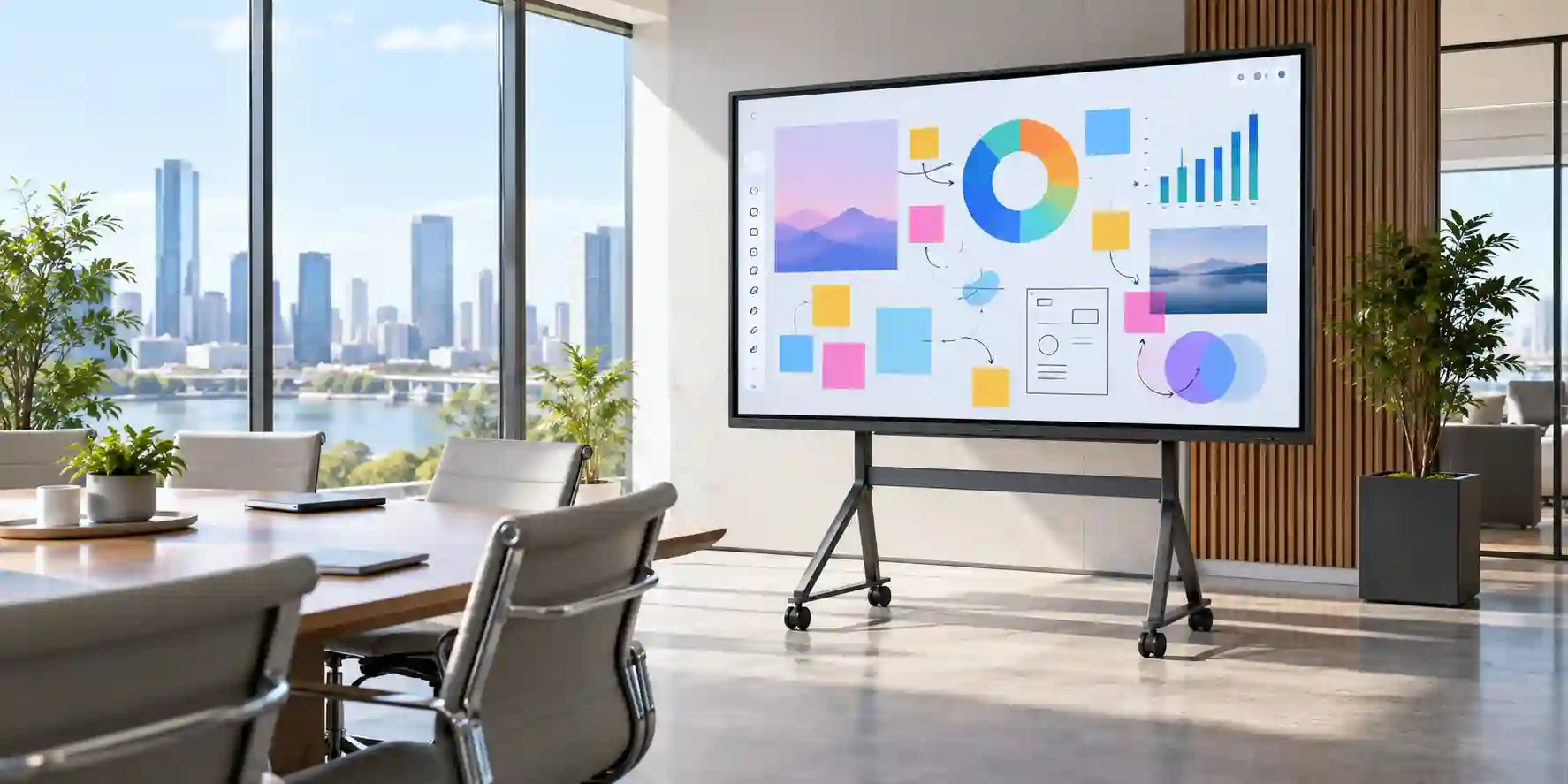
The Samsung WA75F sits in the category of interactive commercial displays: large-format screens that combine conventional display electronics with an infrared touch layer, embedded computing, collaboration software and business connectivity. That distinction matters because an enterprise buyer is not simply purchasing a 75-inch television. The panel is intended to become an active work surface where users can write, draw, annotate, browse, open cloud resources, mirror other devices and control connected computers directly from the screen. In classrooms, that can mean replacing a projector and passive board with a bright 4K teaching surface. In corporate environments, it can mean turning a meeting wall into an interactive planning area that supports both in-room and hybrid workflows.
At the center of the WA75F is a 75-inch 3840 × 2160 IPS panel with 400-nit typical brightness, a 1,200:1 typical contrast ratio and wide 178-degree viewing angles. Those characteristics are well aligned with training rooms and meeting spaces where participants are distributed across a broad seating arc instead of directly in front of the display. The 25% haze treatment is also operationally relevant because interactive boards are usually installed in illuminated rooms rather than dark presentation theaters. Glare management cannot replace proper room lighting design, but the panel treatment helps preserve legibility where overhead lighting or daylight would otherwise make a glossy surface distracting.
The interaction layer uses infrared touch and supports up to 40 simultaneous touch points. This gives the WA75F a fundamentally different role from a conventional signage panel. Multiple students, facilitators or project participants can work on the board at the same time, and Samsung’s WAF software environment includes tools intended to make multi-user activity practical rather than theoretical. A passive pen design reduces accessory complexity because the writing tool does not depend on batteries or pairing. Touch response and drawing behavior remain influenced by the active application, source device and system load, but the commercial architecture is designed to keep common annotation and whiteboarding work responsive.
The embedded system is equally important. The WA75F runs Android 14 and is Google EDLA certified, giving organizations a familiar application environment with access to supported Google services and applications. Samsung’s published WAF architecture identifies an octa-core processor built from four Cortex-A73-class and four Cortex-A53-class cores, paired with 8GB of RAM and 64GB of storage. This is enough for the display to operate as an independent collaboration endpoint for many common tasks instead of requiring an external PC for every session. Chrome, Google Drive, YouTube, the Play Store, Note, Screen Share and Finder are representative of the available workflow. Application eligibility, account policy and organization-specific controls should still be checked by IT administrators before a production rollout.
For organizations that need Windows-native applications, domain tooling or a standardized corporate desktop, the OPS slot is strategically useful. OPS, or Open Pluggable Specification, allows a compatible computing module to be integrated into the display chassis. That approach can eliminate a separate mini-PC mounted behind the screen, simplify cabling and preserve a cleaner room design. The important procurement point is that an OPS computer is a separate configuration decision. Buyers should specify processor class, memory, storage, Windows edition and management requirements for the OPS module rather than assuming the display includes a Windows PC.
Connectivity is designed around mixed fleets. The WA75F provides two HDMI inputs, USB-C, multiple USB ports, HDMI output, audio interfaces, touch-out connections, RS232C, RJ45 Ethernet, Wi-Fi 5 and Bluetooth. The USB-C interface is particularly helpful in modern meeting environments because a supported laptop can use a single front-facing connection for video, touch control and charging functionality, reducing the amount of adapter handling at the front of the room. HDMI output can also extend or mirror board content to another display, which can be useful in larger classrooms, divisible rooms or training halls where a single 75-inch screen is not visible from every seat.
From an enterprise architecture perspective, the most important decision is where the WA75F should sit in the collaboration stack. It can be deployed as a standalone Android whiteboard, as a touch front end for user laptops, as an OPS-based Windows room endpoint, or as a hybrid of all three. FourTeck can help procurement and IT teams define that role before the purchase order so that mounting, network access, user identity, accessory requirements, room control and software governance are considered together rather than after installation.
Enterprise Business Value & ROI Benefits
Faster Room Readiness
A room that depends on a projector, dedicated PC, separate casting box, USB touch controller and conventional whiteboard creates multiple failure points. The WA75F consolidates core collaboration functions into one managed surface. Presenters can walk in, use the embedded Android environment, connect a laptop through USB-C or HDMI, or call on an OPS computer when required. Fewer disconnected components can translate into simpler pre-meeting checks, fewer cable problems and reduced support calls for basic presentation tasks.
Collaborative Participation
Forty-point touch support turns the display into a multi-user work surface instead of a presenter-only screen. In education, several students can interact at once. In workshops, participants can annotate diagrams, prioritize ideas or build plans together. The business value is not the touch count by itself; it is the ability to move participation from verbal discussion to a shared visual canvas that can improve clarity, accelerate decisions and keep workshops focused.
Flexible Computing Model
Organizations do not have to select a single operating model. Android 14 supports direct use, laptop connectivity lets employees keep their own managed endpoint, and the OPS slot supports a permanently installed Windows computer where required. This flexibility can reduce forced standardization across departments. A school can use Android classroom applications while a corporate training room uses a managed Windows image on the same display family.
Visual Consistency at 4K
A 3840 × 2160 canvas is useful for detailed spreadsheets, diagrams, architectural drawings, dashboards and teaching content. The higher pixel density of 4K at 75 inches helps text and line work remain legible at normal meeting-room distances. For buyers replacing an older WXGA or Full HD projector, the gain in fine detail can be substantial, especially where the room is used for document review rather than only full-screen video.
Operational Manageability
Samsung’s WAF platform includes device management capabilities for settings and applications. Central management is valuable when a deployment grows from one board to an estate across classrooms, meeting rooms or branches. IT teams should still validate the exact DMS licensing model and features available in the intended region, but designing around centralized administration can reduce the need for technicians to visit every screen for routine configuration changes.
Energy and Lifecycle Planning
Interactive panels remove projector lamps and associated lamp-replacement cycles from the room design. The WA75F also supports low-power standby and includes an eco sensor. Actual consumption depends on brightness, content and usage pattern, so organizations should model energy according to daily operating hours. The wider lifecycle benefit often comes from a simpler room bill of materials and fewer consumable components rather than power savings alone.
Return on investment should therefore be evaluated across the room, not only against the unit purchase price. Buyers should compare the WA75F with the combined cost of a projector, screen, interactive sensor, room PC, casting appliance, installation hardware, replacement lamps and support effort. In rooms that are used every day, reduced setup friction and faster recovery from common presentation problems can also have a measurable productivity impact. FourTeck can help build a procurement comparison around the actual room standard, required accessories and expected deployment scale.
Hardware & Technical Architecture Highlights
The WA75F combines three technical layers: a commercial 4K display engine, an infrared interaction system and an embedded Android compute platform. The display layer uses direct LED backlighting behind an IPS panel. IPS technology is commonly selected for collaborative displays because it maintains more consistent color and image appearance over wider viewing angles than panels whose contrast shifts heavily off-axis. Samsung specifies 178 degrees horizontally and vertically, which is particularly useful when viewers are seated across a wide classroom or boardroom.
The interaction layer sits in front of the LCD and detects touch through an infrared grid. Because the touch system does not depend on an active digitizer pen, users can interact with a passive pen or finger. Samsung specifies up to 40 touch points, touch response of up to approximately 5 ms for the touch system and drawing latency figures that depend on the complete software path. The protection glass is designed for repeated contact and Samsung’s WAF documentation identifies Mohs 5 hardness. Procurement teams should still treat the board as precision AV equipment: wall structure, trolley stability, cable strain relief and cleaning procedures all influence long-term reliability.
The embedded compute platform uses an octa-core architecture with four higher-performance A73-class cores and four efficiency-oriented A53-class cores. This heterogeneous arrangement lets the operating system allocate lighter background activity and more demanding foreground workloads appropriately. The platform is paired with 8GB RAM and 64GB flash storage. This is sufficient for whiteboarding, browser sessions, supported Android applications and screen-sharing workflows, but it should not be interpreted as a substitute for a high-end workstation. Resource-intensive Windows applications, specialized engineering tools or enterprise software that is not available for Android should be handled through a connected computer or compatible OPS module.
Audio is integrated through two 15-watt speakers. That makes the panel suitable for general presentations, learning media and ordinary room playback without mandatory external speakers. Larger rooms, videoconferencing deployments and spaces where speech reinforcement matters may still need dedicated audio. The correct design depends on room volume, listener distance, acoustic treatment and whether microphones or conferencing codecs are being introduced.
The connectivity architecture is deliberately mixed. HDMI remains available for universal source compatibility, while USB-C supports contemporary notebooks and front-of-room convenience. USB ports provide peripheral and storage connectivity, and the Ethernet interface supports Gigabit networking. Wi-Fi 5 and Bluetooth cover common wireless use cases. RS232C supports integration into room-control environments, while touch-out interfaces allow the touch surface to control supported external source devices. HDMI output is a valuable addition for multi-display teaching layouts because the content can be sent to an auxiliary screen without introducing an additional source switch simply to repeat the image.
Power and thermal planning should not be neglected. The display accepts 100–240V AC at 50/60Hz, making it electrically suitable for UAE mains environments when installed with the correct local power lead and compliant circuit. Samsung documentation for the WAF family identifies model-specific consumption values; the 75-inch unit has published typical and maximum figures that vary by documentation region. For project planning, FourTeck recommends using the locally supplied datasheet and nameplate rating for final electrical calculations rather than importing a figure from a different regional SKU.
Definitive Technical Specifications & Sizing Notes
| Category | Specification | Samsung WA75F |
|---|---|---|
| Display | Diagonal / panel | 75-inch IPS, Direct LED |
| Display | Resolution | 3840 × 2160, landscape |
| Display | Brightness | 400 nit typical |
| Display | Contrast / viewing angle | 1,200:1 typical / 178° H & V |
| Display | Response / haze | 8 ms / 25% haze |
| Touch | Technology / points | IR touch / up to 40 points |
| Touch | Pen | Passive pen; two pens listed with standard WAF accessories in Samsung documentation |
| Embedded System | OS | Android 14, Google EDLA certified |
| Embedded System | CPU / memory | Octa-core A73 ×4 + A53 ×4 / 8GB RAM |
| Embedded System | Storage | 64GB flash |
| Video Inputs | HDMI / USB-C | 2 × HDMI; front USB-C; OPS interface |
| USB | Ports | 4 total in Samsung WAF documentation: 2 × USB 2.0, 2 × USB 3.0 |
| Output | Video / audio | HDMI Out; 3.5 mm stereo audio output |
| Network | Wired / wireless | Gigabit Ethernet, Wi-Fi 5 (802.11ac), Bluetooth |
| Audio | Speakers | 2 × 15W built-in |
| Mechanical | Set dimensions | Approx. 1716.5 × 1031.8/1031.9 × 87.7 mm |
| Mechanical | Set weight | Approx. 48.9–49.2 kg depending on regional documentation |
| Mounting | VESA | 800 × 400 mm |
| Power | Input | AC 100–240V, 50/60Hz |
| Environment | Operating temperature | 0°C to 40°C |
Specification interpretation is important because Samsung sells regional variants with different suffixes, and published documents may show small differences in package weight, operation-time ratings, power figures or included accessories. The core WA75F platform is consistent around the 75-inch 4K IPS panel, Android 14 architecture, 40-point IR touch, 8GB RAM, 64GB storage, USB-C, HDMI, OPS, Wi-Fi and Ethernet. For a UAE project, however, procurement should be based on the exact part number quoted by the authorized channel. FourTeck can validate the current regional SKU, included accessories and warranty terms before order placement.
Room sizing should be based on viewing distance and content type rather than diagonal size alone. A 75-inch 4K display works well in many medium-sized classrooms and meeting rooms, but spreadsheet-heavy sessions or detailed technical drawings require closer seating than full-screen video. Mounting height must also account for touch reach: a board mounted too high may look attractive architecturally but reduce usability for shorter users or students. Mobile trolley installations need a stand engineered for the panel’s weight, VESA pattern and center of gravity. For wall mounting, confirm substrate, bracket rating, service access and cable routing before installation.
Configuration, Sizing & Deployment Workbench
01 — Define the Room Workload
Start by describing what users will actually do. A teaching room may need browser access, Google Workspace integration, multi-user annotation and frequent student interaction. A corporate boardroom may prioritize laptop presentation, touchback, wireless sharing and occasional whiteboarding. A design review space may require a Windows workstation and high-detail drawings. The same WA75F can support all three, but the accessory and compute choices are different. Defining the room workload first prevents unnecessary purchases and avoids discovering after installation that a required application does not run natively on Android.
02 — Size for Audience and Viewing Distance
A 75-inch screen provides a large visual area, but the usable room depth depends on the smallest content participants need to read. Full-screen teaching slides can be viewed from farther away than engineering diagrams or dense spreadsheets. Measure the farthest seat and test representative content at realistic font sizes. For very large training rooms, HDMI output can help drive a secondary display. If the room is significantly larger, compare the 86-inch WAF family member rather than assuming the 75-inch model will cover every viewing position.
03 — Select the Computing Mode
Choose among embedded Android, bring-your-own-device, OPS Windows or a blended model. Android is ideal for quick access, whiteboarding and supported cloud applications. USB-C or HDMI lets users present from managed laptops. OPS is useful when the room requires a permanent Windows environment, domain integration or software unavailable on Android. For OPS deployments, define CPU, RAM, SSD, Windows licensing, endpoint protection and management requirements separately. Do not treat the OPS slot itself as evidence that an OPS computer is included.
04 — Validate Network and Identity Policies
Interactive boards become shared endpoints, so network architecture matters. Decide whether the unit joins a corporate VLAN, education network or isolated collaboration segment. Confirm Wi-Fi authentication requirements, wired Ethernet availability, DNS access, browser policies, Google account use and app-installation governance. Where personal accounts are not appropriate, define a shared-room identity model. Security teams should also determine whether screen sharing is allowed on the production LAN or should be segmented. Centralized management should be evaluated before a large fleet rollout, not after every board is already installed.
05 — Engineer Mounting, Power and Cable Paths
The WA75F weighs close to 49 kg before mounting hardware, so structural support is a design input. Confirm wall type, bracket capacity, anchor method, VESA 800 × 400 compatibility and technician access. For a trolley, use a commercial stand rated for the screen size and weight. Plan AC power, network, HDMI, USB-C and any touch-out cable routes so connectors are not stretched or trapped. If front USB-C is a primary user connection, preserve easy physical access. Where cables must cross public areas, use compliant containment rather than loose leads.
06 — Confirm Software, Licensing and Support
EDLA certification enables a richer Google service environment, but each organization still needs to define acceptable applications, user authentication and subscription ownership. Verify any third-party collaboration platform independently. If device management is part of the rollout, confirm the management solution, licensing period, cloud or on-premises model, network prerequisites and administrative responsibilities. Finally, confirm the UAE warranty, service route, installation scope and response expectations in writing as part of the procurement package.
Industry Use Cases & Workload Scenarios
Banking & Finance
Training centers, project rooms and branch-management teams can use the WA75F for interactive policy training, dashboard reviews, process mapping and collaborative planning. Financial organizations should place the board on an appropriate network segment and apply strict identity and application controls, especially where customer data or internal reporting may appear during sessions.
Healthcare
Hospitals and healthcare groups can use large interactive displays for staff education, multidisciplinary planning, administrative meetings and training simulations. The device should not be assumed to be a medical diagnostic display. Where clinical information is shown, network segmentation, account governance, physical privacy and cleaning procedures should be defined according to the organization’s own compliance framework.
Government & Public Sector
Government teams can deploy the WA75F in training rooms, command briefing areas, project offices and meeting spaces. The combination of wired networking, local Android functionality, HDMI input and optional OPS compute allows projects to adapt the board to different security architectures. Procurement should confirm approved firmware, network controls and regional warranty requirements before a broad rollout.
Logistics & Operations
Warehousing, transport and logistics teams can use the display to review route maps, operational dashboards, warehouse layouts, safety briefings and shift plans. Touch annotation is especially useful when teams need to mark exceptions directly on visual workflows. In industrial areas, installation should remain within Samsung’s environmental specifications and should avoid excessive dust, heat or moisture.
Retail & Hospitality
The WA75F is better suited to staff collaboration and training than to continuous public signage. Retailers and hospitality groups can use it in learning rooms, regional offices, merchandising review spaces and back-office planning. For customer-facing signage that must run extended hours with no touch requirement, a dedicated Samsung commercial signage model may be a more appropriate selection.
Education
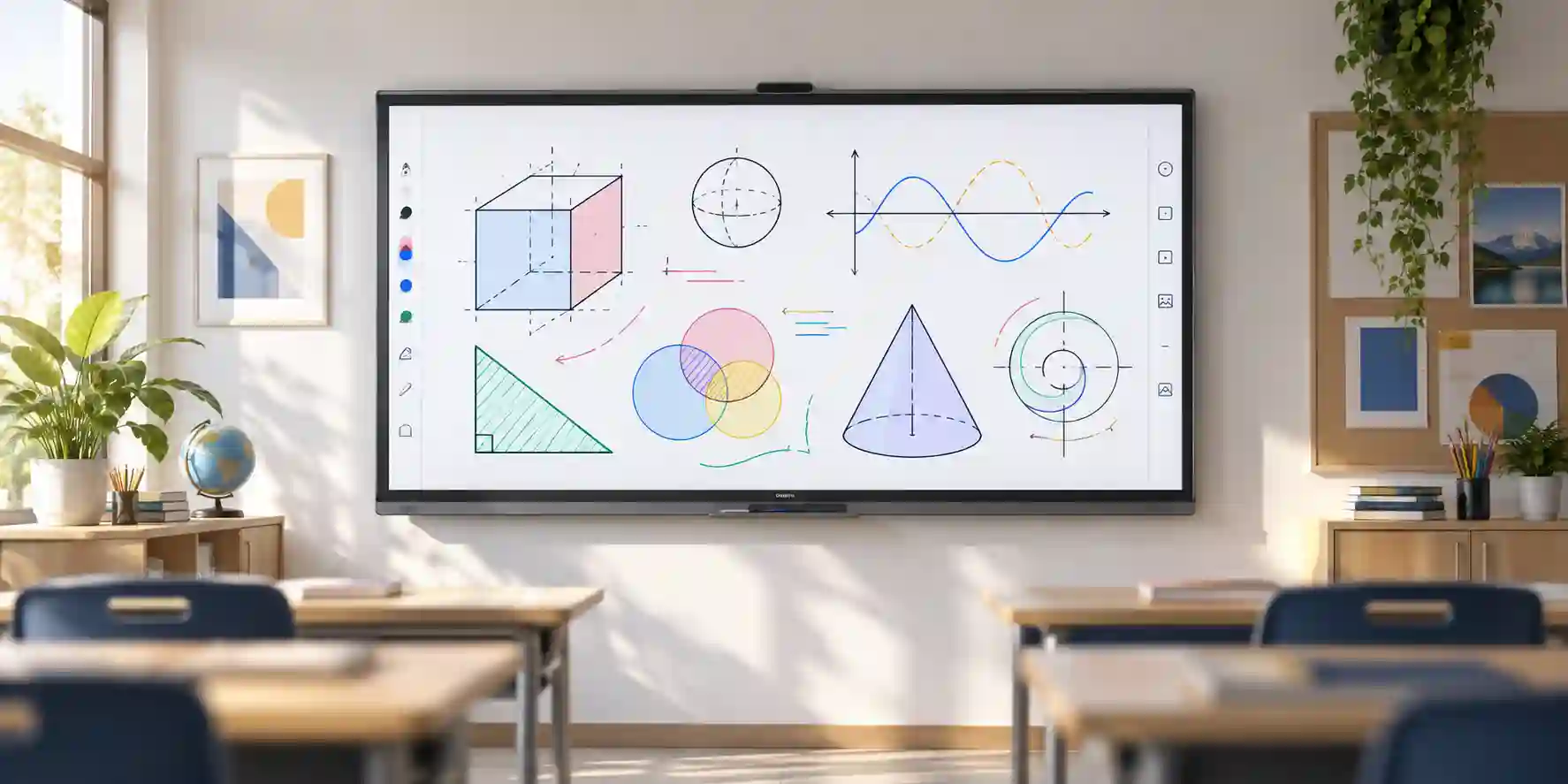
Education is a primary WAF use case. Teachers can annotate over content, open supported Google services, run interactive applications, use the Note environment and invite multiple students to work simultaneously. Split Note workflows can support multiple writing zones. IT teams benefit from a repeatable display platform across classrooms, but should standardize mounting, account policy, wireless access and device management from the first phase.
Technical Feature Deep Dive 1: Processing, Throughput & Workload Performance Architecture
Performance on an interactive display is different from performance on a desktop PC. The critical requirement is low-friction interaction: home-screen navigation should feel immediate, a note application should track the user’s writing naturally, browser content should load without unnecessary delay, and common applications should remain responsive while screen sharing or annotation services are active. Samsung addresses this with an octa-core embedded processor containing four A73-class performance cores and four A53-class efficiency cores. This arrangement lets the Android scheduler distribute heavier foreground tasks and lighter background functions across different core types.
The 8GB RAM allocation is significant for a commercial whiteboard because the device may run multiple services concurrently: Android itself, wireless networking, screen sharing, Google components, the active application and annotation layers. Memory headroom helps reduce the need to constantly reload applications when a teacher or presenter switches between a browser, whiteboard and shared content. The 64GB flash allocation provides local space for the system, applications and working files, but organizations should not view it as a long-term departmental file repository. Cloud storage, network repositories or managed user devices remain better suited to persistent enterprise documents.
The visual pipeline is built around a native 4K panel running at 60Hz-class display timing. This provides enough resolution for detailed charts, documents and interface elements while keeping the refresh behavior appropriate for general collaboration. The display response specification of 8 ms describes panel pixel response, while the touch subsystem has its own response characteristics. Perceived writing latency is the sum of touch detection, operating-system processing, application rendering and panel refresh. This is why a board can have a very fast touch sensor yet feel slower in a poorly optimized application. Buyers should test their most important software when touch feel is mission critical.
USB-C improves throughput from a workflow perspective, not merely by providing another connector. A user can approach the board with a supported modern notebook and establish video plus interactive control without reaching behind the chassis for separate cables. This reduces switching time between presenters and minimizes dependence on room adapters. HDMI remains available for devices that lack USB-C display output, while touch-out can return interaction to a connected computer. The result is a flexible source architecture rather than a closed appliance.
When more performance is required, the OPS path creates a second compute tier. A properly selected OPS module can provide Intel- or equivalent PC-class processing, expanded memory, larger SSD storage and a fully managed Windows environment. This is the correct route for CAD viewers, complex office applications, specialized teaching software or corporate security stacks that demand Windows. The display then acts as the visual and touch endpoint while the OPS module handles the workload. This modularity helps organizations avoid overspecifying every room at the initial purchase.
Technical Feature Deep Dive 2: Security, Redundancy & System Resilience
An interactive board is a shared endpoint, and shared endpoints require a different security model from individually assigned laptops. The first consideration is identity. If users sign in with personal or organizational Google accounts, administrators need a reliable sign-out policy and should understand what data can remain cached locally. If the board uses a shared account, access should be restricted to the applications and services necessary for the room. Education deployments should align account behavior with school identity policies, while enterprises may prefer users to keep sensitive data on their managed laptops and use the display as a presentation and touch surface.
The WA75F supports wired Ethernet, Wi-Fi 5 and modern wireless security mechanisms documented by Samsung for the WAF family. That does not remove the need for network segmentation. A collaboration device that supports screen sharing and web applications can be placed on a dedicated AV or collaboration VLAN with tightly defined routes to the internet and internal services. Where wireless casting is required, network design should ensure discovery works only across intended segments. Security teams should document allowed destinations, update processes and administrative access just as they would for other managed endpoints.
Google EDLA certification is relevant because it provides a supported framework for Google Mobile Services and Play Store access on eligible interactive displays. For buyers, the practical benefit is access to familiar Google tools and a more standardized Android application environment. However, an application being available in the store does not automatically make it approved for a given organization. IT teams should validate vendor reputation, data handling, licensing and permissions before deploying third-party applications across a fleet.
Physical resilience is equally important. The WA75F uses protection glass and an aluminium frame, and the passive pen eliminates battery failure at the writing tool. There is no projector lamp to replace, which removes one common maintenance item from conventional classroom AV. At the same time, the display itself is a large precision assembly weighing nearly 49 kg. A robust wall bracket or commercial mobile stand, correct mounting hardware and responsible cable management are essential. In public training environments, cable strain relief and secure mounting can prevent more failures than any software feature.
Business continuity should be planned around alternate operating modes. If the wireless network is unavailable, HDMI or USB-C can still provide local presentation paths. If the embedded Android environment cannot run a required application, a laptop or OPS module offers another compute route. If the room depends heavily on cloud applications, organizations should define a fallback for internet outages. This layered approach makes the display more resilient than a design that relies on one casting technology or one cloud service for every meeting.
Technical Feature Deep Dive 3: Remote Management, Telemetry & Infrastructure Integration
The difference between a single interactive board and an enterprise deployment is management. One board can be configured manually. Fifty or five hundred boards require repeatable policy, controlled application deployment, documented firmware handling and remote visibility. Samsung positions a device management solution with the WAF family for remote administration of whiteboard settings and applications. Buyers planning a fleet should evaluate this management capability during the proof-of-concept phase so that administrators understand enrollment, permissions, licensing, cloud versus on-premises options and reporting before rollout.
Network telemetry should be integrated into the organization’s existing support model where practical. The WA75F includes RJ45 Ethernet and Wi-Fi, and AV teams can document the device in asset-management and IP-addressing systems. Room naming conventions should match enterprise standards so help-desk staff can identify the physical location quickly. A display named only by serial number is difficult to support; a naming structure that includes building, floor and room provides immediate context. Asset records should capture model, serial, purchase date, warranty route, mount type, installed accessories and network details.
RS232C is valuable for environments that use centralized room-control systems. It can support integration patterns where a controller coordinates power state or other supported commands along with lighting, blinds, audio and conferencing equipment. Integration capabilities should be validated against Samsung’s control documentation and the selected controller platform. Even when no automation system is installed initially, preserving access to control interfaces can make future room upgrades easier.
HDMI output supports another form of infrastructure integration. In a lecture room, content on the interactive board can be repeated to a rear confidence display or larger projection surface so distant participants can see the same material. In divisible training rooms, the output can feed a distribution system when partitions are opened. The important design point is to map signal flow before installation. A simple room can connect directly; a larger venue may require switching, distribution amplifiers or matrix routing.
USB-C should also be incorporated into room standards rather than treated as an incidental connector. Define whether the board’s front USB-C becomes the primary user connection, provide a suitable cable rated for the intended video and charging behavior, and label it clearly. Where users have a mix of USB-C, HDMI and legacy devices, provide adapters deliberately instead of leaving compatibility to chance. A small amount of standards work at deployment time can materially reduce day-to-day support requests.
For UAE organizations with multiple branches, FourTeck can help standardize the procurement bill of materials around the display, mount, cabling, OPS option and accessories. The goal is not simply to deliver screens; it is to make each room repeatable enough that IT teams can support the estate as a system rather than as a collection of one-off installations.
What Buyers Should Check Before Purchase
The most common procurement mistakes with interactive displays are not specification errors; they are deployment assumptions. Buyers may order the right panel but the wrong mount, expect a Windows computer to be included, overlook room-network restrictions, or assume every regional SKU has identical accessories and warranty. Use the four checks below before issuing a purchase order.
01 / FIT — Configuration Fit & Model Sizing
Confirm that 75 inches suits the room and that users can physically reach the writing surface at the intended mounting height. Compare the 65-inch and 86-inch WAF variants where room geometry suggests a different size. Define whether Android alone is sufficient or whether the project needs OPS Windows compute. Include the required quantity, expected daily use, content type and audience size in the quote request.
02 / MATCH — Compatibility & Environmental Requirements
Validate USB-C behavior with the organization’s notebook fleet, confirm HDMI requirements, check network authentication and determine whether wireless sharing is allowed. For mobile installations, verify trolley load rating and VESA compatibility. For fixed walls, confirm structural capacity. The display’s specified 0–40°C operating range is suitable for conditioned indoor environments; it should not be treated as an outdoor or unconditioned industrial display.
03 / TERMS — Availability, Delivery & Warranty Terms
Request the exact UAE part number, current lead time, warranty route, included accessories and delivery conditions. Large-format displays require careful handling, so site access matters: loading bay restrictions, lift dimensions, floor access and delivery windows should be communicated before dispatch. If installation is required, specify whether wall mounting, trolley assembly, cable routing or commissioning is in scope.
04 / REQUEST — Quote Preparation Data Needed
For a fast project quotation, provide model WA75F, quantity, delivery emirate, site type, target deployment date and whether you need a wall mount, mobile stand, OPS PC, extended cables or installation assistance. If the board must integrate with existing conferencing or control equipment, include those device models. This gives the pre-sales team enough context to identify compatibility issues before order confirmation.
UAE Regional Availability & Service Ecosystem
FourTeck supports UAE organizations that need project quotation, configuration validation and delivery coordination for Samsung interactive display deployments. Supply status can vary by exact regional SKU, quantity and project timing, so availability is verified at quotation stage rather than represented as permanent stock. Buyers can submit a room count, target installation date and accessory requirement so sourcing and logistics can be aligned with the rollout plan.
Dubai Supply & Logistics Support
Dubai customers can request project supply for offices, schools, training centers, universities, free-zone facilities, hospitality groups and multi-site enterprises. FourTeck can coordinate quotation, regional part-code confirmation, mounting accessories and delivery planning across major Dubai commercial areas and free zones. For multi-floor buildings or controlled-access sites, provide loading, lift and delivery-window requirements early so the handling plan can match the building’s operating rules.
Abu Dhabi & Al Ain Logistics Reach
Organizations in Abu Dhabi and Al Ain can use FourTeck for sourcing assistance, quotation coordination and enterprise hardware delivery planning. Government, industrial, education and corporate projects often have formal technical schedules, approved-vendor processes and timed site access. Sharing the required specification, quantity and project deadline at inquiry stage helps the team prepare a quotation aligned with the buyer’s procurement workflow.
Sharjah & Northern Emirates Logistics Infrastructure
Sharjah and Northern Emirates customers can request WA75F supply for education, manufacturing, logistics, corporate and training environments. FourTeck can assist with configuration checks, commercial quotation and delivery coordination. Where units are being distributed across multiple branches, provide a location list and desired delivery sequence so the project can be structured around phased deployment rather than isolated orders.
Ajman & Surrounding Emirates Logistics Coverage
Businesses and institutions in Ajman can request availability verification, delivery coordination and pre-sales guidance for the WA75F. This is particularly useful where the display must be paired with a specific mounting solution, trolley or OPS computer. For installations, confirm wall construction, room access and preferred mounting height so the physical deployment can be evaluated alongside the product quotation.
GCC & Pan-African Supply Chain Reach
FourTeck can also coordinate regional inquiries where Samsung interactive displays form part of a GCC or African technology project. Cross-border transactions may require export documentation, destination-country compliance checks, freight planning and local import arrangements. Exact commercial terms depend on destination, quantity and shipping method, so regional projects should be quoted individually with the final delivery point and consignee details clearly stated.
Saudi Arabia (KSA) Export & Supply Support
Saudi enterprise and education projects can be supported through regional inquiry routing, configuration validation and project quotation. Buyers should provide the city, project quantity, required accessories and delivery timeline so the supply route and documentation can be reviewed. Large public-sector or campus deployments should include any prescribed submittal format or technical compliance schedule.
Qatar Market Supply Reach
Qatar-based organizations and system integrators can request cross-border logistics coordination and hardware sourcing for Samsung interactive-display projects. For time-sensitive fit-outs, provide the required-on-site date rather than only the purchase date, because freight, customs and local delivery need to be built into the project schedule.
Oman Regional Distribution Support
Buyers in Oman can request procurement guidance, model confirmation and quotation coordination. Schools, training centers and corporate clients should specify whether they need display-only supply or a complete package including mounts, trolleys, OPS computing and installation-related accessories.
Kuwait Supply Chain Coverage
For Kuwait projects, FourTeck can support project quote preparation and export supply coordination. Buyers can use the dedicated regional site at kuwait.fourteck.com for regional inquiry routing and should include quantity, delivery city and required project date.
Kenya & East Africa Supply Infrastructure
Kenyan businesses and system integrators can request regional distribution support, technical inquiry routing and delivery coordination through kenya.fourteck.com. Cross-border project planning should include freight method, final destination, accessory needs and any local compliance documentation required by the importer.
Uganda Regional Procurement Support
Ugandan organizations can use uganda.fourteck.com for localized inquiry response, project supply management and technology sourcing. Education and enterprise buyers should submit room counts and target deployment dates so supply planning can reflect the complete project rather than a single display.
Pan-African Regional Logistics & Trade Reach
For broader African technology projects, FourTeck can coordinate multi-country inquiries and export-oriented supply planning through africa.fourteck.com and fourteck.com. Project feasibility depends on destination, product availability, transport mode and import requirements, so each country should be reviewed as a distinct logistics case even when one regional organization is standardizing on the same display family.
Related FourTeck Products & Compatible Alternatives
| Alternative | When to Consider It |
|---|---|
| Samsung WA65F WAF Interactive Display | Choose the smaller WAF model for compact classrooms, huddle rooms and training spaces where a 75-inch panel would dominate the wall or reduce touch reach. |
| Samsung WA86F WAF Interactive Display | Choose the larger WAF model for bigger classrooms and boardrooms where viewers sit farther from the screen and need a larger visual canvas while keeping the same general WAF workflow. |
| Samsung WAF Premium Interactive Display | Consider a premium WAF configuration where your project requires newer embedded processing, increased memory or storage and expanded connectivity. Exact model availability should be confirmed for the UAE. |
| Samsung QMC / QHC Commercial Signage | Select commercial signage instead when the requirement is primarily passive information display, digital signage or extended-hours visual communication rather than writing and touch collaboration. |
| Samsung Video Wall Solutions | Use a multi-panel video wall when the primary requirement is very large visual scale for control rooms, lobbies or command environments and direct touch interaction is secondary. |
The correct alternative depends on room size and workload. Buyers should not move to a larger diagonal automatically; touch reach, mounting height and available wall width can make a 65-inch or 75-inch board more usable than an 86-inch model. Conversely, a distant audience may struggle with detailed content on a smaller panel. FourTeck can compare the WAF sizes and adjacent Samsung display families against room dimensions, expected seating distance, daily operating pattern and interaction requirements.
Why Enterprises Choose FourTeck
Enterprise display procurement is more effective when the supplier validates the deployment context rather than quoting a screen in isolation. FourTeck supports buyers by checking model fit, regional part codes, mounting requirements, source connectivity, OPS needs and project logistics before order confirmation. This pre-sales process is particularly important for interactive displays because the board, mount, network, user devices and room workflow must operate together.
Quotation coordination can include project quantities, phased delivery requirements and accessory bundles. Where buyers operate multiple branches or campuses, a standardized bill of materials can reduce variation between rooms and make future support easier. FourTeck can also help identify when an alternative size or Samsung display family is more appropriate rather than forcing every requirement into the WA75F.
Warranty and after-sales planning should be documented at quotation stage. Regional warranty terms can depend on the exact SKU and supply channel, so FourTeck confirms the applicable route for the proposed unit rather than relying on assumptions from another market. For installation-led projects, buyers should specify site access, wall type, mounting preference and commissioning expectations so the scope is clear before equipment arrives.
Frequently Asked Questions
Is the Samsung WA75F a 4K interactive display?
Yes. The WA75F uses a 75-inch IPS panel with native 3840 × 2160 resolution in landscape orientation. Samsung specifies 400-nit typical brightness, a 1,200:1 typical contrast ratio and wide 178-degree viewing angles. The panel is designed for interactive classroom and meeting-room use rather than being a standard consumer television.
How many touch points does the WA75F support?
Samsung’s WAF documentation specifies infrared touch with support for up to 40 simultaneous touch points. This allows multi-user writing and interaction in compatible applications. The display uses passive pens, so the basic writing tools do not need batteries or pairing. Actual multi-user behavior can depend on the application being used.
Which operating system is built into the WA75F?
The WA75F is built around Android 14 and is Google EDLA certified. Samsung lists an octa-core embedded processor, 8GB of RAM and 64GB of flash storage for the WAF platform. The system supports common Google services and Samsung collaboration tools, but organizations should validate required applications and account policies before deployment.
Can the Samsung WA75F run Windows?
The display itself runs Android, but it includes an OPS slot that can accept a compatible OPS computer. With an appropriate OPS module, the board can operate as a Windows-based interactive system without a separate external desktop. A Windows OPS module is a separate component and should be specified with the required processor, memory, storage and Windows licensing.
Does the WA75F support USB-C laptop connection?
Yes. The WAF platform includes front-facing USB-C connectivity designed to simplify laptop connection. Samsung describes USB-C use for display output, touch interaction and supported charging behavior. Compatibility can vary with the laptop, cable and USB-C implementation, so enterprise fleets should validate representative devices during a pilot deployment.
Can content be shown on a second screen?
Yes. Samsung specifies an HDMI output on the WA75F. This can be used to send board content to an additional display, which is useful in larger classrooms or training spaces where participants at the rear need a duplicated image. Complex multi-room distribution may require additional AV switching or signal-distribution equipment.
What mounting standard does the WA75F use?
The 75-inch WA75F uses an 800 × 400 mm VESA mounting pattern. The display weighs about 49 kg depending on the regional specification, so the wall structure, bracket or mobile trolley must be rated appropriately. Buyers should confirm wall construction, mounting height and cable access before installation.
Is the WA75F suitable for a large classroom?
It can be a strong fit for many medium to large classrooms, but suitability depends on the farthest viewing distance and the detail level of the content. A larger 86-inch WAF may be better for very deep rooms. HDMI output can also support a secondary display where one interactive board cannot provide clear visibility to every seat.
Is the Samsung WA75F available in Dubai and the UAE?
FourTeck can quote Samsung WA75F project requirements for Dubai and other UAE locations, subject to current regional supply. Availability, lead time, exact part number, included accessories and warranty terms should be confirmed in the quotation. Buyers can provide quantity, delivery emirate, mounting preference and required deployment date for a project-specific response.
What information should I send for a WA75F quotation?
Send the required quantity, delivery location, target installation date and whether you need a wall mount, mobile stand, OPS PC, installation or additional cabling. If the board must connect to existing laptops, conferencing equipment or room-control systems, include those device details. This helps FourTeck check compatibility and prepare a more complete project quotation.
Request a Project Quote for Samsung WA75F in Dubai, UAE
For an accurate quotation, send FourTeck the Samsung WA75F model requirement, quantity, delivery location, intended deployment date and any mounting, trolley, OPS computing or installation needs. If you are standardizing multiple rooms, include room counts and typical room size so the proposal can be structured as a repeatable deployment rather than a collection of isolated screens. FourTeck can validate the current UAE part code, project availability, accessories and warranty guidance before order placement.



