

Samsung WM55B 55-Inch Flip Pro Interactive Display in Dubai, UAE
Samsung WM55B is a 55-inch 4K UHD interactive collaboration display built for teams that need a digital canvas, presentation surface and touch-enabled workspace in one professional device. It combines a 3840 x 2160 panel, responsive writing, multi-touch collaboration and enterprise-friendly connectivity for huddle rooms, classrooms, training suites and project spaces.
For UAE procurement teams, the value is not only the display itself but also correct accessory selection, mounting, room-fit planning, endpoint connectivity and rollout consistency across multiple locations. FourTeck helps validate those elements before quotation and delivery.
Procurement Snapshot
Model: WM55B
Display: 55-inch VA, 4K UHD
Best fit: Huddle rooms, small classrooms, training and team collaboration
Touch: Up to 20 simultaneous touch points
Deployment: Wall mount or compatible stand
UAE guidance: Confirm accessory tray, stand, wall mount and warranty terms at quotation.
Quick Procurement & Configuration Matrix
Samsung WM55B, Flip Pro WMB Series.
55-inch interactive flat panel for collaborative writing, presenting and content sharing.
Small-room meetings, lessons, workshops, ideation, training and digital whiteboarding.
Room-scale endpoint; larger spaces should evaluate 65, 75 or 85-inch WMB variants.
AC 100-240V, 50/60Hz; typical on-mode figure listed by Samsung is 154W.
Dubai, Abu Dhabi, Sharjah, Ajman and UAE project locations, subject to project logistics.
Confirm applicable Samsung regional warranty, service route and project terms before PO.
USB-C functionality on WM55B requires the compatible optional tray; stands and mounts are separate unless quoted.
Executive Product Architectural Overview
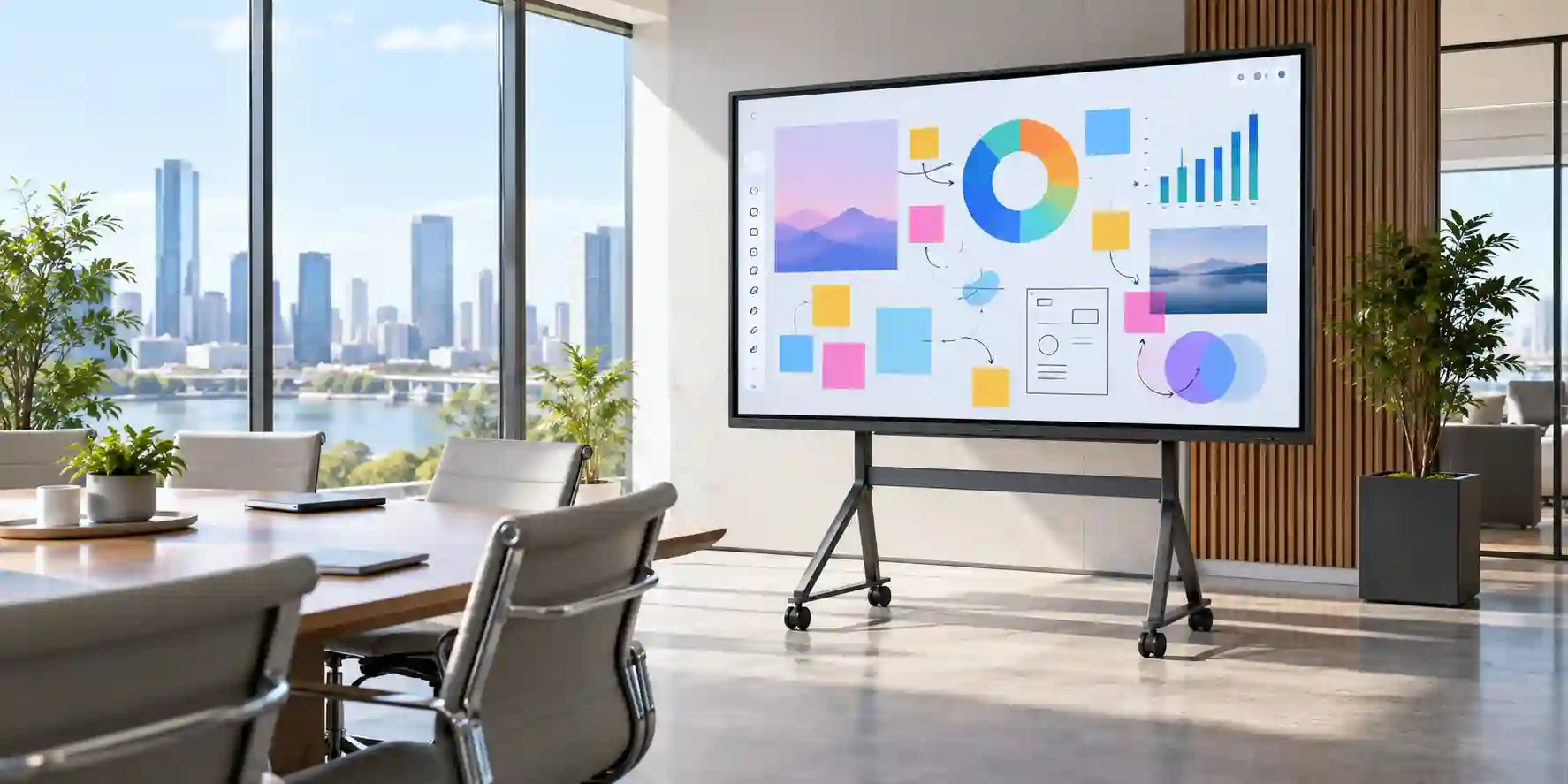
The Samsung WM55B Flip Pro sits in a practical middle ground between a conventional commercial display, a digital whiteboard and a touch-enabled collaboration endpoint. That distinction matters because many meeting rooms and classrooms accumulate separate systems over time: a display for presentations, a whiteboard for annotation, adapters for guest laptops, a wireless sharing device and sometimes an external touch overlay. The result can be a room that technically contains everything users need while still creating friction at the start of every session. The WM55B consolidates several of those functions into one 55-inch interactive surface designed around direct touch, pen input, content viewing and multi-device participation.
At the display layer, the WM55B uses a 55-inch VA panel with native 3840 x 2160 resolution, a 60Hz class design, 178-degree horizontal and vertical viewing angles and a published 4,000:1 contrast ratio without glass. Samsung specifies 350cd/m² typical brightness without the protective glass and 220cd/m² with glass. Those figures position the panel for controlled indoor collaboration spaces rather than bright outdoor or high-luminance signage environments. In a huddle room or small classroom, 4K resolution provides a useful density advantage for spreadsheets, diagrams, engineering drawings, presentation slides, dashboards and split-screen content because fine text remains more legible at closer viewing distances than on lower-resolution large-format screens.
The more important architectural layer is interaction. Samsung’s WMB platform supports up to 20 simultaneous touch points and offers pen and brush modes intended to make digital writing feel immediate and familiar. Samsung’s product literature references a 26ms writing latency under the stated test condition and 2,048 levels of thickness. For practical buyers, those figures translate into faster handwritten annotation, more natural sketching and the ability to involve multiple people on the display without reducing the screen to a single-presenter workflow. In education, that can mean several students interacting with material. In corporate environments, it can mean a project team marking up a layout or process flow together.
Connectivity is deliberately broad because the display has to coexist with mixed device fleets. The WM55B provides core HDMI and DisplayPort input, USB, LAN, Wi-Fi and Bluetooth. With the optional compatible tray, the platform adds another HDMI input plus USB-C. Samsung positions the USB-C connection as a three-in-one interface capable of carrying the display signal, touch control and up to 65W device charging, which can materially simplify rooms where modern notebooks are the dominant endpoint. Buyers should note that the accessory tray is not simply decorative; on this model it is the path to USB-C and additional front-access connectivity, so it should be explicitly included when that workflow is required.
Wireless collaboration extends beyond simple screen casting. SmartView+ can support simultaneous connection from numerous devices and multi-view layouts, while AirPlay 2 provides a familiar route for compatible Apple devices. Samsung Workspace gives the screen access pathways to resources such as remote PCs, network drives and supported third-party applications, with availability depending on region and service configuration. These capabilities are useful when organizations want a meeting surface that can operate with different user groups rather than being permanently tied to one room PC.
From an enterprise architecture viewpoint, the WM55B is therefore best understood as a room endpoint. It does not replace every component in a unified communications stack, nor is it a substitute for a dedicated high-brightness signage screen. Instead, it becomes the central interactive canvas in spaces where teams need to present, write, review and share. That role makes room design important. The screen should be installed at a practical touch height, placed where glare can be controlled, connected to reliable wired or wireless networking where remote functions are required, and matched with the correct stand or wall mount. The location of power and cable pathways should be planned before installation rather than improvised after delivery.
For UAE projects, those architectural considerations are often amplified by multi-site standardization. A company may deploy the same collaboration standard across Dubai headquarters, Abu Dhabi offices and regional training rooms. FourTeck can help procurement teams validate that the quoted bill of materials matches the intended interaction pattern, including whether each room needs the USB-C accessory tray, a wall mount, a mobile stand, long-run video cabling or local network integration. The result is a procurement decision based on the complete room workflow rather than the screen diagonal alone.
Enterprise Business Value & ROI Benefits
Faster Meeting Start
Rooms lose productive minutes when presenters search for adapters, reconnect wireless dongles or move between a whiteboard and a display. The WM55B reduces that friction by combining touch interaction, presentation inputs, wireless sharing and digital annotation in one endpoint. Where the optional USB-C tray is deployed, compatible notebooks can use one cable for display, touch and power delivery, helping organizations simplify the standard room user experience.
Collaborative Participation
A conventional screen encourages passive viewing. Multi-touch changes the dynamic by allowing participants to engage directly with the content. Teams can annotate a proposal, map a process, highlight changes or sketch alternatives without passing a mouse between participants. The business value comes from shortening the gap between discussion and recorded visual decisions.
Room Standardization
The WMB family spans multiple sizes, giving IT departments a path to use a consistent interaction model while selecting larger panels for bigger spaces. WM55B is particularly suitable for huddle areas and smaller rooms. Standardizing the platform can reduce training overhead, streamline accessory planning and make support procedures more repeatable across offices.
Display Clarity
Native 4K resolution gives the panel enough pixel density for close-range collaboration on detailed documents. This is important when teams review floor plans, dashboards, text-heavy presentations or tabular material. Better legibility can reduce repeated zooming and make the screen useful for both whole-room presentation and close-up touch interaction.
Infrastructure Flexibility
HDMI, DisplayPort, USB, wired LAN, Wi-Fi and Bluetooth allow the display to fit mixed enterprise device estates. Rather than force a company into one endpoint type, the WM55B can accommodate legacy and modern source devices. This protects existing investments while organizations gradually transition toward USB-C notebooks and more wireless workflows.
Operational Manageability
Samsung positions MagicINFO Remote Management as an option for pushing information and alerts, subject to licensing and system integration. For organizations with multiple panels, centralized content and device administration can lower the cost of manually visiting rooms for routine updates. Licensing and exact supported functions should be validated during solution design.
ROI for an interactive display should not be evaluated only by comparing the panel price with a basic television. A more useful model considers the cost of separate whiteboarding hardware, room adapters, presentation switching devices, support calls, lost meeting minutes and inconsistent user experience. If the WM55B replaces several small points of friction and makes each room easier to use, the operational return can accumulate across hundreds of sessions over the system life. For education, the same logic applies to lesson continuity, instructor mobility and student participation. For corporate training, it applies to facilitator efficiency and the ability to save or distribute annotated materials after a session. Buyers should therefore define measurable room outcomes before procurement: target meeting-start time, expected number of presenters, preferred notebook connection standard, need for wireless sharing, use of touch, and whether the display will be centrally managed. FourTeck can use those requirements to shape a bill of materials that supports the expected business outcome rather than simply delivering a screen.
Hardware & Technical Architecture Highlights
The WM55B hardware design starts with a 55-inch VA panel operating at 3840 x 2160. VA technology is commonly selected where strong native contrast and broad viewing are important, and Samsung publishes a 4,000:1 contrast ratio without glass together with 178-degree viewing angles. The display is protected by heat semi-strengthened glass with an anti-glare treatment and additional protective film. Samsung also documents an antimicrobial surface treatment and shatterproof film, though the antimicrobial treatment is not a substitute for cleaning procedures and does not provide protection against viruses.
Touch processing is a distinct subsystem layered over the panel. Samsung specifies IR touch with up to 20 touch points and object recognition for brush, finger and pen behaviors. The platform is designed to distinguish common interaction modes without requiring users to repeatedly change software tools. For a procurement team, the architectural implication is that the screen can serve both presentation and close-range annotation, so mounting height, reach zones and furniture placement are operational parameters, not just aesthetic decisions.
Internally, Samsung’s specification material lists an embedded system based on a CA72 quad-core platform, with 32GB storage of which the available user space is lower after system allocation. The operating environment is Samsung’s Tizen-based platform. This embedded layer is what allows functions such as the Flip application, document viewing, workspace access, web browser and supported collaboration features without requiring every action to pass through an external PC. Organizations should still treat the display as an endpoint with its own lifecycle, network access and update requirements.
The base connectivity path includes HDMI, DisplayPort and USB along with RJ45 Ethernet, Wi-Fi and Bluetooth. Samsung’s accessory architecture separates some convenient front-facing connectivity into the optional CY-TF65BBC tray used with WM55B/WM65B. That tray adds USB-C, HDMI, USB and touch-related interfaces. A buyer who intends to use USB-C notebook workflows should include the tray explicitly in the requested configuration because the bare display does not provide the same front-access USB-C experience by itself.
Audio on WM55B is listed as built-in 10W x 2-channel speakers. This is sufficient for general presentation playback and many small-room uses, but it should not automatically be treated as a substitute for a dedicated conferencing audio system. If the room must support hybrid meetings, microphone pickup, echo cancellation and far-end audio coverage should be designed as part of the video-conferencing platform rather than assumed to be handled by the display alone.
Mechanical planning is equally important. Samsung lists the set dimensions at approximately 1297.4 x 768.2 x 59.9mm and set weight around 28.6kg. A 400 x 400 VESA interface supports compatible mounting, and Samsung lists both wall-mount and stand options. The screen can be used in landscape or portrait orientation according to the product documentation, but touch workflow, software layout and mounting hardware should all be validated for the intended orientation. In mobile deployments, the stand’s total footprint and safe movement path should be included in room planning.
Definitive Technical Specifications & Sizing Notes
| Category | Samsung WM55B Specification | Buyer Interpretation |
|---|---|---|
| Screen | 55-inch VA, 3840 x 2160, 60Hz class | Best suited to smaller collaboration rooms where participants are relatively close to the screen. |
| Brightness | 350cd/m² without glass; 220cd/m² with glass | Designed for indoor rooms with controlled lighting rather than high-brightness signage duty. |
| Contrast | 4,000:1 typical without glass | Supports clear differentiation in presentation and document content. |
| Viewing Angle | 178° / 178° | Useful where participants sit around a meeting table rather than directly in front. |
| Touch | IR, up to 20 simultaneous touch points | Enables multi-user interaction for lessons, workshops and group annotation. |
| Writing | Pen/brush modes; 26ms stated writing latency under Samsung test condition | Designed for natural whiteboard-style response; actual experience can vary with application and use mode. |
| Base Video Inputs | HDMI 1, DisplayPort 1 | Supports common room PCs and presentation endpoints; optional tray adds another HDMI. |
| Optional Tray | Adds USB-C, HDMI and additional USB/touch connectivity | Recommended where convenient notebook connection and USB-C workflows are required. |
| Network | RJ45, Wi-Fi, Bluetooth | Supports wired network integration, wireless collaboration and supported peripherals. |
| Speakers | Built-in 10W x 2CH | Appropriate for general playback; conferencing audio requirements should be assessed separately. |
| Power | AC 100-240V, 50/60Hz; 154W on-mode published figure | Compatible with UAE mains; plan accessible outlet and safe cable routing. |
| Dimensions | 1297.4 x 768.2 x 59.9mm | Check wall width, furniture clearance, camera position and touch reach before mounting. |
| Weight | Approx. 28.6kg set | Mounting surface and hardware must be rated appropriately with suitable safety margin. |
| VESA | 400 x 400mm | Use a compatible commercial-grade mount or the appropriate Samsung stand solution. |
| Operation | 16/7 listed in Samsung business specifications for several regions | Suitable for extended business-day use; not intended as a 24/7 mission-critical signage panel. |
Technical sizing should begin with room geometry rather than model number. A 55-inch interactive panel works well when users are close enough to read detailed 4K content and physically reach the touch surface. For a long boardroom or large classroom, the same panel can become difficult to read from the rear even though the resolution is high. In that case, buyers should compare larger WMB sizes. Conversely, a 55-inch screen on a mobile stand can be more practical than a larger unit when the device must move between small training rooms. The accessory tray should be included whenever USB-C display, touch and charging are required. Published specifications can differ slightly by regional SKU, firmware and accessory bundle, so FourTeck recommends validating the exact UAE-supplied part number, included accessories, warranty coverage and mounting configuration before purchase.
Configuration, Sizing & Deployment Workbench
01 — Define the Room and Viewing Distance
Start with the farthest seated viewer, the number of active touch users and the amount of wall space available. WM55B is strongest in huddle rooms, small classrooms and close-range collaboration zones. If critical text must be read from the far end of a large room, evaluate WM65B, WM75B or WM85B alternatives rather than assuming 4K resolution alone compensates for screen size.
02 — Map the Presenter Connection Standard
List the devices that presenters actually use: Windows notebooks, MacBooks, tablets, fixed room PCs or specialist training systems. The base screen supports HDMI and DisplayPort. If one-cable USB-C presentation, touch return and charging are important, specify the compatible accessory tray and confirm that presenter notebooks support the required USB-C display mode.
03 — Decide Wired vs Wireless Sharing Policy
Wireless sharing is convenient for guest users and collaborative sessions, but enterprise IT teams should decide whether it is permitted on all networks and whether VLAN, guest Wi-Fi or security policy changes are needed. AirPlay 2 and SmartView+ can improve flexibility, while wired HDMI or USB-C remains valuable for deterministic presentation in sensitive or highly controlled rooms.
04 — Plan Touch Workflow and Mounting Height
A display can be perfectly centered visually yet uncomfortable to write on. Determine the height range of regular users, including accessibility needs, then set the mounting height so the primary writing area is reachable. If rooms serve children and adults, a mobile or height-conscious mounting solution may be preferable. Keep power, network and video cables clear of the touch zone.
05 — Define Conferencing Integration
WM55B provides a visual and interactive surface, but video conferencing may require a separate camera, microphone, speakerphone or room appliance. Determine whether the screen will connect to a Teams, Zoom, Webex or other conferencing endpoint and verify the required USB/touch path. Do not assume the built-in speakers alone satisfy room audio design.
06 — Validate Network, Services and Licensing
Features such as remote content functions, cloud services and third-party applications can depend on network access, subscriptions, licensing and regional availability. Before deployment, document required outbound access, identity requirements and administrative ownership. If MagicINFO Remote Management is planned, confirm licensing and the supported integration path.
07 — Confirm Power and Environmental Conditions
Provide a nearby AC outlet, adequate wall strength and normal indoor ventilation. Samsung lists 0–40°C operating temperature and non-condensing humidity parameters in its technical material. UAE installations should avoid direct solar load through glazing where possible because glare and heat can reduce comfort and apparent image quality even when the room is air-conditioned.
08 — Standardize the Bill of Materials
For multi-room rollouts, define one standard kit per room type: display, tray if required, wall mount or stand, cabling, network connection, conferencing accessories and installation services. Standardization simplifies spare planning, user instructions and support escalation. FourTeck can quote separate bundles for huddle, classroom and training-room profiles while keeping the display family consistent.
Industry Use Cases & Workload Scenarios
Banking & Finance
Use the WM55B in small project rooms for product reviews, branch planning, process mapping and internal training. Teams can annotate controlled presentation material directly on screen while still using wired connections where policy discourages open wireless casting. For regulated environments, network configuration and content-handling processes should follow the organization’s security rules.
Healthcare
Training rooms, administrative meeting spaces and non-clinical collaboration areas can use Flip Pro for workflow review, staff education and project planning. The touch surface is useful for visual explanation, but clinical deployment should be assessed against healthcare-specific requirements, cleaning policy and any applicable medical-environment standards rather than assumed from general commercial specifications.
Government & Public Sector
Small committee rooms and training centers can use the WM55B for collaborative planning, document review and workshops. Wired network and source options support controlled environments, while wireless functions can be enabled only where policy permits. Standardizing the same platform across departments can make room support more predictable.
Logistics & Operations
Operations teams can review route maps, warehouse layouts, exception dashboards and shift plans on a touch-enabled 4K canvas. The ability to mark up live or exported visuals helps convert operational discussions into clear action items. A mobile stand may be useful where the screen must move between planning areas.
Retail & Hospitality
The WM55B is more suited to back-office planning and staff training than high-brightness public signage. Retail teams can annotate floor layouts, merchandising plans and campaign schedules. Hospitality organizations can use it for training, event planning and small meeting rooms where touch collaboration has more value than continuous advertising playback.
Education & Training
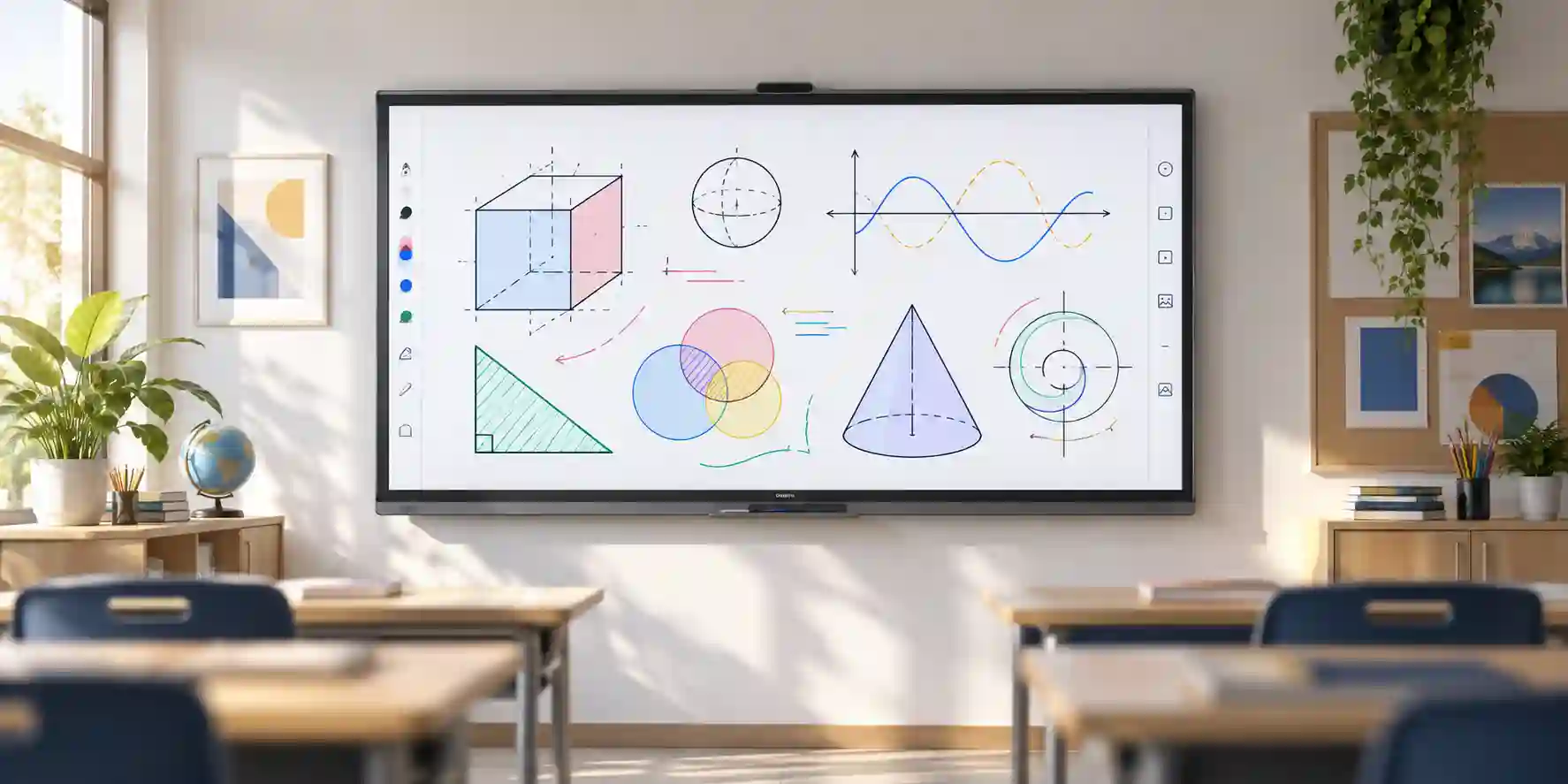
This is one of the strongest use cases for Flip Pro. In small classrooms, tutorial rooms and training suites, instructors can write naturally, invite multiple participants to the screen, present 4K content and share from different devices. Larger teaching spaces should compare bigger WMB sizes to preserve visibility for the back row.
Technical Feature Deep Dive 1: Touch, Processing & Workload Performance Architecture
Interactive-display performance is different from conventional monitor performance because users experience several layers at once. Image quality comes from the 4K VA panel, while writing responsiveness depends on the touch sensor, object-recognition logic, embedded software and the application being used. Samsung engineered Flip Pro around a low-friction writing model in which pen, finger and brush-like interactions can be recognized without forcing users to navigate menus for every tool change. The company lists up to 20 simultaneous touch points and a 26ms writing latency under its stated test condition. In practice, that architecture is most valuable when the screen is used actively rather than as a passive presentation surface.
The 3840 x 2160 canvas also affects workload usability. Four times the pixel count of Full HD provides room for detailed diagrams, split content and small text, but source devices must also be configured appropriately. A notebook set to unsuitable scaling can make controls tiny even on a large screen, while a low-resolution source can undermine the advantage of the 4K panel. IT teams should define standard resolution and scaling guidance for fixed room PCs, especially where touch precision matters.
The embedded Tizen environment reduces dependence on an external PC for basic collaboration functions. Samsung’s technical specification lists a quad-core CA72-class processor and integrated storage. That system supports the Flip interface, browser, document viewing and workspace capabilities. It should be treated as a collaboration appliance rather than a general-purpose workstation; complex engineering applications, high-end media production or specialized Windows software still belong on an external compute endpoint connected to the display.
For real-world workload sizing, buyers should distinguish three modes. In native whiteboard mode, the embedded environment handles writing and note operations. In presentation mode, an external device drives the visual content while the panel acts as a 4K screen. In interactive PC mode, the touch path also needs to return control to the source device through the appropriate connection. The optional tray can simplify the third mode for USB-C notebooks because one compatible cable can carry video, touch and charging. Where USB-C is not used, the bill of materials may require separate video and touch USB connections.
Performance planning also includes human factors. A 55-inch screen has enough area for two or more users to collaborate, but the physical width is still finite. Twenty-point touch support does not mean twenty people can comfortably stand at the panel simultaneously. The specification indicates sensor capability; the room layout determines practical concurrency. For most huddle and classroom use, the real advantage is that the system does not artificially restrict interaction to one person.
Technical Feature Deep Dive 2: Security, Redundancy & System Resilience
The WM55B is an enterprise-connected endpoint and should be deployed with the same governance discipline applied to meeting-room appliances. Samsung Workspace is described as being secured by Knox, and the platform can access networked resources and supported remote services. That connectivity is useful, but it also means network placement, administrative ownership and update processes should be decided before the display joins a production environment. In segmented enterprises, interactive displays are often placed on dedicated AV or IoT VLANs with access rules tailored to collaboration services.
Resilience starts with choosing the correct usage profile. Samsung lists 16/7 operation for the WM55B in several regional business specifications. That makes it appropriate for extended daily classroom or office use, but buyers should not treat it as a 24/7 digital signage panel. If a deployment requires continuous round-the-clock content, a Samsung commercial signage series rated for that duty cycle may be the better architectural choice. Matching workload to design rating protects service life and avoids paying for capabilities that do not fit the real use case.
Physical resilience is addressed through protective glass, shatterproof film and the antimicrobial surface treatment referenced by Samsung. The shatterproof layer is relevant in high-touch spaces because it is intended to keep the display surface more controlled if breakage occurs. However, physical protection does not remove the need for a structurally appropriate wall, certified mounting hardware and correct installation. A roughly 28.6kg interactive display has different mounting requirements from a domestic television.
At the collaboration layer, security also depends on process. Wireless sharing should not be left unmanaged simply because it is convenient. Organizations should define who can connect, whether guest users are isolated, what happens to saved whiteboard content and whether users must clear sessions after meetings. Where highly sensitive information is discussed, a wired presentation path and controlled room PC may be preferred. Security is therefore not a single feature of the panel; it is the combined behavior of device configuration, network controls and user procedures.
For multi-site resilience, maintain a standard accessory and cable profile. A room is harder to restore when each site uses different adapters, mounts and connection methods. A consistent WM55B kit can simplify spare holdings and help support teams troubleshoot remotely. FourTeck can assist by documenting the quoted component set for each room class so procurement teams know exactly which tray, stand, mount and cable package belongs to the deployment.
Technical Feature Deep Dive 3: Remote Management, Telemetry & Infrastructure Integration
A single interactive display can be managed locally without much overhead, but the operational model changes once an organization deploys dozens of screens. Samsung’s ecosystem includes MagicINFO Remote Management capabilities that can push content, alerts and warnings to Flip devices when correctly licensed and integrated. This can be useful in education, corporate campuses and multi-site operations where important notices need to appear on screens without staff visiting every room. Buyers should confirm current license terms, supported functions and regional availability because management capabilities can evolve independently from panel hardware.
The wired RJ45 interface provides a predictable foundation for managed environments. Wi-Fi is convenient where cabling is difficult, but fixed interactive rooms often benefit from Ethernet for stable network access and easier segmentation. If wireless collaboration is required at the same time, the display can still use its wireless radios for supported sharing functions while management traffic follows the wired network, subject to design and policy. Network teams should document MAC registration, DHCP or static addressing requirements, VLAN assignment and outbound service dependencies as part of the deployment checklist.
Workspace integration is another infrastructure bridge. Samsung positions Workspace as a route to remote PCs, network drives and supported cloud or virtualized applications. This makes the display more useful in organizations that centralize desktops or want users to access resources without permanently attaching a dedicated computer. However, authentication, application subscription and service availability remain external dependencies. The procurement bill should therefore distinguish hardware that arrives in the box from cloud services or licenses that may need separate purchase.
Telemetry should also include room-level operational feedback. Even where the display itself offers management information, IT teams benefit from tracking support tickets such as failed casting attempts, damaged pens, missing adapters, network disconnects or touch calibration issues. That data helps determine whether a room standard is truly reducing friction. If a particular connection method generates repeated incidents, the organization can simplify the room profile instead of adding more options.
Infrastructure integration ultimately succeeds when the screen feels simple to the user but remains controllable to IT. The ideal experience is a presenter who can enter, connect and collaborate within minutes while administrators retain defined network boundaries, firmware processes, accessory standards and support documentation. WM55B provides the connectivity foundation for that model, but the surrounding room design determines whether the capability becomes operationally reliable.
What Buyers Should Check Before Purchase
Most interactive-display procurement problems come from mismatched room size, missing accessories, incomplete touch cabling or assumptions about cloud services. The checklist below helps procurement and IT teams convert a model request into a deployable room solution.
01 / FIT — Configuration Fit & Model Sizing
Confirm the room length, farthest viewing position and expected number of people. WM55B is aimed at smaller spaces. If users must read dense spreadsheets from a long distance, request comparison against 65, 75 or 85-inch models. Define whether the screen is fixed to a wall or must move between rooms.
02 / MATCH — Compatibility & Environmental Requirements
List every source device and connection standard. If users expect USB-C, include the compatible tray. Verify wall structure, VESA mounting, power outlet, network drop, glare conditions, cable path and any conferencing peripherals. For wireless functions, confirm enterprise network policy before installation.
03 / TERMS — Availability, Delivery & Warranty Terms
Ask for the exact regional part number, lead time, included accessories and applicable warranty. Avoid assuming that a stand, wall mount or USB-C tray is included unless it appears in the quotation. For project quantities, validate whether all units come from the same regional stock path and documentation set.
04 / REQUEST — Quote Preparation Data Needed
Provide model, quantity, delivery emirate, required deployment date, mounting preference, need for the USB-C tray, and whether installation or conferencing integration is required. That information lets FourTeck prepare a more complete quote and reduces back-and-forth after the purchase order is issued.
A useful purchase request should describe the room outcome, not only the part number. For example, “WM55B for six huddle rooms with USB-C notebook connection, wall mounting and Dubai delivery” is more actionable than “six units WM55B.” The additional context helps identify missing accessories before order placement. It also creates a cleaner handover from procurement to installation because everyone is working from the same expected room behavior. In projects where user devices vary by department, sample testing with a representative notebook can be valuable before broad rollout. The same applies to wireless casting if corporate Wi-Fi has restrictive segmentation. A short pre-deployment validation can prevent multiple support incidents later.
UAE Regional Availability & Service Ecosystem
FourTeck supports UAE procurement projects with quotation coordination, model and accessory validation, delivery planning and pre-sales guidance. Availability can change with regional stock and project quantity, so current lead time should be confirmed at quotation. For multi-site rollouts, FourTeck can help normalize the requested kit across emirates to reduce differences between rooms.
K1. Dubai Supply & Logistics Support
Dubai organizations can request WM55B supply for corporate offices, schools, free-zone companies, training centers and project sites. FourTeck can coordinate delivery planning across mainland and free-zone destinations, validate whether the accessory tray or mounting hardware is required, and align quotations with target deployment dates. Large or multi-room projects should include room count and preferred installation sequence so logistics can be planned around site readiness.
K2. Abu Dhabi & Al Ain Logistics Reach
For Abu Dhabi and Al Ain, procurement support can cover enterprise, government, education and industrial projects that need interactive collaboration screens. Buyers should share project location, access constraints, quantity and required accessories early in the quotation process. Where corporate standards require specific mounts or conferencing peripherals, those items can be separated clearly in the bill of materials for approval.
K3. Sharjah & Northern Emirates Logistics Infrastructure
Sharjah and Northern Emirates customers can use the same pre-sales process to validate room fit, connectivity and delivery requirements. This is especially useful for education and training deployments where multiple classrooms may use identical display kits. Standardization helps reduce procurement ambiguity and makes future expansion easier.
K4. Ajman & Surrounding Emirates Logistics Coverage
Ajman businesses, institutes and project teams can request current availability checks, quote coordination and delivery planning for WM55B. FourTeck can also help clarify whether a wall-mount or mobile-stand deployment is more appropriate for the intended room and whether the optional tray is necessary for modern USB-C notebook workflows.
GCC & Pan-African Supply Chain Reach
FourTeck supports regional technology procurement beyond the UAE through project quotation, export coordination and documentation assistance. Cross-border supply depends on destination rules, stock source, freight method and local import requirements, so regional projects should be scoped with exact quantities, destination city and required delivery timeline.
L1. Saudi Arabia (KSA) Export & Supply Support
Saudi enterprise and education projects can request configuration validation and project quotation support for Flip Pro deployments. Multi-site orders should identify destination cities and whether standardized accessories are required for every room.
L2. Qatar Market Supply Reach
Qatar buyers can request cross-border sourcing coordination for WM55B and related Samsung interactive-display models. Quote preparation should include project quantity, delivery destination and required accessory set so freight and supply assumptions are clear.
L3. Oman Regional Distribution Support
Organizations in Oman can obtain procurement guidance and project quote coordination for interactive display requirements. FourTeck can help compare screen size options where classrooms or meeting rooms vary significantly in capacity.
L4. Kuwait Supply Chain Coverage
For Kuwait projects, FourTeck supports project quotation and export supply coordination. Visit FourTeck Kuwait for regional inquiry routing and project support.
L5. Kenya & East Africa Supply Infrastructure
Kenyan system integrators, schools and enterprises can request regional distribution support, technical inquiry routing and delivery coordination through FourTeck Kenya. For larger education rollouts, include room count, preferred screen sizes and accessory requirements.
L6. Uganda Regional Procurement Support
Uganda projects can use FourTeck Uganda for localized inquiry response, project supply management and technology sourcing. Exact import and delivery terms are confirmed during quotation.
L7. Pan-African Regional Logistics & Trade Reach
Broader African technology projects can be coordinated through FourTeck Africa and FourTeck Global. Multi-country tenders should specify destination markets, quantities, delivery windows and documentation requirements so export planning can be evaluated on a project basis.
Related FourTeck Products & Compatible Alternatives
Samsung WM65B Flip Pro
Choose the 65-inch version when the room is larger or participants sit farther away but the organization wants a similar Flip Pro experience and accessory approach.
Samsung WM75B Flip Pro
Better suited to larger meeting rooms and classrooms. The 75-inch platform includes hardware differences from WM55B, so accessories should not be assumed to be interchangeable.
Samsung WM85B Flip Pro
Use where audience size and viewing distance justify an 85-inch canvas. It is more appropriate for large training spaces and boardrooms than compact huddle rooms.
Samsung QMC / QHC Commercial Display
Select a non-touch commercial signage series where the primary requirement is continuous presentation or signage rather than interactive writing and multi-touch collaboration.
Alternative selection should be driven by room function. If users rarely touch the screen and simply need high-quality presentation, a commercial display may be more economical and operationally simpler. If touch is central but the room is larger, moving up within the WMB family is usually more logical than stretching a 55-inch model beyond its comfortable viewing distance. If mobility is essential, confirm the appropriate stand and total footprint. If USB-C is mandatory, ensure the relevant model and accessory combination supports it in the required way. FourTeck can prepare side-by-side quotations so buyers can compare total room cost rather than panel price alone.
Why Enterprises Choose FourTeck
Enterprise display procurement becomes easier when technical and commercial questions are resolved before delivery. FourTeck focuses on pre-sales validation of model, room fit, mounting approach, connectivity and accessory requirements so the requested solution is closer to deployment-ready when it reaches site. This is particularly important with WM55B because features such as USB-C depend on the optional tray and because stand or wall-mount choices materially affect installation.
Quotation support can include separate line items for the display, compatible accessories and associated project components, helping procurement teams see what is included rather than relying on assumptions. For multi-room projects, FourTeck can help create repeatable room bundles that simplify internal approvals and future expansion. Delivery coordination is handled around the agreed project location and current stock conditions, while warranty and service terms are confirmed according to the supplied regional product and quotation.
The objective is not to add unnecessary complexity but to prevent common gaps: missing mounting hardware, wrong stand selection, no USB-C path, insufficient room size, incompatible conferencing expectations or unclear regional warranty. Buyers can send the required quantity, delivery city, installation preference and deployment schedule to receive a project-focused response.
Frequently Asked Questions
1. What is the Samsung WM55B Flip Pro?
Samsung WM55B is a 55-inch 4K UHD interactive display in the Flip Pro WMB family. It combines a large-format commercial panel with IR touch, digital whiteboarding, pen and brush interaction, wireless sharing and enterprise connectivity. It is designed primarily for collaborative spaces such as huddle rooms, small classrooms, training areas and project rooms where users need to present and annotate on the same screen.
2. Does the WM55B support 4K resolution?
Yes. The native panel resolution is 3840 x 2160 pixels. This allows the display to show detailed presentations, documents, diagrams and dashboards with high pixel density. To benefit fully from 4K, the connected source device should also be configured for an appropriate 4K output and suitable operating-system scaling, especially when touch interaction is used with small interface elements.
3. How many people can touch the screen at once?
Samsung specifies up to 20 simultaneous touch points on the WM55B. This supports multi-user interaction for lessons, workshops and collaborative annotation. The practical number of people standing at the 55-inch panel at the same time will usually be lower because physical screen space is finite, but the touch system is designed so collaboration is not restricted to a single participant.
4. Does Samsung WM55B have USB-C?
USB-C is available through the compatible optional accessory tray for the WM55B. Samsung describes this connection as supporting display, touch control and up to 65W charging for compatible devices. Buyers who expect one-cable notebook connectivity should include the tray in the quotation and confirm that their laptops support the required USB-C video mode and power profile.
5. Can the WM55B be used for Microsoft Teams or Zoom rooms?
The WM55B can serve as the interactive display in a conferencing environment, but a complete Teams or Zoom room generally needs additional components such as a room PC or appliance, camera and microphone system. Built-in speakers handle general playback, yet room acoustics and microphone pickup should be designed separately. FourTeck can help determine the display connection and touch path for the chosen conferencing platform.
6. Is the WM55B suitable for a large boardroom?
It can work in compact boardrooms and huddle spaces, but a 55-inch panel may be too small for a long room where participants sit far from the screen. Samsung offers larger WMB models including 65, 75 and 85-inch options. Room length, viewing distance and the size of typical presentation text should be considered before standardizing on WM55B.
7. What mounting options are available?
The WM55B uses a 400 x 400mm VESA mounting interface and can be deployed with a compatible wall mount or suitable stand. Samsung also offers a model-specific stand option in its accessory ecosystem. Mounting hardware, wall construction, touch height, cable routing and room accessibility should all be confirmed before installation. Accessories are not assumed to be included unless listed on the quotation.
8. Does the display support wireless sharing from Apple devices?
Samsung Flip Pro supports AirPlay 2 for compatible Apple devices, allowing users to share content to the display over the network. Samsung also provides SmartView+ for broader wireless sharing scenarios. Wireless functions depend on network design, device compatibility and organizational policy, so enterprise IT teams should validate VLAN, guest access and security requirements before rollout.
9. Is WM55B a 24/7 commercial signage screen?
Samsung business specifications for WM55B list a 16/7 operating profile in several regions. That is well suited to extended office, classroom and training use but is not the same as a commercial signage panel designed for continuous 24/7 operation. If round-the-clock content display is the primary requirement, ask FourTeck to recommend a Samsung signage model rated for that duty cycle.
10. What information should I send FourTeck for a quotation?
Provide the Samsung WM55B model name, required quantity, delivery location, preferred deployment date and whether you need wall mounts, mobile stands, the USB-C accessory tray or installation support. If the display will integrate with conferencing equipment, mention the selected platform and room-PC arrangement. These details help FourTeck prepare a more complete project quotation and reduce accessory gaps.
Request a Samsung WM55B Project Quote
For an accurate procurement response, send FourTeck the model, quantity, delivery emirate or country, deployment timeframe and preferred installation method. Add whether you require the USB-C accessory tray, wall mount, mobile stand, conferencing integration or multi-room standardization. Our team can then validate the requested configuration and prepare a quotation aligned with the intended room workflow.



