

Yealink MeetingBar A10 Dubai
Yealink MeetingBar A10 Dubai is built for businesses that want a professional small-room video meeting experience without filling the room with separate cameras, microphones, speakers and complicated cabling. It is suitable for executive cabins, huddle rooms, home offices, reception discussion rooms, remote consultation spaces, branch meeting areas and education pods where quick communication and clean collaboration matter every day.
Yealink MeetingBar A10 Dubai Information
The Yealink MeetingBar A10 is an all-in-one Android video collaboration bar designed for home office, huddle room and small room environments. Its value is not only the camera resolution or microphone count; it is the way Yealink combines video, sound, platform readiness and simple room operation into a compact appliance. For Dubai organizations, this matters because many rooms are shared by sales teams, finance users, HR departments, project managers, clinic staff, school administrators and visiting partners. A meeting device must be simple enough for daily users while still giving IT teams confidence in performance and support.
The A10 includes a 4K camera with a wide 120° lens, electric privacy shutter, auto framing, speaker tracking, content sharing, Bluetooth, Wi-Fi and built-in room audio. It is officially positioned for Microsoft Teams Rooms on Android and also appears in Yealink material for Zoom Rooms and RingCentral use, making it a flexible choice for companies that need a smaller endpoint with a professional collaboration feel. The 8 MEMS microphone array and noise handling help maintain conversation quality in compact rooms where typing, air-conditioning and nearby desk movement can affect calls.
Fourteck writes this page for practical buying decisions. Before ordering, buyers should check the room size, seating style, screen placement, mounting preference, network readiness, platform licensing and whether a touch controller or wireless presentation accessory is required. This approach helps avoid incomplete purchases and supports a smoother deployment from the first meeting.
Yealink MeetingBar A10 Dubai Highlights
Compact Room Design
One slim video bar reduces separate hardware and keeps small rooms neat, practical and easier for staff to use.
AI Camera Experience
Auto framing and speaker tracking help keep the visible meeting area focused without constant manual camera adjustment.
Clear Small-Room Audio
The 8 MEMS microphone array, built-in speakers and noise processing support more natural discussion in daily calls.
Privacy Ready
An electric privacy shutter gives users a clear visual sense that the camera can be closed when meetings end.
Yealink MeetingBar A10 Dubai Features
When buyers compare small-room video conferencing devices, the important points are camera coverage, microphone pickup, ease of installation, platform support, local guidance and after-sales assistance. The A10 addresses these requirements with an integrated format that can suit compact spaces where a full multi-component room system may be unnecessary. Competitor pages often highlight resolution and microphone details, but many do not explain how the room should be prepared. Fourteck focuses on the buying and deployment side, including screen height, seating distance, mounting position, cable route and platform readiness.
The wide lens is useful in small rooms because participants often sit close to the screen. The video bar can show more of the table, helping remote users see people naturally. AI framing helps avoid an empty-looking wide shot, while speaker tracking can make conversation easier to follow. The built-in speakers reduce the need for a separate soundbar in simple rooms, and the microphone array supports voices from typical huddle-room distances.
For businesses in Dubai, the A10 can be a smart choice for departments that need a dependable room device but do not want a heavy AV installation. It can support HR interviews, vendor discussions, management reviews, legal consultations, training check-ins, healthcare administration calls and daily branch coordination.
Yealink MeetingBar A10 Dubai Specifications
The specification profile below is written for buyers who want a clear business view of the Yealink MeetingBar A10. Final bundles may vary by package, so Fourteck can help confirm accessories, controller options, mounting requirements and platform compatibility before purchase.
Yealink MeetingBar A10 Details
Businesses may refer to this model as Yealink A10, MeetingBar A10, Yealink A10 video bar, Yealink Teams Room bar, Yealink Zoom Room video bar, A10 all-in-one collaboration bar, small room video conference bar, Android meeting bar, Yealink huddle room camera or Yealink MeetingBar A10 Microsoft Teams Rooms on Android. Fourteck understands these naming variations and can help convert a quick purchase request into a complete business-ready requirement.
For procurement teams, the model name is only the starting point. A correct order may include a display plan, meeting platform license check, controller choice, wireless presentation option, wall mounting, cable routing and room network preparation. A company opening a new office in Dubai Marina may need a clean room setup for client calls. A clinic in Dubai Healthcare City may need clear consultation discussions. A school in Al Barsha may need a simple remote teaching room. A warehouse office in Jebel Ali may need reliable calls with suppliers and regional teams.
Fourteck can discuss these requirements and help match the A10 to the actual room rather than selling only a box. This is especially useful when the requirement starts as Get Yealink MeetingBar A10 and then expands into display, mounting, audio, network and support planning.
Yealink MeetingBar A10 Dubai Descriptions
Dubai companies work across busy commercial areas such as Business Bay, Downtown Dubai, Deira, Bur Dubai, Al Quoz, Dubai Silicon Oasis, Dubai Internet City, Dubai Media City, Jebel Ali, Dubai Marina, Jumeirah Lake Towers, Dubai Investment Park, Dubai Healthcare City, Al Barsha, Al Garhoud, Mirdif, Dubai South and Jumeirah. In these locations, small meeting spaces often support fast conversations between local teams, regional managers, contractors, customers and remote staff.
The Yealink MeetingBar A10 Dubai helps these rooms feel more organized. A Business Bay consultancy can use it for client review calls. A JLT office can use it for sales pipeline meetings. A Dubai Silicon Oasis technology team can use it for sprint updates. A Jebel Ali logistics office can use it to coordinate with overseas partners. A Dubai Healthcare City clinic can use it for internal training or administrative meetings. The compact design helps maintain a clean table, while the integrated camera and audio reduce the amount of separate equipment users need to understand.
Fourteck supports buyers across the UAE, including Abu Dhabi, Sharjah, Ajman, Ras Al Khaimah, Fujairah, Umm Al Quwain and Al Ain. The same practical room-planning approach can be used whether the device is needed for a single office or for several branches.
Yealink MeetingBar A10 GCC Uses
Across the GCC, organizations in the UAE, Saudi Arabia, Qatar, Kuwait, Oman and Bahrain are upgrading compact meeting spaces for hybrid work, client presentations, branch coordination, healthcare administration, education delivery, consulting and government-related communication. Buyers often look for Yealink A10 UAE, Yealink video bar Saudi Arabia, Teams Room device Qatar, Zoom Room bar Kuwait, small meeting camera Oman and huddle room solution Bahrain when they want professional collaboration equipment without building a large AV system.
The A10 fits this requirement because it brings camera, audio and meeting intelligence into one device. A Dubai company with offices in Riyadh and Doha may want a similar user experience across branches. A Kuwait training center may need clear remote sessions from a small room. A Muscat service company may need dependable weekly coordination meetings. A Bahrain finance office may need a compact room device for confidential calls. In each case, room size, network readiness, display quality and meeting platform licensing should be reviewed before ordering.
Fourteck can support regional buyers with model discussion, compatibility guidance, accessory planning and quotation support through its UAE and regional technology channels.
Yealink MeetingBar A10 Africa Availability
African organizations in Kenya, Uganda, Tanzania, Rwanda, Nigeria, Ghana, Ethiopia, South Africa and other developing business markets are investing in better meeting-room technology for cross-border operations, customer support, remote training, healthcare administration, financial planning and education. Small rooms are common in growing offices, and buyers need devices that are easy to operate, simple to deploy and practical to support.
The Yealink MeetingBar A10 can be considered for Nairobi management rooms, Kampala branch offices, Dar es Salaam training spaces, Kigali project rooms, Lagos client discussion rooms, Accra administration offices and Johannesburg compact boardrooms. It is especially useful where a business wants a professional device but does not want the complexity of a full AV rack or separate camera and audio chain.
For Africa projects, Fourteck can discuss power conditions, network readiness, display pairing, meeting platform selection, mounting method and support expectations. This planning helps buyers understand what is needed beyond the device itself and makes the final deployment more predictable.
Yealink MeetingBar A10 Understanding With Other Models
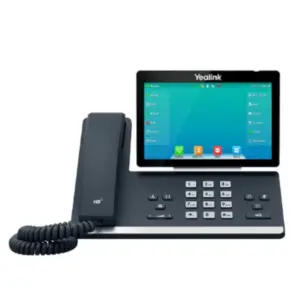
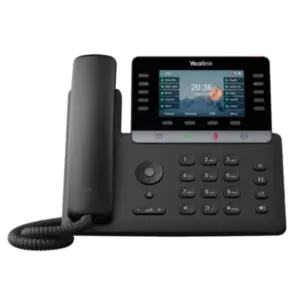
Fourteck supports several Yealink products for businesses planning voice and video communication together. Customers reviewing the A10 may also view Yealink MeetingBar A40 Dubai for larger or more premium rooms, Yealink MP56 E2 Dubai for Microsoft Teams desk-phone users, Yealink T21P IP Phone Dubai for basic SIP calling, and Yealink T43U Dubai for business desk communication.
The A10 is not meant to replace every phone or every meeting-room solution. It serves a clear role in compact video collaboration. A reception desk may still need a SIP phone. A manager may need a Teams phone. A warehouse supervisor may need a cordless handset. A meeting pod may need the A10. When these devices are planned together, communication becomes more consistent across the company.
Fourteck can help buyers compare room needs, staff roles, calling platforms, installation scope and future expansion before choosing the final mix of Yealink equipment.
Yealink MeetingBar A10 GCC Usage
The modern GCC workplace depends on quick meetings between headquarters, remote teams, customer sites and branch offices. In the UAE, the A10 can help Dubai users speak with Abu Dhabi, Sharjah, Ajman, Ras Al Khaimah, Fujairah and Al Ain teams. In Saudi Arabia, it can support Riyadh, Jeddah, Dammam and Khobar offices. In Qatar, it can fit Doha compact meeting rooms. In Oman, it can be used in Muscat service offices. In Kuwait, it can support training and management rooms. In Bahrain, it can help financial and consulting teams coordinate clearly.
A small-room device should be reliable, quick to join, simple to manage and comfortable for non-technical users. The A10’s all-in-one design supports this style of regional usage. It can be considered for sales reviews, project updates, legal discussions, procurement calls, supplier meetings, management check-ins and remote interviews.
Fourteck can assist GCC buyers with supply discussion, configuration planning and practical support alignment so the selected meeting device matches the room and the way people actually work.
Yealink MeetingBar A10 Dubai Service Availability
Fourteck supports Yealink MeetingBar A10 Dubai buyers with a business-first service approach. The process can include product consultation, room suitability review, display and network checks, mounting discussion, accessory guidance, quotation assistance and deployment coordination. This is important because a video bar performs best when the room is prepared properly.
Service planning may cover meeting platform confirmation, Microsoft Teams or Zoom usage style, HDMI display connection, power location, Ethernet availability, Wi-Fi condition, table distance and privacy expectations. Fourteck can also discuss whether the customer needs a touch controller, wireless presentation accessory, wall mount, cable management, display bracket or wider office communication solution.
Support is available for Dubai and wider UAE projects, with regional guidance through Fourteck channels in Kuwait, Kenya, Uganda and Africa. The aim is to help buyers purchase confidently and use the product correctly after installation.
Fourteck Yealink MeetingBar A10 Dubai Reference
For buyers considering a larger meeting-room model from the same brand, Fourteck lists Yealink MeetingBar A40 Dubai. The A40 is positioned for more demanding small-to-medium spaces and can be reviewed when a room needs stronger coverage or a more premium collaboration setup. The A10 remains the practical selection when the requirement is a compact huddle room, home office or small room where simplicity and neat installation are the key priorities.
Fourteck can help compare both options based on room size, seating count, table length, speaker position, display size and platform use. This prevents overbuying for a small space or underbuying for a room that needs more coverage.
Yealink MeetingBar A10 Dubai Auto Framing Feature Used
Auto framing is one of the most useful features for a compact room because participants may sit close to the display, move during discussion or join with different seating positions. Instead of asking users to adjust the camera every time, the A10 can help keep the room view more suitable for the active meeting. This creates a better experience for remote participants because they see people in the room more naturally.
In Dubai offices, this can help with fast meetings where people do not want to spend the first minutes adjusting equipment. HR interviews, vendor calls, weekly reviews and management updates can start with less friction. Fourteck recommends checking room lighting and camera height to get the best result from this feature.
Yealink MeetingBar A10 Dubai Speaker Tracking Feature Used
Speaker tracking helps make a small-room meeting feel more personal by focusing attention toward the person speaking. In hybrid meetings, remote participants often struggle when every person appears too small in a wide shot. A tracking feature can reduce that issue and help listeners follow the discussion more easily.
This is useful for management rooms, consultation spaces and sales discussion areas where multiple people may speak from the same table. Fourteck can advise on seating layout and room acoustics so the tracking and microphone performance work in a practical way.
Yealink MeetingBar A10 Dubai Privacy Shutter Feature Used
Privacy is important in meeting rooms used by finance, legal, HR, healthcare and management teams. The A10 includes an electric privacy shutter, giving users a visible privacy layer when the camera is not in use. This supports user confidence and helps shared rooms feel more controlled.
A physical privacy indicator is especially helpful in busy offices where multiple teams use the same meeting space. Fourteck can include privacy and user training points during deployment so staff understand how to close meetings properly and use the device with confidence.
Yealink MeetingBar A10 Dubai Content Sharing Feature Used
Content sharing is essential for modern small-room meetings because users need to present slides, documents, dashboards, drawings, web pages and project updates. The A10 supports meeting workflows where content can be shared cleanly during calls, helping teams communicate with fewer interruptions.
For Dubai teams, this is useful in client presentations, engineering reviews, training sessions, financial reporting, procurement discussions and remote support meetings. Fourteck can help buyers check whether they need wired sharing, wireless presentation accessories or a specific meeting-room bundle for their platform.
Yealink MeetingBar A10 Comparisons
Selecting the right Yealink model depends on whether the requirement is a small video room, a larger video room, a Teams desk phone, a SIP desk phone or a complete office communication upgrade. The table below helps buyers understand where the A10 fits among other Yealink options available or referenced through Fourteck.
| Model | Best Fit | Buying Note |
|---|---|---|
| Yealink MeetingBar A10 | Home office, huddle room and small room video meetings. | Compact all-in-one option with wide camera and built-in audio. |
| Yealink MeetingBar A40 | Premium small-to-medium rooms needing stronger video performance. | Consider when the room is larger or the meeting experience must be higher-end. |
| Yealink MP56 E2 | Microsoft Teams desk-phone communication. | Useful for managers, reception areas and Teams calling users. |
| Yealink T21P | Basic SIP calling and budget office voice needs. | Good for simple extensions and essential desk calling. |
| Yealink T43U | Professional SIP desk users requiring better display and controls. | Suitable for everyday office communication with business-grade features. |
Market Availability Yealink MeetingBar A10 Dubai Business Bay
For active meeting-room projects, buyers may request Yealink MeetingBar A10 Best price, Yealink MeetingBar A10 Buy now, Yealink MeetingBar A10 Authorized partner guidance, Ready Stock Dubai, Ready stock Abu Dhabi and WhatsApp Fourteck Sales support through the contact page. Fourteck helps businesses confirm the correct bundle, expected accessories and installation needs before the order is finalized.
This is useful for offices in Business Bay, Downtown Dubai, Deira, JLT, Al Quoz, Dubai Silicon Oasis, Jebel Ali and Dubai Marina where purchasing teams need fast quotation support and clear product advice. Availability can change based on stock movement and bundle selection, so contacting Fourteck helps confirm the practical buying route.
Yealink MeetingBar A10 AbuDhabi
Abu Dhabi businesses often need compact meeting solutions for head offices, government suppliers, education institutes, healthcare groups, engineering consultants, financial teams and branch administration. The Yealink MeetingBar A10 can support small meeting rooms where users need a professional video call without a complex installation.
Fourteck can assist Abu Dhabi buyers with quotation support, room-fit discussion, mounting planning and accessory guidance. This can help teams in Al Reem Island, Mussafah, Khalifa City, Al Maryah Island and central Abu Dhabi prepare a practical meeting space with clearer audio and video.
Product Availability Yealink MeetingBar A10 Dubai
Buying Support for Yealink MeetingBar A10 is helpful when the customer is unsure about room size, platform version, controller selection, display connection or installation scope. Fourteck can review the requirement and guide buyers toward a practical purchase path. A Genuine Yealink MeetingBar A10 Guide also helps procurement and IT teams understand the difference between a simple video bar purchase and a complete meeting-room setup.
For Dubai and UAE buyers, this support can reduce delays, prevent missing accessories and improve the final user experience. The goal is to make the product work correctly in the room, not just arrive at the office.
Yealink MeetingBar A10 Dubai Deployment
Deployment begins with a room review. Fourteck can discuss room size, seating distance, lighting, display placement, wall material, network point, power outlet, meeting platform and user expectations. A compact video bar still needs correct positioning to deliver the best result. The camera should have a natural view of participants, speakers should face the room, and the microphone area should not be blocked by table objects.
The A10 may be deployed with a wall or display mounting approach depending on the room design. The team should also confirm whether Ethernet or Wi-Fi will be used, whether content sharing is required, and whether users need a touch control device. Platform licensing and account preparation should be checked before the handover.
A good deployment plan reduces support calls and helps staff start meetings confidently. Fourteck focuses on practical readiness so the room works for real business use.
Yealink MeetingBar A10 Dubai Installation Details
Installation should be planned around visibility, sound and ease of use. The video bar should normally be placed near the display so remote participants feel that in-room users are looking toward them. Cable routing should be neat and safe. If the room has glass walls, echo, strong sunlight or noisy air-conditioning, these conditions should be reviewed before finalizing placement.
Typical use cases include daily standups, customer calls, HR interviews, remote training, project coordination, supplier negotiations and management reviews. The A10 is useful where a laptop camera is not enough and where a large room system would be excessive. It gives small rooms a more professional meeting identity.
Fourteck can guide customers through connection checks, mounting discussion, platform login requirements and user handover notes so the installation becomes easier for IT teams and everyday users.
Yealink MeetingBar A10 Sharjah
Sharjah companies, schools, clinics, trading offices, warehouses and professional service firms often need affordable but professional meeting-room tools. The Yealink MeetingBar A10 can support compact rooms where staff connect with Dubai, Abu Dhabi and overseas teams. It is suitable for management discussions, sales reviews, parent meetings, supplier calls and internal coordination.
Fourteck can help Sharjah buyers plan the device with display selection, cabling, controller choice and room conditions in mind. This makes the purchase more useful for offices in Al Majaz, Al Nahda, Industrial Area, Rolla, University City and nearby business locations.
Yealink MeetingBar A10 Ajman
Ajman businesses may choose the Yealink MeetingBar A10 for compact collaboration rooms, manager offices, small training areas and branch meeting spaces. It helps improve the quality of remote conversations compared with basic laptop audio and video. For companies communicating with Dubai, Sharjah, Abu Dhabi, GCC partners or overseas suppliers, a dedicated video bar can make meetings look and sound more professional.
Fourteck supports Ajman buyers with product advice, quotation discussion, deployment planning and related communication solutions. This is helpful for offices in Ajman Free Zone, Al Jurf, Al Nuaimiya, Al Rashidiya and nearby commercial areas.
Fourteck Dealing Product Dubai
Fourteck can help customers build a complete communication environment around the A10. For offices that also need desk communication, the Yealink T43U Dubai can be considered for professional SIP desk users. For Microsoft Teams calling users, the Yealink MP56 E2 Dubai may fit specific desk-phone needs. For a larger room video upgrade, the Yealink MeetingBar A40 Dubai can be reviewed.
These products can work in different parts of the same organization. Meeting rooms need video bars, reception desks need phones, managers need reliable calling devices, and IT teams need a plan that keeps everything manageable. Fourteck helps connect these requirements into a practical technology buying decision.
Fourteck Regional Support Network
Yealink MeetingBar A10 Dubai FAQ
Is Yealink MeetingBar A10 suitable for small rooms?
Yes. It is designed for home offices, huddle rooms and small meeting spaces where a compact all-in-one device is preferred.
Does the A10 support Microsoft Teams?
Yealink lists the MeetingBar A10 for Microsoft Teams Rooms on Android, with platform use depending on the selected bundle and configuration.
Can it be used for Zoom Rooms?
Yealink also presents the A10 in Zoom Rooms material. Fourteck can help confirm the correct bundle for the intended platform.
What camera does the A10 include?
It includes a 4K camera with a wide 120° diagonal field of view for compact room coverage.
How many microphones are built in?
The A10 includes an 8 MEMS microphone array designed to capture voices in small-room environments.
Does it have privacy protection?
Yes. The electric privacy shutter helps users visually confirm when the camera is closed.
Can Fourteck help with installation?
Fourteck can discuss room placement, mounting, cabling, display connection, network readiness and deployment support for UAE projects.
Is it better than a laptop camera?
For meeting rooms, it usually provides a more professional experience because camera, microphone and speaker functions are built for room use.
Which UAE cities can Fourteck support?
Fourteck can assist customers in Dubai, Abu Dhabi, Sharjah, Ajman, Ras Al Khaimah, Fujairah, Umm Al Quwain and Al Ain.
How do I buy Yealink MeetingBar A10 in Dubai?
Contact Fourteck with your room size, meeting platform and required accessories so the team can prepare a suitable quotation and guidance.
Plan Your Yealink MeetingBar A10 Room With Fourteck
Share your room size, meeting platform and preferred installation style. Fourteck will help you choose the right bundle for a clean and reliable small-room collaboration setup.

Reviews
There are no reviews yet.