
Fourteck UAE Meeting Room Supply
Yealink VCH51 Dubai
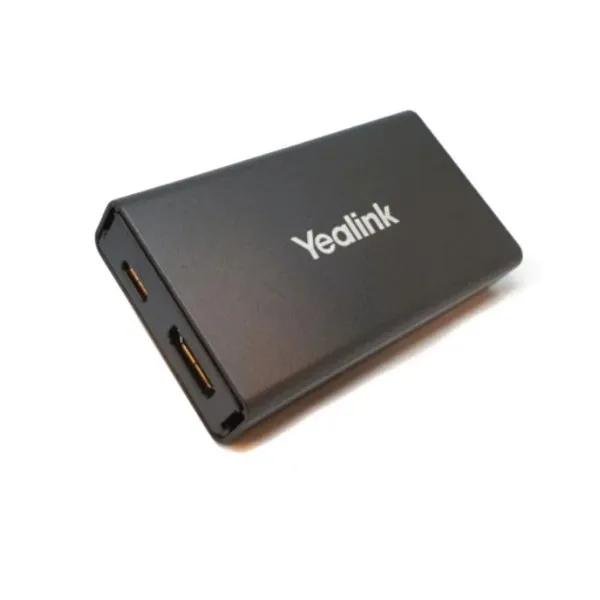
Yealink VCH51 Dubai is a wired content sharing box for professional meeting spaces that need stable presentation, cleaner table connectivity and simple Bring Your Own Device use with supported Yealink room systems. It is built for companies that prefer reliable cable-based sharing for finance reviews, client presentations, training sessions, project updates and hybrid meetings where display quality and low meeting delay matter.
BYOD Ready
Compact Sharing Box
Dubai Support
Yealink VCH51 Dubai Information
The Yealink VCH51 is designed as a practical bridge between a user laptop and a Yealink video conferencing system. In a typical meeting room, users often move between different meeting platforms, files and presentation devices. The VCH51 helps simplify that flow by allowing PC content to be presented through a compatible Yealink room endpoint, giving the room a more dependable and consistent presentation path. Yealink’s official material positions the product for easy deployment and management, with support for HDMI sharing, plug-and-play use and BYOD operation on selected Yealink systems.
For Dubai buyers, the main value is not only the device size. It is the reduction of meeting friction. A sales manager can connect a laptop for a customer proposal, a project team can show dashboards on the room display, and a trainer can present learning content without repeatedly changing the entire room setup. The unit supports a compact table-side design and gives IT teams a more controlled alternative to casual adapters that may not be designed for conferencing rooms.
Fourteck recommends checking the connected Yealink endpoint before ordering because BYOD support depends on the room system. The VCH51 is commonly considered for MeetingBar A20, MeetingBar A30, MeetingEye 400 and MeetingEye 600 installations. With the right room system, firmware and cabling plan, it can help create a stable user experience for boardrooms, huddle rooms, clinics, training centres, schools, consultancies and executive offices across Dubai.
Yealink VCH51 Dubai Highlights
Clear Wired Sharing
Share PC content through a stable physical connection, helping presenters avoid random wireless interruptions during important discussions.
BYOD Meeting Flow
Use the supported Yealink room system as the computer audio and video device for a more professional laptop-based meeting experience.
Compact Room Design
The slim enclosure is easy to position near a table, display cabinet or collaboration endpoint without creating a heavy installation footprint.
Business Support
Fourteck helps customers confirm room compatibility, cabling, deployment requirements and buying support before project finalisation.
Yealink VCH51 Dubai Features
Across professional reseller references and vendor material, the VCH51 is consistently described around three needs: dependable presentation, simple room use and improved laptop meeting flexibility. Many meeting rooms already have good cameras, speakers and microphones, but visitors still struggle when the room does not offer a clear way to connect a laptop. The VCH51 answers that practical problem by making the room endpoint part of the user’s device workflow.
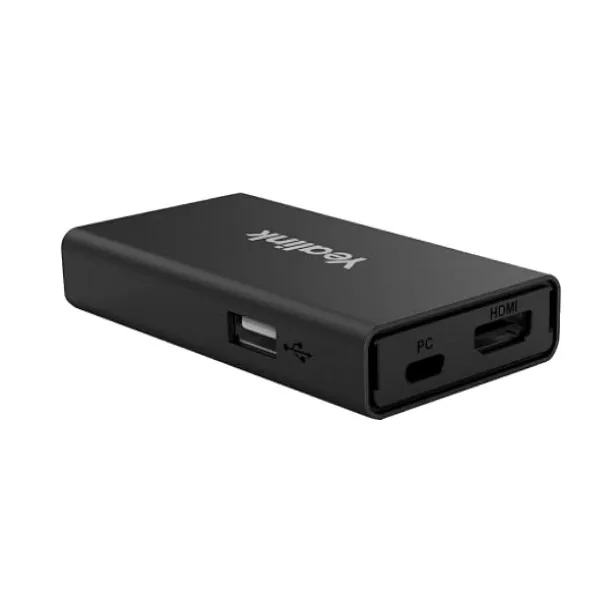
The device includes a 100Mbps RJ45 port with PoE support, USB 2.0 Type-A, USB 2.0 Type-C with DP video input and HDMI video input. These ports make the product suitable for planned conferencing room installations rather than temporary consumer cabling. Presentation resolution can reach up to 4Kp15 with selected MeetingEye systems and up to 1080p30 with selected MeetingBar systems, depending on the connected Yealink video conferencing system and environment.
For customers asking about Yealink VCH51 Best price, Fourteck focuses on correct selection first. A low price is useful only when the unit fits the installed endpoint, display, cabling distance and user workflow. Procurement teams can request compatibility advice, accessory guidance and installation planning so the final meeting room operates as expected after purchase.
Yealink VCH51 Dubai Specifications
The following specification summary is written for IT buyers, facility teams and project coordinators who need a readable overview before requesting a quote. Actual presentation behaviour can depend on endpoint model, firmware version, connected display, application, cable quality and room design.
Yealink VCH51 Details
Customers may describe this model in different ways during procurement. Some ask for a Yealink sharing box for laptop presentation, while others request a Yealink BYOD adapter, VCH51 conference room accessory, wired content sharing device, HDMI sharing box for Yealink MeetingBar or USB-C sharing interface for Yealink rooms. These names generally point to the same purchasing requirement: a neat way to connect laptop content into a compatible Yealink video conferencing environment.
The VCH51 is especially relevant for companies that already use Yealink room hardware and want to make visitor presentations easier. Instead of depending on several loose adapters, a planned sharing box can be placed as part of the room design. This helps the IT team define where the laptop connects, how the table remains organised and how the room system handles content sharing during a call.
Yealink VCH51 Buy now support through Fourteck can include a discussion about endpoint model, room use, cable path, preferred meeting platforms and future expansion. That approach helps avoid buying a device without confirming whether the installed Yealink endpoint supports the expected BYOD workflow.
Yealink VCH51 Dubai Descriptions
Dubai organisations use meeting rooms across many business zones, and each location has different expectations for reliability and presentation speed. Yealink VCH51 Dubai can be considered for offices in Business Bay, Downtown Dubai, Deira, Bur Dubai, Al Barsha, Dubai Marina, Jumeirah Lake Towers, Dubai Internet City, Dubai Media City, Dubai Silicon Oasis, Jebel Ali, Dubai Investment Park, Al Quoz, Karama, Nad Al Hamar, Dubai Healthcare City, Mirdif, Ras Al Khor and Sheikh Zayed Road office towers.
In executive boardrooms, the product helps make customer-facing meetings cleaner. In training rooms, it gives presenters a predictable method to show content from their own laptops. In clinics and healthcare offices, it can support consulting discussions where a room display and video conferencing endpoint are already available. In education and corporate learning environments, the compact device supports structured presentation use without depending only on wireless casting.
Fourteck can guide customers with Ready Stock Dubai updates, installation coordination and compatibility advice for multi-location projects. The aim is to help businesses choose a meeting room accessory that supports daily work rather than adding another unused device to the cabinet.
Yealink VCH51 GCC Uses
Across the GCC, companies are upgrading rooms for hybrid work, faster customer presentations and easier laptop-based collaboration. Yealink VCH51 is relevant for businesses in the UAE, Saudi Arabia, Qatar, Oman, Kuwait and Bahrain where meeting spaces often host internal users, visiting consultants, suppliers and regional partners. A wired sharing box is valuable when users want stable presentation quality and clear room behaviour without relying fully on wireless display conditions.
In Saudi Arabia, enterprise offices and project teams may use compatible Yealink systems for cross-city discussions between Riyadh, Jeddah and Dammam. In Qatar, professional services, education and construction teams may need a dependable content path for client presentations. In Oman and Bahrain, medium-size offices can use the VCH51 to simplify conference room sharing without redesigning the whole room. In Kuwait, corporate meeting rooms can benefit from a cleaner connection point for visiting laptops.
Fourteck’s regional presence helps customers discuss meeting accessories with a practical view of compatibility, deployment and support. Buyers can request guidance for UAE-led projects that later extend into neighbouring GCC locations.
Yealink VCH51 Africa Availability
African businesses are also investing in reliable hybrid meeting rooms, especially in Kenya, Uganda, Tanzania, Rwanda, Ethiopia, Nigeria, Ghana and South Africa. The Yealink VCH51 is useful for teams that want to connect laptop content to supported Yealink video conferencing systems with a more controlled cable-based approach. It supports offices that host vendor calls, remote training, customer demos, procurement meetings and management reviews.
In Kenya and Uganda, growing companies often need practical meeting room solutions that are easy for non-technical users. In Nigeria and Ghana, corporate offices may value a stable device that helps visiting presenters connect quickly. In South Africa, education, healthcare, professional services and enterprise spaces may use Yealink room systems and require an accessory that keeps screen sharing consistent during important sessions.
Fourteck group locations can support business technology enquiries through UAE and Africa channels. Customers planning multi-country standardisation can discuss accessory selection, meeting room design and implementation support before purchasing large quantities.
Yealink VCH51 Dubai Understanding With Other Models
The VCH51 is often evaluated beside other Yealink meeting room accessories. For wireless content sharing, customers may review Yealink WPP30 Dubai, which is suitable when users prefer a wireless presentation pod for compatible Yealink environments. For room automation and AV device control, Yealink CT300 Dubai helps professional rooms manage connected devices through a stronger control layer.
These references are useful because the right product depends on the room problem. If a customer wants wired laptop presentation and BYOD with a supported Yealink endpoint, the VCH51 is the direct discussion. If the room needs flexible wireless screen sharing, the WPP30 may be a stronger option. If the room must control displays, relays, serial devices or AV-over-IP components, the CT300 belongs in the project conversation.
Fourteck can help compare these models based on meeting style, installed endpoint, room size, user behaviour and maintenance expectations. This prevents overbuying and helps the final room remain simple for everyday users.
Yealink VCH51 GCC Usage
For GCC businesses, the Yealink VCH51 supports a practical meeting culture where users bring their own laptops but still expect the room’s professional camera, audio and display to work smoothly. UAE offices may use it for boardroom presentations, while Saudi project teams may need it for cross-branch reviews. Qatar education and healthcare users can benefit from straightforward content sharing during training or consultation sessions. Kuwait, Oman and Bahrain customers can adopt it for smaller meeting rooms where stability is more important than advanced wireless features.
The device is best considered as part of a full room workflow. The buyer should confirm the Yealink host system, intended video platform, display resolution needs, cable routing, table box design and number of presenters. This is why Fourteck encourages project-based buying instead of simple box ordering for meeting room accessories.
When standardising across multiple GCC offices, procurement teams can keep the user experience consistent. Staff travelling between Dubai, Abu Dhabi, Riyadh, Doha, Muscat, Kuwait City and Manama can understand the same connection style without relearning every room.
Yealink VCH51 Dubai Service Availability
Fourteck supports Yealink meeting room buyers with product selection, quotation assistance, compatibility checking, delivery coordination and installation planning. For a device such as the VCH51, service guidance is important because the product must work with the correct Yealink video conferencing host. Customers can share their existing room model, firmware details, display type and expected meeting workflow so Fourteck can guide the purchase more accurately.
Deployment support can include table connection planning, cable selection, endpoint connection guidance and user handover advice. For companies with several rooms, Fourteck can help define which rooms need wired sharing, which need wireless sharing and which rooms require broader AV control. That helps the customer avoid a one-size-fits-all purchase.
Service coverage can support Dubai offices and wider UAE enquiries, including Abu Dhabi, Sharjah, Ajman, Ras Al Khaimah, Fujairah and Umm Al Quwain. Regional branches and associated Fourteck sites can also assist customers exploring Kenya, Uganda, Africa and Kuwait technology supply routes.
Fourteck Yealink VCH51 Dubai Reference
Customers who are planning a Yealink meeting room may also review Yealink WPP30 Dubai. It is a suitable reference product for teams that need wireless 4K presentation capability in compatible meeting spaces. Comparing the WPP30 with the VCH51 helps buyers understand the difference between wireless presentation convenience and wired sharing dependability.
Fourteck uses this kind of product guidance to help customers buy based on room behaviour. A boardroom with many visitor laptops may benefit from a wireless pod, while a controlled executive room may prefer the stable VCH51 wired path. The final choice should consider endpoint compatibility, meeting platform, cable policy, user skill level and support expectations.
Yealink VCH51 Dubai Which Features Used
The most important feature for many buyers is wired content sharing. In real meeting rooms, wireless sharing is convenient, but some organisations prefer a physical connection for high-importance presentations. Wired sharing gives users a clear action: connect the laptop and present. This is helpful for management meetings, client proposals, financial dashboards, design reviews and training sessions where the presenter cannot afford delay.
The VCH51 gives Dubai offices a more professional version of that basic need. Instead of relying on random adapters, the room can include a purpose-built Yealink accessory that connects into the supported conferencing ecosystem. This helps IT teams reduce confusion and gives users a predictable meeting start.
Yealink VCH51 Dubai Which Second Features Used
BYOD support is another key reason customers ask about the VCH51. With supported Yealink video conferencing systems, users can select the room system as the computer audio and video device. That means the meeting can run from the presenter’s laptop while still using the room’s more capable camera, microphone and speaker setup.
This is useful when visitors join through their own meeting application, when internal users host a session from a laptop, or when a room needs flexibility across different platforms. Fourteck can help confirm whether the expected BYOD path is supported by the customer’s Yealink host system before final ordering.
Yealink VCH51 Dubai Specifications For Procurement
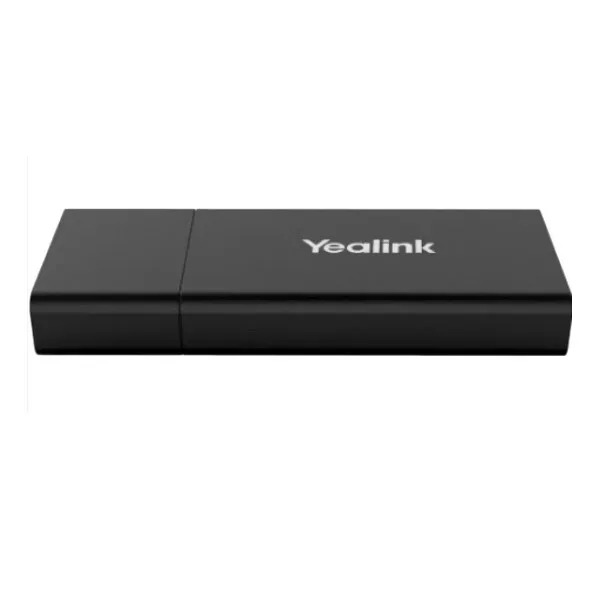
Procurement teams often need a short technical view that can be passed to IT, facilities and management. The VCH51 is a compact accessory with a practical port set for a supported Yealink meeting room. It weighs only 76g and measures 123mm x 49mm x 16.8mm, making it easy to include in meeting table or room cabinet planning.
| Room Fit | Boardrooms, small meeting rooms, training spaces and compatible Yealink conferencing setups |
| Connection Style | Wired presentation through supported Yealink endpoint workflow |
| Computer Use | Compatible with most PC applications as audio and video device in supported BYOD mode |
| Operating System Fit | Windows and macOS environments listed by Yealink |
Yealink VCH51 Dubai Which 3rd Features Used
The compact physical design is easy to overlook, but it matters in a finished meeting room. A small accessory is easier to install neatly, easier to place near a laptop connection point and easier to manage inside a room cabinet. The VCH51 avoids the heavy footprint of larger switching hardware when the main requirement is presentation and supported BYOD connection.
For Dubai businesses with client-facing spaces, this helps preserve a tidy room appearance. A neat table supports the impression of a professional workplace, especially in law firms, consulting offices, healthcare meeting rooms, education centres, financial offices and executive suites.
Yealink VCH51 Dubai Better Room Choices
Yealink meeting accessories serve different room needs. The following table helps buyers discuss the VCH51 alongside related Yealink models available through Fourteck references and Yealink room planning conversations.
| Model | Best Use | Buyer Note |
|---|---|---|
| Yealink VCH51 | Wired sharing and selected BYOD workflows | Ideal when stable cable connection is preferred |
| Yealink WPP30 | Wireless presentation pod | Useful when users want fewer visible cables |
| Yealink CT300 | Room device navigation and AV control | Better for rooms with multiple controllable devices |
| Yealink MeetingBar A20 | Small room video conferencing | Confirm endpoint compatibility before accessory selection |
| Yealink MeetingBar A30 | Medium room collaboration | Commonly considered for higher-capacity rooms |
Yealink VCH51 Dubai Which 4th Features Used
Application flexibility is valuable because modern users do not always join meetings from the same platform. Yealink’s information describes the VCH51 as compatible with most PC applications when used as the PC audio and video device in the supported BYOD environment. For businesses, that means one room can support a more flexible meeting pattern without replacing the full conferencing system.
This feature is helpful for companies working with customers, vendors, auditors, designers, consultants and remote teams who may use different conferencing software. Fourteck can help confirm the practical workflow before installation so users know how to connect and present.
Market Availability Yealink VCH51 Dubai Business Bay
Businesses searching for Yealink VCH51 Authorized partner support usually want more than a product box. They need genuine guidance, correct room compatibility and fast quotation handling. Fourteck assists customers who require Ready stock Dubai City updates, project advice and a simple purchase route for meeting room accessories.
For procurement teams, Get Dubai Price, Request Quote, Check UAE Availability and WhatsApp Fourteck Sales can be handled through the contact page. Whether the requirement comes from Business Bay, Deira, JLT, Dubai Silicon Oasis, Al Quoz or Dubai Marina, Fourteck can support the buying conversation with a business-focused approach.
Yealink VCH51 AbuDhabi
Abu Dhabi companies often look for reliable meeting room products for government offices, energy companies, education institutions, healthcare facilities, consulting teams and corporate headquarters. Yealink VCH51 can be considered when the room already uses a supported Yealink video conferencing endpoint and users need a stable laptop presentation route.
Fourteck can help Abu Dhabi buyers confirm product fit, accessory needs and UAE delivery support. The purchase discussion can include existing room hardware, expected applications, display connection, cable management and after-sales support requirements.
Product Availability Yealink VCH51 Dubai
Get Yealink VCH51 through Fourteck for professional buying assistance, UAE quotation support and compatibility discussion. Buying Support for Yealink VCH51 is important because the customer should confirm whether the device fits the intended Yealink room endpoint and expected meeting workflow before final approval.
Genuine Yealink VCH51 Guide support helps avoid confusion between wired sharing accessories, wireless presentation pods and full room systems. Fourteck can guide customers toward the correct product path based on the room design, existing hardware and future use.
Yealink VCH51 Dubai Deployment
A good deployment starts with identifying the Yealink host system and confirming whether the expected BYOD workflow is supported. The installer should then plan the device location, cable route, table access, display connection path and user instructions. For a clean meeting room, the VCH51 should be placed where laptop users can connect easily without moving around the room or disturbing other equipment.
Fourteck can support deployment planning for single rooms and multi-room projects. In a single executive room, the focus may be neat cabling and simple user guidance. In a training room, the focus may be presenter flexibility and repeatable connection steps. In a multi-branch deployment, the priority may be standardising the room experience across locations.
After installation, users should receive a short handover showing how to connect a laptop, how to select the room system and how to present content. Clear user instructions reduce support calls and improve meeting confidence.
Yealink VCH51 Dubai Installation Details
Installation should be handled with attention to endpoint compatibility, cable quality and room usability. The VCH51 includes interfaces for network connection, USB and HDMI video input. The installer should confirm the correct Yealink host connection and test the expected presentation resolution with the actual display and conferencing system. Since results can vary by room system, testing the real setup is better than assuming performance from a generic accessory list.
For everyday use, the user should know where to plug in, how to choose the room system in the meeting application and how to switch between presentation and meeting mode when needed. If the room is used by visitors, a small table label or simple user card can make operation easier.
Fourteck can assist with installation coordination for Dubai and UAE customers, including boardrooms, meeting rooms, lecture spaces, clinics, service centres and corporate training facilities.
Yealink VCH51 Sharjah
Sharjah businesses, schools, clinics, trading companies and service offices often need cost-effective meeting room upgrades that are simple to maintain. Yealink VCH51 can support compatible Yealink rooms where users need wired laptop content sharing and better use of the room audio and video system during meetings.
Fourteck can guide Sharjah customers with quotation support, product fit checking and UAE service coordination. The product can be discussed for Al Majaz, Rolla, Industrial Area, Al Qasimia, Muweilah and nearby business communities where meeting spaces need practical improvement.
Yealink VCH51 Ajman
Ajman companies searching for Yealink meeting room accessories usually want a straightforward buying process and local UAE support. The VCH51 can be useful for offices, training rooms, management cabins and customer discussion rooms where compatible Yealink video conferencing equipment is already planned or installed.
Fourteck can support Ajman enquiries with product explanation, compatibility checking, delivery coordination and installation advice. Customers in Ajman Industrial Area, Al Nuaimiya, Al Jurf, Al Rashidiya and nearby UAE locations can contact Fourteck to discuss meeting room sharing requirements.
Fourteck Dealing Product Dubai
Fourteck supports customers with Yealink communication and collaboration products across the UAE. Buyers planning a complete room can review related models such as Yealink WPP30 Dubai for wireless presentation and Yealink CT300 Dubai for room control requirements. These internal references help customers compare product roles before selecting the right accessory.
A practical meeting room may need more than one product category. Some rooms need wired sharing, others need wireless presentation and some require professional control of displays and AV equipment. Fourteck helps customers match the product to the room instead of forcing every space into the same design.
Fourteck Business Technology Locations
Yealink VCH51 Dubai FAQ
What is Yealink VCH51?
It is a Yealink sharing box used for PC content presentation and supported BYOD workflows with selected Yealink video conferencing systems.
Does VCH51 support BYOD?
Yes, BYOD is supported with selected Yealink video conferencing systems, including specified MeetingEye and MeetingBar models.
Which Yealink systems are commonly considered with VCH51?
Customers commonly discuss it for MeetingBar A20, MeetingBar A30, MeetingEye 400 and MeetingEye 600 environments, subject to compatibility confirmation.
What ports are available on VCH51?
It includes 100Mbps RJ45, USB 2.0 Type-A, USB 2.0 Type-C with DP video input and HDMI video input.
What is the maximum presentation resolution?
Yealink lists presentation resolution up to 4Kp15, with exact performance depending on the connected video conferencing system.
Does it work with Windows and macOS?
Yealink lists Windows 7, Windows 8.1, Windows 10 and macOS 10.6 or higher as compatible operating systems.
Is VCH51 suitable for Dubai boardrooms?
Yes, it is suitable for compatible Yealink boardroom setups where wired presentation and selected BYOD use are required.
Can Fourteck help with installation?
Fourteck can support Dubai and UAE customers with compatibility checks, deployment planning and installation guidance.
Is it the same as Yealink WPP30?
No. VCH51 is focused on wired sharing and supported BYOD workflows, while WPP30 is commonly discussed as a wireless presentation pod.
How can I request a quotation?
Use the Fourteck contact page and share your Yealink room model, quantity, delivery location and installation requirement.




Reviews
There are no reviews yet.