

Samsung QH65C 65-Inch QHC Commercial Display in Dubai, UAE
The Samsung QH65C is a 65-inch 4K UHD professional signage display designed for demanding business communication, customer engagement, information delivery, and operational visibility. Its 700-nit typical brightness, 24/7 operating profile, slim 28.5 mm chassis, integrated Tizen 7.0 platform, and broad commercial connectivity make it a strong fit for UAE organizations that require dependable digital display infrastructure rather than a consumer television.
For enterprises planning lobby displays, retail messaging, menu boards, command-room information screens, transport wayfinding, or campus communication, the QH65C combines installation flexibility with centralized content and device-management readiness.
Procurement Snapshot
Quick Procurement & Configuration Matrix
Samsung Business
QH65C / regional SKU variant dependent
Professional 4K UHD commercial signage display
Continuous corporate, retail, transport, hospitality, education and public-information signage
Single-screen or fleet deployment; management method depends on selected content platform
AC 100–240 V, 50/60 Hz; plan circuit capacity around project and accessory load
Dubai, Abu Dhabi, Sharjah, Ajman and wider UAE; regional export support available
Terms depend on regional SKU, supply channel and project agreement; confirm before order
Executive Product Architectural Overview
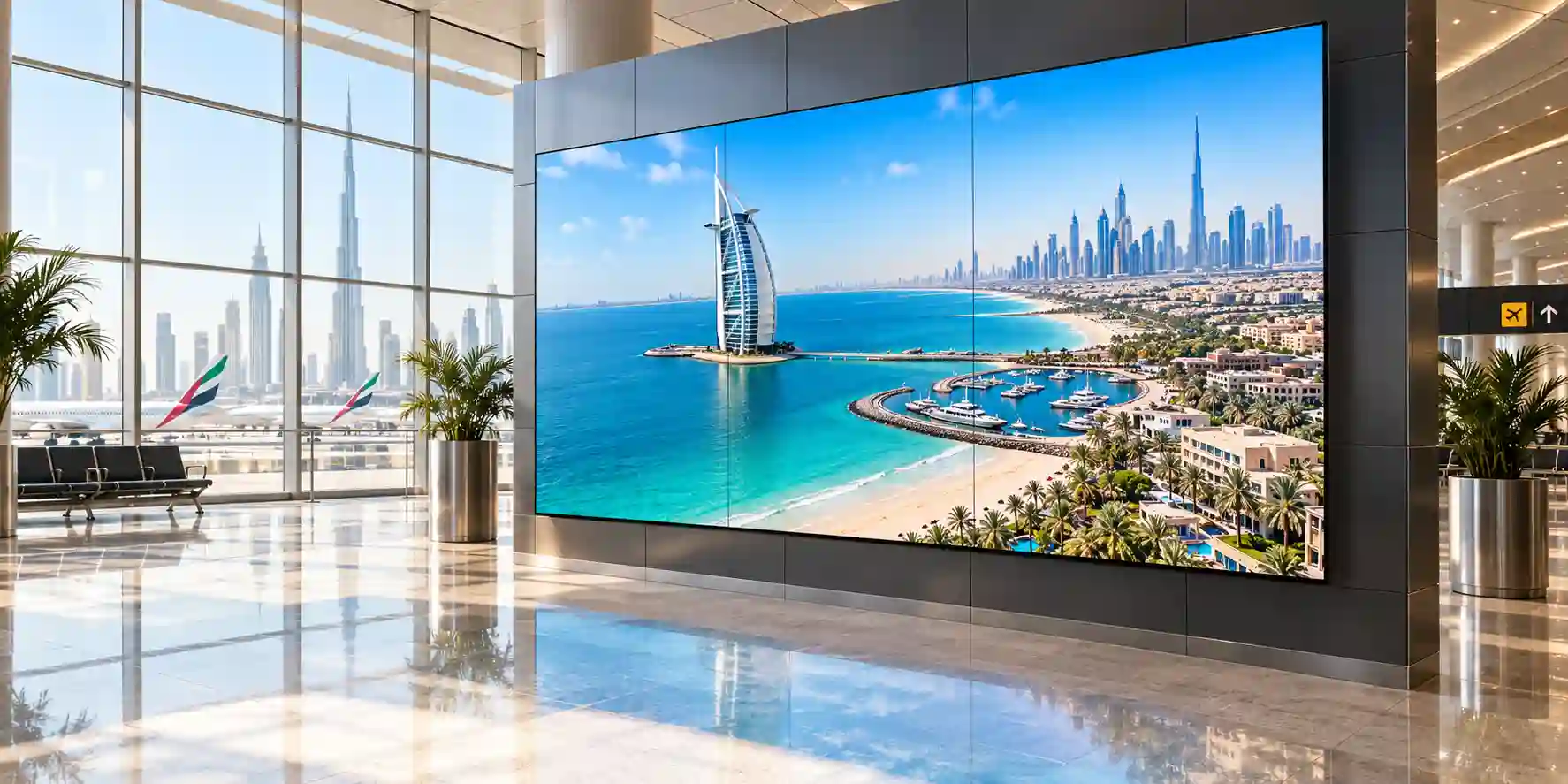
The Samsung QH65C belongs to a class of displays built for managed business environments where operating schedules, remote control, installation consistency, brightness, thermal behavior, connectivity, and content workflows matter as much as picture quality. A consumer television can produce an attractive image, but enterprise signage projects usually demand a different operational model. Screens may remain active from opening time through overnight operations, may be installed high on walls or inside architectural recesses, may need to accept commands from a management network, and may have to maintain a consistent presentation across dozens or hundreds of endpoints. The QH65C addresses these requirements with a 65-inch 4K UHD panel, 700-nit typical brightness, 24/7 operation support, commercial control interfaces, an integrated smart-signage operating platform, and mechanical features developed for landscape or portrait deployment.
From an enterprise architecture perspective, the display can be treated as an edge presentation endpoint. Its role is to convert centralized content, live media, dashboard output, room messaging, promotional assets, wayfinding information, or operational alerts into a highly visible user-facing experience. The integrated Tizen 7.0 environment and 16GB internal storage allow many signage workflows to operate without a conventional PC permanently attached behind the screen. Where an external player, mini PC, conferencing appliance, IPTV decoder, or specialist source is required, the three HDMI inputs and DisplayPort input provide flexible connectivity. USB interfaces support media and peripheral workflows, while RJ45, Wi-Fi, RS232, IR, and Bluetooth enable network access, control, administration, or accessory interaction according to the final design.
The 700-nit panel rating is particularly relevant to corporate lobbies, retail spaces, transportation facilities, showrooms, reception areas, and other indoor locations with stronger ambient light. Brightness is not only about producing a vivid image; it helps preserve visual separation between foreground information and environmental reflections. Samsung also specifies a 25% haze surface for the QH65C, contributing to reflection management in practical business spaces. The VA panel architecture provides a 4,000:1 typical contrast ratio and a 178-degree horizontal and vertical viewing-angle specification, useful where audiences approach from multiple directions rather than sitting directly in front of the screen.
Physical engineering is another important part of the QH65C proposition. At approximately 28.5 mm deep, the display supports installations where a lower wall projection can make the finished environment look more deliberate and integrated. A 400 x 300 mm VESA mounting pattern supports compatible mounting systems, while the even bezel helps preserve a balanced appearance when installers rotate the screen into portrait orientation. Centered VESA positioning can simplify mounting alignment compared with designs where hardware geometry changes the visual center. Buyers should still evaluate wall structure, mount load rating, service access, cable bend radius, ventilation, local regulations, and technician access before finalizing an installation.
In the UAE, environmental planning deserves special attention. Although many QH65C installations are inside climate-controlled buildings, lobbies, storefront glazing, atriums, transport interfaces, and partially exposed internal zones can experience substantial heat gain. Samsung specifies an operating temperature range of 0°C to 40°C and relative humidity of 10% to 80% non-condensing. Those limits should be evaluated against actual site conditions rather than assumed from building-wide air-conditioning settings. Integrators should also consider direct solar loading, enclosure heat, dust, air movement, and whether the screen will be recessed or installed flush against a wall.
For procurement teams, the most useful way to position the QH65C is as a professional visual endpoint that balances brightness, continuous operation, slim industrial design, commercial control, and integrated smart-signage capability. It is not intended to replace every specialist display category. Extremely bright windows may require dedicated high-brightness signage; outdoor areas require outdoor-rated hardware; multi-screen video walls may benefit from narrower-bezel products; and interactive collaboration requires touch-enabled platforms. Within the mainstream premium indoor commercial-signage tier, however, the QH65C provides a strong architectural fit for organizations seeking a 65-inch 4K display that can be standardized across branches, departments, campuses, or customer-facing environments.
Enterprise Business Value & ROI Benefits
High-Visibility Communication
A 700-nit typical brightness level gives the QH65C more headroom than many standard office displays and entry signage panels. That additional luminance can improve readability in bright reception areas, retail floors, transport halls, and large open offices where ambient light competes with on-screen content. Better visibility can reduce the need for oversized typography or extreme color treatments, allowing designers to preserve brand standards while maintaining practical legibility.
24/7 Operational Readiness
The QH65C is specified for continuous operation, supporting organizations that cannot treat signage as an eight-hour office appliance. Airports, hospitals, hotels, logistics centers, security operations, public-sector facilities, and round-the-clock service environments can build communication schedules around business needs rather than consumer-duty-cycle assumptions. Continuous-operation capability also makes fleet standardization simpler where some sites operate normal hours and others run around the clock.
Reduced External Hardware
Tizen 7.0 and 16GB internal storage support smart-signage workflows that can reduce dependence on a separate PC or media player for every screen. Eliminating an external endpoint where appropriate can lower power draw, cabling, mounting complexity, failure points, patching workload, and replacement inventory. Organizations should validate their content-management application and feature requirements before deciding whether the embedded platform is sufficient.
Deployment Consistency
Standardizing on one 65-inch commercial model can simplify spares, mounting patterns, support playbooks, control commands, deployment documentation, and technician training. The QH65C supports both landscape and portrait use, helping a single product family serve different architectural layouts. Consistency matters when an organization operates many branches because small differences in interface behavior or mounting geometry can create disproportionate field-support effort.
Space-Efficient Industrial Design
At approximately 28.5 mm deep, the display can create a more integrated visual result than bulky commercial enclosures. In premium offices, hospitality environments, executive areas, luxury retail, and corporate reception spaces, visual projection from the wall affects perceived fit and finish. A slimmer chassis can also provide more flexibility where depth is constrained, although installers must still preserve required ventilation and service clearances.
Commercial Connectivity
Three HDMI inputs, DisplayPort, USB, RJ45, RS232, wireless networking, Bluetooth, IR, and audio output give solution designers multiple integration paths. This helps protect investment when content workflows change. A screen initially deployed with an embedded signage application can later accept an external player, conferencing system, dashboard PC, decoder, or automation controller without replacing the display simply because the source architecture changed.
Business return should be evaluated over the full deployment lifecycle rather than through purchase price alone. Installation labor, mounting hardware, content-platform licensing, remote-management capability, power consumption, spare strategy, replacement lead time, warranty handling, and technician travel can all materially affect total operating cost. The QH65C’s integrated platform, continuous-duty design, standardized mounting approach, and commercial interfaces can help lower lifecycle friction when these capabilities are intentionally incorporated into the project architecture. FourTeck can help buyers compare the QH65C with lower-brightness or shorter-duty-cycle alternatives so capital is directed to the locations that actually benefit from its higher commercial specification.
Hardware & Technical Architecture Highlights
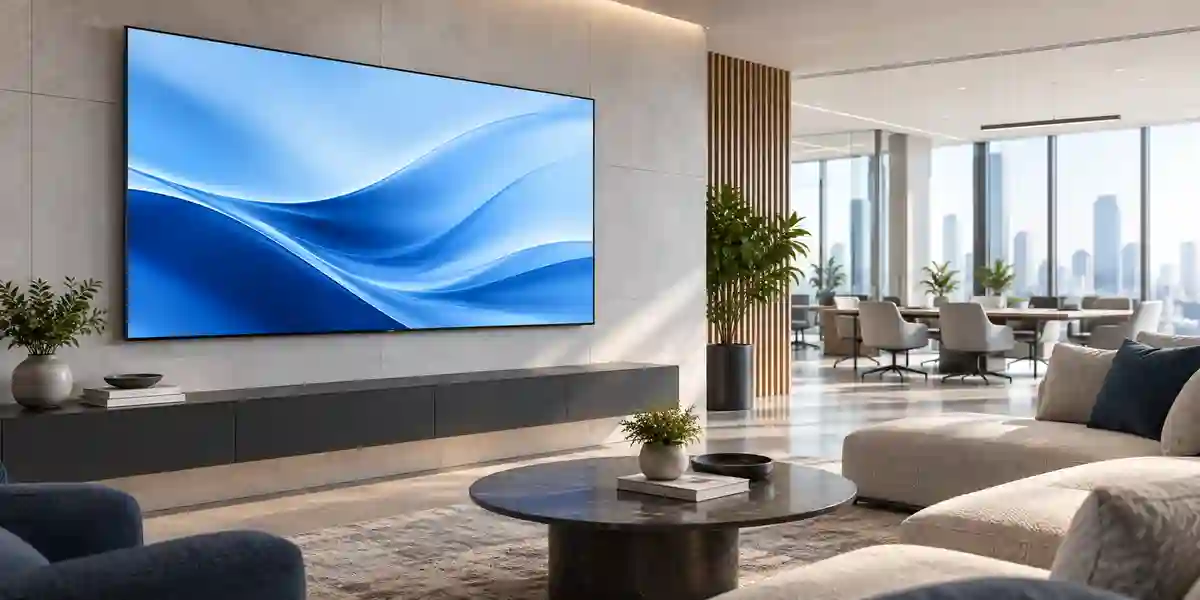
The visual subsystem is built around a 65-inch VA panel with a measured diagonal of approximately 64.5 inches. Native resolution is 3840 x 2160 in a 16:9 aspect ratio, providing the pixel density needed for dashboards, menu boards, detailed promotional graphics, fine typography, schedules, data summaries, and high-resolution video. Samsung specifies a 0.372 x 0.372 mm pixel pitch, 4,000:1 typical contrast ratio, 8 ms response time, 72% NTSC color gamut, 25% haze, and 178-degree viewing angles. These specifications position the panel for premium indoor signage rather than specialist color-grading or outdoor daylight applications.
The processing architecture uses Samsung’s commercial smart-signage platform with Tizen 7.0 and 16GB of flash storage. The value of an embedded platform is architectural simplification. Content applications, scheduling logic, playback functions, and remote control can run on the display without a separate general-purpose computer in many deployments. This reduces the number of power supplies and operating systems behind each screen, but application compatibility, codec requirements, security policies, and management-platform selection should always be checked during solution design.
Input architecture is suitable for mixed-source environments. Three HDMI inputs provide capacity for common AV appliances, conferencing endpoints, media players, mini PCs, matrix outputs, set-top boxes, and presentation systems. One DisplayPort 1.2 input supports commercial computing and AV workflows that rely on DisplayPort. Two USB ports support media, service, and compatible peripheral use. Network and control architecture includes RJ45 Ethernet, Wi-Fi, RS232 input/output, infrared input, and Bluetooth. This breadth allows the display to sit inside either an IP-managed signage environment or a more traditional AV-control topology.
The mechanical design is unusually slim for its class, with set dimensions of approximately 1456.8 mm wide by 831.9 mm high by 28.5 mm deep. Set weight is approximately 22.7 kg. The 400 x 300 mm VESA pattern supports commercial mounting hardware sized for the display weight and site conditions. An even 11.5 mm bezel helps maintain visual symmetry, and the panel supports both landscape and portrait orientation. When deployed in portrait, integrators should verify the approved rotation direction, cable routing, ventilation, mount orientation, and content-layout behavior.
Power architecture uses a universal AC 100–240 V, 50/60 Hz input, making the product suitable for typical UAE commercial electrical environments when installed in accordance with local electrical requirements. Published on-mode consumption can vary by regional reporting method and operating state; buyers should use the applicable regional datasheet and project assumptions when sizing circuits, UPS capacity, switched power distribution, or energy budgets. The display also supports low sleep-mode consumption. For large fleets, even small differences in configured brightness, operating hours, and automatic scheduling can materially change annual energy use, so content and device-management policy should be part of the efficiency plan.
Environmental specifications include operation from 0°C to 40°C and 10% to 80% relative humidity, non-condensing. These numbers become especially important in the Gulf because the temperature at the mounting position may differ from the room thermostat. Sunlit glass, recessed niches, poor airflow, ceiling voids, decorative millwork, and nearby heat-generating electronics can raise local temperature. A professional installation should therefore treat thermal planning as a site-specific engineering task rather than a box-checking exercise.
Definitive Technical Specifications Table & Sizing Notes
| Category | Samsung QH65C Specification | Procurement Note |
|---|---|---|
| Screen Size | 65-inch class; approximately 64.5-inch measured | Validate viewing distance and wall dimensions |
| Panel Type | VA | Professional indoor signage panel |
| Resolution | 3840 x 2160, 16:9 | Native 4K UHD content recommended |
| Brightness | 700 nit typical | Suitable for bright indoor environments; not an outdoor display |
| Contrast | 4,000:1 typical | Supports strong black-to-white separation |
| Viewing Angle | 178° / 178° | Useful for public areas with off-axis traffic |
| Response Time | 8 ms | Appropriate for signage and business video |
| Haze | 25% | Helps manage reflections in indoor spaces |
| Operation | 24/7 | Designed for continuous commercial duty |
| Orientation | Landscape / Portrait | Confirm mount and content orientation before installation |
| HDMI | 3 inputs, HDMI 2.0 | Supports multiple local AV sources |
| DisplayPort | 1 input, DP 1.2 | Useful for commercial computing sources |
| USB | 2 x USB 2.0 | Media and supported accessory use |
| Network / Control | RJ45, Wi-Fi, Bluetooth, RS232 In/Out, IR In | Supports IP and AV-control integration |
| Platform | Tizen 7.0, 16GB flash memory | Application and CMS compatibility must be validated |
| Dimensions | 1456.8 x 831.9 x 28.5 mm | Allow additional depth for mount, connectors and service access |
| Weight | 22.7 kg set weight | Mount must be rated appropriately with safety margin |
| VESA | 400 x 300 mm | Confirm mount hardware and wall substrate |
| Power | AC 100–240 V, 50/60 Hz | Circuit and UPS planning should include complete system load |
| Operating Environment | 0°C to 40°C; 10–80% RH non-condensing | Assess actual temperature at the screen location |
Specification review should be tied to the exact regional SKU being quoted because model suffixes, bundled accessories, certification labels, power documentation, warranty processes, and optional mounting accessories can vary by market. The QH65C core platform is consistent around its 65-inch 4K panel, 700-nit brightness class, slim chassis, 24/7 operation, and commercial connectivity, but procurement teams should not assume that every accessory or service entitlement shown in another country is automatically included in a UAE shipment. FourTeck can validate the offered part number, confirm what is in the box, identify optional mounting products, and align the quotation with the intended installation.
Sizing also extends beyond screen diagonal. A 65-inch display works well in many reception, meeting, retail, and information scenarios, yet text size, viewing distance, content density, mounting height, and audience dwell time determine whether it is actually the right format. A dashboard with dozens of small metrics may need a larger canvas or fewer information elements, while a retail promotion viewed from a few meters can work effectively at 65 inches. Buyers should provide floor plans, approximate viewing distance, mounting height, audience direction, ambient-light conditions, and content examples when requesting design assistance.
Configuration, Sizing & Deployment Workbench
01 — Define the Visual Workload
Start with what the screen must communicate. Static brand messaging, digital menu boards, live dashboards, IPTV channels, queue information, transport schedules, wayfinding, corporate announcements, and high-motion promotional video impose different requirements. List native content resolution, frame-rate expectations, audio needs, aspect ratio, portrait or landscape orientation, and whether the display will show one source or several. This prevents over-specifying the panel while under-specifying the content path.
02 — Establish Viewing Geometry
Measure the nearest and farthest expected viewers, screen mounting height, available wall width, and approach angle. The 65-inch format is large enough for many public and professional spaces but cannot compensate for tiny typography viewed from long distances. A content mock-up displayed at actual scale is often the fastest way to determine whether the information density is appropriate. Off-axis viewing should also be considered when the screen serves corridors or open-plan areas.
03 — Validate Ambient Light & Brightness
The QH65C’s 700-nit typical brightness provides useful headroom for bright indoor settings, but glass-front retail, atriums, and direct sun paths can create conditions that exceed normal indoor signage expectations. Record whether the screen faces windows, sits behind glazing, or receives direct sunlight. For extreme brightness, a dedicated window-facing or outdoor product may be more appropriate. Selecting the correct brightness class can improve both visibility and energy efficiency.
04 — Choose Embedded or External Playback
Decide whether content will run through the integrated Tizen environment or from an external source. Embedded playback can simplify installation and reduce hardware count, while external players may be required for specialist applications, proprietary software, complex data integration, advanced video processing, or strict security baselines. Where an external player is used, define its power, mounting method, network connection, HDMI or DisplayPort path, restart behavior, and remote-support model.
05 — Plan Network & Device Management
For fleets, treat every screen as a managed endpoint. Determine VLAN placement, DHCP or static addressing, firewall policy, DNS, outbound service access, proxy requirements, certificate handling, wireless versus wired connectivity, and remote-management ownership. Content-management platform subscriptions and licensing terms are configuration dependent. Network teams should be involved early so signage deployment does not become an isolated AV island that is difficult to monitor or secure.
06 — Engineer Mounting, Power & Service Access
Verify wall construction, mount load rating, fixing method, VESA compatibility, cable exit locations, power outlet placement, data outlets, ventilation, and technician access. The display’s slim 28.5 mm body can support an elegant finish, but extremely tight installations can make connector access or replacement difficult. Plan enough clearance to service cables without removing architectural finishes. Where uptime matters, consider surge protection, controlled power, or UPS-backed circuits according to facility standards.
07 — Define Fleet Headroom & Lifecycle
A single-screen purchase can be treated as an appliance; a multi-site rollout should be treated as infrastructure. Estimate future screen count, spare ratio, content-manager workload, expected replacement cycle, software subscription duration, and whether the organization wants one standard model across departments. If the environment may later expand to larger sizes, touch displays, video walls, or outdoor units, define management and content standards that can span those categories.
Industry Use Cases & Workload Scenarios
Banking & Finance
Branches and corporate offices can use QH65C displays for exchange-rate boards, queue messaging, service promotion, compliance notices, executive dashboards, and visitor communication. The 4K canvas supports crisp typography and multi-zone layouts, while 24/7 capability is useful in operations centers and always-on customer environments. Security teams should validate network segregation and content-management access controls before connecting screens to enterprise networks.
Healthcare
Hospitals, clinics, and medical campuses can deploy the display for wayfinding, registration information, patient education, queue status, cafeteria content, staff notices, and command-center dashboards. High brightness is useful in well-lit reception areas. Healthcare deployments should separate public informational signage from clinical systems and must not assume that a commercial display has medical-device certification unless explicitly documented for a specific application.
Government & Public Sector
Service centers, municipal buildings, ministries, and public venues can use the QH65C for queue instructions, multilingual guidance, public announcements, room information, awareness campaigns, and operational dashboards. Fleet management and standardized mounting become valuable when screens are distributed across many buildings. Procurement teams should confirm tender-specific requirements, approved regional SKUs, warranty terms, documentation, and any cybersecurity controls required by the authority.
Logistics & Transportation
Warehouses, distribution centers, terminals, staff staging areas, and transport facilities can use commercial signage for safety notices, dispatch information, KPI boards, dock schedules, passenger or visitor information, and real-time operational messaging. The 24/7 duty cycle aligns well with continuous logistics operations. Dust, heat, mounting height, protective enclosures, and the distinction between indoor and outdoor areas must be assessed at site level.
Retail & Hospitality
Retailers can use the 65-inch 4K canvas for campaign visuals, pricing, category storytelling, menu content, directional information, and event messaging. Hotels can deploy it in lobbies, conference areas, restaurants, clubs, and meeting zones. The slim chassis supports design-sensitive interiors, while 700-nit brightness improves presence in bright public spaces. Content governance should keep messaging consistent across locations and time schedules.
Education
Schools, universities, training centers, and campuses can use QH65C displays for digital noticeboards, event schedules, room information, admissions communication, emergency messaging, campus maps, and auditorium signage. This model is a non-touch commercial display, so interactive teaching environments should be evaluated against Samsung interactive displays or dedicated collaboration platforms. For passive information delivery, however, its 24/7 support and network-managed architecture can fit large multi-building estates.
Technical Feature Deep Dive 1: Processing, Throughput & Workload Performance Architecture
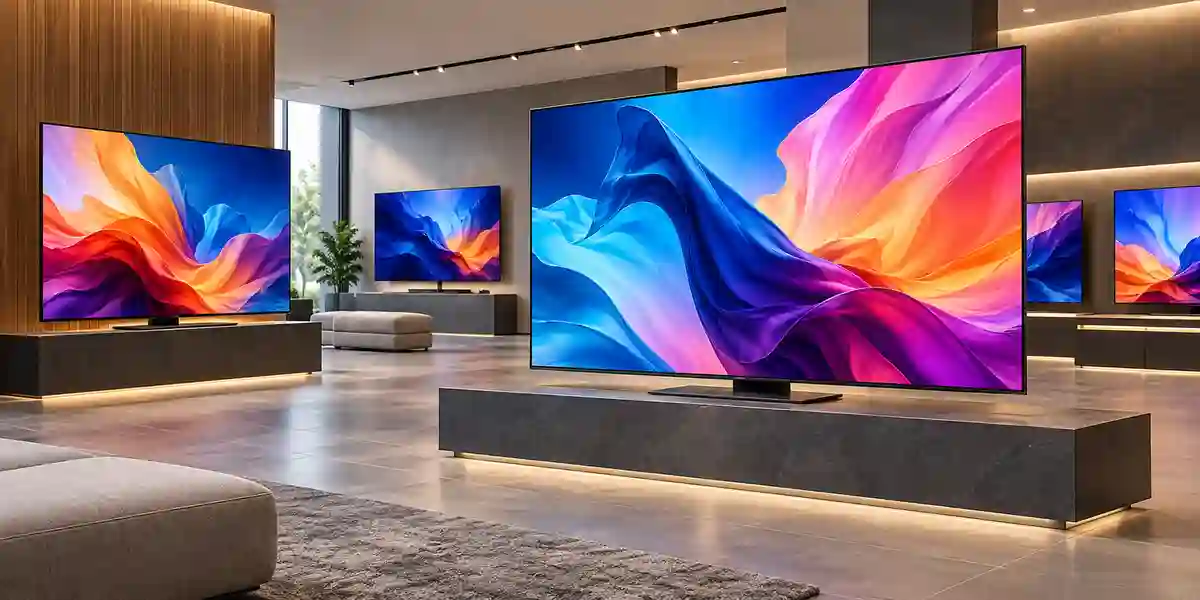
A signage display’s performance is not measured like a server, yet processing and throughput architecture still influence everyday usability. The QH65C combines a native 4K panel with Samsung’s integrated signage processing environment, allowing image scaling, content playback, user-interface rendering, and supported smart-signage applications to run inside the display. For buyers, this means the endpoint can handle many common presentation workloads without adding a separate compute device. The architectural benefit is strongest when the content can be represented as scheduled media, web-based assets, supported applications, images, or video within the embedded platform.
Native 3840 x 2160 resolution is particularly useful for multi-zone signage. A single canvas can contain a primary video window, ticker, branding area, timetable, pricing block, QR code, weather panel, or KPI elements while retaining legible edges and clean typography. Whether those elements remain readable depends on viewing distance and design, but the pixel capacity gives content teams more layout freedom than Full HD. When source material is lower resolution, the display can present it on the 4K panel, although no scaling process can recreate detail that is absent from the source. Best results come from preparing graphics and text at appropriate 4K sizes.
Input throughput should be planned around source behavior rather than connector count alone. Three HDMI inputs are valuable when the display may switch among a signage player, conferencing device, laptop interface, or broadcast decoder. DisplayPort supports commercial workstation and PC connections. For permanent installations, integrators should specify certified cables appropriate for run length and signal bandwidth, and use active or fiber transport where distances exceed practical passive-cable limits. Cable quality becomes more important at 4K because marginal links can produce intermittent blanking, handshake failures, or resolution fallback rather than obvious analog-style degradation.
Network throughput for digital signage is often modest during steady-state playback because media can be stored locally and updated on schedule. However, large 4K video packages, frequent campaign changes, or synchronized fleet updates can create burst demand. Organizations deploying dozens of screens should plan content distribution windows, bandwidth limits, storage capacity, and update retry behavior. If Wi-Fi is selected, coverage and airtime should be measured at the display location; a strong office Wi-Fi experience at desk height does not automatically mean a reliable connection behind a wall-mounted screen surrounded by metal brackets and building materials.
The 16GB flash-storage figure should be treated as platform capacity rather than a guarantee that all space is available for user media. The operating system and applications consume part of local storage, and actual usable capacity can vary. For simple campaign loops, corporate notices, or cached web content, local storage can still provide a useful resilience layer because the screen does not always need to stream every asset continuously. Projects with very large video libraries should define storage behavior and content-retention rules in the selected management platform.
Technical Feature Deep Dive 2: Security, Redundancy & System Resilience
Commercial signage is part of an organization’s visible attack surface. A compromised display may not expose the same data as a database server, but it can disrupt operations, publish unauthorized content, damage brand trust, or provide an unwanted foothold on a network. Security design therefore begins with architecture. Screens should be placed on an appropriate network segment, managed through approved accounts, and given only the connectivity they require. Wired Ethernet may be preferred for fixed infrastructure, while Wi-Fi can be appropriate where cabling is impractical and wireless controls meet corporate standards.
Device management responsibilities should be explicit. Someone must own firmware review, configuration baselines, content permissions, account lifecycle, remote-access policies, and decommissioning. In a small installation, this may be the facilities or marketing team working with IT. In a large estate, digital signage should have a documented operating model similar to other managed endpoint categories. Default credentials, shared administrator accounts, and unmanaged remote-control services should be avoided where organizational policy requires stronger controls.
Resilience also includes what happens when the upstream network or content service is unavailable. Cached or locally stored content can reduce the chance of a blank screen during temporary connectivity loss, depending on the chosen platform and configuration. External players may require their own watchdog and auto-restart design. Power restoration behavior, scheduled start-up, remote reboot capability, and fallback content should be tested before rollout. For high-importance public information, organizations may want a known static fallback message or redundant content path rather than relying on a single cloud connection.
The QH65C supports 24/7 operation, but system availability still depends on the complete installation. A high-quality display connected to an overloaded extension lead, poorly ventilated cavity, unstable wireless network, or inaccessible media player will not deliver enterprise-grade uptime. Power design should include suitable circuit protection and, where business impact justifies it, surge suppression or UPS support. Mounting should preserve airflow and allow technicians to reach connectors. Spare planning should consider screen criticality, lead time, and whether a like-for-like replacement must preserve mount geometry and visual appearance.
Environmental resilience is especially significant in Dubai and the Gulf. The published 0°C to 40°C operating range applies to the display environment, not the nominal room set point. A recessed screen behind decorative panels can operate at a substantially higher temperature than the occupied space. Likewise, a retail unit behind sunlit glazing may experience intense heat loading even when air conditioning is active. Site surveys should identify these risk zones early so the solution can be adjusted through shading, alternative display type, ventilation, changed placement, or enclosure engineering.
Technical Feature Deep Dive 3: Remote Management, Telemetry & Infrastructure Integration
The practical value of commercial signage grows when IT and AV teams can manage a fleet without visiting every screen. The QH65C’s wired and wireless networking, RS232 control, embedded operating system, and commercial management compatibility support several integration approaches. A small business may use a straightforward cloud-managed content service. A large enterprise may integrate displays into structured AV management, room control, monitoring, or service-desk processes. The right approach depends on fleet size, geographic spread, security policy, and how frequently content changes.
Ethernet is often the preferred foundation for permanent, mission-relevant screens because it provides predictable connectivity and simplifies troubleshooting. Wi-Fi remains valuable in heritage buildings, temporary retail, leased spaces, or finished environments where new cabling would be disruptive. Regardless of medium, device naming, IP documentation, location mapping, and ownership should be standardized. A support ticket reading “the lobby screen is offline” is difficult to action across a large estate unless the screen has a known asset record, network identity, serial number, physical location, and management-group assignment.
RS232 remains relevant because many professional AV control systems use serial commands for deterministic power, input, and status control. In boardrooms, auditoriums, operations centers, and integrated presentation environments, this can allow the QH65C to participate in a larger control sequence. A touch panel or automation controller might switch the display on, select an input, set a defined state, and power down after a scheduled period. IP-based control may offer similar functions in other designs. Integrators should choose the method supported by their control platform and security policy.
Telemetry should focus on actionable states. Screen online/offline status, power state, input source, content playback health, application status, network reachability, and error events can help service teams identify failures before users report them. The exact telemetry available depends on the selected management software and licensing. Procurement should therefore treat management-platform capability as part of the product solution, not an afterthought. A low-cost display fleet that cannot be remotely diagnosed can become expensive if technicians must repeatedly travel to branches for simple resets or source corrections.
Integration planning should also cover content governance. Marketing may own campaign assets, HR may own internal communication, facilities may own emergency information, and IT may own the platform. Establishing roles, approval workflows, scheduling rules, naming conventions, and emergency override procedures prevents the signage network from becoming fragmented. For multi-country deployments, regional teams may need controlled local publishing rights while headquarters retains templates and brand governance. The QH65C can serve as the common endpoint, but organizational process determines whether that endpoint becomes a scalable communication system.
What Buyers Should Check Before Purchase
Commercial display projects frequently fail at the interfaces between product, site, content, network, power, and procurement. The QH65C is a capable professional display, but successful deployment still depends on matching the exact model to the physical environment and operating model. The following checklist closes the most common buying gaps before purchase orders are released.
01 / FIT — Configuration Fit & Model Sizing
Confirm that 65 inches is appropriate for the intended viewing distance, text size, mounting height, and content layout. Validate that 700-nit brightness matches the ambient-light environment and that 24/7 capability is actually required. Check whether portrait orientation is planned, whether the application needs audio, and whether the embedded Tizen platform supports the required content workflow. Buyers should compare QH65C with lower-brightness QMC or QBC options where conditions permit, and with specialist products where brightness or environment is more demanding.
02 / MATCH — Compatibility & Environmental Requirements
Verify the 400 x 300 mm VESA pattern against the chosen wall mount, and ensure the mount is approved for the display weight and wall substrate. Review cable connector clearance, power outlet location, network port location, ventilation, service access, and any enclosure. Check operating temperature and humidity at the actual screen position. For external players, confirm HDMI or DisplayPort compatibility, resolution, HDCP behavior where applicable, cable length, and remote-control method.
03 / TERMS — Availability, Delivery & Warranty Terms
Commercial model suffixes can vary by region. Ask the supplier to identify the exact SKU, included accessories, country of supply, warranty route, expected lead time, and replacement process. Do not assume that an accessory shown on an overseas product page is included in the UAE package. For multi-site projects, confirm whether delivery will be consolidated, phased, or routed directly to branches. Packaging dimensions and access routes should also be reviewed for elevators, loading docks, and restricted fit-out sites.
04 / REQUEST — Quote Preparation Data Needed
A useful commercial quote should begin with quantity, delivery emirate, site count, target installation date, preferred orientation, mount requirement, content source, network type, operating hours, and any CMS or remote-management expectations. If installation services are required, provide wall type, mounting height, power and data availability, access restrictions, and photographs or drawings. This information allows FourTeck to distinguish a simple product supply request from a complete signage deployment and to price the relevant accessories and services accordingly.
UAE Regional Availability & Service Ecosystem
FourTeck supports commercial-display procurement across the UAE with pre-sales configuration review, quotation coordination, availability checking, accessory matching, delivery planning, and project-oriented supply. For the Samsung QH65C, buyers can request validation of the regional part number, compatible mounts, external media-player requirements, connectivity accessories, and content-management considerations. Quote response depends on project scope and supplier availability, so organizations can improve turnaround by submitting quantities, locations, required dates, and deployment details in the first inquiry.
K1. Dubai Supply & Logistics Support
Dubai projects range from single executive-lobby displays to multi-branch retail and hospitality rollouts. FourTeck can coordinate supply for mainland and Free Zone organizations, help validate the QH65C against the installation environment, and align accessories with the proposed mounting approach. Delivery planning can account for site access, phased fit-outs, project handover dates, and branch distribution. Businesses should identify whether they require product-only supply, mounting hardware, cabling, media players, or wider installation support when requesting a quotation.
K2. Abu Dhabi & Al Ain Logistics Reach
For corporate, government, industrial, healthcare, education, and hospitality deployments in Abu Dhabi and Al Ain, FourTeck can coordinate model sourcing, quotation preparation, and delivery requirements. Public-sector and enterprise projects often require exact model references, technical datasheets, warranty clarity, and structured delivery schedules. Providing tender requirements or approved-equipment criteria early helps ensure the proposed QH65C configuration aligns with procurement and site standards.
K3. Sharjah & Northern Emirates Logistics Infrastructure
Sharjah and Northern Emirates customers can use the same pre-sales workflow for digital signage, corporate communication, retail messaging, education, logistics, and customer-service projects. FourTeck can assist with quantity-based quotes, accessory planning, and delivery coordination to commercial and institutional sites. Where deployments span multiple emirates, consolidating model and mount standards can simplify rollout and support.
K4. Ajman & Surrounding Emirates Logistics Coverage
Ajman businesses can request current availability verification, delivery coordination, and technical guidance for QH65C deployments in offices, retail environments, hospitality venues, schools, clinics, and industrial facilities. FourTeck can help identify whether the 700-nit QH65C is the right brightness and duty-cycle tier or whether a different Samsung commercial display would provide a better cost-to-requirement fit.
GCC & Pan-African Supply Chain Reach
FourTeck also supports regional technology procurement beyond the UAE through project quotation, export coordination, configuration review, and commercial logistics planning. Cross-border projects should identify destination country, consignee requirements, quantity, delivery term, requested documentation, and target date so the supply route can be evaluated correctly. Customs, taxes, certification, warranty applicability, freight method, and local installation requirements vary by destination and should be confirmed for each transaction.
L1. Saudi Arabia (KSA) Export & Supply Support
Saudi Arabian enterprises, integrators, hospitality groups, retailers, educational institutions, and project contractors can request QH65C configuration validation and project quotations through FourTeck. For multi-site opportunities, provide a location schedule and required deployment dates so shipping and allocation planning can be structured around the rollout. Final warranty and regional compliance should be confirmed against the offered SKU.
L2. Qatar Market Supply Reach
Qatar-based buyers can request cross-border supply coordination for commercial signage projects in offices, malls, hotels, healthcare, education, and public facilities. FourTeck can help align quantities, accessories, shipping documentation, and project timing, while technical teams can review whether the QH65C’s indoor 700-nit specification matches the site environment.
L3. Oman Regional Distribution Support
Organizations and system integrators in Oman can request procurement guidance and commercial quotation for Samsung professional signage, including QH65C. Large projects should include delivery city, site count, orientation, mount requirement, and media-source architecture. These details help distinguish straightforward hardware supply from a coordinated deployment package.
L4. Kuwait Supply Chain Coverage
Kuwait customers can access project quote assistance and export-supply coordination through FourTeck’s regional presence. Commercial signage requirements can be reviewed against operating hours, brightness, connectivity, and content-management needs before order placement. Visit FourTeck Kuwait for localized inquiry routing.
L5. Kenya & East Africa Supply Infrastructure
Kenyan system integrators, corporate buyers, hospitality operators, and institutional customers can request technical inquiry routing and delivery coordination for Samsung commercial display projects. Export planning should consider destination documentation, freight mode, warranty handling, and local installation responsibilities. Visit FourTeck Kenya for regional support.
L6. Uganda Regional Procurement Support
Uganda-based projects can receive localized inquiry response, project supply management, and technology sourcing support. For QH65C opportunities, buyers should specify quantities, delivery location, project schedule, mount requirement, and whether content players or management software are part of the request. Visit FourTeck Uganda.
L7. Pan-African Regional Logistics & Trade Reach
For broader African technology projects, FourTeck can coordinate multi-country quotation, export planning, and project supply based on destination-specific requirements. Large signage rollouts benefit from early standardization of display size, brightness class, mounts, content architecture, and spares. Visit FourTeck Africa and FourTeck Global for regional sourcing pathways.
Related FourTeck Products & Compatible Alternatives
| Alternative | Best Fit | When to Select |
|---|---|---|
| Samsung QMC Series | Mainstream 24/7 indoor signage | Choose when 500-nit class brightness is sufficient and project budget favors a lower brightness tier. |
| Samsung QBC Series | Standard business signage | Consider for lower-intensity environments and operating schedules where 16/7 support is adequate. |
| Samsung QET Series | Value-oriented signage | Suitable when lower brightness and a simpler signage architecture meet the requirement. |
| Samsung Interactive Display | Classrooms and collaboration | Select when touch, annotation, whiteboarding, or direct user interaction is central to the use case. |
| Samsung Video Wall Series | Multi-panel visual canvases | Use when a larger tiled display with narrow panel-to-panel gaps is required for command centers or large-format visual walls. |
The correct alternative depends primarily on brightness, duty cycle, physical size, interaction model, and how the content will be managed. A QH65C may be unnecessary in a dim back office that operates eight hours per day, yet highly appropriate in a bright lobby that runs continuously. Likewise, a touchscreen is wasted for passive promotional content but essential for self-service or teaching. FourTeck can compare these categories at quotation stage so buyers do not pay for features that the project does not use or select a lower-tier model that later requires replacement.
For organizations standardizing Samsung signage across many environments, a tiered model strategy can be effective. QBC or QET may cover lower-demand spaces, QMC can support mainstream 24/7 signage, QHC can handle brighter premium indoor zones, interactive models can serve classrooms or meeting spaces, and dedicated video-wall or outdoor products can address specialist locations. Centralizing model selection around use-case classes improves procurement consistency while preserving the right technical fit.
Why Enterprises Choose FourTeck
Enterprise buyers usually need more than a part number. They need confidence that the offered model is appropriate for the site, that the quoted accessory list is complete, that the regional SKU is understood, and that delivery can align with project milestones. FourTeck’s role is to help translate those operational requirements into a procurement-ready configuration. For the Samsung QH65C, this can include confirming screen size, brightness expectations, orientation, mount requirements, network method, source devices, and whether the embedded smart-signage platform is suitable for the intended content workflow.
Pre-sales validation can reduce avoidable project change orders. A missing wall mount, insufficient cable specification, incompatible player, inaccessible power outlet, or unsuitable brightness tier may appear minor during purchasing but can create expensive delays on a live fit-out. By collecting deployment information before the quote is finalized, FourTeck can highlight configuration dependencies and identify where installation or content-platform decisions remain open.
Commercial support also includes quotation coordination, delivery planning, and warranty guidance based on the supplied product and project terms. Buyers should always review the final quotation for exact SKU, quantity, accessories, service scope, delivery conditions, and warranty route. FourTeck avoids unsupported claims about stock or universal warranty because those details can vary by supplier, region, and timing. The objective is a clear project record that procurement, IT, AV, facilities, and finance teams can all use.
Frequently Asked Questions
1. Is the Samsung QH65C designed for 24/7 operation?
Yes. Samsung specifies the QH65C for 24/7 operation, making it suitable for continuously active commercial environments such as transport facilities, hotel public areas, operations centers, healthcare sites, logistics facilities, and always-on corporate communication. Continuous-duty capability does not remove the need for correct ventilation, power quality, environmental control, firmware management, and site maintenance. The installation should remain within Samsung’s published operating conditions.
2. How bright is the QH65C?
The QH65C is rated at 700 nit typical brightness. This places it above many standard office displays and lower-tier signage screens, making it useful in brighter indoor areas such as lobbies, stores, terminals, showrooms, and reception spaces. It is still an indoor commercial display rather than an outdoor or direct-sunlight product. Window-facing or exceptionally bright locations should be assessed for higher-brightness specialist signage.
3. Does the Samsung QH65C support portrait mode?
Yes. The QH65C supports both landscape and portrait orientation. Its even-bezel design helps maintain a balanced visual appearance when rotated, and the centered VESA layout supports clean mounting. Installers should still verify the approved rotation direction, mount orientation, cable routing, ventilation, and content format before installation. Portrait deployments also need correctly authored 2160 x 3840 content or a management platform that handles rotation appropriately.
4. Can the QH65C run content without an external media player?
In many deployments, yes. The display includes Samsung’s Tizen 7.0 smart-signage platform and 16GB flash storage, enabling supported content and management workflows to operate on the display itself. Whether an external player is required depends on the application, codecs, content-management platform, security policy, data integration, or specialist software. FourTeck can help determine whether embedded playback or a dedicated external player is more appropriate.
5. What video inputs are available on the QH65C?
The QH65C includes three HDMI inputs and one DisplayPort input, providing flexible connectivity for signage players, PCs, conferencing devices, decoders, presentation systems, and other AV sources. It also includes USB ports, RJ45 Ethernet, Wi-Fi, Bluetooth, RS232 control, and IR input. The final connection design should account for cable length, 4K bandwidth, source resolution, remote-control requirements, and physical service access behind the display.
6. What wall mount specification does the QH65C use?
The QH65C uses a 400 x 300 mm VESA mounting pattern and has a set weight of approximately 22.7 kg. A compatible commercial mount should be rated comfortably above the screen weight and installed using fixings appropriate to the wall substrate. Mount selection should also consider tilt, service access, cable clearance, portrait support where required, and the finished depth expected by the interior designer or facilities team.
7. Is the QH65C suitable for outdoor installation?
No. The QH65C is intended for indoor professional signage. Although its 700-nit brightness is strong for indoor environments, outdoor locations require weather protection, higher brightness in many cases, appropriate temperature handling, and dedicated ingress protection. Semi-outdoor or window-facing locations also need careful evaluation because direct sunlight can introduce heat and glare beyond normal indoor conditions. FourTeck can help identify a more suitable product category for those environments.
8. What are the physical dimensions of the Samsung QH65C?
The 65-inch QH65C set dimensions are approximately 1456.8 mm wide, 831.9 mm high, and 28.5 mm deep, excluding the added depth of a wall mount and cable connections. The set weighs about 22.7 kg. Installation drawings should include clearance for the bracket, power plug, signal cables, airflow, and technician access. Package dimensions are larger and should be considered for elevators, loading bays, and site access.
9. Can FourTeck supply the QH65C across the UAE?
FourTeck supports commercial-display procurement and delivery coordination across Dubai, Abu Dhabi, Sharjah, Ajman, and other UAE locations. Actual availability, lead time, regional SKU, warranty terms, and accessory supply should be confirmed at quotation stage because they can change. For faster project assessment, send the required quantity, delivery location, target date, orientation, mount needs, and content-source details with the inquiry.
10. What information is needed for a QH65C project quote?
Provide the number of displays, delivery city, number of sites, required date, portrait or landscape orientation, mounting requirement, operating hours, content source, network preference, and whether you need media players, content-management software, cabling, or installation support. For installation work, add wall type, mounting height, photographs or drawings, power and network availability, and site-access restrictions. This allows FourTeck to prepare a more complete and relevant commercial proposal.
Plan Your Samsung QH65C Procurement with FourTeck
For an accurate commercial proposal, submit the Samsung QH65C model requirement together with quantity, delivery location, deployment timeframe, preferred orientation, mounting requirement, content source, and any network or content-management needs. FourTeck can then coordinate model validation, accessory selection, UAE delivery planning, and project quotation. Regional SKU, availability, lead time, warranty terms, and optional accessories remain subject to the final offered configuration.



