
Fourteck UAE Meeting Room Supply
Yealink MTouch Plus Dubai
Yealink MTouch Plus Dubai is built for business meeting rooms that need a smooth touch console for call control, content sharing and room interaction. It gives users a large full HD control surface, practical wired and wireless connectivity, flexible mounting choices and a cleaner way to manage Yealink video collaboration rooms across Dubai offices, training facilities, universities, hospitality spaces and enterprise boardrooms.
1920 × 1080 Resolution
Multiple Touch Panels
Wireless BYOD Ready
Meeting Control
Control meetings, room interaction and content sharing from a dedicated touch interface made for professional collaboration rooms.
Cleaner Tables
Reduce cable confusion and give presenters a simpler way to start, manage and share during meetings.
Flexible Placement
Use desktop, flat placement or wall mounting depending on room layout and user reach.
UAE Support
Fourteck assists with quotation, compatibility review, meeting room planning and support coordination.
Yealink MTouch Plus Dubai Information
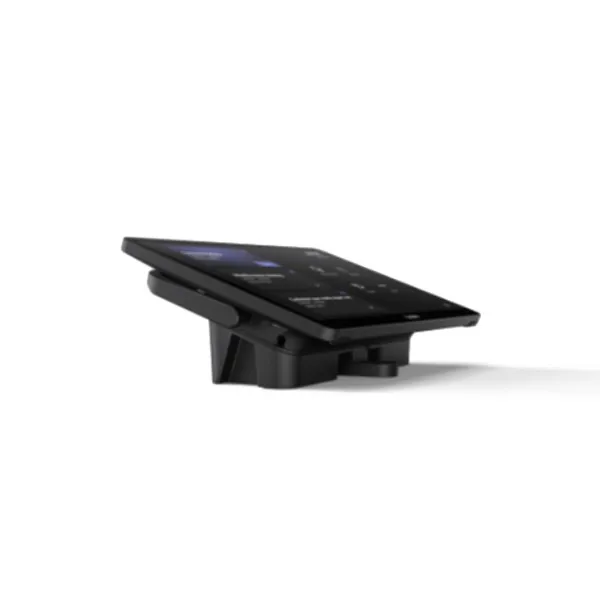
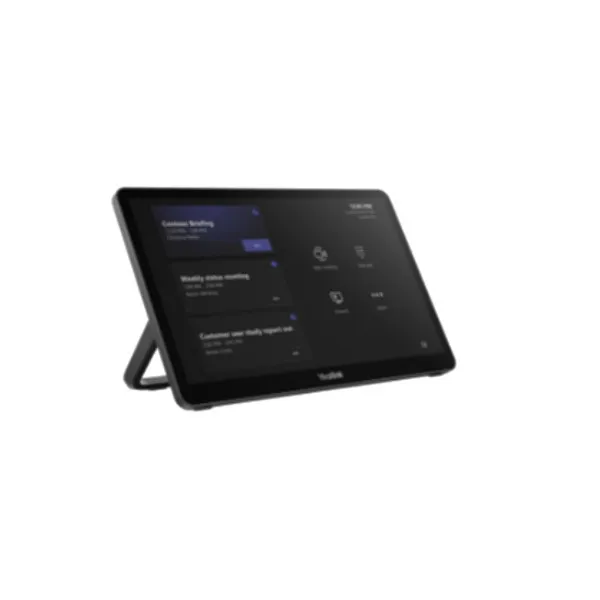
The Yealink MTouch Plus is a third-generation touch panel designed for professional video collaboration rooms. Its 11.6-inch anti-fingerprint and anti-glare IPS display gives users a wider and clearer control experience than smaller room controllers. The full HD 1920 × 1080 screen is helpful in boardrooms where meeting status, controls and sharing options must be visible without repeated tapping or confusion.
For Dubai businesses, the important value is not only the screen size. The MTouch Plus helps meeting participants manage collaboration in a more natural way. It supports multiple touch panels for room control in supported designs, allowing larger rooms to place controls in different positions. This is useful for long boardroom tables, training spaces, multi-seat council rooms, command rooms and collaboration studios where one controller location may not be enough.
The device also supports third-party screen sharing and wireless BYOD features in supported scenarios, helping presenters share content without relying only on a fixed HDMI point. With RoomSensor integration, the room system can wake when participants enter, making the experience feel more prepared and reducing the delay that usually happens before the first meeting of the day. Fourteck can guide customers on compatible Yealink room systems, placement style, cabling and user workflow before purchase.
Yealink MTouch Plus Dubai Highlights
Large Anti-Glare Display
The 11.6-inch IPS panel keeps meeting controls easy to read in bright offices, glass meeting rooms and executive boardrooms.
Multi-Panel Operation
Supported designs can use multiple touch points, giving larger spaces better access to camera and meeting controls.
BYOD And Sharing
The panel supports practical content sharing workflows through compatible wired, wireless and third-party options.
Deployment Choice
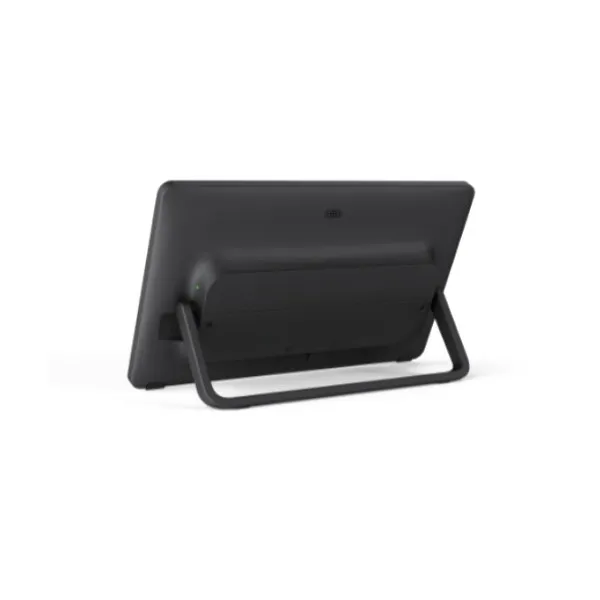
Wall, flat and desktop placement options allow integrators to fit the console into different room styles.
Yealink MTouch Plus Dubai Features
Many buyers compare meeting touch panels based only on screen size, but a reliable room controller must also be practical for everyday users. The Yealink MTouch Plus combines a large touch display with ports and wireless technologies that suit modern meeting rooms. It includes a USB Type-C interface, USB Type-C PD port, USB Type-A ports, a headset port, an Ext Touch RJ-45 port, Wi-Fi 6 class wireless support and Bluetooth 5.2. These connection options are important when a room needs stable meeting control, sharing flexibility and accessory readiness.
In competitor-style product listings, the MTouch Plus is often presented as a professional 11.6-inch touch console for meeting control. Fourteck adds a buyer-focused view: this panel is most valuable when the meeting room has a real workflow to solve. For example, a senior management room may need quick meeting start and simple camera control. A training room may need accessible panel placement for different instructors. A hybrid office may need BYOD content sharing. A large conference area may need multiple control positions.
The right purchase decision should consider the complete room environment, including the Yealink MVC system, display position, cable route, table size, camera placement, user count and support expectations. Fourteck helps UAE customers think through those details before order confirmation so the panel fits the room rather than becoming another unused accessory.
Yealink MTouch Plus Dubai Specifications
The following summary is written for procurement teams, IT managers and AV consultants who need a clear specification overview before requesting a quote. Exact results can depend on the connected Yealink room system, firmware, accessories and deployment design.
| Area | Details |
|---|---|
| Product | Yealink MTouch Plus Touch Panel |
| Display | 11.6-inch anti-fingerprint and anti-glare IPS screen |
| Resolution | 1920 × 1080 full HD resolution |
| Meeting Control | Multiple touch panel control support in compatible deployments |
| Sharing | Third-party screen sharing and wireless BYOD support in supported versions and room designs |
| Ports | MCore Pro VCH port, USB 2.0 Type-C, USB 2.0 Type-C PD, headset port, USB Type-A ports and Ext Touch RJ-45 |
| Wireless | Wi-Fi IEEE 802.11 a/b/g/n/ac/ax and Bluetooth 5.2 |
| Package | Touch panel, mounting bracket, double-coating tape, USB Type-C cable with HDMI adapter and 7.5 m Ethernet cable; WPP30 and 65W PD power supply optional |
| Weight | 0.967 kg product weight |
Yealink MTouch Plus Details
Customers may describe this product as Yealink MTouch Plus, MTouch Plus touch panel, Yealink meeting room touch console, Yealink 11.6-inch room controller, Yealink Teams room touch panel, Yealink MVC touch controller or large screen meeting control panel. These wording variations usually point to the same need: a clean and reliable interface for professional video meeting spaces.
The MTouch Plus fits organizations that want meeting rooms to feel simple for every user, not only for the IT team. A room controller should remove friction. Staff should be able to join a call, share content, adjust meeting behavior and continue discussion without calling support for basic actions. The 11.6-inch display gives more visual room for controls, while anti-glare and anti-fingerprint design helps maintain a professional look in shared spaces.
Fourteck positions this product for Dubai customers who need practical guidance before buying. A procurement request can include compatibility with Yealink MVC bundles, room size review, cable length planning, wall or table placement advice, accessory selection and support handover. This approach helps customers avoid mismatched equipment and makes the room easier for users after installation.
Yealink MTouch Plus Dubai Descriptions
Dubai meeting environments vary from compact startup rooms to large executive boardrooms. Yealink MTouch Plus Dubai can support businesses in Deira, Bur Dubai, Business Bay, Downtown Dubai, Dubai Marina, Jumeirah Lake Towers, Jumeirah, Al Barsha, Al Quoz, Dubai Silicon Oasis, Dubai Internet City, Dubai Media City, Dubai Investment Park, Jebel Ali, Dubai Healthcare City, Nad Al Hamar, Karama, Mirdif and Dubai South. Each area may have a different mix of fit-out style, meeting room size, network readiness and user expectation.
A boardroom in Business Bay may need a premium table-mounted control point for directors. A training room in Dubai Silicon Oasis may require reliable content sharing for instructors. A hospitality meeting space in Dubai Marina may need a touch console that feels easy for guests. An industrial office in Jebel Ali may need durable meeting control for operations reviews. Fourteck helps customers match the device to the site requirement rather than choosing only by product name.
For UAE-wide projects, the same product can also be planned for Abu Dhabi, Sharjah, Ajman, Ras Al Khaimah, Fujairah and Umm Al Quwain. Multi-branch companies can standardize the room control experience, helping employees use meeting rooms without learning a different setup in every location.
Yealink MTouch Plus GCC Uses
Across the GCC, companies are improving meeting rooms for hybrid work, client presentations and regional management reviews. Yealink MTouch Plus can be useful in the UAE, Saudi Arabia, Qatar, Oman, Kuwait and Bahrain where professional boardrooms need a reliable control point for collaboration systems. A Dubai head office may coordinate with Riyadh, Doha, Muscat, Kuwait City and Manama teams, so room experience should be predictable and easy for travelling staff.
The product is relevant for corporate headquarters, government contractors, universities, hospitals, banking branches, training centres, construction consultancies, oil and gas offices, logistics companies and hospitality conference spaces. In these environments, meeting delays can affect customer confidence and internal productivity. A dedicated touch console helps users focus on the discussion rather than the technology.
Fourteck can support GCC-focused buyers from the UAE with product selection conversations, compatible Yealink accessories and deployment planning. For regional projects, the best approach is to confirm the room system design first, then select the control panel, sharing accessories, cable plan and support model.
Yealink MTouch Plus Africa Availability
Businesses across Africa are upgrading meeting environments for distributed teams, board reporting, online training and international collaboration. Yealink MTouch Plus can be considered for projects in Kenya, Uganda, Tanzania, Rwanda, Ethiopia, Ghana, Nigeria, South Africa and other growing business markets where conference rooms are becoming part of daily operations. Offices that use video collaboration frequently need a control interface that is easy for non-technical staff.
In Nairobi, Kampala, Dar es Salaam, Kigali, Accra, Lagos, Johannesburg and Addis Ababa, organizations may need better room control for board meetings, university lectures, healthcare planning, bank branch reviews and regional project coordination. The MTouch Plus helps create a more organized meeting experience when paired with the right Yealink room system and installation design.
Fourteck regional support channels can assist customers who need technology guidance across UAE and Africa. The goal is to simplify planning, procurement and deployment for businesses that want consistent meeting room operation across several offices.
Yealink MTouch Plus Understanding With Other Models
A Yealink meeting room project may include more than one device. The MTouch Plus can sit alongside sharing pods, room controllers, cameras, mini-PC systems, room sensors and desk communication products. Fourteck customers reviewing this product may also look at related Yealink solutions such as Yealink WPP30 Dubai for wireless presentation and Yealink CT300 Dubai for advanced room device navigation.
The WPP30 is useful when the main requirement is fast presentation sharing. The CT300 is suitable when room devices, AV control and automation logic need deeper coordination. The MTouch Plus is different because it is the meeting user’s control surface. It belongs close to the table or wall location where participants can manage the session comfortably.
Fourteck can help Dubai buyers combine the right products instead of purchasing accessories separately. A complete room may need a touch panel for meeting control, a sharing pod for presenters, a room sensor for wake-up behavior, a compatible Yealink MVC bundle for Teams Rooms and professional installation planning for clean cable management.
Yealink MTouch Plus GCC Usage
Regional companies often need meeting rooms that work consistently across offices. A team member who travels from Dubai to Riyadh or Doha should not face a completely different room experience each time. Yealink MTouch Plus helps standardize meeting control by offering a familiar touch interface across supported Yealink room deployments.
For Saudi Arabia, it can support project offices and enterprise boardrooms. For Qatar, it fits executive meeting rooms and education environments. For Oman, it can help companies improve customer-facing conference rooms. For Kuwait and Bahrain, it can be used in branch offices, finance firms and professional service companies that require stable video meetings. In the UAE, it is well suited for Dubai and Abu Dhabi headquarters that coordinate with regional branches.
Fourteck supports buyers with UAE quotation guidance, product selection and project discussion. For multi-location plans, customers can ask for a consistent bill of materials, accessory matching and room workflow notes before proceeding with purchase.
Yealink MTouch Plus Dubai Service Availability
Fourteck supports Yealink MTouch Plus Dubai enquiries with pre-sales guidance, product compatibility discussion, quotation assistance, meeting room planning and deployment coordination. A touch panel should be selected together with the room system, screen placement, table layout, cable route and expected presenter behavior. This prevents the room from looking complete on paper but feeling difficult for users after handover.
Service discussions may include Yealink MVC compatibility, RoomSensor use, BYOD sharing expectations, optional WPP30 planning, mounting style, Ethernet route, user training and after-sales support approach. Fourteck can also help businesses decide whether one touch panel is enough or whether a larger room may benefit from multiple control points through supported designs.
This support is useful for corporate offices, education spaces, clinics, hotels, government suppliers, logistics facilities and technology companies across Dubai and the wider UAE. Customers can contact Fourteck before purchase to review room goals and avoid unnecessary accessories.
Fourteck Yealink MTouch Plus Dubai Reference
Customers planning a complete meeting room can also review Yealink WPP30 Dubai, a compact wireless presentation pod for faster sharing in compatible collaboration spaces. It is a helpful companion product when users need to present from laptops with less cable handling and a cleaner table setup.
When used with the right room system, the MTouch Plus handles the meeting control experience while the WPP30 supports quick presentation sharing. Fourteck can help customers decide whether both products are needed for the room or whether the current Yealink setup already covers the required sharing method. This avoids overspending and improves long-term room usability.
Yealink MTouch Plus Dubai 11.6-inch Control Feature Used
The 11.6-inch display is one of the most practical advantages of the MTouch Plus. A larger touch surface makes meeting controls easier to read and operate, especially when several options are available on screen. In executive rooms, users do not want to search through tiny menus while clients are waiting. In training rooms, instructors need quick access to meeting and sharing functions without interrupting the session. The anti-glare and anti-fingerprint design also helps the panel look cleaner during frequent use. For Dubai offices with glass walls, bright lighting and premium interiors, this detail supports both usability and presentation quality.
Yealink MTouch Plus Dubai Multi-Panel Control Feature Used
Multi-panel control is useful in larger collaboration rooms where one controller location is not practical for everyone. A long boardroom table, lecture room or large conference space may have users seated far from a single touch point. Supported multi-panel designs allow meeting control to become more accessible from different room areas. This can improve camera layout switching, meeting management and user confidence during important sessions. Fourteck can help customers review whether the room size and Yealink system design justify additional control points before purchase.
Yealink MTouch Plus Dubai Wireless BYOD Feature Used
Wireless BYOD support is valuable when meeting rooms are used by visitors, consultants and employees with different devices. Instead of depending only on a fixed room PC or cable path, users can share content through supported workflows that suit modern collaboration. This is especially helpful in Dubai business environments where client presentations, project reviews, product demonstrations and finance discussions may happen in the same room. Fourteck recommends checking the full meeting room system, firmware and required accessories before relying on a specific sharing workflow.
Yealink MTouch Plus Dubai RoomSensor Wake-Up Feature Used
RoomSensor integration can make a meeting space feel more ready when people enter. In supported deployments, the room system can wake automatically, reducing the time users spend preparing devices before the meeting begins. The same room ecosystem can also display environmental information such as temperature and humidity when supported. This helps room managers and IT teams maintain a better meeting experience, especially in larger offices where many meeting rooms are used throughout the day.
Yealink MTouch Plus Dubai Smart Room Lineup
Yealink meeting room projects often include several products that solve different parts of the collaboration experience. The table below helps buyers understand where the MTouch Plus fits in a broader communication environment.
| Yealink Product | Best Fit | Typical Use |
|---|---|---|
| MTouch Plus | Meeting control surface | Boardrooms and Teams Rooms control |
| WPP30 | Wireless presentation | Quick laptop content sharing |
| CT300 | Room device navigation | AV room control and automation |
| RoomSensor | Room presence and environment | Auto wake and room information |
| MeetingBoard | Interactive display collaboration | Training rooms and hybrid work areas |
Market Availability Yealink MTouch Plus Dubai
Dubai buyers often ask about availability, compatibility, delivery timeline, installation support and quotation before confirming meeting room products. Fourteck can assist with Yealink MTouch Plus Best price discussions, Yealink MTouch Plus Buy now support, Yealink MTouch Plus Authorized partner guidance, Ready Stock Dubai updates, Ready stock Dubai City enquiries, WhatsApp Fourteck Sales, Get Dubai Price, Request Quote and Check UAE Availability through the contact team.
For businesses in Business Bay, Deira, Dubai Marina, JLT, Al Quoz, Jebel Ali, Dubai Silicon Oasis and Downtown Dubai, Fourteck can help confirm the right meeting room approach before order. Product availability can change based on project quantity, supplier stock and accessory requirements, so customers should request a quotation with their room details.
Yealink MTouch Plus AbuDhabi
Abu Dhabi companies, government contractors, universities, healthcare organizations and corporate branches can use Yealink MTouch Plus for executive rooms, training spaces and hybrid meeting areas. Offices in Al Maryah Island, Al Reem Island, Mussafah, Khalifa City, Corniche and airport business districts may need a reliable room controller for meetings with Dubai, GCC and international teams. Fourteck supports UAE-wide enquiries with product guidance, quotation assistance and deployment discussion so Abu Dhabi customers can plan compatible Yealink rooms with confidence.
Yealink MTouch Plus Dubai Deployment
Deployment should begin with the room goal. A small meeting room may need one desktop touch panel close to the main table. A long boardroom may need a more careful placement plan so the controller is reachable by the chairperson or presenter. A training room may need flexible access for different instructors. Fourteck can review table size, display location, camera view, cable route and user behavior before suggesting the best placement method.
The MTouch Plus package includes mounting accessories and a 7.5 m Ethernet cable, helping installers plan neat placement. Optional accessories such as WPP30 and 65W PD power supply may be considered depending on sharing and power requirements. Deployment should also include firmware readiness, system compatibility, touch panel testing, sharing workflow testing and user handover notes.
Yealink MTouch Plus Dubai Installation Details
Installation should be handled as part of the complete room system. The touch panel location must be convenient, stable and visually clean. Desktop placement is common when users need direct table access. Flat placement may fit certain room furniture designs. Wall mounting can work when the room layout requires a fixed control point away from the meeting table. The installer should also consider cable protection, user reach, lighting reflection and the path between the touch panel and connected devices.
After installation, the room should be tested for meeting start, control response, screen sharing, audio behavior, camera layout, RoomSensor wake-up if used and user handover. Fourteck can help Dubai customers coordinate these points so the final room feels simple for staff and professional for visitors.
Yealink MTouch Plus Sharjah
Sharjah businesses in education, manufacturing, healthcare, trading, logistics and professional services can use Yealink MTouch Plus to improve meeting control in shared rooms. It is suitable for offices and institutions in Al Majaz, Al Nahda, University City, SAIF Zone, Industrial Area and Rolla where teams conduct management reviews, training sessions and client meetings. Fourteck can support Sharjah customers with UAE quotation assistance, product guidance and deployment planning for compatible Yealink meeting room systems.
Product Availability Yealink MTouch Plus Dubai
Get Yealink MTouch Plus from Fourteck when your business needs a professional meeting room touch console with UAE supply support. Buying Support for Yealink MTouch Plus can include model guidance, room compatibility review, optional accessory discussion, quotation details and delivery planning. Genuine Yealink MTouch Plus Guide assistance helps customers understand how the panel fits with Yealink MVC room systems, presentation needs and meeting room workflow before confirming purchase.
Yealink MTouch Plus Ajman
Ajman offices, training centres, clinics, schools and trading companies can use Yealink MTouch Plus for cleaner and easier meeting room operation. It helps shared rooms feel more organized when different departments use the same space throughout the day. Businesses in Ajman Free Zone, Al Jurf, Al Nuaimiya, Al Rashidiya and Ajman Corniche can contact Fourteck for UAE quotation guidance, product selection assistance and meeting room planning support.
Fourteck Dealing Product Dubai
Fourteck helps UAE customers build complete communication rooms rather than buying isolated accessories. Customers considering MTouch Plus can also view Yealink WPP30 Dubai for presentation sharing and Yealink CT300 Dubai for advanced room control planning. These related products can support wider meeting room goals when selected correctly.
A good room design should include the right touch console, sharing method, display plan, camera view, cable route and user training. Fourteck can assist Dubai customers with this complete view so the final room is practical for daily use and easier to support after installation.
Fourteck Regional Support Hubs
Yealink MTouch Plus FAQ
What is Yealink MTouch Plus used for?
It is used as a touch control panel for professional Yealink video collaboration rooms, helping users manage meetings, sharing and room interaction.
Does it have an 11.6-inch screen?
Yes, it has an 11.6-inch anti-fingerprint and anti-glare IPS screen with 1920 × 1080 resolution.
Can it support multiple touch panels?
Supported deployments can use multiple touch panels for meeting control, which is useful in larger rooms.
Does it support wireless BYOD?
Yes, wireless BYOD is listed as a supported feature in compatible versions and room configurations.
Can it share through AirPlay, Miracast or Google Cast?
Yealink lists third-party screen sharing support through AirPlay, Miracast or Google Cast for supported workflows.
What mounting options are available?
It can be planned for wall mounting, flat placement or desktop fixing depending on the room design.
Does it work with RoomSensor?
Yes, it can work with RoomSensor for automatic wake-up and supported environmental information display.
What ports are included?
The interface includes MCore Pro VCH, USB Type-C, USB Type-C PD, headset, USB Type-A and Ext Touch RJ-45 ports.
Can Fourteck supply it in Dubai?
Fourteck can assist Dubai customers with quotation, compatibility discussion and meeting room planning.
Is installation support available?
Fourteck can help coordinate product guidance and deployment planning for compatible Yealink room projects.




Reviews
There are no reviews yet.