
Fourteck Meeting Room Control Solution
YEALINK MTouch Plus-EXT Dubai
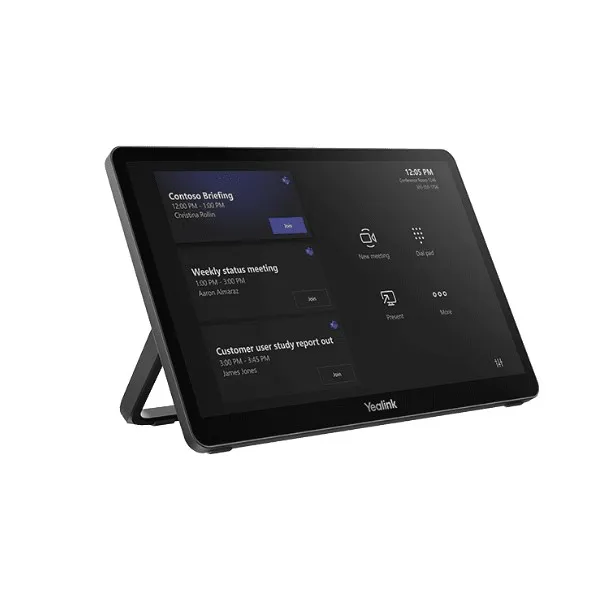
YEALINK MTouch Plus-EXT Dubai brings additional touch control to large meeting spaces where one central console is not enough. It extends the Yealink MTouch Plus experience across the room, helping users start meetings, control camera views, manage layouts and work with the room system from a more convenient location.
Up To Five Control Screens
Flexible Room Placement
Dubai & UAE Support
Fast Buyer Snapshot
Choose this extension screen when the main MTouch Plus panel is not easily reachable for every participant, especially in long boardroom tables, training rooms, council-style layouts and multi-zone meeting spaces.
| Brand | Yealink |
| Model | MTouch Plus-EXT |
| Use | Extension touch control |
| SKU | YEALINK-MTOUCH-PLUS-EXT-DUBAI |
YEALINK MTouch Plus-EXT Dubai Information
The Yealink MTouch Plus-EXT is made for organisations that want a smoother way to control professional video meetings from different points inside the same room. In many Dubai offices, the meeting table is long, the display wall is far from the presenter, or the main control panel is placed near one chair only. That creates interruptions when another participant needs to change camera framing, switch the meeting layout, admit attendees or adjust room controls. The MTouch Plus-EXT solves this practical problem by adding an extra touch panel that works alongside the main MTouch Plus.
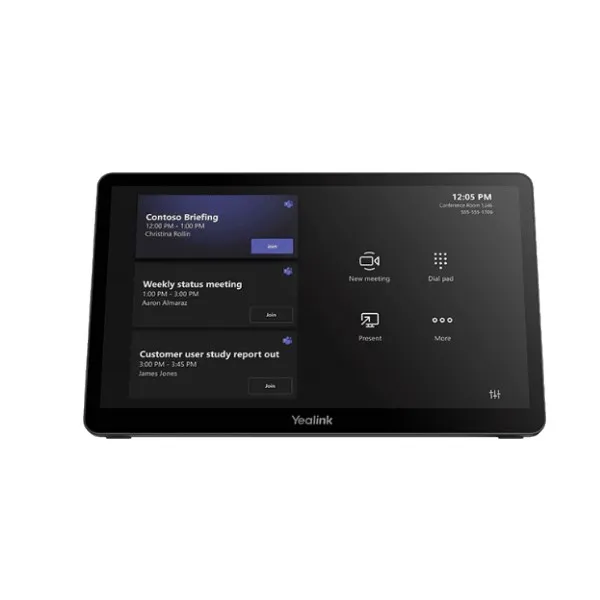
Yealink positions the unit as an extension screen for MTouch Plus, with a similar professional finish, an 11.6-inch 1080P IPS display and a narrow-bezel design. The value is not only the screen size. It is the ability to place control closer to users. A senior manager at the head of a boardroom, a trainer walking through a classroom, or an operations team in a monitoring room can interact with the meeting system without disturbing the flow of discussion.
Fourteck recommends this model for large rooms, divisible meeting areas, boardrooms, training suites, hybrid classrooms, executive briefing rooms and conference environments where convenience, clean installation and consistent meeting behaviour are important. The device is especially useful when paired with compatible Yealink Microsoft Teams Rooms or meeting room systems already built around MTouch Plus.
YEALINK MTouch Plus-EXT Dubai Highlights
Extra Control Points
Place additional room control where users actually sit, reducing movement and making meetings feel more natural.
Large Touch Display
The 11.6-inch full HD panel gives a comfortable visual area for conference controls, layout changes and meeting operations.
Professional Room Look
The space-black design blends well with premium boardroom furniture, display walls and modern AV interiors.
Flexible Deployment
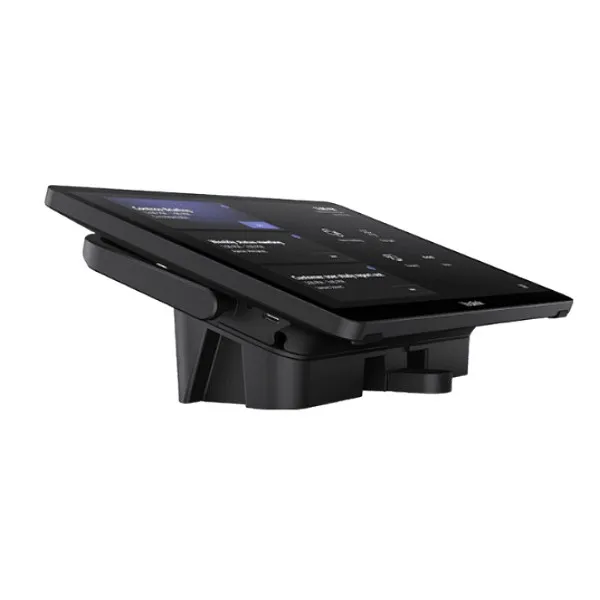
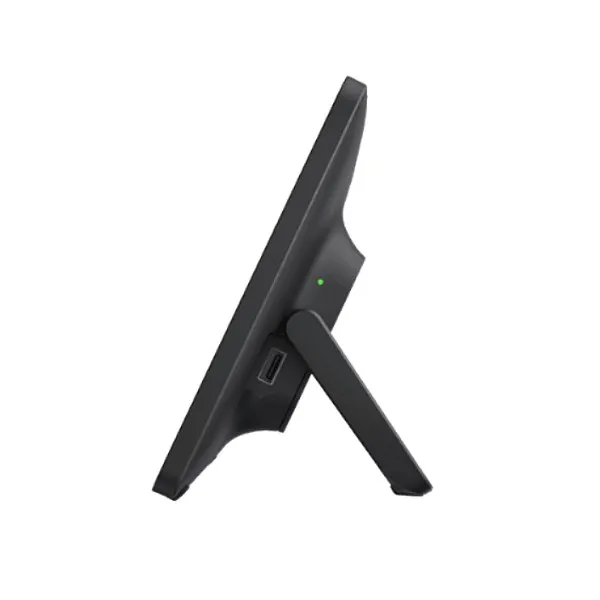
Wall mount, fixed desktop and flexible desktop placement options help match different room layouts.
YEALINK MTouch Plus-EXT Dubai Features
For buyers comparing meeting room control panels, the main question is simple: will the device improve daily meeting behaviour or only add another screen? The MTouch Plus-EXT is useful because it addresses the real room problem of access. It allows meeting participants to use conference controls from different positions while staying aligned with the central Yealink MTouch Plus environment. This is important for large conference tables, U-shaped training spaces and rooms where presenters change frequently.
The device supports multi-screen potential with MTouch Plus, allowing one main MTouch Plus to extend to multiple MTouch Plus-EXT units. This makes it suitable for environments where several people may need meeting control during a session. The display is designed with anti-fingerprint and anti-glare comfort, helping the screen remain readable under office lighting. Its narrow bezel improves visibility and gives the unit a neat, modern appearance.
Competitor listings often focus on the screen and the extension function, but Fourteck adds value by reviewing room design, table distance, network readiness, mounting style and compatibility before recommending the quantity. This helps buyers avoid under-planning a large room or buying extension panels without considering how people will actually use the room.
YEALINK MTouch Plus-EXT Dubai Specifications
The following specification view is written for practical purchase planning. Exact room compatibility should be confirmed with the complete Yealink room system model, firmware path and deployment design before installation.
YEALINK MTouch Plus-EXT Details
Many buyers refer to this model as Yealink MTouch Plus EXT, Yealink MTouch Plus extension screen, MTouch Plus-EXT touch panel, Yealink room control extension, or Yealink Teams Room control panel extension. These names usually point to the same requirement: more accessible meeting control for a Yealink room system. The product is not a replacement for thoughtful room planning. It is a practical addition that makes the room easier to operate when the main panel alone does not serve every participant comfortably.
In premium Dubai workplaces, meeting rooms are expected to look clean and operate without repeated IT assistance. A visitor should not need to search for a cable, ask where the control panel is, or interrupt a presenter to change a view. With an additional extension screen placed correctly, the room becomes more intuitive. Users can control meetings from the right side of the table, the presenter end, a teaching desk or a room-management point.
Fourteck can help map the product name, compatibility and expected usage to the correct Yealink ecosystem. This matters because buying an extension panel should be linked to the full meeting room design, including the main MTouch Plus, room PC or appliance, display arrangement, camera position, microphone plan and network connectivity.
YEALINK MTouch Plus-EXT Dubai Descriptions
Fourteck supports customers across Dubai and the UAE, including Deira, Bur Dubai, Business Bay, Downtown Dubai, Dubai Marina, Jumeirah Lake Towers, Jebel Ali, Al Quoz, Dubai Silicon Oasis, Dubai Investment Park, Dubai Internet City, Dubai Media City, Al Barsha, Mirdif, Nad Al Sheba and surrounding business communities. The MTouch Plus-EXT is suitable for offices in these areas because many organisations now manage hybrid teams, client presentations and regional meetings through professional room systems.
For Abu Dhabi, Sharjah, Ajman, Ras Al Khaimah, Fujairah and Umm Al Quwain buyers, Fourteck can guide model selection, quotation support and deployment planning. The requirement may be a single executive boardroom, a multipurpose classroom, a hotel meeting suite or a corporate training hall. The same planning rule applies: place room control where it reduces friction for users.
Dubai businesses often choose professional meeting room accessories not just for specifications, but for confidence. The room should be simple for management, IT teams and guests. YEALINK MTouch Plus-EXT Dubai helps create that confidence when it is correctly paired and placed within the room layout.
YEALINK MTouch Plus-EXT GCC Uses
Across the GCC, meeting rooms are used for regional management calls, project reviews, finance meetings, healthcare coordination, education delivery and customer presentations. Companies in the UAE, Saudi Arabia, Qatar, Kuwait, Oman and Bahrain often need conference rooms that can be operated by different users without relying on a single chair position. The MTouch Plus-EXT supports this expectation by extending touch access in larger rooms.
In Saudi Arabia, enterprise campuses and training centres may need several control points in high-capacity collaboration rooms. In Qatar, hospitality and corporate venues may require neat tabletop control for guest-facing spaces. In Kuwait, boardrooms and executive offices can benefit from additional meeting control near key participants. In Oman and Bahrain, education, healthcare and corporate meeting spaces often need simple interfaces that reduce support calls.
Fourteck’s regional presence and partner-focused approach help customers discuss Yealink room accessories with a business-first view. The goal is not to add more hardware. The goal is to make every meeting easier to start, manage and finish with less disruption.
YEALINK MTouch Plus-EXT Africa Availability
African organisations are investing in better hybrid meeting rooms for headquarters, branch offices, universities, clinics, government facilities, NGOs and regional training centres. The MTouch Plus-EXT is a strong fit where a main meeting controller is already planned, but the room size or seating arrangement demands more than one control position. Kenya, Uganda, Tanzania, Rwanda, Ethiopia, Nigeria, Ghana and South Africa all have growing demand for reliable video collaboration spaces that are easy for staff to use.
Fourteck’s Africa-connected platforms help regional buyers explore collaboration products, deployment ideas and practical support routes. For larger institutions, a room-control extension can reduce meeting delays and help presenters manage sessions without moving away from the audience. For training rooms, it can support instructors who need control near the teaching area while learners remain seated.
Availability, lead time and configuration should always be checked before project confirmation. Fourteck can assist with product discussion, compatible Yealink room system planning and quotation guidance for Africa-focused organisations that want dependable meeting room control.
YEALINK MTouch Plus-EXT Understanding With Other Models
Yealink room projects usually include more than one product. The MTouch Plus-EXT is commonly discussed with the main MTouch Plus panel, wireless sharing accessories, room cameras, speakerphones and Teams Rooms or Zoom Rooms kits. Fourteck already offers Yealink-related buying guidance and products that help customers understand the wider ecosystem, including Yealink WPP30 Dubai, Yealink T43U Dubai, Yealink IP Phone Dubai and IPBX and Telecommunication Solutions in Dubai.
These references help buyers see how Yealink communication products fit into a complete office technology plan. A meeting room may need wireless content sharing from a laptop, desk phones for daily calling, an IPBX platform for voice routing and video room accessories for boardroom control. The MTouch Plus-EXT belongs to the collaboration side of this ecosystem, making it easier for people to control the meeting experience.
Fourteck can recommend whether your room needs only the main touch panel or an extended control layout. This decision depends on room size, seating plan, meeting style, platform, users and cable route.
YEALINK MTouch Plus-EXT GCC Usage
GCC meeting rooms often serve fast-moving teams that connect with suppliers, consultants, branch offices and overseas decision-makers. In these environments, control convenience matters. A single panel at one end of the room can slow the meeting when different people need to manage the call. The MTouch Plus-EXT gives the room more natural control points, which is useful for finance meetings, construction project reviews, legal discussions, healthcare coordination and executive strategy sessions.
In UAE corporate offices, the product supports premium boardroom expectations. In Saudi Arabia, it can suit enterprise transformation rooms and large training spaces. In Qatar and Kuwait, it supports hospitality, energy, consulting and public-sector meeting environments. In Oman and Bahrain, it can help growing businesses make professional hybrid rooms easier to operate.
The best usage comes from planning. Fourteck can help decide where the extension screen should be placed, how many panels are useful and whether the room’s current Yealink setup supports the desired control structure.
YEALINK MTouch Plus-EXT Dubai Service Availability
Fourteck supports Yealink room-control buyers with practical pre-sales discussion, model confirmation, quotation guidance, compatibility checks and deployment planning. For meeting room accessories, service quality is as important as the device. A touch panel must be placed correctly, connected properly and explained clearly to users. Otherwise, the room may still depend on IT support for small meeting tasks.
When customers contact Fourteck, it is helpful to share the room size, current Yealink model, display count, camera model, meeting platform, table layout, expected number of users and delivery location. This allows the team to recommend whether one extension screen is enough or whether the room should be planned with more control points.
Service availability covers Dubai and UAE business locations, with guidance for GCC and Africa projects through Fourteck’s regional platforms. For urgent projects, customers can request availability guidance before confirming the purchase schedule.
Fourteck YEALINK MTouch Plus-EXT Dubai Reference
A useful related product for meeting-room buyers is Yealink WPP30 Dubai. While the MTouch Plus-EXT focuses on room control, the WPP30 supports convenient wireless presentation from compatible devices. Many meeting rooms need both smooth control and easy content sharing. When these functions are planned together, users can join meetings, manage layouts and present content with less friction.
Fourteck can help customers decide whether the requirement is only an extension touch screen, a content-sharing upgrade, a full Yealink room kit or a larger collaboration refresh. This avoids buying accessories separately without considering the final user experience.
YEALINK MTouch Plus-EXT Dubai Multi-Screen Control Used
The strongest feature of the MTouch Plus-EXT is multi-screen room control. Large rooms often fail not because the video quality is poor, but because the meeting controls are in the wrong place. When only one person can reach the touch panel comfortably, every change becomes dependent on that person. A multi-screen control plan spreads access across the room and makes collaboration feel more equal.
For Dubai boardrooms, this feature is useful when directors sit around a long table, when an assistant manages meeting flow from the side, or when presenters rotate during a session. It supports a more professional meeting rhythm because users can adjust the meeting without leaving their seat or interrupting the speaker.
YEALINK MTouch Plus-EXT Dubai Anti-Glare Display Used
The 11.6-inch display is important because meeting controls must be readable quickly. Bright office lighting, glass walls and premium boardroom interiors can create reflections on ordinary screens. The anti-glare and anti-fingerprint design helps users operate the panel with less distraction. It also keeps the room looking cleaner during frequent use.
For training rooms and shared meeting areas, this matters even more. Many users may touch the panel throughout the day. A clearer display surface supports better usability and gives a more polished appearance to clients, visitors and internal teams.
YEALINK MTouch Plus-EXT Dubai Flexible Installation Used
Flexible installation is a major advantage for real rooms. Some spaces need a fixed tabletop panel to keep the boardroom clean. Some rooms benefit from a wall-mounted control point near the entrance. Other rooms need a movable desktop style to support changing seating plans. The MTouch Plus-EXT is designed to adapt to these needs when planned with the correct room layout.
Fourteck can help choose the right placement by reviewing table length, cable paths, user positions, display wall location and meeting style. This prevents a common mistake: installing a touch panel in a visually neat location that is not convenient for the people using it.
YEALINK MTouch Plus-EXT Dubai Seamless Room Operation Used
A meeting room accessory should make the room easier, not more complicated. The MTouch Plus-EXT supports a simple idea: users should be able to control the meeting where they are. In management rooms, this can save time during high-value discussions. In training spaces, it lets instructors keep the lesson moving. In customer presentation rooms, it helps staff respond quickly when the meeting flow changes.
When correctly installed, the panel supports smoother daily operation. Users do not need to ask where the control is or wait for one person to change the view. That convenience is the reason many businesses add extension control to a professional Yealink room design.
YEALINK MTouch Plus-EXT Comparisons
The right Yealink product depends on the room problem you want to solve. Some models handle control, some handle video, some handle sharing, and others handle voice communication. The table below helps buyers discuss related Yealink choices with Fourteck before confirming the final room plan.
| Yealink Model | Best Fit | How It Relates |
|---|---|---|
| MTouch Plus | Main room touch control | Primary panel used with the extension screen |
| MTouch Plus-EXT | Additional room control points | Extends control access in larger rooms |
| WPP30 | Wireless presentation | Useful when content sharing is also required |
| MeetingBar A40 | All-in-one meeting room video | Part of a broader room-system discussion |
| CP965 | Conference audio phone | Supports audio-focused meeting needs |
| T43U | Desk phone communication | Complements office calling outside the meeting room |
Market Availability YEALINK MTouch Plus-EXT Dubai Deira
YEALINK MTouch Plus-EXT Best price, YEALINK MTouch Plus-EXT Buy now, YEALINK MTouch Plus-EXT Authorized partner guidance, Ready Stock Dubai and Ready stock Deira requests can be handled through Fourteck sales support. Buyers can Get Dubai Price, Request Quote and Check UAE Availability by sharing room quantity, current Yealink model, delivery area and preferred installation date. Fourteck helps customers review availability, compatible accessories and practical deployment options before purchase confirmation.
YEALINK MTouch Plus-EXT AbuDhabi
Abu Dhabi organisations often look for meeting room control products for corporate headquarters, government suppliers, oil and gas project offices, education facilities, healthcare teams and boardroom environments. The MTouch Plus-EXT is suitable where high-level meetings require smooth room operation and multiple users may need control access. Fourteck can support Abu Dhabi buyers with product guidance, quotation assistance and UAE delivery coordination after reviewing the existing Yealink meeting room setup.
YEALINK MTouch Plus-EXT Dubai Deployment
A strong deployment starts with room understanding. Fourteck checks the main room system, MTouch Plus availability, seating plan, display wall, camera direction, cable route and network connection before suggesting the best placement for MTouch Plus-EXT. This avoids unnecessary hardware and ensures the added screen improves meeting flow.
During deployment planning, it is important to decide who will use the extension screen. A boardroom may need one panel near the chairman position. A training room may need one near the instructor desk. A large multipurpose room may need more than one control point. The product becomes more valuable when the placement reflects actual meeting behaviour.
YEALINK MTouch Plus-EXT Dubai Installation Details
Installation should be planned around the room layout and the existing Yealink meeting environment. The panel must be positioned for easy reach, clear viewing and neat cable management. Depending on the room, it may be placed on a table, fixed to a desk area or mounted on a wall. The device should be paired and tested with the main MTouch Plus environment according to the supported Yealink workflow.
After installation, users should be shown how to start or manage the meeting, change views and use the available controls. This small training step reduces support calls and makes the room feel professional from the first day. Fourteck can guide installation planning and help customers prepare the right details before scheduling a meeting room upgrade.
YEALINK MTouch Plus-EXT Sharjah
Sharjah businesses, schools, clinics, warehouses and management offices may use Yealink meeting room accessories to improve hybrid communication with Dubai, Abu Dhabi and overseas teams. The MTouch Plus-EXT is useful for training rooms, meeting halls and management spaces where the main panel is not close enough to every user. Fourteck can help Sharjah customers confirm compatibility, delivery options and suitable room placement before purchase.
Product Availability YEALINK MTouch Plus-EXT Dubai
Get YEALINK MTouch Plus-EXT support from Fourteck by sharing your meeting room size, Yealink system model, quantity requirement and delivery area. Buying Support for YEALINK MTouch Plus-EXT is helpful when you are deciding whether one extension panel is enough or whether the room needs a larger control design. Genuine YEALINK MTouch Plus-EXT Guide assistance from Fourteck helps buyers understand compatibility, placement, user flow and purchase planning.
YEALINK MTouch Plus-EXT Ajman
Ajman offices and commercial teams often need reliable communication tools that are simple to use and practical to maintain. The MTouch Plus-EXT can support meeting rooms where the main control screen is not enough for every participant. Fourteck can assist Ajman buyers with quotation support, product availability discussion and guidance for clean meeting room deployment across compact offices, training areas and management rooms.
Fourteck Dealing Product Dubai
For customers building a complete meeting room, Fourteck recommends reviewing products that support control, sharing, communication and room deployment together. The Yealink WPP30 Dubai can support wireless presentation needs, while Yealink T43U Dubai supports everyday office calling. Customers can also review Yealink IP Phone Dubai and IPBX and Telecommunication Solutions in Dubai for wider office communication planning.
This approach helps buyers avoid isolated purchases. A room control extension should be selected with the meeting platform, display plan, wireless sharing needs and office communication environment in mind.
Fourteck Regional Access
YEALINK MTouch Plus-EXT FAQ
What is Yealink MTouch Plus-EXT?
It is an extension touch screen designed to work with Yealink MTouch Plus for additional meeting room control positions.
Is it suitable for Dubai boardrooms?
Yes, it is suitable for boardrooms, training rooms, executive meeting spaces and larger collaboration rooms where one control panel is not enough.
Does it replace MTouch Plus?
No. It is used as an extension to MTouch Plus, not as a standalone replacement for the main room control panel.
How many extension screens can be used?
Yealink describes a multi-screen setup where one MTouch Plus can extend with multiple MTouch Plus-EXT units, subject to supported room configuration.
What screen size does it have?
It uses an 11.6-inch touch display with full HD class resolution for clear meeting control visibility.
Can Fourteck help with compatibility?
Yes. Fourteck can review your current Yealink room setup and suggest whether the extension screen is suitable.
Where should it be installed?
The best location depends on room layout. It can be planned near presenters, key participants, room entrances or secondary seating areas.
Is it useful for training rooms?
Yes. Trainers can control meetings and sessions from a convenient position without walking back to the main touch panel.
Does Fourteck supply in UAE locations?
Fourteck supports customers across Dubai, Abu Dhabi, Sharjah, Ajman and other UAE business locations with quotation and availability guidance.
How can I request pricing?
Use the Fourteck contact page and share quantity, room details, delivery city and current Yealink system model for faster support.
Plan Your Yealink Room Control Upgrade
Share your meeting room layout, existing Yealink system and delivery location with Fourteck. The team can help you choose the right MTouch Plus-EXT quantity, placement and purchase path for a cleaner meeting room experience.




Reviews
There are no reviews yet.