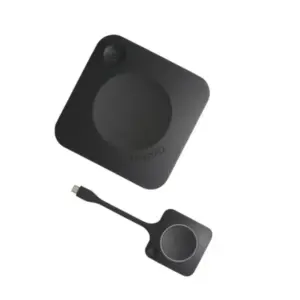
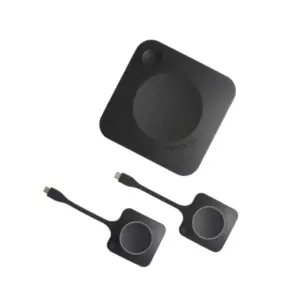
Barco ClickShare Brand in Dubai, UAE
Barco ClickShare is built for business teams that want meeting rooms to work without cable confusion, adapter issues, or long setup delays. The ClickShare family brings wireless presentation, conferencing, and collaboration into boardrooms, training rooms, huddle spaces, classrooms, and executive discussion areas. FourTeck helps UAE buyers review suitable ClickShare models, compatible accessories, deployment requirements, and quote options for professional meeting-room projects.
Quick Brand Information
Barco
ClickShare
Wireless presentation and meeting collaboration solutions
Boardrooms, huddle rooms, classrooms, training rooms, and hybrid meeting spaces
Cable-free presentation, screen sharing, and meeting-room connectivity
Model and supplier dependent; contact FourTeck for current options
Product selection, quote assistance, delivery coordination, and warranty guidance
Final selection depends on room size, display setup, conferencing needs, and accessories
Brand Overview
Barco is known for professional visualization and collaboration technologies used across business, education, healthcare, control rooms, and entertainment environments. Within the enterprise meeting-space category, ClickShare is one of Barco’s most recognized collaboration families. It is designed to help users walk into a meeting room and share content from a laptop or mobile device without depending on a table full of cables, adapters, or complicated input switching. The idea is simple: meeting rooms should support discussion, not slow it down.
ClickShare solutions are used where teams need fast wireless content sharing, flexible device connection, and smoother collaboration between in-room and remote participants. Depending on the selected range and model, a ClickShare setup may support wireless presentation, app-based sharing, button-based sharing, screen collaboration, touchback, annotation, conferencing workflows, and integration with room audio or video equipment. This makes the family relevant for boardrooms, meeting rooms, training areas, conference spaces, and hybrid-work offices.
For UAE businesses, the value of Barco ClickShare is not only in the hardware. The correct model must match the room layout, number of users, display requirements, conferencing platform, network policy, and expected meeting style. A small huddle room may not need the same feature set as a larger executive meeting room. A presentation-only room may need a different solution from a conferencing room that already has a camera, microphone, soundbar, or video bar. FourTeck helps buyers review these differences before requesting a quote so the final choice fits the workplace rather than only matching a model name.
FourTeck supports Barco ClickShare inquiries with practical pre-sales guidance, current option checking, product comparison support, accessories review, and delivery coordination. Buyers can contact FourTeck when planning a new meeting room, refreshing an existing conference room, standardizing wireless presentation across multiple offices, or sourcing compatible collaboration solutions for regional projects.
Key Business Benefits
Faster Meeting Starts
Wireless presentation reduces the time spent searching for HDMI cables, adapters, and input settings. Teams can focus on the meeting agenda instead of solving connection problems at the table.
Cleaner Meeting Rooms
A cable-light meeting space looks more professional, especially for client meetings, training sessions, and executive discussions. It also reduces clutter around displays and conference tables.
Flexible Device Use
Many business users bring different laptops and operating systems into meetings. ClickShare options help create a more consistent presentation experience across mixed device environments.
Hybrid Work Readiness
Modern meeting rooms often support both in-room and remote participants. The right ClickShare solution can help businesses build a smoother bridge between local presentation and online collaboration.
Room Standardization
For companies with multiple meeting spaces, standardizing a collaboration platform can reduce user confusion and make support easier for internal IT teams.
Better Visitor Experience
Guests, consultants, trainers, and partners often need to present quickly. A simple wireless sharing workflow can make external meetings feel more professional and organized.
Product Family Highlights
The Barco ClickShare family covers different meeting-room needs, from wireless presentation to more advanced conferencing and collaboration setups. The exact model choice depends on the room type and the expected meeting experience. Some rooms only require a simple way to share slides or documents to a display. Other rooms need stronger collaboration features, multiple presenters, touch interaction, or connectivity with cameras and speaker systems. This range-based approach allows businesses to choose a solution that fits the room rather than overspending on features they may not use.
Useful for meeting rooms where users need to share slides, dashboards, proposals, training material, and business documents without plugging directly into the display.
Relevant for hybrid rooms where remote meeting participants need a better connection to the in-room display, camera, audio system, and collaboration platform.
Depending on the model and configuration, users may share content through a ClickShare Button, desktop application, or supported mobile options.
Organizations can evaluate different ClickShare options for small rooms, standard meeting rooms, larger spaces, and multi-room rollout projects.
Technical Specifications and Selection Notes
| Field | Details |
|---|---|
| Brand | Barco |
| Family | ClickShare |
| Category | Wireless presentation, conferencing, and collaboration room systems |
| Typical Connection | Configuration dependent; may include base unit, display connection, network connection, app access, and ClickShare Button options |
| Room Fit | Huddle rooms, small rooms, medium rooms, large meeting rooms, boardrooms, training spaces, and classrooms depending on model |
| Sharing Method | Model dependent; button, desktop app, mobile app, and supported collaboration workflows may vary |
| Conferencing | Supported on selected ClickShare conferencing models; check compatibility with room camera, microphone, speakers, and conferencing platforms |
| Security and Management | Model and firmware dependent; review business security, firmware update, network, and device management requirements before purchase |
| Warranty | Warranty terms depend on supplier, region, product model, and purchase channel; contact FourTeck for guidance |
| Availability | Current availability may vary by model, quantity, accessories, and supplier status |
When choosing a ClickShare solution, buyers should not select only by brand name. The practical decision starts with the meeting room. Consider how many users will present, whether meetings are mainly face-to-face or hybrid, which display is installed, whether the room has a dedicated camera or audio system, and whether users prefer a physical Button or app-based sharing. FourTeck can help review these details and guide buyers toward a suitable option before quotation.
Configuration and Buyer Guidance
Meeting-room technology should be selected around the actual workflow of the room. Before ordering Barco ClickShare, buyers should identify whether the space is used for internal updates, client presentations, board meetings, classroom teaching, hybrid video calls, or training sessions. A compact presentation space may require simple screen sharing, while a hybrid room may need stronger integration with cameras, microphones, speakers, and the conferencing software already used by the business.
Room Size
Confirm whether the installation is for a huddle area, standard meeting room, training room, or executive boardroom.
User Workflow
Decide whether users will share by Button, app, mobile device, or a combination of methods.
Existing Equipment
Review the display, room audio, camera, network access, cables, and mounting location before finalizing the model.
Support Needs
Check warranty expectations, installation requirements, and whether your IT team needs help with rollout planning.
Ideal Business Use Cases
Executive Boardrooms
Senior teams need a professional meeting environment where presentations begin smoothly and visitors are not delayed by cable issues. ClickShare helps create a cleaner room experience for leadership discussions, financial reviews, sales meetings, and project decisions.
Training and Classroom Spaces
Trainers, instructors, and guest presenters often use different laptops. A wireless sharing setup helps reduce downtime between sessions and supports a more flexible teaching or training environment.
Hybrid Meeting Rooms
Organizations with remote teams need rooms that support both local discussion and online collaboration. Selected ClickShare conferencing options can help connect meeting content and room peripherals into a more natural workflow.
Client Presentation Areas
Sales teams, consultants, design firms, and project offices need fast, polished presentation experiences. Wireless sharing helps teams show proposals, reports, dashboards, designs, and project updates without interrupting the meeting flow.
Multi-Room Standardization
Companies upgrading several rooms can use a consistent collaboration approach so employees do not need to learn a new setup in every meeting space. This can simplify user adoption and internal support.
Project and Engineering Reviews
Teams reviewing drawings, dashboards, site photos, schedules, or technical documents benefit from quick screen sharing and simple handover between presenters during decision-making sessions.
Barco ClickShare Wireless Presentation Experience
The most practical strength of Barco ClickShare is the meeting-room experience it creates. In many offices, presentation time is lost because users need to find the correct cable, switch display input, install a driver, borrow an adapter, or ask IT for help. A wireless presentation system changes that experience by giving presenters a more direct path from laptop to display. This is valuable in rooms where different departments, visitors, partners, and managers share the same space throughout the day.
The Button and app approach also helps reduce dependence on a single fixed meeting-room computer. Users can bring their own device, open the required document or presentation, and share content with fewer physical barriers. This is especially helpful for companies that use mixed laptop brands or regularly host external guests. FourTeck can help buyers identify which sharing method is most suitable for the intended room workflow.
Barco ClickShare Hybrid Meeting Readiness
Hybrid work has changed how meeting rooms are evaluated. A room is no longer only a place where people gather around a table. It must also connect remote participants clearly, support shared content, and make the meeting feel natural for everyone. Selected ClickShare conferencing models are designed for this type of environment, especially where a business already uses platforms such as Microsoft Teams, Zoom, Webex, or similar collaboration tools.
The right setup depends on the room peripherals. Buyers should check whether the room uses a USB camera, speakerphone, soundbar, microphone array, interactive display, or other audiovisual equipment. They should also confirm whether users need wireless content sharing only or full room-device access for online meetings. FourTeck helps buyers review these requirements and avoid selecting a presentation-only unit for a conferencing requirement.
Barco ClickShare Deployment and IT Management
For business IT teams, a meeting-room system must be simple for users and sensible to manage. Deployment planning should include network placement, firmware update approach, device naming, room labeling, display connection, accessory storage, and end-user instructions. A well-planned rollout helps reduce helpdesk calls and makes the solution easier to support after installation.
Organizations planning several rooms should decide whether every room should use the same model or whether different spaces need different levels of capability. A small meeting pod may need a lighter solution, while a boardroom may need advanced conferencing and collaboration features. FourTeck can assist with model mapping, accessories review, quotation preparation, and supply coordination for single-room or multi-room projects.
What Buyers Should Check Before Purchase
Before requesting a quote, buyers should confirm the meeting-room purpose, expected user behavior, existing equipment, platform compatibility, and support expectations. A buyer asking for Barco ClickShare may be looking for a simple presentation device, a wireless conferencing system, extra Buttons, replacement accessories, or a complete meeting-room collaboration upgrade. FourTeck helps clarify these details so the selected option matches the business requirement instead of being chosen only by product family name.
Correct Model Selection
Identify whether the room needs presentation only, conferencing support, multiple presenters, touch features, or a larger room workflow.
Compatibility Check
Review display ports, room audio, camera devices, laptop operating systems, network rules, and conferencing platforms before finalizing the setup.
Accessories and Warranty
Check whether extra Buttons, cables, mounting support, power accessories, or warranty guidance are required for the room or project.
Quote Preparation
Share the room size, quantity, preferred model if known, delivery location, existing equipment, and expected deployment timeline with FourTeck.
UAE Availability and Service Support
FourTeck supports Barco ClickShare inquiries across Dubai and the UAE with assistance for product selection, current option checking, quote requests, delivery coordination, and warranty guidance. Availability may vary depending on the selected model, supplier status, accessory requirement, and order quantity. Buyers can contact FourTeck before finalizing a meeting-room plan to confirm which options are suitable for their project.
For a smooth quotation process, share the number of rooms, intended use, display type, preferred collaboration platform, and whether the room already includes cameras or audio devices. FourTeck can help review suitable options and advise whether additional accessories or alternative models should be considered.
Contact FourTeck SalesDubai, Abu Dhabi, Sharjah, and Ajman Coverage
Businesses in Dubai, Abu Dhabi, Sharjah, Ajman, and other UAE locations can contact FourTeck for Barco ClickShare availability support, configuration guidance, and quote assistance. The team can help buyers review suitable models, related accessories, room requirements, and delivery coordination based on the project. This combined support is useful for single meeting-room upgrades, office relocation projects, boardroom refreshes, education environments, and multi-room corporate rollouts.
GCC and Africa Availability
FourTeck also supports business technology inquiries across selected GCC and Africa markets through regional inquiry channels. Customers from Saudi Arabia, Qatar, Oman, Kuwait, Bahrain, Kenya, Uganda, and other Africa region markets may contact FourTeck for product guidance, supply coordination, and project discussion. Availability, delivery options, warranty handling, and configuration support may vary by country, product type, supplier status, and order requirement.
Regional buyers can start through FourTeck UAE, FourTeck Kenya, FourTeck Uganda, FourTeck Africa, or FourTeck Kuwait depending on their location and requirement.
Other Options Buyers May Consider
Meeting-room buyers often compare presentation systems with conferencing accessories, room displays, business monitors, cameras, and audio solutions. FourTeck can help match ClickShare with related equipment so the complete room setup works as expected.
Barco ClickShare C Series
Suitable for wireless presentation requirements in small to larger meeting spaces.
Ask for optionsBarco ClickShare CX Series
Consider for hybrid rooms that need wireless conferencing and meeting-room device connectivity.
Request guidanceConference Cameras
Useful when upgrading hybrid rooms with better video capture and participant visibility.
Check compatibilityMeeting Room Displays
Pair wireless collaboration systems with suitable commercial displays or interactive screens.
Explore display supportBusiness Audio Solutions
Speakerphones, soundbars, and microphones can improve room communication for online meetings.
Discuss room audioWhy Buyers Choose FourTeck
FourTeck works with business buyers who need practical IT procurement support, not only a product name and price. For meeting-room projects, the important details often include room size, display connectivity, conferencing platform, existing peripherals, accessory needs, warranty expectations, and delivery coordination. FourTeck helps buyers review these points before moving ahead with a quote request.
Frequently Asked Questions
Barco ClickShare is used for wireless presentation, content sharing, and meeting-room collaboration. Depending on the selected model, it can support simple screen sharing in face-to-face meetings or more advanced hybrid meeting workflows with room audio and video equipment.
FourTeck can assist with ClickShare inquiries in Dubai and across the UAE. Availability depends on the current model, supplier status, accessories, and order quantity, so buyers should contact FourTeck for current options before planning installation.
Yes. FourTeck can help review room size, display setup, presentation style, conferencing needs, accessories, and delivery requirements. This helps buyers choose a suitable model instead of selecting only by name or general category.
Selected ClickShare conferencing models are designed for hybrid meeting environments. Buyers should confirm compatibility with their conferencing platform, camera, microphone, speaker system, network policy, and room display before finalizing the solution.
Extra Buttons may be useful when several presenters regularly share content from laptops. The requirement depends on the model, number of users, room workflow, and whether the team prefers button-based or app-based sharing.
Yes, ClickShare can be suitable for classrooms, training rooms, and learning spaces where instructors or guest presenters need simple wireless display sharing. The final model should match room size, display type, and user workflow.
Contact FourTeck with the preferred model if known, quantity, room type, delivery location, and whether you need presentation only or conferencing support. The team can review your requirement and assist with quotation guidance.
Yes. Availability can vary by ClickShare model, included accessories, Button quantity, supplier status, warranty terms, and regional supply conditions. FourTeck can help check current options before buyers confirm a purchase plan.
Businesses planning multiple meeting rooms can contact FourTeck for project-based discussion. Sharing room counts, target locations, model preferences, and rollout timing helps the team provide more accurate supply and coordination support.
Need Help Choosing Barco ClickShare?
FourTeck can help you review product availability, model options, accessories, warranty guidance, and delivery requirements for your business meeting-room project.
Request QuoteBarco ClickShare Brand in Dubai, UAE
Showing 13–24 of 29 results