ClickShare CX-20 Conference System in Dubai, UAE
Create cleaner, faster, and more flexible hybrid meetings with a wireless conferencing system built for compact meeting spaces. The ClickShare CX-20 helps users walk into a room, connect from their own laptop, and use the room display and USB conferencing peripherals without turning every meeting into a cable and adapter search. FourTeck helps UAE businesses choose the right meeting-room setup, review compatibility, and request a clear quotation for project or single-room deployment.
Wireless Conferencing
Room Device Connection
Quote Assistance
Request Quote
Check UAE Availability
Quick Product Information
Barco
ClickShare CX-20
Wireless conferencing system
Small meeting rooms and huddle spaces
BYOD video meetings and wireless room collaboration
Contact FourTeck for current UAE options
Model selection, quote, delivery, and warranty guidance
Final bundle and article code may vary
Product Overview
The ClickShare CX-20 Conference System Dubai is made for organizations that want the meeting-room experience to feel natural for employees, guests, managers, trainers, and external participants. In many small rooms, the display, camera, speakerphone, and microphone are available, but users still lose time choosing cables, switching input sources, installing drivers, or figuring out which adapter works with a laptop. A wireless conferencing system reduces that friction by allowing the participant to use a familiar laptop while connecting to the room setup in a more controlled and consistent way.
The CX-20 is particularly relevant for huddle rooms, management cabins, training corners, small boardroom extensions, consulting offices, healthcare administration rooms, educational discussion spaces, and customer-facing meeting areas. It helps create a bring-your-own-meeting environment where the user can start a session from the conferencing platform already installed on the laptop. Instead of tying the room to one dedicated meeting PC, the system supports a flexible meeting style that fits modern hybrid work.
For UAE businesses, the main value is operational simplicity. Teams may use different laptop brands, different operating systems, and different meeting applications across departments. A room solution that supports platform flexibility can reduce support calls and help people start meetings faster. It is also useful for companies that invite vendors, auditors, consultants, clients, and regional colleagues into their meeting rooms because guest users often need a quick way to share and conference without joining the corporate network in a complicated way.
FourTeck supports buyers by reviewing room size, display type, USB camera or soundbar compatibility, power placement, network policy, warranty expectations, and deployment quantity. This matters because the correct conferencing product is not selected by model name alone. A good meeting-room purchase should match the room layout, the existing AV devices, the internal security policy, and the way employees actually run meetings. FourTeck can help businesses move from a general request to a practical configuration and quotation.
Key Business Benefits
A small meeting room may look simple, but poor user experience can waste time every day. The value of the CX-20 is not only in wireless sharing; it is in making meeting spaces easier for real teams to use. The following benefits explain how the system supports business productivity, IT manageability, and a cleaner collaboration environment.
Fast Meeting Start
Users can start from their own laptop and connect to the room environment without depending on a fixed meeting computer. This helps teams reduce wasted minutes at the beginning of every discussion.
Cleaner Room Experience
Wireless operation can reduce visible cable clutter and adapter dependency. That is useful for boardrooms, client rooms, and shared spaces where the meeting table should remain neat and professional.
Hybrid Work Support
Small rooms often host video calls with remote staff or external partners. The system helps the in-room participant use the room camera and audio devices while running the meeting from a preferred laptop application.
Guest-Friendly Collaboration
Visitors and consultants can join discussions more comfortably when the meeting-room flow is simple. The ClickShare Button and app options help organizations offer a professional guest meeting experience.
IT Manageability
Centralized management options can help IT teams supervise devices, update firmware, and keep meeting spaces consistent across locations when multiple rooms are deployed.
Better Use of Room Devices
Existing USB cameras, speakerphones, soundbars, and displays can become easier to access from user laptops, making previous AV investments more practical for daily conferencing.
Product Highlights
The CX-20 is positioned as an entry-level wireless conferencing model for small meeting rooms and huddle spaces. It is designed for organizations that need a reliable, easy-to-understand collaboration flow rather than an oversized AV infrastructure. Users can run video meetings from their laptop, connect to the room setup, and collaborate with employees or guests using a system built around the familiar ClickShare experience.
- Wireless conferencing focus: suitable for compact rooms where the meeting owner needs laptop-based access to display and room peripherals.
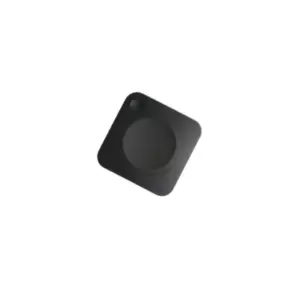
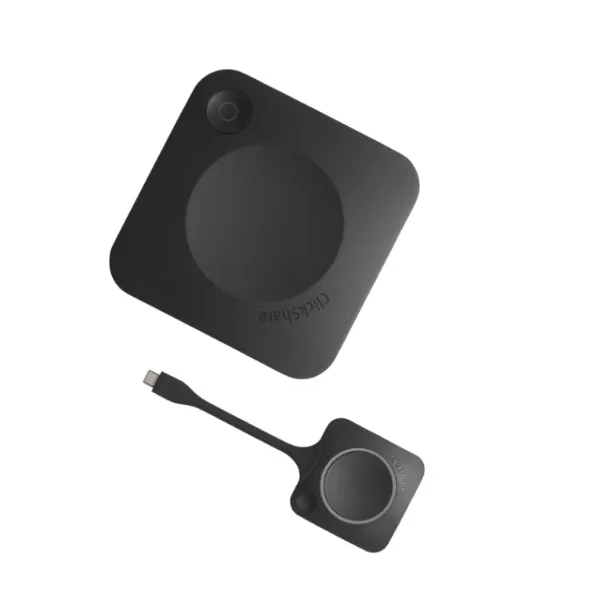
- ClickShare Button experience: supports a simple connection method for employees and visitors, subject to selected bundle contents.
- Cloud management capability: useful for IT teams that manage multiple rooms or need a controlled fleet approach.
- Business-friendly room deployment: fits collaboration rooms that do not require a large-room conferencing appliance.
- Platform flexibility: helps teams work with their preferred conferencing software while using the room environment.
Because meeting-room requirements vary, buyers should confirm article code, generation, button quantity, supported peripherals, warranty terms, and firmware expectations before finalizing the purchase. FourTeck can help match the product with room dimensions, user behavior, camera placement, audio requirements, and purchasing timeline.
Technical Specifications
When selecting a conferencing system, buyers should not evaluate only the headline model number. Confirm the room display input, required cable path, power source, camera and speakerphone model, laptop operating systems, network security requirements, and whether users will connect with a button, app, or both. For multi-room projects, it is useful to create a standard room design so the same user experience is repeated across offices. FourTeck can help prepare a requirement checklist before quote request so the selected product and accessories match the expected meeting flow.
Configuration and Buyer Guidance
A successful meeting-room purchase starts with a clear understanding of how the room will be used. Some rooms are mostly used for internal presentations. Others are used for video calls with customers, regional teams, or management. The CX-20 is strongest when the buyer needs wireless conferencing in a smaller space, but the final decision should consider the number of seats, room shape, display location, camera angle, audio pickup, and the type of laptop users bring into the room.
Check whether the meeting room is a huddle space, small boardroom, or shared cabin before choosing the model.
Share camera, microphone, speaker, soundbar, and display details so compatibility can be reviewed.
Decide whether users will mainly connect with a ClickShare Button, the app, or a mixed approach.
Review wireless, firmware, network, and guest access policies before deployment.
Before requesting a quote, buyers should provide the room count, location, required delivery timeline, preferred conferencing platform, existing room device models, and whether installation assistance is needed. This helps FourTeck prepare a more accurate response and reduces the chance of missing accessories or selecting a model that does not fit the room use case.
Ideal Business Use Cases
The ClickShare CX-20 is useful wherever a business wants a simple, consistent, and professional small-room video meeting experience. It is not designed to replace every large-room AV system, but it fits many common collaboration environments where flexibility is more important than a complex fixed-room installation.
Huddle Rooms
Small teams can gather quickly, connect a laptop, and conduct video calls or screen sharing without rearranging cables.
Executive Cabins
Managers who handle frequent virtual meetings can use a cleaner setup that supports fast access to display and room audio devices.
Client Discussion Rooms
A smooth guest experience helps consultants, auditors, vendors, and customers present and conference with fewer technical interruptions.
Training Corners
Small learning spaces can support remote trainers, recorded sessions, and screen sharing from personal work laptops.
Branch Offices
Distributed teams can standardize simple video meeting rooms without deploying a heavy dedicated conferencing setup in every location.
Hybrid Project Meetings
Project teams that involve remote stakeholders can quickly bring room devices into a laptop-hosted meeting.
ClickShare CX-20 Wireless Conferencing Simplicity
The most important feature of this product is the way it simplifies the start of a meeting. In many organizations, a room may contain a good display and capable audio devices, but users still struggle because the connection path is unclear. One laptop may need HDMI, another may need USB-C, and a guest may not know which cable is active. A wireless conferencing approach reduces this dependency and helps the room become more user-friendly.
For business users, simplicity is a productivity feature. A meeting that starts five minutes late affects every participant, especially when external clients or senior staff are involved. The CX-20 supports a more predictable experience by allowing users to connect from the laptop they already use for their calendar, files, and conferencing platform. That helps employees stay in their normal workflow while still benefiting from room devices.
FourTeck recommends reviewing user behavior before deployment. If the room is used mainly by internal staff, app-based operation may be suitable. If external visitors often use the room, the ClickShare Button experience may be preferred. In both cases, the objective is to make the meeting start process clear enough for non-technical users.
ClickShare CX-20 Room Device Integration
A good video meeting is not only about screen sharing. The audio quality, camera framing, speaker clarity, and display view all affect how remote participants experience the meeting. The CX-20 is useful because it helps the laptop access the room environment in a cleaner way. This can make a small room feel more professional than a laptop-only call, especially when multiple people are sitting around the table.
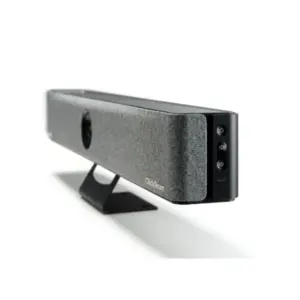
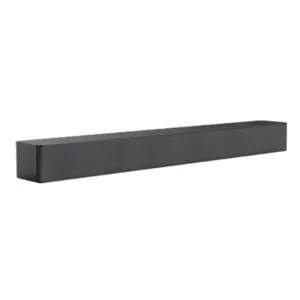
Before buying, businesses should check which USB peripherals are installed or planned. A small room may use a USB camera, an all-in-one soundbar, a speakerphone, or a separate microphone and speaker setup. The display may be wall-mounted, placed on a trolley, or connected through a local AV path. Each room design affects how the conferencing system should be placed and connected.
FourTeck can help buyers document these room details so the quotation includes the right product, accessories, and compatibility notes. This is especially helpful for companies standardizing multiple meeting rooms, because small differences between rooms can create support issues later if not reviewed at the purchase stage.
ClickShare CX-20 Management and Security Guidance
Meeting-room devices are part of the IT environment, so manageability and security should be considered before installation. A wireless conferencing system may touch user laptops, guest devices, displays, USB peripherals, and the corporate network depending on how it is configured. IT teams should understand how the device will be updated, how settings will be controlled, and whether cloud management is required for the organization.
For single-room use, the main focus may be ease of setup and reliable daily operation. For multiple rooms, centralized device visibility becomes more important. Firmware updates, device naming, access rules, and user guidance should be planned so meeting spaces remain consistent. Secure, encrypted operation is important, but it should be matched with the company network policy and any guest access rules.
FourTeck encourages buyers to involve both the facilities or AV team and the IT team before finalizing a room solution. This helps avoid a common issue where a product fits the meeting requirement but does not match the organization’s security, cabling, or management expectations. A short pre-sales review can prevent deployment delays and support escalations later.
What Buyers Should Check Before Purchase
Before requesting a quote, buyers should confirm the exact meeting problem they want to solve. Some teams want wireless screen sharing only, while others need full wireless conferencing with camera, microphone, speaker, and display access. The CX-20 is built for small spaces, so the room size and device layout should be checked first. Buyers should also confirm the specific article code or generation, because bundle contents, power options, and regional details may vary. Choosing only by price or a short model name can lead to missing buttons, wrong accessories, or unclear warranty expectations.
Compatibility is another important point. The buyer should list the display model, camera model, microphone or soundbar model, laptop operating systems, preferred video meeting platforms, and network rules. If guests will use the room, the connection process should be simple enough for visitors. If the room is used by executives, the installation should be clean, reliable, and easy for assistants or admin staff to support. For project supply, it is helpful to standardize the same design across rooms where possible.
Configuration Fit
Confirm room size, user count, button requirement, app usage, display type, and whether the room needs presentation, conferencing, or both.
Compatibility Check
Share camera, speakerphone, soundbar, laptop, and network details so the room design can be reviewed before purchase.
Availability and Warranty
Ask FourTeck to confirm current UAE availability, supply channel, warranty guidance, and expected delivery coordination before order planning.
Quote Preparation
Provide room count, location, required timeline, existing AV devices, and whether installation or accessory support is needed.
UAE Availability and Service Support
FourTeck supports inquiries for the ClickShare CX-20 Conference System Dubai with product selection guidance, quote assistance, delivery coordination, and warranty direction. Availability may change based on supplier status, selected article code, bundle contents, order quantity, and current market movement. For this reason, FourTeck does not recommend assuming stock, price, or delivery timing from older listings or copied product pages.
Businesses can contact FourTeck to confirm current UAE options and request help comparing the CX-20 with related Barco ClickShare models. The team can also help review whether the buyer needs a small-room model or a higher model for larger rooms, advanced collaboration features, or more demanding deployments. This guidance is useful for companies upgrading meeting spaces, opening new offices, or standardizing hybrid work rooms across departments.
Dubai, Abu Dhabi, Sharjah, and Ajman Coverage
Businesses in Dubai, Abu Dhabi, Sharjah, Ajman, and other UAE locations can contact FourTeck for product availability, model guidance, and quote assistance. The team can help buyers review room requirements, compatible peripherals, related options, and purchase planning based on the organization’s meeting needs. For multi-site deployments, FourTeck can also help create a consistent request format so each room is evaluated with the same practical checklist.
GCC and Africa Availability
FourTeck also supports business technology inquiries across selected GCC and Africa markets through its regional platforms and inquiry channels. Buyers from Saudi Arabia, Qatar, Oman, Kuwait, Bahrain, Kenya, Uganda, and wider Africa region can request product guidance, availability review, delivery coordination, and suitable alternative suggestions. Availability, warranty handling, local delivery options, and support workflow may vary by country, product type, supplier channel, and order quantity.
Regional buyers may begin with FourTeck UAE, FourTeck Kenya, FourTeck Uganda, FourTeck Africa, or FourTeck Kuwait depending on inquiry location.
Other Options Buyers May Consider
Different meeting rooms may require different Barco ClickShare models or related conferencing accessories. The CX-20 is suitable for small spaces, but buyers may need to compare higher models, presentation-only options, or compatible room devices depending on their collaboration style. FourTeck can help buyers compare practical alternatives instead of selecting a model only from a short product title.
Barco ClickShare CX-30
Consider for rooms needing a step-up conferencing experience and broader collaboration requirements.
Barco ClickShare CX-50
Useful for larger or more advanced meeting rooms where additional meeting features may be required.
Wireless Presentation Systems
Suitable when a room mainly requires content sharing instead of full video conferencing integration.
Video Conferencing Cameras
Room cameras and soundbars can improve meeting clarity when paired with the right conferencing system.
Meeting Room Accessories
Mounts, USB cables, adapters, and power planning can affect installation quality and daily reliability.
Why Buyers Choose FourTeck
Business technology buyers need more than a model number. They need confidence that the product fits the room, works with existing devices, and can be supplied with the right documentation, warranty direction, and delivery planning. FourTeck helps customers prepare cleaner purchase requests by reviewing practical requirements before quotation. This is especially important for meeting-room products because the best experience depends on how the display, camera, microphone, laptop, network, and user process work together.
FourTeck works with SMB, corporate, education, hospitality, healthcare, and enterprise buyers who need reliable procurement support for IT and collaboration products. The team can help with single-unit inquiries, multiple-room projects, and related product matching where the meeting room also requires cameras, soundbars, displays, mounts, cabling, or network planning.
Frequently Asked Questions
It is used for wireless conferencing in small meeting rooms and huddle spaces. It helps users run a video meeting from their laptop while connecting to the room display and compatible USB conferencing peripherals such as cameras, microphones, speakers, or soundbars.
The CX-20 is generally positioned for smaller rooms. Large boardrooms may need a higher ClickShare model or a more advanced AV design, depending on room size, display setup, audio coverage, number of participants, and the required collaboration features.
Yes. FourTeck can review your display, camera, soundbar, speakerphone, laptop operating systems, and preferred meeting platform before quote preparation. Sharing these details helps reduce the risk of missing accessories or selecting the wrong meeting-room option.
Contact FourTeck with the room count, location, required delivery timeline, existing AV devices, preferred conferencing platform, and whether installation or accessory support is needed. The team can then help prepare a suitable quote response.
Many CX-20 bundles include a ClickShare Button, but contents may vary by generation, article code, and supply channel. Buyers should confirm the exact package contents with FourTeck before finalizing the order or comparing quotations.
The product is designed to support simple employee and guest collaboration. The final guest experience depends on company policy, button availability, app usage, network rules, and how the room has been configured by the IT or AV team.
FourTeck can support delivery coordination based on current availability, supplier status, product quantity, and delivery location. Exact timelines should be confirmed during the quotation process because availability can change without notice.
Warranty terms may depend on the supply channel, product serial number, article code, and manufacturer policy. FourTeck can help buyers review warranty expectations and request relevant details before purchase approval.
Yes. Businesses can request supply support for multiple rooms or branches. FourTeck recommends preparing a room-by-room checklist so each meeting space is reviewed for display, audio, camera, network, and mounting requirements.
Need Help Choosing the Right Meeting Room System?
FourTeck can help you review product availability, room compatibility, accessory requirements, warranty guidance, and delivery requirements for your business location. Share your room details and request a clear quotation for your UAE project.