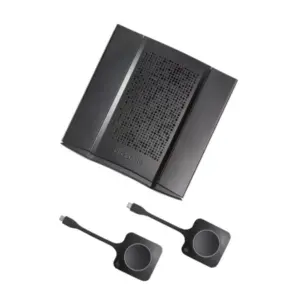
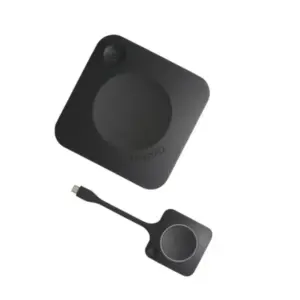
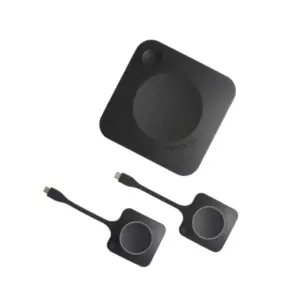
Enterprise Meeting Room Systems in Dubai, UAE
Modern meeting rooms need more than a screen and a webcam. Businesses need dependable audio, clear video, simple room control, secure network connectivity, platform compatibility, and a layout that helps people collaborate without technical delays. FourTeck helps organizations design, source, and coordinate enterprise-ready meeting room systems for boardrooms, huddle spaces, training rooms, executive suites, and hybrid workplaces across the UAE.
Quick Product Information
Enterprise meeting room and collaboration system
Huddle rooms, boardrooms, training spaces, executive rooms
Hybrid meetings, presentations, video calls, collaboration
Configuration dependent: camera, audio, display, control, cabling
Microsoft Teams, Zoom, Webex, Google Meet, and other platforms based on selected hardware
Contact FourTeck for current options and quote support
Dubai and UAE coordination based on project requirement
Brand and model dependent; FourTeck can guide buyers on available coverage
Product Overview
An enterprise meeting room system is a planned technology environment that brings video, audio, presentation, control, room scheduling, and connectivity into one smooth workplace experience. It is not a single device for every business. A small huddle room may need a compact video bar, a display, wireless sharing, and a simple control panel. A large boardroom may require multiple microphones, ceiling speakers, professional cameras, control processors, touch panels, DSP audio processing, and structured cabling. A training room may need dual displays, presenter tracking, recording support, and flexible input options. The right design depends on how people use the room and how important the meeting experience is to business operations.
For many organizations, meeting rooms have become an extension of daily productivity. Teams speak with customers, conduct project reviews, interview candidates, run vendor meetings, teach classes, deliver training, and make management decisions through hybrid collaboration. When room technology is unreliable, meetings begin late, audio becomes unclear, remote participants feel disconnected, and IT teams spend time fixing avoidable problems. A professional room system reduces these issues by selecting compatible hardware, placing devices correctly, simplifying controls, and ensuring the room works with the collaboration tools the business already uses.
FourTeck supports buyers who need practical assistance before purchasing. The team can help review room dimensions, seating capacity, preferred meeting platform, existing display availability, network readiness, cabling routes, power points, and user expectations. This helps avoid common mistakes such as choosing a camera with limited coverage, using microphones that do not capture all speakers, installing displays that are too small, or buying devices that do not match the required platform. For Dubai businesses, this guidance is especially useful when a meeting space must look professional for clients, regional teams, executive visitors, and remote colleagues.
Enterprise Meeting Room Systems Dubai buyers can contact FourTeck for a tailored recommendation instead of choosing only by brand name or device price. The final solution may include video conferencing hardware, collaboration displays, room controllers, wireless presentation devices, speakers, microphones, scheduling panels, network accessories, mounts, cables, and installation support depending on the requirement.
Key Business Benefits
A well-planned meeting room system improves communication quality, reduces setup time, and creates a more professional experience for both in-room and remote participants. The value is not only in the hardware; it is in how the complete room works together.
Clearer Hybrid Meetings
Professional cameras, microphones, speakers, and displays help remote participants see and hear the room more naturally. This reduces repeated questions, missed discussion points, and meeting fatigue during customer calls or internal reviews.
Faster Meeting Start
A properly configured room can reduce cable confusion and manual setup. Touch controls, wireless presentation, platform-ready devices, and organized connectivity help users begin meetings without waiting for IT support.
Professional Client Experience
Executive spaces, sales rooms, and boardrooms need a polished look. Clean display placement, proper audio pickup, organized cabling, and reliable video create a confident impression during important conversations.
Better Room Utilization
Scheduling panels, occupancy sensors, and calendar integration can help teams understand which rooms are available and reduce booking conflicts. This is useful for growing offices with limited collaboration spaces.
Scalable Design
Businesses can start with essential components and expand later with additional microphones, displays, cameras, control panels, or booking devices. A scalable design protects the room from becoming outdated too quickly.
Reduced Support Burden
When hardware, software, cabling, and controls are selected together, the room becomes easier to support. IT teams can standardize equipment across multiple rooms and reduce recurring troubleshooting.
Product Highlights
Enterprise collaboration rooms may include different technologies depending on the requirement. Common hardware can include video bars for compact rooms, PTZ or intelligent cameras for larger spaces, ceiling or tabletop microphones, soundbars, amplifier and speaker systems, interactive displays, commercial screens, wireless presentation devices, USB hubs, room PCs, mini PCs, control panels, occupancy sensors, and booking displays. For many businesses, the best approach is to choose the room experience first and then select hardware that fits that experience.
Poor audio is often more disruptive than poor video. FourTeck can help buyers plan microphone pickup, speaker placement, and room coverage based on the seating layout.
Camera selection can include compact video bars, auto-framing cameras, presenter tracking, and multi-camera designs depending on room size and meeting style.
Users may need wired HDMI, USB-C, wireless sharing, interactive annotation, dual display output, or bring-your-own-device support.
Touch controllers and room control systems can simplify display power, source selection, call joining, audio level, and device switching for everyday users.
Technical Specifications Table
Buyers should treat the table as a planning guide rather than a fixed specification sheet. Unlike a single laptop or switch model, a meeting room project is assembled from compatible components. The correct display size depends on viewing distance. The correct microphone depends on table shape, ceiling height, seating count, and background noise. The correct camera depends on where participants sit and whether the room needs speaker tracking, presenter tracking, or wide-angle coverage. The control design depends on whether users need one-touch meeting join, room scheduling, wireless sharing, or source switching. FourTeck can help convert these requirements into a practical bill of material and quote.
Configuration and Buyer Guidance
Before choosing hardware, start with the meeting experience. A room used for quick internal calls may not require the same investment as a boardroom used for client presentations and executive reviews. A training room may need a camera that can follow a presenter, while a legal or finance meeting room may prioritize clear audio recording and reliable conferencing. Businesses should consider how many people will sit in the room, whether participants face one direction or sit around a table, how often external guests join, and whether the room must support multiple collaboration platforms.
Room Size
Share room length, width, ceiling height, seating layout, and display wall location before requesting a quote.
User Count
Confirm the normal and maximum number of participants so camera and microphone coverage are not under-sized.
Platform Choice
Identify whether the room will use Teams, Zoom, Webex, Google Meet, SIP, or a bring-your-own-device workflow.
Future Expansion
Plan for additional microphones, extra displays, booking panels, room sensors, or upgraded cameras when the business grows.
Ideal Business Use Cases
Enterprise meeting room technology is useful wherever communication quality affects productivity, customer confidence, or management decisions. A small business may need a simple huddle space where teams can speak with suppliers and remote staff. A regional company may need multiple standardized rooms across departments so employees have a consistent meeting experience. A training centre may need a system that supports both classroom delivery and remote learners. A healthcare clinic may need a controlled consultation or administration room. A hotel or serviced office may need professional meeting facilities for guests and tenants.
Boardrooms
Executive rooms need reliable video, strong audio, large displays, simple controls, and a clean installation finish for management meetings and external presentations.
Huddle Spaces
Small rooms benefit from compact video bars, wireless sharing, and easy joining so teams can collaborate quickly without complicated setup.
Training Rooms
Training areas may require presenter tracking, multiple displays, microphone coverage, content sharing, and recording-friendly layouts.
Customer Meeting Areas
Sales, consulting, and service teams can create a better customer experience with professional presentation tools and clear remote communication.
Multi-branch Collaboration
Companies with regional offices can standardize rooms to make project meetings, reviews, and management updates more consistent.
Education and Professional Learning
Schools, institutes, and corporate learning teams can support remote participation, presentations, hybrid classes, and recorded sessions.
Enterprise Meeting Room Systems Dubai: Audio and Video Quality
Audio and video quality decide whether a meeting feels professional or frustrating. A wide-angle camera may be suitable for a small room, but a larger room may need optical zoom, automatic framing, speaker tracking, or multiple camera positions. Microphone selection is equally important. A table microphone can work well in compact spaces, while ceiling microphones or beamforming microphones may be better for cleaner furniture design and wider pickup. Speakers should be placed so voices sound natural without echo, harshness, or uneven coverage.
FourTeck helps buyers think through these details before ordering. Room acoustics, glass walls, ceiling height, HVAC noise, table shape, and seating distance can all affect the final experience. A system chosen only from a product photograph may not perform well in the actual room. By reviewing the layout and usage style, businesses can choose equipment that supports real communication rather than only attractive specifications.
Enterprise Meeting Room Systems Dubai: Platform Compatibility and Control
Many businesses already rely on Microsoft Teams, Zoom, Webex, Google Meet, or a mix of platforms. Some rooms are dedicated to one platform, while others must support guest laptops and different applications. This choice affects the hardware design. A dedicated room system may provide a simpler one-touch join experience, but a flexible bring-your-own-device room may be better for organizations that regularly host external visitors using different meeting tools.
Control design should be simple enough for non-technical users. People entering the room should understand how to start a call, share content, adjust volume, switch sources, and end the session without searching for cables or remotes. Touch panels, room controllers, wireless sharing devices, and labeled connectivity points can make the experience more predictable. For larger rooms, centralized control can also manage display power, camera presets, audio levels, and input routing. FourTeck can help review which control style fits the room, the users, and the IT support model.
Enterprise Meeting Room Systems Dubai: Scalable Room Planning
A scalable room design helps businesses avoid replacing the entire setup when requirements grow. For example, a meeting room may begin with one display and a video bar, then later add a scheduling panel, occupancy sensor, extra microphone, or wireless sharing device. A boardroom may start with a single camera, then expand into multi-camera coverage or advanced room control. Standardizing core components across rooms can also make support easier for IT teams, especially when new office locations or departments are added.
Scalability is not only about adding devices. It is also about planning power, network ports, cable routes, display mounts, furniture openings, rack space, and future service access. A clean room installation should allow maintenance without damaging the finish or creating visible cable clutter. FourTeck can help buyers consider these practical details so the system remains useful beyond the first installation phase.
What Buyers Should Check Before Purchase
Before requesting a quote, buyers should confirm the room goal, usage pattern, existing infrastructure, and expected user experience. Meeting room systems can vary widely in design and cost because a small huddle room, a boardroom, and a training space do not need the same hardware. The most useful starting point is a simple room brief: room size, seating count, table layout, display wall, preferred meeting platform, existing network ports, power availability, and whether installation or cabling support is required. FourTeck can use these details to recommend a suitable configuration rather than suggesting a generic bundle.
Buyers should also consider accessories that are often missed. These may include wall mounts, floor boxes, cable management, USB extenders, HDMI cables, switchers, display brackets, network switches, power protection, mini PCs, touch controllers, wireless presentation pods, scheduling panels, and acoustic adjustments. Warranty expectations should be reviewed by brand and model, and availability should be confirmed before final approval because enterprise AV and collaboration items can vary by supplier status and project quantity.
Configuration Fit
Confirm camera angle, microphone pickup, display size, control style, and platform requirement before selecting hardware.
Compatibility Check
Review laptop use, calendar integration, LAN availability, Wi-Fi policy, firewall rules, and existing display or audio devices.
Availability and Warranty
Ask FourTeck to confirm current options, lead considerations, model suitability, and warranty guidance before issuing a purchase order.
Quote Preparation
Share room drawings, photos, preferred brands, platform details, and required delivery location for a more accurate proposal.
UAE Availability and Service Support
FourTeck supports meeting room technology inquiries across Dubai and the UAE with assistance for product selection, configuration review, quote requests, delivery coordination, and warranty guidance. Availability may vary based on selected hardware, brand, room quantity, project scope, and supplier status. For this reason, buyers are encouraged to share room details before final pricing is requested. A correct proposal should consider not only the main device but also mounting, cabling, control, display, power, and network readiness.
Businesses can contact FourTeck to discuss a single meeting room, a multi-room office rollout, a new office fit-out, or an upgrade to an existing conference room. The team can help identify whether the requirement is best served by a compact video bar, modular room system, professional AV design, interactive display, scheduling solution, or a combination of these technologies.
Contact FourTeck SalesDubai, Abu Dhabi, Sharjah, and Ajman Coverage
Businesses in Dubai, Abu Dhabi, Sharjah, Ajman, and other UAE locations can contact FourTeck for meeting room system availability, configuration guidance, and quote assistance. The team can help buyers review suitable room types, related accessories, display options, camera placement, audio coverage, and purchase requirements based on business needs. Whether the project is for a head office, branch office, school, clinic, training centre, hospitality venue, or managed workspace, the buying process becomes easier when room information is reviewed before ordering.
GCC and Africa Availability
FourTeck also supports business technology inquiries across selected GCC and Africa markets through its regional platforms and inquiry channels. Availability, delivery options, warranty handling, and configuration support may vary by country, product type, and supplier status. Organizations with teams in Saudi Arabia, Qatar, Oman, Kuwait, Bahrain, Kenya, Uganda, and wider Africa region locations can contact the appropriate FourTeck channel for meeting room technology guidance and related IT solution support.
Other Options Buyers May Consider
Meeting room projects often include several supporting products. Buyers may need video conferencing devices, room control panels, wireless sharing pods, smart room sensors, webcams, access control, telecommunication integration, and network infrastructure. The options below can help businesses explore related FourTeck categories and suitable alternatives for collaboration environments.
Poly Studio G62
A modular video conferencing option for professional rooms that need enterprise meeting capabilities.
View related productYealink CT300
A room control device option for AV environments that require simple control and professional operation.
Explore control optionYealink WPP30
A wireless sharing accessory for teams that need cleaner presentation workflows in meeting spaces.
See sharing deviceYealink RoomSensor
A smart room sensor option for occupancy and environment awareness in modern meeting spaces.
Review room sensorIPBX and Telecom Solutions
Useful for businesses that want meeting rooms connected with broader communication infrastructure.
View telecom solutionsVideo Conferencing Systems
Explore a wider category of conferencing and collaboration options for different room sizes.
Browse categoryWhy Buyers Choose FourTeck
FourTeck works with business buyers who need more than a product name. Meeting rooms involve room layout, cabling, displays, microphones, cameras, platform choices, and user experience. Selecting the wrong component can lead to unclear audio, poor video framing, complicated controls, and repeated support calls. FourTeck helps buyers review the requirement and request suitable options for their budget, room size, and collaboration style.
The buying process can include pre-sales consultation, bill-of-material guidance, compatible accessory matching, quote assistance, delivery coordination, and warranty guidance. Small businesses can ask for a simple room setup, while larger organizations can discuss multi-room standardization or project supply. FourTeck can also help connect meeting room technology with related IT layers such as networking, telecom, security, displays, and endpoint devices.
Frequently Asked Questions
What is an enterprise meeting room system used for?
It is used to create a professional collaboration space for video meetings, presentations, training, management discussions, customer calls, and hybrid work. A complete system may include cameras, microphones, speakers, displays, control panels, wireless sharing, cabling, scheduling tools, and network connectivity based on the room requirement.
Can FourTeck help choose the right configuration?
Yes. FourTeck can review the room size, seating layout, preferred collaboration platform, display requirement, audio coverage, camera position, cabling needs, and delivery location. This helps buyers avoid selecting a generic device that may not properly fit the real meeting space or user workflow.
Is the solution available for Dubai businesses?
Dubai businesses can contact FourTeck for current meeting room solution options, quote support, and delivery coordination. Availability depends on selected brands, models, project quantity, installation requirement, and supplier status, so it is best to confirm details before final approval.
Does every meeting room need the same hardware?
No. A small huddle room may only need a video bar and display, while a large boardroom may require multiple microphones, professional speakers, control processors, larger displays, and structured cabling. The correct hardware depends on room size, meeting type, and user expectations.
Can the system work with Microsoft Teams or Zoom?
Many meeting room devices support popular collaboration platforms, but compatibility depends on the selected hardware and license environment. Buyers should confirm whether they need a dedicated room system, a bring-your-own-device design, or a flexible room that supports multiple meeting applications.
What information should I share for a quote?
Share room dimensions, seating count, table layout, display requirement, preferred platform, existing hardware, network and power availability, photos if possible, and whether installation or cabling support is required. These details help FourTeck suggest a more accurate solution and related accessories.
Can businesses request multi-room supply?
Yes. Businesses planning several rooms can contact FourTeck for standardization guidance. Multi-room planning can help IT teams keep devices, control methods, spare accessories, user training, and support processes consistent across departments or office locations.
Are installation accessories included?
Accessories depend on the selected solution and project scope. Mounts, cables, extenders, control panels, network switches, power protection, brackets, and furniture integration may be required. FourTeck can help identify supporting items during configuration review.
How do I request buying assistance?
Use the FourTeck contact page and provide a brief description of your meeting room requirement. Include room size, seating capacity, desired platform, and whether you need display, camera, audio, control, cabling, or installation guidance. The team can then assist with suitable options.
Need Help Choosing the Right Meeting Room Solution?
FourTeck can help your business review room size, collaboration platform, camera and audio needs, display options, cabling, control requirements, availability, and warranty guidance before you request a purchase quote.
Request QuoteEnterprise Meeting Room Systems Dubai
Enterprise Meeting Room Systems in Dubai, UAE
Modern meeting rooms need more than a screen and a webcam. Businesses need dependable audio, clear video, simple room control, secure network connectivity, platform compatibility, and a layout that helps people collaborate without technical delays. FourTeck helps organizations design, source, and coordinate enterprise-ready meeting room systems for boardrooms, huddle spaces, training rooms, executive suites, and hybrid workplaces across the UAE.
Video & Audio Selection
UAE Delivery Coordination
Quote Assistance
Request Quote
Check UAE Availability
Quick Product Information
Enterprise meeting room and collaboration system
Huddle rooms, boardrooms, training spaces, executive rooms
Hybrid meetings, presentations, video calls, collaboration
Configuration dependent: camera, audio, display, control, cabling
Microsoft Teams, Zoom, Webex, Google Meet, and other platforms based on selected hardware
Contact FourTeck for current options and quote support
Dubai and UAE coordination based on project requirement
Brand and model dependent; FourTeck can guide buyers on available coverage
Product Overview
An enterprise meeting room system is a planned technology environment that brings video, audio, presentation, control, room scheduling, and connectivity into one smooth workplace experience. It is not a single device for every business. A small huddle room may need a compact video bar, a display, wireless sharing, and a simple control panel. A large boardroom may require multiple microphones, ceiling speakers, professional cameras, control processors, touch panels, DSP audio processing, and structured cabling. A training room may need dual displays, presenter tracking, recording support, and flexible input options. The right design depends on how people use the room and how important the meeting experience is to business operations.
For many organizations, meeting rooms have become an extension of daily productivity. Teams speak with customers, conduct project reviews, interview candidates, run vendor meetings, teach classes, deliver training, and make management decisions through hybrid collaboration. When room technology is unreliable, meetings begin late, audio becomes unclear, remote participants feel disconnected, and IT teams spend time fixing avoidable problems. A professional room system reduces these issues by selecting compatible hardware, placing devices correctly, simplifying controls, and ensuring the room works with the collaboration tools the business already uses.
FourTeck supports buyers who need practical assistance before purchasing. The team can help review room dimensions, seating capacity, preferred meeting platform, existing display availability, network readiness, cabling routes, power points, and user expectations. This helps avoid common mistakes such as choosing a camera with limited coverage, using microphones that do not capture all speakers, installing displays that are too small, or buying devices that do not match the required platform. For Dubai businesses, this guidance is especially useful when a meeting space must look professional for clients, regional teams, executive visitors, and remote colleagues.
Enterprise Meeting Room Systems Dubai buyers can contact FourTeck for a tailored recommendation instead of choosing only by brand name or device price. The final solution may include video conferencing hardware, collaboration displays, room controllers, wireless presentation devices, speakers, microphones, scheduling panels, network accessories, mounts, cables, and installation support depending on the requirement.
Key Business Benefits
A well-planned meeting room system improves communication quality, reduces setup time, and creates a more professional experience for both in-room and remote participants. The value is not only in the hardware; it is in how the complete room works together.
Clearer Hybrid Meetings
Professional cameras, microphones, speakers, and displays help remote participants see and hear the room more naturally. This reduces repeated questions, missed discussion points, and meeting fatigue during customer calls or internal reviews.
Faster Meeting Start
A properly configured room can reduce cable confusion and manual setup. Touch controls, wireless presentation, platform-ready devices, and organized connectivity help users begin meetings without waiting for IT support.
Professional Client Experience
Executive spaces, sales rooms, and boardrooms need a polished look. Clean display placement, proper audio pickup, organized cabling, and reliable video create a confident impression during important conversations.
Better Room Utilization
Scheduling panels, occupancy sensors, and calendar integration can help teams understand which rooms are available and reduce booking conflicts. This is useful for growing offices with limited collaboration spaces.
Scalable Design
Businesses can start with essential components and expand later with additional microphones, displays, cameras, control panels, or booking devices. A scalable design protects the room from becoming outdated too quickly.
Reduced Support Burden
When hardware, software, cabling, and controls are selected together, the room becomes easier to support. IT teams can standardize equipment across multiple rooms and reduce recurring troubleshooting.
Product Highlights
Enterprise collaboration rooms may include different technologies depending on the requirement. Common hardware can include video bars for compact rooms, PTZ or intelligent cameras for larger spaces, ceiling or tabletop microphones, soundbars, amplifier and speaker systems, interactive displays, commercial screens, wireless presentation devices, USB hubs, room PCs, mini PCs, control panels, occupancy sensors, and booking displays. For many businesses, the best approach is to choose the room experience first and then select hardware that fits that experience.
Poor audio is often more disruptive than poor video. FourTeck can help buyers plan microphone pickup, speaker placement, and room coverage based on the seating layout.
Camera selection can include compact video bars, auto-framing cameras, presenter tracking, and multi-camera designs depending on room size and meeting style.
Users may need wired HDMI, USB-C, wireless sharing, interactive annotation, dual display output, or bring-your-own-device support.
Touch controllers and room control systems can simplify display power, source selection, call joining, audio level, and device switching for everyday users.
Technical Specifications Table
Buyers should treat the table as a planning guide rather than a fixed specification sheet. Unlike a single laptop or switch model, a meeting room project is assembled from compatible components. The correct display size depends on viewing distance. The correct microphone depends on table shape, ceiling height, seating count, and background noise. The correct camera depends on where participants sit and whether the room needs speaker tracking, presenter tracking, or wide-angle coverage. The control design depends on whether users need one-touch meeting join, room scheduling, wireless sharing, or source switching. FourTeck can help convert these requirements into a practical bill of material and quote.
Configuration and Buyer Guidance
Before choosing hardware, start with the meeting experience. A room used for quick internal calls may not require the same investment as a boardroom used for client presentations and executive reviews. A training room may need a camera that can follow a presenter, while a legal or finance meeting room may prioritize clear audio recording and reliable conferencing. Businesses should consider how many people will sit in the room, whether participants face one direction or sit around a table, how often external guests join, and whether the room must support multiple collaboration platforms.
Room Size
Share room length, width, ceiling height, seating layout, and display wall location before requesting a quote.
User Count
Confirm the normal and maximum number of participants so camera and microphone coverage are not under-sized.
Platform Choice
Identify whether the room will use Teams, Zoom, Webex, Google Meet, SIP, or a bring-your-own-device workflow.
Future Expansion
Plan for additional microphones, extra displays, booking panels, room sensors, or upgraded cameras when the business grows.
Ideal Business Use Cases
Enterprise meeting room technology is useful wherever communication quality affects productivity, customer confidence, or management decisions. A small business may need a simple huddle space where teams can speak with suppliers and remote staff. A regional company may need multiple standardized rooms across departments so employees have a consistent meeting experience. A training centre may need a system that supports both classroom delivery and remote learners. A healthcare clinic may need a controlled consultation or administration room. A hotel or serviced office may need professional meeting facilities for guests and tenants.
Boardrooms
Executive rooms need reliable video, strong audio, large displays, simple controls, and a clean installation finish for management meetings and external presentations.
Huddle Spaces
Small rooms benefit from compact video bars, wireless sharing, and easy joining so teams can collaborate quickly without complicated setup.
Training Rooms
Training areas may require presenter tracking, multiple displays, microphone coverage, content sharing, and recording-friendly layouts.
Customer Meeting Areas
Sales, consulting, and service teams can create a better customer experience with professional presentation tools and clear remote communication.
Multi-branch Collaboration
Companies with regional offices can standardize rooms to make project meetings, reviews, and management updates more consistent.
Education and Professional Learning
Schools, institutes, and corporate learning teams can support remote participation, presentations, hybrid classes, and recorded sessions.
Enterprise Meeting Room Systems Dubai: Audio and Video Quality
Audio and video quality decide whether a meeting feels professional or frustrating. A wide-angle camera may be suitable for a small room, but a larger room may need optical zoom, automatic framing, speaker tracking, or multiple camera positions. Microphone selection is equally important. A table microphone can work well in compact spaces, while ceiling microphones or beamforming microphones may be better for cleaner furniture design and wider pickup. Speakers should be placed so voices sound natural without echo, harshness, or uneven coverage.
FourTeck helps buyers think through these details before ordering. Room acoustics, glass walls, ceiling height, HVAC noise, table shape, and seating distance can all affect the final experience. A system chosen only from a product photograph may not perform well in the actual room. By reviewing the layout and usage style, businesses can choose equipment that supports real communication rather than only attractive specifications.
Enterprise Meeting Room Systems Dubai: Platform Compatibility and Control
Many businesses already rely on Microsoft Teams, Zoom, Webex, Google Meet, or a mix of platforms. Some rooms are dedicated to one platform, while others must support guest laptops and different applications. This choice affects the hardware design. A dedicated room system may provide a simpler one-touch join experience, but a flexible bring-your-own-device room may be better for organizations that regularly host external visitors using different meeting tools.
Control design should be simple enough for non-technical users. People entering the room should understand how to start a call, share content, adjust volume, switch sources, and end the session without searching for cables or remotes. Touch panels, room controllers, wireless sharing devices, and labeled connectivity points can make the experience more predictable. For larger rooms, centralized control can also manage display power, camera presets, audio levels, and input routing. FourTeck can help review which control style fits the room, the users, and the IT support model.
Enterprise Meeting Room Systems Dubai: Scalable Room Planning
A scalable room design helps businesses avoid replacing the entire setup when requirements grow. For example, a meeting room may begin with one display and a video bar, then later add a scheduling panel, occupancy sensor, extra microphone, or wireless sharing device. A boardroom may start with a single camera, then expand into multi-camera coverage or advanced room control. Standardizing core components across rooms can also make support easier for IT teams, especially when new office locations or departments are added.
Scalability is not only about adding devices. It is also about planning power, network ports, cable routes, display mounts, furniture openings, rack space, and future service access. A clean room installation should allow maintenance without damaging the finish or creating visible cable clutter. FourTeck can help buyers consider these practical details so the system remains useful beyond the first installation phase.
What Buyers Should Check Before Purchase
Before requesting a quote, buyers should confirm the room goal, usage pattern, existing infrastructure, and expected user experience. Meeting room systems can vary widely in design and cost because a small huddle room, a boardroom, and a training space do not need the same hardware. The most useful starting point is a simple room brief: room size, seating count, table layout, display wall, preferred meeting platform, existing network ports, power availability, and whether installation or cabling support is required. FourTeck can use these details to recommend a suitable configuration rather than suggesting a generic bundle.
Buyers should also consider accessories that are often missed. These may include wall mounts, floor boxes, cable management, USB extenders, HDMI cables, switchers, display brackets, network switches, power protection, mini PCs, touch controllers, wireless presentation pods, scheduling panels, and acoustic adjustments. Warranty expectations should be reviewed by brand and model, and availability should be confirmed before final approval because enterprise AV and collaboration items can vary by supplier status and project quantity.
Configuration Fit
Confirm camera angle, microphone pickup, display size, control style, and platform requirement before selecting hardware.
Compatibility Check
Review laptop use, calendar integration, LAN availability, Wi-Fi policy, firewall rules, and existing display or audio devices.
Availability and Warranty
Ask FourTeck to confirm current options, lead considerations, model suitability, and warranty guidance before issuing a purchase order.
Quote Preparation
Share room drawings, photos, preferred brands, platform details, and required delivery location for a more accurate proposal.
UAE Availability and Service Support
FourTeck supports meeting room technology inquiries across Dubai and the UAE with assistance for product selection, configuration review, quote requests, delivery coordination, and warranty guidance. Availability may vary based on selected hardware, brand, room quantity, project scope, and supplier status. For this reason, buyers are encouraged to share room details before final pricing is requested. A correct proposal should consider not only the main device but also mounting, cabling, control, display, power, and network readiness.
Businesses can contact FourTeck to discuss a single meeting room, a multi-room office rollout, a new office fit-out, or an upgrade to an existing conference room. The team can help identify whether the requirement is best served by a compact video bar, modular room system, professional AV design, interactive display, scheduling solution, or a combination of these technologies.
Dubai, Abu Dhabi, Sharjah, and Ajman Coverage
Businesses in Dubai, Abu Dhabi, Sharjah, Ajman, and other UAE locations can contact FourTeck for meeting room system availability, configuration guidance, and quote assistance. The team can help buyers review suitable room types, related accessories, display options, camera placement, audio coverage, and purchase requirements based on business needs. Whether the project is for a head office, branch office, school, clinic, training centre, hospitality venue, or managed workspace, the buying process becomes easier when room information is reviewed before ordering.
GCC and Africa Availability
FourTeck also supports business technology inquiries across selected GCC and Africa markets through its regional platforms and inquiry channels. Availability, delivery options, warranty handling, and configuration support may vary by country, product type, and supplier status. Organizations with teams in Saudi Arabia, Qatar, Oman, Kuwait, Bahrain, Kenya, Uganda, and wider Africa region locations can contact the appropriate FourTeck channel for meeting room technology guidance and related IT solution support.
Other Options Buyers May Consider
Meeting room projects often include several supporting products. Buyers may need video conferencing devices, room control panels, wireless sharing pods, smart room sensors, webcams, access control, telecommunication integration, and network infrastructure. The options below can help businesses explore related FourTeck categories and suitable alternatives for collaboration environments.
Poly Studio G62
A modular video conferencing option for professional rooms that need enterprise meeting capabilities.
Yealink CT300
A room control device option for AV environments that require simple control and professional operation.
Yealink WPP30
A wireless sharing accessory for teams that need cleaner presentation workflows in meeting spaces.
Yealink RoomSensor
A smart room sensor option for occupancy and environment awareness in modern meeting spaces.
IPBX and Telecom Solutions
Useful for businesses that want meeting rooms connected with broader communication infrastructure.
Video Conferencing Systems
Explore a wider category of conferencing and collaboration options for different room sizes.
Why Buyers Choose FourTeck
FourTeck works with business buyers who need more than a product name. Meeting rooms involve room layout, cabling, displays, microphones, cameras, platform choices, and user experience. Selecting the wrong component can lead to unclear audio, poor video framing, complicated controls, and repeated support calls. FourTeck helps buyers review the requirement and request suitable options for their budget, room size, and collaboration style.
The buying process can include pre-sales consultation, bill-of-material guidance, compatible accessory matching, quote assistance, delivery coordination, and warranty guidance. Small businesses can ask for a simple room setup, while larger organizations can discuss multi-room standardization or project supply. FourTeck can also help connect meeting room technology with related IT layers such as networking, telecom, security, displays, and endpoint devices.
Configuration Guidance
Quote Assistance
UAE Delivery Coordination
Warranty Guidance
Regional Inquiry Support
Frequently Asked Questions
What is an enterprise meeting room system used for?
It is used to create a professional collaboration space for video meetings, presentations, training, management discussions, customer calls, and hybrid work. A complete system may include cameras, microphones, speakers, displays, control panels, wireless sharing, cabling, scheduling tools, and network connectivity based on the room requirement.
Can FourTeck help choose the right configuration?
Yes. FourTeck can review the room size, seating layout, preferred collaboration platform, display requirement, audio coverage, camera position, cabling needs, and delivery location. This helps buyers avoid selecting a generic device that may not properly fit the real meeting space or user workflow.
Is the solution available for Dubai businesses?
Dubai businesses can contact FourTeck for current meeting room solution options, quote support, and delivery coordination. Availability depends on selected brands, models, project quantity, installation requirement, and supplier status, so it is best to confirm details before final approval.
Does every meeting room need the same hardware?
No. A small huddle room may only need a video bar and display, while a large boardroom may require multiple microphones, professional speakers, control processors, larger displays, and structured cabling. The correct hardware depends on room size, meeting type, and user expectations.
Can the system work with Microsoft Teams or Zoom?
Many meeting room devices support popular collaboration platforms, but compatibility depends on the selected hardware and license environment. Buyers should confirm whether they need a dedicated room system, a bring-your-own-device design, or a flexible room that supports multiple meeting applications.
What information should I share for a quote?
Share room dimensions, seating count, table layout, display requirement, preferred platform, existing hardware, network and power availability, photos if possible, and whether installation or cabling support is required. These details help FourTeck suggest a more accurate solution and related accessories.
Can businesses request multi-room supply?
Yes. Businesses planning several rooms can contact FourTeck for standardization guidance. Multi-room planning can help IT teams keep devices, control methods, spare accessories, user training, and support processes consistent across departments or office locations.
Are installation accessories included?
Accessories depend on the selected solution and project scope. Mounts, cables, extenders, control panels, network switches, power protection, brackets, and furniture integration may be required. FourTeck can help identify supporting items during configuration review.
How do I request buying assistance?
Use the FourTeck contact page and provide a brief description of your meeting room requirement. Include room size, seating capacity, desired platform, and whether you need display, camera, audio, control, cabling, or installation guidance. The team can then assist with suitable options.
Need Help Choosing the Right Meeting Room Solution?
FourTeck can help your business review room size, collaboration platform, camera and audio needs, display options, cabling, control requirements, availability, and warranty guidance before you request a purchase quote.
Showing all 7 results
-
Conference Room Collaboration Systems Dubai
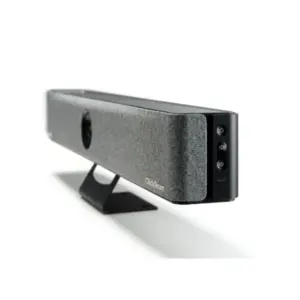
Barco ClickShare Bar Core Video Conferencing Bar Dubai
Read more -
Conference Room Collaboration Systems Dubai
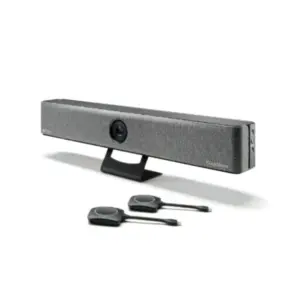
Barco ClickShare Bar Pro Video Conferencing Bar Dubai
Read more -
Conference Room Collaboration Systems Dubai
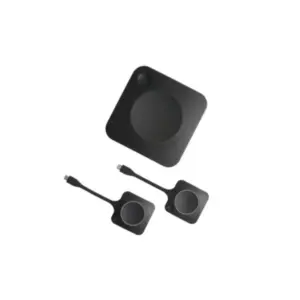
Barco ClickShare C-10 Wireless Presentation System Dubai
Read more -
Conference Room Collaboration Systems Dubai
Barco ClickShare C-5 Wireless Presentation System Dubai
Read more -
Conference Room Collaboration Systems Dubai
Barco ClickShare CX-50 Conference System Dubai
Read more