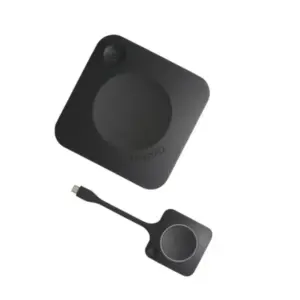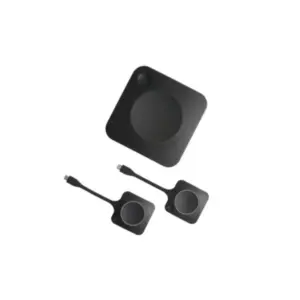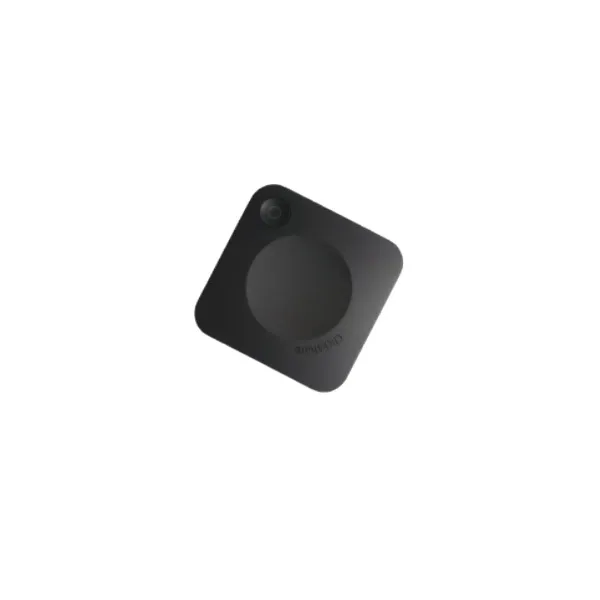
Barco ClickShare C-5 Wireless Presentation System in Dubai, UAE
The ClickShare C-5 is designed for modern meeting rooms where presenters need to share content quickly without cable confusion, adapter hunting, or repeated display setup. It is suitable for huddle spaces, small boardrooms, training rooms, sales areas, and executive offices that rely on a central display for daily collaboration. FourTeck helps UAE businesses review compatibility, presentation requirements, network expectations, and quote details before purchase.
4K Output Support
Cloud Management Support
Dubai Quote Assistance
Quick Product Information
Product Overview
The Barco ClickShare C-5 Wireless Presentation System is a compact meeting room solution created for teams that need simple content sharing without the usual friction caused by display cables, video adapters, operating system differences, and guest laptop restrictions. In many offices, the meeting starts before the screen starts working. A presenter may carry a laptop with USB-C, another may require HDMI, a visitor may use macOS, and a mobile user may need to mirror a quick document. A dedicated wireless presentation system helps reduce these interruptions and gives the room a more professional workflow.
This model is positioned as an entry-level ClickShare Present device for wireless screen sharing. It is not intended to replace a full video conferencing room system with camera and microphone switching. Instead, it focuses on the core meeting requirement that many organizations need every day: show content on the room display quickly, cleanly, and securely. Users can present through the ClickShare Desktop App, mobile app, or supported native protocols such as AirPlay, Google Cast, and Miracast, depending on device and environment.
For UAE businesses, the value is practical. Offices, real estate firms, consulting companies, training centers, clinics, schools, government-related project teams, and corporate departments often need a polished meeting room setup without overbuilding the space. FourTeck can help buyers confirm display connection, network policy, room size, installation position, power options, accessory needs, and the right regional article number before purchase. This prevents choosing only by model name and later discovering that an accessory, network setting, or room requirement was missed.
Key Business Benefits
Cleaner Meeting Rooms
A wireless presentation setup reduces visible cabling, adapter clutter, and repeated display switching. This helps meeting spaces look more professional for internal teams and visiting clients.
Faster Content Sharing
Users can start presenting from a laptop or supported mobile device without spending valuable meeting time searching for the correct connector or display input.
BYOD Flexibility
Support for app-based sharing and native device protocols gives staff, consultants, and guests more practical options when different operating systems are used in the same room.
Business-Grade Control
Management and reporting capabilities support IT teams that need visibility across meeting room devices instead of treating every room as a separate standalone gadget.
Secure Presentation Flow
Security options such as encrypted connectivity and authentication support make the system more suitable for business environments where meeting data needs sensible protection.
Simple Room Upgrade
The product is a practical upgrade for rooms that already have a display but still rely on manual cable connections, repeated troubleshooting, or visitor laptop adapters.
Product Highlights
The C-5 gives organizations a focused way to improve meeting room presentation without making the room overly complex. It supports 4K UHD output at 30Hz, HDMI audio output, USB-A and USB-C connectivity, LAN and Wi-Fi network options, and native sharing protocols for common devices. The system supports one source on screen at a time, which is ideal for a room where a single presenter leads the discussion and different participants take turns sharing.
Technical Specifications
Before ordering, buyers should confirm the exact regional article number, included accessories, warranty registration requirements, display connection type, power method, and network integration preference. A room that only needs simple app sharing may have different needs from a managed corporate environment where IT wants reporting, device updates, and policy control.
Configuration and Buyer Guidance
Choosing a wireless presentation system should start with the room, not only the model name. Buyers should check the display resolution, input type, room size, user devices, visitor access policy, wireless environment, and whether the organization wants central management. A small huddle room with a single display can have a very different requirement from a training room that hosts guest presenters every day. FourTeck can help review these points so the selected product fits the actual workflow.
Room Display
Confirm HDMI or USB-C display requirements, screen resolution, and available input ports.
User Devices
Check Windows, macOS, mobile device, guest laptop, and corporate app installation policies.
Network Policy
Review whether the system will operate standalone or integrate into an enterprise network.
Accessories
Ask whether wall mounting, tray, cables, power options, or related meeting room devices are required.
Ideal Business Use Cases
The ClickShare C-5 Wireless Presentation System Dubai page is especially relevant for organizations planning a practical meeting room refresh. It suits teams that need to present slides, reports, dashboards, web pages, product visuals, project plans, training material, and customer proposals on a shared room display. Because it is focused on content sharing, it is a useful fit for spaces where the display is the main collaboration point and users do not require advanced camera, microphone, or full room conferencing control from the same device.
Huddle Rooms
Small teams can quickly show plans, charts, and updates without moving cables between different laptops.
Client Presentations
Sales and consulting teams can create a smoother visitor experience when guests need to share content.
Training Spaces
Instructors can switch between lesson material, participant examples, and web content with less setup delay.
Executive Offices
Leadership rooms can benefit from a cleaner presentation environment for reviews and decision meetings.
Barco ClickShare C-5 Wireless Sharing Experience
The first feature that matters to most buyers is the sharing experience. A presentation system must be simple enough that staff and visitors can use it without calling IT before every meeting. With app-based and native BYOD options, the C-5 supports a more flexible room workflow. Users can share from supported laptops and mobile devices, which helps mixed-device offices where Windows, macOS, iOS, and Android users may all join the same meeting.
This is especially useful in client-facing rooms, project review spaces, and team huddle rooms. The meeting owner can keep the room display ready, while each presenter shares from their own device when needed. Businesses should still review internal security policy, guest network rules, app installation rights, and mobile mirroring permissions before deployment, because the best user experience depends on both the device and the IT environment.
Barco ClickShare C-5 Display and Connectivity Design
The system supports a 4K UHD output canvas at 30Hz, which is useful for business displays used for spreadsheets, dashboards, presentation slides, diagrams, and branded content. A meeting room display is not only about resolution; it is also about reliability, input compatibility, and correct installation. Buyers should check whether the room display supports the required HDMI or USB-C input path, whether the display is mounted correctly, and whether cables are suitable for the distance and environment.
Connectivity also includes LAN and Wi-Fi options. This gives organizations flexibility when deciding whether the unit should sit independently or become part of a wider managed meeting room environment. FourTeck can help buyers discuss cabling, power placement, network rules, and accessory requirements before finalizing a quotation.
Barco ClickShare C-5 Management and Security
For business buyers, wireless presentation is not only about convenience. It also needs sensible control. The C-5 supports cloud management and reporting, helping IT teams maintain visibility when multiple rooms are deployed. Security features such as WPA2-PSK and network integration options help organizations align the product with meeting room policy, guest access rules, and internal network design.
A secure deployment should be planned. Buyers should decide whether the device will be used in standalone mode, which network it will connect to, who will manage firmware updates, whether guests can share content, and whether additional ClickShare accessories are required. A clear deployment plan helps avoid confusion after purchase and gives users a more reliable experience.
What Buyers Should Check Before Purchase
Before requesting a quote, buyers should confirm the exact meeting room requirement instead of selecting only by model name. Start by identifying the number of rooms, display size, expected presenters, visitor usage, preferred connection method, and whether the room is presentation-only or also needs full video conferencing features. If camera and microphone integration are required, a ClickShare Conference model may need to be reviewed separately. If the room only needs wireless content sharing, the C-5 can be a practical option.
The next step is compatibility. Confirm the laptop operating systems, mobile device usage, app installation rules, wireless network environment, and guest access policy. Some organizations allow users to install meeting room apps freely, while others require IT approval. Display input, power position, LAN port location, and mounting options should also be checked. These details help FourTeck prepare a more accurate quote and reduce the risk of missing accessories or choosing the wrong regional kit.
Correct Model Fit
Confirm whether the room needs presentation-only sharing or a conferencing model with camera and audio device integration.
Compatibility Check
Review display inputs, user devices, network policy, app permissions, and native wireless sharing requirements.
Availability and Warranty
Ask FourTeck to confirm current UAE availability, regional article number, and warranty guidance before order approval.
Quote Preparation
Share room count, display type, location, preferred delivery timeline, and any required accessories for a clearer quotation.
UAE Availability and Service Support
FourTeck supports product inquiries across Dubai and the UAE with assistance for model selection, configuration review, quote requests, delivery coordination, and warranty guidance. Availability may vary based on product model, selected regional article number, supplier status, and order quantity. For project requirements, buyers can share the number of rooms, preferred delivery location, required accessories, and deployment timeline so FourTeck can support a more accurate response.
For IT teams, the purchase discussion can include meeting room standards, display compatibility, network design, security policy, and future expansion. This helps businesses avoid buying a presentation device that solves only part of the room requirement. Contact FourTeck sales for current options and quotation support.
Dubai, Abu Dhabi, Sharjah, and Ajman Coverage
Businesses in Dubai, Abu Dhabi, Sharjah, Ajman, and other UAE locations can contact FourTeck for wireless presentation product availability, configuration guidance, and quotation assistance. The team can help buyers review suitable models, related options, accessories, and purchase requirements based on meeting room size, display setup, delivery location, and business use. This combined support is useful for companies planning one meeting room upgrade as well as organizations standardizing multiple rooms across departments or branches.
GCC and Africa Availability
FourTeck also supports business technology inquiries across selected GCC and Africa markets through its regional platforms and inquiry channels. Availability, delivery options, warranty handling, and configuration support may vary based on country, product type, supplier status, and quantity. Customers in Saudi Arabia, Qatar, Oman, Kuwait, Bahrain, Kenya, Uganda, and other Africa region locations can share project requirements through FourTeck channels for guidance.
Regional platforms: FourTeck UAE, FourTeck Kenya, FourTeck Uganda, FourTeck Africa, and FourTeck Kuwait.
Other Options Buyers May Consider
Meeting room requirements are different from one business to another. Some rooms need a simple wireless presentation solution, while others require full wireless conferencing, touchback, multiple source sharing, or integrated camera and audio device support. FourTeck can help review alternatives where the requirement extends beyond the C-5.
Barco ClickShare C-10
Consider for presentation rooms requiring a higher collaboration level.
Video Conferencing Accessories
Useful for cameras, speakerphones, cables, mounts, and room upgrades.
Meeting Room Displays
Consider compatible commercial displays for a complete room refresh.
Why Buyers Choose FourTeck
FourTeck works with business buyers that need practical IT and meeting room purchasing support, not only a product name on a quotation. The team can help review the requirement, suggest compatible alternatives, clarify configuration-dependent details, and support quotation requests for single-room and multi-room deployments. This is useful when a buyer needs to match a presentation system with displays, network policy, accessories, and room standards.
Configuration Guidance
Quote Assistance
UAE Delivery Coordination
Warranty Guidance
Frequently Asked Questions
It is used for wireless content sharing in small meeting rooms and huddle spaces. Users can present from supported laptops or mobile devices to a room display without relying on physical display cables.
The C-5 is mainly a wireless presentation system. If your room needs camera, microphone, speakerphone, or full conferencing device integration, FourTeck can help review a ClickShare Conference model or another suitable option.
Yes. FourTeck can support quote requests for UAE businesses. Availability, article number, accessories, and warranty guidance should be confirmed at the time of inquiry.
The C-5 specification lists zero included Buttons. Buyers who need button-based sharing should confirm compatible accessories or review another ClickShare model before placing an order.
Sharing can be done through the ClickShare App and supported native BYOD protocols such as AirPlay, Google Cast, and Miracast. Actual experience depends on device support and organization policy.
The product supports management and reporting features. This can be useful for IT teams managing multiple meeting rooms and planning device visibility across the organization.
Share room count, display model, preferred connection type, location, required accessories, network restrictions, and whether you need presentation-only or full conferencing features.
Yes. Availability can depend on regional kit, supplier status, quantity, warranty option, and accessory requirement. FourTeck can verify current options during the quotation process.
Need Help Choosing the Right Wireless Presentation System?
FourTeck can help you review room requirements, product availability, configuration options, warranty guidance, related accessories, and delivery requirements for your business location.