Conference Room Collaboration Systems in Dubai, UAE
Modern meeting rooms are no longer just tables, chairs, and a display on the wall. They are communication spaces where leadership teams, sales departments, project groups, remote employees, clients, and regional branches need to meet clearly without technical frustration. FourTeck helps UAE businesses plan conference room collaboration systems that combine video conferencing, room audio, displays, wireless presentation, control interfaces, cabling, network readiness, and installation guidance into a practical business-ready solution.
Quick Product Information
Product Overview
Conference Room Collaboration Systems Dubai are designed for organizations that want dependable meeting experiences without depending on improvised webcams, low-quality speakers, scattered cables, or manual troubleshooting before every call. A complete collaboration room normally includes a display or interactive screen, conferencing camera, microphone arrangement, speaker output, wireless or wired content sharing, room PC or appliance where required, control panel, network connectivity, and suitable cabling. The exact combination depends on whether the space is a small huddle room, a medium meeting room, a boardroom, a divisible training hall, or an executive presentation area.
The main purpose of this solution is to make business communication easier. When audio is clear, video framing is stable, content sharing is simple, and the room works with the preferred meeting platform, teams spend less time solving technical problems and more time making decisions. This matters for companies with remote employees, regional clients, hybrid work policies, supplier reviews, project discussions, interviews, training sessions, and management meetings that involve participants outside the physical room.
FourTeck supports buyers by helping them convert a room requirement into a practical system plan. Instead of choosing only by brand name or by the lowest device price, businesses can review room dimensions, participant count, acoustic challenges, display placement, table shape, camera position, network port availability, power access, and the software platforms used by the organization. This helps reduce the risk of mismatched devices, insufficient audio pickup, poor camera coverage, or incomplete installation accessories.
For UAE businesses, collaboration systems are useful across corporate offices, consulting firms, trading companies, logistics operations, schools, clinics, government-related offices, hospitality groups, and regional sales teams. FourTeck can assist with product sourcing guidance, suitable alternatives, project quotation support, delivery coordination, and related IT infrastructure advice such as structured cabling, network switches, Wi-Fi, firewall connectivity, and display mounting requirements.
Key Business Benefits
A collaboration room should support business communication, not complicate it. The following benefits explain why a properly planned system can improve meeting quality, reduce daily friction, and support a more professional workplace experience.
Clearer Hybrid Meetings
Professional cameras, microphones, and speakers help remote participants hear and see the room more clearly, which improves decision quality and meeting engagement.
Faster Meeting Starts
A properly designed setup reduces the need for cable swapping, device confusion, and last-minute troubleshooting before a client call or internal review.
Better Room Experience
Correct display sizing, camera placement, and audio coverage create a more comfortable environment for presenters, in-room participants, and remote guests.
Platform Flexibility
Solutions can be planned around Microsoft Teams, Zoom, Google Meet, BYOD usage, or appliance-based room systems depending on the business workflow.
Cleaner Installation
Thoughtful cabling, display mounting, controller placement, and network planning help keep the room tidy and easier to maintain over time.
Scalable Room Planning
Businesses can start with core meeting functions and add room scheduling panels, interactive displays, additional microphones, or control features later.
Product Highlights
Because collaboration systems include multiple components, there is no single fixed specification that fits every room. A small huddle room may require a compact video bar and a display, while a boardroom may need separate cameras, ceiling microphones, table microphones, audio DSP, larger displays, control panels, and structured AV cabling. FourTeck helps buyers select a suitable option by considering the actual room environment rather than treating all meeting spaces as identical.
Technical Specifications Table
Buyers should treat the specification table as a planning guide rather than a fixed bundle. The correct configuration depends on the meeting experience you want to create. A small room for four to six users may need a compact device with integrated camera and audio. A medium room may need wider camera coverage and microphone expansion. A large boardroom may require a more detailed design with multiple audio pickup zones, larger displays, and better cable routing. FourTeck can help review these details before quotation.
Configuration and Buyer Guidance
The most common mistake when buying meeting room equipment is selecting devices before understanding the room. The right collaboration system starts with practical questions. How many people normally sit in the room? Is the table long, round, U-shaped, or classroom-style? Will the camera need to show the whole room, the speaker, the whiteboard, or the display wall? Is the room used for client calls, internal meetings, training, online interviews, or executive presentations?
Room Size
Share room dimensions, seating capacity, table layout, wall position, and ceiling type before choosing hardware.
Meeting Platform
Confirm whether the organization mainly uses Teams, Zoom, Google Meet, Webex, or a mix of platforms.
Audio Coverage
Consider microphone range, speaker clarity, echo, background noise, glass walls, and air-conditioning noise.
Installation Scope
Check display mounting, cable concealment, power points, network ports, and controller placement before ordering.
Businesses should also consider who will use the room daily. Senior executives may prefer a simple touch panel and fixed setup. Sales teams may need fast laptop connection and content sharing. Training rooms may require camera flexibility and stronger audio. IT teams may prefer equipment that is easier to manage, update, and support. FourTeck can help review these points so the final quotation fits both the technical requirement and the user experience.
Ideal Business Use Cases
Corporate Boardrooms
Executive rooms need professional video, reliable audio, large displays, and clean control so leadership discussions can include remote participants without interruptions.
Hybrid Work Meetings
Teams with remote employees benefit from clear conferencing systems that help everyone join discussions, review files, and participate naturally.
Training Rooms
Training spaces may need larger displays, presenter cameras, stronger microphone coverage, and content sharing for workshops, courses, and onboarding sessions.
Client Presentation Areas
Consultants, sales teams, and project groups can use polished meeting rooms to present proposals, review documents, and connect with external clients.
Education and Learning Spaces
Schools, institutes, and corporate learning departments can use conferencing and display systems to support online classes and remote guest sessions.
Multi-Branch Coordination
Companies with regional teams can connect branches for operational reviews, management updates, and project coordination without requiring constant travel.
A conference room solution can also support recruitment interviews, legal consultations, supplier negotiations, healthcare administration meetings, hospitality management reviews, and remote project supervision. The value comes from designing the room around real business activity rather than simply installing isolated devices.
Conference Room Collaboration Systems Dubai: Video Quality and Room Visibility
Video quality is not only about camera resolution. It is also about viewing angle, room lighting, camera placement, participant distance, table layout, and whether the camera can frame people naturally. In a small huddle room, a wide-angle camera may be enough to show everyone. In a larger room, a PTZ camera or intelligent framing system may be more suitable because participants sit farther away from the display wall. Some rooms may also need a camera that captures a whiteboard, presenter area, or audience view.
FourTeck helps buyers think beyond the device name. A camera that works well in one room may not create the same experience in a longer boardroom or a glass-walled meeting area with backlight from windows. Display placement also affects the camera position. If the camera is mounted too high, remote participants may feel disconnected. If it is too low or too far from the table, faces may not appear clearly. Good design considers eye-line, cable path, screen height, and how people naturally sit during meetings.
For business buyers, the goal is a professional, natural meeting image. This helps during client presentations, management meetings, interviews, and online reviews where the room represents the organization. FourTeck can assist with suitable camera and display options based on the meeting purpose, seating count, and selected platform.
Audio Coverage, Microphones, and Speaker Clarity
Audio is often the most important part of a collaboration room. A meeting can continue with average video, but poor audio quickly disrupts the conversation. Remote participants need to hear everyone clearly, not just the person sitting closest to the laptop. In-room users also need speakers that are loud enough without creating echo, distortion, or feedback. This is why microphone coverage, room acoustics, speaker placement, and device processing matter.
Small rooms may perform well with an integrated video bar that includes microphones and speakers. Medium rooms may need expansion microphones or a separate speakerphone. Larger boardrooms may require ceiling microphones, table microphones, audio processing, and better speaker placement. Rooms with glass walls, hard flooring, open ceilings, or air-conditioning noise may need additional planning because sound reflections and background noise can reduce call quality.
FourTeck can help buyers review seating distance, ceiling height, table shape, expected participant count, and meeting style. A training room, for example, may need presenter audio and audience pickup. A boardroom may need equal pickup across the entire table. A client discussion room may prioritize natural conversation and reduced echo. Selecting the right audio approach protects the meeting experience and avoids repeat purchases caused by under-sized devices.
Content Sharing, Control, and User Simplicity
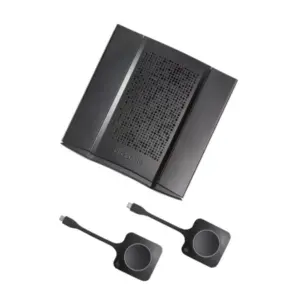
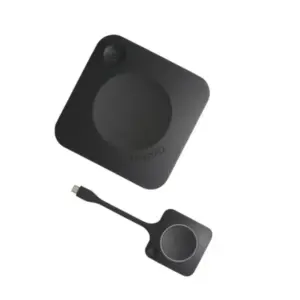
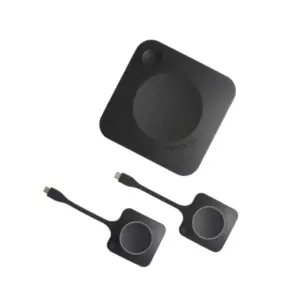
A meeting room should be easy for non-technical users. People should be able to enter the room, start a meeting, share a presentation, adjust basic controls, and end the session without calling IT every time. This is where room control and content sharing design become important. Some organizations prefer a touch controller with a dedicated meeting room appliance. Others prefer bring-your-own-device setups where users connect a laptop through USB-C, HDMI, or wireless presentation tools.
The right approach depends on company culture, security policy, meeting software, and user habits. A fixed room appliance can create a consistent experience for scheduled meetings. BYOD designs may be more flexible for visiting clients and mixed platforms. Wireless presentation can make collaboration faster, but network and security requirements should be reviewed. Interactive displays may be useful for brainstorming, education, design reviews, and training environments.
FourTeck helps buyers compare simplicity, compatibility, control, and maintenance needs before selecting a setup. The goal is not to overload the room with features. The goal is to create a stable, clean, and user-friendly environment that supports the way the business actually meets. Proper planning also helps identify required cables, adapters, mounts, controllers, and network accessories before installation starts.
What Buyers Should Check Before Purchase
Before requesting a quote, buyers should confirm the complete room requirement rather than only asking for one camera or one display. Collaboration systems are affected by room size, participant count, cabling access, software platform, display visibility, network readiness, acoustic conditions, and the level of user simplicity required. FourTeck can help review these details so the selected option matches the business use case instead of being chosen only by model name or device price.
Configuration Fit
Confirm camera coverage, microphone pickup, speaker output, display size, controller type, and whether the room needs fixed or laptop-based meetings.
Compatibility Check
Review compatibility with existing laptops, network ports, firewall policies, meeting platforms, wireless access, display inputs, and room scheduling tools.
Availability and Warranty
Availability and warranty terms may vary by brand, model, supplier status, quantity, and accessory selection. FourTeck can help clarify options during quotation.
Quote Preparation
Share room photos, dimensions, seating count, preferred platform, display requirement, installation location, and any existing AV or network equipment.
Buyers should also ask whether the proposal includes all required accessories. Missing mounts, cables, USB extenders, adapters, power points, or microphone expansion kits can delay installation. For multi-room projects, it is useful to define room categories such as small huddle room, medium meeting room, boardroom, and training space. This helps standardize user experience while avoiding unnecessary cost in smaller rooms.
UAE Availability and Service Support
FourTeck supports product inquiries across Dubai and the UAE with assistance for product selection, room requirement review, configuration guidance, quote requests, delivery coordination, and warranty direction. Availability may vary based on selected brand, model, accessory set, installation scope, supplier status, and order quantity. For this reason, buyers are encouraged to share room details before requesting a final quotation.
The team can help discuss whether a compact video bar, interactive display, separate camera and audio system, wireless presentation device, or full boardroom setup is more suitable. FourTeck can also guide buyers on related infrastructure such as structured cabling support, business network switches, Wi-Fi coverage, and firewall connectivity where required.
Contact FourTeck SalesDubai, Abu Dhabi, Sharjah, and Ajman Coverage
Businesses in Dubai, Abu Dhabi, Sharjah, Ajman, and other UAE locations can contact FourTeck for meeting room collaboration system availability, configuration guidance, and quote assistance. The team can help buyers review room size, user expectations, selected platforms, delivery location, installation requirements, and related accessories before preparing a suitable offer. This combined approach is helpful for companies with one meeting room as well as organizations planning multiple rooms across branches.
GCC and Africa Availability
FourTeck also supports business technology inquiries across selected GCC and Africa markets through its regional platforms and inquiry channels. Availability, delivery options, warranty handling, and configuration support may vary based on country, product type, selected brand, and project scope. Businesses in Saudi Arabia, Qatar, Oman, Kuwait, Bahrain, Kenya, Uganda, and other regional markets can discuss collaboration room requirements through the relevant FourTeck channels.
For regional inquiries, buyers may visit FourTeck UAE, FourTeck Kenya, FourTeck Uganda, FourTeck Africa, or FourTeck Kuwait depending on location and inquiry type.
Other Options Buyers May Consider
Meeting room projects often need related products such as displays, network equipment, Wi-Fi, structured cabling, IP telephony, and security appliances. The following FourTeck solution areas may help businesses complete the full environment around the collaboration room.
Interactive Display Solutions
Useful for training, presentations, annotations, and collaborative whiteboarding.
View related displaysBusiness Network Switches
Helpful when meeting room devices need stable wired connectivity and network access.
Explore switching optionsStructured Cabling
Supports clean AV, data, and power planning for meeting rooms and office spaces.
Plan cabling supportWireless Access Points
Important for guests, presenters, and collaboration tools that depend on Wi-Fi.
View Wi-Fi solutionsFirewall Solutions
Supports secure internet access, VPN use, and meeting platform reliability.
Review firewall optionsIP Telephony Systems
Complements meeting rooms where voice communication and office calling are required.
Explore IP telephonyWhy Buyers Choose FourTeck
Buyers contact FourTeck because meeting room technology requires more than a device list. A successful room needs practical understanding of AV, IT infrastructure, cabling, network access, user behavior, display placement, and future support. FourTeck helps businesses turn rough requirements into clearer purchasing decisions by asking the right questions before quotation.
Assistance with selecting suitable collaboration devices, accessories, and related IT products.
Room-specific guidance for camera, audio, display, controller, cabling, and platform selection.
Support for single-room, multi-room, and project-based quotations without fake stock or price claims.
Guidance for delivery requirements, installation coordination, and project planning in supported areas.
Clarification of warranty expectations based on selected brand, model, and supplier policy.
Support for UAE inquiries and selected regional business technology requirements.
Frequently Asked Questions
What is a conference room collaboration system used for?
It is used to improve meetings through video conferencing, room audio, presentation sharing, display connectivity, and easier control. Businesses use it for client calls, internal discussions, hybrid work, training, interviews, management reviews, and multi-branch communication.
Is this solution available for businesses in Dubai?
FourTeck supports Dubai-based inquiries for collaboration room systems, product options, quote assistance, and configuration guidance. Availability depends on selected components, preferred brand, quantity, installation scope, and supplier status at the time of request.
Can FourTeck help choose the right setup?
Yes. FourTeck can help review room size, seating count, table layout, preferred meeting platform, audio requirements, camera coverage, display needs, cabling, and accessories so the quotation better matches the actual meeting environment.
Does the system work with Microsoft Teams or Zoom?
Many collaboration solutions can support platforms such as Microsoft Teams, Zoom, Google Meet, Webex, and similar services, but compatibility depends on the selected hardware, room appliance, controller, PC setup, and meeting workflow.
What information should I share before requesting a quote?
Share room dimensions, seating capacity, photos, table shape, existing display details, preferred meeting platform, camera expectations, microphone requirements, installation location, network availability, and whether you need supply only or installation support.
Can this be supplied for multiple meeting rooms?
Yes, businesses can request support for one room or multiple rooms. For multi-room projects, it is helpful to classify rooms by size and purpose so each space receives the right level of equipment without overbuilding smaller rooms.
Does availability depend on configuration?
Yes. Availability can change based on brand, model, screen size, microphone type, camera option, controller requirement, accessory kit, and order quantity. FourTeck can help confirm suitable current options during the quotation process.
Can FourTeck help with related network requirements?
FourTeck can guide buyers on related IT infrastructure such as network switches, Wi-Fi, firewall connectivity, structured cabling, internet readiness, and room cabling requirements when these items affect meeting room performance.
How do I request a quote?
Use the FourTeck contact page and provide the room requirement, location, preferred brands if any, software platform, participant count, and installation expectation. The team can review the request and help prepare a suitable quotation.
Need Help Choosing the Right Meeting Room Solution?
FourTeck can help you review product availability, room requirements, configuration options, warranty guidance, related accessories, and delivery requirements for your business location. Share your room size, user count, preferred meeting platform, and installation expectation to receive practical buying assistance.
Request QuoteConference Room Collaboration Systems Dubai
Conference Room Collaboration Systems in Dubai, UAE
Modern meeting rooms are no longer just tables, chairs, and a display on the wall. They are communication spaces where leadership teams, sales departments, project groups, remote employees, clients, and regional branches need to meet clearly without technical frustration. FourTeck helps UAE businesses plan conference room collaboration systems that combine video conferencing, room audio, displays, wireless presentation, control interfaces, cabling, network readiness, and installation guidance into a practical business-ready solution.
UAE Delivery Coordination
Audio Video Guidance
Quote Assistance
Request Quote
Check UAE Availability
Quick Product Information
Product Overview
Conference Room Collaboration Systems Dubai are designed for organizations that want dependable meeting experiences without depending on improvised webcams, low-quality speakers, scattered cables, or manual troubleshooting before every call. A complete collaboration room normally includes a display or interactive screen, conferencing camera, microphone arrangement, speaker output, wireless or wired content sharing, room PC or appliance where required, control panel, network connectivity, and suitable cabling. The exact combination depends on whether the space is a small huddle room, a medium meeting room, a boardroom, a divisible training hall, or an executive presentation area.
The main purpose of this solution is to make business communication easier. When audio is clear, video framing is stable, content sharing is simple, and the room works with the preferred meeting platform, teams spend less time solving technical problems and more time making decisions. This matters for companies with remote employees, regional clients, hybrid work policies, supplier reviews, project discussions, interviews, training sessions, and management meetings that involve participants outside the physical room.
FourTeck supports buyers by helping them convert a room requirement into a practical system plan. Instead of choosing only by brand name or by the lowest device price, businesses can review room dimensions, participant count, acoustic challenges, display placement, table shape, camera position, network port availability, power access, and the software platforms used by the organization. This helps reduce the risk of mismatched devices, insufficient audio pickup, poor camera coverage, or incomplete installation accessories.
For UAE businesses, collaboration systems are useful across corporate offices, consulting firms, trading companies, logistics operations, schools, clinics, government-related offices, hospitality groups, and regional sales teams. FourTeck can assist with product sourcing guidance, suitable alternatives, project quotation support, delivery coordination, and related IT infrastructure advice such as structured cabling, network switches, Wi-Fi, firewall connectivity, and display mounting requirements.
Key Business Benefits
A collaboration room should support business communication, not complicate it. The following benefits explain why a properly planned system can improve meeting quality, reduce daily friction, and support a more professional workplace experience.
Clearer Hybrid Meetings
Professional cameras, microphones, and speakers help remote participants hear and see the room more clearly, which improves decision quality and meeting engagement.
Faster Meeting Starts
A properly designed setup reduces the need for cable swapping, device confusion, and last-minute troubleshooting before a client call or internal review.
Better Room Experience
Correct display sizing, camera placement, and audio coverage create a more comfortable environment for presenters, in-room participants, and remote guests.
Platform Flexibility
Solutions can be planned around Microsoft Teams, Zoom, Google Meet, BYOD usage, or appliance-based room systems depending on the business workflow.
Cleaner Installation
Thoughtful cabling, display mounting, controller placement, and network planning help keep the room tidy and easier to maintain over time.
Scalable Room Planning
Businesses can start with core meeting functions and add room scheduling panels, interactive displays, additional microphones, or control features later.
Product Highlights
Because collaboration systems include multiple components, there is no single fixed specification that fits every room. A small huddle room may require a compact video bar and a display, while a boardroom may need separate cameras, ceiling microphones, table microphones, audio DSP, larger displays, control panels, and structured AV cabling. FourTeck helps buyers select a suitable option by considering the actual room environment rather than treating all meeting spaces as identical.
Technical Specifications Table
Buyers should treat the specification table as a planning guide rather than a fixed bundle. The correct configuration depends on the meeting experience you want to create. A small room for four to six users may need a compact device with integrated camera and audio. A medium room may need wider camera coverage and microphone expansion. A large boardroom may require a more detailed design with multiple audio pickup zones, larger displays, and better cable routing. FourTeck can help review these details before quotation.
Configuration and Buyer Guidance
The most common mistake when buying meeting room equipment is selecting devices before understanding the room. The right collaboration system starts with practical questions. How many people normally sit in the room? Is the table long, round, U-shaped, or classroom-style? Will the camera need to show the whole room, the speaker, the whiteboard, or the display wall? Is the room used for client calls, internal meetings, training, online interviews, or executive presentations?
Room Size
Share room dimensions, seating capacity, table layout, wall position, and ceiling type before choosing hardware.
Meeting Platform
Confirm whether the organization mainly uses Teams, Zoom, Google Meet, Webex, or a mix of platforms.
Audio Coverage
Consider microphone range, speaker clarity, echo, background noise, glass walls, and air-conditioning noise.
Installation Scope
Check display mounting, cable concealment, power points, network ports, and controller placement before ordering.
Businesses should also consider who will use the room daily. Senior executives may prefer a simple touch panel and fixed setup. Sales teams may need fast laptop connection and content sharing. Training rooms may require camera flexibility and stronger audio. IT teams may prefer equipment that is easier to manage, update, and support. FourTeck can help review these points so the final quotation fits both the technical requirement and the user experience.
Ideal Business Use Cases
Corporate Boardrooms
Executive rooms need professional video, reliable audio, large displays, and clean control so leadership discussions can include remote participants without interruptions.
Hybrid Work Meetings
Teams with remote employees benefit from clear conferencing systems that help everyone join discussions, review files, and participate naturally.
Training Rooms
Training spaces may need larger displays, presenter cameras, stronger microphone coverage, and content sharing for workshops, courses, and onboarding sessions.
Client Presentation Areas
Consultants, sales teams, and project groups can use polished meeting rooms to present proposals, review documents, and connect with external clients.
Education and Learning Spaces
Schools, institutes, and corporate learning departments can use conferencing and display systems to support online classes and remote guest sessions.
Multi-Branch Coordination
Companies with regional teams can connect branches for operational reviews, management updates, and project coordination without requiring constant travel.
A conference room solution can also support recruitment interviews, legal consultations, supplier negotiations, healthcare administration meetings, hospitality management reviews, and remote project supervision. The value comes from designing the room around real business activity rather than simply installing isolated devices.
Conference Room Collaboration Systems Dubai: Video Quality and Room Visibility
Video quality is not only about camera resolution. It is also about viewing angle, room lighting, camera placement, participant distance, table layout, and whether the camera can frame people naturally. In a small huddle room, a wide-angle camera may be enough to show everyone. In a larger room, a PTZ camera or intelligent framing system may be more suitable because participants sit farther away from the display wall. Some rooms may also need a camera that captures a whiteboard, presenter area, or audience view.
FourTeck helps buyers think beyond the device name. A camera that works well in one room may not create the same experience in a longer boardroom or a glass-walled meeting area with backlight from windows. Display placement also affects the camera position. If the camera is mounted too high, remote participants may feel disconnected. If it is too low or too far from the table, faces may not appear clearly. Good design considers eye-line, cable path, screen height, and how people naturally sit during meetings.
For business buyers, the goal is a professional, natural meeting image. This helps during client presentations, management meetings, interviews, and online reviews where the room represents the organization. FourTeck can assist with suitable camera and display options based on the meeting purpose, seating count, and selected platform.
Audio Coverage, Microphones, and Speaker Clarity
Audio is often the most important part of a collaboration room. A meeting can continue with average video, but poor audio quickly disrupts the conversation. Remote participants need to hear everyone clearly, not just the person sitting closest to the laptop. In-room users also need speakers that are loud enough without creating echo, distortion, or feedback. This is why microphone coverage, room acoustics, speaker placement, and device processing matter.
Small rooms may perform well with an integrated video bar that includes microphones and speakers. Medium rooms may need expansion microphones or a separate speakerphone. Larger boardrooms may require ceiling microphones, table microphones, audio processing, and better speaker placement. Rooms with glass walls, hard flooring, open ceilings, or air-conditioning noise may need additional planning because sound reflections and background noise can reduce call quality.
FourTeck can help buyers review seating distance, ceiling height, table shape, expected participant count, and meeting style. A training room, for example, may need presenter audio and audience pickup. A boardroom may need equal pickup across the entire table. A client discussion room may prioritize natural conversation and reduced echo. Selecting the right audio approach protects the meeting experience and avoids repeat purchases caused by under-sized devices.
Content Sharing, Control, and User Simplicity
A meeting room should be easy for non-technical users. People should be able to enter the room, start a meeting, share a presentation, adjust basic controls, and end the session without calling IT every time. This is where room control and content sharing design become important. Some organizations prefer a touch controller with a dedicated meeting room appliance. Others prefer bring-your-own-device setups where users connect a laptop through USB-C, HDMI, or wireless presentation tools.
The right approach depends on company culture, security policy, meeting software, and user habits. A fixed room appliance can create a consistent experience for scheduled meetings. BYOD designs may be more flexible for visiting clients and mixed platforms. Wireless presentation can make collaboration faster, but network and security requirements should be reviewed. Interactive displays may be useful for brainstorming, education, design reviews, and training environments.
FourTeck helps buyers compare simplicity, compatibility, control, and maintenance needs before selecting a setup. The goal is not to overload the room with features. The goal is to create a stable, clean, and user-friendly environment that supports the way the business actually meets. Proper planning also helps identify required cables, adapters, mounts, controllers, and network accessories before installation starts.
What Buyers Should Check Before Purchase
Before requesting a quote, buyers should confirm the complete room requirement rather than only asking for one camera or one display. Collaboration systems are affected by room size, participant count, cabling access, software platform, display visibility, network readiness, acoustic conditions, and the level of user simplicity required. FourTeck can help review these details so the selected option matches the business use case instead of being chosen only by model name or device price.
Configuration Fit
Confirm camera coverage, microphone pickup, speaker output, display size, controller type, and whether the room needs fixed or laptop-based meetings.
Compatibility Check
Review compatibility with existing laptops, network ports, firewall policies, meeting platforms, wireless access, display inputs, and room scheduling tools.
Availability and Warranty
Availability and warranty terms may vary by brand, model, supplier status, quantity, and accessory selection. FourTeck can help clarify options during quotation.
Quote Preparation
Share room photos, dimensions, seating count, preferred platform, display requirement, installation location, and any existing AV or network equipment.
Buyers should also ask whether the proposal includes all required accessories. Missing mounts, cables, USB extenders, adapters, power points, or microphone expansion kits can delay installation. For multi-room projects, it is useful to define room categories such as small huddle room, medium meeting room, boardroom, and training space. This helps standardize user experience while avoiding unnecessary cost in smaller rooms.
UAE Availability and Service Support
FourTeck supports product inquiries across Dubai and the UAE with assistance for product selection, room requirement review, configuration guidance, quote requests, delivery coordination, and warranty direction. Availability may vary based on selected brand, model, accessory set, installation scope, supplier status, and order quantity. For this reason, buyers are encouraged to share room details before requesting a final quotation.
The team can help discuss whether a compact video bar, interactive display, separate camera and audio system, wireless presentation device, or full boardroom setup is more suitable. FourTeck can also guide buyers on related infrastructure such as structured cabling support, business network switches, Wi-Fi coverage, and firewall connectivity where required.
Dubai, Abu Dhabi, Sharjah, and Ajman Coverage
Businesses in Dubai, Abu Dhabi, Sharjah, Ajman, and other UAE locations can contact FourTeck for meeting room collaboration system availability, configuration guidance, and quote assistance. The team can help buyers review room size, user expectations, selected platforms, delivery location, installation requirements, and related accessories before preparing a suitable offer. This combined approach is helpful for companies with one meeting room as well as organizations planning multiple rooms across branches.
GCC and Africa Availability
FourTeck also supports business technology inquiries across selected GCC and Africa markets through its regional platforms and inquiry channels. Availability, delivery options, warranty handling, and configuration support may vary based on country, product type, selected brand, and project scope. Businesses in Saudi Arabia, Qatar, Oman, Kuwait, Bahrain, Kenya, Uganda, and other regional markets can discuss collaboration room requirements through the relevant FourTeck channels.
For regional inquiries, buyers may visit FourTeck UAE, FourTeck Kenya, FourTeck Uganda, FourTeck Africa, or FourTeck Kuwait depending on location and inquiry type.
Other Options Buyers May Consider
Meeting room projects often need related products such as displays, network equipment, Wi-Fi, structured cabling, IP telephony, and security appliances. The following FourTeck solution areas may help businesses complete the full environment around the collaboration room.
Interactive Display Solutions
Useful for training, presentations, annotations, and collaborative whiteboarding.
Business Network Switches
Helpful when meeting room devices need stable wired connectivity and network access.
Structured Cabling
Supports clean AV, data, and power planning for meeting rooms and office spaces.
Wireless Access Points
Important for guests, presenters, and collaboration tools that depend on Wi-Fi.
Firewall Solutions
Supports secure internet access, VPN use, and meeting platform reliability.
IP Telephony Systems
Complements meeting rooms where voice communication and office calling are required.
Why Buyers Choose FourTeck
Buyers contact FourTeck because meeting room technology requires more than a device list. A successful room needs practical understanding of AV, IT infrastructure, cabling, network access, user behavior, display placement, and future support. FourTeck helps businesses turn rough requirements into clearer purchasing decisions by asking the right questions before quotation.
Assistance with selecting suitable collaboration devices, accessories, and related IT products.
Room-specific guidance for camera, audio, display, controller, cabling, and platform selection.
Support for single-room, multi-room, and project-based quotations without fake stock or price claims.
Guidance for delivery requirements, installation coordination, and project planning in supported areas.
Clarification of warranty expectations based on selected brand, model, and supplier policy.
Support for UAE inquiries and selected regional business technology requirements.
Frequently Asked Questions
What is a conference room collaboration system used for?
It is used to improve meetings through video conferencing, room audio, presentation sharing, display connectivity, and easier control. Businesses use it for client calls, internal discussions, hybrid work, training, interviews, management reviews, and multi-branch communication.
Is this solution available for businesses in Dubai?
FourTeck supports Dubai-based inquiries for collaboration room systems, product options, quote assistance, and configuration guidance. Availability depends on selected components, preferred brand, quantity, installation scope, and supplier status at the time of request.
Can FourTeck help choose the right setup?
Yes. FourTeck can help review room size, seating count, table layout, preferred meeting platform, audio requirements, camera coverage, display needs, cabling, and accessories so the quotation better matches the actual meeting environment.
Does the system work with Microsoft Teams or Zoom?
Many collaboration solutions can support platforms such as Microsoft Teams, Zoom, Google Meet, Webex, and similar services, but compatibility depends on the selected hardware, room appliance, controller, PC setup, and meeting workflow.
What information should I share before requesting a quote?
Share room dimensions, seating capacity, photos, table shape, existing display details, preferred meeting platform, camera expectations, microphone requirements, installation location, network availability, and whether you need supply only or installation support.
Can this be supplied for multiple meeting rooms?
Yes, businesses can request support for one room or multiple rooms. For multi-room projects, it is helpful to classify rooms by size and purpose so each space receives the right level of equipment without overbuilding smaller rooms.
Does availability depend on configuration?
Yes. Availability can change based on brand, model, screen size, microphone type, camera option, controller requirement, accessory kit, and order quantity. FourTeck can help confirm suitable current options during the quotation process.
Can FourTeck help with related network requirements?
FourTeck can guide buyers on related IT infrastructure such as network switches, Wi-Fi, firewall connectivity, structured cabling, internet readiness, and room cabling requirements when these items affect meeting room performance.
How do I request a quote?
Use the FourTeck contact page and provide the room requirement, location, preferred brands if any, software platform, participant count, and installation expectation. The team can review the request and help prepare a suitable quotation.
Need Help Choosing the Right Meeting Room Solution?
FourTeck can help you review product availability, room requirements, configuration options, warranty guidance, related accessories, and delivery requirements for your business location. Share your room size, user count, preferred meeting platform, and installation expectation to receive practical buying assistance.
Showing all 7 results
-
Conference Room Collaboration Systems Dubai
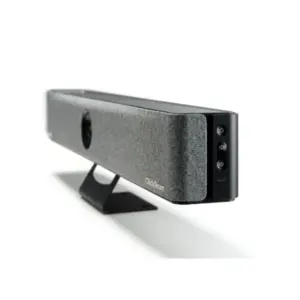
Barco ClickShare Bar Core Video Conferencing Bar Dubai
Read more -
Conference Room Collaboration Systems Dubai
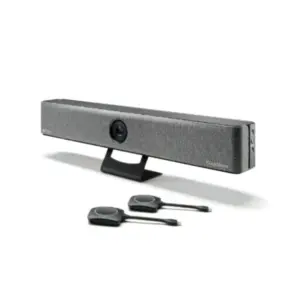
Barco ClickShare Bar Pro Video Conferencing Bar Dubai
Read more -
Conference Room Collaboration Systems Dubai
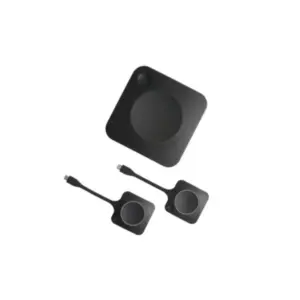
Barco ClickShare C-10 Wireless Presentation System Dubai
Read more -
Conference Room Collaboration Systems Dubai
Barco ClickShare C-5 Wireless Presentation System Dubai
Read more -
Conference Room Collaboration Systems Dubai
Barco ClickShare CX-50 Conference System Dubai
Read more